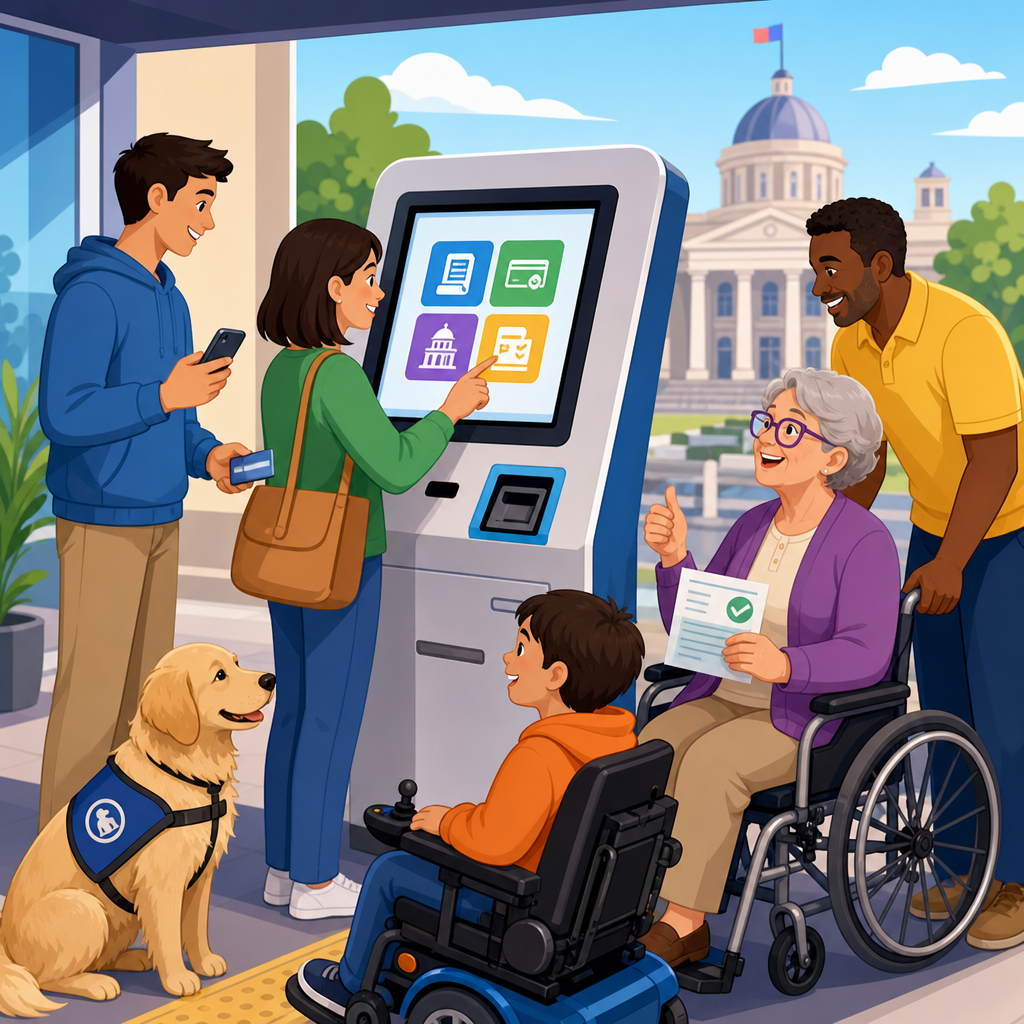
Government kiosk, payment, and permit system accessibility determines whether residents can independently pay taxes, renew licenses, apply for permits, check case status, and obtain public information in buildings that are supposed to serve everyone. In this context, accessibility means designing self-service kiosks, digital payment stations, permitting portals, and related workflows so people with disabilities can perceive, understand, navigate, and complete tasks without unnecessary barriers. It spans physical reach ranges, screen readability, keyboard access, speech output, captioning, compatible documents, error prevention, and staff support. For public spaces and government, this is not a niche requirement. It is a service delivery standard tied to civil rights, operational efficiency, and public trust.
I have worked on public-facing service systems where a single inaccessible step blocked entire transactions: a touchscreen mounted too high for wheelchair users, a permit PDF unreadable by screen readers, a payment timer that expired before someone using switch access could finish. These are not minor usability flaws. They prevent equal participation in core civic functions. Residents do not interact with government only at a desktop computer during office hours. They use kiosks in lobbies, parking offices, courthouses, transit hubs, utility departments, and community centers. They receive notices by email, scan QR codes from posted signs, upload documents from phones, and complete payments through third-party processors that may not follow the same accessibility discipline as the agency itself.
That is why this hub for Public Spaces & Government matters. Accessibility here must cover the full service chain: discovery, identity verification, forms, payment, receipts, follow-up, and in-person assistance. The relevant benchmarks often include the Americans with Disabilities Act, Section 504, Section 508 for federal technology and many state procurements, and the Web Content Accessibility Guidelines, currently centered on version 2.1 or 2.2 Level AA in most policy language. Yet compliance language alone is not enough. Agencies need practical design decisions, procurement controls, testing methods, and governance that work across legacy systems, vendor platforms, physical equipment, and multilingual public environments.
This article serves as the hub for that work. It explains what accessible government kiosks, payment systems, and permit services require, where projects usually fail, which technical and operational controls matter most, and how agencies can prioritize improvements across public spaces. It also points naturally to deeper subtopics your program should address, from touchscreen hardware and accessible forms to procurement language, user testing, mobile payment flows, and remediation planning. If your team manages civic technology in a lobby, on a sidewalk, at a permit counter, or through an online portal, the goal is straightforward: every resident should be able to complete the task with dignity, privacy, and comparable independence.
What accessible government service systems include
Government kiosk accessibility is broader than a touchscreen with larger text. A complete system usually includes hardware, software, content, documents, payment processing, printed output, and human support. In a city hall lobby, for example, a resident may approach a kiosk to pay a utility bill, scan a barcode from a mailed notice, review charges, choose a payment method, enter card details, receive a printed receipt, and request email confirmation. Each step has accessibility implications. The kiosk needs clear floor space, reachable controls, a screen visible without extreme neck movement, tactilely identifiable input options, audio output through a standard headphone jack or paired handset, sufficient time limits, and software that supports nonvisual navigation and understandable error recovery.
Permit system accessibility adds complexity because permitting often requires account creation, multi-page forms, file uploads, maps, inspection scheduling, and legal attestations. Public users may need to submit building permits, parking permits, special event applications, animal licenses, or right-of-way requests. Staff users may also depend on internal modules to review submissions and communicate with applicants. If the applicant portal is accessible but the uploaded guidance documents are image-only PDFs, the service still fails. If the fee calculator cannot be operated by keyboard, users may not be able to proceed. If a required CAPTCHA has no accessible alternative, the process stops entirely.
Payment system accessibility also deserves separate attention because many agencies rely on third-party processors. The agency may own the branding and entry point, but the checkout experience often shifts to a vendor domain, embedded iframe, or device-specific card terminal. That handoff is where many public entities lose control. In practice, accessible public payment requires consistent keyboard focus order, properly labeled form fields, clear error messages, screen reader announcements for validation, support for assistive technology on mobile devices, and enough time to review totals before submission. Physical card readers should provide tactile controls, privacy protection, and audible prompts where appropriate.
Where public spaces and government workflows break down
Across municipal, county, state, and quasi-public environments, the same failure patterns appear repeatedly. First, agencies treat the kiosk, portal, and counter process as separate projects, even though residents experience them as one service. A parking permit applicant may begin on a phone, continue at a library computer, visit a city office for identity verification, and finish payment at a lobby station. If accessibility assumptions differ at each point, the burden shifts to the user. Second, procurement teams often accept vendor claims without requiring evidence such as conformance reports, test results, issue logs, and remediation timelines. A polished demo can hide severe barriers in account setup, document upload, receipt access, or timeout handling.
Third, teams focus on visible disabilities while overlooking cognitive, auditory, speech, and dexterity needs. In the field, I often see interfaces that use tiny touch targets, dense legal text, unexplained acronyms, and countdown timers that create pressure without adding security. Residents with low literacy, limited English proficiency, brain injuries, anxiety, or age-related impairments are affected alongside people using screen readers or wheelchairs. Fourth, agencies underestimate environmental conditions. Glare from glass entrances, lobby noise, poor lighting, and lack of seating can make an otherwise compliant kiosk difficult to use. Fifth, maintenance plans are weak. A headphone jack stops working, a speech volume setting resets after updates, paper jams disable receipt access, or a browser patch breaks keyboard focus, and nobody checks until a resident complains.
| Service area | Common barrier | Practical consequence | Preferred control |
|---|---|---|---|
| Lobby kiosk | Touch-only navigation | Nonvisual users cannot complete payment | Keyboard or tactile input plus speech output |
| Permit portal | Unlabeled form fields | Screen readers announce meaningless inputs | Programmatic labels, instructions, and error text |
| Document upload | Image-only PDFs required | Users cannot review or create accessible submissions | Accessible templates and alternative submission paths |
| Checkout | Short session timeout | Transactions fail before completion | Extend, warn, and allow more time |
| Receipt delivery | Print-only confirmation | Blind users cannot independently verify transaction | Email or accessible digital receipt options |
Standards, procurement, and design requirements that matter most
For most agencies, the baseline question is simple: what standards should govern public spaces and government digital services? The most widely referenced technical benchmark is WCAG 2.1 or 2.2 Level AA for websites, web applications, mobile flows, and kiosk software rendered through web technologies. Hardware and electronic content may bring in additional requirements through Section 508 standards, procurement rules, and platform-specific guidance. The ADA and Section 504 establish the civil rights obligation, while state laws, city policies, and settlement agreements often define the implementation details. The practical takeaway is that agencies should not ask vendors whether a product is “accessible.” They should require conformance to named criteria, documented exceptions, and a plan to close gaps.
Procurement language is one of the strongest levers available. Requests for proposals should require a current Accessibility Conformance Report using the VPAT format, identify which WCAG version and level apply, demand test evidence for critical user journeys, and reserve the right to validate claims through independent testing. Contracts should include remediation deadlines, no-cost fixes for nonconformant features, change management obligations, and accessibility acceptance criteria before final payment. This is especially important for payment gateways, scheduling modules, map tools, identity verification services, and e-signature components, because these are common points of failure supplied by subcontractors.
Design requirements should be specific enough for implementation teams. For kiosks, define mounting height, operable parts, privacy considerations, audio access, color contrast, timeout behavior, and alternatives to drag, swipe, or multi-finger gestures. For permit systems, specify accessible form components, logical heading structure, plain-language instructions, meaningful status updates, and error prevention for legal or financial submissions. For public payment flows, require review screens before final submission, confirmation pages that can be saved or emailed, and customer support paths that do not force users back into the inaccessible channel. Agencies that write these expectations early spend less on emergency retrofits later.
How agencies can build accessible kiosks, payments, and permits in practice
The most effective accessibility programs treat service design as end-to-end operations, not one-time audits. Start by mapping high-volume civic tasks such as parking tickets, business licenses, utilities, court fines, records requests, and building permits. Identify every touchpoint: notice, website, search result, portal login, form completion, document upload, payment, confirmation, and support. Then test those journeys with real assistive technologies, including screen readers like JAWS, NVDA, and VoiceOver; keyboard-only navigation; screen magnification; speech recognition; and mobile accessibility settings on iOS and Android. For physical kiosks, evaluate reach ranges, glare, ambient sound, seating, and line-of-sight with actual users whenever possible.
Content design is just as important as code. Government forms often fail because instructions are written for departments, not residents. Clear labels, step-by-step explanations, examples of accepted documents, and concise error messages reduce abandonment for everyone. If an address must match tax records exactly, say so before the user submits. If permit fees vary by square footage, explain the formula and provide examples. If a deadline applies, show both the date and the consequence of missing it. Plain language is not a simplification of legal obligations; it is a delivery mechanism that helps users complete required actions accurately.
Operational support closes the remaining gap. Even well-designed systems need staff who know how to assist without taking over unnecessarily or compromising privacy. Front-desk employees should understand how to start kiosk speech output, offer accessible alternatives, and escalate defects quickly. Agencies should maintain documented fallback methods, such as staffed payment options, phone support, alternative file submission methods, and appointment-based assistance for complex permits. Finally, accessibility needs monitoring after launch. Include it in QA cycles, analytics reviews, user feedback analysis, vendor meetings, and refresh planning. Public services change constantly. Accessible government systems stay usable only when accessibility is treated as an ongoing service standard across public spaces, not a box checked at procurement. This hub should guide your next steps: audit priority journeys, tighten vendor requirements, test real tasks, and fix barriers before residents encounter them.
Government accessibility in public spaces succeeds when agencies view kiosks, payment systems, and permit platforms as one connected civic service. Residents do not care which vendor owns the checkout page, which department generated the PDF, or whether a touchscreen was installed under a facilities budget instead of an IT budget. They care whether they can finish the task independently, privately, and without confusion. The strongest programs therefore combine legal obligations, technical standards, procurement discipline, content clarity, and staff readiness. When those elements align, agencies reduce complaints, increase completion rates, shorten counter visits, and strengthen confidence in public service delivery.
The key lessons are consistent across jurisdictions. Accessible kiosks need usable hardware, nonvisual access, adequate time, and receipt options beyond print. Accessible payment systems need labeled fields, predictable validation, mobile compatibility, and third-party oversight. Accessible permit services need forms, documents, uploads, and status updates that work with assistive technology from start to finish. Just as important, accessibility must be verified through journey testing and maintained through contracts, monitoring, and remediation plans. A single inaccessible handoff can nullify dozens of good decisions elsewhere in the process.
Use this Public Spaces & Government hub as the starting point for a broader accessibility program. Prioritize your highest-volume transactions, review every vendor dependency, and test with the tools and users who reflect the public you serve. Then turn findings into standards for future procurements, redesigns, and facility upgrades. The benefit is concrete: more residents can access essential government services with dignity, and your agency delivers on its mission more effectively. Start with one journey this month, fix the most consequential barriers, and build from there.
Frequently Asked Questions
What does accessibility mean for government kiosks, payment systems, and permit portals?
Accessibility in this setting means residents can use government self-service tools independently and effectively, regardless of disability. That includes physical kiosks in public buildings, digital payment terminals, permit application portals, touchscreen check-in stations, and case-status tools. An accessible system allows people to perceive information, understand instructions, navigate steps, enter data, review choices, correct mistakes, and complete transactions without unnecessary assistance. For example, someone who is blind may need screen reader compatibility, speech output, tactile controls, and headphone access at a kiosk. A resident with limited hand mobility may need keyboard navigation, enough time to complete forms, and controls that do not require precise gestures. A person who is deaf or hard of hearing may need captions, visual alerts, and non-audio alternatives for instructions or confirmations.
Accessibility also extends beyond the screen itself. It includes the height and reach range of kiosks, glare and lighting conditions, readable text, color contrast, plain-language instructions, and workflows that do not create cognitive overload. It covers accessible authentication methods, document upload steps, payment confirmations, receipt delivery, and error recovery. If a resident can start an application but gets blocked at the signature step, payment gateway, CAPTCHA, or PDF download, the overall system is not truly accessible. In government environments, this matters because these systems often control access to essential public services such as tax payment, license renewal, permits, records, and public information. Accessibility is therefore not a feature add-on; it is a core requirement for equal access to government services.
Why is accessibility especially important in government service environments?
Government systems are different from many private-sector tools because they often provide services people cannot realistically avoid. Residents may need to pay taxes, renew a driver-related credential, apply for housing or business permits, check enforcement or court-related status, or submit required forms by a deadline. If those systems are inaccessible, the result is not just inconvenience. It can lead to missed deadlines, penalties, delayed approvals, loss of benefits, repeated trips to public offices, dependence on staff or family members, and reduced privacy. A resident should not have to disclose personal financial, legal, or medical information just because a kiosk or portal is unusable without assistance.
Accessibility is also important because government buildings and websites are intended to serve the public as a whole. Public trust is affected when residents encounter barriers in locations that are supposed to be open and inclusive. Inaccessible self-service tools can effectively create a two-tiered system where some people can complete tasks quickly and independently while others must wait for help, use inconvenient workarounds, or abandon the process altogether. Designing for accessibility supports fairness, dignity, and efficiency at the same time. It reduces staff intervention, lowers error rates, improves completion rates, and makes systems more usable for many people beyond those with formally recognized disabilities, including older adults, people with temporary injuries, residents with limited digital experience, and people using services in stressful situations.
What are the most common accessibility barriers in kiosks, payment stations, and permit workflows?
Some of the most common barriers appear at the interaction level. Touchscreen-only kiosks are a major problem when there is no tactile keypad, no keyboard option, no speech output, or no compatibility with assistive technology. Small text, poor color contrast, unlabeled buttons, timeouts that expire too quickly, and instructions that rely only on color or sound can make core tasks impossible. Many systems also use complex multi-step forms with confusing field labels, inconsistent navigation, or error messages that do not explain what went wrong. For residents with cognitive disabilities or limited digital literacy, dense language and unclear process design can be as restrictive as a physical barrier.
Payment and permit workflows often fail at key handoff points. Third-party payment gateways may not support keyboard navigation or screen readers. Uploaded document requirements may not be explained clearly or may only accept formats that are hard to produce accessibly. Signature steps may assume mouse use or require fine motor control. PDF forms and downloadable notices may be unreadable by assistive technology. Identity verification tools may rely on inaccessible visual challenges or photo capture steps with no accessible alternative. Physical barriers also matter: a kiosk mounted too high, a card reader placed out of reach, a headphone jack located awkwardly, or a screen positioned with heavy glare can prevent use even if the software itself is well designed. In many cases, the issue is not a single defect but a chain of smaller barriers that collectively stop a resident from finishing the task.
How can agencies make these systems more accessible and easier for residents to use?
Agencies should approach accessibility as part of procurement, design, development, deployment, and ongoing maintenance. The strongest starting point is to require accessibility from the beginning when selecting kiosk hardware, payment platforms, permitting software, and any third-party integrations. Systems should support keyboard-only navigation, screen readers, visible focus indicators, proper labeling of form fields and buttons, sufficient color contrast, scalable text, captions, transcripts where appropriate, and clear error identification. Kiosks should include accessible reach ranges, privacy-conscious audio output, headphone support, tactile input options, and interfaces that do not rely exclusively on gestures or visual cues. Time limits should be adjustable or extendable, and instructions should be written in plain language with a logical step-by-step structure.
Equally important is testing with real users with disabilities, not just automated scans or checklist reviews. Agencies should evaluate complete task flows such as paying a fee, renewing a license, uploading documents, checking application status, printing or emailing a receipt, and returning later to continue a process. Accessibility should be monitored after launch because software updates, content changes, and vendor modifications can introduce new barriers. Staff should also be trained to assist appropriately without undermining privacy or independence. Finally, agencies should always provide an accessible alternative path when a system fails or a resident needs another option, such as in-person support, phone assistance, or a fully accessible web-based process. Good accessibility is not only technical compliance; it is reliable service design that works for people in real public-service situations.
How can residents and agencies tell whether a government kiosk or permit system is truly accessible?
A truly accessible system can be judged by whether residents can complete important tasks independently, consistently, and with reasonable effort. It is not enough for a login page to work if the payment confirmation page does not. Agencies should examine the entire user journey from arrival to completion. That means evaluating physical access to the kiosk location, input and navigation methods, readability, compatibility with assistive technology, understandable instructions, error recovery, payment handling, document submission, receipt delivery, and access to follow-up records. If a resident can start a permit application but cannot correct an error, save progress, or submit supporting documents, accessibility remains incomplete. Real-world usability should be measured, not assumed.
Agencies can assess accessibility through a combination of standards-based reviews, manual testing, assistive-technology testing, and user testing with people who have a range of disabilities. They should document barriers, prioritize fixes based on task criticality, and establish accountability for vendors and internal teams. Residents can often identify warning signs quickly: no keyboard access, unreadable forms, reliance on sound without captions, tiny text, inaccessible PDFs, forced timeouts, or staff having to take over the transaction. The clearest sign of true accessibility is simple: people with disabilities can use the system privately, accurately, and without special treatment. When that standard is met, government service becomes more equitable, efficient, and dependable for everyone.





