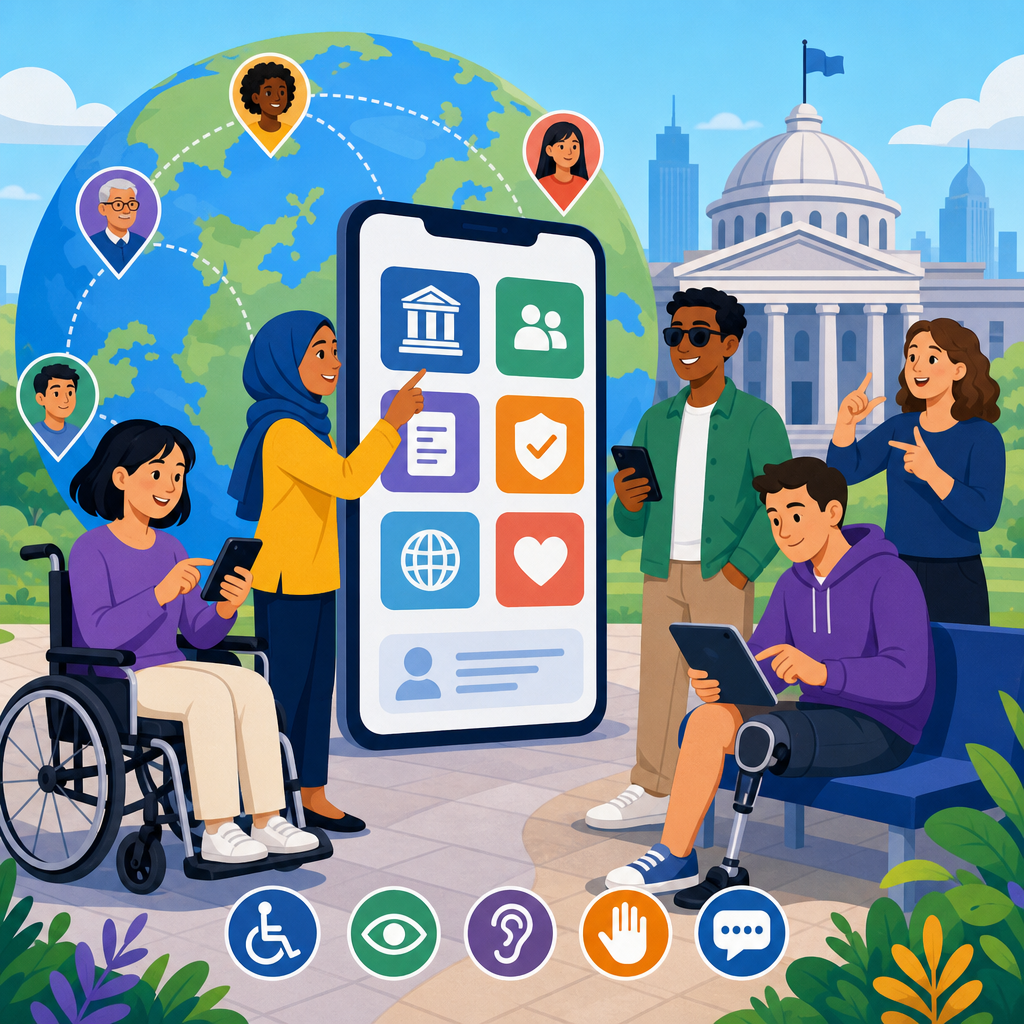
Accessible government apps are now a core part of public service delivery, not a niche digital project. Citizens use mobile applications to renew documents, receive emergency alerts, pay taxes, apply for benefits, book medical appointments, and report local problems. When those apps are not accessible, governments create preventable barriers for people with disabilities, older adults, users with temporary impairments, and anyone working in difficult conditions such as glare, noise, or low bandwidth. Global best practices for accessible government apps therefore combine legal compliance, inclusive design, technical quality, and operational discipline.
In practice, accessibility means people can perceive, understand, navigate, and operate an app using the methods that work for them. That includes support for screen readers such as VoiceOver and TalkBack, sufficient color contrast, scalable text, clear labels, keyboard and switch access, captions, plain language, and predictable interaction patterns. For governments, the standard reference point is usually the Web Content Accessibility Guidelines, often mapped into national rules, procurement terms, and mobile design systems. I have worked on public sector accessibility reviews where teams assumed a mobile app was compliant because the website met baseline standards; testing quickly showed unlabeled buttons, broken focus order, inaccessible PDF downloads, and identity verification steps that locked out real users.
This matters because government apps serve everyone, including people who cannot simply switch to another provider. A retail app can lose customers; a benefits app can deny food assistance, housing support, or legal status. The most effective international strategies treat accessibility as service quality from policy through maintenance, not as a final audit. Countries leading in this area align regulation, design systems, research with disabled users, and measurable delivery controls. The result is not only better compliance. It is faster task completion, lower support demand, stronger trust, and more resilient public services across languages, devices, and connectivity conditions.
Build policy, standards, and procurement into one operating model
The strongest accessible government apps are supported by a clear operating model. Policy establishes obligation, standards define what good looks like, and procurement ensures vendors deliver it. If one of those layers is missing, accessibility becomes inconsistent. In mature programs, mobile app requirements are written into product briefs, design templates, development contracts, acceptance criteria, and release gates. Teams do not rely on goodwill or after-the-fact remediation.
Across jurisdictions, WCAG remains the most widely recognized benchmark, even though native mobile apps require platform-specific interpretation. Governments also rely on Apple Human Interface Guidelines, Material Design accessibility guidance, EN 301 549 in Europe, Section 508 in the United States, and national digital service standards. The practical lesson is straightforward: adopt one baseline, then add mobile-specific controls for gestures, dynamic type, orientation, authentication, and assistive technology compatibility. A procurement clause that merely says “must be accessible” is too weak. Good contracts specify standards, testing evidence, defect severity levels, remediation timelines, and responsibilities after launch.
I have seen the difference this makes in delivery. When accessibility is part of vendor scoring, design review, and sprint definition of done, teams catch issues during wireframes and component selection. When it is treated as a specialist sign-off at the end, defects become expensive and politically visible. Governments should maintain a central accessibility policy, a reusable mobile component library, and a cross-agency review process so each department is not reinventing basic controls.
Design for inclusive use cases, not generic users
International innovations in accessibility often start with a better understanding of real service conditions. Government app users may have low literacy, limited digital confidence, reduced vision, hearing loss, cognitive disabilities, motor impairments, older devices, or intermittent connectivity. They may also be stressed, multilingual, or completing a task on public transport. Accessible government apps succeed when teams design for these realities instead of an abstract average user.
Plain language is one of the highest-value interventions. Eligibility criteria, document requests, and status messages should use direct wording, short sentences, and familiar terms. Error handling must explain what happened, what the user should do next, and whether data was saved. Forms should group related fields, expose input formats clearly, and avoid timing users out without warning. For cognitive accessibility, predictable navigation, progress indicators, and reduced unnecessary choices matter as much as screen reader support.
Several governments have improved service completion by simplifying task flows before adding technical fixes. For example, replacing a single dense application form with a staged process can reduce abandonment for all users, while especially helping people using magnification or voice input. Multilingual support also intersects with accessibility. Translation is not enough; teams need tested reading levels, locale-aware date and number formats, and speech technology compatibility in each supported language.
Engineer native mobile accessibility from the component level
Accessible mobile apps are built through engineering decisions that appear small but determine whether assistive technology works. Every interactive element needs a programmatic name, role, state, and value. Focus order must match visual order. Gesture-only actions require alternatives. Icons need labels that describe purpose, not shape. Dynamic content updates must be announced properly. Touch targets should be large enough to activate reliably, and screen orientation should not block key tasks unless essential for function.
On iOS, teams should use native controls where possible because they inherit accessibility behavior, support Dynamic Type, and work more consistently with VoiceOver. On Android, developers should use semantic components, content descriptions only where appropriate, and accessibility headings for efficient navigation. Custom components are where many public apps fail. A custom date picker, document carousel, or map pin selector may look polished but become unusable for switch control or screen readers if semantics are not exposed correctly.
Authentication deserves special attention. Government apps often require high assurance identity, but many implementations create avoidable barriers. Best practice is to support passkeys or accessible multifactor methods, allow paste in one-time code fields, provide clear timeout warnings, and avoid CAPTCHA challenges that exclude users. Where biometric login is offered, there should always be an accessible fallback. Security and accessibility are not opposing goals; they are design constraints to solve together.
Test with disabled users, assistive technology, and realistic service journeys
No accessibility strategy is credible without user testing. Automated scanners are useful for detecting missing labels, contrast issues, or structural problems, but they cannot tell a team whether a blind user can complete an address change, whether a deaf user understands emergency media, or whether a person with tremor can upload evidence documents. The most effective governments combine automated checks, expert audits, and moderated testing with disabled participants on real devices.
Testing should cover end-to-end journeys rather than isolated screens. In one public service review I led, the visible interface passed most checks, yet the journey failed at the point where the app opened a third-party PDF viewer that ignored text resizing and lost screen reader focus. Similar failures happen when services hand off to webviews, payment tools, mapping SDKs, or chat modules. Government teams need to test integrations, not just the core app.
| Testing layer | Purpose | Typical tools or methods |
|---|---|---|
| Automated checks | Catch repeatable code and contrast issues early | Accessibility Scanner, axe for Android, Xcode Accessibility Inspector |
| Expert review | Evaluate semantics, focus, patterns, and standards compliance | Manual audit against WCAG, EN 301 549, platform guidance |
| Assistive technology testing | Verify real interaction with screen readers and switch access | VoiceOver, TalkBack, Switch Control, external keyboards |
| User research | Reveal barriers in comprehension, trust, and task completion | Moderated sessions with disabled participants using live journeys |
Good programs schedule accessibility testing continuously: at prototype, before beta, before release, and after major updates. They also log defects by severity and user impact, not just by engineering convenience. A mislabeled settings icon matters less than an inaccessible identity proofing step that prevents benefit claims. Prioritization must reflect service criticality.
Create accessible content, media, and notifications across channels
Government app accessibility is not limited to interface controls. Content inside the app often determines whether users can act. Documents, alerts, maps, videos, and chat transcripts must all be accessible. If an app sends a push notification saying “action required” but the linked screen uses legal jargon and a scanned image attachment, the service still fails. Teams need content design standards alongside technical standards.
Accessible content starts with structure and clarity. Headings should be meaningful, links should describe destination, and error text should appear near the relevant control while also being announced to assistive technology. Videos need captions and, where necessary, transcripts or audio description. PDFs should be tagged properly, but the better approach is often to provide critical information as responsive app content first and downloadable files second. Emergency communications must be concise, readable, and compatible with device accessibility settings because users may access them under stress.
Notifications are especially important in public services. Reminders for appointments, deadlines, or evacuation updates should avoid vague phrasing, support localization, and deep-link into an accessible destination screen. Users should be able to review past notices in an accessible message center rather than relying only on transient push banners. This improves equity and accountability at the same time.
Use governance, metrics, and continuous improvement to scale internationally
Accessibility at government scale depends on governance. A single successful app is valuable, but a national or regional digital ecosystem requires repeatable controls. Leading organizations maintain accessibility champions in product teams, central specialists for complex reviews, and executive reporting that treats accessibility defects as service risks. They publish design patterns, reusable code, procurement templates, and issue taxonomies so lessons spread across agencies.
Metrics should measure outcomes, not just artifacts. Useful indicators include task completion rates for assistive technology users, defect backlog by severity, percentage of components with accessibility test coverage, captioning turnaround time, and average remediation time for critical blockers. Complaint volume and contact center escalations can also reveal where inaccessible flows are pushing users into more expensive offline channels. Where analytics permit, compare abandonment at steps like document upload, password reset, and consent screens after accessible redesigns.
Internationally, the most durable strategy is to treat accessibility as a permanent capability. Train designers, researchers, developers, content authors, procurement officers, and policy owners. Fund maintenance, because operating system updates and new device behaviors can break previously compliant features. Publish accessibility statements that are specific, honest, and current, including known issues and contact routes for support. Transparency builds trust and creates pressure for improvement.
Global best practices for accessible government apps are clear. Start with binding standards and procurement rules, then design for real public needs, engineer accessibility into native components, test complete journeys with disabled users, and govern the work through measurable delivery controls. The countries making the most progress do not treat accessibility as a document or a one-time audit. They treat it as infrastructure for equal access to public services.
For teams building an international perspective on accessibility, this hub topic should guide every related initiative: mobile identity, emergency alerts, payments, health access, transport, and civic participation. Review your current app portfolio, identify the highest-risk journeys, and establish a cross-agency remediation plan with deadlines, owners, and user testing. Accessible government apps are not only possible at scale; they are the standard citizens should expect.
Frequently Asked Questions
Why are accessible government apps considered essential public infrastructure rather than optional digital features?
Accessible government apps are essential because they directly affect whether people can participate in everyday civic life. Many public services now depend on mobile access, including renewing identity documents, receiving emergency notifications, paying taxes, applying for benefits, scheduling healthcare visits, and reporting local issues. If these apps are not designed to work for people with disabilities, governments are effectively placing barriers in front of residents who need those services most. Accessibility is therefore not a nice-to-have enhancement or a specialist compliance exercise. It is a core requirement for equitable service delivery.
Accessibility also improves resilience and usability for a much wider audience than many teams initially expect. Older adults, people with temporary injuries, users in low-bandwidth environments, people navigating apps in bright sunlight, and citizens using devices with limited hardware all benefit from clearer layouts, stronger contrast, better error handling, captions, keyboard support, and simpler task flows. In practice, accessible design supports better completion rates, fewer support requests, and stronger trust in public institutions. When government apps are inclusive by default, they help ensure that digital transformation expands access instead of restricting it.
What standards and principles should governments follow when building accessible mobile apps?
Governments should start with internationally recognized accessibility standards and then apply them consistently across the full app lifecycle. The Web Content Accessibility Guidelines, commonly known as WCAG, remain the most widely referenced foundation for digital accessibility, even though they were originally written for web content. Their principles, often summarized as perceivable, operable, understandable, and robust, translate directly into mobile app design. In addition, teams should align with platform-specific guidance from Apple and Google, because native accessibility support on iOS and Android depends heavily on following each platform’s interface patterns, semantic labeling rules, focus behavior, and assistive technology conventions.
Best practice also means treating accessibility as both a legal and operational requirement. Many governments must comply with national disability laws, public sector equality duties, procurement rules, and digital service standards. However, the strongest programs go beyond basic compliance. They define accessibility requirements in policy, include them in design systems, make them part of vendor contracts, and require evidence through testing and audits. Teams should document accessible components, use plain language, support screen readers, provide sufficient color contrast, ensure text can scale, avoid relying on color alone to communicate meaning, and make all critical tasks possible without gestures that require precision or multiple simultaneous inputs. Accessibility works best when it is embedded into standards, governance, and delivery practices from the beginning rather than inspected at the end.
What are the most common accessibility mistakes in government apps, and how can teams prevent them?
Some of the most common mistakes are surprisingly basic, but they have serious consequences. Government apps often fail when buttons and form fields lack proper labels for screen readers, when text contrast is too weak, when content does not reflow well at larger text sizes, or when error messages are vague and difficult to correct. Another frequent issue is relying on visual cues alone, such as using only red text to signal a failed form field or only an icon to convey an action. Teams also create barriers when they use complex authentication steps without accessible alternatives, require timed actions without extensions, or lock users into gesture-heavy navigation that is difficult for people with motor impairments.
Prevention begins with accessible design decisions, but it also requires disciplined implementation. Product teams should use accessible component libraries, write semantic labels and hints for interface elements, test every user journey with screen readers, and confirm that all interactive controls can be reached and understood in a logical order. Forms should clearly identify required fields, preserve entered data when errors occur, and explain how to fix mistakes in plain language. Designers should verify color contrast and spacing early, while developers should inspect focus management, orientation behavior, and support for dynamic text. Most importantly, teams should test with disabled users in realistic service scenarios. Real-world testing often reveals practical barriers that automated tools and visual reviews miss, especially in high-stakes flows like identity verification, benefits applications, and emergency communications.
How should governments test accessible apps to make sure they work for real users in real conditions?
Effective accessibility testing combines automated checks, expert review, manual functional testing, and direct participation from users with disabilities. Automated tools are useful for catching recurring issues such as missing labels, contrast failures, or structural problems, but they cannot determine whether an app is truly usable. Manual testing is critical for evaluating screen reader output, focus order, error recovery, zoom behavior, caption quality, touch target size, and whether important tasks can be completed without confusion. Teams should test on both iOS and Android, because accessibility behavior differs across platforms, devices, and versions of assistive technologies.
Governments should also test in the conditions citizens actually face. That means checking performance on older devices, slower networks, and low-bandwidth connections. It means evaluating readability in glare, confirming that instructions remain understandable in noisy environments where audio cannot be heard, and making sure emergency notifications or time-sensitive tasks do not fail when connectivity is unstable. Usability sessions with people who use screen readers, switch access, voice control, magnification, captions, and alternative input methods are especially valuable. These sessions should be built into discovery, prototyping, beta testing, and post-launch improvement cycles. Accessibility is not a single release gate. It is an ongoing quality practice that should be measured with defect tracking, service analytics, user feedback, and periodic audits after launch.
What organizational practices help governments sustain accessibility across multiple apps, departments, and vendors?
Sustaining accessibility at scale requires more than individual team effort. Governments need a governance model that makes accessibility a shared responsibility across policy, procurement, design, engineering, quality assurance, and content operations. One of the most effective approaches is to establish a common design system with accessible components, documented patterns, plain-language guidance, and reusable testing criteria. This reduces inconsistency across departments and helps teams avoid repeating the same mistakes. Accessibility should also be written into procurement requirements so external vendors are accountable for meeting standards, providing test evidence, and fixing defects before launch.
Training and accountability are equally important. Product managers should know how to define accessibility acceptance criteria. Designers should understand inclusive interaction patterns and content clarity. Developers should know how to implement platform semantics and assistive technology support. QA teams should have structured accessibility test plans, and leaders should track accessibility defects as service risks, not cosmetic issues. Governments that perform well in this area usually appoint clear owners, publish internal policies, maintain feedback channels for citizens, and commit budget for remediation and continuous improvement. The goal is to build accessibility into the system of delivery itself. When that happens, accessible government apps become easier to produce, faster to maintain, and more trusted by the public they are meant to serve.