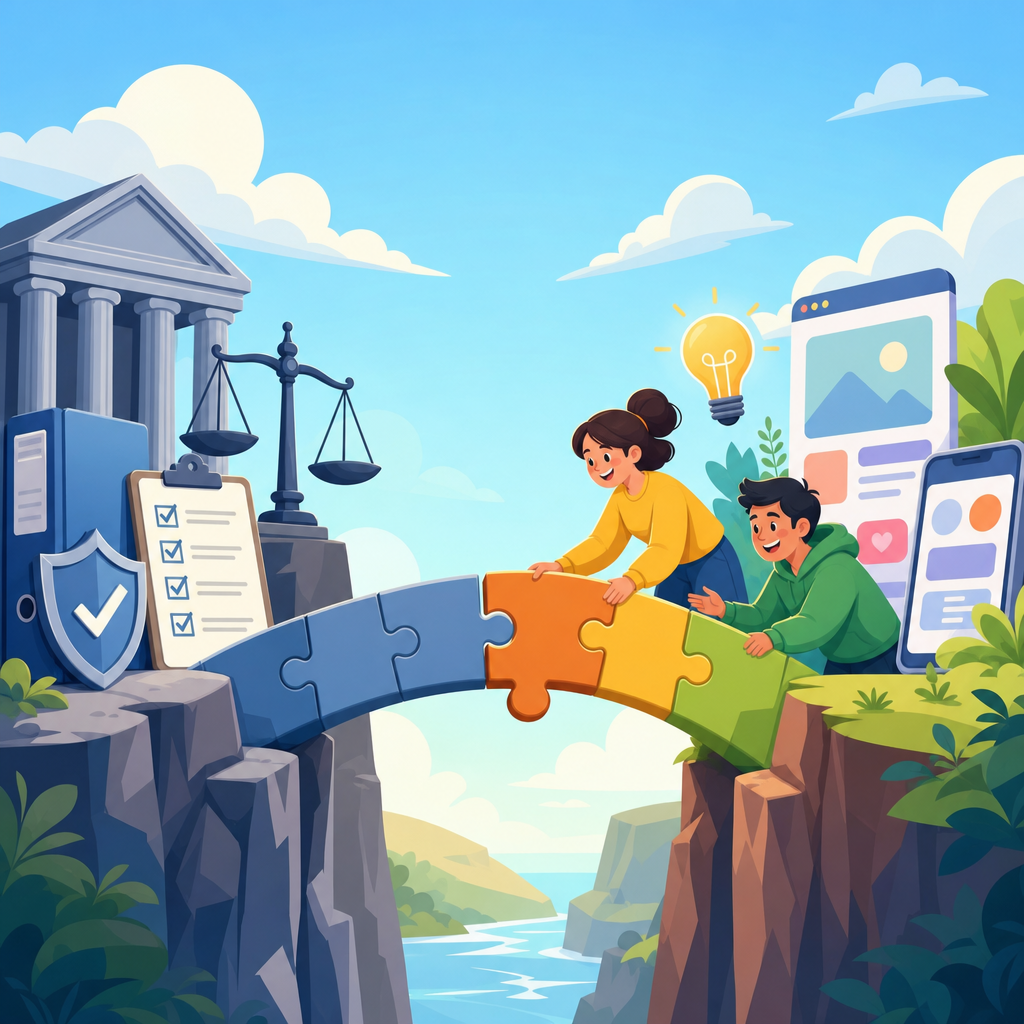
Closing the gap between legal compliance and usable product design is one of the hardest operational challenges in the technology sector, because the same product decision can affect privacy, accessibility, security, contracts, marketing claims, and user trust at once. In software companies, compliance usually means meeting obligations created by laws, regulations, standards, and contractual commitments. Usable product design means people can understand, access, and complete important tasks efficiently, safely, and with confidence. When these goals are separated into different workflows, teams produce cookie banners nobody understands, consent flows that push users away, accessibility statements unsupported by the interface, and security controls so rigid that customers look for workarounds. I have seen launch reviews stall for weeks because legal flagged risk after design had already been approved and engineering had already estimated the build. That pattern is expensive, but it is avoidable. For technology companies, especially SaaS platforms, mobile apps, marketplaces, fintech products, health tools, and AI systems, the practical solution is to treat compliance requirements as design inputs from the start. This hub article explains how to do that across the technology sector, why the issue matters commercially, and which methods help product, design, legal, engineering, security, and go-to-market teams work from the same playbook.
Why technology products struggle with compliance and usability
Technology products move fast, but laws and standards rarely map neatly to sprint cycles. A single feature can trigger obligations under the General Data Protection Regulation, the California Consumer Privacy Act, the Americans with Disabilities Act, the Web Content Accessibility Guidelines, consumer protection rules, sector security requirements, and enterprise procurement terms. Product teams often discover these constraints late because requirements are written in legal language rather than user-task language. For example, “freely given, specific, informed, and unambiguous consent” sounds straightforward until a team must design permissions, notices, defaults, revocation controls, and recordkeeping across web and mobile surfaces. If legal reviews happen only at launch gates, teams inherit rework.
The technology sector also creates new risk through scale and automation. A confusing onboarding flow in a small internal tool is one problem; the same flaw in a global platform can affect millions of people, generate regulator attention, and create support volume overnight. Dark patterns are a clear example. Designers may optimize conversion, but if the result pressures users into subscriptions, obscures cancellation, or frames privacy choices unfairly, the interface can create legal exposure and reputation damage. Regulators in the United States, European Union, and United Kingdom increasingly examine interfaces, not just policy documents. In practice, that means button labels, information hierarchy, contrast ratios, toggles, and error handling now matter as much as the legal text behind them.
What “good” looks like in a compliant, usable product
A compliant and usable technology product makes obligations visible at the moment they matter, in language users can act on, without burying key choices. Good design does not remove friction completely; it places friction where risk is highest and removes it where the user needs momentum. In account creation, that may mean a short explanation of data use linked to fuller details, paired with an optional marketing checkbox that is not preselected. In a health application, it may mean a higher-friction identity verification step before access to sensitive records, because the security benefit justifies the extra effort. The standard is not “zero clicks.” The standard is proportionality.
In mature teams, compliance and usability are translated into testable product requirements. Accessibility means keyboard navigation, focus order, semantic headings, captions, color contrast, and screen-reader support aligned with WCAG 2.2 success criteria. Privacy means lawful basis mapping, data minimization, retention controls, purpose limitation, and auditable consent records. Security means authentication, authorization, encryption, logging, and secure defaults aligned with frameworks such as NIST Cybersecurity Framework, SOC 2 controls, and ISO/IEC 27001 practices. Consumer protection means claims that can be substantiated, prices disclosed clearly, and cancellation paths that are as easy as sign-up. When teams define requirements this concretely, design reviews become objective instead of political.
Build compliance into the product lifecycle, not the approval queue
The most reliable way to close the gap is to integrate legal and design work into the product development lifecycle. I recommend a model with checkpoints at discovery, definition, design, build, launch, and post-launch monitoring. During discovery, product managers identify affected jurisdictions, user types, sensitive data classes, and regulated actions. During definition, legal and privacy specialists translate obligations into acceptance criteria. During design, designers prototype notices, choices, and fallback states early enough for review. During build, engineers implement logging, preference storage, role-based access, and telemetry needed to prove controls actually work. At launch, teams verify the experience against intended claims, not just technical completion. After launch, they monitor complaints, drop-off, accessibility bugs, and policy changes.
This lifecycle approach matters because legal compliance is rarely a one-time signoff. If your product adds AI-generated outputs, cross-border data transfers, employee monitoring, biometric login, or age-sensitive features, the risk profile changes. The same is true when your company enters education, healthcare, public sector, or financial markets. Technology companies that manage this well maintain design systems and requirement libraries containing approved patterns: consent modules, account deletion flows, age gates, data export tools, permission prompts, accessibility components, procurement security responses, and incident communication templates. Reusable patterns reduce inconsistency and shorten review cycles because each team is not inventing controls from scratch.
Cross-functional roles and the decisions each team must own
Clear ownership prevents compliance from becoming everyone’s concern and no one’s job. Product management owns requirement prioritization, scope, and tradeoff decisions. Design owns comprehension, task flow, microcopy, interaction patterns, and accessibility in the interface. Engineering owns implementation fidelity, system constraints, logging, permissions architecture, and technical debt remediation. Legal interprets statutory obligations, regulator guidance, claims risk, and contractual terms. Privacy specialists own data mapping, notices, impact assessments, and vendor obligations. Security owns threat modeling, secure development practices, incident response readiness, and control testing. Customer support and sales contribute feedback from real users and procurement objections that product teams often miss.
In the technology sector, the most effective operating model is a decision matrix that ties each risk area to an owner, reviewer, and approver. Teams should know who decides whether a feature requires age verification, whether an analytics event is necessary, whether a cancellation path is sufficiently prominent, and whether a captcha creates an accessibility barrier. The matrix should also define escalation triggers. For instance, if a design proposes collecting precise geolocation, sharing data with ad networks, or using machine learning for ranking or recommendations, the issue should trigger deeper privacy, fairness, and documentation review. Fast teams are not teams with fewer reviews; they are teams with fewer ambiguous reviews.
Design patterns that balance legal requirements with user needs
Several product patterns consistently narrow the gap between compliance and usability when they are implemented carefully. Progressive disclosure helps users digest complex information by showing the key point first and details on demand. Layered notices work well for privacy because they present purpose, choice, and consequence before linking to a full policy. Just-in-time disclosures are useful when a mobile app requests camera, microphone, location, or contacts access, because users understand the reason in context. Symmetrical choice architecture matters in consent and subscription design: if “Accept” is a prominent button, “Decline” or “Manage choices” should be comparably visible. Confirmed actions are appropriate for destructive tasks such as account deletion or data export, but confirmation screens should not be manipulative or confusing.
Accessibility must be built into these patterns, not bolted on later. Cookie banners need logical tab order and visible focus states. Modal dialogs require proper labeling, focus trapping, and escape behavior. Error prevention is critical in financial and enterprise software, where the cost of a mistaken click is high. I have had success using plain-language microcopy rules: one decision per sentence, no buried negatives, and labels that match the outcome exactly. “Turn off marketing emails” is clearer than “Update communication preferences.” That clarity reduces support contacts, increases trust, and strengthens the legal argument that the user actually understood the choice presented.
Common technology-sector scenarios and the right design response
Different product categories face different compliance-design tensions. The table below shows common scenarios across the technology sector and the product response that usually works best.
| Scenario | Main risk | Usable design response | Relevant standards or rules |
|---|---|---|---|
| SaaS admin console | Overbroad employee access to customer data | Role-based permissions, approval workflows, audit logs, clear admin warnings | SOC 2, ISO/IEC 27001, data protection law |
| Consumer mobile app | Unclear consent for tracking and marketing | Layered notice, equal choice buttons, simple preference center, revocation path | GDPR, ePrivacy rules, CCPA/CPRA |
| Fintech onboarding | Identity fraud versus abandonment | Step-by-step verification, progress indicators, fallback review channel | KYC/AML rules, consumer protection law |
| Health platform | Sensitive data exposure | Granular sharing controls, session timeouts, clear authorization text | HIPAA, state health privacy laws, WCAG |
| AI feature | Unclear output limits and biased outcomes | Use-case guardrails, disclosure of limitations, human review paths, feedback loop | Emerging AI laws, FTC guidance, contract duties |
These scenarios show a repeatable principle: the safest interface is usually not the one with the most text, but the one that presents the right choice, explanation, and fallback at the correct moment. In fintech, for example, a clear progress bar and document retry instructions often improve both completion rates and compliance evidence because users submit fewer faulty records. In enterprise SaaS, granular permissions and audit trails may add setup time, yet they prevent downstream contract disputes and security incidents. In AI products, disclosure alone is not enough. Teams need product limits, escalation routes, and testing against foreseeable misuse.
Measurement, testing, and governance that keep products aligned
Technology companies should measure whether compliant experiences are actually usable. Track completion rate, time on task, error rate, accessibility defects, opt-in versus opt-out patterns, cancellation success, support tickets, and complaint themes. Pair quantitative metrics with moderated usability testing that includes people using assistive technologies, people with low digital confidence, and users in different jurisdictions. A consent flow with a high acceptance rate may still be defective if users cannot explain what they agreed to. Likewise, a secure login flow may meet policy requirements but fail in practice if account recovery becomes a dead end.
Governance turns these insights into durable practice. Effective teams maintain a risk register for high-impact features, design review checklists tied to legal requirements, and release criteria that include accessibility, privacy, and security evidence. They conduct Data Protection Impact Assessments where required, document legitimate interest balancing when used, and preserve records of design decisions in systems such as Jira, Confluence, Figma, or Notion. They also review vendor SDKs and third-party scripts, because many compliance failures originate in tools added for analytics, chat, advertising, or experimentation. The final discipline is change management: when laws evolve or product scope expands, update components, guidance, and training so the organization learns once and applies many times.
Closing the gap between legal compliance and usable product design in the technology sector is not a matter of adding more approvals or longer policies. It is a product operating discipline built on early requirement translation, shared ownership, tested design patterns, and measurable outcomes. When legal, design, product, engineering, privacy, and security work from the same requirements, teams ship faster because they avoid late-stage surprises. They also build better products: interfaces users can understand, controls they can trust, and workflows that stand up to regulator, enterprise buyer, and public scrutiny.
The central lesson is simple. Compliance works best when it is expressed through product behavior, not hidden in documents. Accessible forms, fair choices, clear cancellation, scoped permissions, contextual notices, and auditable controls are not separate from usability; they are part of it. For technology companies building this industry-specific capability, the next step is to audit one high-risk user journey, map every legal obligation to a design requirement, and fix the largest points of confusion first. That is how compliant design becomes usable design, and how usable design becomes a competitive advantage.
Frequently Asked Questions
Why is it so difficult to balance legal compliance with usable product design?
Balancing legal compliance with usable product design is difficult because product teams are rarely solving one problem at a time. A single feature decision can affect privacy disclosures, consent flows, accessibility requirements, security controls, contractual promises, retention rules, and marketing claims all at once. What looks efficient from a legal perspective can create friction for users, while what feels smooth and intuitive in the interface may introduce risk if it obscures required disclosures, collects excessive data, or fails to document user choices properly.
The challenge is also organizational. Legal, compliance, design, engineering, security, and marketing often work from different timelines, incentives, and definitions of success. Legal teams may focus on reducing exposure and meeting formal obligations. Design teams may prioritize clarity, speed, and conversion. Engineering may be optimizing for technical feasibility and release schedules. When these groups collaborate too late, compliance gets layered onto the product as warning text, extra clicks, or restrictive workflows instead of being built into the experience from the start.
Another reason the gap persists is that compliance is not just about following laws in the abstract. Companies must interpret overlapping requirements from regulations, industry standards, customer contracts, internal policies, and public commitments. At the same time, usability is not merely about making something look simple. It involves helping real people understand what is happening, make informed choices, and complete important tasks without confusion or exclusion. The companies that handle this well treat compliance and usability as connected design constraints rather than competing goals.
What does “compliance by design” actually mean in a software product?
Compliance by design means legal and regulatory requirements are considered during product definition, user flow planning, interface design, engineering architecture, and release review instead of being addressed after development is nearly complete. In practice, this means teams identify obligations early, translate them into product requirements, and build controls directly into the way a feature works. The goal is not to make every screen look legalistic. The goal is to create product behavior that is both lawful and understandable.
For example, if a product collects personal data, compliance by design could include minimizing unnecessary collection, presenting notices at the right moment, offering meaningful choices, storing consent records, and making account controls easy to find and use. If accessibility obligations apply, it means teams do not wait until the end to test with assistive technologies. They define accessible interaction patterns, semantic structure, keyboard support, and readable content as part of the design system. If contractual obligations require auditability or role-based access, those requirements are built into permissions, logging, and administrative workflows from the start.
A strong compliance-by-design approach usually includes cross-functional intake processes, risk reviews for new features, approved design patterns for common legal scenarios, and clear ownership for decisions. It also depends on documentation. Teams need a record of what obligations were identified, how they were addressed, what tradeoffs were made, and where residual risk remains. When done well, compliance by design reduces rework, speeds approvals, improves consistency, and creates products that users are more likely to trust because the experience feels coherent rather than patched together.
How can product teams make required legal disclosures more usable without weakening compliance?
Product teams can make legal disclosures more usable by focusing on timing, clarity, structure, and relevance. Many disclosure problems happen because organizations assume the only way to comply is to show users a large block of dense text at a single moment. In reality, usability often improves when information is layered. Teams can present the most important points in plain language at the moment a decision is being made, then provide access to fuller detail for users who need it. This helps people understand what matters without hiding the underlying legal terms.
Clear writing is essential. Users should be able to understand what data is being collected, what permissions are being requested, what commitments they are making, and what the consequences are. This means avoiding unnecessary jargon, vague verbs, and abstract phrasing. Good disclosures answer practical questions such as: What is happening now? Why is this needed? What choices do I have? What changes if I continue? Where can I manage this later? Teams should also use visual hierarchy carefully so that required disclosures are noticeable but not overwhelming, especially on mobile devices or in time-sensitive workflows.
Usability does not mean reducing legal accuracy. It means expressing accurate information in a way that supports informed action. The best teams validate disclosures through collaboration between legal, content design, UX research, and accessibility specialists. They test whether users actually understand the notice, whether they can locate key settings afterward, and whether the experience works for people using screen readers, keyboards, zoom, or translated interfaces. A compliant disclosure that users cannot perceive or comprehend is weak in practice, even if it appears sufficient on paper. Strong disclosure design protects both the company and the user by making important information understandable and actionable.
Which areas of legal compliance most often influence product usability?
Several compliance areas regularly shape product usability, and they often overlap in the same workflow. Privacy is one of the most visible because it affects consent requests, cookie banners, account settings, data access requests, retention practices, and default configurations. Accessibility is equally important because it determines whether users with disabilities can perceive content, navigate interfaces, complete forms, and receive feedback. Security also strongly influences usability through authentication steps, session management, fraud controls, password policies, and device verification processes.
Consumer protection and advertising rules can affect product copy, pricing displays, cancellation flows, auto-renewal terms, endorsements, and feature claims. Contractual obligations may require specific administrative controls, reporting functions, service limitations, or audit trails for enterprise customers. In regulated sectors such as healthcare, finance, education, and employment technology, additional obligations can influence identity verification, recordkeeping, notices, decision explanations, and user permissions. Even intellectual property and content moderation considerations can shape upload tools, sharing settings, and publishing workflows.
What matters operationally is that these areas should not be managed in isolation. A login flow, for example, may involve accessibility, security, privacy, localization, and fraud prevention simultaneously. A subscription checkout may involve consumer law, contract presentation, disclosures, and claims substantiation. Product teams are most effective when they identify these intersections early and build reusable patterns for recurring scenarios. That approach prevents legal issues from appearing as surprise blockers late in development and helps create experiences that feel consistent, fair, and understandable to users.
What practical steps help companies close the gap between compliance teams and product designers?
The most effective first step is to bring legal and compliance stakeholders into the product process earlier and more consistently. Instead of treating compliance as a final approval gate, companies should involve the right experts during discovery, requirements definition, and design review. Early participation allows legal concerns to be translated into product decisions before engineering work is deeply committed. It also helps legal teams understand user needs, business goals, and technical constraints, which leads to more pragmatic guidance.
Companies should also create shared tools and operating methods. Examples include risk-based review frameworks, approved UX patterns for consent and disclosures, accessibility standards embedded in design systems, plain-language content guidelines, and decision logs that capture rationale and tradeoffs. These resources reduce ambiguity and make it easier for teams to solve common problems repeatedly without starting from zero each time. Training is another major factor. Designers benefit from understanding core compliance concepts, while legal teams benefit from understanding user research, interaction design, and accessibility principles.
Finally, organizations should measure success in a way that reflects both compliance and usability outcomes. That means looking beyond whether a launch was formally approved and examining support tickets, user comprehension, task completion rates, opt-out behavior, accessibility findings, complaints, audit results, and trust indicators. Closing the gap is not a one-time fix. It is an ongoing operational discipline that depends on cross-functional governance, strong communication, documented standards, and a shared belief that compliant products should also be understandable and usable. When companies adopt that mindset, they are far more likely to build products that meet obligations without sacrificing the user experience.





