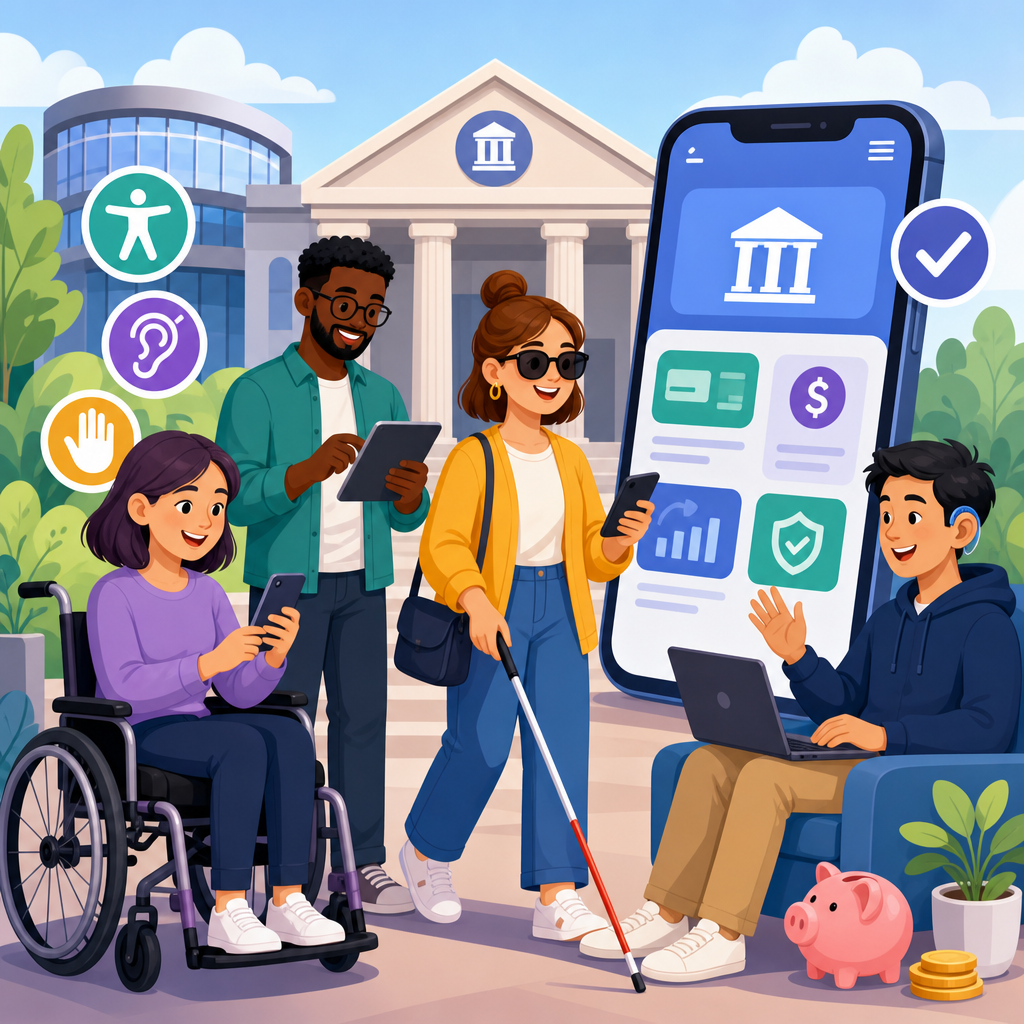
ADA compliance in financial services is not a side project for legal teams or a late-stage design review; it is a core requirement for banks, credit unions, lenders, payment platforms, and fintech apps that serve the public through branches, websites, mobile interfaces, documents, and customer support channels. In this guide, ADA refers to the Americans with Disabilities Act, the primary civil rights law prohibiting discrimination based on disability, while accessibility means designing products, spaces, and services so people with visual, hearing, mobility, cognitive, and speech disabilities can use them independently. For financial institutions, that obligation stretches across account opening, balance checks, bill pay, loan applications, card management, fraud alerts, disclosures, ATM access, in-branch service, and debt servicing communications. It matters because money is infrastructure: when banking is inaccessible, customers can miss payments, lose access to wages, fail identity checks, or be shut out of credit. I have worked on accessibility remediation for account dashboards, mortgage workflows, statement libraries, and ATM support pages, and the same pattern appears repeatedly: the hardest problems are rarely cosmetic. They sit inside authentication flows, PDF disclosures, timed sessions, biometric login assumptions, inaccessible chat widgets, and third-party integrations that product teams adopted without accessibility due diligence. Financial services organizations also face heightened risk because trust, privacy, and documentation standards are already strict. An inaccessible experience is not only frustrating; it can trigger complaints, litigation, regulatory scrutiny, abandonment, and reputational damage. A strong ADA program reduces those risks while improving usability for everyone.
Financial services is a broad category, so this hub article covers the main environments where accessibility obligations appear and the practical controls that matter most. Banks and credit unions must think about physical access to branches, drive-throughs, kiosks, and ATMs, along with digital access to online banking, mobile apps, card controls, alerts, and statements. Fintech apps face many of the same duties even when they operate without branches, because digital products that enable payments, investing, lending, budgeting, or earned wage access still function as places of public accommodation in how customers experience them. Some teams ask whether compliance means meeting one checklist. In practice, no single checklist is enough. The ADA provides the legal framework, while technical execution often relies on recognized accessibility standards, established testing methods, and documented policies. That means pairing legal interpretation with product operations. This page is the financial services hub because the sector has recurring patterns that deserve focused treatment: secure login and multifactor authentication, complex forms, transaction histories, downloadable documents, identity verification, embedded third-party widgets, call center alternatives, and highly regulated disclosures. If you manage a bank website, a credit union mobile app, a lender portal, or a fintech onboarding flow, the most useful approach is to treat accessibility as an enterprise capability tied to design systems, procurement, quality assurance, content governance, and customer support rather than a one-time retrofit.
What ADA compliance means for financial services organizations
For banks, credit unions, and fintech apps, ADA compliance means customers with disabilities must be able to access substantially the same services with substantially the same privacy, independence, and timeliness as other customers. In practical terms, a blind customer should be able to review transactions with a screen reader, a customer with limited dexterity should complete bill pay without precision gestures, and a Deaf customer should be able to receive support through accessible channels instead of being forced into voice-only calls. The ADA itself does not publish a complete web rulebook for every interface pattern, so institutions typically use the Web Content Accessibility Guidelines, currently WCAG 2.1 or 2.2 Level AA, as the benchmark for websites, web apps, and mobile experiences. That benchmark is not the whole program, but it is the most common technical foundation.
Financial services teams should also understand scope. Accessibility applies to public marketing pages, authenticated account areas, native mobile apps, calculators, chat, statements, disclosures, email templates, SMS flows, and document downloads. It also reaches physical locations and equipment. ATM speech output, tactile controls, screen privacy, reach ranges, branch entrances, service counters, and queue systems can all create barriers if not designed correctly. Because many institutions depend on vendors for loan origination, appointment booking, identity proofing, card controls, and customer messaging, vendor products become part of the customer experience and therefore part of the risk profile.
High-risk digital journeys: login, account access, payments, and lending
The most common failures appear in core journeys customers must complete under time pressure. Authentication is a leading example. I frequently see login forms with unlabeled inputs, vague error handling, CAPTCHA challenges without accessible alternatives, or session timeouts that expire before a screen reader user can finish. Multifactor authentication can also block users when one-time passcodes are sent only through channels a customer cannot access easily, or when apps require device motions, facial matching, or tiny tap targets. Good implementations support accessible code entry, password managers, platform accessibility APIs, and alternate verification paths without degrading security.
Account dashboards introduce another cluster of issues. Transaction tables often lack clear headers, filter controls may not announce state changes, and color alone is used to indicate deposits, withdrawals, or delinquency. Customers need semantic headings, announced balances, descriptive link text, and predictable keyboard navigation. Payments and transfers create additional risk when confirmation messages are not exposed to assistive technology or when date pickers are unusable from a keyboard. In lending, accessibility failures become more serious because applicants may be making high-stakes decisions about mortgages, auto loans, student refinancing, or small-business credit. Long multi-step forms need clear labels, error prevention, progress indicators, and the ability to review and correct entries before submission.
| Financial service journey | Common accessibility failure | Practical fix |
|---|---|---|
| Login and MFA | CAPTCHA, timeout, or code entry barriers | Provide accessible verification alternatives, extend time, support autofill and screen readers |
| Account dashboard | Unreadable balances and transaction filters | Use semantic headings, labeled controls, and accessible tables or lists |
| Bill pay and transfers | Keyboard traps and silent confirmation states | Ensure full keyboard support and announce success, errors, and next steps |
| Loan application | Ambiguous labels and inaccessible validation | Pair every field with instructions, inline errors, and review screens |
| Statements and disclosures | Image-based PDFs with no tags | Publish tagged PDFs or accessible digital equivalents |
Mobile banking and fintech app accessibility requirements
Mobile banking deserves separate attention because native apps combine secure workflows with device-specific behaviors. A well-built app must work with VoiceOver on iOS and TalkBack on Android, support dynamic type or text scaling, preserve contrast in dark mode, and avoid gesture-only actions for essential tasks like card freezing, remote deposit capture, or peer-to-peer transfers. I have seen fintech apps fail basic tasks because custom components ignored accessibility labels, focus order, or touch target sizing. Those defects often pass functional QA but block real customers immediately.
Remote deposit capture is a useful example. Asking users to photograph checks can create barriers if instructions are visual only, alignment feedback is color based, or the camera flow does not expose status information to assistive technology. The same is true for budgeting charts, investment performance graphs, and credit score trend cards. Data visualizations need text alternatives that communicate values and trends, not just decorative summaries. Biometric login is another nuance. Face ID and fingerprint authentication can improve access for some users, but apps must still offer robust passcode and account recovery options for customers who cannot use biometrics consistently. Fintech teams moving fast with React Native, Flutter, or custom design systems should test accessibility on real devices every sprint, not only before release.
Documents, disclosures, statements, and customer communications
Many financial institutions underestimate document accessibility, even though disclosures and statements are among the most legally sensitive assets they publish. Monthly statements, fee schedules, mortgage notices, adverse action letters, privacy policies, cardholder agreements, and tax documents must be readable by assistive technology. A scanned PDF uploaded from operations is not enough. Tagged PDFs need proper reading order, heading structure, table markup, alt text where necessary, meaningful link text, and form field accessibility if the document is fillable. When the source system cannot reliably generate accessible PDFs, providing an equivalent accessible HTML version is often the better customer experience.
Email and SMS communications matter too. Fraud alerts, low-balance notifications, payment reminders, and servicing updates are often time-sensitive. Accessibility here means clear subject lines, descriptive calls to action, sufficient contrast, readable plain-language content, and links that explain the destination. Video explainers for products or onboarding should include accurate captions and, when needed, transcripts. Live support must include relay-friendly options, accessible chat, and alternatives to voice-only verification. For institutions sending regulated notices, consistency between the accessible digital version and the official record is critical. Governance should define who owns remediation, version control, archival retention, and quality checks before release.
Physical accessibility: branches, ATMs, kiosks, and service counters
Digital accessibility gets most of the attention, but banks and credit unions still operate highly visible physical environments. Branch access starts with basics: parking, entrance routes, doors, waiting areas, counters, private offices, and restrooms where provided. Service design matters as much as construction. If a customer using a wheelchair can enter the branch but cannot sign forms privately because the only usable desk is behind a locked office door, the experience is not equal. Staff procedures should cover how to provide assistance without taking control away from the customer or exposing confidential information unnecessarily.
ATMs and kiosks require focused review because they blend hardware, software, and environmental conditions. Accessible ATMs generally need tactilely discernible input controls, speech output through a headphone jack or equivalent method, usable screen timing, visible privacy features, reachable components, and instructions customers can follow independently. Audio guidance should be complete enough to support balance inquiries, withdrawals, transfers, and PIN changes without requiring sighted assistance. Outdoor placement, glare, ambient noise, and queue layout also affect usability. Institutions that deploy smart kiosks for account opening or card issuance should apply the same standards they would use for any customer-facing digital interface, then verify real-world operation in branch conditions.
How to build an effective accessibility program in a regulated environment
The most effective financial services accessibility programs are operational, not rhetorical. Start with an inventory of customer-facing assets: public sites, authenticated portals, native apps, PDFs, email templates, ATM interfaces, branch kiosks, and third-party tools. Then establish a standard, usually WCAG Level AA for digital properties, plus applicable physical access requirements and platform-specific guidance from Apple and Google. Governance should assign accountable owners across legal, compliance, design, engineering, procurement, content, QA, and customer support. Without named owners, issues persist for years in backlog limbo.
Testing must combine automated scanning, manual expert review, and assistive technology testing with screen readers, keyboard-only navigation, zoom, switch access, and mobile accessibility settings. Tools such as axe, WAVE, Lighthouse, Accessibility Scanner, and screen readers like JAWS, NVDA, VoiceOver, and TalkBack are useful, but tools alone do not find everything. Procurement is equally important. Every vendor contract for identity verification, digital banking, document delivery, loan origination, chat, or scheduling should require accessibility conformance documentation, remediation commitments, and testing rights. Finally, publish an accessibility statement with contact options and respond to reports quickly. If your organization serves financial services customers, use this hub to audit each channel, prioritize the highest-risk journeys, and build accessibility into every release cycle.
The central lesson for banks, credit unions, and fintech apps is straightforward: accessibility in financial services is about reliable access to essential economic activity. Customers need to open accounts, authenticate securely, review transactions, pay bills, transfer funds, apply for credit, read disclosures, and get support without barriers. Meeting that standard requires more than fixing a homepage. It means addressing the entire service ecosystem, including websites, mobile apps, PDFs, emails, kiosks, ATMs, branches, and vendor platforms. Organizations that treat accessibility as part of risk management and product quality make better decisions because they evaluate real user journeys, not isolated screens.
This hub article also points to a practical implementation path. Use recognized technical standards for digital experiences, test core workflows with assistive technology, remediate document libraries, review ATM and branch access, and enforce accessibility requirements in procurement. Prioritize high-impact moments first: login, multifactor authentication, statements, payments, account servicing, and applications for loans or new accounts. Train customer support so accessibility issues are resolved respectfully and fast. Keep evidence of audits, fixes, policies, and vendor commitments, because durable compliance depends on process as much as code.
The payoff is measurable. Accessible financial services reduce abandonment, improve task completion, support aging customers, and lower the chance that someone is excluded from managing money because a form, document, or device was designed without them in mind. Just as important, accessibility reinforces the trust customers expect from institutions handling their income, savings, credit, and identity. Review your financial services channels now, map the barriers across digital and physical touchpoints, and turn this hub into your roadmap for a more accessible banking experience.
Frequently Asked Questions
What does ADA compliance mean for banks, credit unions, and fintech apps?
For financial institutions, ADA compliance means ensuring that people with disabilities can access and use services on equal terms. That includes physical spaces such as branches, ATMs, kiosks, and meeting rooms, but it also extends to digital experiences like websites, online banking portals, mobile apps, account-opening flows, loan applications, payment tools, chat support, and downloadable documents. In practice, accessibility is not limited to avoiding obvious barriers. It means designing customer journeys so people who are blind, low vision, deaf, hard of hearing, have mobility impairments, cognitive disabilities, speech disabilities, or use assistive technology can complete essential tasks independently or with effective support.
In the financial sector, this matters because core services are often time-sensitive, high-stakes, and legally significant. Customers need to review disclosures, transfer money, dispute charges, apply for credit, authenticate accounts, and communicate with support without encountering barriers. If a mobile deposit feature cannot be used with a screen reader, if a loan disclosure PDF is unreadable, or if identity verification relies only on inaccessible visual challenges, the institution may be creating unequal access. ADA compliance therefore involves operational policies, procurement decisions, design standards, content practices, engineering workflows, and staff training, not just a legal checklist.
Although the ADA is the key civil rights framework in this context, organizations typically use recognized technical standards to measure digital accessibility. In most cases, that means aligning websites, apps, and digital documents with WCAG-based practices so content is perceivable, operable, understandable, and robust. For banks, credit unions, and fintech companies, the practical takeaway is simple: accessibility should be treated as a foundational product, compliance, and customer experience requirement across every channel customers use.
Does the ADA apply only to physical branches and ATMs, or does it also cover websites and mobile banking apps?
The ADA is widely understood to reach far beyond physical locations. For financial services organizations that serve the public, digital channels are often the primary way customers interact with the institution, which makes websites, mobile apps, online forms, account dashboards, payment systems, and digital documents central to accessibility obligations. Even if a company has few or no physical locations, its digital platform may still function as the main point of public access to financial products and services. That is especially true for fintech apps, online lenders, payment companies, and neobanks.
From a risk and customer-access standpoint, separating “physical compliance” from “digital compliance” is no longer realistic. A customer may start on a public website, move into an authenticated portal, download account statements, upload verification documents, receive SMS or email alerts, and then contact support through chat or phone. If any step in that chain is inaccessible, the user may be blocked from completing an essential financial task. This is why organizations should view accessibility as an end-to-end service issue rather than a page-by-page website issue.
In practical terms, that means reviewing not just marketing pages but also secure banking environments, native iOS and Android apps, PDFs, calculators, disclosures, chatbot interfaces, third-party widgets, authentication flows, and customer service channels. It also means recognizing that accessibility must be maintained over time. A site redesign, app update, vendor integration, or new card-management tool can introduce barriers even if the institution addressed accessibility previously. The most defensible approach is to build accessibility into design, development, testing, procurement, and release management so digital services remain usable as the platform evolves.
What are the most common accessibility issues in financial websites, banking portals, and fintech products?
Some of the most common issues are surprisingly basic, but they have a major impact on whether customers can actually use a service. For websites and portals, frequent problems include missing text alternatives for icons and images, poor color contrast, form fields without clear labels, keyboard traps, improper heading structure, vague link text, timeouts without accessible warnings, and error messages that are difficult to find or understand. In banking and lending workflows, inaccessible multi-step forms are especially common. If users cannot tell which field failed validation, navigate by keyboard, or return to previous steps without losing information, they may be unable to complete account opening or applications.
Mobile apps present their own recurring barriers. Common issues include unlabeled buttons for screen readers, gestures that have no accessible alternative, controls that are too small for users with dexterity limitations, dynamic content updates that are not announced to assistive technology, and biometric or identity verification steps that do not provide alternative methods. Financial apps also often rely on charts, spending visualizations, and status indicators that use color alone to convey meaning. Without proper labels, descriptions, and semantic structure, those features can become inaccessible.
Documents and support channels are another major blind spot. Statements, disclosures, notices, and loan documents are often published as PDFs that are not tagged properly for screen readers. Video explainers may lack captions or transcripts. Chat tools may be difficult to operate with a keyboard or may timeout too quickly. Even call center processes can create barriers if institutions do not have procedures for relay calls, alternative verification methods, or effective communication accommodations. The pattern across all of these issues is the same: accessibility failures are rarely isolated technical defects. They interrupt critical customer actions such as reading terms, managing money, resolving fraud, or obtaining credit.
How can a financial institution build an effective ADA accessibility program instead of reacting to problems one by one?
An effective accessibility program starts with governance. Someone needs clear ownership, executive support, and authority to coordinate across legal, compliance, product, design, engineering, content, procurement, operations, and customer support. Accessibility should be written into internal standards and tied to how the organization designs, buys, builds, tests, and maintains services. Without that structure, teams often address issues only after a complaint, demand letter, audit finding, or public failure, which is expensive and difficult to sustain.
The next step is establishing a realistic baseline. That usually includes auditing public websites, authenticated platforms, mobile apps, customer communications, PDFs, support workflows, and high-priority transactions such as login, account opening, transfers, bill pay, dispute submission, card controls, loan servicing, and document upload. Automated scanning can help identify some issues quickly, but it is not enough on its own. Manual testing is essential, including keyboard-only testing, screen reader testing, zoom and reflow checks, mobile assistive technology testing, and review by experienced accessibility specialists. Many institutions also benefit from usability testing with people with disabilities because it reveals practical friction that technical audits may miss.
From there, mature programs focus on prevention. Product requirements should include accessibility acceptance criteria. Designers should use accessible components and patterns. Developers should follow semantic and platform-specific best practices. QA teams should test for accessibility before release, not after. Procurement teams should assess third-party vendors and require remediation commitments where needed. Content teams should know how to write descriptive links, structure headings, and publish accessible documents. Support teams should be trained on effective communication and accommodation procedures. Institutions should also maintain a roadmap for remediation, document decisions, monitor regressions, and provide a clear way for customers to report accessibility barriers. The goal is to make accessibility part of normal operational discipline, just like privacy, security, and fraud prevention.
Why is accessibility especially important in banking, lending, and payments, beyond legal compliance?
Accessibility is especially important in financial services because customers are not interacting with optional entertainment content; they are trying to access money, protect accounts, understand obligations, and make consequential decisions. A barrier in this environment can have immediate real-world effects. An inaccessible fraud alert may delay a customer from freezing a compromised card. An unreadable disclosure may prevent someone from understanding fees or repayment terms. A loan application that cannot be completed with assistive technology may effectively exclude qualified applicants from a product. When financial tools are inaccessible, the result is not just inconvenience. It can affect independence, privacy, security, and equal opportunity.
There is also a strong business and trust argument. Accessible services are generally easier for everyone to use. Clearer forms, better error handling, stronger keyboard support, readable contrast, captions, structured content, and flexible authentication improve the overall customer experience across age groups, devices, and contexts. Accessibility can reduce abandonment, lower support volume, improve task completion, and strengthen customer loyalty. For institutions competing on digital experience, those benefits are meaningful. Customers remember when a product lets them manage their finances confidently and without workarounds.
Finally, accessibility supports long-term resilience. Financial institutions operate in highly regulated, highly visible environments where public trust matters. Treating accessibility as a core requirement signals that the organization takes equal access seriously and is prepared to serve a diverse customer base across branches, websites, apps, documents, and support channels. That is good compliance practice, but it is also good service design. In banking, credit unions, and fintech, accessibility is not an edge concern. It is part of what it means to provide fair, modern, reliable access to essential financial services.





