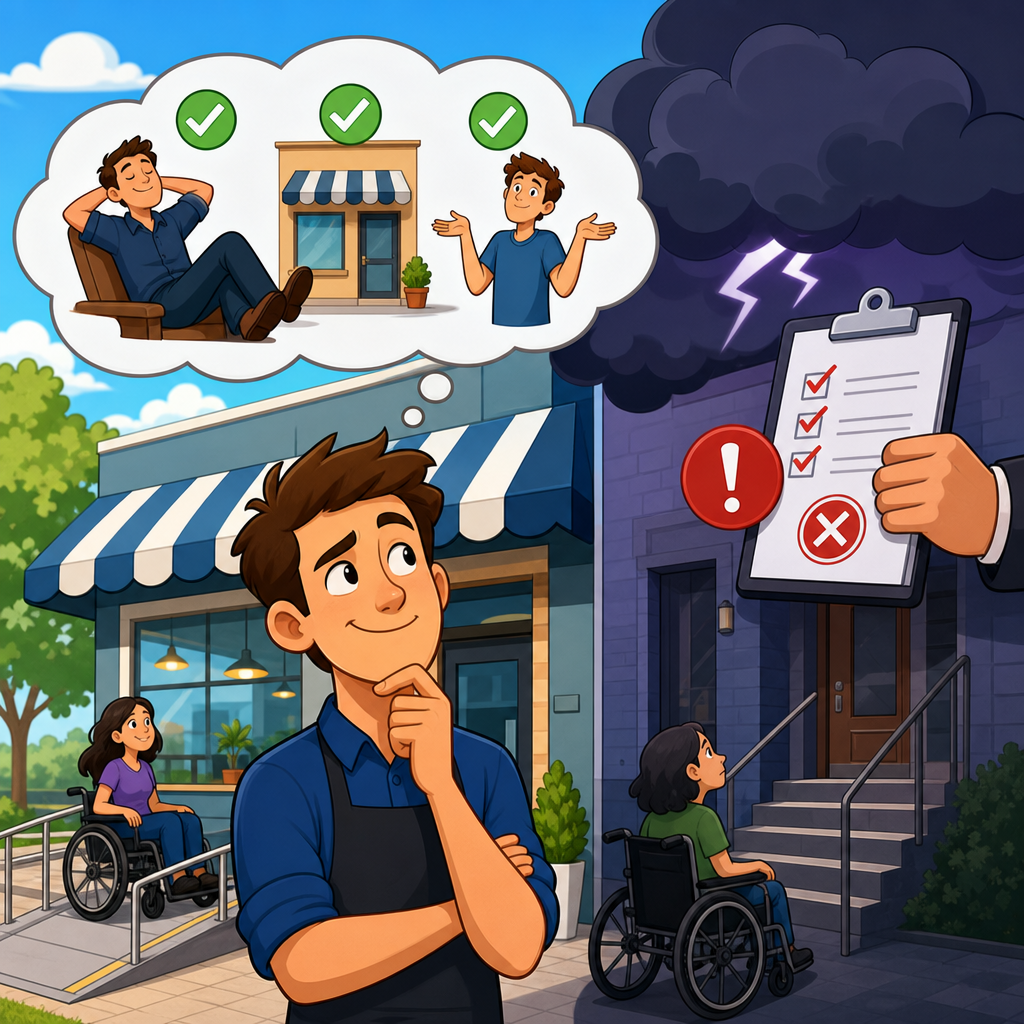
ADA compliance myths create a dangerous false sense of security for businesses, especially when websites, mobile apps, digital documents, and physical locations all affect whether customers with disabilities can use essential services. The Americans with Disabilities Act, passed in 1990, is a civil rights law that prohibits discrimination based on disability in employment, state and local government, public accommodations, transportation, and telecommunications. For most businesses, the practical question is simpler: can a person with a disability access what you offer with substantially equal ease, dignity, and independence? That question applies far beyond wheelchair ramps. It reaches online checkout flows, restaurant menus posted as image-only PDFs, medical intake forms, apartment leasing portals, kiosks, videos without captions, and customer support systems that assume every user can see, hear, or use a mouse. I have worked with organizations that believed compliance meant installing one ramp or adding an accessibility widget, only to discover that their biggest exposure lived in neglected digital systems. This article is the hub for understanding ADA compliance at a foundational level, including what the law covers, why common myths persist, where risk really comes from, and how businesses can build a sustainable compliance program instead of reacting after a complaint, demand letter, or lawsuit arrives.
What ADA compliance actually means for modern businesses
ADA compliance means aligning facilities, services, policies, and digital experiences with accessibility requirements so people with disabilities can participate fully. The ADA itself is divided into titles. Title I covers employment. Title II applies to state and local governments. Title III governs places of public accommodation, a category that includes retailers, restaurants, hotels, healthcare providers, banks, schools, gyms, theaters, and many service businesses open to the public. The Department of Justice enforces many ADA obligations, while the Equal Employment Opportunity Commission oversees employment provisions. Courts, regulators, and settlement agreements have increasingly treated websites and apps as part of the customer experience covered by disability access principles, particularly when they connect directly to a physical business or serve as a primary channel for service delivery.
In practice, compliance is not one checklist that every organization can copy and paste. A private employer faces different obligations than a city agency. A local bakery has different operational realities than a national healthcare network. Yet the core standard remains consistent: barriers that exclude people with disabilities must be removed when required by law and when doing so is readily achievable or otherwise mandated by applicable regulations. In digital work, the most widely used technical benchmark is the Web Content Accessibility Guidelines, usually WCAG 2.1 Level AA, which appears repeatedly in consent decrees, procurement standards, and remediation programs. WCAG addresses perceivable, operable, understandable, and robust content, covering issues such as color contrast, keyboard access, alternative text, form labels, heading structure, error identification, captions, and screen reader compatibility.
The myths that keep businesses comfortable until risk becomes immediate
The most persistent ADA compliance myths sound reasonable because they contain a grain of truth. One myth says only large corporations get sued. In reality, small businesses, regional chains, medical practices, restaurants, and e-commerce stores receive demand letters every year because their barriers are easy to spot and often repeated across templates. Another myth says a phone number is an adequate substitute for an inaccessible website. It usually is not, especially if the site offers 24-hour self-service but the phone line does not, or if hold times, language barriers, and privacy concerns make the alternative unequal. A third myth says digital accessibility is solved by a plugin or overlay. I have audited sites using overlays that still failed keyboard navigation, trapped focus in modal windows, mislabeled buttons, and produced unusable experiences for screen reader users.
Businesses also assume they are safe if they have no physical storefront. That is increasingly risky. Many courts have recognized claims against online businesses, and state laws such as California’s Unruh Civil Rights Act can amplify exposure. Another common misconception is that ADA compliance is all about wheelchairs. Mobility access matters, but disability also includes blindness, low vision, deafness, hard of hearing, cognitive disabilities, speech disabilities, and limited dexterity. A final myth says compliance can wait until after growth. That approach becomes expensive because inaccessible design patterns spread into every new page, PDF, workflow, and vendor integration. The later accessibility is addressed, the more rework is required in design systems, content operations, development practices, and procurement contracts.
Where legal and operational risk usually starts
Risk often begins where convenience outruns process. Marketing teams publish campaign landing pages outside the main design system. HR uploads scanned PDFs for applicants. Operations buys a kiosk without usability testing. Product teams release a mobile app update that breaks screen reader announcements. Customer support adds chat software that cannot be operated by keyboard. None of these decisions look dramatic in isolation, yet together they create exclusion and legal exposure. Plaintiffs’ firms and advocacy groups often identify patterns quickly because the same barriers appear in navigation menus, booking forms, account portals, and checkouts across many businesses.
The legal standard businesses encounter most often is not perfection; it is whether access is meaningfully available. Still, obvious failures create immediate vulnerability. If a blind customer cannot complete a purchase because buttons are unlabeled, or a deaf patient cannot access a telehealth video without captions, the barrier is concrete and documentable. I have seen organizations focus on cosmetic fixes while ignoring critical user journeys such as appointment scheduling, password reset, invoice payment, and job applications. Those journeys matter most because they connect directly to revenue, employment, and public access. Regulators and courts look closely at whether the inaccessible feature blocks a core service, whether the business knew about the issue, and whether remediation efforts were timely and credible.
How to evaluate ADA exposure across physical and digital channels
A useful starting point is to map your highest-risk touchpoints, then review them through both legal and user-experience lenses. Physical accessibility reviews typically examine parking, entrances, routes, counters, restrooms, seating, signage, and service policies. Digital reviews should cover the public website, authenticated user areas, mobile apps, downloadable documents, multimedia, third-party scheduling tools, and email templates that contain transactional content. Because accessibility is cross-functional, legal, facilities, IT, design, content, procurement, and customer support all need visibility into findings and ownership.
| Area | Common barrier | Business impact | Priority action |
|---|---|---|---|
| Website navigation | Menu unusable by keyboard | Users cannot browse or buy | Fix focus order and interactive states |
| Forms | Missing labels and unclear errors | Failed applications and checkouts | Add programmatic labels and error guidance |
| Documents | Scanned PDFs with no text layer | Screen readers cannot interpret content | Rebuild tagged accessible PDFs or web pages |
| Video | No captions or transcripts | Users miss required information | Provide synchronized captions and transcripts |
| Physical site | Inaccessible route or service counter | Customers cannot complete visits | Assess against 2010 ADA Standards |
For digital properties, combine automated scanning with manual expert review and assistive technology testing. Tools such as axe DevTools, WAVE, Lighthouse, and Siteimprove can quickly flag missing alt text, low contrast, duplicate IDs, empty links, and structural issues, but they cannot determine whether alt text is meaningful or whether a multi-step checkout actually works with a screen reader. Manual testing with NVDA, JAWS, VoiceOver, keyboard-only navigation, zoom, and speech recognition reveals the barriers that automation misses. For physical sites, compare conditions against the 2010 ADA Standards for Accessible Design and, when needed, involve qualified architects or accessibility consultants who understand measurements, tolerances, and safe harbor concepts.
Building a practical ADA compliance program instead of chasing fixes
Effective ADA compliance is a program, not a project. The strongest organizations begin with policy, governance, inventory, and training. They adopt an accessibility policy that defines scope, standards, and accountability. They inventory customer-facing assets, rank them by business criticality, and assign owners. They add accessibility requirements to design reviews, code reviews, QA, vendor contracts, and content publishing workflows. They train writers not to use vague link text like “click here,” train designers to preserve contrast and focus states, and train developers to use semantic HTML, ARIA only when necessary, and accessible component libraries.
From experience, the biggest improvement usually comes from integrating accessibility into existing delivery processes rather than creating a separate compliance lane. When a design system includes accessible form fields, dialogs, accordions, and navigation patterns, teams stop reintroducing the same defects. When procurement requires VPAT documentation and validation testing, inaccessible software is less likely to enter the stack. When leadership tracks remediation by severity and customer impact, accessibility becomes operationally visible instead of remaining an abstract legal concern. Good programs also define an intake path for feedback from users with disabilities, because real complaints often surface issues that audits miss.
Reasonable timelines matter. A business with hundreds of templates and legacy PDFs cannot remediate everything instantly, but it can establish priorities, publish an accessibility statement, address critical barriers first, and document progress. That record helps demonstrate good-faith effort, though it does not replace actual remediation. The organizations that reduce risk fastest are the ones that focus on high-traffic pages, essential transactions, and recurring components before they tackle edge cases. They measure defect recurrence, not just defect closure, because the real goal is preventing the next inaccessible release.
What businesses should do now to avoid preventable ADA problems
If you are new to ADA compliance, start with three direct questions. First, can customers and applicants complete your most important tasks without sight, without hearing, without precise mouse use, and without relying on color alone? Second, do you know which pages, documents, locations, and tools create the most accessibility complaints or abandonment? Third, have you assigned responsibility for fixing barriers and preventing new ones? If the answer to any of these is no, you have work to do, but the path is manageable.
Begin with an accessibility audit of your primary customer journeys and your main physical touchpoints. Fix severe barriers in checkout, scheduling, applications, account access, and support. Require new content and new code to meet WCAG 2.1 AA unless a stricter standard applies through contract or regulation. Review PDFs, videos, and third-party tools, because they are frequent weak points. Update procurement language, train teams, and create a simple method for users to report issues. Most important, treat accessibility as part of quality and customer service, not as a legal fire drill. Businesses get into trouble when myths delay action and barriers multiply unnoticed. Businesses stay out of trouble when they build accessibility into everyday operations, verify it with real testing, and keep improving as systems change. Use this hub as your starting point, then move methodically from awareness to audit to remediation to long-term governance. That is how ADA compliance becomes durable, defensible, and genuinely useful to the people it is meant to serve.
Frequently Asked Questions
1. Is ADA compliance only a concern for large corporations or businesses with physical storefronts?
No. One of the most persistent and costly myths is that ADA compliance mainly applies to large brands, national chains, or businesses with obvious public-facing locations. In reality, ADA obligations can affect organizations of many sizes, including small businesses, professional practices, service companies, e-commerce brands, nonprofits, and organizations that primarily operate online. The ADA is a civil rights law designed to prevent discrimination based on disability, and its practical impact extends well beyond ramps, parking spaces, and restroom layouts.
For many businesses today, accessibility issues arise across multiple customer touchpoints. A company may have a compliant entrance but still create barriers if its website cannot be used with a screen reader, its online forms are not keyboard accessible, its PDFs are unreadable, or its mobile app requires gestures that some users cannot perform. If a customer cannot schedule an appointment, place an order, complete an application, or access important information because of an accessibility barrier, that can create real legal and operational risk.
Smaller businesses are especially vulnerable when they assume they are too small to be noticed. Accessibility complaints and lawsuits often begin with very common user frustrations, not with a company’s size or revenue. A business that serves the public should think about accessibility as part of basic customer access, not as an issue reserved for enterprise companies. The safer, more practical approach is to assess how customers with disabilities interact with your physical space, website, app, documents, and communication channels, then address barriers before they become complaints.
2. If my business has a phone number customers can call for help, does that make an inaccessible website or app acceptable?
Generally, no. Another common myth is that a phone number, email address, or “contact us for assistance” message can substitute for an accessible digital experience. While support channels can be helpful as part of an overall accessibility strategy, they usually do not eliminate the need for people with disabilities to independently access the same services, information, and transactions available to others.
Think about how customers actually use digital platforms. They browse products after business hours, compare services, fill out forms, pay invoices, review policies, download documents, and manage accounts without waiting for a human response. If a customer without a disability can do those things instantly online, but a customer with a disability must call, wait, explain the problem, and rely on someone else to complete the task, that is not equal access in any meaningful practical sense. The ADA is fundamentally about removing unnecessary barriers, not rerouting disabled users into slower or less convenient alternatives.
There are also operational problems with relying on phone support as a fallback. Lines may be busy, hours may be limited, staff may not be trained to assist effectively, and some customers may have speech, hearing, cognitive, or anxiety-related disabilities that make phone-based support difficult or inappropriate. In addition, many businesses mistakenly assume that because help is theoretically available, they have solved the access problem. In reality, accessible design is the stronger long-term solution. A website or app should allow users to navigate by keyboard, understand content structure, read alternative text, interact with forms, and complete core tasks without avoidable barriers. Human assistance can complement accessibility, but it should not be used as an excuse to postpone it.
3. Are ADA lawsuits only triggered when a business intentionally discriminates against someone with a disability?
No. Intent is not the standard most businesses should focus on. One of the most dangerous misconceptions is the belief that legal exposure only exists if a company meant to exclude someone. In practice, many accessibility problems come from neglect, outdated systems, poor vendor decisions, uninformed design choices, or a failure to test real-world usability. A business can create significant barriers without any discriminatory motive at all, and those barriers can still lead to complaints, demand letters, lawsuits, reputational harm, and expensive remediation under pressure.
For example, a company may launch a redesigned website with low-contrast text, unlabeled buttons, inaccessible navigation menus, and forms that time out too quickly. No one on the team may have intended harm, but the result can still prevent users with visual, motor, or cognitive disabilities from completing essential tasks. The same is true for inaccessible kiosks, unreadable digital documents, videos without captions, missing accessible entrances, or customer service processes that overlook accommodation needs. The law is concerned with access and equal opportunity, not just motive.
That is why businesses should treat accessibility as a governance issue rather than a personal intent issue. Good intentions do not repair barriers, and they do not reliably protect an organization once a problem is identified. What matters more is whether the business has made reasonable efforts to evaluate accessibility, fix known issues, train relevant teams, choose qualified vendors, and establish processes for maintaining access over time. A proactive accessibility program demonstrates seriousness and reduces risk far more effectively than saying, “We didn’t mean to exclude anyone.”
4. If my website uses a template, plugin, overlay, or third-party platform, am I covered for ADA compliance?
Not automatically. Many businesses assume that accessibility responsibility shifts to the company that built the template, sold the software, provided the widget, or hosts the platform. That assumption creates a false sense of security. While vendors and platforms can be helpful partners, your business is still exposed if the tools you rely on create barriers for customers trying to access your services.
Templates may include inaccessible navigation patterns. Plugins can interfere with keyboard access or screen reader behavior. Automated overlays often promise instant compliance, but they frequently do not fix underlying code, document structure, form labels, media barriers, or complex interactive issues. Third-party booking engines, payment portals, maps, chat tools, and document viewers can also introduce accessibility failures at critical stages of the customer journey. If a user gets all the way to checkout, scheduling, registration, or application submission and then encounters an inaccessible third-party tool, the fact that the tool belongs to someone else will not feel meaningful to the user, and it may not reduce your business risk in a practical sense.
The better approach is to treat accessibility as part of vendor selection, procurement, implementation, and quality assurance. Ask vendors specific questions about conformance, testing, remediation practices, and accessibility documentation. Review contracts carefully. Test important user flows yourself rather than relying only on marketing claims. Include accessibility checks whenever you add a new platform, redesign a page, upload a PDF, or change a workflow. Accessibility is not something you can install once and forget. It requires ongoing oversight, especially when third-party systems are involved.
5. Is ADA compliance a one-time project I can finish and move on from?
No. Accessibility is not a box you check once and permanently complete. That mindset is another major reason businesses stay comfortable until a complaint, audit, or lawsuit exposes how much has changed since their last review. Websites are updated, apps are redesigned, PDFs are uploaded, videos are published, forms are replaced, staff turns over, and physical spaces are renovated or rearranged. Every one of those changes can introduce new barriers if accessibility is not built into the process.
A one-time audit can be a valuable starting point, but it should be viewed as the beginning of an accessibility program, not the end of one. Sustainable compliance usually involves periodic testing, documented remediation, internal ownership, training for content and development teams, accessible procurement standards, and clear procedures for responding to user feedback. It also means looking beyond a homepage or a single digital asset. Businesses should evaluate the full experience: websites, mobile apps, downloadable documents, customer communications, online forms, videos, kiosks, and physical access points where applicable.
From a risk-management perspective, ongoing accessibility work is far more practical than waiting for a crisis. Fixing issues gradually as part of normal operations is usually less disruptive and less expensive than emergency remediation under legal pressure. Just as important, accessibility improves usability for a broader range of customers, including older adults and people using temporary accommodations or assistive technology. The smartest businesses do not ask whether they can “get compliant once.” They build systems that help them stay accessible as their operations evolve.