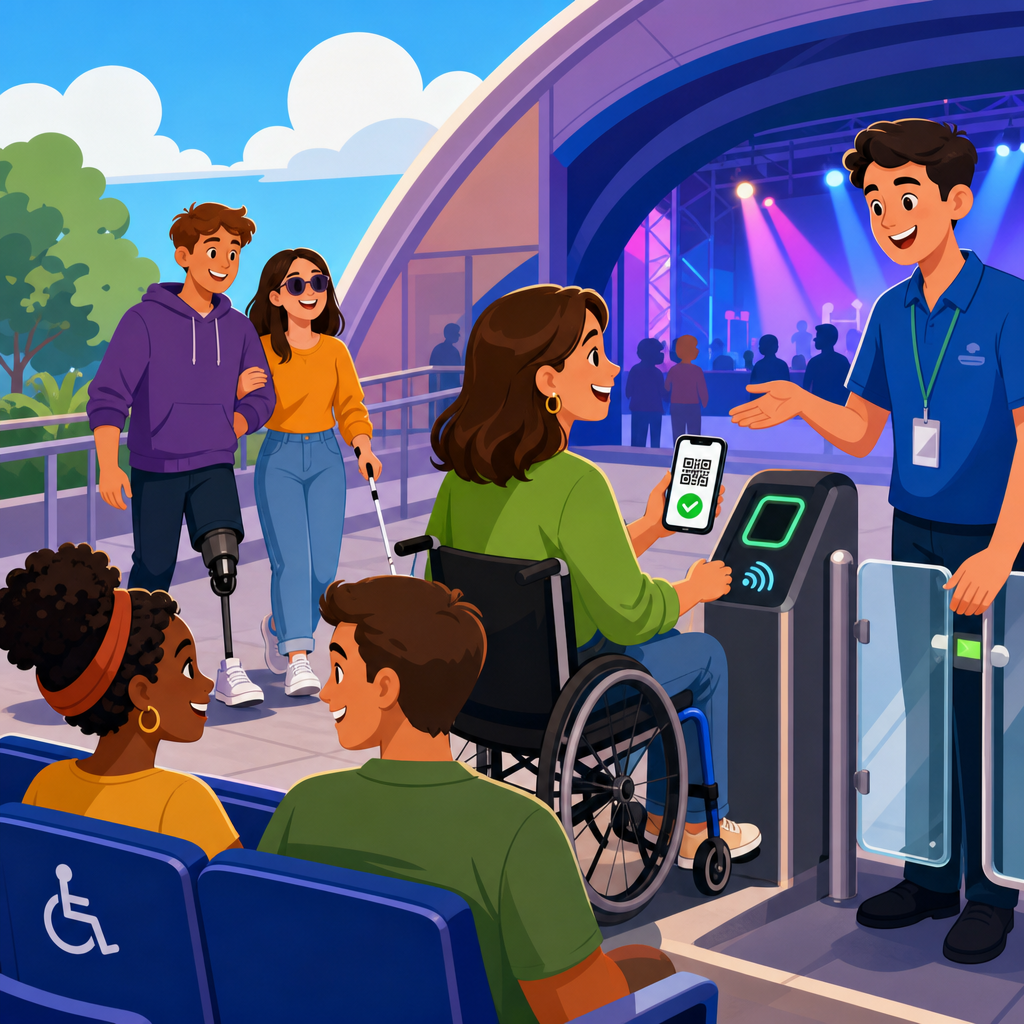
Accessible ticketing, companion seating, and digital entry systems shape whether sports and recreation venues are genuinely usable for every guest, not merely technically compliant. In stadiums, arenas, aquatics centers, racetracks, and community sports complexes, the ticket purchase journey now begins online, continues through mobile wallets and identity checks, and ends at a gate controlled by scanners, turnstiles, and staff procedures. If any link in that chain excludes people with disabilities, families, older adults, or guests managing temporary injuries, the venue loses revenue, trust, and operational efficiency at the same time.
Accessible ticketing means a disabled guest can locate, evaluate, purchase, receive, transfer, and use tickets with equivalent convenience and choice. Companion seating refers to adjacent or nearby seats reserved so a guest who needs assistance can attend with a friend, family member, aide, or interpreter. Digital entry systems include mobile barcodes, NFC passes, account-based ticketing, facial recognition tools, QR readers, self-service kiosks, and handheld verification devices used by event staff. In practice, these systems overlap. A well-designed seating map affects ticket inventory rules, and those rules affect how entry credentials are issued and validated.
This matters especially in sports and recreation because attendance patterns are intense, time-sensitive, and emotional. Fans often buy during high-demand onsales, transfer tickets minutes before kickoff, and arrive in compressed waves close to start time. I have worked on venue checkout flows and game-day gate plans where a minor configuration error, such as inaccessible seats hidden behind a filter or a scanner timeout on low-brightness screens, created disproportionate disruption. Small barriers become public failures when thousands of spectators are moving simultaneously and social media documents every friction point in real time.
The legal and operational stakes are also high. In the United States, the Americans with Disabilities Act sets baseline expectations for equal access, while venue operators, ticketing providers, and teams must also account for state laws, building codes, privacy requirements, and evolving digital accessibility standards such as WCAG 2.2. Beyond compliance, accessible design expands market reach. Disabled adults, older fans, and multigenerational groups represent meaningful ticket demand, concessions revenue, and repeat attendance. This hub explains how sports and recreation organizations should structure accessible ticketing, companion seating, and digital entry systems so every downstream guide in this subtopic has a clear foundation.
Accessible ticketing fundamentals for sports and recreation venues
Accessible ticketing starts with inventory visibility. Guests must be able to find wheelchair locations, aisle transfer seats, semi-ambulatory seating, sensory-friendly sections, and companion seats in the same primary path used by other buyers. Hiding accessible inventory behind a phone line alone is not enough for most modern venue operations, especially when general admission and reserved seating are sold online twenty-four hours a day. The best systems present section views, price levels, sightline notes, and amenity data clearly, then allow a buyer to complete checkout without disclosing more medical information than necessary.
For sports venues, seat classification should be precise. Wheelchair spaces differ from fixed seats with removable arms. Companion seats should be attached through inventory logic so they cannot be stranded or sold separately in a way that breaks the guest party. Teams also need policies for comparable seating when an event is near sellout. If all standard seats in a price band are gone, accessible seating should still be offered at that same relative price level, not pushed automatically into premium inventory. That principle reduces complaints and aligns with equal access expectations.
Good accessible ticketing also depends on content architecture. Section labels, seat attributes, route descriptions, parking options, and assistive listening availability should be embedded in the product page, help center, and transactional emails. Vague language like “limited mobility seating available” creates uncertainty and unnecessary calls. Specific language works better: “Row A transfer seats with no stairs from concourse,” or “wheelchair platform with one adjacent companion seat and nearby accessible restroom.” Clear language improves conversion because buyers can make decisions confidently without abandoning the cart to seek clarification from customer service.
Fraud controls require nuance. Venues often worry that accessible seating will be misused, but heavy-handed verification can deter legitimate guests and slow sales. The practical standard is behavior-based auditing rather than intrusive upfront screening. Customer service teams can review unusual patterns, such as brokers repeatedly purchasing accessible inventory in bulk, while preserving a respectful experience for ordinary buyers. When I have seen this handled well, the venue paired analytics from Ticketmaster or SeatGeek enterprise tools with documented escalation rules and staff training, instead of improvising case by case responses on game day.
Companion seating policies that work in real venues
Companion seating is not a courtesy add-on; it is central to accessibility in sports and recreation. Many disabled guests do not attend alone. They may need physical assistance, communication support, help with concessions, or simply the social experience that every fan expects. Effective policies define how many companion seats can be purchased with each accessible location, whether additional nearby seats may be released on request, and how inventory is handled for groups. The policy should be public, consistent, and enforced through the ticketing platform rather than dependent on individual staff discretion.
Venue geometry matters. In some arenas, adjacent companion seating is straightforward because platforms are built in pods of two or four. In older ballparks and municipal recreation venues, the nearest equivalent location may be one row above or below, or separated by an aisle. In those cases, the venue should state the exact arrangement before purchase and offer alternate sections when available. Transparency prevents disputes at the bowl entrance. It also helps event operations assign ushers and guest services staff more efficiently because the expected seating pattern is already documented in the order record.
Release timing is another critical decision. Many venues hold back companion-adjacent inventory until a defined cutoff, then release unsold seats to the general public shortly before the event. That can maximize occupancy, but it must be balanced against the real booking patterns of disabled fans, who may arrange transportation, personal care support, or medical needs later than other guests. A rigid early release can remove practical access. The better model uses historical demand by sport, opponent, daypart, and event type to set evidence-based release windows rather than one blanket rule for every game and concert.
| Operational area | Common mistake | Better practice |
|---|---|---|
| Inventory setup | Companion seats sold as ordinary adjacent inventory | Bind companion seats to accessible locations through seat rules |
| Website content | Generic accessibility note with no section detail | List seat type, route, amenities, and limits clearly on the event page |
| Release policy | One universal hold-release deadline | Adjust release timing using event-specific demand patterns |
| Customer service | Frontline agents improvise exceptions | Use written escalation rules and documented comparable seating standards |
| Game-day operations | Ushers lack visibility into accessible orders | Provide device-based seat notes and relocation procedures before gates open |
Sports organizations should also plan for edge cases. A deaf guest may need a companion seat for an interpreter. A youth athlete using crutches may need different seating than a wheelchair user. A family attending an adaptive sports tournament may need clustered seating across several accessible and standard seats. The policy framework should support these scenarios without forcing guests into lengthy back-and-forth exchanges. The most resilient venues define seat exceptions, relocation authority, and last-minute accommodation workflows in advance, then test them during lower-risk events before peak attendance games.
Designing digital entry systems that do not create new barriers
Digital entry systems solve many old problems, including lost paper tickets, counterfeit duplication, and slow manual verification. They also create new barriers when designed around a narrow model of smartphone ownership, dexterity, vision, hearing, or language fluency. In sports and recreation, the gate experience is unforgiving because throughput matters. If a guest cannot enlarge a barcode, switch from a dead battery, or navigate a confusing wallet pass while standing in a crowded queue, accessibility issues immediately become operational issues. Inclusive design at the gate is therefore a direct component of crowd management.
The most reliable systems provide multiple credential formats. Mobile wallet passes are fast, but venues should also support app-based barcodes, printable alternatives where appropriate, box office reissue, and staff-assisted lookup using name or account number under defined controls. Scanner hardware should read cracked screens, lower brightness levels, and varying barcode sizes. Turnstiles must include accessible lanes with enough width, clear maneuvering space, and a staffed override. Audible confirmation should be paired with visual confirmation, and error states should use plain language. “Invalid token” is less helpful than “Ticket already used. Please see gate support.”
Account design matters as much as hardware. The login flow, password reset, multifactor authentication, and ticket transfer process should meet current accessibility expectations across screen readers, keyboard navigation, magnification, and color contrast. Teams often focus on the final QR code and ignore the account journey that generates it. That is a mistake. If a guest cannot accept a transferred ticket because the email link expires too quickly or the app traps keyboard focus on the sign-in screen, the gate team inherits a preventable failure. Digital accessibility testing should therefore cover the full journey from discovery to post-entry support.
Connectivity planning is equally important. Cell networks degrade around major venues, especially during playoffs, rivalry matches, and weather delays when tens of thousands of people refresh apps at once. A sound digital entry strategy assumes degraded bandwidth. Wallet-based passes cached on-device, offline scanner validation windows, localized Wi-Fi, and rapid exception handling at resolution points reduce risk. I have seen gates recover quickly when supervisors could issue replacement credentials on handheld devices connected to a resilient local network, while neighboring venues relying only on cloud verification accumulated queues that delayed first pitch and overwhelmed guest services.
Implementation standards, staff training, and metrics for continuous improvement
Accessible ticketing and digital entry improve when venues treat them as an operating system, not a one-time website project. Governance should assign responsibility across ticketing, legal, guest experience, IT, operations, and third-party providers. Contracts with ticketing platforms and access control vendors should specify digital accessibility obligations, service levels, incident response, and data handling rules. For technical benchmarking, WCAG 2.2 is the practical web and app standard, while procurement teams should also ask for VPAT documentation, API capabilities, kiosk accessibility features, and support for assistive technology testing before renewal or rollout.
Staff training translates policy into actual access. Box office agents need scripts for explaining seat types without sounding defensive or intrusive. Ushers need clear relocation authority and device visibility into seat notes. Security staff should understand that some guests cannot move quickly through a narrow lane or present a phone on command. Guest services teams need escalation paths for dead batteries, transfer failures, and companion seating conflicts. The strongest venues run tabletop exercises before the season and rehearse exception scenarios during preseason games, charity events, or lower-capacity matches where corrections are easier to make.
Measurement should go beyond complaint counts. Useful metrics include accessible inventory conversion rate, companion seat attachment rate, checkout abandonment on accessible seat paths, average resolution time for gate exceptions, scanner failure rate by lane type, and relocation incidents by section. Post-event surveys should ask targeted questions about ticket purchase clarity, seating suitability, entry ease, restroom routefinding, and staff helpfulness. When these data points are segmented by event type and venue zone, patterns emerge. One arena I advised discovered that most “entry issues” were actually ticket transfer usability problems concentrated among premium guests receiving forwarded passes from hosts.
As the hub for sports and recreation guidance, this topic connects directly to venue websites, mobile apps, wayfinding, parking, premium hospitality, and incident response. Accessible ticketing, companion seating, and digital entry systems work best when designed together, because the guest experiences them as one journey. Start by auditing inventory rules, public policy language, and gate exception workflows. Then test the full path with disabled users, frontline staff, and real devices under event conditions. Teams and venue operators that fix these fundamentals create smoother attendance, stronger trust, and better revenue resilience. Review your current journey and prioritize the first barrier you can remove this season.
Frequently Asked Questions
What does accessible ticketing actually include beyond simply offering wheelchair spaces?
Accessible ticketing covers the entire purchasing and entry experience, not just the existence of designated seating locations. In practice, it includes an online ticketing platform that works with screen readers, keyboard navigation, zoom tools, and voice controls; clear labeling of accessible seating types; transparent pricing; and straightforward ways to reserve companion seats without forcing guests to call, wait, or disclose unnecessary medical details. It also means that accessible seats should be available during the same sales windows, promotions, pre-sales, and transfer options as standard inventory unless a legitimate operational reason requires a different process.
Equally important, accessible ticketing should explain what each seating option offers. Guests need to know whether a space is step-free, whether it is intended for wheelchair users, whether it includes an aisle transfer seat, whether sightlines remain clear when others stand, and how close it is to restrooms, concessions, elevators, or aquatic deck access. Good systems also explain parking, drop-off zones, service animal considerations, and what to expect at security screening and gate entry. When venues treat accessibility as a complete customer journey rather than a single seat category, they reduce confusion, improve compliance, and create a much more usable experience for every guest.
How should companion seating work in sports and recreation venues?
Companion seating should allow a guest with a disability to attend an event with family members, friends, aides, interpreters, or support staff in a way that is practical and dignified. At minimum, venues should provide companion seats immediately adjacent to accessible locations whenever possible, and the booking process should make those seats easy to identify and reserve. The point is not simply to place a helper somewhere in the same section; it is to support shared attendance and participation. In many venues, especially stadiums and arenas, that means offering side-by-side seating options and being transparent about how many companion seats can be reserved with each accessible space.
Strong companion seating policies also address real-world situations. A person may need more than one companion because of communication needs, personal care support, child supervision, or group attendance. While inventory limits can affect what is available for a specific event, venues should train staff to handle requests consistently, explain alternatives clearly, and avoid making the guest negotiate at the last minute. If adjacent companion inventory is limited, staff should know what relocation options exist and how to prioritize a workable arrangement without making the guest feel like an exception. The best systems balance operational control with flexibility and recognize that accessibility is about attending together, not merely being admitted into the building.
Why are digital entry systems such as mobile tickets, QR codes, scanners, and turnstiles a major accessibility issue?
Digital entry systems can either streamline arrival or create a serious barrier, depending on how they are designed and managed. Many guests now rely on mobile tickets stored in apps, text messages, email links, or digital wallets, but these formats are not equally usable for everyone. A ticket may be difficult to access for someone using a screen reader, hard to enlarge for a guest with low vision, time out before it can be presented, or require account logins and identity verification steps that are confusing or physically difficult to complete under pressure. If the only entry path assumes fast smartphone use, precise hand movements, stable internet access, and full visual interaction with a scanner, some guests will be excluded before they ever reach their seats.
The physical gate environment matters just as much. Turnstiles may be too narrow or too fast for wheelchair users, people using walkers, or guests who need more time to pass through safely. Handheld scanners can fail if screen brightness is low, if glare is intense, or if a device cannot be positioned easily. Staff procedures also matter: guests may need verbal instructions, alternate scanning methods, printed backup options, or manual ticket lookup without being sent to multiple lines. Accessible digital entry means offering equivalent ways to enter, making instructions clear before arrival, ensuring gates include step-free and wider lanes, and training staff to resolve issues quickly without embarrassment. In short, the technology is only accessible if the whole checkpoint process works for different bodies, devices, and communication needs.
What features should an accessible online ticket purchase experience include?
An accessible online purchase experience should begin with a website or app that follows recognized accessibility best practices, including compatibility with screen readers, logical heading structure, descriptive buttons and links, keyboard-only operation, sufficient color contrast, visible focus indicators, and forms that clearly identify errors and how to fix them. Seat maps are a common failure point, so venues should not rely on visual maps alone. Guests should be able to browse and select accessible seating through a text-based list or filter that describes the seating type, location, price, and companion options in plain language. Time limits on carts and checkout should also be reasonable, with warning messages that are themselves accessible.
Payment and account features deserve the same attention. Accessible systems should support common assistive technologies during login, checkout, ticket transfer, and wallet download. CAPTCHA, identity verification, and multi-factor authentication should have accessible alternatives. Confirmation emails and mobile tickets should be readable, easy to locate, and simple to present at the venue. It is also helpful when venues provide a clear accessibility help page that explains seating categories, companion policies, entry procedures, sensory accommodations, parking, and customer support contacts. The most effective platforms do not force guests to leave the digital path to complete a phone-only transaction unless absolutely necessary. Instead, they make the standard buying journey genuinely usable from search to seat.
How can venues improve staff procedures so accessible ticketing and entry work consistently on event day?
Even a well-designed platform can fail if front-line procedures are inconsistent. Staff need practical training on accessible seating policies, companion seat handling, mobile and printed ticket troubleshooting, alternate gate access, and respectful communication. They should know where accessible entrances are located, how to direct guests to step-free routes, how to pause or bypass turnstiles safely, and when to escalate a problem without sending a guest from one checkpoint to another. Training should include disability etiquette, but it should also go further by covering actual scenarios: a screen reader user who cannot pull up a barcode, a family that needs adjacent companion seats verified, a guest whose digital wallet failed to update, or a wheelchair user directed mistakenly to a standard lane.
Consistency comes from documentation and accountability. Venues should use written procedures, event-day checklists, and regular testing of both the digital and physical customer journey. That includes auditing websites and apps, mystery-shopping the ticket purchase flow, checking scanner compatibility, confirming that accessible lanes are staffed, and reviewing how exceptions are handled. Feedback mechanisms matter too. When guests report barriers, venues should analyze whether the problem came from software, signage, staffing, policy, or equipment and then correct the root cause. The goal is not simply to avoid complaints; it is to build a repeatable system in which accessibility is treated as an operational standard. When staff know the policy, the tools work, and backup options are ready, accessible ticketing and digital entry become reliable rather than uncertain.





