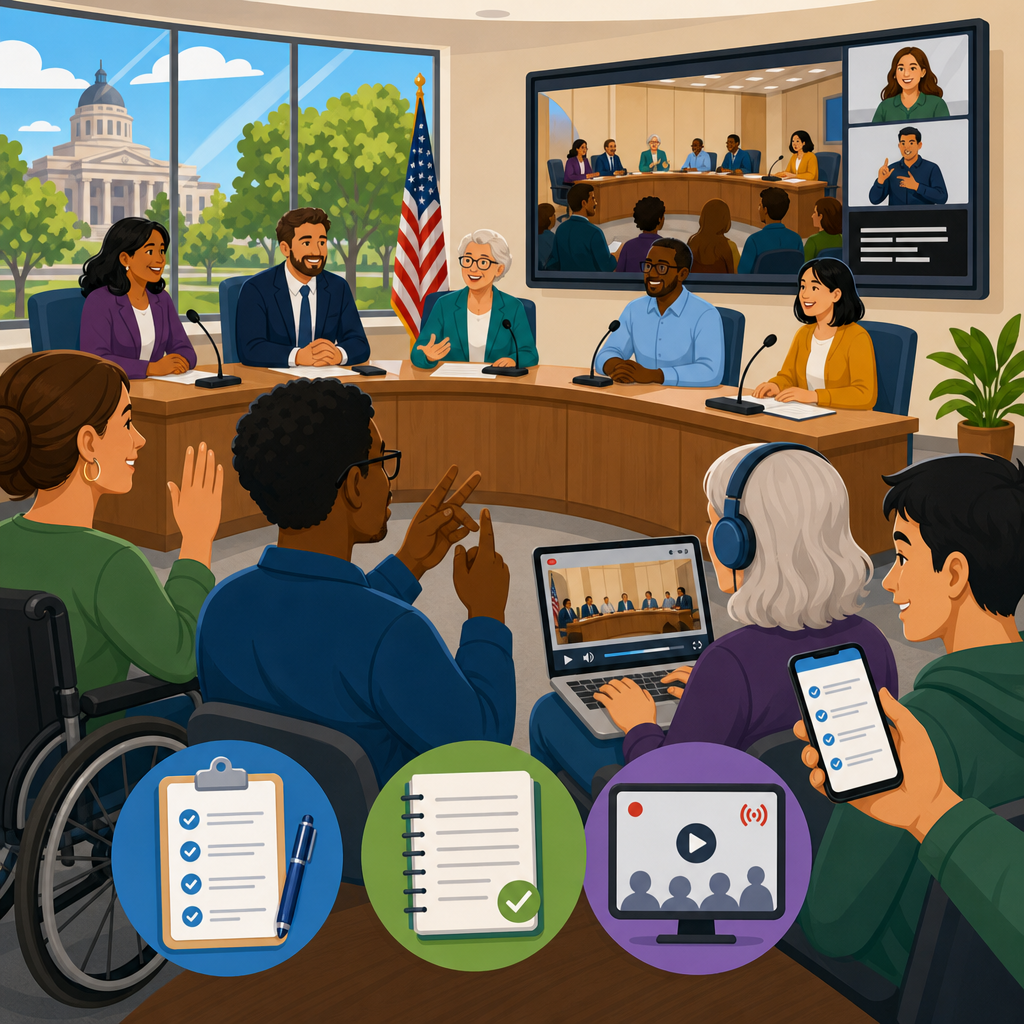
Accessible public meetings, agendas, minutes, and livestreams are the foundation of transparent local government because they determine who can follow decisions, participate meaningfully, and verify what happened after a vote. In public spaces and government, accessibility means more than wheelchair ramps or compliant websites. It includes readable agendas, captioned livestreams, microphone use, interpreters, accessible PDFs, plain-language notices, and meeting rooms that work for people with mobility, hearing, vision, cognitive, and language-related needs. When these elements are designed well, residents can understand the issue, prepare comments, attend in person or remotely, and review an accurate public record later. When they are designed poorly, participation narrows to people with time, transportation, technical expertise, and prior insider knowledge.
I have worked with municipal teams that assumed posting a scanned agenda packet the night before a council meeting met the public need. In practice, that approach excluded residents using screen readers, parents relying on mobile devices, and community members who needed translation or advance planning for disability accommodations. The legal and operational risks were also real. Open meetings laws, records retention rules, disability rights obligations, and language access policies intersect in every phase of the meeting lifecycle. Staff often manage these tasks under pressure, yet small process changes produce measurable gains: agendas posted earlier, livestream players with captions enabled by default, minutes structured consistently, and recordings archived with searchable transcripts.
This hub article explains how to make public meetings accessible from notice to archive. It covers meeting design, agenda standards, minute-taking practices, livestream operations, hybrid participation, procurement, and governance. It also points toward the broader public spaces and government accessibility ecosystem, where meeting access connects to civic buildings, parks, transportation, emergency communication, permitting, and digital services. For agencies building an industry-specific guide, this is the core reference point: if residents cannot access meetings, they cannot effectively access government. The goal is straightforward and practical: every resident should be able to discover a meeting, understand its purpose, participate without unnecessary barriers, and retrieve a trustworthy record afterward.
Why accessible public meetings matter in government operations
Accessible public meetings matter because they directly affect democratic legitimacy, legal compliance, and service delivery. Councils, boards, commissions, planning bodies, school districts, transit authorities, and special districts make decisions on land use, budgets, procurement, policing, infrastructure, and community standards. If only a narrow slice of the public can access those discussions, the government loses situational awareness and public trust. In my experience, accessibility failures are rarely abstract. They show up as residents missing deadline-sensitive hearings, Deaf attendees unable to follow discussion because microphones were inconsistent, blind users blocked by image-only packet scans, or multilingual communities excluded by English-only notices.
Federal disability law sets the baseline. Title II of the Americans with Disabilities Act requires state and local governments to provide equal access to programs, services, and activities, and meetings are clearly within that scope. Section 504 of the Rehabilitation Act may apply when federal funding is involved. Digital materials and online services increasingly rely on the Web Content Accessibility Guidelines, especially WCAG 2.1 Level AA, as the practical technical benchmark for web content, documents, and multimedia. Public agencies must also consider state open meetings requirements, public records obligations, and, in some jurisdictions, language access mandates. Accessibility is not a courtesy add-on. It is part of lawful, effective administration.
Accessibility also improves operations for everyone. Clear agendas reduce procedural confusion. Better microphones improve recording quality and meeting efficiency. Searchable minutes and transcripts help staff answer records requests quickly. Captions support viewers in noisy environments and residents for whom English is a second language. Remote participation tools expand access for caregivers, shift workers, people with limited transportation, and people who cannot safely attend in person. Good accessibility practice therefore supports both compliance and throughput. It lowers friction across departments, reduces avoidable complaints, and creates a cleaner institutional memory for future staff, auditors, journalists, and residents.
Building accessibility into the full meeting lifecycle
The most reliable way to improve accessibility is to treat it as a lifecycle, not a last-minute accommodation. That lifecycle starts before the notice is published and ends long after adjournment, when recordings, minutes, and related records enter the archive. In practical terms, agencies should map responsibility across clerk offices, IT, communications, facilities, interpreters, audiovisual vendors, security, and legal review. A meeting can fail accessibility even when one team performs well if another team misses a dependency. For example, captions may be available, but if the agenda PDF lacks headings and tag structure, a screen reader user may still be unable to identify the item under discussion.
A mature meeting workflow usually includes six stages: scheduling, notice and agenda preparation, packet publication, live event delivery, post-meeting documentation, and archive maintenance. Each stage should have service standards. My preferred model defines publication deadlines, plain-language summary requirements, document remediation steps, interpreter booking timelines, microphone checks, caption quality review, and archive posting targets. This creates predictability for staff and residents. It also provides evidence of due diligence when complaints arise. Without documented standards, accessibility depends too heavily on individual memory, goodwill, and available time.
| Meeting stage | Accessibility requirement | Practical example |
|---|---|---|
| Notice | Plain language, accessible web page, accommodation contact | Event page includes date, purpose, location, remote link, captioning notice, and request deadline for ASL |
| Agenda | Tagged PDF or HTML, logical order, descriptive item labels | “Zoning amendment for 125 River Street” instead of “Item 7B” |
| Packet | Readable documents, OCR, alt text, color contrast | Scanned staff memo is remediated before upload |
| Live meeting | Microphones, captions, interpreters, accessible room layout | Public comment mic feeds the stream and assistive listening system |
| Minutes | Consistent structure, vote clarity, linked attachments | Motion, seconder, amendment, and roll call captured in standard format |
| Archive | Searchable recordings, transcript, retention controls | Video library supports keyword search and downloadable transcript |
Public spaces and government teams should also connect meeting accessibility to adjacent operational areas. Facility access affects attendance. Transit information affects arrival planning. Digital identity systems affect remote sign-in. Emergency communications affect continuity when weather or security conditions force schedule changes. As a hub page for this subtopic, the key principle is integration: meetings are not standalone events but a visible checkpoint in a wider civic access system.
How to create accessible agendas and meeting packets
An accessible agenda answers three questions immediately: what is being decided, when and where is the meeting, and how can the public participate? The best agendas use descriptive item titles, not internal shorthand. They include direct links to attachments, contact details for accommodation requests, and plain-language summaries for specialized issues such as rezoning, bond issuances, sewer rate adjustments, or procurement awards. In my work, the single biggest improvement has been replacing image-based, last-minute packet uploads with structured HTML agenda pages and properly tagged PDFs. Residents should not need Adobe Acrobat expertise to learn whether a proposal affects their street, school, or business district.
Document accessibility is technical, but the standards are clear. PDFs should have selectable text through OCR, heading hierarchy, bookmarks for long packets, meaningful link text, sufficient color contrast, table headers where needed, and alt text for informative images, charts, and maps. If maps are essential to understanding, include text equivalents that describe parcel boundaries, nearby streets, and the practical effect of the proposal. Avoid posting scans with handwritten notes, skewed pages, or missing signatures. If a source document arrives inaccessible from a consultant or external board member, remediate it before publication or provide an equivalent accessible version at the same time.
Agenda timing matters as much as file format. Posting the agenda and packet with sufficient lead time lets residents request accommodations, consult advocates, and prepare comments. Many governments meet the statutory minimum notice period but still frustrate participation by releasing supporting documents too late. A stronger practice is to publish core materials several business days in advance and clearly label later additions. Version control matters here. If staff reports change, note what changed and when. Residents should not have to compare undated PDFs manually to detect a revised fee schedule or altered recommendation.
Accessible meeting rooms, public comment, and hybrid participation
Physical meeting access starts with the route to the room, not the dais. Parking, curb cuts, entrances, elevators, security screening, wayfinding, restroom access, and seating all affect whether residents can participate. Meeting rooms should have wheelchair spaces integrated with general seating, not isolated. Sight lines should support lip reading and interpreter visibility. Speaker areas need stable surfaces, adequate turning space, and microphones that can be adjusted without strength or fine-motor demands. If the room uses projection screens, content should be readable from public seating and described verbally for people who cannot see it clearly.
Public comment procedures often create avoidable barriers. Timers should be visible and announced audibly. Comment cards should be available in accessible digital and paper formats. Speakers should be allowed to provide written comments in alternative formats without penalty. Rules should explain how remote and in-person comments are handled, including whether comments are read into the record. Hybrid meetings need explicit moderation protocols so remote participants are recognized fairly and can hear the room clearly. The common failure point is audio. If board members speak without microphones or crosstalk occurs, captions degrade, interpreters struggle, and the recording becomes unusable.
For hybrid meetings, choose platforms with live captioning support, keyboard navigation, screen reader compatibility, and clear dial-in options. Zoom, Microsoft Teams, and Webex each can work, but configuration matters more than brand. Enable captions by default, assign a trained host, and test interpreter pinning or spotlighting before the meeting. For residents with limited broadband, publish phone access numbers and explain any participation limits up front. If registration is required for speakers, keep the form short, mobile friendly, and accessible. Hybrid access should expand participation, not move barriers from the building to the login screen.
Livestreams, recordings, captions, and transcripts
Livestream accessibility depends on audio discipline, platform capability, and archive strategy. A government livestream should provide reliable captions, a player that works across devices, and a recording archive that remains available according to retention policy. Auto-captioning has improved significantly, but it is not enough by itself for many high-stakes public meetings where names, addresses, technical terms, and vote language matter. In planning hearings, for example, parcel numbers, street names, and zoning classifications are often miscaptioned unless staff prepare glossaries or vendors provide communication access real-time transcription or post-event correction.
The best municipal setups combine simple room rules with deliberate production workflow. Every speaker uses a microphone. The chair repeats motions clearly. Staff state their names before speaking. Exhibits displayed on screen are identified verbally. Caption feeds are monitored during the meeting, and corrected transcripts are posted afterward when needed. For archived video, searchable transcripts create the biggest long-term value. They help residents jump to relevant moments, support journalists and researchers, and improve internal retrieval. They also make the public record more resilient when staff turnover occurs and institutional memory thins.
Choose archive systems with stable URLs, chapter markers, transcript sync, download options, and retention controls. Granicus, Swagit, YouTube, Vimeo, and self-hosted enterprise players are common options, but agencies should evaluate accessibility and records management together. A free video platform may be acceptable for reach, yet it cannot be the only record if policy requires controlled retention, metadata, and reliable export. If meetings are streamed on social platforms, post the official accessible archive on the agency site as the source of record. Residents should always know where the authoritative version lives.
Minutes, records retention, and the public record
Accessible minutes are not verbatim transcripts unless local law requires that level of detail. They are a structured, trustworthy summary of actions taken, discussion context, public input, and votes. The strongest minutes follow a standard template: meeting type, date, location, attendance, agenda item sequence, motions, amendments, roll call results, recusals, and adjournment time. They link to referenced documents and recordings. This consistency matters for residents and staff alike. When minutes vary by clerk or department, records become harder to search, compare, defend, and reuse in later proceedings.
Records retention should be defined before publishing content, not improvised afterward. Agencies need schedules covering notices, packets, recordings, transcripts, minutes, chat logs, emailed comments, and accessibility accommodation records where applicable. Legal counsel and records officers should confirm what constitutes the official record and what can be disposed of after a defined period. In hybrid meetings, platform artifacts such as attendee reports, raised-hand logs, and caption files may have retention implications. The point is not to keep everything forever. It is to keep the right things, in the right format, for the right duration, with documented authority.
Trust in the public record increases when agencies make retrieval easy. Use clear filenames, metadata tags, permanent links, and page structures that group agenda, packet, recording, minutes, and follow-up actions together. Residents should be able to navigate by date, body, topic, or address. For boards that handle recurring land use matters, linking hearing records to parcel lookup tools can dramatically reduce confusion. Accessibility and records management are often treated separately, but in practice they reinforce each other. A clean archive is easier to make accessible, and accessible records are easier to govern well.
Governance, procurement, and continuous improvement
Sustained accessibility requires policy, budget, and training. Start with a written meeting accessibility standard approved by leadership and used across councils, boards, commissions, and advisory groups. Define minimum notice content, document formats, accommodation request handling, livestream requirements, caption quality thresholds, room setup rules, and archive timelines. Train clerks, chairs, IT staff, and facilities teams together so no one assumes another department owns the issue. Procurement language should require vendors to support WCAG-aligned content, accessible players, transcript export, interoperability, and documented remediation processes.
Measure performance with operational metrics, not slogans. Track agenda publication lead time, remediation turnaround, accommodation fulfillment rate, caption error rate on sampled meetings, archive posting time, and complaint resolution time. Review a representative set of meetings quarterly, including at least one high-pressure hearing with heavy public comment. Include disabled residents and community advocates in testing. I have seen agencies make major progress simply by reviewing three recent recordings, three agenda packets, and three archive pages against a shared checklist. The pattern of failures becomes obvious quickly, and most fixes are procedural rather than expensive.
As the hub for public spaces and government accessibility, this topic connects outward to civic buildings, digital forms, wayfinding, transportation stops, emergency alerts, and constituent service channels. Accessible public meetings, agendas, minutes, and livestreams create the public-facing proof that government can include more people without sacrificing order or efficiency. Start with the next meeting on your calendar. Publish a clear agenda early, remediate the packet, test captions and microphones, capture precise minutes, and post an accessible archive. Then repeat the process until accessibility becomes routine infrastructure rather than a scramble before gavel time.
Frequently Asked Questions
Why are accessible public meetings so important for local government transparency?
Accessible public meetings are essential because they determine whether residents can actually understand, follow, and participate in government decisions that affect their daily lives. Transparency is not just about technically opening the doors to a meeting or posting a document online. It also requires making the information usable for people with different communication, mobility, vision, hearing, cognitive, and language needs. If an agenda is posted in a format that screen readers cannot interpret, if speakers are not using microphones, or if a livestream has no captions, many community members are effectively excluded even though the meeting is considered public.
When meetings are accessible, the public can review the agenda in advance, decide whether to attend, prepare comments, and track how elected officials and staff make decisions. That improves accountability because residents can verify what was discussed, what actions were taken, and whether commitments were followed through. Accessibility also improves the quality of public participation. People are more likely to contribute meaningful input when they can hear the discussion, understand the materials, and navigate the meeting process without barriers. In practice, accessible public meetings support legal compliance, public trust, and better decision-making all at once.
What makes a public meeting agenda accessible?
An accessible agenda is clear, easy to find, easy to read, and available in formats that work for a wide range of users. At a minimum, it should be posted with enough advance notice for residents to review it and prepare to participate. The agenda should use plain language rather than unnecessary jargon, clearly identify the time and location of the meeting, explain how to attend in person or remotely, and describe how members of the public can submit comments or request accommodations. It should also list action items in a way that helps residents understand what decisions may be made, rather than relying on vague labels that provide little useful information.
Format matters just as much as content. Agendas should be published as accessible digital documents, not just scanned image PDFs. Proper heading structure, searchable text, readable fonts, sufficient color contrast, meaningful link text, and compatibility with screen readers are all important. If supporting materials are included, those documents should also be accessible. In addition, local governments should consider providing translated notices, large-print versions, and contact information for accommodation requests such as sign language interpreters or alternative formats. A truly accessible agenda gives residents a fair opportunity to know what is happening before the meeting begins, not after decisions have already been made.
How can livestreams and recordings of public meetings be made accessible?
Accessible livestreams and recordings require more than simply turning on a camera. Audio quality is critical, which means everyone speaking should use microphones consistently and meetings should be conducted in a way that minimizes background noise and side conversations. Captions are also a key requirement for people who are deaf or hard of hearing, as well as for viewers who are watching in noisy environments or who process information better when they can both hear and read it. For recorded meetings, captions should be accurate, synchronized, and reviewed when possible rather than relying entirely on uncorrected automated text.
Visual accessibility matters as well. Cameras should be positioned so viewers can see the speakers, presentation screens, and public comment area when relevant. If slides, charts, or other visuals are discussed, speakers should describe them aloud for people who cannot see the screen clearly. Remote participation tools should include accessible controls, keyboard navigation, and screen-reader compatibility. It is also helpful to provide archived recordings promptly with captions, transcripts when available, and links that are easy to find on the public website. When governments invest in accessible livestreams and recordings, they extend access beyond the people who can physically attend the meeting room and create a durable public record that more residents can actually use.
What should accessible meeting minutes include?
Accessible meeting minutes should provide a reliable, understandable record of what occurred, what actions were taken, and how decisions were made. They should identify the meeting date, time, and location, note who was present, summarize key discussion points, document motions and votes clearly, and record any public comments or formal actions in a way that can be followed later by residents, journalists, staff, and community organizations. Minutes do not need to be word-for-word transcripts unless required by policy, but they should be accurate enough that someone who did not attend can still understand the substance of the meeting.
Just as important, minutes should be published in accessible digital formats. They should use real text rather than scanned images, include logical headings and lists, and be readable by assistive technologies. If attachments, exhibits, or referenced reports are posted alongside the minutes, those materials should also be accessible. Many local governments also improve usability by linking minutes to the agenda and recording of the same meeting so residents can move easily between what was planned, what was discussed, and what was officially approved. Accessible minutes are a core part of public accountability because they allow people to verify outcomes after the meeting has ended, even if they could not attend live.
What practical steps can cities, counties, and public boards take to improve meeting accessibility right away?
There are several high-impact improvements local governments can make immediately. Start with meeting notices and agendas: post them early, write them in plain language, and publish them in accessible formats. Include clear instructions for in-person and remote attendance, public comment deadlines, and accommodation requests. In the meeting room, make sure entrances, seating, tables, restrooms, and speaking areas are usable for people with mobility devices. Test microphones before the meeting, require speakers to use them, and train chairs to repeat audience questions when needed. If interpreters, captioning, hearing assistance systems, or language access services are used, those supports should be visible, functional, and easy to request.
Online access should be treated with the same seriousness as physical access. Choose livestream and virtual meeting tools that support captions and assistive technology. Post recordings, agendas, packets, and minutes in one predictable location on the website so residents do not have to search across multiple pages. Review PDFs and forms for accessibility, avoid image-only uploads, and provide staff training on document creation and inclusive communication. It is also smart to create a standard accessibility checklist for every meeting so good practices become routine instead of depending on individual staff members. The most effective governments do not treat accessibility as an optional add-on; they build it into planning, technology, communication, and follow-up from the start.





