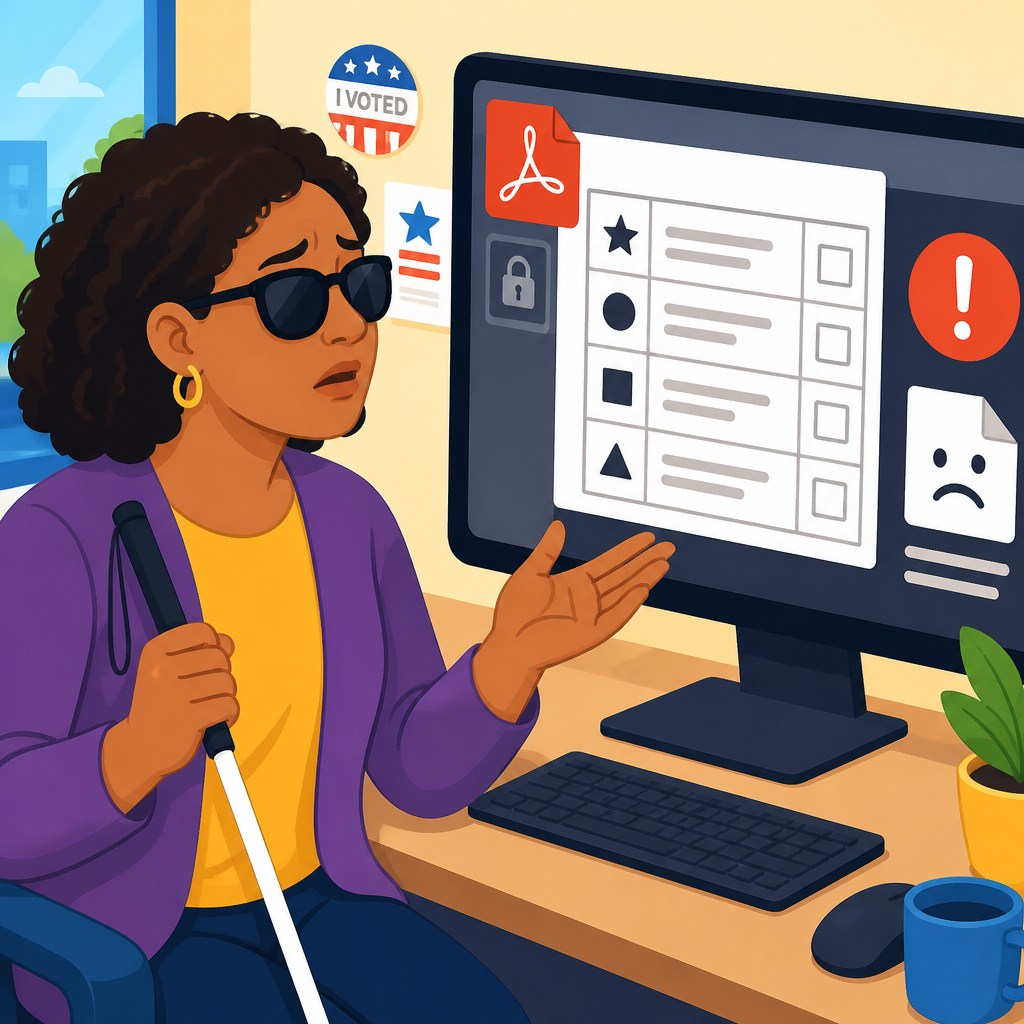
A blind voter opens a county elections website, downloads the sample ballot PDF, and immediately hits a wall: the file has no meaningful tags, the reading order is broken, and key contest information is trapped in an image that a screen reader cannot interpret. That moment captures why rights and protections matter only when they work in practice. In voting, accessibility is not an abstract compliance box; it is the difference between independent participation and exclusion. A sample ballot is a preview document that lets voters review candidates, ballot measures, instructions, and polling details before Election Day. For blind voters, accessible sample ballots support privacy, informed decision-making, and confidence. When that ballot arrives as an inaccessible PDF, the voter loses time, autonomy, and sometimes the chance to vote effectively.
I have seen this pattern repeatedly in public-sector document reviews. Election offices often assume that posting a PDF satisfies their duty to provide information online. In reality, many ballot PDFs are generated from desktop publishing workflows that preserve visual layout but discard semantic structure. Screen readers such as JAWS, NVDA, and VoiceOver rely on headings, lists, table markup, alternate text, form field labels, and correct tab order. Without those elements, a blind user may hear scattered text, unlabeled links, repeated decorative content, or nothing at all from critical images. A sample ballot may also contain tiny checkboxes, inaccessible instructions for absentee voting, or inaccessible maps that identify precinct changes.
This article is the hub for rights in action case studies and real-world applications within the broader rights and protections topic. It uses one concrete scenario—a blind voter encountering an inaccessible sample ballot PDF—to show how legal rights, technical standards, institutional processes, and practical remedies intersect. The case matters because it mirrors recurring failures across public services: inaccessible court notices, transit alerts, school forms, benefits letters, and health documents. By understanding this voting example in depth, readers can better evaluate how accessibility rights operate in daily life, where systems break down, and what effective correction looks like. The goal is not only to identify the barrier, but to map the path from exclusion to enforceable, usable access.
The Barrier in Plain Terms: What Makes a Sample Ballot PDF Inaccessible
An inaccessible sample ballot PDF usually fails in predictable ways. First, it may be untagged, meaning the file lacks structural markup that tells assistive technology what is a heading, paragraph, list, table, or artifact. Second, the reading order may follow the visual design rather than logical sequence, causing the screen reader to jump from candidate names to footer text to page numbers and back again. Third, contests may be embedded as scanned images, which are unreadable unless accurate optical character recognition has been applied. Fourth, form fields, checkboxes, and instructional text may be unlabeled. Fifth, linked sections such as “state propositions” or “polling location details” may use vague link text like “click here,” giving no context when navigated out of order.
These defects have direct consequences. A blind voter may not know which offices appear on the ballot, how many candidates may be selected, whether a referendum contains summary language or full text, or whether the polling place has changed. If the PDF includes instructions on requesting curbside assistance, language access services, or accessible voting equipment, those protections can become effectively invisible. In close elections, missing a deadline or misunderstanding a ballot measure because the official sample ballot was unreadable is not a minor inconvenience. It is disenfranchisement by design failure.
Election documents are particularly sensitive because they combine dense information, strict deadlines, and legal significance. Unlike a casual marketing flyer, a sample ballot supports a constitutionally important act. It is often the voter’s first detailed exposure to local races, judicial retention questions, school bond measures, and procedural instructions. In my experience, the most damaging accessibility failures are not dramatic crashes but silent omissions: a proposition title without explanatory text, a race missing candidate names, or a precinct note that a screen reader skips entirely. The voter may think they received complete information when they did not.
The Rights Framework: What Protections Apply to Blind Voters
Blind voters are protected by overlapping legal frameworks. Title II of the Americans with Disabilities Act requires state and local governments to provide equal access to their programs, services, and activities, including elections and election information provided online. Section 504 of the Rehabilitation Act applies to entities receiving federal financial assistance and similarly prohibits disability discrimination. The Help America Vote Act requires at least one accessible voting system in each polling place for federal elections, reinforcing the principle of private and independent voting. Many states also have election codes, disability rights statutes, and administrative guidance that specifically address accessible notices, ballots, websites, and voting procedures.
Technical standards matter because legal rights must be translated into measurable implementation. Public agencies commonly use the Web Content Accessibility Guidelines, especially WCAG 2.1 Level AA, as the benchmark for websites and digital documents. For PDFs, accessibility also depends on proper tagging, document language, bookmarks, heading hierarchy, table structure, alternate text, and usable form controls. PDF/UA, the international standard for universally accessible PDF, provides a stronger document-specific framework. While not every law names every standard, agencies that ignore these well-established methods expose themselves to predictable barriers and litigation risk.
Equal access does not mean offering a lesser workaround only after a complaint. If sighted voters can independently review the sample ballot online at any hour, blind voters must have substantially equivalent access in timing, privacy, completeness, and independence. Mailing a separate Braille copy only on request, reading the ballot over the phone during business hours, or telling the voter to ask a friend to help may not satisfy that standard. Reasonable modifications, accessible formats, and effective communication must be available without imposing unnecessary burden or stigma.
How the Problem Appears in the Real World
In practice, inaccessible election PDFs usually result from process failures, not bad intent. A county communications team may design the sample ballot in Adobe InDesign, export to PDF, and post it online without remediation. A third-party print vendor may flatten layers into images. Staff may run an automated accessibility checker, see only a few warnings, and assume the file is acceptable. Sometimes the county website itself is accessible, but linked documents are not, creating a false impression of compliance. Other times an accessible HTML version exists, but it is incomplete, outdated, or missing local measures that appear only in the PDF.
A typical voter journey shows how quickly harm compounds. The voter receives a mailed notice directing them online for the sample ballot. They navigate to the elections page successfully, find a precinct lookup tool, and download the PDF. Their screen reader announces “blank” repeatedly, then reads isolated fragments such as “official sample ballot,” “page one of six,” and “continue to next column,” but never presents a coherent office-by-office structure. The voter tries OCR, but candidate names merge with instructions and proposition text is scrambled. They call the elections office and are told someone can “help read it” if they visit in person. The official information exists, but not in a form the voter can use independently.
| Failure point | What the voter experiences | Practical impact |
|---|---|---|
| Untagged PDF | Screen reader cannot identify headings or sections | Hard to navigate contests quickly |
| Image-based ballot | Little or no readable text | Candidate and measure information is lost |
| Broken reading order | Content is announced out of sequence | Instructions become confusing or misleading |
| Unlabeled links or fields | Controls have no clear purpose | Requests, lookups, or downloads fail |
| Delayed alternative format | Accessible copy arrives late | Reduced time to research and plan voting |
From Complaint to Remedy: What Effective Response Looks Like
When a blind voter encounters an inaccessible sample ballot PDF, the strongest response starts with documentation. Save the file, note the URL, record the date and time, identify the assistive technology used, and describe the exact barrier: for example, “NVDA announces no headings,” “candidate names appear as unlabeled images,” or “proposition text is read in incorrect order.” A concise complaint to the local elections office should request immediate access in an equivalent format and a permanent fix. In urgent election contexts, timing matters as much as substance. The voter should ask for an accessible HTML or remediated tagged PDF version, confirmation of polling details, and any relevant deadlines in accessible form.
Agencies that respond well do three things quickly. First, they provide the information in an accessible format without forcing the voter into a burdensome workaround. Second, they triage the source problem by remediating the posted PDF or replacing it with an accessible web page. Third, they correct the workflow so the next election cycle does not repeat the same failure. That may include staff training, procurement language requiring accessible documents, prepublication testing with screen readers, and review against WCAG and PDF/UA criteria. A one-time accommodation helps the individual voter; a process fix protects everyone after them.
If the office does not act, escalation paths may include the state election authority, a local ADA coordinator, the U.S. Department of Justice, the Department of Health and Human Services Office for Civil Rights when federal funding is involved, disability rights organizations, protection and advocacy agencies, or legal counsel. In many cases, informal resolution is faster than litigation, but credible enforcement pressure often drives meaningful change. The most effective complaints tie the lived barrier to a concrete legal duty and a practical remedy. “Please make this compliant” is weaker than “Provide a tagged, screen-reader-accessible sample ballot with correct reading order and complete contest text before the absentee voting deadline.”
Lessons for Other Rights in Action Case Studies
This voting scenario functions as a hub because it reveals the recurring anatomy of rights failures across sectors. The same pattern appears when a blind person receives an inaccessible hospital discharge packet, an untagged school discipline notice, a transit detour map published only as an image, or a housing application portal that times out before a screen reader user can finish. In each case, the institution possesses the information, the person has a legal right to access it, and the barrier arises from preventable design and procurement choices. Rights in action means examining that gap between formal entitlement and actual usability.
Several principles carry across related case studies. First, accessibility must be built into the primary channel, not bolted on later. Second, equivalent access includes timeliness, independence, privacy, and completeness. Third, automated testing is useful but insufficient; manual review with assistive technology is essential. Fourth, vendor responsibility does not erase agency responsibility. Fifth, frontline staff need scripts and authority to solve access problems quickly. Finally, documentation turns a frustrating personal incident into evidence that can support systemic reform.
For readers exploring this subtopic further, related case studies should examine inaccessible absentee ballot portals, inaccessible public meeting notices, denial of accessible court filings, failures in emergency alert systems, inaccessible benefits redetermination letters, and digital identity verification systems that block screen reader users. Each example shows rights and protections as operational questions: Who is excluded, by what design decision, under which legal standard, and with what remedy? That structure helps advocates, compliance teams, journalists, and public administrators move beyond general awareness toward specific corrective action.
Prevention: How Election Offices Can Get This Right
Prevention is cheaper, faster, and more trustworthy than post-complaint remediation. Election offices should publish sample ballots in accessible HTML whenever possible, because properly coded web pages are generally easier to navigate than complex PDFs. When PDFs are necessary for printing consistency or archival reasons, agencies should require tagged export, logical reading order, descriptive titles, bookmarks, accessible tables, real text instead of scans, and validation in Adobe Acrobat Pro’s Accessibility Checker followed by manual testing with JAWS, NVDA, and keyboard-only navigation. Procurement contracts should require vendors to deliver accessible source files, not just final print-ready artwork.
Good governance also means planning for deadlines. Accessibility review must occur before the sample ballot is posted, not after absentee voting begins. Staff should maintain a publication checklist, assign accountability to named roles, and keep an emergency alternative format workflow ready for same-day response. Usability testing with blind voters before major elections is especially valuable because it catches issues that checkers miss, such as confusing contest grouping or unlabeled proposition summaries. Public trust increases when agencies publish accessibility contact information, respond promptly, and treat access failures as service defects requiring root-cause correction.
The inaccessible sample ballot PDF is not merely a bad file. It is a real-world test of whether rights are designed, delivered, and enforced where people live. If you work in elections, audit your ballot materials now; if you advocate for voters, document barriers and push for permanent fixes; if you are building a rights and protections program, use this case as the model for every future review. Rights become real when access works before the deadline, without assistance, for everyone.
Frequently Asked Questions
Why is an inaccessible sample ballot PDF such a serious problem for blind voters?
An inaccessible sample ballot PDF is not a minor inconvenience; it can block a blind voter from understanding the ballot before election day and from participating independently. Sample ballots help voters review contests, learn candidate names, understand ballot measures, and prepare decisions in advance. When the PDF has no meaningful tags, a screen reader cannot identify headings, lists, tables, or form-like structures in a usable way. When the reading order is broken, the content may be announced in a confusing sequence that makes the ballot impossible to follow. And when key contest information appears only inside an image, a screen reader may provide little or no useful information at all.
That matters because voting access depends on more than the availability of a polling place or a mail ballot. It also depends on whether a voter can obtain the same information that other voters receive in a format they can use. If a sighted voter can read the sample ballot at home, compare choices, and prepare privately, a blind voter should be able to do the same without having to rely on another person to interpret the ballot. When that access fails, the result is not just frustration. It can undermine privacy, independence, confidence, and meaningful participation in the election process.
What does it mean when a PDF has no tags, broken reading order, or image-only ballot information?
These are common but important accessibility failures. Tags are the structural markers inside a PDF that tell assistive technology what each piece of content is supposed to be. Proper tags identify items such as document titles, headings, paragraphs, lists, tables, and alternative text for images. Without those tags, a screen reader may treat the document as an unstructured mass of text, making navigation difficult or impossible. A blind voter may not be able to jump between contests, understand which text belongs together, or tell where one section ends and another begins.
Broken reading order means the content is announced in the wrong sequence. For example, a screen reader might read a candidate name before the office title, skip between columns, combine unrelated sections, or move from one page element to another in a way that does not match the visual layout. That can make even a simple ballot deeply confusing. Image-only ballot information creates another barrier. If the county posts scanned pages or embeds contest details as graphics without usable text alternatives, the screen reader cannot interpret the content meaningfully. In practice, that leaves the voter without reliable access to the names, offices, instructions, or measures they need to review.
Why does sample ballot accessibility matter if the official vote can still be cast later?
Because equal access includes the ability to prepare for voting, not just the final act of marking a ballot. A sample ballot gives voters the opportunity to review the full slate of contests ahead of time, research candidates and issues, plan for complex races, and avoid rushed decisions. That preparation is especially important in elections with long ballots, judicial races, local offices, or multiple propositions. If a blind voter cannot access the sample ballot independently, they lose a valuable tool that many other voters take for granted.
Accessibility at the preparation stage also affects privacy and autonomy. A voter who cannot read the sample ballot on their own may have to ask a family member, friend, caregiver, or advocate to describe it. That reliance can expose private political choices and limit the voter’s ability to explore options freely. In addition, inaccessible sample ballots can reduce confidence in the election system as a whole. If a county’s advance materials are inaccessible, a voter may reasonably worry that other parts of the process will also fail. So the issue is not just whether a ballot can eventually be cast. It is whether the voter receives equal, dignified, and independent access throughout the election experience.
What should an accessible sample ballot PDF include to work properly with screen readers?
An accessible sample ballot PDF should be built so that its structure, content, and navigation are clear to assistive technology. At a minimum, the document should contain meaningful tags that identify headings, paragraphs, lists, tables, and any other major elements. The reading order should follow the logical sequence of the ballot, so the screen reader announces contests and instructions in the same order a voter is expected to review them. If the ballot uses tables or columns, those elements must be coded carefully so content is not read out of order or mixed together.
The PDF should also include real text rather than scanned images of text. If images are necessary, they should have accurate alternative text when appropriate, although critical ballot content should not be locked inside images at all. Headings should clearly identify sections and contests so users can navigate efficiently. Link text, page titles, language labels, and instructions should all be clear and descriptive. Good accessibility also means compatibility with common screen readers and keyboard navigation, so a voter can move through the document without needing a mouse. In many cases, the best practice is not only to fix the PDF but also to provide an accessible HTML version of the sample ballot on the elections website, giving voters a more flexible and reliable way to access the same information.
What can a blind voter do if a county elections website posts an inaccessible sample ballot PDF?
A blind voter can start by documenting the problem in specific terms. It helps to note the webpage where the file was posted, the date and time it was accessed, the name of the PDF, and what barriers occurred, such as missing tags, garbled reading order, unlabeled sections, or image-only contest information. If possible, the voter should contact the county elections office promptly and request an accessible version of the sample ballot, whether as a corrected PDF, an accessible HTML page, or another usable format. Clear, direct communication often matters: explain that the posted file cannot be read independently with a screen reader and that the barrier prevents equal access to election information.
If the county does not respond effectively, the voter may consider escalating the issue to disability rights advocates, election protection organizations, or legal counsel familiar with digital accessibility and voting rights. The goal is not simply to obtain an individual workaround, but to ensure the county removes the barrier for all affected voters. Inaccessible election materials can raise serious concerns because access rights are meaningful only when they function in real conditions, at the moment voters need them. A sample ballot is a practical voting tool, and when it is inaccessible, the exclusion is immediate and concrete. Reporting the problem can help push election officials toward solutions that protect independent participation, privacy, and equal access for future elections as well.