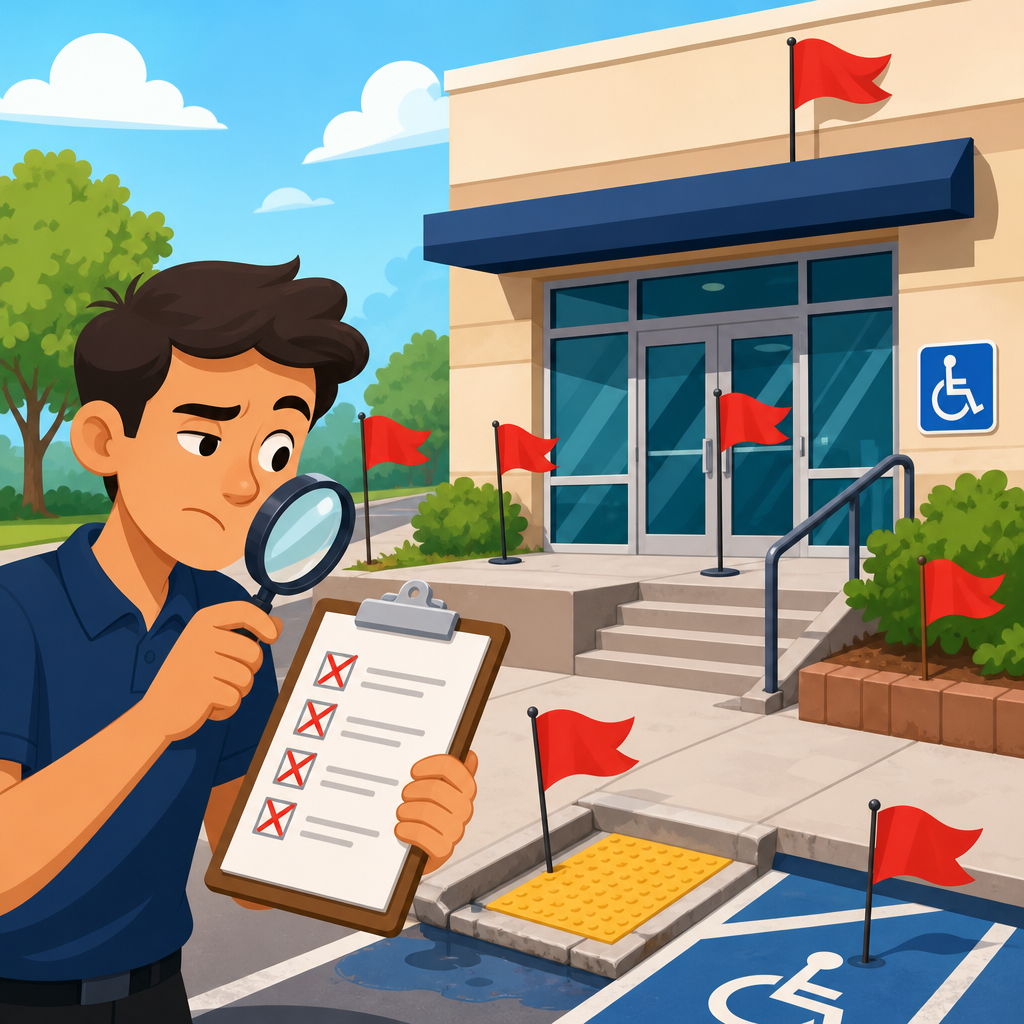
An ADA audit can protect a business from avoidable legal exposure, expensive retrofits, and exclusionary customer experiences, but only if the audit is deep enough to reveal real barriers instead of producing a comforting checklist. In digital accessibility, “ADA audit” usually means a structured review of a website, web application, document library, kiosk workflow, or broader customer journey against accessibility requirements tied to the Americans with Disabilities Act, most often using the Web Content Accessibility Guidelines as the technical benchmark. A superficial ADA audit is one that relies too heavily on automated scans, samples too few pages, ignores user flows, skips manual testing, or fails to connect findings to remediation priorities. I have reviewed audits from agencies, software vendors, and internal teams, and the pattern is consistent: weak audits sound polished, but they do not stand up when developers start fixing issues or when counsel asks what risk actually remains.
This matters because accessibility compliance is not a box to tick; it is an operational discipline that affects procurement, design systems, engineering backlogs, content publishing, QA, and customer support. Courts and settlement agreements rarely reward good intentions alone. They reward documented processes, measurable conformance work, and timely remediation. A meaningful ADA audit should tell you where barriers exist, who is affected, what standard is implicated, how severe the issue is, how often it occurs, and what fix is likely to work without breaking the product. It should also support the wider “Compliance and Implementation” effort by linking to policy, training, governance, and continuous monitoring. As the hub for ADA audits and compliance tools, this guide explains the red flags that indicate an audit is too shallow to trust, and what a reliable audit process should include instead.
Red flag: the audit is mostly an automated scan
If the deliverable is dominated by findings from WAVE, axe DevTools, Lighthouse, Siteimprove, AudioEye, Monsido, or a similar scanner, the audit is incomplete by definition. Automated testing is valuable, and I use it in every engagement, but it typically catches only a portion of accessibility issues. Industry estimates vary depending on the ruleset and content type, yet the underlying fact does not: scanners cannot reliably judge focus order, meaningful alternative text, keyboard trap behavior, visible focus quality, error prevention, contextual instructions, caption accuracy, screen reader announcements, or whether a custom widget follows the expected interaction pattern. A report that presents automated output as if it were a full ADA audit is giving false confidence.
A reliable audit combines automated detection with manual code inspection, keyboard-only testing, and screen reader testing using tools such as NVDA, JAWS, or VoiceOver. It also verifies states and dynamic changes in single-page applications, modals, accordions, menus, date pickers, and form validation flows. If a vendor says its platform uses artificial intelligence to replace manual review entirely, that is a red flag. Automation can accelerate triage and continuous monitoring, but it cannot substitute for expert evaluation of real user experience. The right question is not whether automation is used; it is whether automation is being used within a complete methodology.
Red flag: the scope is unclear, tiny, or unrealistically fast
Superficial audits often hide behind vague scope statements such as “up to ten representative pages” without explaining why those pages are representative of the platform’s risk. ADA audits and compliance tools are only useful when scope reflects the actual architecture and customer journey. A site with a marketing layer, authenticated dashboard, search results, checkout, support center, PDFs, and embedded third-party tools cannot be responsibly audited by checking the home page, one product page, and a contact form. The most common failure I see is under-sampling templates while ignoring edge cases such as filter panels, sticky headers, carousels, comparison tools, map widgets, and account recovery flows.
Time is another clue. If a complex site is “fully audited” in a day or two, either the scope was trivial or the methodology was shallow. Serious audits account for inventory, sampling logic, test protocols, issue deduplication, severity analysis, remediation notes, and stakeholder review. For enterprise properties, the work often expands to design system components and reusable patterns because fixing a shared component can remove hundreds of defects across many pages. A credible vendor explains what is in scope, what is out of scope, how samples were chosen, and what level of confidence the sample supports. Anything less is not decision-grade information.
Red flag: the report does not name the standard, level, or testing method
An ADA audit should clearly state the technical benchmark used for evaluation, usually WCAG 2.1 AA or WCAG 2.2 AA, along with any legal or contractual requirements that apply to the organization. Reports that simply say “ADA compliant” are unreliable because the ADA itself does not contain a line-by-line website checklist. The practical work of digital accessibility depends on a recognized standard, documented interpretation, and a test method that can be repeated. Without that foundation, findings become subjective, and remediation teams have no stable target.
Methodology matters just as much as the standard. A strong report explains whether testing covered desktop and mobile, which browsers were used, which assistive technologies were used, whether keyboard testing was performed, and whether PDFs, videos, or third-party widgets were included. It also distinguishes between objective failures, likely risks, and advisory usability concerns. That distinction helps teams prioritize. When an audit omits the standard, level, environment, and method, it becomes difficult for engineering, procurement, legal, and leadership to trust the outcome or compare results over time.
Red flag: the findings are generic, duplicated, or impossible to act on
A superficial report often contains dozens or hundreds of repeated findings that say little more than “missing alt text” or “low contrast” with no path to resolution. Developers do not need raw error dumps; they need actionable defect statements tied to actual components, code patterns, and user impact. The best ADA audits and compliance tools group recurring issues by root cause, identify the source template or component, cite the relevant success criterion, explain who is affected, and provide remediation guidance that fits the technology stack. For example, a finding about unlabeled form fields should note whether labels are missing visually, programmatically, or both, and whether the fix belongs in the design system, CMS template, or authoring workflow.
Another warning sign is remediation advice that is either too vague or too risky. “Add ARIA” is not useful guidance. In many cases, native HTML is the better fix. Likewise, “increase contrast” without naming the foreground and background values, state variations, and component tokens forces teams to re-diagnose the issue from scratch. Good reports lower the cost of fixing by being specific. They include URLs, screen states, reproduction steps, code snippets when appropriate, and severity reasoning. If teams cannot confidently create tickets from the audit, the audit is too superficial to rely on.
Red flag: keyboard and screen reader behavior were not tested end to end
Many of the most serious accessibility barriers appear only when a person tries to complete a task without a mouse or with a screen reader. That is why end-to-end functional testing is essential. An audit that checks isolated pages but not complete user journeys will miss failures that occur between states: focus dropping behind a modal, an autocomplete list that cannot be navigated with arrow keys, a filter chip that is not announced when removed, or a payment error that appears visually but is not conveyed to assistive technology. These are not edge cases; they are common defects in modern JavaScript interfaces.
In practice, I expect an audit to test critical flows such as account creation, sign-in, password reset, search, product selection, cart, checkout, form submission, support contact, and document download. It should verify headings, landmarks, tab order, skip links, focus indicators, dialog management, error identification, status messages, and name-role-value exposure for custom controls. Screen reader testing does not need to mimic every possible user strategy, but it must confirm that the interface is understandable and operable in realistic scenarios. If the report never mentions specific assistive technologies or task-based outcomes, that is a major warning sign.
What a dependable ADA audit and compliance toolset should include
The easiest way to judge whether an audit is credible is to compare it against the elements that mature accessibility programs consistently require. A dependable process is not mysterious, and it does not depend on one product. It combines inventory, standards, expert review, user-flow testing, governance, and monitoring. The table below summarizes the minimum components I look for before advising a client to rely on an audit for remediation planning or legal risk management.
| Audit element | What good looks like | Why it matters |
|---|---|---|
| Defined scope | Templates, authenticated areas, documents, media, and third-party tools listed explicitly | Prevents false confidence from partial sampling |
| Named benchmark | WCAG 2.1 AA or 2.2 AA, plus any sector requirements | Creates a stable remediation target |
| Mixed methods | Automated scans, manual inspection, keyboard testing, screen reader testing | Catches issues automation misses |
| Task testing | Critical user journeys tested end to end | Reveals barriers between interface states |
| Actionable findings | Severity, affected users, root cause, reproduction steps, fix guidance | Lets teams convert findings into tickets quickly |
| Component focus | Shared design system patterns audited separately | Enables efficient fixes at scale |
| Validation plan | Retesting after remediation with documented closure criteria | Confirms issues were actually resolved |
| Monitoring | Ongoing scanning, content governance, and periodic expert review | Accessibility can regress after release |
Red flag: third-party tools, documents, and media are excluded without analysis
Organizations often assume they can ignore accessibility problems in third-party platforms, embedded widgets, payment processors, maps, chat tools, scheduling software, or legacy PDFs because they did not build them. That assumption is dangerous. If the tool is part of the customer experience, it can still create legal and operational risk. A superficial audit may exclude these elements completely, or mention them only in a footnote. A stronger audit documents each dependency, evaluates what can be tested, identifies ownership boundaries, and recommends procurement or contract actions where direct code fixes are not possible.
Documents and media are especially easy to neglect. PDF brochures, annual reports, application forms, menus, scanned notices, and webinar recordings regularly contain barriers such as missing tags, incorrect reading order, absent captions, or inaccessible form fields. Because these assets often live outside the main CMS, they slip through page-based scans. An effective hub strategy for ADA audits and compliance tools must therefore include document remediation workflows, captioning standards, transcript practices, and vendor management. If an audit claims broad compliance while skipping the content formats users actually download and consume, it is not complete.
Red flag: there is no remediation roadmap, owner model, or retest plan
Even an accurate accessibility audit has limited value if it ends with a PDF and no implementation path. One hallmark of a superficial audit is that it hands over findings without organizing them into a remediation program. Teams need more than issue descriptions; they need priorities, owners, dependencies, and closure criteria. High-severity blockers in checkout or application submission should not sit in the same undifferentiated list as low-impact cosmetic issues. Likewise, design system defects, content authoring problems, and third-party procurement risks require different owners and timelines.
The best audits translate findings into an execution framework. They separate quick wins from structural fixes, map issues to product teams, identify policy or training gaps, and define how retesting will occur. Retesting is critical because many accessibility fixes are easy to partially implement and still fail in practice. A custom select may receive ARIA attributes but remain unusable by keyboard. A form may announce some errors but not preserve focus correctly. Closure should require verification in the relevant environment, not just a developer comment that the code was changed. If the audit does not describe how success will be measured after remediation, reliance is premature.
Choosing the right partner and using this hub well
When evaluating an accessibility vendor or internal audit process, ask direct questions: Which standard will you test against? How do you choose samples? Which assistive technologies do you use? Will you test authenticated flows? How do you handle third-party tools, PDFs, and video? Can your findings be turned into engineering tickets without rework? Who performs the manual review, and what experience do they have with actual remediation? Strong partners answer clearly and show sample reports with enough detail to prove their method. Weak partners lean on dashboards, generalized promises, or the word “compliant” without precision.
This page serves as the hub for ADA audits and compliance tools within a broader compliance and implementation program. Use it to evaluate current reports, set requirements for future audits, and connect audit work to policy, procurement, design, development, QA, and content operations. The core takeaway is simple: an ADA audit is only as useful as its depth, scope, and actionability. If you see the red flags above, treat the report as a partial input, not a basis for assurance. Review your current audit against these criteria, close the gaps, and build a process that can withstand technical scrutiny, user reality, and legal pressure.
Frequently Asked Questions
1. What are the clearest signs that an ADA audit is too superficial to trust?
The clearest warning sign is that the audit reads more like a generic checklist than a real evaluation of how people with disabilities actually use your digital experience. A superficial ADA audit often focuses on obvious, easy-to-scan items such as missing alt text, color contrast issues, or empty form labels, but it does not explain how those findings affect real tasks like browsing products, filling out forms, completing a checkout, downloading documents, or navigating support content. If the report feels interchangeable with any other website review, that is a serious concern.
Another major red flag is overreliance on automated scanning. Automated tools are useful, but they only catch a portion of accessibility issues. They do not reliably evaluate keyboard usability, focus order, screen reader clarity, error recovery, dynamic content behavior, modal interaction, accessible name accuracy, or whether a multi-step process is understandable for users with cognitive disabilities. If an auditor presents a tool-generated export as if it were a complete ADA audit, the review is not deep enough to support meaningful risk reduction.
You should also be cautious if the audit does not clearly identify its standard of review. In digital accessibility, audits tied to ADA risk are commonly evaluated against WCAG success criteria because the ADA itself does not provide a technical checklist for websites and applications. If the report is vague about which WCAG version and level it used, what templates or user flows were tested, and how issues were prioritized, you cannot judge whether the audit was rigorous or merely surface-level.
Finally, a superficial audit often lacks context, evidence, and remediation guidance. It may say something like “buttons are inaccessible” without showing where, why, how often, and how that issue affects users. A dependable audit should connect barriers to specific pages, components, workflows, and user impacts. It should also help your team distinguish between isolated defects and systemic design or development failures. If it leaves you with more uncertainty than clarity, it is probably too shallow to rely on.
2. Why isn’t automated testing alone enough for a reliable ADA audit?
Automated testing is valuable, but it is only one part of a credible accessibility review. Think of it as a fast triage tool rather than a complete diagnosis. Automated scanners are very good at identifying certain detectable code-level issues, such as some missing form labels, color contrast failures, duplicate IDs, or image elements missing alt attributes. Those findings matter, but they represent only a fraction of the barriers that can create ADA-related exposure and real user harm.
Many of the most serious accessibility failures depend on human judgment and real interaction. For example, an automated tool may confirm that an image has alt text, but it cannot always determine whether that alt text is useful, accurate, or redundant. It may detect that a button has an accessible name, but it cannot tell whether the name makes sense in context. It may not reveal that keyboard users get trapped in a menu, that focus disappears inside a custom widget, that a screen reader announces confusing instructions, or that an error message appears visually but is never conveyed to assistive technology.
Automated testing also struggles with dynamic interfaces and task-based experiences. Modern websites and web applications often include pop-ups, tabs, accordions, custom dropdowns, live validation, embedded documents, account areas, and transaction flows. These elements can appear technically “present” while still failing in practice for people using keyboards, screen readers, screen magnifiers, voice input, or other assistive tools. A serious ADA audit must include manual review of representative pages and critical user journeys, not just a homepage scan and a list of machine-detected issues.
In other words, automated testing helps reveal some problems quickly, but it cannot tell you whether your digital experience is genuinely usable. If an audit vendor implies that a scan equals compliance, that is a major red flag. A reliable audit combines automated discovery, manual expert review, task-based testing, and clear interpretation of findings against WCAG so your organization can understand both legal risk and practical user impact.
3. What should a thorough ADA audit include that a weak audit usually misses?
A thorough ADA audit should go well beyond page-level issue spotting. At minimum, it should define the scope of what was evaluated, including which website templates, application states, documents, media assets, kiosks, or customer journey touchpoints were included. It should identify the accessibility standard used for testing, typically a specific WCAG version and conformance level, and explain the methodology in a way that allows stakeholders to understand what was reviewed, how it was reviewed, and where the limitations are.
A strong audit also includes manual testing of core user flows. That means evaluating whether users can actually complete important tasks such as searching, registering, logging in, requesting services, making purchases, accessing account information, submitting forms, downloading PDFs, or contacting support. Many weak audits miss this entirely. They review a sample of pages but do not test the business-critical interactions that most often generate complaints, abandonment, and legal exposure. An audit that does not examine full workflows may overlook barriers that only emerge after several steps.
Another thing strong audits include is issue prioritization tied to severity and business impact. Not every accessibility problem carries the same consequence. Some issues create inconvenience; others completely block access. A useful report distinguishes between cosmetic defects, substantial friction points, and complete barriers. It should also identify patterns, such as a navigation component that fails across the entire site or a shared design system element that introduces the same accessibility defect everywhere it appears. Weak audits often produce long lists of disconnected findings without showing the underlying systems problem.
Finally, a thorough ADA audit should provide actionable remediation guidance. That does not mean vague instructions like “fix contrast” or “make forms accessible.” It means enough detail for designers, developers, content authors, QA teams, and compliance leaders to understand what needs to change and why. The best audits also note whether issues likely stem from content governance, design decisions, front-end implementation, third-party integrations, or document production practices. That level of specificity is what turns an audit into a meaningful risk-management tool rather than a false sense of security.
4. How can a business evaluate whether an auditor is qualified to perform a meaningful ADA audit?
Start by looking at methodology, not marketing language. Many providers say they do “ADA compliance audits,” but the phrase itself can hide major differences in rigor. Ask exactly what standards they test against, what percentage of the work is automated versus manual, which assistive technology scenarios they consider, how they sample pages or components, and whether they assess complete user journeys. If the answers are vague, sales-heavy, or framed as proprietary shortcuts, that is not reassuring. A qualified auditor should be able to explain their process in plain language.
It is also important to evaluate whether the auditor understands both accessibility and real-world implementation. A meaningful ADA audit requires more than familiarity with a scanning platform. The reviewer should understand semantic HTML, ARIA usage, keyboard interaction patterns, form behavior, screen reader expectations, document accessibility, responsive layout issues, and the practical relationship between WCAG findings and ADA risk. If your environment includes web applications, PDFs, multimedia, third-party tools, or kiosk-style interfaces, the auditor should have demonstrated experience with those formats as well.
Ask for sample deliverables if possible. A strong report should show issue evidence, affected components or pages, references to applicable success criteria, user impact, severity, and remediation guidance. It should not simply dump raw scanner output into a spreadsheet. You can often tell a lot from how findings are documented. Clear, structured reporting usually reflects disciplined evaluation, while thin reporting often signals a shallow review process.
Finally, consider whether the auditor is prepared to support remediation and follow-up. A credible accessibility partner does not disappear after delivering the report. They can answer questions, help your teams interpret findings, retest fixes, and explain where recurring defects point to process failures in design, development, procurement, or content publishing. An ADA audit should not be a one-time paper exercise. The right auditor helps turn it into a durable accessibility improvement program.
5. What risks does a company face if it relies on a shallow ADA audit?
The biggest risk is false confidence. A shallow ADA audit can make decision-makers believe their website, application, or customer journey is in much better shape than it really is. That false reassurance can delay real remediation, leaving serious barriers in place for customers, patients, students, employees, or members of the public. When accessibility issues remain hidden, they tend to surface later in more expensive and more damaging ways, including legal complaints, customer churn, emergency fixes, and reputational harm.
There is also a direct financial risk. If an audit misses systemic problems, your organization may invest in small, isolated fixes while overlooking the design patterns or shared components causing failures across the whole experience. That often leads to duplicated work, rushed retrofits, and higher remediation costs later. It is usually far cheaper to identify core barriers early than to rebuild transactions, templates, or document libraries after complaints or demand letters force the issue.
Operationally, a weak audit can distort priorities. Teams may spend weeks correcting low-impact items while severe workflow barriers remain unresolved. For example, an organization might fix decorative image alt text but miss the fact that users cannot submit a required form with a keyboard or understand