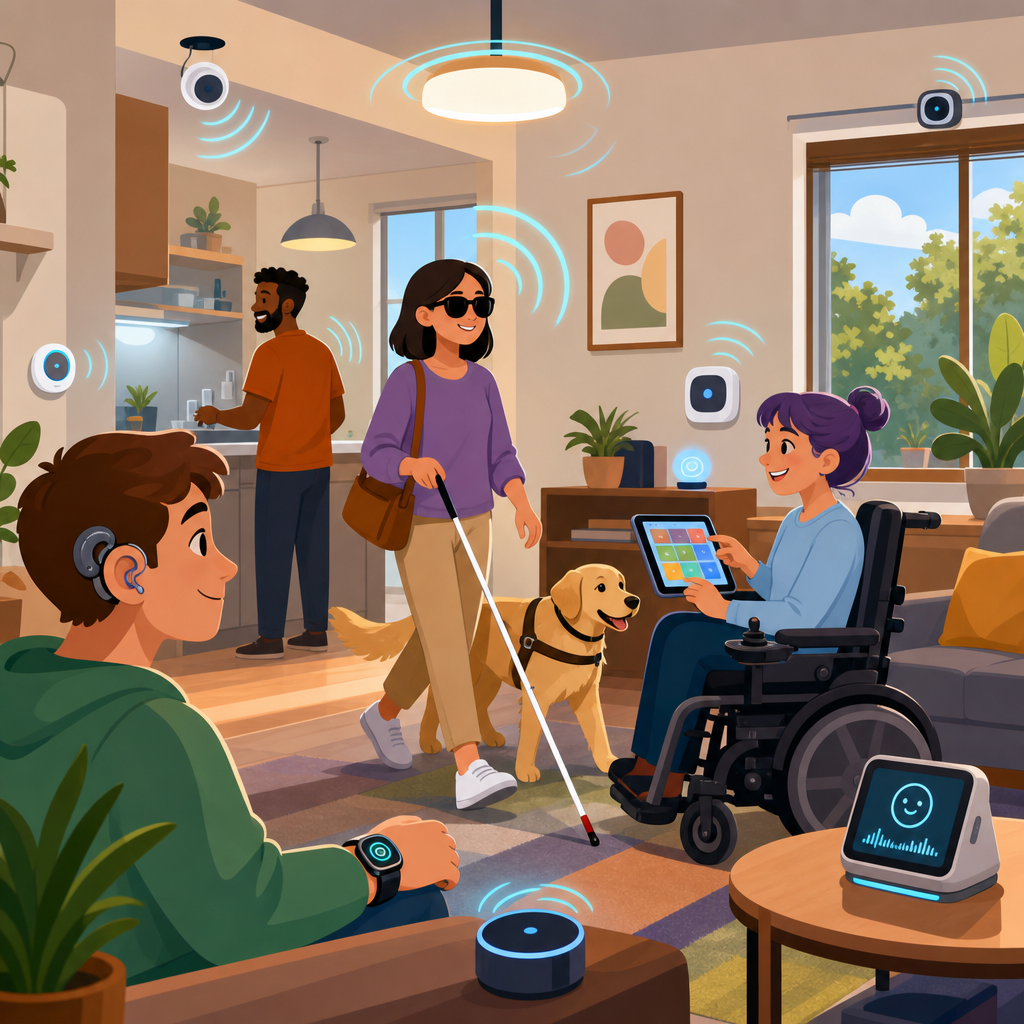
Ambient computing is changing how people interact with technology, and its accessibility implications are too important to treat as an afterthought. The term ambient computing describes digital systems that fade into the background of daily life, using sensors, connected devices, machine learning, voice interfaces, and automation to respond to context instead of waiting for direct commands. Smart speakers that answer from across the room, lights that adjust automatically, wearables that detect movement, and cars that interpret spoken navigation requests all belong to this category. Because these systems operate continuously and often invisibly, they reshape basic questions about usability, privacy, consent, and equal access.
In my work reviewing connected products and digital services, I have seen teams focus heavily on convenience while underestimating how ambient systems affect people with disabilities, older adults, neurodivergent users, and anyone navigating temporary impairments or complex environments. Accessibility in this context means more than screen reader support or captioning on a single app. It includes whether a system can be perceived, understood, controlled, overridden, and trusted when interaction happens through voice, gesture, motion, location, biometrics, or automated inference. That wider definition matters because ambient computing often removes visible interfaces, and when the interface disappears, barriers can become harder to detect and harder to fix.
This article serves as a hub for emerging technologies within legal and technological frontiers by examining the accessibility implications of ambient computing across devices, environments, and governance models. It explains where ambient systems help, where they fail, what standards and design practices matter, and how product teams can build more inclusive experiences from the start. If you are evaluating smart homes, wearables, AI assistants, connected public spaces, adaptive vehicles, workplace sensors, or healthcare monitoring, the core question is the same: does the system expand a person’s independence, or does it create a new dependency on assumptions the system cannot reliably understand?
Why Ambient Computing Can Expand Access
Ambient computing can improve accessibility because it reduces friction between intention and action. For users with limited dexterity, a voice command to unlock a door or dim lights can replace fine motor interaction with switches, touchscreens, or keys. For blind or low-vision users, spoken notifications, object recognition, indoor navigation cues, and location-aware assistants can make environments easier to interpret. For people with cognitive fatigue, automation can lower task load by handling reminders, environmental controls, and routine actions without requiring repeated setup. In practice, the best ambient systems support multiple input methods and allow users to choose what works in the moment rather than forcing one mode.
Real-world examples show these benefits clearly. Smart home platforms can connect doorbells, cameras, locks, lights, thermostats, and speakers so that a person with mobility limitations can manage household tasks from bed, wheelchair, or another room. Wearables can detect falls, irregular heart rhythms, or abrupt changes in gait and alert caregivers earlier than a manual reporting system would. In transportation, spoken route updates and haptic cues can supplement map visuals for travelers who cannot safely look at a screen. In workplaces, environmental sensors can adjust lighting or desk settings for users with migraines, low vision, or chronic pain. These gains are meaningful because they support autonomy in ordinary situations, not only in specialized assistive contexts.
However, the accessibility value of ambient computing depends on reliability and user control. A voice assistant that works only in ideal acoustic conditions is not dependable access. A fall detection feature that triggers false alarms repeatedly may be abandoned by the very people it was meant to support. A home automation routine that cannot be paused easily can confuse users with cognitive disabilities or create safety risks for people who need stable, predictable controls. Assistive benefit comes from consistency, transparent feedback, and fallback options. When those are missing, ambient systems stop being supportive and start becoming brittle.
Common Accessibility Risks in Emerging Ambient Systems
The main accessibility risks in ambient computing come from invisible interaction, biased sensing, weak interoperability, and over-automation. Invisible interaction means users may not know what the system detected, what decision it made, or how to correct it. If a thermostat learns occupancy patterns but misreads the presence of a wheelchair user who remains still for long periods, the room may become uncomfortable without any obvious reason. If a gesture interface expects broad arm movements, it can exclude users with limited range of motion. If a wake word detector struggles with atypical speech, speech impairments, accents, or assistive communication devices, the system may effectively lock out users while appearing functional to everyone else.
Biased sensing is especially significant. Computer vision models often perform unevenly across skin tones, lighting conditions, body types, and mobility aids. Microphone arrays may favor loud, standard speech and suppress quieter or atypical vocal patterns as noise. Emotion detection systems can misinterpret autistic communication, facial paralysis, or cultural differences. Gait analysis may produce unreliable results for prosthetic users or people with cerebral palsy. In each case, the issue is not simply technical error; it is exclusion created by design choices, training data gaps, and testing practices that fail to include the people most affected.
Over-automation introduces another class of problems. Ambient computing products often promise to predict needs before users ask, yet prediction can interfere with agency. I have seen smart office systems dim displays, lock doors, and reroute notifications in ways that looked efficient on a roadmap but became disruptive during usability testing. Accessibility requires explicit overrides, clear status indicators, and the ability to disable automated behaviors by context. Users need confidence that they can interrupt a routine, inspect a decision, and restore a known state quickly. Automation without intelligibility is not inclusive design.
Standards, Regulation, and Procurement Pressures
Accessibility in ambient computing is shaped by both technical standards and legal expectations. The Web Content Accessibility Guidelines remain foundational for web and app interfaces that configure ambient devices, even when the device itself has no screen. For software sold into government or education markets, teams frequently map requirements to Section 508 in the United States or EN 301 549 in Europe. Hardware adds another layer: tactile affordances, contrast, audio output, and physical reach must be evaluated alongside companion apps. Consumer IoT also intersects with privacy law, product liability, disability rights law, and sector-specific rules in healthcare, automotive, housing, and employment.
Procurement is increasingly driving change. Large organizations now ask vendors to provide accessibility conformance reports using the Voluntary Product Accessibility Template, and they expect those reports to reflect actual testing rather than boilerplate claims. In smart building deployments, buyers are asking whether kiosks, occupancy systems, access controls, and emergency alerts work for screen reader users, Deaf users, blind users, and people who cannot rely on speech. That pressure matters because ambient computing often enters an environment through bundled contracts, where one inaccessible subsystem can undermine the whole experience. A brilliant sensor network offers little value if the control panel, mobile app, or alert mechanism excludes part of the population.
Developers should also understand that compliance is not a complete accessibility strategy. Many ambient interactions are not fully addressed by older frameworks because they involve context awareness, autonomous behavior, and multimodal sensing. Teams need to interpret established principles for new interfaces: perceivable feedback, operable controls, understandable states, and robust compatibility still apply, but their implementation may involve sound design, haptics, discoverability cues, physical placement, and fail-safe behavior. The legal trend is clear: if emerging technology affects access to services, employment, housing, education, or public accommodations, inaccessible design creates real exposure.
Design Principles for Inclusive Ambient Experiences
The most effective design principle is modality choice. Ambient systems should never assume that one channel, especially voice, is sufficient. Every important action should have at least one alternative input and one alternative output. That means pairing speech with text, haptics, tactile controls, visual indicators, or switch access where appropriate. A smart lock should not require a spoken command if a user is nonverbal or in a noisy hallway. A health alert should not rely on audio alone if the wearer is Deaf. A thermostat adjustment should not depend only on a gesture that some users cannot perform. Multimodal design is not redundancy for its own sake; it is how reliability becomes accessibility.
Another essential principle is explicit system feedback. Users need immediate confirmation about what the system heard, inferred, or changed. If a voice assistant sets a medication reminder, it should repeat the time clearly and make correction easy. If an occupancy sensor triggers lighting, the environment should communicate why the change happened and how to override it. In accessibility testing, lack of feedback is one of the fastest ways trust collapses, especially for users who cannot verify outcomes visually. Ambient systems should also preserve simple manual controls. Physical buttons, accessible mobile settings, and plain-language routines remain critical because they provide recovery paths when automation fails.
| Design area | Inclusive practice | Accessibility risk if ignored |
|---|---|---|
| Input methods | Support voice, touch, physical controls, and assistive device compatibility | Users are excluded when one modality fails |
| Feedback | Confirm actions through audio, text, haptics, and visible status cues | Users cannot tell what changed or how to fix errors |
| Automation | Provide override controls, pause options, and history logs | System behavior becomes confusing or unsafe |
| Sensing | Test across disabilities, environments, accents, and mobility patterns | Biased detection produces unequal performance |
| Privacy | Offer transparent consent, data minimization, and local processing where possible | Users lose trust or avoid beneficial features |
Privacy and accessibility must be designed together. Many disabled users benefit from continuous sensing, but that benefit can come with disproportionate surveillance. A worker who depends on smart environment adjustments may still object to constant location tracking. A resident who uses voice control may not want sensitive conversations sent to cloud processing. Inclusive design therefore means giving users granular consent, understandable settings, local-first options where feasible, and clear retention policies. Trust is a usability feature in ambient computing. Without it, people opt out, limit use, or feel monitored in ways that reduce independence rather than expanding it.
Testing Methods, Sector Examples, and the Road Ahead
Testing ambient computing for accessibility requires more than a standard app audit. Teams need scenario-based evaluation in real environments, with disabled participants involved early and repeatedly. Lab tests should include background noise, low connectivity, lighting variation, shared households, public settings, and emergency conditions. Review not just task completion but discoverability, misrecognition rates, recovery time, and emotional confidence. In my experience, diary studies are particularly valuable for smart home and wearable products because failure patterns often emerge over days, not minutes. A system that appears smooth in a demo may prove exhausting when users must constantly repeat commands, reset routines, or explain false alerts to caregivers.
Sector examples show why this hub topic matters across emerging technologies. In healthcare, ambient monitoring can support aging in place, but only if patients understand what is being sensed and can control who receives alerts. In transportation, in-cabin voice and driver assistance can help users keep their hands free, but poor speech recognition or inaccessible touch fallback can create safety issues. In retail and public spaces, sensor-driven signage and kiosks can personalize services, yet they can also exclude people who need captions, tactile cues, or predictable interaction flows. In education and workplaces, occupancy analytics and adaptive environments may improve comfort and efficiency, but they must not become opaque systems that disadvantage disabled people during attendance tracking, performance measurement, or access control.
The future of ambient computing will be judged not by how invisible it becomes, but by how accountable it remains. The strongest emerging products treat accessibility as core infrastructure: multimodal interaction, transparent automation, inclusive datasets, rigorous procurement documentation, and human override at every critical step. For teams building in smart homes, wearables, mobility, health, or connected spaces, the lesson is straightforward. Design for disabled users first, test in messy real conditions, and make system behavior legible. That approach improves the experience for everyone while reducing legal risk and strengthening trust. Use this article as your hub, then map each device, service, and policy decision against one standard: whether ambient computing gives people more control over their lives, not less.
Frequently Asked Questions
What is ambient computing, and why does accessibility need to be part of it from the beginning?
Ambient computing refers to digital systems that are embedded into everyday environments and devices so they can respond to people, context, and behavior with minimal direct input. Instead of requiring someone to open an app, tap a screen, or type a command, ambient systems may use sensors, voice interfaces, automation, wearables, cameras, location signals, and machine learning to anticipate needs and act in the background. Examples include smart speakers that respond from across the room, lighting that adjusts automatically, health devices that monitor patterns, and connected home systems that coordinate multiple tools at once.
Accessibility needs to be built into these systems from the start because ambient computing changes the very way people access digital services. In traditional software, accessibility often focuses on visible interfaces such as buttons, forms, menus, and screen-reader compatibility. In ambient environments, however, the “interface” may be a voice exchange, a gesture, a vibration, an automated action, or a sensor-driven event that happens without a clear prompt. If designers treat accessibility as a late-stage add-on, they risk creating systems that exclude people with disabilities at the most fundamental level, especially when users cannot easily see, hear, interrupt, verify, or control what the system is doing.
This matters because ambient computing can be highly empowering when designed well. It can reduce physical effort, support independent living, simplify complex tasks, and create more natural ways to interact with technology. At the same time, it can introduce serious barriers if it assumes everyone can speak clearly, hear audio cues, interpret subtle feedback, tolerate constant sensing, or navigate automated decisions without explanation. Accessibility is therefore not just a compliance issue in ambient computing. It is a core design principle that determines whether these systems expand inclusion or quietly deepen exclusion.
How can ambient computing improve accessibility for people with disabilities?
Ambient computing has the potential to improve accessibility in ways that conventional interfaces often cannot. Because it can respond to context and reduce the need for manual interaction, it can remove friction for people with mobility, visual, hearing, cognitive, or speech-related disabilities. A person with limited dexterity may benefit from voice-triggered controls, automated doors, lighting routines, or appliances that can be managed without reaching for switches or touchscreens. A blind or low-vision user may benefit from voice-first access, spoken notifications, object recognition, navigation cues, and systems that proactively announce relevant environmental information. Someone with memory or executive functioning challenges may benefit from timely reminders, routine automation, step-by-step prompts, or connected systems that reduce the number of actions required to complete daily tasks.
Ambient computing can also support accessibility through multimodal interaction. A well-designed system does not force users into a single method of control. Instead, it allows people to interact through voice, touch, haptics, text, switch devices, assistive technology, and automation preferences depending on what works best in a given moment. This flexibility is especially important because disability is not static. A person’s needs may vary by environment, fatigue level, illness, stress, or situational limitation. Ambient systems can be valuable when they adapt without demanding constant reconfiguration.
Another important advantage is that ambient computing can reduce cognitive load. Rather than requiring users to remember menus, commands, or repeated steps, accessible ambient systems can simplify interactions and make assistance feel immediate. That said, these benefits only materialize when systems are designed intentionally. Helpful automation must remain predictable, transparent, and user-controlled. If ambient tools become overly complex, inaccurate, or difficult to override, the same features that promise inclusion can quickly become new obstacles.
What accessibility risks and barriers are most common in ambient computing systems?
One of the biggest risks is overreliance on a single interaction mode, especially voice. Voice interfaces can be useful, but they are not universally accessible. People with speech disabilities, temporary illness, accents that are poorly recognized, neurodivergent communication styles, or environmental noise constraints may be excluded when speech is treated as the default or only option. Similarly, audio-only feedback creates barriers for deaf and hard-of-hearing users, while visual-only indicators can fail blind and low-vision users. Ambient systems become inaccessible when they assume one “natural” mode of interaction works for everyone.
Another common barrier is invisible automation. In ambient computing, systems may act without clear notification, explanation, or consent. For some users, especially those with cognitive disabilities, this can create confusion, distrust, and loss of control. If lights change unexpectedly, reminders appear without context, doors lock automatically, or devices make decisions based on sensed behavior, users need clear ways to understand what happened, why it happened, and how to modify it. Accessibility is not only about input and output. It is also about system intelligibility.
Privacy and surveillance concerns can become accessibility concerns as well. Many ambient systems rely on always-on microphones, cameras, biometrics, location tracking, and behavioral monitoring. For disabled users, these systems may offer real benefits, but they can also create pressure to trade privacy for access. That tradeoff is not always fair or transparent. In addition, machine learning models may misinterpret disability-related movement, speech, facial expression, or behavior, leading to errors that disproportionately affect disabled people. Poor recognition accuracy, false assumptions about “normal” behavior, and inaccessible setup processes can all make ambient systems unreliable in real-world use.
There is also the issue of interoperability with assistive technology. If smart home devices, wearables, kiosks, or connected services do not work smoothly with screen readers, alternative input devices, captions, hearing aids, or personal accessibility settings, users may face fragmented experiences that are harder to manage than traditional interfaces. The most common pattern behind these failures is simple: accessibility was considered too narrowly or too late. Ambient systems need inclusive design across sensing, decision-making, feedback, control, privacy, and recovery from error.
What does accessible design look like in an ambient computing environment?
Accessible design in ambient computing starts with multimodal interaction. Users should be able to receive information and issue commands in more than one way, such as voice, text, tactile feedback, physical controls, companion apps, switch access, and screen-reader-compatible interfaces. Redundancy is a strength, not a flaw. If a system announces something aloud, it should also be able to display it visually or communicate it through haptics or connected assistive tools. If a user cannot speak, there should be alternatives that are equally effective rather than hidden or limited fallback options.
It also requires clear feedback and predictable behavior. Ambient systems should make their actions understandable. Users should know when the system is listening, sensing, recording, inferring, or automating a task. They should be able to review what happened, correct mistakes, and adjust preferences without navigating obscure settings. Accessible ambient design gives people visibility into the system’s logic at the level they need. For some users, that means simple explanations and confirmations. For others, it means detailed customization and reliable manual override.
User control is especially important. Automation should assist rather than overpower. People need the ability to pause, disable, edit, or fine-tune automated behaviors. This matters for safety, autonomy, and dignity. A home that adapts automatically can be helpful, but not if it behaves unpredictably or removes someone’s ability to decide how their environment functions. Good accessible design also accounts for onboarding, maintenance, and troubleshooting. A system is not truly accessible if setup requires inaccessible pairing, unlabeled apps, complex calibration, or hard-to-reach hardware controls.
Finally, accessible ambient computing depends on inclusive research and testing. Designers must involve disabled users early and continuously, including people with a wide range of sensory, physical, cognitive, speech, and mental health experiences. Accessibility cannot be inferred solely from technical standards or assumed use cases. Real inclusion comes from understanding how people live, where automation helps, where it causes harm, and how different impairments intersect with context, privacy, fatigue, and trust.
How should companies evaluate and improve the accessibility of ambient computing products?
Companies should begin by expanding their definition of accessibility beyond screens and mobile apps. In ambient computing, evaluation has to cover the full experience: sensors, voice recognition, automation rules, hardware placement, physical controls, notifications, privacy settings, onboarding flows, error recovery, and compatibility with assistive technology. A product may have an accessible app but still be inaccessible overall if the primary interaction depends on unaffordable add-ons, inaccurate speech recognition, inaccessible device setup, or unexplained automated behavior.
A strong evaluation process combines established accessibility standards with scenario-based testing. Standards such as WCAG remain important for companion interfaces, but ambient systems also need broader human-centered assessment. Teams should test how people with disabilities use the product in realistic settings, including noisy environments, shared households, low-connectivity conditions, and situations where users switch between interaction modes. It is important to examine what happens when the system makes mistakes, when a user needs to interrupt it, when multiple users share a space, and when privacy concerns limit the use of certain sensors or features.
Companies should also audit the data and models that power ambient behavior. If machine learning is used to interpret speech, movement, emotion, presence, or intent, those systems should be evaluated for bias against disabled users and for error patterns that could create safety or usability problems. Transparency matters here. Users should be informed about what


