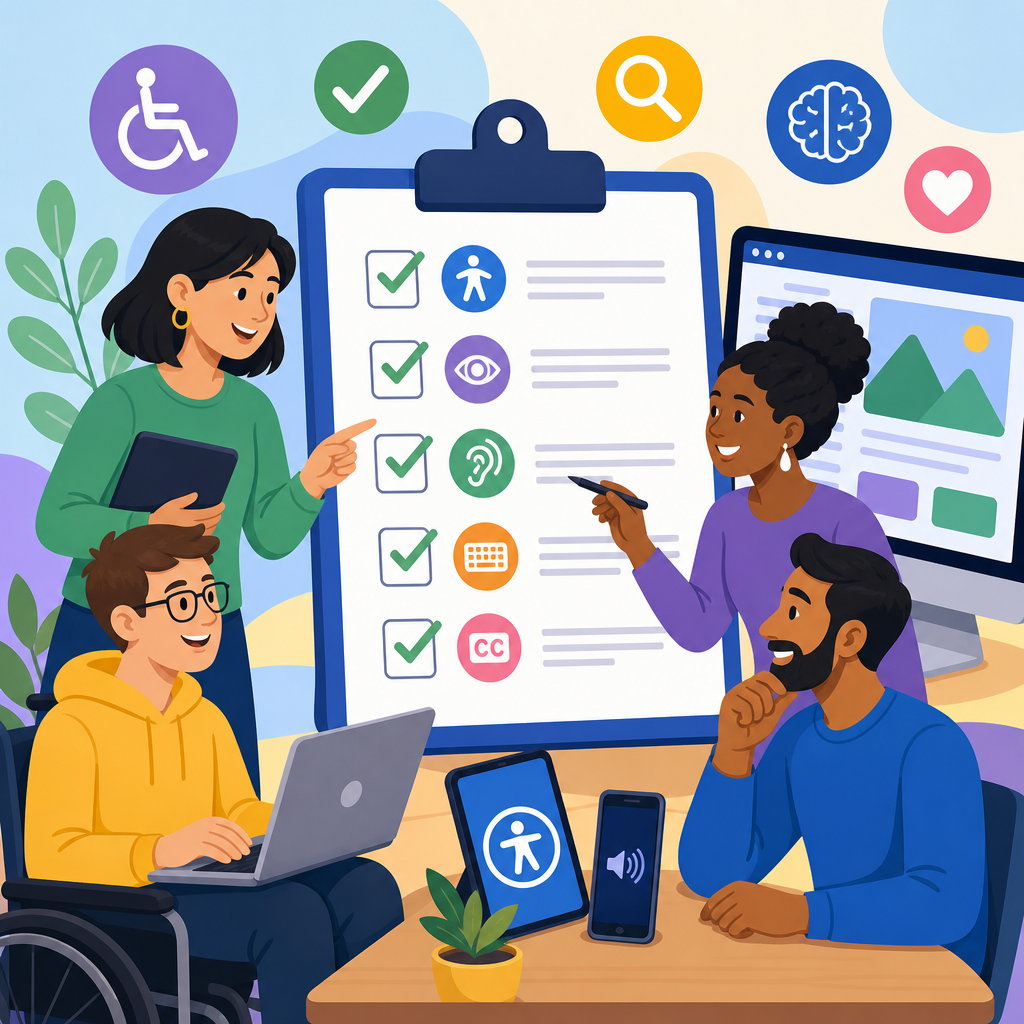
Procurement checklists for accessible software and platforms help organizations buy technology that people with disabilities can use effectively, consistently, and independently. In practice, this means evaluating products before purchase, not after deployment, so accessibility requirements shape selection, contract language, implementation, and long term governance. I have seen teams spend months remediating preventable barriers because procurement focused on price, features, and security while treating accessibility as a late stage compliance task. That approach is expensive and risky. A disciplined checklist turns accessibility into an operational requirement alongside privacy, uptime, integration, and support.
Accessible technology includes websites, mobile apps, SaaS platforms, collaboration tools, kiosks, learning systems, and custom enterprise software designed to work with assistive technologies and varied modes of interaction. Accessible software supports keyboard use, screen readers, captions, sufficient color contrast, clear focus indicators, scalable text, error identification, and predictable navigation. Procurement is the process of defining needs, reviewing vendors, scoring products, negotiating terms, and confirming that delivered software matches promised capabilities. When these ideas are connected, procurement becomes one of the strongest levers for implementing and advancing accessible technology across an organization.
This matters for legal, financial, operational, and human reasons. In the United States, public sector buyers often align with Section 508 requirements, while many organizations use the Web Content Accessibility Guidelines, commonly WCAG 2.1 or 2.2, as a baseline for web and software evaluation. In Europe, EN 301 549 provides a recognized accessibility standard for ICT procurement. Beyond compliance, accessible platforms improve adoption, reduce support tickets, expand talent pools, and make digital services more resilient for everyone, including aging users and people in temporary or situational constraints. A strong hub page should give decision makers a practical framework they can use immediately, and that is the purpose of this guide.
What an accessibility procurement checklist must cover
An effective accessibility procurement checklist starts by defining the scope of technology being purchased and the user journeys that matter most. I begin with core tasks: logging in, navigating dashboards, completing forms, uploading files, participating in meetings, generating reports, and using help content. For each journey, ask whether the product works with keyboard only navigation, major screen readers such as JAWS, NVDA, and VoiceOver, browser zoom up to 200 percent, speech input, captions, and mobile accessibility features. Accessibility cannot be reduced to a single yes or no field because user success depends on complete workflows, not isolated components.
The checklist should also capture product maturity and evidence. Ask vendors for a current Accessibility Conformance Report based on the Voluntary Product Accessibility Template, usually called a VPAT. Request version numbers, testing dates, known exceptions, and remediation timelines. A strong vendor can explain how the report was produced, which standards were tested, and what manual testing complemented automated scans. If a vendor only provides marketing claims, treat that as a warning. Reliable evaluation requires documentation tied to specific releases and measurable criteria, especially when the software will be used by employees, students, customers, or the public.
Implementation factors belong on the checklist too. Accessibility can fail after purchase if configuration options, templates, integrations, or content authoring workflows introduce barriers. I routinely ask who controls themes, form builders, media players, authentication methods, and document outputs. A platform may be technically accessible out of the box yet become inaccessible when teams upload uncaptioned video, generate unlabeled forms, or deploy inaccessible plug ins. Procurement checklists should therefore include administrative interfaces, content creation tools, training materials, API support, and the vendor’s process for fixing defects. This broader scope is what turns a one time purchase review into a durable accessible technology strategy.
Standards, evidence, and the questions vendors should answer
Every procurement team needs a common language for accessibility evidence. WCAG remains the most widely used benchmark for web and many software interfaces, with principles organized around content being perceivable, operable, understandable, and robust. For public procurement and enterprise governance, VPAT reports map conformance claims to standards such as WCAG, Section 508, and EN 301 549. These documents are useful, but only when read critically. I look for detailed remarks that describe support levels, exceptions, and workarounds. Statements such as “supports with exceptions” are not enough unless the vendor explains which components fail, how severe the impact is, and when remediation is scheduled.
Vendor interviews should probe real capabilities. Ask which assistive technologies were used in testing, which browsers and operating systems were covered, whether testing included native mobile apps, and whether users with disabilities participated. Ask how accessibility defects are logged, prioritized, and verified before release. Ask whether design systems and component libraries are audited, because platform accessibility often depends on reusable interface patterns. Also ask for examples of recent fixes. A vendor that can describe a specific issue, such as incorrect dialog focus management resolved in a March release, is usually more credible than one that speaks only in general commitments.
Security and accessibility should be evaluated together, not traded against each other. Multifactor authentication, session timeouts, CAPTCHA alternatives, and document access controls can create barriers if designed poorly. The checklist should ask whether authentication works with password managers, screen readers, and accessible one time code flows. If the product generates PDFs, verify whether those outputs are tagged and readable by assistive technology. If there are video or webinar features, ask about live captions, transcript support, and keyboard accessible controls. Accessibility is rarely confined to the front end; it intersects with identity, file formats, communications, and reporting throughout the platform.
| Checklist area | What to ask | Evidence to request | Risk if missing |
|---|---|---|---|
| Standards conformance | Which WCAG level and applicable regulations does the product support? | Current VPAT, release notes, test methodology | Unverifiable compliance claims |
| User workflows | Can users complete key tasks with keyboard, screen reader, zoom, and captions? | Task based demo, test scripts, defect logs | Critical barriers hidden behind partial conformance |
| Authoring tools | Do admins and content creators get prompts and accessible defaults? | Admin demo, template settings, training guides | Accessible platform produces inaccessible content |
| Roadmap and support | How are defects fixed, prioritized, and communicated? | SLA language, support process, remediation timeline | Known issues persist after purchase |
Building accessibility into procurement workflows and scoring
The best procurement checklists are embedded in existing workflows rather than handled as side documents. Accessibility should appear in requirements gathering, request for proposal templates, vendor demos, security reviews, legal review, and acceptance testing. I recommend assigning weighted scores so accessibility influences rankings in a visible way. For example, conformance evidence, critical task success, remediation commitments, and accessible authoring capabilities can each carry separate points. When accessibility is not weighted, teams often acknowledge it rhetorically but ignore it when deadlines tighten. Weighted scoring creates accountability and gives procurement staff a defensible basis for selection decisions.
Cross functional ownership is essential. Procurement teams manage process discipline, but accessibility specialists, IT architects, security teams, legal counsel, HR or learning leaders, and end users with disabilities all provide necessary insight. In one enterprise software review I led, a product looked acceptable until a payroll specialist using keyboard navigation demonstrated that the date picker trapped focus and blocked timesheet approval. That single barrier would have affected thousands of transactions every pay period. Including real users in demos or pilot testing reveals issues that paper documentation misses. It also shifts conversations from abstract standards to concrete business impact.
Scoring should distinguish between critical blockers and minor defects. A platform with one severe barrier in login or checkout can be unusable even if most screens meet standard criteria. Create a triage model that labels issues by severity, frequency, and user impact. Critical issues should trigger rejection, contractual remediation requirements, or a formal exception process signed by leadership. Lower risk issues may be acceptable if the vendor has a credible timeline and temporary workaround. This approach mirrors mature security and quality practices: not every defect carries equal weight, but high impact failures demand decisive action before procurement moves forward.
Evaluating real world usability across platforms and roles
Accessible procurement must examine how software performs in real environments, not just in idealized vendor demos. Test desktop web, native mobile experiences, browser combinations, and common assistive technologies used in your organization. A human resources platform may work in Chrome with one screen reader yet fail in Safari with VoiceOver, which matters if your workforce includes Mac users. Collaboration platforms should be tested in live meetings for keyboard shortcuts, speaking order notifications, chat accessibility, and caption controls. Learning platforms need scrutiny for quiz timing, semantic headings, alternative text workflows, and accessible document attachments.
Role based review is equally important. The employee, student, administrator, manager, and customer may face different interfaces and permissions. Procurement checklists often focus on the primary user journey while neglecting admin panels, analytics dashboards, or setup wizards. I have repeatedly found inaccessible configuration screens that prevent disabled staff from performing administrative duties even when the end user interface is mostly accessible. That is both an equity issue and an operational risk. If a platform is used to hire, train, schedule, evaluate, or communicate with people, every role in that workflow deserves accessibility review.
Plain language and cognitive accessibility deserve more attention during evaluation. Many platforms pass technical checks but still confuse users with dense instructions, inconsistent terminology, auto advancing carousels, or error messages that do not explain how to recover. Ask vendors how forms prevent mistakes, whether users can review entries before submission, and how alerts are announced without causing overload. For customer facing products, test common scenarios like account creation, password reset, payment, and support chat. Accessibility is not only about whether a screen reader detects a field; it is about whether a person can understand the process and complete it confidently.
Contract terms, implementation controls, and continuous improvement
Procurement checklists are most effective when they shape contract terms. Accessibility commitments should be written into master service agreements, statements of work, renewal language, and acceptance criteria. Include requirements for maintaining conformance in future releases, providing updated VPAT documentation, notifying customers of significant accessibility defects, and supplying remediation timelines for issues identified during testing. If the platform will be customized, specify who is responsible for accessible templates, integrations, and content migration. Without contract language, buyers may have little leverage after deployment, especially when accessibility gaps emerge only under real world usage.
Implementation governance should continue the checklist into launch. Define accessibility checkpoints for configuration, content entry, single sign on, document templates, email notifications, and training materials. If a vendor offers a design system, require accessible components and guidance for your administrators. If internal teams build on top of the platform, align acceptance testing with your standard accessibility process. Many organizations now use tools such as axe DevTools, WAVE, Accessibility Insights, and screen reader smoke tests, but manual validation remains essential. Automated tools catch detectable issues efficiently, yet they cannot reliably judge focus order quality, label clarity, or task completion success.
Advancing accessible technology also requires measurement after procurement. Track accessibility defects alongside security and performance issues. Monitor support tickets for patterns affecting disabled users. Review vendor roadmaps during quarterly business reviews and ask whether accessibility improvements are part of product planning, not just reactive fixes. Build internal knowledge by documenting approved products, common risks, and reusable checklist language. Over time, this creates a procurement knowledge base that speeds future reviews and raises expectations across the market. Vendors respond when customers ask informed questions consistently. Better procurement does not simply filter products; it pushes the ecosystem toward more inclusive software.
Accessible software procurement succeeds when organizations treat accessibility as a core buying requirement from the first planning meeting through renewal. The most reliable checklist covers standards, real user workflows, authoring tools, assistive technology compatibility, implementation risks, contracts, and post launch governance. It relies on evidence, not promises, and it weighs barriers by business impact. Teams that follow this model reduce legal exposure, avoid costly retrofits, and make technology usable for employees, students, and customers who would otherwise be excluded. That is the practical foundation of implementing and advancing accessible technology across a portfolio.
As a hub for technology and accessibility work, this topic connects naturally to related decisions about accessible design systems, content governance, testing methods, procurement policy, training, and vendor management. If your organization is building an accessibility program, start by standardizing the checklist, the scoring model, and the contract clauses used in every software purchase. Then review your highest impact platforms first: hiring systems, learning tools, collaboration suites, customer portals, and productivity software. The fastest gains usually come from fixing the buying process, because every better purchase prevents years of downstream remediation and support burdens.
The immediate next step is simple: take your current procurement template and add accessibility requirements that are specific, testable, and mandatory. Require a current VPAT, task based demos, admin workflow testing, and remediation commitments before approval. Involve disabled users where possible, document exceptions formally, and make accessibility part of vendor performance reviews. A checklist is not bureaucracy when it prevents exclusion. It is how responsible organizations buy technology that works in the real world. Start with the next purchase, refine the process after each review, and turn accessible procurement into a standard operating practice.
Frequently Asked Questions
Why should accessibility be included in software procurement instead of handled after purchase?
Accessibility should be part of procurement because it is far easier, less expensive, and more effective to identify barriers before a contract is signed than to fix them after a product is deployed. When organizations wait until implementation or after user complaints, they often discover that core workflows are inaccessible to keyboard users, screen reader users, people with low vision, deaf or hard of hearing users, and others who rely on inclusive design. At that point, the organization may already be locked into a multi-year agreement, dependent on a vendor roadmap, or forced to build costly workarounds that never fully solve the problem.
Including accessibility in procurement also changes the quality of the decision itself. Instead of treating accessibility as a side requirement, teams evaluate whether the product can be used effectively, consistently, and independently by a wide range of people from the beginning. That means accessibility influences product selection, legal terms, implementation plans, training requirements, support expectations, and ongoing accountability. In practical terms, a strong procurement checklist helps buyers ask the right questions early: does the product meet recognized standards, are accessibility features usable in real workflows, what known exceptions exist, and how quickly does the vendor address defects?
There is also a governance and risk management benefit. Procurement decisions that overlook accessibility can create compliance exposure, employee relations issues, customer dissatisfaction, and operational inefficiencies. By contrast, evaluating accessibility before purchase supports better outcomes for end users and gives procurement, IT, legal, security, and business stakeholders a shared framework for making defensible buying decisions. In short, accessibility belongs in procurement because it is a purchasing quality issue, a usability issue, and a business risk issue all at once.
What should an accessible software procurement checklist include?
An effective procurement checklist should go beyond a simple yes-or-no question about compliance. It should collect evidence, test likely user journeys, and define vendor responsibilities. At a minimum, the checklist should ask which accessibility standards the product is measured against, such as WCAG and applicable legal or organizational requirements. It should request current documentation, including a VPAT or Accessibility Conformance Report, but it should never stop there. Documentation is useful, but it is not proof that the product will work well in your environment or for your users.
The checklist should also evaluate functional usability. That includes whether all major tasks can be completed with a keyboard, whether screen readers announce labels, instructions, errors, and dynamic updates correctly, whether color contrast and text resizing support low vision users, whether forms and tables are structured properly, whether captions and transcripts are available for multimedia, and whether authentication, notifications, and document exports are accessible. If the platform has mobile apps, kiosks, plugins, dashboards, or embedded third-party components, those should be evaluated too, because accessibility gaps often appear in integrations and secondary features rather than on the main product screen.
Strong checklists also cover process and accountability. Buyers should ask how the vendor tests accessibility, how often testing occurs, whether people with disabilities are involved in usability validation, how defects are prioritized, and what the typical remediation timeline looks like. The checklist should include implementation and support questions as well: will accessibility be preserved in configuration choices, templates, customizations, and content authoring workflows? Are help materials accessible? Is support trained to handle accessibility issues? Finally, the checklist should connect procurement to contract language by documenting required fixes, reporting expectations, escalation paths, and consequences if serious accessibility issues remain unresolved. That is what turns a checklist from a formality into a practical decision-making tool.
Is a VPAT enough to evaluate whether a platform is accessible?
No. A VPAT can be a valuable starting point, but it is not enough on its own. A VPAT, or Voluntary Product Accessibility Template, is a vendor-completed document that describes how a product aligns with accessibility criteria. It can help procurement teams understand where a vendor believes the product conforms, partially conforms, or does not conform. However, VPATs vary widely in quality, specificity, and accuracy. Some are current and detailed, while others are outdated, overly broad, or based on limited testing. Even a well-prepared VPAT is still only one piece of evidence.
The main limitation is that a VPAT does not automatically reflect real-world use in your organization. A product may appear acceptable on paper but still fail in critical workflows such as logging in, submitting forms, using filters, reviewing reports, collaborating in shared spaces, or completing administrative tasks. Accessibility issues may also appear only after customization, content migration, single sign-on integration, localization, or updates to embedded components. That is why procurement teams should combine document review with hands-on validation. The best approach is to test representative tasks, not just static screens, using keyboard navigation, screen readers, zoom and reflow, and other relevant assistive technology scenarios.
It is also important to assess the vendor’s maturity, not just the document itself. Ask who prepared the VPAT, when it was last updated, what methodology was used, what known limitations exist, and whether independent testing supports the claims. If the VPAT identifies exceptions, buyers should determine whether those exceptions affect essential tasks and whether remediation commitments are realistic and contractually enforceable. A VPAT is useful because it creates transparency, but relying on it alone can leave organizations with avoidable accessibility debt. The goal is not just paperwork; the goal is confidence that real users can successfully use the product.
How can procurement teams verify accessibility before signing a contract?
The most reliable way to verify accessibility before contract signature is to build accessibility review into the evaluation process, not tack it on at the end. Procurement teams should require vendors to provide accessibility documentation early, but they should also set up structured validation during demos, trials, pilots, or proof-of-concept reviews. That means identifying the most important user journeys in advance and asking vendors to demonstrate them under realistic conditions. Examples might include account creation, searching, completing forms, uploading files, approving requests, generating reports, participating in meetings, or accessing support content. Watching these tasks in a live environment often reveals issues that standard sales demos skip over.
Internal testing is also essential. Accessibility specialists, QA teams, IT staff, or trusted external experts should review the product using a combination of automated scans and manual testing. Automated tools can help identify obvious issues, but they cannot determine whether a workflow is understandable, whether focus order is logical, whether error recovery is clear, or whether assistive technology users can complete tasks independently. Manual checks should include keyboard-only use, screen reader interaction, zoom and responsive behavior, form and modal behavior, and the accessibility of documents, media, and exported outputs where relevant. If the product is intended for broad use, involving disabled users in evaluation can provide especially valuable insight.
Verification should also extend to commercial terms. If issues are found, procurement should not treat them as informal promises to be fixed later. Findings should be documented, prioritized, and tied to implementation conditions, remediation deadlines, support obligations, and reporting commitments. In some cases, organizations may decide that severe barriers in critical workflows are disqualifying. In others, they may proceed only if the vendor commits to a specific remediation plan with measurable milestones. Verification is successful when it informs the buying decision and shapes the contract, ensuring that accessibility is a condition of doing business rather than an aspirational statement.
What contract terms and long-term governance practices help maintain accessibility after purchase?
Accessibility does not end when the purchase order is approved. Even a product that tests well during procurement can become less accessible over time if updates, configurations, new content, or third-party integrations introduce barriers. That is why contract language and governance practices matter so much. Contracts should define accessibility requirements clearly, reference applicable standards, require the vendor to maintain conformance across releases, and obligate the vendor to notify the customer of material accessibility changes. If known issues exist at the time of purchase, those should be listed explicitly along with agreed remediation dates and escalation procedures.
Support and accountability terms are equally important. Organizations should consider including service expectations for accessibility-related defects, access to updated VPATs or conformance reports, audit cooperation, and named contacts for accessibility issues. If the product includes templates, authoring tools, or administrative settings that can affect user experience, the agreement should clarify what the vendor will do to support accessible configuration and usage. Training materials, customer support channels, and product documentation should also be accessible, because users often encounter barriers in the surrounding ecosystem, not just in the software interface itself.
Long-term governance means assigning internal ownership as well. Procurement, IT, accessibility leaders, legal, security, product owners, and business stakeholders should have a process for reviewing accessibility during renewals, major upgrades, and new module purchases. Accessibility should be part of change management, vendor scorecards, and issue tracking, with clear paths for reporting and resolving problems. Teams should periodically retest high-risk workflows and confirm that vendor updates have not introduced regressions. When organizations combine strong procurement checklists with enforceable contract terms and ongoing governance, they dramatically reduce the chance of paying later for barriers that could have been prevented at the buying stage.


