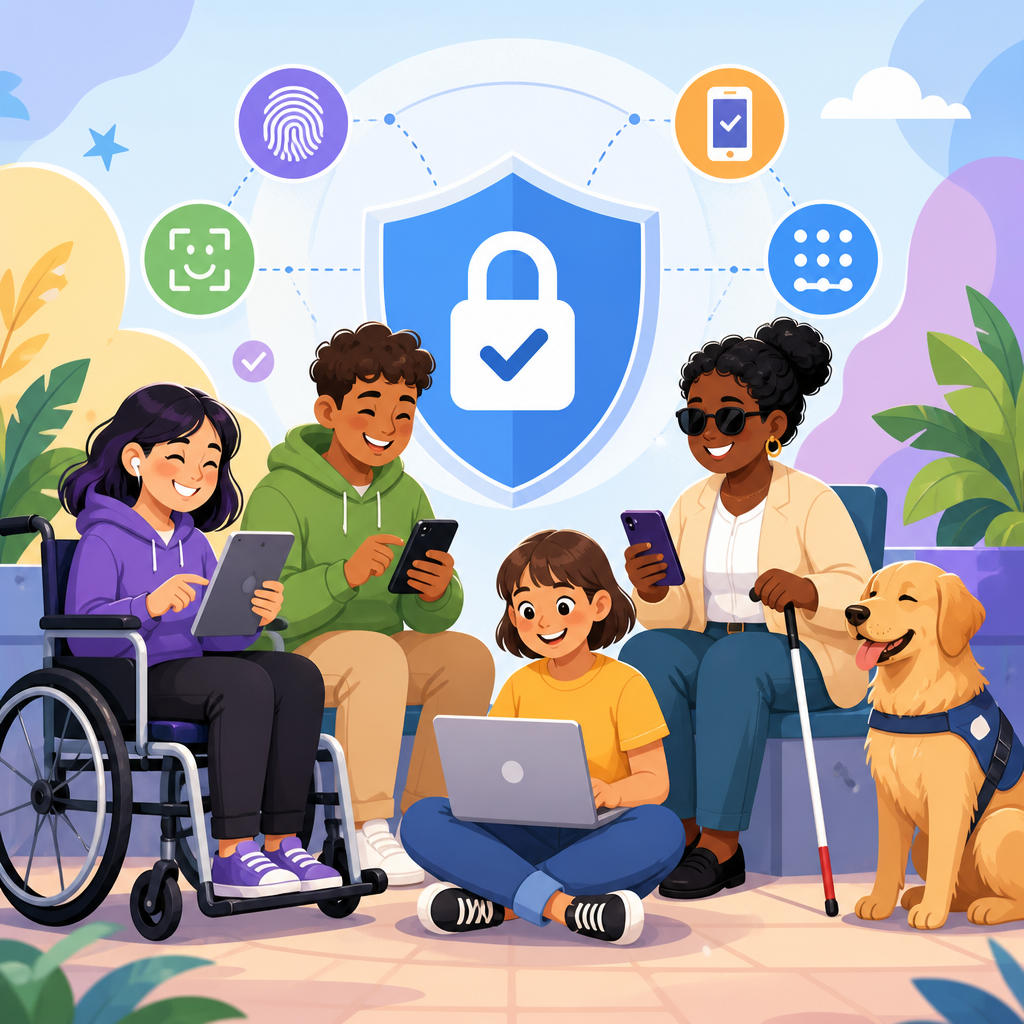
Accessible authentication is the practice of verifying a user’s identity without creating barriers for people with disabilities, people using assistive technology, or anyone facing temporary limitations such as injury, poor connectivity, or language friction. In practical terms, it means replacing exclusionary checkpoints, especially visual and audio CAPTCHAs, with login and verification methods that satisfy security requirements while remaining usable with screen readers, switch devices, voice control, magnification, keyboard-only navigation, and cognitive support tools. This topic matters because authentication sits at the entrance to banking, healthcare, education, employment, and government services. If the sign-in flow fails, the service is effectively unavailable, no matter how polished the rest of the product may be.
Teams often treat CAPTCHAs as a necessary security layer, yet years of implementation work show that many CAPTCHAs block legitimate users more reliably than they stop determined attackers. Image grids can be impossible for blind users, distorted text punishes people with low vision and dyslexia, timed puzzles create motor barriers, and audio challenges are routinely defeated by background noise, accent mismatch, or poor transcription. Even so-called invisible tools can trigger fallback challenges that are inaccessible on mobile browsers or with privacy settings enabled. The result is a familiar pattern: abandoned sessions, support calls, account lockouts, and compliance exposure under standards such as WCAG 2.2, the ADA, Section 508, and EN 301 549.
Implementing and advancing accessible technology starts with authentication because identity flows combine security, interface design, device capability, and policy decisions in one journey. As a hub page for this subtopic, this article explains what accessible authentication looks like, why CAPTCHAs are a weak default, which alternatives work in production, and how to evaluate tradeoffs. It also connects the broader work of accessible technology implementation: inclusive research, standards-based design, resilient engineering, and continuous testing with disabled users. When organizations design authentication accessibly, they improve conversion, reduce fraud friction, and build systems that serve more people under real-world conditions.
Why CAPTCHAs Fail Accessibility and Often Fail Security
CAPTCHA stands for Completely Automated Public Turing test to tell Computers and Humans Apart, but the underlying assumption has aged badly. Modern attackers use CAPTCHA-solving farms, machine learning models, residential proxies, and replay techniques that bypass basic challenges at scale. Meanwhile, genuine users pay the usability tax. In audits I have run, CAPTCHA widgets regularly produce the highest error concentration in an entire sign-up flow because they introduce mode changes, unlabeled controls, iframe focus traps, and expiration timers that are not announced to assistive technology.
Accessibility failures are specific and repeatable. A blind screen reader user may encounter an unlabeled checkbox followed by an audio puzzle with overlapping speech and noise. A person with tremor may need more time than the widget allows. A user with photosensitive conditions may struggle with animated puzzles. People with cognitive disabilities can be derailed by vague instructions like “select all squares with buses” when partial images span multiple tiles. Users on older devices, translation layers, or locked-down enterprise browsers may never load the challenge correctly at all. These are not edge cases; they are common conditions on public services.
Security teams should also look past the marketing claims. CAPTCHAs are easy to add, which makes them attractive, but they are not a complete bot defense strategy and rarely address credential stuffing, session hijacking, phishing, SIM swap attacks, or malware on the endpoint. They mostly act as friction. Friction has value only when it is targeted and proportionate. If a control imposes high burden on legitimate users while attackers route around it, the organization gets the worst of both worlds: weaker access and little meaningful risk reduction.
Principles of Accessible Authentication Design
Accessible authentication begins with a simple rule: ask the user to do as little extra work as possible. The cleanest flow is one where the system can authenticate confidently through a trusted device, a passkey, a password manager, or a short one-time step that does not depend on memory, puzzle solving, or fine motor precision. WCAG 2.2 reinforces this direction through requirements that discourage cognitive-function tests in authentication and emphasize accessible help, consistent navigation, visible focus, and enough time to complete tasks.
A strong design process treats authentication as a journey rather than a single screen. Account creation, sign-in, step-up verification, password reset, device enrollment, suspicious activity review, and recovery from a lost factor all need equal attention. I have seen teams create an accessible login form, then undo the effort with a recovery flow that requires a phone number users cannot access, a security question they cannot remember, or a CAPTCHA after three failed attempts. Real accessibility means every branch works.
Plain language is another core principle. Labels should name the action directly, errors should identify the exact field and fix, and instructions should avoid hidden rules. Keyboard operation must work end to end. Focus order should follow the visual layout. Time limits, if unavoidable, should be adjustable or extendable. Error prevention matters too: reveal password toggles, support for password managers, clear strength guidance, and tolerant input formatting reduce unnecessary failures before support teams ever get involved.
Practical Alternatives to CAPTCHAs
There is no single replacement for CAPTCHAs because threats differ by context, but there is a mature set of alternatives that, combined intelligently, performs better for both security and accessibility. Risk-based authentication is usually the foundation. Instead of challenging every visitor, the system scores signals such as IP reputation, device consistency, impossible travel, velocity anomalies, and known attack patterns, then applies stronger checks only when the risk justifies it. Done well, most legitimate users never see additional friction.
Passkeys are currently the most accessible high-assurance option for many consumer services. Based on the FIDO2 and WebAuthn standards, passkeys let users sign in with a device-bound credential unlocked by a fingerprint, face recognition, PIN, or local accessibility feature already configured on the device. This avoids memorized secrets and reduces phishing risk because the credential is scoped to the legitimate site. Apple, Google, and Microsoft now support passkeys across major platforms, making deployment practical at scale.
Email magic links and authenticator apps can also work well when implemented carefully. Magic links are familiar and remove password entry, but they depend on secure email access and can be awkward on shared or split-device scenarios. Authenticator apps avoid SMS weaknesses and work offline, yet setup must be clearly explained and recovery options must be robust. Push approval can be accessible, though providers should guard against push fatigue by showing transaction details and rate limiting repeated prompts.
| Method | Accessibility strengths | Security considerations | Best use case |
|---|---|---|---|
| Passkeys | Works with platform biometrics, PINs, screen readers, and password managers | Strong phishing resistance; recovery design is critical | Primary sign-in for consumer and workforce apps |
| Email magic link | No password to remember; simple on familiar devices | Depends on email account security and device context | Low to medium risk services and onboarding |
| Authenticator app TOTP | Offline codes; predictable interaction pattern | Shared secret can be phished; backup codes needed | Secondary factor when passkeys are unavailable |
| SMS OTP | Broad reach and low setup burden | SIM swap and interception risks; delivery failures happen | Fallback only, not preferred primary assurance |
| Risk-based checks | Invisible for most legitimate users | Requires tuning, monitoring, and privacy review | Background protection across all journeys |
Building Inclusive Login, MFA, and Recovery Flows
An accessible authentication strategy succeeds or fails in the details of interaction design. Start with the login form: every field needs a persistent label, instructions must be associated programmatically, and errors should be announced to assistive technology using reliable ARIA patterns without hijacking focus unexpectedly. Support paste into password and one-time code fields, allow password manager autofill, and avoid blocking browser features that users rely on. Show requirements before submission, not only after failure.
Multi-factor authentication should offer meaningful choice. Some users cannot use a phone consistently. Others work in secure environments where cameras, microphones, or personal devices are restricted. Provide at least two accessible factor types, explain them in plain terms, and let users enroll more than one. For time-based codes, use input fields that accept spaces and auto-advance without trapping the cursor. For push prompts, present origin and device details so users can distinguish a legitimate request from an attack. For passkeys, explain cross-device sign-in and what happens if the device is lost.
Account recovery is where many otherwise strong systems fail. Recovery should not rely solely on security questions, which are weak and exclusionary, or on inaccessible document upload steps. Good recovery combines pre-enrolled backup methods, recovery codes stored offline, support-assisted verification with documented scripts, and clear fraud safeguards. In regulated sectors, I recommend tabletop testing recovery scenarios with customer support, fraud analysts, and accessibility specialists together. The operational gaps surface quickly: agents unable to describe steps clearly, identity proofing vendors with inaccessible interfaces, or escalation paths that lock out legitimate users for days.
Implementation Standards, Testing, and Governance
Advancing accessible technology requires engineering discipline, not one-time remediation. The baseline should align with WCAG 2.2 AA, while authentication architecture should reference NIST SP 800-63 Digital Identity Guidelines for authenticator assurance, enrollment, and lifecycle management. For workforce environments, pair these with phishing-resistant goals from modern zero trust programs. The key point is that accessibility and security standards are not competing agendas. They both favor predictable interfaces, reduced secret sharing, strong recovery, and measured risk controls.
Testing must combine automated checks, expert review, and moderated sessions with disabled participants using real devices and assistive technologies. Automated scanners catch missing labels and contrast issues, but they do not reveal whether a passkey prompt is understandable with VoiceOver, whether a switch user can dismiss a modal, or whether a low-vision user can recover from an expired code. Useful test matrices include screen readers like JAWS, NVDA, and VoiceOver; magnification; keyboard-only use; speech input; mobile TalkBack; and low-bandwidth conditions. Include error states, lockouts, and recovery, not just the happy path.
Governance keeps improvements from regressing. Product owners should define accessibility acceptance criteria for authentication stories, security teams should document when step-up challenges are triggered, and analytics teams should monitor completion rates by method, abandonment after challenge, recovery success, and support contact drivers. Vendor procurement matters as well. If you buy fraud tools, identity proofing services, or single sign-on components, require conformance evidence, keyboard support, screen reader compatibility, and a roadmap for defects. Accessible authentication is sustained by policy, measurement, and procurement just as much as by code.
How This Hub Connects the Broader Accessible Technology Program
Authentication is the front door, but it also connects to the wider work of implementing and advancing accessible technology across a digital estate. Design systems need reusable accessible form components, error messaging patterns, modal behavior rules, and tokenized spacing and contrast standards. Content teams need guidance on plain-language instructions and localization for security messaging. Engineering teams need internal patterns for WebAuthn, session management, rate limiting, telemetry, and recovery orchestration. Support teams need scripts that respect disabled users and avoid forcing inaccessible workarounds.
That is why this hub topic should branch into focused articles on accessible form design, passkey implementation, inclusive identity proofing, accessible mobile security patterns, customer support accessibility, and procurement requirements for authentication vendors. Organizations that treat these as separate issues usually create fragmented journeys. The better approach is a program view: one set of standards, one testing discipline, one governance model, and one measurement framework that tracks both user success and security outcomes. In practice, the teams that do this well ship faster because they stop reinventing exception handling for every product.
Accessible authentication without exclusionary CAPTCHAs is not a compromise. It is a better operating model for modern digital services. Replace broad puzzle-based friction with risk-based controls, passkeys, accessible multifactor options, and recovery methods that people can actually complete. Build every branch of the journey to work with assistive technology, plain language, and keyboard access. Test with real users, align to recognized standards, and hold vendors to the same bar. If you are building a technology and accessibility roadmap, start with authentication, audit your current flows, and prioritize the fixes that remove the most user harm while strengthening real security.
Frequently Asked Questions
What does accessible authentication mean, and why is it important?
Accessible authentication means confirming a user’s identity in ways that do not block or disadvantage people with disabilities, people using assistive technology, or people dealing with temporary barriers such as injury, low bandwidth, device limitations, noisy environments, or language challenges. In practice, it focuses on making sign-in, account recovery, and verification usable for screen reader users, keyboard-only users, people with low vision, people with cognitive disabilities, people with limited dexterity, and anyone who cannot reliably complete a visual or audio challenge.
Its importance goes beyond convenience. Authentication is a gateway function: if a user cannot get past login, they cannot access any of the service, no matter how well the rest of the experience is designed. Traditional CAPTCHAs often fail here because they depend on interpreting distorted images, clicking tiny objects, listening to unclear audio, or solving tasks under time pressure. These patterns can be inaccessible, frustrating, and unreliable, even for users without disabilities.
Accessible authentication matters for legal compliance, inclusive design, customer trust, and conversion performance. It helps organizations align with accessibility standards and disability rights obligations while also reducing abandonment, support costs, and user frustration. Most importantly, it shifts the mindset from “prove you are human by passing an obstacle” to “verify identity with the least burden necessary,” which is both more respectful and often more secure.
Why are traditional visual and audio CAPTCHAs considered exclusionary?
Traditional CAPTCHAs are considered exclusionary because they frequently depend on sensory abilities, precision, memory, speed, and environmental conditions that many users cannot rely on. Visual CAPTCHAs may require recognizing distorted characters, identifying images, or selecting small targets, which can be extremely difficult for blind users, users with low vision, users with color perception differences, and users who magnify content. They can also be hard for people using mobile devices in glare, on slow networks, or on small screens.
Audio CAPTCHAs are not a true accessibility fix. They often contain distorted speech, background noise, unusual accents, or poor audio quality, making them difficult for Deaf and hard-of-hearing users, people with auditory processing disabilities, non-native speakers, and users in public or quiet environments where playing audio is impractical. For users relying on speech recognition, switch access, or keyboard navigation, CAPTCHA widgets themselves can also be hard to reach, understand, or operate.
There is also a cognitive burden. CAPTCHAs often interrupt the user’s task with an unfamiliar challenge, vague instructions, retries, and error states that do not clearly explain what went wrong. That increases friction for users with attention, memory, or language-processing difficulties. From a security perspective, many CAPTCHAs also create only a superficial barrier while degrading the experience for legitimate users. That is why modern accessibility and security guidance increasingly favors lower-friction, non-discriminatory alternatives over challenge-based tests.
What are better alternatives to CAPTCHAs for accessible authentication?
Better alternatives focus on risk-based security and user-friendly verification rather than challenge puzzles. One strong approach is passkeys, which use device-based cryptographic credentials tied to a user’s device or platform account. Passkeys can dramatically reduce phishing risk and remove the need for users to remember complex passwords, while often working well with built-in accessibility features on modern operating systems.
Magic links and one-time codes can also be effective when implemented carefully. Sending a sign-in link by email or a short code by SMS, email, or authenticator app can be easier than forcing a user through a CAPTCHA, especially if the process is clearly labeled and compatible with autofill, password managers, and assistive technology. Multifactor authentication can remain accessible too, particularly when users are offered a choice of methods instead of being locked into one channel.
Another effective strategy is invisible or low-friction bot protection. This can include rate limiting, IP reputation, device and behavioral signals, server-side anomaly detection, email verification, and abuse monitoring behind the scenes. These controls help reduce automated attacks without interrupting legitimate users. When additional verification is necessary, the best practice is to trigger it only in higher-risk situations and provide accessible options, such as passkeys, security keys, authenticator apps, or human support paths that do not depend on inaccessible tests.
The key principle is layered security with user choice. No single method is perfect for every person or risk scenario, so accessible authentication works best when organizations combine modern technical controls with multiple, clearly explained verification methods.
How can login, multifactor authentication, and account recovery be designed to work with assistive technology?
Accessible authentication flows should be operable with keyboards, screen readers, screen magnifiers, voice control, switch devices, and mobile accessibility features from start to finish. That begins with semantic HTML, properly associated labels, clear instructions, predictable focus order, visible focus indicators, and error messages that are specific and announced to assistive technology. Every field, button, and status message should have an understandable name and role, and the flow should not depend on dragging, hovering, precise gestures, or timed interactions that users cannot extend.
For multifactor authentication, the best approach is to provide options. Some users may prefer an authenticator app, others a hardware security key, passkey, email code, or SMS as a fallback. The interface should explain each option in plain language and avoid assuming everyone has the same device, phone number, or sensory abilities. One-time code fields should support paste, autofill, and password manager integration. If codes expire, users should be warned clearly and allowed to request a new one without losing progress.
Account recovery deserves special attention because it often becomes the least accessible part of the security experience. Recovery processes should not rely only on inaccessible knowledge questions, visual checks, or rigid device assumptions. Instead, they should offer multiple secure paths, explain next steps clearly, and include accessible support channels when automated methods fail. Wherever possible, teams should usability-test the entire experience with assistive technology users, because authentication flows often break in small but critical ways that are not obvious during routine QA.
How can organizations improve security without adding barriers for users?
Organizations can improve security without adding barriers by shifting from broad, one-size-fits-all friction to adaptive, evidence-based protection. That means using stronger backend defenses such as rate limiting, credential stuffing detection, breached password checks, device binding, session monitoring, geovelocity checks, and anomaly detection. These controls make it possible to reserve additional verification for moments of elevated risk instead of forcing every user through the same challenge every time they sign in.
They should also adopt authentication methods that are both stronger and easier to use, especially passkeys, security keys, and well-designed multifactor options. In many cases, these approaches provide better resistance to phishing and account takeover than CAPTCHAs ever could. Clear UX writing is equally important: users should understand what is happening, why extra verification is being requested, and what alternatives are available if their preferred method is not accessible in the moment.
Operational practices matter as well. Teams should audit authentication journeys for accessibility, include disabled users in testing, monitor abandonment and support tickets, and treat login friction as a measurable product issue rather than an unavoidable cost of security. Security and accessibility teams should collaborate early so that anti-abuse measures do not create avoidable exclusion. The most effective systems are not the ones that challenge legitimate users the hardest; they are the ones that accurately detect risk, provide accessible verification choices, and let real people complete critical tasks with confidence.


