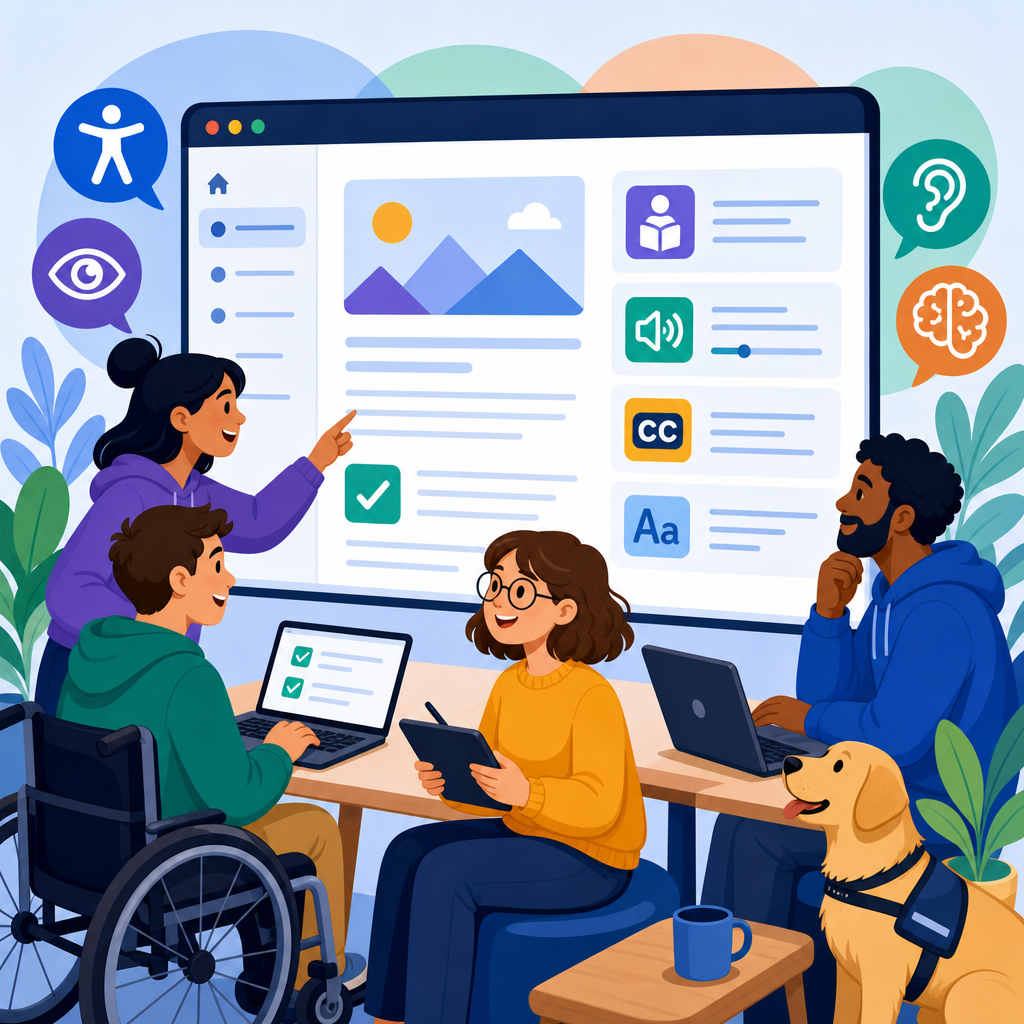
Accessible support documentation is the foundation of usable technology because even the best product fails when customers cannot find, read, hear, understand, or navigate the help they need. In technology companies, support content includes knowledge base articles, API references, onboarding guides, troubleshooting steps, release notes, in-app help, chat transcripts, and community answers. Accessibility means this documentation works for people with visual, auditory, motor, cognitive, speech, and temporary impairments, across assistive technologies, devices, languages, and bandwidth conditions. I have worked with SaaS documentation teams, developer relations groups, and customer support operations, and the same pattern appears repeatedly: companies invest heavily in product features but treat documentation accessibility as a formatting afterthought. That is expensive. Poor support content increases ticket volume, slows onboarding, raises churn risk, and creates legal exposure under standards and regulations such as WCAG, the ADA, Section 508, and the European Accessibility Act. For the technology sector, accessible documentation is not a niche compliance task. It is a core service design discipline that directly affects customer success, product adoption, and brand trust.
This hub article explains how tech companies should design accessible support documentation across the full content lifecycle. It covers standards, content design, information architecture, developer documentation, multimedia, testing, governance, metrics, and operational workflows. It also serves as the central overview for industry-specific guides focused on the technology sector, so the goal is breadth with practical depth. If a support leader asks what accessible documentation actually requires, the short answer is this: structure content semantically, write plainly, design for keyboard and screen reader use, provide text alternatives, avoid interaction traps, test with real assistive technology, and govern accessibility like a product feature. Companies that do this well reduce friction for every customer, not only disabled users. Search improves, translation quality improves, self-service rates improve, and support agents spend less time re-explaining unclear articles. Accessibility in documentation is therefore both a user need and an operational advantage.
Accessibility standards and sector-specific risk in technology
Technology companies need a clear standards baseline before changing templates or rewriting articles. The most widely used benchmark is the Web Content Accessibility Guidelines, currently WCAG 2.2, organized around four principles: content must be perceivable, operable, understandable, and robust. For support documentation, that translates into concrete requirements. Headings must reflect structure. Links must make sense out of context. Color cannot be the only way to convey meaning. Interactive elements must be keyboard accessible. Error messages must be specific. Images, diagrams, and screenshots need alternative text or equivalent descriptions. Embedded media requires captions, and sometimes transcripts or audio descriptions. Content must also hold up in screen readers such as NVDA, JAWS, and VoiceOver, not only in visual browsers.
The technology sector faces distinctive accessibility risks because its documentation is often complex, fast-changing, and highly interactive. A fintech platform may publish dense troubleshooting flows with embedded charts. A cloud provider may rely on code samples, expandable sections, and tabbed interfaces. A cybersecurity vendor may present critical setup steps inside screenshots with tiny callouts. In each case, inaccessible documentation can block security configuration, payment workflows, or service uptime. I have seen enterprise customers delay procurement because vendor knowledge bases failed basic keyboard navigation during accessibility review. I have also seen developer portals with brilliant technical depth become unusable because code blocks could not be copied cleanly or tabbed examples were invisible to screen readers. In technology, documentation is part of the product experience. Buyers, administrators, developers, and end users all depend on it to complete tasks.
Content design principles that make support articles easier to use
Accessible support documentation starts with writing and structure, not plugins. The first rule is semantic hierarchy. Every page needs a single purpose, a clear title, and headings that mirror the user journey. A troubleshooting article should begin with the symptom, list affected environments, state prerequisites, and then present steps in order. Avoid skipping heading levels or using bold text as a fake heading because assistive technology relies on true semantics for navigation. Keep paragraphs focused. Use direct language. Define technical terms the first time they appear, especially when acronyms like SSO, MFA, SDK, or IAM are unavoidable. Plain language does not mean dumbing content down; it means removing ambiguity so readers can act with confidence.
Task orientation matters as much as readability. Customers come to support pages with a job to complete, usually under time pressure. The article should answer immediate questions near the top: What is this issue, who is affected, what changed, what do I need before I start, and what happens if the fix does not work? In my experience, the best-performing support articles use front-loaded summaries, explicit prerequisites, and predictable step formatting. If a command is destructive, say so before the code block. If a reset invalidates existing tokens, call that out clearly. If a setting appears only for admin roles, note the permission requirement in plain text. These details reduce errors for everyone and are essential for users with cognitive load constraints who benefit from stable patterns and explicit expectations.
Navigation, search, and information architecture for a hub model
As the hub page for technology sector guidance, this article reflects a broader principle: accessible documentation depends on accessible information architecture. Users should be able to browse by role, product area, and task without guessing. A strong hub model links out to onboarding, troubleshooting, API documentation, security setup, billing support, release notes, and accessibility statements using descriptive anchor text. “Learn about accessible API references” is better than “click here.” Navigation labels should stay consistent across the website, help center, and in-app help. If one area says “Integrations” and another says “Connections” for the same concept, users lose confidence and search accuracy drops.
Search is part of accessibility because many users rely on it instead of menus. Support teams should tune internal search around customer language, not only product taxonomy. Include common synonyms, legacy feature names, and frequent error strings. Autosuggest should be keyboard accessible and readable by screen readers. Search result pages need meaningful titles, snippets, and filters that are operable without a mouse. Faceted navigation can easily become inaccessible when filter controls are poorly labeled or focus order breaks after updates. I recommend documenting the top support intents by product line and mapping each intent to a canonical article. This reduces duplicate content, helps customer success teams share reliable links, and creates a predictable path for users who may be overwhelmed by sprawling help centers.
Designing accessible developer documentation and technical references
Developer documentation deserves special treatment because technology companies often assume technical audiences will tolerate poor usability. They should not. Accessible API references, SDK guides, CLI documentation, and code tutorials require careful formatting. Code blocks need sufficient contrast, clear language labels, and copy buttons that work with keyboard and screen readers. Avoid presenting required code only in screenshots. Inline code should be distinct without relying on color alone. When showing terminal output, identify user input versus system response. For JSON, YAML, or configuration samples, preserve formatting but explain the purpose of each critical field in nearby text. When examples differ by language, ensure tabs or accordions are announced properly and can be navigated nonvisually.
Tables are useful when comparing options, prerequisites, or environment constraints because they present relationships explicitly. In documentation audits I have run, migration guides become far easier to use when version changes, deprecations, and replacement methods are summarized in an accessible table before detailed examples. The key is to use actual table markup with headers, not visually aligned text. Complex references may also need skip links, persistent in-page navigation, and anchor headings for direct linking from tickets or status pages. Developer portals should support responsive zoom, readable line lengths, and robust focus states. Technical depth and accessibility are fully compatible; in fact, the most respected engineering documentation usually excels because it values precision, consistency, and testability.
| Documentation area | Common accessibility failure | Better practice |
|---|---|---|
| Troubleshooting articles | Steps hidden in screenshots | Write numbered text steps and use screenshots as supplements |
| API references | Tabs unreadable to screen readers | Use accessible tabs or separate language sections with headings |
| Release notes | Vague links like “read more” | Use descriptive links naming the feature or fix |
| Video tutorials | No captions or transcript | Provide synchronized captions and a searchable transcript |
| Community answers | Accepted solution lacks context | Summarize the fix and link to canonical documentation |
Images, video, interactive help, and multilingual support
Multimedia can improve comprehension, but only when alternatives are built in. Screenshots should support the text, not replace it. Write alt text based on purpose, not appearance. If the image shows where to click a menu item, the alternative should name the control and its location in the interface. For complex diagrams, provide a short alt text plus a longer explanation in surrounding content. Video tutorials need accurate captions, not auto-generated captions left unreviewed. A transcript adds search value and helps users skim before watching. If the video demonstrates a visual process without enough narration, add descriptive audio or a companion article with equivalent steps. For webinars repurposed as help content, edit aggressively; long introductions and sales language make support media harder to use.
Interactive help systems require extra caution. Chat widgets, guided tours, and embedded troubleshooters often introduce focus traps, timing issues, and unlabeled controls. Before rolling out an AI assistant or decision tree inside the help center, test whether users can open it, move through it, dismiss it, and return to their previous reading position using only a keyboard and a screen reader. Timing controls matter too. Session timeouts during account recovery or billing flows can create major barriers. For multilingual documentation, accessibility and localization should be planned together. Simplified source writing improves translation quality. Language attributes on pages and phrase-level switches help screen readers pronounce content correctly. Do not assume machine translation will preserve technical accuracy; payment terms, security instructions, and legal notices need human review.
Testing, governance, and metrics that keep documentation accessible
Accessibility does not persist by accident. Technology companies need a repeatable governance model that treats support documentation as an owned product surface. Start with an accessible design system for the help center: heading patterns, alert styles, code blocks, tables, tabs, accordions, forms, and video embeds should all have approved components. Then create editorial standards covering alt text, link language, reading level, step formatting, and transcript requirements. Automated scanners such as axe, WAVE, Lighthouse, and Pa11y are useful for catching detectable issues, but they cannot judge whether instructions are understandable or whether alt text is meaningful. Manual testing remains essential, especially with keyboard-only navigation and screen readers. I strongly recommend testing high-traffic support paths quarterly and after major template changes.
Metrics should connect accessibility to business outcomes. Track self-service success rate, article exit rate after task completion, search refinement rate, support deflection, average handle time for issues with linked articles, and CSAT segmented by help content usage. Add accessibility-specific indicators such as caption coverage, transcript coverage, pages passing keyboard tests, and backlog age for known defects. Qualitative feedback matters as well. Support agents, implementation consultants, and accessibility program managers usually know where documentation breaks first because they hear it from customers. Establish an intake path for those reports and route them to clear owners. The payoff is measurable: accessible documentation reduces repeat contacts, speeds onboarding, and increases trust during high-stakes moments like outages, migrations, and security incidents. Audit your technology-sector support content, fix the highest-friction journeys first, and build accessibility into every future article.
Frequently Asked Questions
Why is accessible support documentation so important for tech companies?
Accessible support documentation is essential because support content is often the moment when a customer is most dependent on clarity, usability, and trust. A product can be technically powerful, but if users cannot successfully locate instructions, understand setup steps, navigate troubleshooting guidance, or consume content with assistive technology, the overall experience breaks down. In practice, accessible documentation helps people with visual, auditory, motor, cognitive, speech, and language-related needs complete tasks independently across knowledge bases, API references, onboarding guides, release notes, chat transcripts, and in-app help.
For tech companies, the impact is both human and operational. Accessible docs reduce support tickets, shorten resolution times, improve product adoption, and strengthen retention because users are able to solve problems without unnecessary barriers. They also improve consistency across devices, browsers, and contexts of use, which benefits all customers, not only those with disabilities. Clear structure, readable language, keyboard-friendly navigation, meaningful headings, transcripts, captions, descriptive links, and compatibility with screen readers make documentation easier to use under pressure, whether someone has a permanent disability, a temporary limitation, or is simply multitasking in a difficult environment. In short, accessible support documentation is not a nice extra; it is a core part of delivering a usable and reliable technology experience.
What are the most important elements of accessible support documentation?
The most important elements start with structure and readability. Every support page should use a logical heading hierarchy, short paragraphs, descriptive section titles, and scannable formatting so users can quickly understand where they are and find the answer they need. Content should be written in plain, direct language, with jargon explained where necessary, especially in onboarding materials and troubleshooting guides. Instructions should be sequential, explicit, and easy to follow, avoiding ambiguity such as “click here” or “do the usual setup.” This kind of clarity is especially valuable for users with cognitive disabilities, people reading in a second language, and anyone trying to resolve a problem quickly.
Beyond writing quality, technical accessibility matters just as much. Documentation should support keyboard navigation, visible focus states, sufficient color contrast, resizable text, responsive layouts, and compatibility with screen readers. Images, screenshots, diagrams, and icons need meaningful alternative text or surrounding explanations that communicate the same purpose. Video and audio support content should include captions, transcripts, and where appropriate, audio descriptions. Tables must be marked up correctly, forms need clear labels and instructions, and links should describe their destination or action. Search is another critical component: users should be able to find relevant articles with predictable terminology, filtering, and metadata. When these elements work together, documentation becomes easier to perceive, operate, understand, and navigate for a wide range of users.
How should tech companies write support content so it is easier for everyone to understand?
Support content should be written with clarity, predictability, and task completion in mind. The strongest approach is to organize each article around what the user is trying to do: solve an error, configure a setting, recover access, integrate an API, or understand a product change. Begin with a clear summary of the issue or task, state who the article is for, list any prerequisites, and then present steps in the exact order they must be completed. Use numbered instructions for processes, bullets for options, and concise headings that match the terms users are likely to search for. If there are warnings, limitations, or irreversible actions, call them out explicitly rather than hiding them deep in a paragraph.
Language choice is equally important. Sentences should be straightforward and specific, with one idea at a time where possible. Avoid unexplained acronyms, overly technical shorthand, and vague references that assume insider knowledge. If specialized terms are necessary, define them in context. Write links that make sense out of context, such as “Download the authentication setup guide” instead of “Read more.” For complex workflows, include examples, expected outcomes, and troubleshooting notes for common failure points. It also helps to provide multiple ways to learn the same material, such as text instructions paired with well-described visuals or a transcript accompanying a video walkthrough. Good support writing respects users’ time, reduces cognitive load, and makes success feel achievable rather than frustrating.
How can companies make technical documentation like API references and troubleshooting guides more accessible?
Technical documentation often creates accessibility challenges because it contains dense terminology, code samples, long tables, status messages, and complex navigation patterns. To make it more accessible, companies should start by separating reference material from task-based guidance while connecting the two clearly. API references should include concise endpoint descriptions, parameter definitions, error explanations, authentication requirements, and practical examples that show real use cases. Code samples should be easy to distinguish visually, copy reliably, and accompanied by explanatory text so users understand what the code does, what inputs are required, and what output to expect. If syntax highlighting is used, it should not rely on color alone to convey meaning.
Troubleshooting content should be especially structured and outcome-focused. Users need recognizable error titles, symptom-based searchability, possible causes, step-by-step resolutions, and escalation guidance for when self-service does not solve the issue. Tables should be used carefully and marked up accessibly so screen reader users can understand row and column relationships. Long pages benefit from jump links, collapsible sections that work properly with keyboard and assistive technology, and summaries at the top of each section. Screenshots and interface callouts should never be the only source of critical information; the surrounding text must describe what users should look for and what action to take. When technical docs are designed this way, they become more usable not only for people using assistive tools, but also for developers, administrators, and end users who need fast, precise answers.
What process should tech companies follow to ensure support documentation stays accessible over time?
Accessibility has to be built into the documentation lifecycle, not treated as a one-time cleanup project. A strong process begins with standards: define editorial guidelines, design patterns, accessibility requirements, and publishing workflows that apply to every content type, from release notes and onboarding guides to chatbot responses and community articles. Writers, designers, support teams, and developers should share responsibility for accessibility, with clear expectations for heading structure, alt text, captions, table markup, link labeling, readability, and keyboard usability. Templates and content management systems should make the accessible choice the default rather than depending on each contributor to remember every detail manually.
Ongoing testing is what keeps quality high. Companies should review documentation using automated accessibility checks, manual keyboard testing, screen reader testing, contrast checks, and usability reviews with real users whenever possible. Analytics and support signals are also valuable: high-exit articles, repeated search failures, frequent escalations, and confusing chat handoffs often reveal documentation barriers. Accessibility should also be part of release management so new features, UI changes, and policy updates are reflected promptly in support content. Finally, treat documentation as a living product. Audit it regularly, retire outdated pages, update examples, fix broken links, and incorporate feedback from customers with disabilities. When accessibility is embedded into governance, tooling, training, and review, support documentation remains useful, trustworthy, and inclusive as the product evolves.





