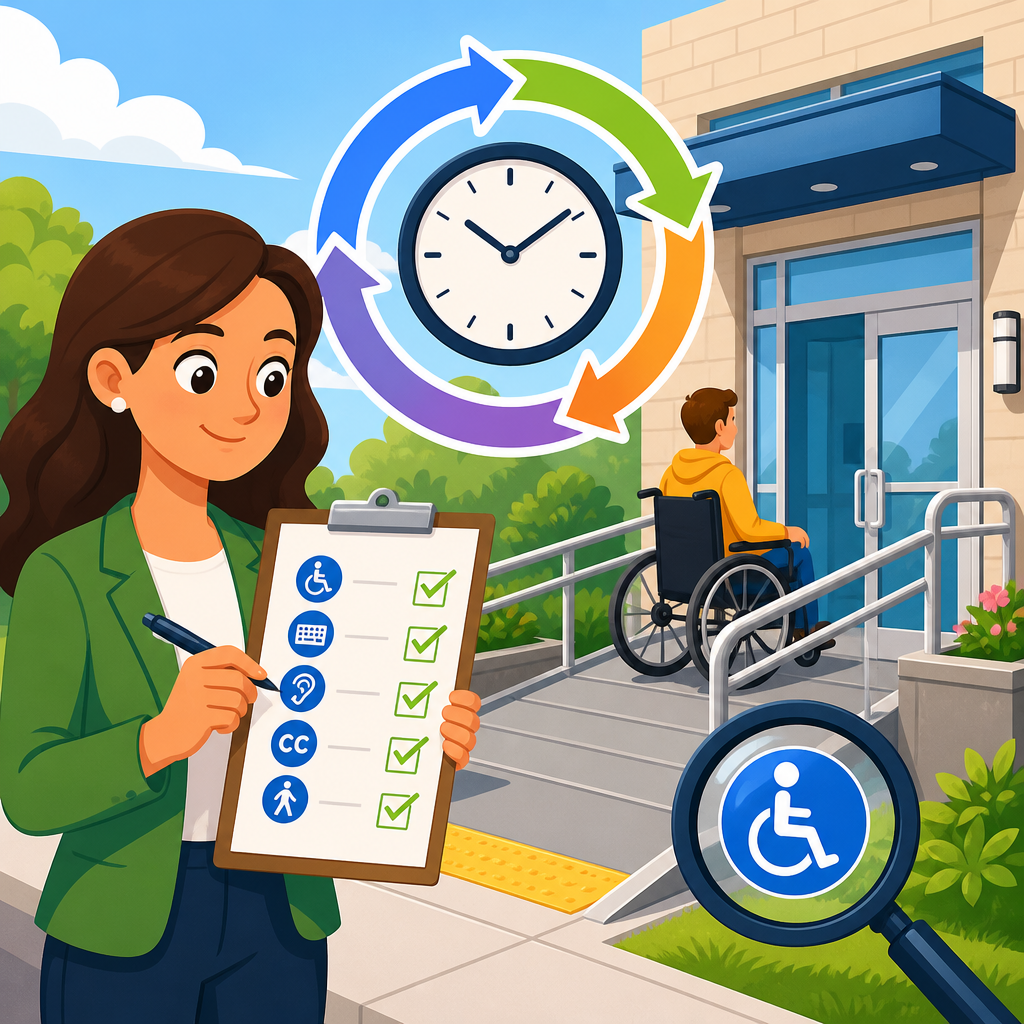
How often should you repeat an ADA compliance audit? For most organizations, the practical answer is at least once a year, with additional audits after major website, app, or facility changes, after receiving complaints, and whenever laws, standards, or technologies shift in ways that affect accessibility. That short answer is useful, but it is not sufficient for building a durable compliance program. The right audit cadence depends on what you operate, how often you change it, what risks you carry, and whether your current controls actually catch accessibility defects before users do.
In accessibility work, an ADA compliance audit is a structured review of digital or physical experiences against applicable requirements and accepted technical standards. For digital properties, teams usually benchmark against the Web Content Accessibility Guidelines, commonly WCAG 2.1 or 2.2, at Level AA because that is the prevailing reference point in settlements, procurement requirements, and enterprise policy. For physical spaces, audits examine barriers under the 2010 ADA Standards for Accessible Design, along with state and local rules where they apply. A strong audit does not stop at a checklist. It combines automated scanning, manual expert testing, assistive technology testing, documentation review, and issue prioritization.
This matters because accessibility is not a one-time project. I have seen organizations pass a remediated website through a consultant review, celebrate compliance, and then reintroduce the same failures within two release cycles through new templates, third-party widgets, or rushed content updates. The ADA is enforced through complaints, litigation, settlement agreements, and public scrutiny, but the larger business risk is operational: inaccessible experiences block customers, students, patients, job applicants, and employees from completing essential tasks. Repeated auditing is how you move from reactive fixes to governed compliance. As the hub for ADA audits and compliance tools, this article explains the right audit frequency, the triggers that require extra reviews, the methods and tools that make those reviews effective, and the governance practices that keep findings from piling up.
Set the audit cadence by risk, change frequency, and user impact
The best audit schedule is risk-based, not arbitrary. If your website publishes a few static pages each quarter, an annual comprehensive audit plus quarterly automated scans may be enough. If you run an ecommerce platform, healthcare portal, university site, banking app, or public sector service that changes weekly, annual audits alone are inadequate. In those environments, I recommend a layered cadence: continuous automated monitoring, monthly or quarterly manual spot checks, and a full expert audit at least annually. High-risk journeys such as checkout, account registration, appointment booking, benefits enrollment, and document download should be retested every time they materially change.
Why does risk matter so much? Because accessibility defects do not carry equal consequences. A missing alternative text field on a blog image is not the same as an unlabeled payment form, a keyboard trap in a patient intake process, or a CAPTCHA that blocks blind users from account access. Frequency should map to consequence. The more revenue, legal exposure, or essential service access a workflow controls, the shorter the gap between audits should be. This is the same logic mature organizations use for security testing and privacy assessments: the cost of failure determines the depth and recurrence of review.
A simple rule works well in practice. Repeat a full ADA compliance audit every 12 months at minimum. Move to every six months if you have frequent releases, multiple brands, complex authentication, media-heavy content, or regulated operations. Add event-driven audits after redesigns, CMS migrations, new design systems, major procurement changes, mobile app launches, and mergers that bring in new digital properties. If your teams cannot tell what changed or whether those changes were tested for accessibility, you need more frequent auditing and stronger release controls.
Know the triggers that require an audit sooner than planned
Some organizations focus only on calendar-based reviews and miss the more important signal: change. You should repeat an ADA audit immediately when a significant change affects the user interface, content structure, transaction flow, or underlying code. Common examples include moving from one content management system to another, replacing a booking engine, introducing single sign-on, adding a chatbot, or rolling out a new component library. Each of these can break heading structure, focus order, color contrast, error messaging, form labels, or screen reader announcements even when the prior version performed well.
User complaints are another trigger that should never wait for the annual cycle. If disabled users report barriers, you already have evidence that your controls were not enough. Treat those complaints as both an individual remediation issue and a systemic audit signal. The same is true for legal demand letters, accessibility statements that generate support requests, and analytics that show unusual abandonment on forms or tasks often affected by inaccessible design. Heatmaps and session replay tools are not accessibility tools, but they can reveal repeated failures that justify targeted retesting.
Third-party content and integrations deserve special attention. In my experience, many compliance programs fail not because the core site is untested, but because embedded maps, payment gateways, cookie banners, learning tools, PDFs, and scheduling widgets never went through the same review. Since these components often update on their own release schedules, they can introduce new failures without warning. That is why vendor onboarding, contract language, and periodic verification matter. If a third-party element is business-critical, audit it before launch and retest it whenever the vendor changes functionality or design.
Use the right mix of audit methods and compliance tools
No single tool can tell you whether you are ADA compliant. Automated scanners are essential because they surface repeatable issues at scale, but they typically catch only a fraction of accessibility defects. They are good at finding missing alternative text, empty links, low color contrast under certain conditions, duplicate IDs, missing form labels, and some heading or ARIA misuse. They are not reliable for judging whether link text is meaningful in context, whether focus order matches user expectation, whether screen reader announcements are understandable, or whether error recovery is workable for real people.
That is why mature audits combine several methods. Automated testing platforms such as axe DevTools, WAVE, Siteimprove, Deque WorldSpace, AudioEye, Pope Tech, and Accessibility Checker can scan templates or pages at scale. Manual expert review then validates code patterns, keyboard access, semantic structure, visible focus indicators, dynamic content behavior, modals, menus, carousels, and timing constraints. Assistive technology testing adds reality: use NVDA and JAWS on Windows, VoiceOver on macOS and iOS, and TalkBack on Android to confirm whether critical tasks are actually operable. For physical environments, trained auditors measure slopes, clear floor space, reach ranges, signage, parking, restrooms, counters, and routes against applicable design standards.
The table below shows a practical audit stack and when to repeat each layer.
| Audit layer | Primary purpose | Typical tools or methods | Recommended frequency |
|---|---|---|---|
| Automated monitoring | Catch recurring code and content errors across many pages | axe, WAVE, Siteimprove, CI/CD scans | Continuous or weekly |
| Manual spot checks | Review high-traffic templates and critical tasks | Keyboard testing, screen reader checks, contrast review | Monthly or quarterly |
| Comprehensive expert audit | Establish risk baseline and prioritized remediation roadmap | WCAG conformance review, assistive tech testing, issue severity scoring | Every 6 to 12 months |
| Release-based verification | Prevent regressions after launches or redesigns | Pre-production QA, component testing, user acceptance testing | Every major release |
| Document and media review | Test PDFs, videos, captions, transcripts, and forms | Acrobat accessibility checker, caption QA, manual reading order checks | At creation and quarterly sampling |
| Physical site audit | Identify architectural barriers and maintenance issues | On-site inspection against ADA design standards | Annually and after renovations |
The important point is that tools support compliance; they do not create it. Overlay products that promise instant accessibility cannot remediate source-code defects, inaccessible documents, or broken interaction patterns. They may help with interface adjustments, but they do not replace auditing, remediation, or governance. If a vendor claims otherwise, require detailed test evidence tied to WCAG success criteria and real assistive technology results.
Build a repeatable audit program for websites, apps, documents, and facilities
An effective ADA audit program starts with inventory. You cannot set the right audit frequency if you do not know what must be tested. Most organizations have more assets than they think: public websites, subdomains, authenticated portals, native mobile apps, kiosks, PDFs, multimedia, email templates, intranet resources, and physical locations. Create a living inventory that identifies owners, technologies, release schedules, third-party dependencies, and business criticality. This single step usually reveals where annual auditing is clearly insufficient.
Next, define scope and standards. For digital properties, document the WCAG version and level you are using, supported browsers, supported assistive technologies, and key user journeys that must be tested every cycle. For physical sites, identify which properties are in scope, whether there have been alterations, and what state or municipal standards add to federal requirements. Then establish severity ratings so teams know what to fix first. I favor a simple model: critical issues block task completion; serious issues create substantial difficulty; moderate issues slow or confuse; minor issues affect polish or edge cases.
Remediation planning is where many audits lose value. A 100-page report is not a program. Findings should map directly to owners, deadlines, release trains, and proof of fix. Design teams need pattern-level guidance, such as accessible modal behavior, heading hierarchy, and color token standards. Developers need reproducible steps, code references, and acceptance criteria. Content teams need plain-language rules for alternative text, heading use, table markup, link purpose, and captioning. Facilities teams need barrier logs, measurement photos, cost estimates, and maintenance schedules. When those handoffs are missing, audits repeat the same findings year after year.
Finally, include validation. An issue is not resolved because a ticket was closed. Repeat testing on remediated pages, components, and spaces is mandatory. In software teams, this means accessibility checks in design review, pull requests, QA, and pre-release signoff. In facilities, it means confirming that corrective work was completed to specification, not merely scheduled. Re-auditing is most efficient when it is built into operations rather than treated as an annual scramble.
Measure success with governance, training, and evidence
The organizations that maintain compliance over time do three things consistently: they assign ownership, train the people creating risk, and preserve evidence. Ownership must be explicit. Someone should be accountable for the accessibility program, but responsibility must also sit with product managers, designers, developers, content editors, procurement teams, HR, and facilities leaders. Without role-based accountability, audits become advisory instead of operational.
Training changes audit frequency because trained teams create fewer regressions. I have seen organizations cut repeat defects sharply after implementing focused instruction on semantic HTML, accessible React components, error identification, caption workflows, and PDF authoring in Microsoft Word and Adobe Acrobat. The goal is not to turn everyone into an accessibility specialist. It is to make accessibility part of normal production so the next audit confirms progress instead of rediscovering preventable failures.
Evidence matters for legal defense and continuous improvement. Keep dated audit reports, issue logs, remediation records, testing videos, procurement reviews, and accessibility statement updates. If a complaint arises, this documentation shows that your organization has an active, good-faith program rather than a passive policy. That distinction does not guarantee a favorable outcome, but it materially improves credibility and accelerates corrective action. Evidence also helps leadership fund the right work because trends become visible: recurring form failures may point to a broken component library, while repeated PDF issues may show a training gap in document production.
So how often should you repeat an ADA compliance audit? At minimum, annually. In dynamic or high-risk environments, every six months is better, supported by continuous scanning, periodic manual testing, and release-based verification. Audit sooner whenever you redesign, add vendors, publish inaccessible documents, renovate facilities, or receive user complaints. The core principle is simple: audit on a schedule, and audit on change. If you treat accessibility as a living operational requirement, not a one-time cleanup, your users get more reliable access and your organization gains a clearer, more defensible path to compliance. Use this hub as the starting point for your broader compliance and implementation program, then turn its guidance into a documented audit calendar, tool stack, and remediation workflow.
Frequently Asked Questions
How often should you repeat an ADA compliance audit?
For most organizations, a good baseline is to repeat an ADA compliance audit at least once a year. Annual audits give you a structured opportunity to review whether your website, mobile app, digital documents, customer workflows, and physical spaces still meet current accessibility expectations. That said, once a year should be viewed as a minimum standard, not a universal rule. If your organization updates content frequently, launches new products often, renovates facilities, or serves a large and diverse public audience, more frequent reviews may be the smarter approach.
The reason annual audits are so commonly recommended is simple: accessibility can drift over time. A site that passed review last year may become noncompliant after redesigns, new third-party tools, updated PDFs, changes to navigation, or content posted without accessibility checks. The same principle applies to physical locations, where altered layouts, signage, entrances, service counters, or parking configurations can create new barriers. Repeating audits on a predictable schedule helps catch these issues before they become complaints, legal risks, or lost business opportunities.
In practice, the right audit cadence depends on your change volume, risk tolerance, industry, and internal processes. A relatively static local business may do well with annual audits plus event-triggered reviews, while a large ecommerce brand, healthcare system, bank, university, or government-facing entity may need quarterly check-ins, continuous monitoring, and formal yearly audits. The strongest approach is to combine a scheduled comprehensive audit with interim testing whenever meaningful changes occur.
Are there situations where you should audit more often than once a year?
Yes. Many organizations should audit more often than annually, especially when accessibility risks change faster than a once-a-year review can reasonably capture. If you regularly redesign web pages, add new app features, publish large numbers of documents, integrate third-party platforms, or make facility modifications, annual testing alone may leave long gaps where barriers go undetected. In those environments, quarterly audits, monthly spot checks, or continuous accessibility monitoring can be far more effective.
You should also accelerate your audit schedule after any major website relaunch, mobile app update, online booking change, checkout redesign, self-service kiosk rollout, construction project, or renovation that affects customer access. A complaint from a user with a disability is another clear signal that immediate review is warranted. Even a single complaint can reveal a broader systemic issue, such as inaccessible forms, poor keyboard navigation, missing captions, unreadable documents, or physical access obstacles that were missed during earlier reviews.
Legal and standards changes are another reason to audit sooner. Accessibility expectations evolve as laws are interpreted, technical standards are updated, assistive technologies change, and courts continue to shape compliance expectations. If your organization operates in a regulated or high-visibility space, waiting for the next annual audit may be too slow. A more mature compliance program uses annual audits as the foundation, then adds targeted reviews whenever risk increases, technology changes, or user feedback suggests potential access barriers.
What factors determine the right ADA audit schedule for an organization?
The right schedule depends on several practical factors, starting with what your organization operates. If your public-facing presence includes a website, mobile app, downloadable forms, videos, ecommerce tools, online scheduling, customer portals, and physical facilities, your accessibility exposure is broader than that of a business with only a simple informational site and one storefront. More assets usually mean more opportunities for accessibility issues to appear, which often justifies more frequent auditing.
Another major factor is how often those assets change. Organizations that publish new content daily, release software frequently, or update facilities on an ongoing basis should typically audit more often than organizations with very stable systems. Internal process maturity matters too. If your designers, developers, content teams, HR staff, facilities teams, and vendors already follow accessibility standards consistently, you may be able to rely on a combination of routine monitoring and periodic formal audits. If accessibility is handled inconsistently, more frequent audits are usually necessary to identify recurring problems and improve accountability.
Risk profile is equally important. Businesses in healthcare, education, finance, hospitality, retail, transportation, and public service often face higher expectations because inaccessible experiences can interfere with essential services or large volumes of customer interactions. Complaint history, prior litigation, government funding, vendor dependence, and the use of older systems also influence scheduling. The best audit plan is not based on a generic rule alone. It is built around your operational complexity, legal exposure, user needs, and capacity to remediate issues quickly and effectively.
Is an annual ADA audit enough if you also monitor accessibility throughout the year?
In many cases, yes—provided that your year-round monitoring is meaningful, consistent, and tied to real remediation workflows. An annual comprehensive audit can work well as the anchor of your accessibility program if it is supported by ongoing checks between formal reviews. That might include automated scanning, manual testing of key user journeys, usability feedback from people with disabilities, document reviews, content publishing controls, design system standards, and accessibility sign-off before releases go live.
The key is understanding that automated tools and continuous monitoring are helpful, but they are not complete substitutes for a thorough audit. Automated scans can detect many common issues, such as missing alt text, color contrast failures, empty links, or unlabeled form fields, but they often miss problems involving context, keyboard behavior, focus order, error handling, screen reader usability, caption quality, and real-world task completion. A formal audit usually provides deeper manual testing and a more strategic view of where your compliance program is strong or weak.
So, an annual audit may be enough if your organization has strong accessibility governance, limited change risk, and reliable controls throughout the year. If those elements are missing, an annual audit by itself is usually not sufficient. The most defensible and practical model is a layered one: conduct a full audit at least once per year, monitor regularly in between, and perform targeted follow-up reviews after major updates or reported problems. That structure helps prevent surprises and supports continuous improvement rather than one-time compliance efforts.
What should happen after an ADA compliance audit to make the next audit more effective?
The value of an audit depends heavily on what happens afterward. Once the audit is complete, the next step should be to prioritize findings based on severity, user impact, legal risk, and implementation difficulty. Critical barriers that prevent people from completing core tasks—such as contacting your business, making a purchase, accessing essential information, entering a facility, or using a service—should be addressed first. Lower-priority items should still be scheduled and tracked, rather than left unresolved until the next audit cycle.
It is also important to turn audit findings into process improvements. If the same types of issues keep appearing, the problem may not be isolated to a single page, app screen, or entrance. It may point to a broader weakness in design practices, content publishing, procurement, training, or quality assurance. Organizations get much more value from repeated audits when they use each one to improve internal standards, train staff, update templates, refine vendor requirements, and build accessibility checks into everyday operations.
Documentation matters as well. Keep records of findings, remediation plans, completed fixes, testing results, training efforts, and policy updates. That history helps you measure progress over time and makes future audits more efficient because auditors can focus on new risks and previously difficult areas. In short, the goal is not simply to repeat audits on a calendar. It is to create a cycle of auditing, fixing, validating, and improving so that each review becomes faster, more strategic, and more effective than the last.





