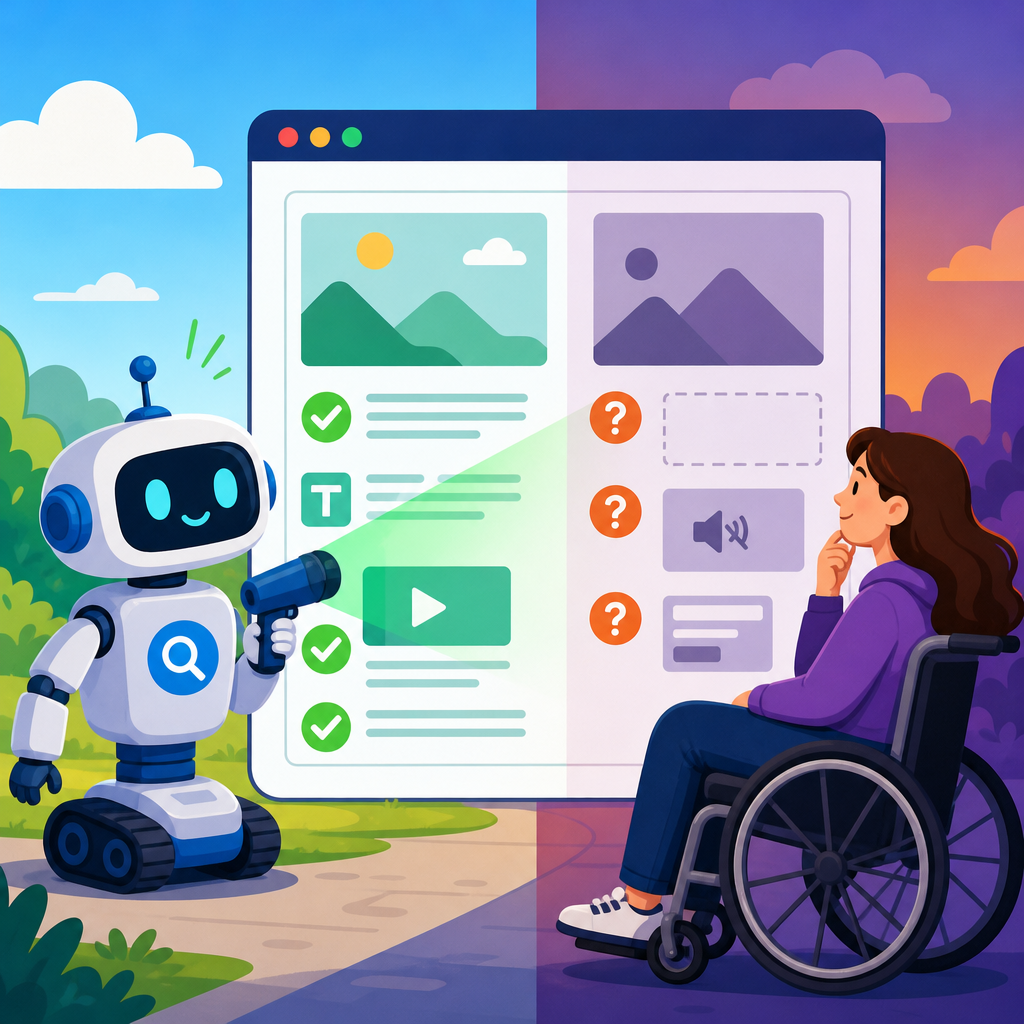
Digital accessibility scanners are useful for finding many barriers quickly, but they cannot prove that a website, app, or document is compliant with the ADA or fully conforms to WCAG. That distinction matters because automated tools test code patterns, while accessibility law and standards ultimately depend on whether real people, including users of assistive technology, can perceive, operate, understand, and robustly use digital content. In practice, scanners are part of an ADA audit and compliance workflow, not the final word.
When teams talk about digital accessibility scanners, they usually mean automated tools that crawl pages and flag issues such as missing alternative text, empty buttons, low color contrast, missing form labels, or heading structure problems. Common examples include axe DevTools, WAVE, Siteimprove, ARC Toolkit, Accessibility Insights, Lighthouse, and enterprise platforms that monitor many properties at once. These tools are valuable because they scale, they standardize repeated checks, and they help teams catch regressions before release. I use them on every audit because they surface obvious defects in minutes and give developers concrete starting points.
However, automated checks only cover a subset of accessibility requirements. The ADA does not publish a technical checklist for websites, so organizations usually map obligations to the Web Content Accessibility Guidelines, most often WCAG 2.1 or WCAG 2.2 Level AA. WCAG contains success criteria that can sometimes be tested by code, sometimes partly tested, and often only verified through human judgment. A scanner can detect that an image lacks an alt attribute. It cannot reliably decide whether the alternative text accurately conveys the image’s purpose in context. That is why every serious accessibility program combines automated scanning, manual expert review, assistive technology testing, remediation, and governance.
For organizations managing compliance and implementation, this topic is foundational. Procurement teams need to evaluate tools. Developers need to understand false positives and false negatives. Legal, risk, and content teams need realistic expectations about what a scan report proves. This hub explains what automated accessibility tools can detect well, where they fail, how they fit into ADA audits, and how to build a defensible compliance process around them.
What digital accessibility scanners actually test
Automated accessibility scanners inspect markup, styles, and some interactive behavior against rules derived from WCAG techniques and browser accessibility APIs. They are strongest where requirements can be measured deterministically. Examples include missing form labels, duplicate IDs, empty links, missing document language, invalid ARIA use, focusable elements hidden from assistive technology, and color contrast failures where foreground and background values are known. Browser extensions usually test one page at a time. Crawlers and enterprise platforms test templates, page sets, authenticated experiences, and trend lines across releases.
In a mature compliance program, scanners are used in several places. Developers run them locally through browser extensions and CI pipelines. QA teams scan staging before release. Enterprise accessibility teams crawl production to prioritize fixes across thousands of URLs. Content teams use CMS plugins to catch heading, link, and image issues before publication. This layered approach is effective because many defects repeat at the component or template level. If a design system button lacks an accessible name, every product team that consumes it inherits the problem. Automated testing helps locate those shared failures early, which is far cheaper than fixing them after launch or after a demand letter.
The best way to understand scanner output is to separate syntax from usability. Syntax issues concern the technical construction of content: whether a label is programmatically associated, whether ARIA attributes are valid, whether headings skip levels in a way that suggests structural confusion. Usability issues concern whether a person can complete a task efficiently with a keyboard, screen reader, zoom, speech input, or other assistive technology. A scanner is strong on syntax. It is much weaker on usability, task completion, and context.
What automated tools can prove with confidence
Automated tools can prove that certain machine-detectable failures exist on the tested page state. If a scan finds an input with no accessible name, that failure is real unless the tool has misinterpreted custom scripting, which is uncommon with standard components. If a crawler reports insufficient contrast between #767676 text and a white background for normal body copy, the math is objective under WCAG’s contrast formula. If a page has no level-one heading, duplicate IDs, or an iframe without a title, those are concrete technical defects that should be remediated.
Scanners also prove operational facts about your process. They can show whether teams are running tests on every pull request, whether defect counts are trending down over time, and whether critical templates have recurring violations. Those records matter for implementation because they demonstrate diligence, prioritization, and continuous monitoring. In my experience, that evidence is especially helpful when accessibility work competes with other engineering priorities. A trend dashboard can convert an abstract obligation into visible operational data.
Another area where automation is highly effective is regression detection. Suppose an ecommerce team updates a shared modal component and accidentally removes the focus trap. A properly configured automated test in Playwright with axe-core can fail the build before production deployment. Likewise, if a marketing CMS change strips alt text fields from image components, automated checks can catch the resulting errors across hundreds of landing pages quickly. These are exactly the use cases where scanners deliver strong return on investment.
| Scanner strength | What it can verify | Typical example |
|---|---|---|
| Code-level detection | Objective markup and ARIA failures on the tested page state | Button has no accessible name |
| Color analysis | Contrast ratios where colors are programmatically determinable | Gray text fails 4.5:1 against white |
| Scale | Recurring template defects across many URLs | Missing form labels on every checkout step |
| Regression testing | Whether a new release reintroduced known failures | Modal focus management breaks after component update |
What automated tools cannot prove
Automated tools cannot prove legal compliance, overall accessibility, or conformance across user journeys. They also cannot prove the absence of defects. A clean scan means only that the rules the tool checked did not fail on the rendered states it evaluated. It does not mean all WCAG success criteria passed, and it certainly does not mean disabled users can complete key tasks without friction. This is the single most important limitation to communicate internally.
Many accessibility requirements require human interpretation. Alternative text must be meaningful in context, not merely present. Headings must reflect the information architecture of the page, not just appear in numerical order. Error messages must be understandable, timely, and associated with the right fields. Link text must make sense out of context. Captions must accurately represent speech and meaningful sounds. Motion, timing, and interruption controls must be judged based on actual interaction. Scanners can suggest risk in these areas, but they cannot certify quality.
Dynamic interfaces create another blind spot. Single-page applications often load content after user actions, open dialogs, update live regions, or inject validation messages. A basic crawler may never trigger those states. Even advanced scripted scans only test the paths you define. I routinely find inaccessible keyboard interactions, drag-and-drop barriers, focus order problems, and screen reader announcement failures that no broad crawl reported because the issue appeared only after a sequence of actions. Complex widgets such as date pickers, comboboxes, and sortable grids are especially prone to this gap.
Accessibility of PDFs, office documents, videos, native mobile apps, kiosks, and third-party integrations also exceeds what a standard web scanner can validate. Document tags, reading order, table headers, caption accuracy, audio description needs, VoiceOver rotor behavior, TalkBack gestures, and hardware keyboard support on mobile all require specialized tools and human review. If your compliance scope includes more than marketing pages, scanner-only strategies fail quickly.
Why ADA audits require manual testing
An ADA audit is credible only when it evaluates real user experiences, not just source code. Manual testing fills the gap by checking keyboard navigation, visible focus, reading order, screen reader announcements, zoom and reflow behavior, error recovery, gesture alternatives, and task completion from start to finish. The point is not to replace automation. The point is to answer the question a scanner cannot: can a person with a disability actually use this product effectively?
A strong manual audit usually maps findings to WCAG success criteria and ties them to business-critical journeys. For a university site, that may include course search, application forms, tuition payment, and portal login. For an online retailer, it means product discovery, filtering, cart updates, account creation, checkout, and returns. For a healthcare provider, appointment scheduling, bill payment, patient portal access, and telehealth setup are essential. Severity should reflect user impact, not only technical neatness. A missing alt attribute on a decorative icon matters less than an unlabeled payment form field or a checkout step that traps keyboard focus.
Manual testing should include assistive technology that matches real usage. On desktop, that often means NVDA with Firefox, JAWS with Chrome, and VoiceOver with Safari. On mobile, VoiceOver on iOS and TalkBack on Android are standard baselines. Screen magnification, browser zoom up to 200 percent or 400 percent depending on the requirement, reduced motion settings, and speech recognition workflows may also be necessary depending on audience and risk profile. Without this step, an audit remains incomplete.
How to use scanners inside a defensible compliance program
The most effective compliance and implementation programs treat scanners as one control in a broader system. Start by adopting a clear technical target, typically WCAG 2.2 Level AA for web content unless contract terms or sector rules specify otherwise. Build accessibility requirements into design systems, content workflows, procurement, development standards, QA, and release management. Then place automated checks at the points where they prevent defects cheaply: component development, pull requests, staging, and production monitoring.
Tool selection should match organizational needs. Small teams may do well with axe DevTools, WAVE, Lighthouse, and Accessibility Insights. Larger organizations often need authenticated crawling, issue deduplication, trend reporting, and ticketing integrations through platforms such as Siteimprove, Level Access, deque WorldSpace, or Crownpeak. The best tool is not simply the one with the largest rule set. It is the one your team will consistently use, understand, and connect to remediation ownership.
Process matters more than dashboards. Define who reviews scan results, how false positives are triaged, which issues block release, and when manual audits occur. Maintain exception handling for legacy systems, but time-box it and document compensating measures. Train content editors on headings, links, alt text, and tables. Train designers on contrast, focus indicators, target size, and zoom. Train engineers on semantic HTML, ARIA patterns, keyboard interaction, and testing scripts. Accessibility improves fastest when defects are prevented upstream instead of discovered by a quarterly crawl.
Common mistakes when interpreting scanner reports
The first mistake is treating issue counts as a compliance score. Fifty minor errors on archived blog pages may pose less business risk than one inaccessible account-login flow. The second mistake is assuming zero automated violations equals compliance. It does not. The third is prioritizing only what the scanner flags and ignoring manual findings that affect task completion. Teams also waste time chasing false precision, such as debating whether one tool is “more compliant” than another, when the real question is coverage, workflow fit, and validation depth.
Another common error is failing to test representative templates and authenticated states. Public crawls often miss dashboards, checkout pages, account settings, modal workflows, and mobile menus where serious barriers live. Finally, many teams run one scan, export a report, and stop. Accessibility is not a one-time event. New content, design changes, JavaScript updates, third-party scripts, and CMS migrations introduce regressions constantly. Sustainable compliance depends on recurring scans, scheduled manual audits, and governance that survives staff turnover.
Digital accessibility scanners are indispensable, but they are evidence of testing, not proof of accessibility or ADA compliance. They excel at finding objective code-level failures, detecting regressions, and scaling oversight across large sites. They cannot judge meaning, usability, or whether disabled users can complete important tasks in realistic conditions. That is why the right model for ADA audits and compliance tools is layered: automated scanning for breadth, manual expert review for depth, assistive technology testing for real-world validation, and governance for continuous improvement.
As the hub for compliance and implementation, this topic connects every related question your team will face: how to choose accessibility testing tools, when to audit, how to prioritize remediation, how to evaluate third-party vendors, how to document due diligence, and how to align product, content, legal, and engineering work. If you remember one principle, make it this: a scanner can prove some failures exist, but only a comprehensive accessibility program can show that your digital experience is becoming reliably usable for everyone.
Use this page as your starting point for ADA audits and compliance tools, then map each product, template, and workflow to a repeatable review process. Run scanners early, test manually before release, verify fixes with assistive technology, and keep records of decisions and progress. That combination is what reduces risk, improves usability, and turns accessibility from a reactive project into an operational standard.
Frequently Asked Questions
Can an automated accessibility scanner prove that a website, app, or document is ADA compliant?
No. An automated accessibility scanner can identify many common technical issues, but it cannot prove that a digital experience is ADA compliant or fully conforms to WCAG. That is because scanners evaluate detectable code patterns and rules, not the complete human experience of using the content. The ADA is a civil rights law centered on equal access, and WCAG includes many requirements that depend on context, meaning, usability, and user interaction. A scanner may confirm that certain machine-testable elements are present, such as form labels, image alt attributes, heading structures, or color contrast values in some situations, but it cannot determine whether those elements are actually useful, accurate, understandable, or sufficient for real users.
For example, a scanner may detect that an image has alternative text, but it cannot reliably judge whether that text meaningfully describes the image in context. It may confirm that a button has a programmatic name, yet still miss whether the label is confusing, repetitive, or misleading. It may also fail to account for whether a workflow can be completed by someone using only a keyboard, a screen reader, voice navigation, magnification, or other assistive technology in real-world conditions. In short, automated tools can support compliance efforts, but they do not certify compliance, eliminate legal risk, or replace expert review and human testing.
What kinds of accessibility problems are scanners good at finding?
Automated scanners are especially valuable for catching recurring, code-based issues that can be tested consistently across large numbers of pages or screens. They are often very effective at detecting missing or empty form labels, absent image alt attributes, incorrect heading order, duplicate IDs, missing document language declarations, some keyboard focus issues, invalid ARIA use, unlabeled buttons or links, and certain color contrast failures. Because these checks can be run at scale, scanners help teams quickly locate patterns that would otherwise take much longer to find manually.
They are also useful during development because they provide fast feedback. Designers, developers, and content teams can run scans early and often, which makes it easier to catch defects before they spread across templates, components, or document libraries. In enterprise environments, scanners can help prioritize remediation by showing issue volume, severity, affected URLs, and repeat offenders. This is one reason they are a core part of many accessibility programs: they are efficient, repeatable, and helpful for tracking progress over time.
That said, even the issues scanners detect should still be reviewed thoughtfully. A reported issue may be a true barrier, a false positive, or a symptom of a deeper usability problem. Automated findings are most useful when they are triaged by someone who understands accessibility standards and how people actually use digital interfaces.
What important accessibility issues can automated tools miss?
Automated tools can miss a large category of issues that require human judgment, task-based testing, or direct interaction with assistive technology. They generally cannot determine whether link text is meaningful in context, whether instructions are clear, whether error messages are understandable, whether content reading order makes sense, whether focus moves logically during complex interactions, or whether dynamic updates are announced helpfully to screen reader users. They also struggle with things like ambiguous labels, confusing navigation, inaccessible PDFs with poor reading structure, timed interactions, motion-triggered content, and multimedia accessibility questions such as whether captions, transcripts, or audio descriptions are truly adequate.
Scanners also have limits when evaluating complete user journeys. A site may technically pass many automated checks and still be difficult or impossible to use when someone tries to search, log in, fill out forms, upload documents, complete checkout, schedule an appointment, or submit an application. Those barriers often surface only through manual keyboard testing, screen reader testing, zoom and reflow review, cognitive accessibility review, and testing by people with disabilities. In other words, scanners are good at finding some defects, but they are not good at proving that important tasks are actually usable from start to finish.
How should automated scanning fit into an ADA audit or accessibility review process?
Automated scanning should be treated as one component of a broader accessibility audit, not as the entire audit. A strong review process usually combines automated scans with manual expert testing, assistive technology testing, and remediation guidance tied to real business workflows. The scanner helps reveal broad technical patterns quickly, while manual review addresses the issues automation cannot reliably assess. Together, those methods provide a much clearer picture of actual accessibility risk and user impact.
In practice, a mature process often starts with defining the scope of review, including key templates, user flows, application states, and document types. Automated tools are then used to identify obvious and repeatable code violations. After that, accessibility specialists manually test representative pages and tasks using keyboard navigation, screen readers, screen magnification, and other relevant methods. Findings are prioritized based on severity, frequency, and whether they block access to critical services or information. Teams then remediate issues, retest fixes, and establish governance practices so the same problems do not return.
This approach matters because accessibility is not a one-time scan. Websites, mobile apps, and digital documents change constantly. A reliable program uses automated monitoring for speed and coverage, while also scheduling periodic manual audits and integrating accessibility checks into design, development, QA, and content publishing workflows.
If a website gets a high score or passes an accessibility scanner, what does that really mean?
A high score or “pass” from an accessibility scanner usually means the tool did not detect many issues within the limited set of rules it knows how to test. That can be a positive sign, but it should never be interpreted as proof that the experience is fully accessible, WCAG-conformant, or legally safe under the ADA. Scoring systems vary from one platform to another, and many tools measure only a subset of accessibility requirements. Some pages with strong scanner scores still contain serious usability barriers that only become obvious during manual evaluation.
It is best to think of scanner scores as operational metrics rather than final verdicts. They can help teams benchmark progress, compare releases, identify regressions, and focus remediation efforts. But they do not capture the quality of alternative text, the clarity of instructions, the accessibility of custom interactions, the usability of forms, or the success of complete user tasks with assistive technology. Decision-makers should therefore be cautious about relying on scanner badges, percentages, or dashboard summaries as standalone evidence of accessibility.
The most credible interpretation is this: a good automated score suggests that certain detectable technical issues may be under better control, but it does not answer the larger question that matters most—whether real people with disabilities can independently and effectively use the digital content. That question requires human evaluation, and ideally, feedback from users with disabilities themselves.





