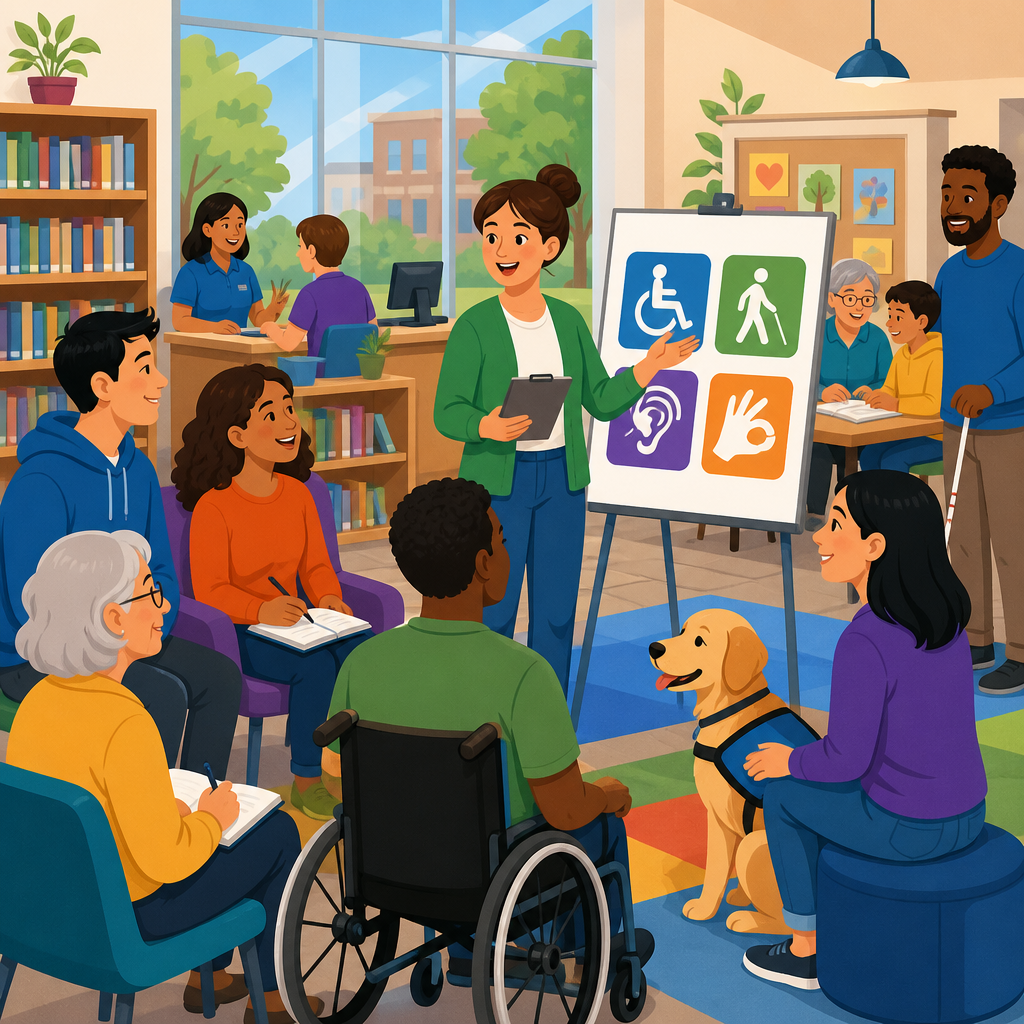
Libraries and community centers are among the most practical places to teach ADA basics because they already serve as trusted entry points for public information, digital access, civic participation, and lifelong learning. The Americans with Disabilities Act, or ADA, is the federal civil rights law that prohibits disability-based discrimination in areas including employment, state and local government services, public accommodations, transportation, and telecommunications. In day-to-day terms, ADA awareness means understanding both legal obligations and the simple operational choices that make services usable by people with disabilities. ADA implementation means turning that understanding into policies, physical access, communication access, staff training, and ongoing problem solving. For libraries and community centers, this matters because these institutions welcome residents across age, income, language, and ability. They host public meetings, after-school programs, job searches, classes, performances, and computer use, so gaps in accessibility quickly become barriers to community life.
I have seen organizations make the mistake of treating the ADA as a facilities checklist handled once during a renovation. In practice, the most effective approach is educational and continuous. A library may have an accessible entrance yet still frustrate visitors if event flyers omit accommodation contact information, public computers lack screen-reader software, or staff do not know how to respond to a request for real-time captioning. A community center may install ramps but overlook accessible registration forms, quiet spaces for neurodivergent participants, or inclusive recreation programming. Teaching ADA basics helps prevent those misses before they become complaints, strained relationships, or exclusionary habits. It also supports better service for everyone: captions help English learners, clear signage helps older adults, and flexible seating helps families and people with temporary injuries.
As a hub under Resources and Support, this article maps the full landscape of supporting ADA awareness and implementation. It explains what libraries and community centers should teach, who needs the training, how to structure programs, which tools and standards matter, and how to measure progress over time. The goal is not to turn every staff member into an attorney or accessibility engineer. The goal is to build practical competence: recognizing barriers, responding appropriately, documenting requests, and improving access systematically. When these organizations teach ADA basics well, they become local models of inclusion and reliable connectors to deeper disability resources.
Start with a clear, shared understanding of ADA basics
The strongest programs begin by teaching a plain-language definition of disability access. Staff, volunteers, trustees, and partner instructors need to understand that the ADA is a civil rights framework, not a courtesy program. It applies differently across titles, but for libraries and community centers the most relevant concepts usually include equal access to services, reasonable modifications to policies and practices, effective communication, and removal of barriers where readily achievable. Public libraries often operate under local government structures, while nonprofit community centers may fall under public accommodation rules. That distinction can affect legal analysis, yet frontline training should focus on the same operational question: can a person with a disability access the service in a way that is genuinely usable and comparable?
Good introductory teaching also explains key terms without legal jargon overload. “Reasonable modification” means changing a usual rule or practice when needed to allow participation, unless the change would fundamentally alter the program. “Effective communication” means providing aids and services, such as qualified sign language interpreters, captioning, large print, accessible digital documents, or assistive listening systems, so information is conveyed as clearly to people with disabilities as to others. “Accessible route” refers to a path that can be used by people with mobility disabilities, including wheelchair users. Staff should also understand that not all disabilities are visible and that disability etiquette is about respect, not scripted perfection.
One of the most useful exercises I have used is scenario-based learning. Instead of starting with statutes, start with situations: a patron asks for a form in large print, a parent requests sensory-friendly programming, a job seeker needs screen-reader-compatible workstation software, or a speaker uses a microphone but the room has no hearing loop. Staff remember these examples because they resemble real service moments. Once people see the patterns, the legal principles become easier to apply consistently.
Teach every access dimension, not only building access
Many organizations equate ADA awareness with ramps, elevators, and parking spaces. Physical access matters, but it is only one layer. Libraries and community centers should teach five connected access dimensions: physical, communication, digital, programmatic, and policy access. Physical access covers entrances, restrooms, service counters, meeting rooms, shelving reach ranges, door pressure, and seating layouts. Communication access covers interpreters, captioning, assistive listening systems, plain language, Braille where appropriate, and staff communication practices. Digital access covers websites, mobile apps, online calendars, registration platforms, e-books, PDFs, kiosks, and public computers. Programmatic access covers how classes, events, recreation, and civic meetings are designed and modified. Policy access covers service animals, companion support, grievance procedures, emergency planning, and accommodation request workflows.
This broader model prevents a common failure: a technically accessible building hosting inaccessible experiences. For example, I have audited meeting spaces with compliant door widths but registration portals that could not be used with a keyboard, presentation slides with unreadable color contrast, and author talks without captions despite online promotion to the whole community. The reverse also happens. A small branch with older architecture may have constraints, yet it can still improve access significantly through curbside service, portable ramps where lawful and safe, remote participation options, home delivery, and proactive communication support. Teaching these dimensions together helps staff see accessibility as service design rather than isolated compliance tasks.
| Access Area | What Staff Should Learn | Practical Example |
|---|---|---|
| Physical | Routes, entrances, seating, restrooms, counters | Leave wheelchair spaces integrated throughout event seating, not only in the back row |
| Communication | Captioning, interpreters, large print, assistive listening | Add an accommodation contact line to every event listing and confirm requests early |
| Digital | Keyboard navigation, alt text, document structure, screen-reader testing | Post accessible PDFs with tagged headings instead of image-only scans |
| Programmatic | Reasonable modifications and inclusive activity design | Offer sensory-friendly story time with adjusted lighting and flexible participation |
| Policy | Service animal rules, complaint response, emergency procedures | Train staff on the two lawful service-animal questions and when not to ask them |
Build training for staff, volunteers, partners, and the public
Effective ADA education is never limited to one annual staff presentation. Libraries and community centers need tiered training for different audiences. Frontline staff need concise, repeatable guidance on greetings, accommodation requests, de-escalation, and referrals. Supervisors need deeper instruction on interactive problem solving, documentation, confidentiality, vendor coordination, and complaint response. Facilities teams need training on maintenance issues that create access failures, such as blocked routes, heavy doors, broken automatic openers, poor snow removal, or furniture placement. Program staff need instruction on inclusive event design, presenter requirements, procurement of captioning and interpreting, and accessible handouts. Volunteers and partner organizations should receive basic orientation before using the space or leading activities.
Public education is equally important. Libraries are ideal hosts for ADA basics workshops, disability history programming, accessible technology demonstrations, and know-your-rights resource guides. Community centers can incorporate disability inclusion into parent education, senior services, youth leadership, recreation registration, and neighborhood association meetings. In my experience, public learning works best when it is framed as practical and local. A workshop titled “How to Request Accommodations for Classes, Meetings, and Events” often draws more participation than one labeled only with legal terminology. Pairing legal basics with demonstrations of screen readers, captioning tools, or adaptive recreation equipment makes the topic concrete.
These organizations should also connect people to authoritative outside resources. The ADA National Network offers region-specific guidance and training. The U.S. Department of Justice provides ADA regulations and technical assistance. The U.S. Access Board publishes accessibility guidelines. Web teams should know the Web Content Accessibility Guidelines, currently the standard reference for digital accessibility work. State vocational rehabilitation agencies, independent living centers, and local disability advocacy groups can provide speakers, feedback, and referral pathways. As a hub page, this topic should lead readers toward specialized articles on event accessibility, website accessibility, facility audits, accommodation workflows, and staff training plans.
Create repeatable systems for implementation
Awareness matters only if it changes operations. The organizations that improve fastest are the ones that turn ADA basics into repeatable systems. Start with an accessibility statement that explains the commitment to inclusion, lists contact methods for accommodation requests, and sets realistic response timelines. Then create a standard intake process. Staff should know where requests are recorded, who has authority to approve common accommodations, how vendors are booked, and how privacy is protected. Without a system, requests get trapped in email inboxes or depend on whichever employee happens to be on duty.
Event planning needs its own checklist. Every event listing should include an accommodation line, a deadline that encourages early requests without discouraging late ones, and multiple contact methods. Registration forms should be accessible and should ask only what is necessary. Presenters should receive guidance on microphone use, readable slide design, image descriptions, and handout formatting. Rooms should be checked for routes, seating flexibility, lighting, acoustics, and sightlines. Virtual and hybrid events should include live captions and platform settings that support keyboard navigation and screen-reader access. Recorded content should be captioned before archiving whenever possible.
Procurement is another critical system. If a center buys self-service kiosks, digital signage, classroom software, or e-book platforms without accessibility requirements, barriers become embedded for years. Contracts should require conformance documentation, accessibility testing, and remediation commitments. The Voluntary Product Accessibility Template, or VPAT, is commonly used in technology procurement, though it should never be accepted without review or testing. I have seen organizations rely on vendor assurances alone, only to discover later that patrons could not complete registrations or use reservation tools independently. Basic ADA teaching should therefore include a simple rule: accessibility must be considered before purchase, not after complaints.
Measure progress with audits, feedback, and accountability
Teaching ADA basics should lead to measurable improvement. Begin with an accessibility baseline. Walk the site, review the website, test registration flows, inspect meeting room setups, and examine communications templates. For digital properties, use automated tools such as WAVE, axe, or Lighthouse, then follow with manual testing using a keyboard and, where possible, screen readers such as NVDA, JAWS, or VoiceOver. For facilities, use checklists aligned with ADA standards while recognizing that usability involves more than measurements alone. A restroom can meet technical dimensions and still fail if the door closer is too heavy or supplies block clear floor space.
Feedback mechanisms should be visible and safe to use. Post clear contact information online and on-site. Offer multiple formats for feedback, including phone, email, web form, and paper. Respond promptly, document issues, and close the loop when fixes are made. Advisory input from disabled patrons and local disability organizations is especially valuable because lived experience reveals barriers audits miss. In one center I supported, wheelchair users identified a sharp turn between the entrance and program room that staff had ignored for years because the route looked wide enough on paper. Adjusting furniture and relocating a display solved the problem immediately.
Accountability keeps training from fading. Assign ownership to a coordinator or cross-functional team, report progress to leadership, and review trends quarterly. Track accommodation requests, response times, recurring barriers, staff completion of training, and remediation status for high-priority issues. Not every improvement requires major capital spending. Many high-impact changes are low cost: rearranging seating, improving contrast on flyers, adding captions, adjusting policies, or retraining staff on respectful communication. Where capital work is needed, documented findings help support budget requests and grant applications.
Make the hub useful by organizing next-step resources
Because this page serves as the hub for supporting ADA awareness and implementation, it should guide readers from broad understanding to targeted action. The most useful hub pages group resources by task and urgency. A new branch manager may need a first-90-days accessibility checklist. A programmer may need a guide to accessible events. An IT lead may need a digital accessibility roadmap. A facilities director may need audit priorities and maintenance standards. A board member may need governance questions, policy templates, and budget framing. Structuring linked resources this way improves usability and helps organizations move from theory to practice.
The central message is straightforward: libraries and community centers can teach ADA basics effectively when they treat accessibility as core public service. Start with plain-language education, cover every access dimension, train each audience for its role, build repeatable systems, and measure results. That approach reduces barriers, improves trust, and expands participation for disabled residents and the wider community. If your organization is building its Resources and Support section, use this page as the starting point, then develop linked guides for events, digital access, facilities, policies, and staff training so every team has clear next steps.
Frequently Asked Questions
Why are libraries and community centers effective places to teach ADA basics?
Libraries and community centers are especially effective places to teach ADA basics because they are already designed to help people access information, services, and community life. Many people visit these spaces for job search support, internet access, educational classes, government forms, public meetings, and social programs, which makes them natural settings for practical disability rights education. Rather than introducing the ADA in an abstract legal environment, these organizations can connect the law to everyday situations people already understand, such as using a public entrance, requesting an interpreter, accessing a website, attending a class, or navigating a public program.
Another reason these spaces work so well is trust. Community members often see libraries and local centers as approachable, nonthreatening places where they can ask basic questions without feeling intimidated. That matters when teaching a topic like the Americans with Disabilities Act, which can sound technical at first. Staff can explain that the ADA is a federal civil rights law that protects people with disabilities from discrimination in important areas of public life, including employment, state and local government services, public accommodations, transportation, and telecommunications. When the information is delivered in a familiar environment, people are more likely to engage, ask follow-up questions, and connect the law to real-life barriers and solutions.
These settings are also ideal because they serve broad audiences. A single workshop may reach disabled patrons, family members, caregivers, teachers, job seekers, volunteers, small business owners, and local residents who simply want to better understand accessibility. That broad reach helps communities move beyond the idea that the ADA only matters to a small group of people. In practice, ADA education benefits everyone by promoting clearer communication, more inclusive services, and stronger civic participation.
What ADA topics should a library or community center cover in an introductory program?
An introductory program should start with the core purpose of the ADA: it is a civil rights law intended to prevent disability-based discrimination and improve equal access to everyday life. From there, the most useful approach is to break the law into practical categories people can recognize. A strong beginner session can explain that the ADA affects employment, state and local government programs, businesses and nonprofit organizations that serve the public, transportation systems, and communication access. This helps participants understand that the law is not limited to one setting, but shapes many ordinary interactions throughout the day.
Programs should also explain the difference between physical access, digital access, and communication access. Physical access includes features such as accessible entrances, routes, restrooms, seating, service counters, and parking. Digital access includes websites, online forms, electronic documents, videos, and public computers that can be used by people with a range of disabilities. Communication access includes auxiliary aids and services such as sign language interpreters, captioning, assistive listening systems, and materials in alternative formats. Framing the ADA this way gives participants a more complete picture of access instead of reducing it to ramps alone.
It is also helpful to include common terms and concepts such as reasonable modifications, effective communication, service animals, and program accessibility. If the audience includes job seekers or employers, a basic overview of workplace accommodations can be valuable as well. Finally, every introductory session should clarify that ADA education is not just about legal compliance. It is about dignity, participation, independence, and equal opportunity. When people leave understanding both the legal framework and the human impact, the program is much more likely to be meaningful and memorable.
How can staff teach ADA basics in a way that feels practical instead of overly legal?
The best way to teach ADA basics is to anchor the discussion in everyday examples. Instead of beginning with dense legal terminology, staff can start with familiar questions: Can a person enter the building and use the restroom independently? Can a deaf attendee fully participate in a workshop? Can a blind user access the event registration form online? Can someone with a mobility disability reach public computers, circulation desks, or activity rooms? These examples help people quickly understand that the ADA is about removing barriers in real environments, not just interpreting statutes.
Another effective strategy is to use scenario-based learning. A library or community center might present short situations and ask participants what access issue is involved and what a better response would look like. For example, a patron asks for large-print materials, an event video is shown without captions, or a public meeting is held in a room that is difficult to reach. These cases encourage discussion and show participants how ADA principles apply in routine operations. They also help staff practice problem-solving, which is often more useful than memorizing definitions alone.
It is equally important to use clear, respectful language and avoid framing disability access as a special favor. Teaching should emphasize that accessibility is part of providing equal service to the public. Staff can explain that the goal is not perfection in every situation, but a consistent commitment to inclusion, responsiveness, and barrier removal. When possible, organizations should include disabled speakers, advocates, or trainers in the educational process. Firsthand perspectives add credibility and deepen understanding. A practical, conversational approach makes ADA basics more accessible to learners and more likely to influence day-to-day decisions.
What are some simple ways libraries and community centers can make ADA education more accessible from the start?
Accessible ADA education should begin long before the class or workshop itself. Registration materials, flyers, websites, and announcements should be easy to read and available in accessible digital formats. Event descriptions should clearly state how to request accommodations, such as interpreters, captioning, or alternate-format materials. This communicates that accessibility is expected and welcomed, rather than treated as an exception. If registration happens online, the form should be usable with screen readers and keyboard navigation so people can sign up independently.
The physical setup matters too. Organizers should choose rooms with accessible entrances, routes, seating options, and restrooms. Presentation materials should use readable fonts, strong color contrast, and plain language whenever possible. Videos should include captions, microphones should be used consistently, and presenters should verbally describe important visual content on slides. If there is discussion or audience participation, staff should repeat audience questions into the microphone so everyone can follow along. These small planning decisions can significantly improve participation for people with different disabilities.
Accessibility also includes flexibility in teaching methods. Some participants may learn best through spoken explanation, others through handouts, demonstration, discussion, or digital follow-up materials. Offering information in multiple formats increases comprehension and reinforces the message that inclusive design benefits a wide range of users. Perhaps most importantly, staff should create a culture where people feel comfortable asking for what they need. When accessibility is built into the structure of ADA education itself, the program does more than teach the law—it models the principles the law is meant to protect.
How can libraries and community centers turn a basic ADA lesson into ongoing community impact?
A single workshop can raise awareness, but lasting impact usually comes from making ADA education part of an ongoing community learning strategy. Libraries and community centers can build on an introductory session by offering follow-up classes on specific topics such as digital accessibility, inclusive event planning, workplace accommodations, communication access, or disability etiquette. They can also create resource tables, reading lists, website guides, and referral materials that help people continue learning after the event ends. This turns one-time instruction into an accessible pathway for deeper understanding.
Partnerships are especially valuable. Local disability organizations, legal aid offices, vocational rehabilitation agencies, schools, independent living centers, and advocacy groups can help provide expertise, guest speakers, and referral networks. These collaborations improve accuracy and make it easier for participants to find support when they need more than general information. For example, someone who attends a basic ADA class may later need help understanding rights in employment, access to a city program, or communication accommodations at a public event. A strong community center or library can serve as a bridge to those next steps.
Organizations can also apply what they teach by reviewing their own programs and services through an accessibility lens. That may include improving signage, checking website usability, updating event policies, training frontline staff, or creating more inclusive communication practices. When a library or community center teaches ADA basics and simultaneously strengthens its own accessibility, it becomes a visible example of inclusion in action. Over time, that combination of education, partnership, and internal improvement can help build a community where disability access is understood not as a niche issue, but as a normal and essential part of public life.


