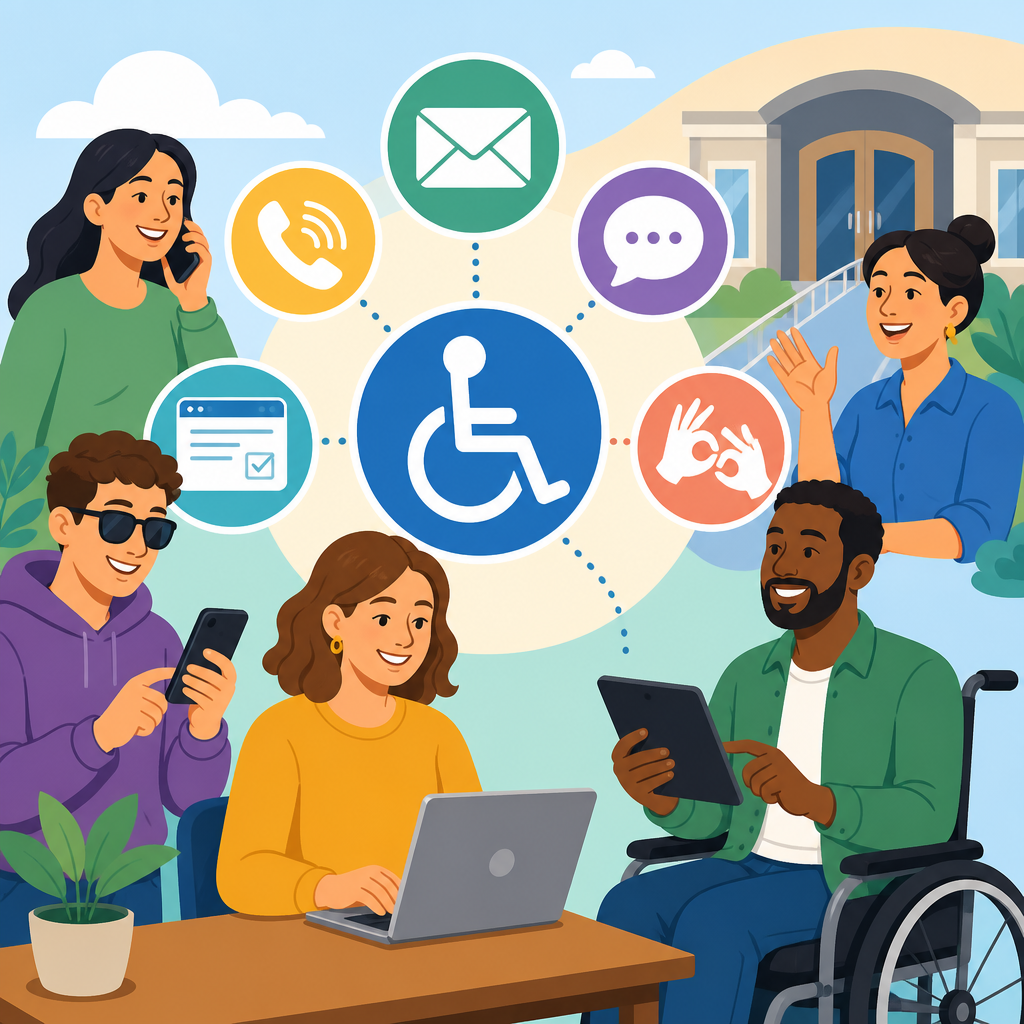
Creating accessible intake and contact channels for ADA requests is one of the most practical ways an organization can turn disability rights from policy language into daily service. In this context, an intake channel is any method people use to ask for accommodations, report barriers, request auxiliary aids, or seek help understanding their rights under the Americans with Disabilities Act. Contact channels include websites, forms, phone lines, email addresses, in-person desks, text options, relay services, and third-party platforms. I have helped organizations redesign these pathways, and the pattern is always the same: when the request process is confusing, inaccessible, or slow, the organization creates avoidable risk and people with disabilities lose time, dignity, and equal access.
Accessible intake matters because the ADA is not satisfied by a written commitment alone. Title II entities and Title III businesses must provide effective communication, reasonable modifications, and accessible services in practice. That means people need a reliable way to make requests before a meeting, during an application process, at the point of service, and after a problem occurs. A single web form is not enough. A voice-only phone line is not enough. A generic inbox monitored once a week is not enough. Good systems offer multiple channels, clear instructions, prompt acknowledgments, trained staff, and a documented process for triage, response, resolution, and follow-up.
This hub article explains how to build that system. It covers the legal and operational foundations, the required communication options, workflow design, staffing, documentation, common failure points, and measurements that show whether the process works. It also serves as a central resource for supporting ADA awareness and implementation across related topics such as digital accessibility, event accommodations, procurement, training, grievance handling, and customer service. If an organization wants fewer complaints, better compliance, and a more inclusive experience, accessible intake and contact channels are the starting point.
What accessible ADA intake channels include
Accessible ADA intake channels are the set of entry points through which a person can request an accommodation or report an access barrier, using the communication method that works for them. At minimum, organizations should offer an accessible web form, a monitored email address, a phone number that accepts relay calls, and an in-person or mailed alternative when relevant. Many also add text messaging, chat, video relay support, and appointment scheduling. The important principle is redundancy. If one channel fails because of technology, literacy, language, disability-related needs, or timing, another must remain available.
The channels must also be usable. I routinely see forms that require a mouse, have unlabeled fields, time out too quickly, or reject assistive technology input. Those are not minor technical defects; they block access to the accommodation process itself. Web content should align with WCAG 2.1 AA or the newer WCAG 2.2 success criteria where feasible, especially around keyboard access, visible focus, clear labels, error identification, and reflow on mobile devices. Phone systems should avoid long branching menus and should state that relay calls are accepted. Email instructions should explain what information helps the team respond without forcing people to disclose more medical detail than necessary.
Plain language is equally important. People should immediately understand who can make a request, what kinds of requests are covered, how quickly they can expect a response, and what to do if the issue is urgent. A strong intake page answers common questions directly: Do I need medical documentation? Can I request CART or ASL interpreting for an event? What if I need a document in Braille, large print, or an accessible PDF? Where do I report a problem with a kiosk, building entrance, website, or online class? A contact channel that leaves these questions unanswered increases abandonment and inconsistent handling.
Legal and operational foundations
The ADA does not prescribe one universal request form, but it does require equal opportunity and effective communication. For public entities under Title II, communication with people with disabilities must be as effective as communication with others, and policies must permit reasonable modifications unless a fundamental alteration or undue burden applies. For public accommodations under Title III, businesses must remove barriers where readily achievable, provide auxiliary aids and services when needed for effective communication, and make reasonable modifications in policies, practices, and procedures. Section 504, state disability laws, and local ordinances may add parallel or stricter duties, especially for entities receiving federal funds.
Operationally, this means organizations need a defined intake workflow rather than ad hoc goodwill. Requests arrive with varying urgency and complexity. A student needing captioning for class tomorrow, a patient needing a sign language interpreter for a scheduled procedure, and a customer reporting an inaccessible checkout form all require different handling. Without triage rules, front-line staff often improvise, send people in circles, or ask unnecessary medical questions. The better model is a centralized framework with clear ownership, service levels, escalation paths, and subject-matter support from accessibility, legal, HR, facilities, IT, or program managers.
In practice, I advise clients to publish one visible ADA or accessibility contact page and then route submissions behind the scenes. This keeps the experience simple for the requester while preserving specialized review internally. It also improves internal linking and discoverability. Related pages for events, employment, transportation, digital services, and grievance procedures should all point back to the hub. That approach reduces duplicate instructions, keeps timelines consistent, and creates one authoritative location for policy updates, translated resources, and staff contacts.
Designing channels that people can actually use
The most effective intake systems are designed around real user conditions, not ideal ones. Some people will be using screen readers on mobile phones. Some will be Deaf and prefer text or video relay. Some will have cognitive disabilities and need short instructions, examples, and confirmation that their message was sent. Some will have limited English proficiency and need translated content or an interpreter. Others may be in crisis, dealing with pain, or trying to request support while navigating a crowded clinic, campus, store, or transit system. Every unnecessary step becomes a barrier.
For web forms, ask only for information necessary to evaluate and fulfill the request: contact method, context, requested accommodation or barrier description, date or deadline, and any urgent safety issue. Use accessible labels, clear grouping, and inline validation that does not rely on color alone. Allow file attachments only if needed, and provide alternatives because scanned medical notes and image-only documents are often inaccessible. Send an immediate confirmation with a reference number, expected response time, and an alternate contact option if the request is urgent. That confirmation alone reduces anxiety and repeat submissions.
Phone channels should be staffed during stated hours and backed by voicemail that is checked on a schedule. The greeting should mention relay services, interpreter availability, and emergency limitations. If an automated attendant is necessary, keep options short and include a direct path to a live person. Email inboxes should be monitored by more than one employee to avoid gaps during leave or turnover. In-person desks need scripts and escalation instructions. I have seen well-meaning reception teams derail requests simply because they did not know where to send them or assumed accommodations were handled somewhere else.
| Channel | Best use | Common barrier | Required safeguard |
|---|---|---|---|
| Accessible web form | Standard requests, documentation, tracking | Keyboard traps, unlabeled fields, timeout errors | WCAG-conforming form design and confirmation message |
| Flexible narrative requests and follow-up | Unmonitored inbox or vague ownership | Shared mailbox, response SLA, backup staff | |
| Phone and relay | Urgent issues and people preferring spoken communication | Long IVR menus or refusal of relay calls | Live transfer option and staff training on relay etiquette |
| In-person desk | Onsite barriers requiring immediate assistance | Front-line staff uncertainty | Quick reference guide and escalation contact |
Building a response workflow that is fast, fair, and documented
Once channels are open, the harder work is operational discipline. Every request should move through five stages: intake, acknowledgment, triage, resolution, and closure. Intake captures the request in a central log or case management tool. Acknowledgment confirms receipt and provides timing. Triage classifies urgency, type, responsible team, and whether interim measures are needed. Resolution records the action taken, communication with the requester, and any alternatives considered. Closure documents completion, unresolved issues, and lessons for prevention. This structure is simple, but it prevents the most common compliance failures: lost requests, inconsistent decisions, and no evidence of follow-through.
Set service standards by request type. For example, urgent communication access issues tied to same-day appointments may require response within one business hour, while general barrier reports may allow two business days for acknowledgment and ten business days for substantive review. The exact targets depend on the organization, but they should be published and realistic. If a request cannot be fully resolved within the standard period, staff should provide status updates rather than going silent. Silence is one of the fastest ways to trigger complaints, especially when the requester has a time-sensitive program deadline or medical appointment.
Documentation should balance privacy with accountability. Keep only information necessary to process the request. If medical information is needed, store it separately with limited access and avoid sending it through broad email chains. Many accommodation requests do not require detailed diagnosis information at all; the focus is on functional need and effective solution. Staff should document the interactive process, alternatives considered, reasons for delay, and final outcome. That record is valuable not only for legal defense but for quality improvement. Trends often reveal fixable systemic issues, such as repeated requests for captioning because videos were posted without captions from the start.
Training staff and assigning ownership
Accessible intake systems fail most often at the human layer. Technology can be compliant and still produce bad outcomes if employees do not know what to say, what not to ask, or when to escalate. Training should cover the basics of the ADA, disability etiquette, effective communication, relay service acceptance, plain-language writing, documentation standards, privacy rules, and emergency escalation. Staff need examples, not just policy slides. Role-based training works best: reception, managers, event staff, HR, instructors, clinicians, and web teams each encounter different request patterns and need tailored guidance.
Ownership must also be explicit. Someone should be accountable for the program, even if multiple departments handle specific request types. In larger organizations, that may be an ADA coordinator, accessibility manager, civil rights office, or compliance lead. In smaller businesses, it may be an operations manager with direct support from legal counsel and IT. What matters is visible responsibility and decision authority. When ownership is vague, requests bounce among departments, and each handoff increases delay. A published contact name or team title also reassures users that their message is reaching people who understand the subject.
I recommend maintaining a concise internal playbook. It should include definitions, channel inventory, service-level targets, vendor contacts for interpreting and captioning, after-hours procedures, sample email templates, and a decision tree for common scenarios. This is especially important for decentralized organizations such as school districts, hospital systems, retail chains, and municipal departments. Without a shared playbook, one location may provide excellent support while another gives incorrect information. Consistency is part of accessibility because users should not have to guess whether equal access depends on which office answers the phone.
Measuring performance and improving the system
An ADA intake channel is not finished when it launches. It requires monitoring, testing, and periodic revision. At a minimum, track request volume, channel source, acknowledgment time, resolution time, closure rate, repeat requests, and escalation frequency. Also track the types of issues reported: interpreting, captioning, document accessibility, built environment barriers, service animal questions, policy modifications, website barriers, and procurement issues. Those categories reveal where preventive investment will reduce future requests. For example, if a high percentage of submissions concern inaccessible PDFs, the real fix is document remediation training and template governance, not just faster inbox replies.
User feedback should be built into the process. After closure, ask whether the channel was easy to use, whether communication was clear, and whether the solution worked. Keep the survey short and accessible, and offer a non-digital option. Periodic usability testing is essential. I prefer a mix of automated scanning tools such as WAVE, axe, and Siteimprove for web checks, plus manual keyboard testing and screen reader review with NVDA, JAWS, or VoiceOver. Automated tools catch only part of the problem. A form can pass many automated checks and still be confusing or unusable in practice.
This hub should connect closely with the rest of a broader Resources and Support section. Related articles should address digital accessibility standards, accessible event planning, accommodation documentation practices, grievance procedures, vendor management, and emergency communication. Together, they form a complete implementation framework rather than isolated tips. If your organization has not mapped its current channels, start there: list every way a person can request ADA support, test each one with real scenarios, fix the broken steps, and publish one clear path people can trust.
Creating accessible intake and contact channels for ADA requests is both a compliance obligation and a service design discipline. The core principles are straightforward: offer multiple usable channels, write clear instructions, respond quickly, document consistently, protect privacy, and train the people who handle requests. When those elements are in place, organizations reduce confusion, improve trust, and resolve access needs before they become complaints or crises. When they are missing, even strong policies fail at the moment people need them most.
The biggest benefit of a well-built intake system is not administrative efficiency, although that matters. It is equal access delivered in real time. A student gets captions before class starts. A patient receives an interpreter for informed consent. A customer completes a purchase without encountering an inaccessible checkout. An employee knows exactly where to ask for a reasonable accommodation and gets a timely answer. Those outcomes are what ADA implementation looks like on the ground, and they depend on channels that are visible, usable, and supported by accountable workflow.
Use this page as the hub for supporting ADA awareness and implementation across your Resources and Support content. Link it to every related policy, training, event, digital service, and grievance resource, then review your intake channels with the same rigor you apply to your primary services. If people cannot easily ask for access, they do not truly have access. Start by testing your current contact options today and fix the first barrier you find.
Frequently Asked Questions
What does it mean to create accessible intake and contact channels for ADA requests?
Creating accessible intake and contact channels for ADA requests means making it easy for people with disabilities to ask for accommodations, report access barriers, request auxiliary aids and services, or get help understanding their rights under the Americans with Disabilities Act. In practice, this includes every point where someone may try to reach your organization: online forms, email addresses, phone lines, relay-compatible systems, text options, in-person service desks, mailed requests, and other communication methods. Accessibility in this setting is not just about having a statement on a website. It means the channel itself must be usable by people with a wide range of disabilities, including people who use screen readers, voice input, captioning, TTY or relay services, plain language supports, interpreters, or alternative formats.
An effective intake process also focuses on clarity and reliability. People should be able to quickly understand where to submit a request, what information is helpful to provide, how soon they can expect a response, and what happens next. If a website form is difficult to navigate, a phone line has long hold times without alternatives, or staff do not know how to handle requests, the organization may unintentionally create the very barriers the ADA is meant to address. That is why accessible intake is both a compliance issue and a service issue. It helps organizations respond consistently, reduce confusion, and build trust with community members, employees, students, customers, patients, tenants, or program participants who need support.
Why is it important to offer multiple ways for people to submit ADA accommodation requests or report accessibility barriers?
Offering multiple contact channels is important because no single method works for everyone. A person who is blind may prefer an accessible web form or email. A deaf or hard of hearing individual may prefer email, text, captioned video relay, or another non-voice option. Someone with a speech disability may rely on relay services or written communication. A person with an intellectual or cognitive disability may benefit from plain language instructions and a simplified process. Others may need in-person support, large print materials, or help from a companion or advocate. When organizations limit requests to only one channel, they increase the risk that some people will be excluded from timely access.
Multiple channels also improve resilience and responsiveness. If a website is temporarily unavailable, an email address or phone line can still work. If a caller cannot wait on hold, a text or callback option may be more effective. If someone is uncomfortable describing a medical or disability-related need in a public setting, a private digital option may be more appropriate. The goal is not to create a complicated system with dozens of disconnected paths, but to design a coordinated set of options that are easy to find, accessible to use, and backed by trained staff. A strong system typically includes at least one accessible digital channel, one voice-based channel, and one non-voice alternative, along with clear information about response times and escalation steps.
What features should an accessible ADA request form, webpage, or contact system include?
An accessible ADA request form or contact page should first be easy to locate. Visitors should not have to search through multiple pages to find out how to ask for an accommodation or report an accessibility problem. Once they reach the page, the content should use plain language, logical headings, and clear instructions. The form or page should explain what kinds of requests can be submitted, what details are useful, whether documentation is required in certain contexts, and how the organization will respond. Contact information should be presented in more than one format, such as phone, email, and online submission, so users can choose what works best for them.
From a technical accessibility standpoint, the system should support keyboard navigation, screen readers, sufficient color contrast, properly labeled fields, visible focus indicators, meaningful error messages, and compatibility with zoom and mobile devices. Time limits should be avoided or extended when possible. CAPTCHA tools should be accessible or replaced with more user-friendly verification methods. File upload requirements should be limited and clearly explained, because mandatory uploads can create barriers for people using assistive technology or for people who do not have easy access to digital documents. Confirmation messages should be accessible and should tell the person what to expect next. If the organization uses automated responses, those messages should include human follow-up information rather than sending people into a dead end.
Good contact systems also account for communication access beyond the web. Phone numbers should accept relay calls, voicemail should be clear and regularly monitored, and staff should know how to handle incoming accessibility requests without transferring people repeatedly. If chat, text, or video options are offered, they should be staffed appropriately and designed with accessibility in mind. The strongest systems combine technical accessibility with operational readiness so that the request process is not only usable, but actually effective.
How should staff respond when someone submits an ADA request or reports an accessibility concern?
Staff should respond promptly, respectfully, and consistently. The first step is acknowledging the request in a way that is accessible to the individual’s preferred communication method whenever possible. Even if the organization cannot provide an immediate answer, a timely acknowledgment reassures the person that the request was received and is being handled. Staff should avoid making assumptions about disability, minimizing the concern, or asking unnecessary personal questions. Instead, they should focus on understanding the barrier, the requested accommodation or aid, the timing of the need, and any practical details required to move the matter forward.
Organizations should have an internal process that tells staff exactly what to do next. That may include documenting the request, routing it to an ADA coordinator or designated decision-maker, assessing urgency, contacting facilities or IT teams, arranging interpreters or alternate formats, and communicating interim steps if the final resolution will take time. For many requests, an interactive and problem-solving approach works best. The organization should be prepared to discuss options, clarify needs, and identify effective accommodations without unnecessary delay. If a request cannot be granted as originally framed, staff should explain why and explore alternatives that still provide meaningful access whenever possible.
Training is critical here. Frontline employees are often the first point of contact, and their response can either remove barriers or create new ones. They should know the basics of ADA-related communication, confidentiality expectations, respectful language, relay call handling, and escalation procedures. A well-run intake process includes tracking, follow-up, and quality review so requests do not disappear into inboxes or get delayed because responsibility is unclear. People requesting help should never feel that they are educating the organization from scratch just to be heard.
How can an organization evaluate and improve its ADA intake and contact channels over time?
Improvement starts with treating accessibility as an ongoing service function rather than a one-time project. Organizations should regularly review whether people can easily find and use ADA request channels, whether staff respond within stated timeframes, and whether the process leads to timely and effective outcomes. This review should include both technical testing and real-world user experience. For example, a website form may appear functional in a basic review but still create problems for screen reader users, people using speech recognition software, or individuals completing the form on mobile devices. Testing with assistive technologies and, ideally, feedback from disabled users can reveal barriers that internal teams miss.
It is also important to examine operational data. Look at how many requests come in, which channels people use most often, where delays occur, what complaints repeat, and whether certain departments or locations generate more access concerns. Review voicemail response times, email turnaround, abandoned forms, inaccessible attachments, and staff handoff issues. If people frequently bypass the official process and complain elsewhere, that may signal the formal channel is too hard to find or too difficult to use. Policies and public-facing instructions should be updated whenever the process changes so that contact information, forms, and escalation steps remain accurate.
Finally, organizations should build accountability into the system. Assign ownership to a specific role or team, set service standards, train staff regularly, and audit the process on a routine schedule. Encourage feedback and make it safe for people to report when the intake experience itself is inaccessible. The most effective organizations view accessible contact channels as part of equal access, customer service, risk management, and public trust all at once. When intake systems are easy to use and supported internally, ADA rights become much more real in day-to-day operations.


