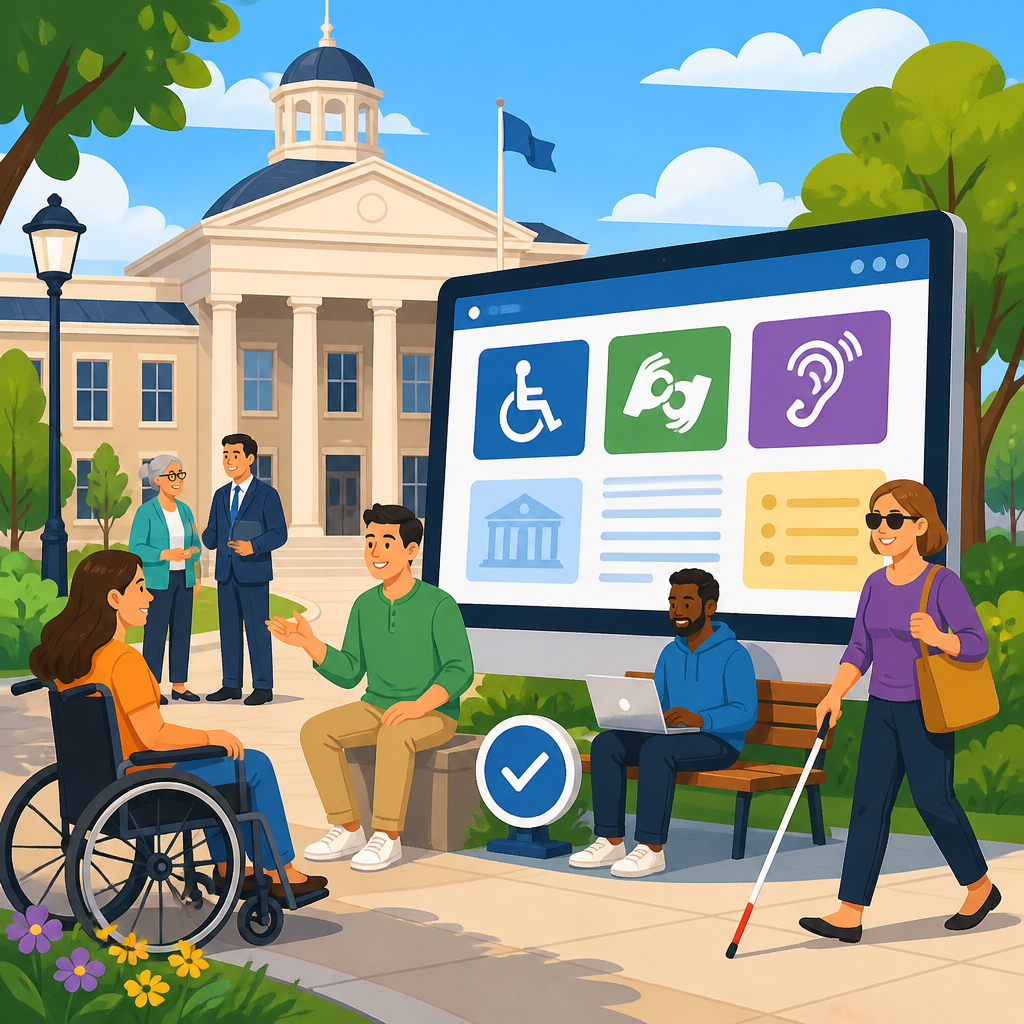
Creating an ADA resource page for local governments starts with a practical goal: give residents, employees, contractors, and agency leaders one reliable place to find accurate guidance on accessibility rights, responsibilities, and services. In this context, ADA stands for the Americans with Disabilities Act, the federal civil rights law that prohibits discrimination on the basis of disability in employment, government services, public accommodations, transportation, and telecommunications. For cities, counties, townships, special districts, and public authorities, an ADA resource page is more than a website section. It is a public-facing operational tool that supports compliance, improves service delivery, and reduces confusion when people need accommodations, want to report barriers, or are trying to understand accessible programs.
I have worked with municipal websites where ADA information was scattered across legal notices, HR pages, transit pages, and PDF forms. Residents could not tell where to request a sign language interpreter, employees did not know how to seek workplace accommodations, and department staff answered the same questions repeatedly because the site did not provide a clear path. A well-built ADA resource page solves that fragmentation. It explains what the government offers, who manages accessibility coordination, how grievances are handled, what standards apply, and where users should go next for specialized help.
This matters because local governments touch nearly every part of daily life: public meetings, parks, permitting, police services, elections, sidewalks, libraries, transit stops, digital forms, and emergency alerts. Accessibility failures in any of those areas create legal risk, operational delays, and unequal access to public services. Strong ADA awareness and implementation reduce those risks while making government more usable for everyone, including older adults, people with temporary injuries, veterans, and residents using assistive technology. A resource page becomes the hub that connects policy, procedures, training, and public communication into one discoverable destination.
What an ADA resource page should include
The most effective ADA resource pages answer the basic questions first. What is the ADA? Which parts apply to local government? Who is the ADA Coordinator? How can someone request an accommodation? How do they report an accessibility barrier? What should they expect after contacting the government? If those answers are missing, users leave the page and call departments directly, which increases workload and often produces inconsistent responses.
At minimum, the page should include a plain-language overview of accessibility commitments; contact information for the ADA Coordinator; links to accommodation request forms; grievance procedures; notices of nondiscrimination; transition plans where applicable; meeting and event accommodation instructions; website accessibility information; and links to department-specific resources such as transit paratransit, accessible voting, or park accessibility details. Local governments should also identify whether they are covered by Title I as an employer and Title II as a public entity, because users often need both employee and resident information. Distinguishing these functions prevents confusion and helps staff route requests correctly.
Content structure matters as much as content itself. Put the most common tasks above the fold: request an accommodation, report a barrier, contact the ADA Coordinator, and learn about accessible services. Use descriptive link text, not vague labels such as “click here.” If forms are provided, ensure they are accessible, mobile friendly, and available in alternative formats. I have seen governments publish only scanned PDFs for grievances and accommodation requests; that forces some users to print, sign, and rescan documents, creating a barrier in the very process designed to remove barriers.
Building the page around real user needs
An ADA resource page should be organized around user intent, not departmental charts. Residents typically arrive with one of a few specific needs: they want communication access for a public meeting, physical access to a building or program, an accommodation to complete a process, information about digital accessibility, or a way to file a complaint. Employees may need workplace accommodation guidance, and contractors may need accessibility standards for projects. If the page starts from those scenarios, users find answers faster.
For example, a resident planning to attend a zoning hearing should immediately see how to request captioning, an interpreter, assistive listening devices, or alternate format materials, along with notice deadlines and contact methods. A parent trying to register for a recreation program should find whether the program offers reasonable modifications and who to contact if a child needs support. A blind user struggling with an online permit portal should see a pathway for digital access support and a temporary alternative method to complete the transaction. These are not edge cases; they are routine interactions for many communities.
Plain language is essential. Replace legalistic blocks of text with short explanations followed by actionable next steps. Instead of “The municipality shall endeavor to provide auxiliary aids and services upon sufficient advance notice,” write “Request an interpreter, captioning, or other communication support by contacting the ADA Coordinator at least three business days before the event. If you need help sooner, call and we will work to assist you.” That wording is clearer, more human, and easier for staff to apply consistently.
Core components of a high-performing hub page
Because this page serves as a hub under Resources and Support, it should connect broad ADA awareness with implementation details and deeper supporting articles. The hub page should summarize each major topic and link users to related guidance pages such as website accessibility, ADA grievance procedures, accessible public meetings, self-evaluation and transition planning, employee accommodations, procurement requirements, and emergency communication access. Internal linking is not just good site architecture; it mirrors how accessibility work actually happens across departments.
The following components consistently improve page usefulness and reduce repeated staff inquiries:
| Component | What it should contain | Why it matters |
|---|---|---|
| ADA overview | Short explanation of rights, responsibilities, Titles I and II, and local commitment | Gives users context before they submit requests or complaints |
| ADA Coordinator section | Name, title, phone, email, mailing address, response expectations | Provides accountability and a clear starting point |
| Accommodation requests | Accessible forms, deadlines, examples of aids and modifications, emergency options | Helps users act quickly and reduces incomplete requests |
| Grievance procedure | Step-by-step process, timelines, appeal path, accessible submission methods | Supports due process and consistent issue handling |
| Digital accessibility | Accessibility statement, known limitations, reporting channel, alternative access options | Addresses website and document barriers directly |
| Facilities and programs | Links to building access, parks, transit, voting, recreation, libraries, and events | Connects users to service-specific details without duplicating content |
| Plans and policies | Self-evaluation summaries, transition plans, nondiscrimination notices, procurement standards | Shows the government is managing accessibility systematically |
Each section should include concise task-based instructions. For example, under grievance procedures, tell users exactly what information to include: date, location, barrier encountered, requested remedy, and preferred communication method. Under accommodations, specify whether requests can be made by phone, email, web form, relay service, in person, or by mail. Users should never have to infer the process.
Supporting ADA awareness across departments
Accessibility implementation fails when the website page exists but the organization behind it is uncoordinated. The hub page should reflect a real governance model. That means the ADA Coordinator, clerk’s office, communications team, human resources, IT, facilities, public works, parks, police, fire, libraries, and procurement staff all understand their roles. In strong local governments, the resource page is maintained through an editorial workflow, not left as a static legal page updated once a year.
Training should align with what the page promises. If the page says meeting accommodations are available, staff who schedule meetings must know how to arrange captioning, CART, ASL interpreters, assistive listening systems, and accessible seating. If the page says digital documents are available in alternate formats, communications teams need a process for producing tagged PDFs, accessible Word documents, large print, and HTML alternatives. If the page invites barrier reports, facilities and public works teams need a triage method for curb ramps, door hardware, restroom access, and path-of-travel issues.
One municipal client I advised reduced ADA-related email handoffs by creating standard operating procedures tied directly to the public resource page. Every request category had an owner, a backup contact, a response time target, and a template response. That change did not just improve compliance posture; it improved resident trust because people received clear acknowledgments and next steps instead of being bounced between departments.
Digital accessibility and document strategy
For many local governments, the ADA resource page is the front door to broader digital accessibility work. The page should explain that online services, forms, agendas, minutes, maps, and notices are part of equal access. Referencing recognized technical standards is important here. Most public entities use the Web Content Accessibility Guidelines, commonly WCAG 2.1 Level AA, as the benchmark for websites and web documents. Stating the target standard helps vendors, internal teams, and users understand what the government is working toward.
However, naming a standard is not enough. The page should provide a way to report inaccessible pages or files and request information in an alternative format. It should also acknowledge common problem areas honestly, such as legacy PDFs, third-party applications, GIS maps, or archived records that may not yet meet current expectations. Transparency builds trust when paired with a real remediation pathway.
Use practical examples. If council agenda packets are posted as PDFs, explain whether accessible HTML summaries or tagged versions are available. If online bill pay is operated by a vendor, provide both the vendor access support route and a local alternative payment method. If emergency alerts are sent by text, voice, and email, explain how residents can sign up and what accessible communication formats are supported. Good digital accessibility content is specific, not aspirational.
Policies, planning, and legal fundamentals
An ADA resource page should also signal that accessibility is managed through policy and planning, not improvised case by case. Local governments with fifty or more employees typically designate at least one responsible employee to coordinate ADA compliance under Title II and adopt grievance procedures. Many also maintain self-evaluations and transition plans addressing structural barriers in facilities and programs. Making these materials easy to find demonstrates organizational maturity and helps residents understand how long-term improvements are prioritized.
Procurement is another overlooked area. If a government buys software, kiosks, documents, or public-facing technology without accessibility requirements, barriers multiply quickly. The resource hub should link to procurement guidance that references applicable standards, testing expectations, vendor conformance documentation, and acceptance criteria. In practice, this means asking for accessibility conformance reports, validating key user flows with keyboard and screen reader testing, and requiring remediation commitments before renewal.
Emergency management deserves explicit treatment as well. Accessible alerts, evacuation information, shelter communication, and continuity of services can be life safety issues. A complete hub page points users to emergency preparedness resources and tells them how to request communication support during urgent situations. That is especially important during storms, wildfire smoke events, boil water notices, and public health emergencies, when inaccessible communication can have immediate consequences.
How to maintain and measure the page over time
Publishing the page is the start, not the finish. Local governments should review ADA resource content on a set schedule, usually quarterly for contacts and workflows and at least annually for policies, forms, and linked documents. Broken links, outdated staff names, and expired forms undermine trust immediately. I recommend assigning one content owner for the page and one cross-functional review group that includes legal, communications, IT, and the ADA Coordinator.
Measurement should be practical. Track the number of accommodation requests, grievance submissions, reported digital barriers, average response times, and the top pages people visit before reaching the ADA resource page. Review on-site search terms such as “wheelchair access,” “interpreter,” “captions,” “ADA complaint,” or “accessible parking.” Those terms reveal what users expect to find. Pair analytics with real user feedback from disability community members and frontline staff. A page may look complete on paper but still fail if tasks are hard to complete on a phone, with a screen reader, or outside business hours.
Strong hub pages evolve as services evolve. When a city launches a new 311 platform, election portal, recreation registration system, or payment kiosk, the ADA resource page should be updated to explain accessibility support. When construction affects an accessible entrance, the page should link to temporary access information. Current details matter because accessibility is operational, not theoretical.
Creating an ADA resource page for local governments is ultimately about building a dependable public access system, not posting a compliance notice. The strongest pages define the ADA clearly, explain what services and protections apply, identify responsible staff, and give users direct ways to request accommodations, report barriers, and find specialized help. They connect awareness with implementation by linking policy, procedures, digital access, facilities information, and departmental services in one structured hub.
When local governments design the page around real user needs, they reduce confusion for residents and staff alike. When they support the page with training, ownership, accessible documents, measurable workflows, and regular updates, they turn accessibility from a reactive task into a managed service. That improves trust, strengthens operational consistency, and helps public programs reach more people without unnecessary friction.
If your government is building or revising its Resources and Support section, make the ADA resource page a priority hub. Audit what users need most, publish clear task-based guidance, assign ownership across departments, and update the page as services change. A well-structured ADA resource page makes accessibility easier to understand, easier to request, and easier to deliver.
Frequently Asked Questions
What should a local government ADA resource page include?
A strong ADA resource page should function as a central, easy-to-use reference point for anyone looking for information about disability access and civil rights in local government. At a minimum, it should explain what the Americans with Disabilities Act is, why it matters, and how it applies to government programs, services, activities, facilities, meetings, websites, and employment practices. The page should clearly identify the local government’s ADA Coordinator or responsible department, provide current contact information, and explain how residents, employees, contractors, and visitors can request accommodations or auxiliary aids and services.
It is also important to include practical details, not just legal definitions. A useful page typically links to grievance procedures, complaint forms, transition plans if available, nondiscrimination notices, accessible meeting policies, language about service animals, effective communication resources, and directions for requesting documents in alternative formats. If the local government offers transportation, parks, recreation, public safety, housing, permitting, utility, or court-related services, the resource page should help users understand how accessibility is addressed in those areas. The goal is to reduce confusion and make the process of finding help straightforward.
Because many people come to an ADA page during a time-sensitive situation, the content should be organized around user needs. For example, sections such as “Request an Accommodation,” “File an ADA Complaint,” “Report an Accessibility Barrier,” and “Contact the ADA Coordinator” are more helpful than broad policy language alone. The best resource pages combine legal accuracy with practical usability, giving people clear next steps instead of forcing them to search across multiple departments.
Why is it important for local governments to create a dedicated ADA resource page instead of scattering information across different departments?
Creating a dedicated ADA resource page helps local governments provide one reliable source of truth for accessibility information. When ADA-related details are spread across human resources, public works, city clerk, transit, parks, police, or information technology pages, users often struggle to find the right contact, form, or policy. This creates unnecessary barriers for people who may already be dealing with urgent accessibility needs. A centralized page improves consistency, reduces delays, and makes it easier for the public and staff to understand rights, responsibilities, and available services.
There is also an operational benefit. A single ADA resource page helps departments align around the same procedures, notices, and expectations. Instead of maintaining separate, potentially outdated instructions in multiple places, a central page can link to approved forms, explain accommodation timelines, and identify who handles which issues. This reduces conflicting information and lowers the risk that someone receives incomplete guidance. It also supports internal accountability because staff know where official ADA information lives and can direct people there with confidence.
From a public trust and compliance perspective, a dedicated page signals that the local government takes accessibility seriously. It demonstrates a proactive approach to equal access, rather than waiting for a complaint to reveal gaps in communication. Residents, employees, and vendors should not have to guess where to begin when they need an interpreter, an accessible document, or a way to report a physical or digital barrier. A well-designed ADA page shows leadership, promotes transparency, and helps create a more inclusive experience across all government services.
How can a local government make its ADA resource page accessible and easy to use?
An ADA resource page should model the same accessibility standards it promotes. That starts with accessible web design: clear headings, logical page structure, meaningful link text, keyboard navigability, sufficient color contrast, readable font choices, alt text for informative images, and compatibility with screen readers and other assistive technologies. Forms linked from the page should also be accessible, whether they are online forms, downloadable PDFs, or document templates. If a page includes charts, maps, or embedded media, those elements should be presented in ways that remain usable for people with different disabilities.
Ease of use matters just as much as technical compliance. Information should be written in plain language, with short sections, descriptive labels, and action-oriented navigation. Users should be able to quickly find answers to common questions such as who to contact, how far in advance to request accommodations, what to do if an accessible entrance is blocked, or how to obtain materials in Braille, large print, or other formats. A page that is legally accurate but hard to navigate still creates barriers. Good accessibility includes both technical usability and communication clarity.
Local governments should also think beyond desktop users. Many residents access public information on mobile devices, so the page should be responsive and easy to use on smaller screens. Contact options should be flexible, including phone, email, relay-friendly communication methods, and online forms where appropriate. Finally, the page should be tested regularly using automated accessibility tools, manual keyboard testing, and where possible, feedback from users with disabilities. Accessibility is not a one-time checklist item; it is an ongoing commitment to making information available to everyone.
What kinds of accommodation request and complaint information should be posted on an ADA resource page?
A local government ADA resource page should clearly explain how people can request accommodations for programs, services, activities, employment-related interactions where applicable, public meetings, and communications. This includes requests for sign language interpreters, captioning, assistive listening systems, accessible seating, alternate document formats, website support, and modifications to policies or procedures when required. The page should explain what information a person may need to provide, how requests are reviewed, whom to contact, and how much advance notice is preferred for different types of accommodations.
Just as important, the page should explain what happens if a person encounters a barrier or believes discrimination has occurred. That means posting a clear ADA grievance or complaint process, including steps for submitting a complaint, timelines for review, where to send supporting documentation, and how the local government communicates decisions. If there is an ADA grievance form, it should be easy to locate and accessible to complete. Users should also be told whether anonymous reports are accepted, whether urgent barriers can be reported through another channel, and what to do if the issue involves a contractor, facility, website, or public event.
Transparency is key. People should not have to interpret legal language in order to understand how to ask for help or raise a concern. The page should distinguish between an accommodation request, a service complaint, and a formal ADA grievance so users can choose the right path. It is also helpful to include a short statement that using the local grievance process does not necessarily prevent someone from pursuing other remedies through appropriate state or federal agencies. This kind of clear guidance helps users act quickly and helps the government manage requests more consistently and fairly.
How often should a local government update its ADA resource page, and who should be responsible for it?
An ADA resource page should be reviewed on a regular schedule and updated whenever policies, contacts, forms, facilities, digital systems, or procedures change. At a minimum, local governments should conduct periodic reviews to confirm that phone numbers, email addresses, office locations, accommodation instructions, and downloadable documents are still accurate and accessible. Outdated contact information can effectively block access, especially when someone is trying to request an accommodation for an upcoming meeting or report a barrier that needs immediate attention.
Responsibility for the page should be clearly assigned, not left informal or shared without ownership. In many organizations, the ADA Coordinator is the logical lead, but successful maintenance usually requires collaboration across departments such as communications, information technology, human resources, legal, clerk’s office, facilities, transit, and program staff. Someone should have authority to approve updates, while others contribute specialized information about services, policies, and access procedures. This shared structure helps ensure that the page remains both legally sound and practically useful.
Ongoing maintenance should also include quality checks for usability and accessibility. Broken links, inaccessible PDFs, outdated forms, and inconsistent instructions can undermine the purpose of the page. Local governments should treat the ADA resource page as a living public service tool, not a static compliance page published once and forgotten. Regular review, clear ownership, and cross-department coordination help keep the information trustworthy, current, and ready to support residents, employees, contractors, and agency leaders when they need it most.


