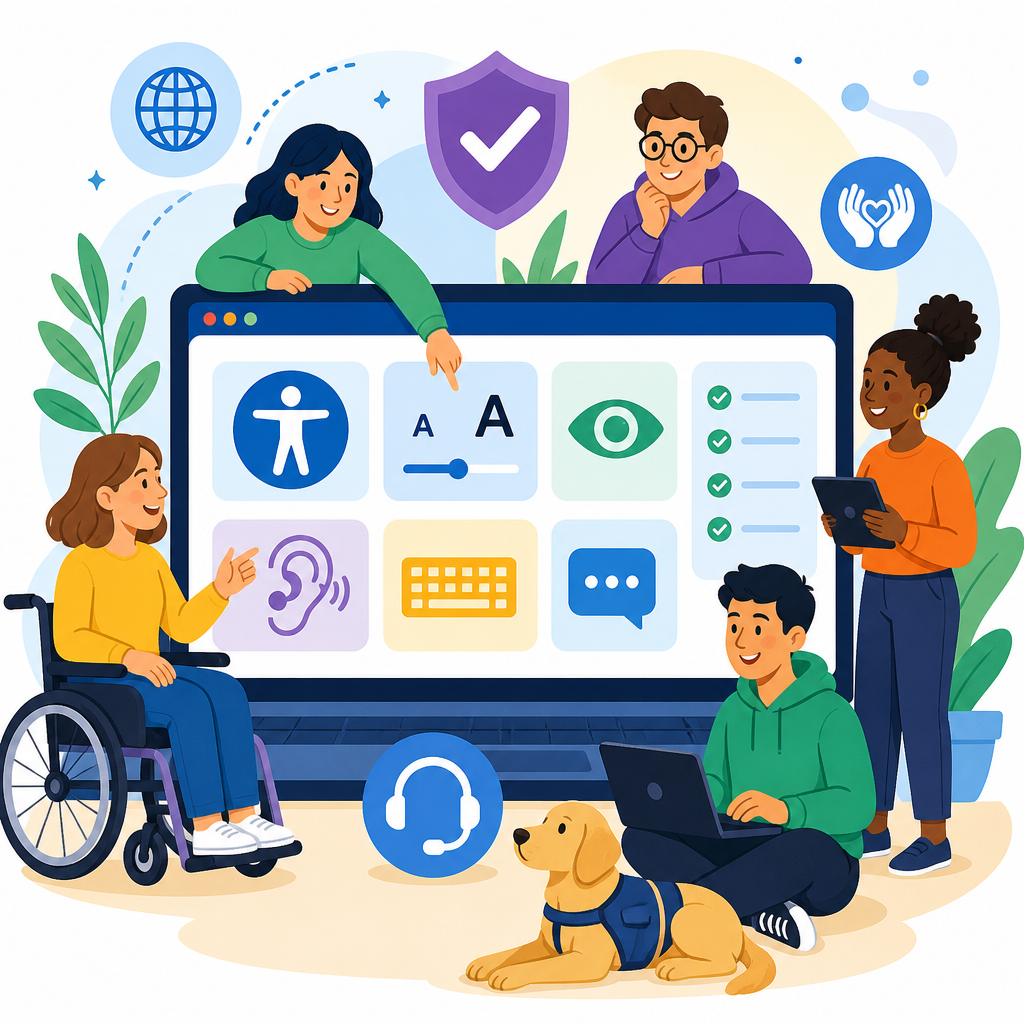
An accessibility statement and help page tell people how your organization supports access, what standards you aim to meet, where limitations still exist, and how users can get assistance when something does not work. In practice, this page becomes the public-facing center of ADA awareness and implementation because it translates policy into plain language, gives users a path to report barriers, and shows whether accessibility is treated as an ongoing operational responsibility rather than a one-time project.
When I build or review accessibility programs, this page is one of the first assets I check because it reveals maturity quickly. A vague statement usually signals weak governance, while a detailed, maintained help page often reflects better testing, clearer ownership, and faster issue resolution. For organizations in healthcare, education, retail, finance, government contracting, and software, that matters because digital accessibility affects legal exposure, customer retention, procurement reviews, and day-to-day usability for people using screen readers, captions, keyboard navigation, voice control, magnification, or alternative input devices.
Key terms should be defined clearly. An accessibility statement explains your commitment, standards, scope, known limitations, and contact channels. A help page adds practical support: troubleshooting guidance, alternative ways to complete tasks, browser and assistive technology compatibility notes, and response expectations. ADA awareness refers to understanding obligations under the Americans with Disabilities Act and related guidance, while implementation means the policies, design decisions, testing routines, remediation workflows, and support processes used to remove barriers over time. A strong hub page should connect all of those pieces so readers can move from understanding requirements to taking action.
The most reliable benchmark for web content remains the Web Content Accessibility Guidelines, currently most often referenced at Level AA. Although the ADA does not publish a technical web checklist, courts, settlements, procurement teams, and accessibility professionals regularly look to WCAG as the practical standard. That is why an effective accessibility statement should identify the version you target, describe how you test against it, and explain what users should do if they encounter content that is inaccessible. Without those specifics, the page reads like a disclaimer instead of a support resource.
Why this page matters in ADA awareness and implementation
This hub page sits under Resources and Support because it serves two audiences at once: people who need help now and teams trying to improve accessibility systematically. For users, it answers immediate questions: Can I use this site with a keyboard? How do I request an accessible document? Who should I contact if a form times out before I finish? For internal teams, it clarifies ownership, escalation paths, and remediation expectations. In several accessibility audits I have led, support pages reduced duplicate complaints because users had one trusted location for accommodations, troubleshooting, and status information.
It also strengthens implementation by forcing specificity. If you claim a commitment to accessibility, you need to state whether that applies to the website, mobile apps, PDFs, videos, customer portals, third-party booking tools, and archived content. If you invite feedback, you need named channels, realistic response times, and a process for tracking resolutions. Organizations that skip these details often discover gaps only after a complaint arrives. A carefully written accessibility statement and help page creates accountability before that happens and supports broader ADA compliance efforts across content, design, engineering, procurement, and customer service.
Core elements every accessibility statement should include
The first essential element is a clear commitment statement written in plain language. It should say that your organization is working to make digital experiences accessible to people with disabilities and that accessibility is an ongoing effort. The second is scope. State exactly what the page covers: main website, subdomains, mobile applications, downloadable files, video libraries, kiosks, or customer account areas. The third is your technical target, usually WCAG 2.1 AA or WCAG 2.2 AA. Name the standard directly so users, auditors, and procurement reviewers understand the benchmark.
Next, describe your methods. Strong pages mention design reviews, code testing, manual keyboard checks, screen reader testing, color contrast evaluation, captioning workflows, and periodic audits. Name recognized tools where relevant, such as axe DevTools, WAVE, Lighthouse, JAWS, NVDA, VoiceOver, TalkBack, or Accessibility Insights. Automated tools alone are not enough, so say that manual testing is part of the process. Include training and governance details if they exist, such as content author guidance, accessible design system components, or release checklists. These specifics show implementation discipline and help users trust the statement.
You should also acknowledge known limitations. This is not a weakness; it is evidence of honest maintenance. For example, legacy PDFs may not yet be fully tagged, an older payment portal may rely on a third-party vendor, or some archived videos may still be awaiting captions. Explain the limitation, the interim workaround, and the remediation plan if one exists. Finally, include contact information for reporting problems and requesting accommodations. Offer more than one option, such as email, phone, relay-compatible support, and a form. If possible, add business hours and expected response windows.
What a help page should add beyond the statement
A help page should move from commitment to action. It needs practical guidance that reduces friction immediately for users with disabilities. That includes instructions for requesting accessible versions of documents, asking for communication support, reporting inaccessible forms, and completing critical tasks through alternative channels. If a checkout flow, appointment system, or application form causes problems, the page should tell users how to finish the transaction by phone, email, or assisted support without losing access to the same pricing, deadlines, or service terms.
Compatibility notes are also useful when they are specific and maintained. Instead of claiming support for all browsers and devices, list the environments you actively test, such as recent versions of Chrome, Edge, Safari, and Firefox, plus assistive technologies like JAWS on Windows, VoiceOver on macOS and iOS, or TalkBack on Android. Explain common troubleshooting steps in plain terms: enable captions from the player settings, use headings to navigate long pages, avoid scanned PDFs when an HTML version is available, or contact support if focus gets trapped in a modal. This guidance turns the page into a real support destination.
| Section | What to include | Why it matters |
|---|---|---|
| Commitment | Plain-language promise, accessibility goal, covered properties | Sets scope and shows accessibility is intentional |
| Standards | WCAG version and target level, testing approach | Provides a measurable benchmark |
| Known issues | Current limitations, workarounds, remediation status | Builds trust and helps users plan around barriers |
| Support | Email, phone, form, relay access, response times | Gives users a direct path to help |
| Alternatives | Accessible document requests, assisted transactions, captions | Ensures essential services remain available |
How to write the page so users can actually use it
Good accessibility content is concise, direct, and structured for scanning. Start with the most important answers near the top: your commitment, supported standard, and how to get help. Use descriptive headings, short paragraphs, and plain language. Avoid defensive legal phrasing that sounds like you are trying to limit responsibility. In my experience, statements drafted only by legal teams often become too abstract to help anyone. The most useful versions are reviewed by accessibility specialists, support leaders, content strategists, and legal counsel together, with the user’s task in mind.
The page itself must also be accessible. That means semantic headings, sufficient color contrast, clear link text, keyboard operability, properly labeled forms, visible focus states, and no critical instructions conveyed only through color or shape. If you include a contact form, make sure errors are identified clearly and fields have explicit labels. If you publish phone numbers, format them for screen reader clarity and mobile dialing. If you link to policy documents or PDFs, state the file type. The page should model the practices it describes; otherwise, the statement undermines confidence instantly.
Freshness matters too. Add a last reviewed or updated date, and assign an owner responsible for maintaining it. Accessibility support information goes stale quickly when teams change vendors, retire contact channels, or launch new products. A date alone is not enough unless the content is genuinely reviewed. I recommend tying review cycles to release management, quarterly audits, or annual policy updates. If your organization has related resources, link to them from this hub page, such as accessible document guidance, captioning standards, procurement requirements, testing checklists, and training materials for content authors.
Operational practices that make the statement credible
A credible accessibility statement reflects operational reality. That starts with ownership. Someone should be accountable for the page, but not alone; implementation requires collaboration among UX, engineering, QA, procurement, customer support, marketing, HR, and compliance. Mature organizations keep an accessibility issue log, assign severity levels, define service-level targets, and review trends regularly. If users report inaccessible forms repeatedly, the problem is not solved by replying politely. It requires remediation at the source, retesting, and often changes to templates, components, or vendor contracts.
Training is another credibility marker. Content teams need to know how to write alt text, structure headings, create meaningful links, and avoid inaccessible PDFs when HTML will do. Designers need competency in focus order, reflow, zoom behavior, contrast ratios, and error prevention. Developers need to understand ARIA, semantic HTML, form labeling, keyboard support, and dynamic content announcements. Support teams need scripts for handling accommodation requests respectfully and efficiently. When those practices exist, the accessibility statement can describe them succinctly and honestly, which strengthens user trust and demonstrates real ADA implementation.
Vendor management belongs here as well because many barriers come from embedded maps, chat widgets, payment tools, scheduling systems, and document viewers. If a third-party product is in scope, say so, and explain how users can get help if that tool creates a barrier. Better still, include accessibility requirements in procurement, request VPAT documentation, test high-risk workflows yourself, and track remediation commitments. A help page cannot fix poor vendor choices, but it can set clear expectations and provide alternatives while your team addresses issues with suppliers.
Common mistakes and how to avoid them
The most common mistake is publishing a generic statement copied from another site. Users notice immediately because the language is vague, unsupported, and disconnected from actual support channels. Another mistake is claiming full compliance across every property when no organization can verify that continuously without disciplined testing and governance. Overstated claims create risk because they invite scrutiny you may not be prepared to withstand. A better approach is precise language: identify the standards you target, describe ongoing efforts, disclose exceptions honestly, and invite feedback through monitored channels.
Another frequent problem is separating accessibility from customer support. If reports go into a general inbox with no triage process, users wait too long, and engineering never sees the pattern. Build a simple workflow: intake, acknowledgment, severity assessment, workaround if needed, remediation, retest, and closure. Also avoid hiding the page in a footer without internal links from checkout, forms, media libraries, and document repositories. Because this page is a sub-pillar hub for Supporting ADA Awareness and Implementation, it should guide readers to related resources on testing, training, accessible content creation, procurement, and accommodation workflows.
Conclusion
What to include in an accessibility statement and help page comes down to clarity, specificity, and operational honesty. The statement should define your commitment, scope, standards, testing methods, known limitations, and contact options. The help page should add practical support, compatibility information, alternative ways to complete tasks, and realistic response expectations. Together, they support ADA awareness and implementation by helping users today while giving internal teams a framework for continuous improvement.
The main benefit is simple: people can find help faster, and your organization can identify and remove barriers more effectively. A strong page improves usability, strengthens trust, supports procurement and compliance reviews, and creates accountability across design, content, engineering, and support. If you manage digital experiences under the Resources and Support umbrella, make this hub page a living resource, review it regularly, and link it to every related accessibility article and process your team maintains.
Frequently Asked Questions
What should an accessibility statement and help page include?
An effective accessibility statement and help page should clearly explain how your organization approaches digital accessibility in practical, user-friendly terms. At a minimum, it should identify the accessibility standards or guidelines you aim to meet, such as WCAG, describe the steps your team takes to support accessible access, and explain that accessibility is an ongoing effort rather than a one-time project. It should also tell users what kinds of accommodations, support options, or alternative ways to access information are available if a feature or page does not work for them.
Just as important, the page should honestly describe any known limitations. Users should not have to guess whether certain tools, documents, media, or third-party integrations may create barriers. A strong page acknowledges those limitations, explains whether remediation is in progress, and sets realistic expectations. Finally, the page should provide a clear and easy-to-use method for reporting accessibility barriers, including contact details, what information to include in a request, and when a user can expect a response. Together, these elements turn the page into a reliable public resource that reflects both ADA awareness and day-to-day accessibility implementation.
Why is it important to mention accessibility standards like WCAG in the statement?
Referencing accessibility standards such as the Web Content Accessibility Guidelines helps users understand that your organization is working from a recognized framework instead of making vague promises. It provides structure, credibility, and clarity. When a statement says that a website is designed to conform with a specific level of WCAG, users, legal teams, developers, and accessibility professionals all have a shared benchmark for what that means. This makes the statement more informative and more trustworthy.
Including standards also helps communicate that accessibility is measurable and operational. It shows that your organization is not simply expressing support for inclusion in general terms, but is applying established criteria to design, development, testing, and maintenance. That said, the page should avoid sounding overly technical. The best approach is to name the standard and then explain in plain language what it means for the user experience, such as support for keyboard navigation, readable content structure, alternative text, captions, and compatibility with assistive technologies. This balance keeps the page authoritative while still being understandable to the public.
Should an accessibility statement disclose known barriers or limitations?
Yes, it should. Transparency about known accessibility barriers is one of the most valuable parts of an accessibility statement and help page. Users benefit when they know in advance that a certain form, document, video, mobile feature, or third-party tool may not be fully accessible. Honest disclosure can reduce frustration and help people find an alternative path more quickly. It also signals that your organization is actively monitoring accessibility instead of assuming everything works perfectly for every user.
The key is to describe limitations responsibly. The page should identify the issue in plain language, explain who may be affected when possible, and note whether the organization is working on a fix or offering a workaround. For example, if some older PDF files are not fully accessible, say so and provide a contact option for obtaining the information in another format. This approach demonstrates accountability and supports compliance-minded communication. It also reinforces that accessibility is a continuing responsibility that includes identifying problems, responding to feedback, and making improvements over time.
How should users be able to request help or report an accessibility problem?
Users should be given a direct, simple, and dependable way to ask for help or report a barrier. An accessibility statement and help page should include one or more contact methods, such as an email address, phone number, contact form, or support channel, and those options should themselves be accessible. The page should also tell users what details are helpful to include, such as the webpage or feature involved, the nature of the difficulty, the assistive technology being used, and the best way to follow up. This guidance helps your team investigate and respond more efficiently.
It is also important to set expectations. Let users know when they can expect a response and what kind of assistance may be available, whether that means technical troubleshooting, an alternate format, staff support, or a workaround. A strong help section makes it clear that the organization takes reports seriously and treats accessibility concerns as service issues that require action. In many cases, this contact process is the most visible proof that accessibility is operationalized across the organization, because it gives people a real path to resolution instead of leaving them with a policy statement alone.
How often should an accessibility statement and help page be reviewed or updated?
An accessibility statement and help page should be reviewed regularly and updated whenever there are meaningful changes to your website, digital tools, support process, or accessibility status. In practice, that usually means treating the page as a living document rather than a static legal notice. If your organization adopts new standards, launches a redesign, adds major third-party platforms, changes support contacts, completes remediation work, or identifies new limitations, the page should be revised promptly so it stays accurate and useful.
Regular review also supports credibility. An outdated statement can undermine trust if it lists the wrong contact information, refers to old testing efforts, or suggests that accessibility work has stalled. Many organizations review the page on a scheduled basis, such as quarterly or annually, while also updating it as needed between formal reviews. Including a “last updated” date can help signal that the information is actively maintained. This is especially important because the accessibility statement often functions as the public-facing center of ADA awareness and implementation, showing whether accessibility is embedded into ongoing operations, governance, and user support.


