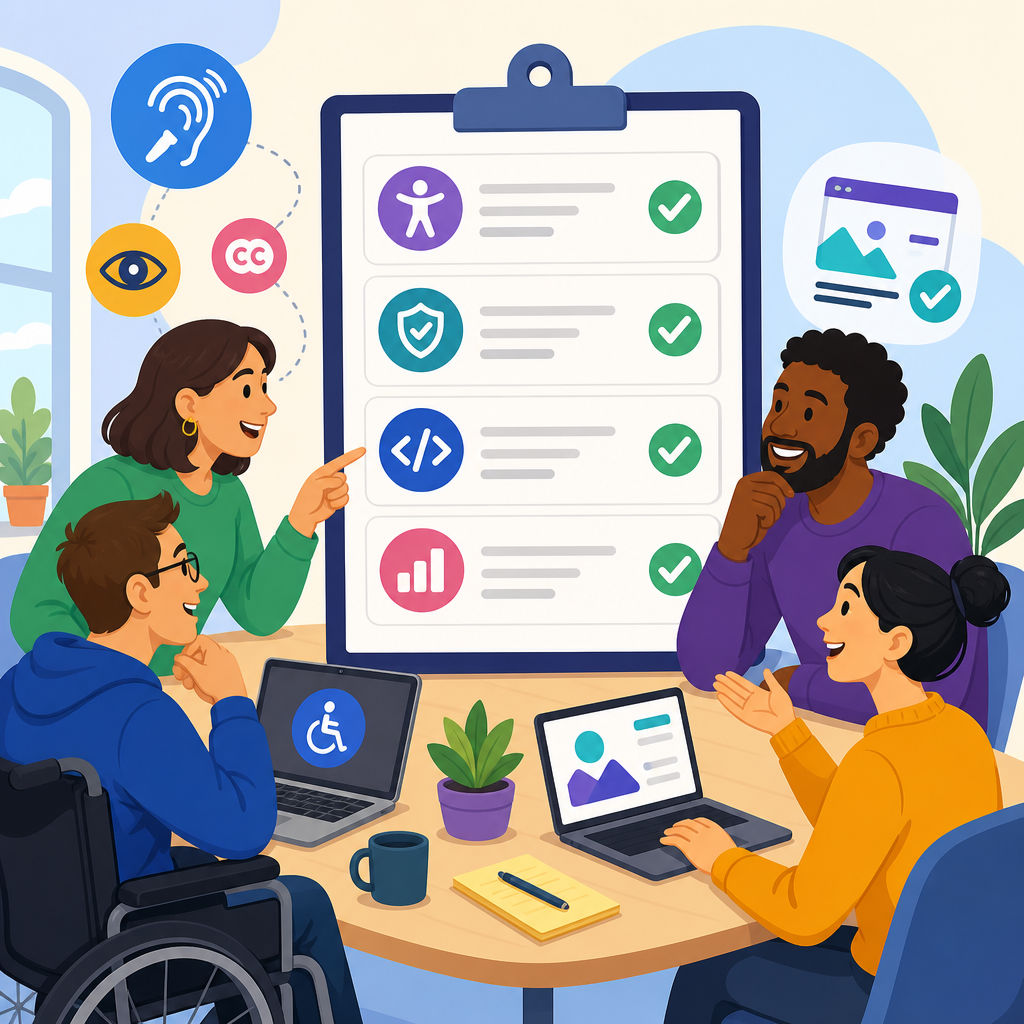
Building a vendor shortlist for accessibility remediation starts with a clear understanding of what remediation actually covers, which organizations need it, and how outside specialists fit into a mature accessibility program. Accessibility remediation is the process of identifying and fixing barriers that prevent people with disabilities from using websites, mobile apps, documents, kiosks, software, and digital workflows. In practice, that can include repairing semantic HTML, captioning video, restructuring PDFs, improving keyboard support, correcting focus order, rewriting error handling, and aligning design systems with recognized standards such as WCAG 2.2, Section 508, and EN 301 549. I have seen teams waste months because they treated remediation as a one-time bug sweep instead of an operational discipline that touches procurement, QA, content governance, legal review, and customer support. That is why vendor selection matters.
A strong shortlist helps an organization move from reactive fixes to sustained compliance support and real usability improvements. The right partner can accelerate audits, train internal teams, and provide surge capacity when lawsuits, demand letters, public sector deadlines, or product launches create pressure. The wrong partner can deliver generic reports, miss assistive technology issues, or create code changes that pass automated scans while still failing screen reader users. For organizations seeking advanced ADA support and networking, this topic sits at the center of broader resource planning. A remediation vendor is rarely working alone; they interact with legal counsel, internal accessibility leads, platform integrators, content owners, disabled testers, and peer communities that share implementation lessons. This hub article explains how to build a vendor shortlist that supports those connections, reduces procurement risk, and creates a foundation for the related articles in this subtopic.
Define the Scope Before You Contact Vendors
The first step is to define exactly what you need remediated, at what depth, and on what timeline. Many teams begin by asking for a quote before they know whether the work involves a marketing site, an authenticated SaaS product, a native mobile app, a document library, or all of the above. Vendors price and staff these engagements differently. A website remediation project may center on front-end templates, CMS workflows, and design tokens. A PDF remediation project requires specialists who understand tagged PDF, reading order, table structures, Acrobat Pro, CommonLook, and source file repair in Word, InDesign, or PowerPoint. Mobile remediation demands knowledge of VoiceOver, TalkBack, native control behavior, and platform-specific accessibility APIs. If your scope is fuzzy, every proposal will look inconsistent, and you will have no basis for comparison.
In my work, the most reliable intake document includes five elements: asset inventory, known standards, severity profile, dependency map, and support model. Asset inventory means counting what exists, not guessing. How many templates, user flows, document types, and third-party widgets are involved? Known standards means naming your target conformance level and any contractual obligations, such as WCAG 2.1 AA for a settlement agreement or WCAG 2.2 AA for current policy. Severity profile means summarizing whether the barriers are mostly cosmetic, moderate, or blocking core tasks like login, checkout, enrollment, scheduling, or form submission. Dependency map means identifying owners, hosting environments, release schedules, and third-party constraints. Support model means deciding whether you need a point-in-time remediation project, retainer support, embedded experts, or an ongoing managed service.
This up-front scoping also supports internal linking and knowledge sharing across your broader resources and support content. A shortlist should not be built in isolation from your training plans, governance model, procurement standards, or disabled user testing program. If you already know you will need policy development, design review, VPAT analysis, or staff coaching, note that now. Vendors that can bridge remediation with adjacent services often reduce handoff friction, but only if those services are relevant to your operating model.
Set Shortlisting Criteria That Go Beyond Compliance Claims
Every vendor says they understand accessibility. Shortlisting requires evidence, not slogans. Start by evaluating technical depth, service fit, communication quality, and operational maturity. Technical depth means they can explain how they test with screen readers, keyboards, zoom, reflow, speech input, and color contrast analysis rather than relying solely on automated tools such as axe DevTools, WAVE, Accessibility Insights, or Siteimprove. Those tools are useful, and I use them regularly, but they do not determine whether a checkout flow makes sense in NVDA, whether focus returns correctly after a modal closes, or whether a PDF heading structure matches the visual hierarchy. A credible vendor will state that manual testing is essential.
Service fit matters because remediation work differs by environment. An enterprise Drupal or Adobe Experience Manager deployment requires governance and component thinking. A Shopify site may require theme-level fixes and app reviews. A public university may need both web and document remediation at scale. A healthcare system may require patient portal testing, video captioning, and plain-language support tied to high-risk legal exposure. Communication quality matters because accessibility findings must be translated for designers, developers, legal stakeholders, and executives. I look for sample deliverables that show issue description, impacted users, relevant criteria, reproduction steps, code guidance, and severity rationale. If a sample report is vague, the engagement usually is too.
Operational maturity is often overlooked. Ask whether the vendor has documented QA processes, secure file handling, project management standards, escalation paths, and disability-inclusive testing practices. Ask how they prevent regressions after initial fixes. Ask who actually performs the work: senior auditors, junior contractors, offshore teams, or a blended model. For advanced ADA support and networking, the strongest vendors also maintain relationships with assistive technology users, legal advisors, and partner agencies. That network matters when a project expands beyond a narrow bug list into policy, procurement, or litigation support.
Compare Vendors Using a Structured Evaluation Table
A structured scorecard keeps emotion and sales polish from driving the decision. I recommend comparing vendors against the same criteria and weighting the items tied most closely to business risk. A hospital system facing patient access complaints should weight mobile workflows, form completion, and assistive technology testing more heavily than brochure-page cleanup. A university with thousands of legacy PDFs should weight document capacity, source remediation, and training for content authors. Use a table early, before demos begin, so internal reviewers score on the same rubric.
| Criterion | What to Ask | Strong Signal | Warning Sign |
|---|---|---|---|
| Standards Coverage | Which standards and versions do you remediate against? | Names WCAG 2.2, Section 508, EN 301 549, and explains differences | Says only “ADA compliant” without technical detail |
| Testing Method | How do you combine automated and manual testing? | Describes keyboard, screen reader, zoom, mobile, and user-path testing | Relies mainly on scans and overlays |
| Remediation Delivery | Do you fix issues directly or only provide reports? | Can patch code, documents, and design components with QA evidence | Provides issue lists with no implementation support |
| Document Expertise | How do you remediate PDFs and Office files? | Uses source-first repair and tagged PDF validation tools | Promises bulk auto-fixes for complex files |
| User Validation | Do you involve disabled testers? | Has structured usability sessions with assistive technology users | No process beyond internal checks |
| Governance Support | Can you train teams and reduce recurrence? | Offers design-system advice, author training, and regression controls | Treats every issue as a one-off repair |
This approach creates a shortlist based on capability and fit, not just price. It also gives procurement, legal, and technical stakeholders a common language for decision-making. If you publish related resources under this hub, the same criteria can anchor deeper articles on document remediation, mobile accessibility partners, or accessibility procurement checklists.
Verify Experience With Real-World Remediation Scenarios
Case studies are useful only when they are specific. Ask vendors to describe projects that resemble your environment in scale, platform, and risk. A firm that excelled at remediating a ten-page brochure site may not be ready for a multilingual ecommerce platform with custom React components and complex checkout flows. Likewise, a document remediation boutique may be excellent for annual reports and forms but unsuitable for embedded engineering support across a large web application. When I vet vendors, I ask for concrete examples: What issue patterns did they find, how were they prioritized, what tools were used, who made the fixes, how was acceptance tested, and what changed operationally afterward?
Strong vendors can explain tradeoffs. For example, in one enterprise engagement, a vendor might recommend replacing a noncompliant date picker with a native input for speed, while planning a more accessible custom component later because browser support and design requirements varied by market. In a higher education setting, a vendor may advise retiring low-value PDFs instead of remediating thousands of obsolete files, because content reduction is often the fastest accessibility win. In a media workflow, they may distinguish between live captioning, post-production caption cleanup, audio description planning, and transcript publication. These are signs of practical judgment, not generic compliance theater.
References matter, but ask the right questions. Did deadlines hold? Were fixes re-tested? Did the vendor work well with developers? Did they explain findings in plain language? Did they surface legal or policy implications early? Would the client hire them again for advanced ADA support, not just a limited audit? The goal is to understand how the vendor behaves under real constraints such as budget limits, legacy systems, tight release cycles, and conflicting stakeholder priorities.
Assess Collaboration, Networking, and Long-Term Support
Accessibility remediation is collaborative by nature, so shortlist vendors that strengthen your support network instead of operating as isolated specialists. The best partners know when to coordinate with in-house counsel, procurement, IT security, UX research, and communications teams. They can join stakeholder calls, help write issue acceptance criteria, and coach internal teams without creating dependency. This matters especially for organizations building a broader resources and support ecosystem, because accessibility progress depends on repeated cross-functional decisions, not a single engagement.
Networking value is real and measurable. Vendors embedded in accessibility communities often bring sharper pattern knowledge because they see how peer organizations solve recurring problems. They may know which CMS modules have stable accessibility roadmaps, which document workflows break tags during export, or which design system choices reduce regressions across teams. They may also connect clients with disabled user testers, captioning providers, training specialists, or legal experts when the project scope expands. That network can shorten response time during complaints, procurement reviews, or public commitments.
Long-term support should be discussed before contracting. Ask whether the vendor offers retainer hours, recurring audits, release validation, office hours, backlog triage, and developer enablement. Ask how they measure success after remediation: fewer severe defects, faster issue closure, better task completion, reduced complaint volume, or improved conformance statements. A mature partner will define what sustainable support looks like and where their role should end so your internal teams become stronger over time.
Watch for Red Flags in Sales Promises and Pricing Models
Several red flags appear repeatedly in remediation procurement. The first is the promise of guaranteed legal protection. No vendor can promise immunity from complaints or litigation, because legal exposure depends on facts, jurisdiction, evolving standards, and actual user experience. The second is overreliance on overlays or widgets marketed as instant compliance. These tools may offer convenience features, but they do not repair underlying code, content structure, or assistive technology incompatibilities. The third is a black-box pricing model that charges per page without accounting for templates, user flows, or shared components. Cheap page-count pricing often leads to shallow audits and superficial fixes.
Another warning sign is the absence of clear acceptance criteria. If the vendor cannot explain how a fix is validated, you may end up debating completion instead of improving access. Good statements of work define issue tracking method, evidence requirements, retest cycles, excluded items, third-party boundaries, and escalation routes. They also specify whether the vendor is responsible for code changes, QA only, document tagging, training, or all of the above. I also look closely at staffing claims. If senior experts sell the work but junior staff with limited assistive technology experience deliver it, quality suffers quickly.
Pricing should reflect complexity and service model. Fixed-fee projects can work well for bounded scopes like a known set of PDFs or a template-based website. Time-and-materials can be better for legacy platforms where issue discovery changes week to week. Retainers suit organizations with ongoing releases. The best shortlist is not the cheapest set of bids; it is the group most likely to reduce access barriers, legal risk, and internal confusion efficiently.
Building a vendor shortlist for accessibility remediation is ultimately a strategy exercise, not just a procurement task. Define your scope carefully, evaluate vendors on evidence rather than marketing, compare them with a structured rubric, and verify that they have solved problems like yours in real environments. Give extra weight to partners who can support advanced ADA needs through training, governance, and practical networking across legal, technical, and user communities. Those capabilities turn remediation from a reactive expense into a repeatable support function.
As the hub for advanced ADA support and networking within your resources and support section, this page should guide readers toward deeper topics such as document remediation, disabled user testing, accessibility statements, procurement language, and post-launch monitoring. The central takeaway is simple: shortlist vendors who can fix barriers today and help prevent them tomorrow. Use the criteria in this article to create your evaluation sheet, align your stakeholders, and start informed vendor conversations now.
Frequently Asked Questions
What does accessibility remediation actually include when evaluating vendors?
Accessibility remediation is more than fixing a few code errors or running an automated scan. It refers to the full process of identifying, prioritizing, repairing, and validating accessibility barriers across digital experiences so people with disabilities can use them effectively. When building a vendor shortlist, it helps to look for firms that can remediate a wide range of issues across websites, mobile apps, PDFs and other documents, software interfaces, kiosks, multimedia, and digital workflows. In practical terms, that can include repairing semantic HTML, improving keyboard navigation, correcting focus order, labeling forms properly, resolving color contrast issues, adding alternative text, captioning video, providing transcripts for audio, fixing ARIA misuse, improving screen reader compatibility, and making downloadable documents accessible.
A strong vendor should also understand that remediation is not just technical cleanup. It often requires coordination between design, development, QA, content, legal, compliance, and product teams. The best shortlist candidates can explain how they handle discovery, issue triage, implementation, retesting, documentation, and long-term governance. They should be able to map their work to recognized standards such as WCAG and explain what they will remediate directly versus what your internal team will need to own. That level of clarity is essential, because vendors vary widely: some specialize only in code fixes, while others provide end-to-end support that includes auditing, document remediation, training, regression testing, and program advisory services.
Which organizations typically need an accessibility remediation vendor?
Any organization with a public-facing or employee-facing digital experience may need accessibility remediation support, especially if accessibility debt has built up over time or internal teams lack specialized expertise. This includes enterprises managing large websites, ecommerce brands, universities, healthcare systems, financial institutions, government contractors, software companies, media organizations, and businesses distributing high volumes of PDFs, forms, or multimedia. It is also common for organizations to seek outside remediation help when they are responding to a legal complaint, preparing for a redesign, modernizing a legacy platform, launching a mobile app, or trying to scale accessibility across multiple business units.
That said, needing a vendor does not always mean an organization has failed. In many mature accessibility programs, external specialists are brought in strategically. A company may have an internal accessibility lead but still rely on outside experts for document remediation, native mobile testing, complex design system repairs, or large-scale backlog reduction. When shortlisting vendors, the key question is not simply whether your organization needs remediation, but what kind of remediation support will create the best outcome. Some organizations need a tactical team that can resolve a known set of issues quickly. Others need a strategic partner that can integrate with product, engineering, procurement, and governance processes over time. The right shortlist reflects that difference.
How do outside accessibility specialists fit into a mature accessibility program?
In a mature program, outside vendors are typically most effective when they complement internal ownership rather than replace it. Accessibility is ultimately an organizational responsibility, not something that can be outsourced permanently. External remediation specialists can accelerate progress by bringing deep technical knowledge, specialized tools, disability-centered testing practices, and experience across many platforms and industries. They are especially valuable for uncovering root causes, handling high-volume remediation work, validating fixes independently, and helping teams adopt better patterns that reduce future defects.
When evaluating vendors for your shortlist, look for those that understand this supporting role. The strongest partners are willing to align with your internal standards, work within your development lifecycle, and transfer knowledge back to your team. They should be able to collaborate with designers, developers, QA analysts, content authors, and compliance leaders without creating dependency. For example, a mature vendor relationship might include remediation sprints, detailed issue documentation, developer-ready recommendations, retesting after fixes, and training that helps internal teams prevent the same accessibility barriers from recurring. That is a much better sign than a vendor whose model depends on being the only group capable of maintaining your accessibility posture.
What criteria should be used to build a strong vendor shortlist for accessibility remediation?
A strong shortlist should be built on evidence, not broad claims. Start with core capability: can the vendor remediate the specific assets and technologies you have, such as enterprise websites, web applications, iOS and Android apps, PDFs, Office documents, video, or kiosk interfaces? Then assess standards knowledge, especially practical fluency with WCAG conformance requirements and assistive technology behavior. Ask how they identify issues, how they prioritize severity, how they document fixes, and how they validate remediation. A qualified vendor should be comfortable discussing manual testing, keyboard testing, screen reader testing, usability considerations, and the limitations of automation.
It is also important to evaluate operating model and fit. Look at turnaround times, staffing depth, communication style, project management discipline, and whether they can scale across multiple teams or properties. Review sample deliverables if possible. Strong vendors usually provide clear issue descriptions, reproducible steps, impacted user groups, standards references, and actionable recommendations for implementation. You should also ask whether they involve people with disabilities in testing, whether they offer post-remediation verification, and whether they can support knowledge transfer through office hours or training. Finally, consider strategic alignment: the best shortlist candidates are those who can support your current remediation needs while also helping improve your long-term accessibility practices, procurement expectations, and release processes.
What are the biggest red flags to watch for when shortlisting accessibility remediation vendors?
One of the biggest red flags is a vendor that oversimplifies accessibility. If a company suggests that a widget, overlay, or automated scan alone can solve your remediation needs, that is a serious warning sign. Accessibility remediation requires human judgment, technical expertise, and testing with real user scenarios. Another concern is vague language. Vendors should be able to explain exactly what they remediate, what standards they follow, how they test, what their deliverables include, and how success is measured. If they rely on generic promises without process detail, you may end up with inconsistent quality or unresolved risk.
Other red flags include a lack of platform-specific expertise, weak documentation practices, no retesting process, or little awareness of how accessibility fits into broader product development. Be cautious if a vendor cannot discuss support for assistive technologies, cannot provide examples of complex remediation work, or treats accessibility as a one-time cleanup rather than an ongoing quality discipline. It is also worth watching for firms that do not collaborate well with internal teams. A remediation partner should make your organization stronger over time, not create confusion, friction, or dependency. The best shortlist will favor vendors who are transparent, technically credible, operationally reliable, and realistic about both the effort and the value involved in accessibility remediation.


