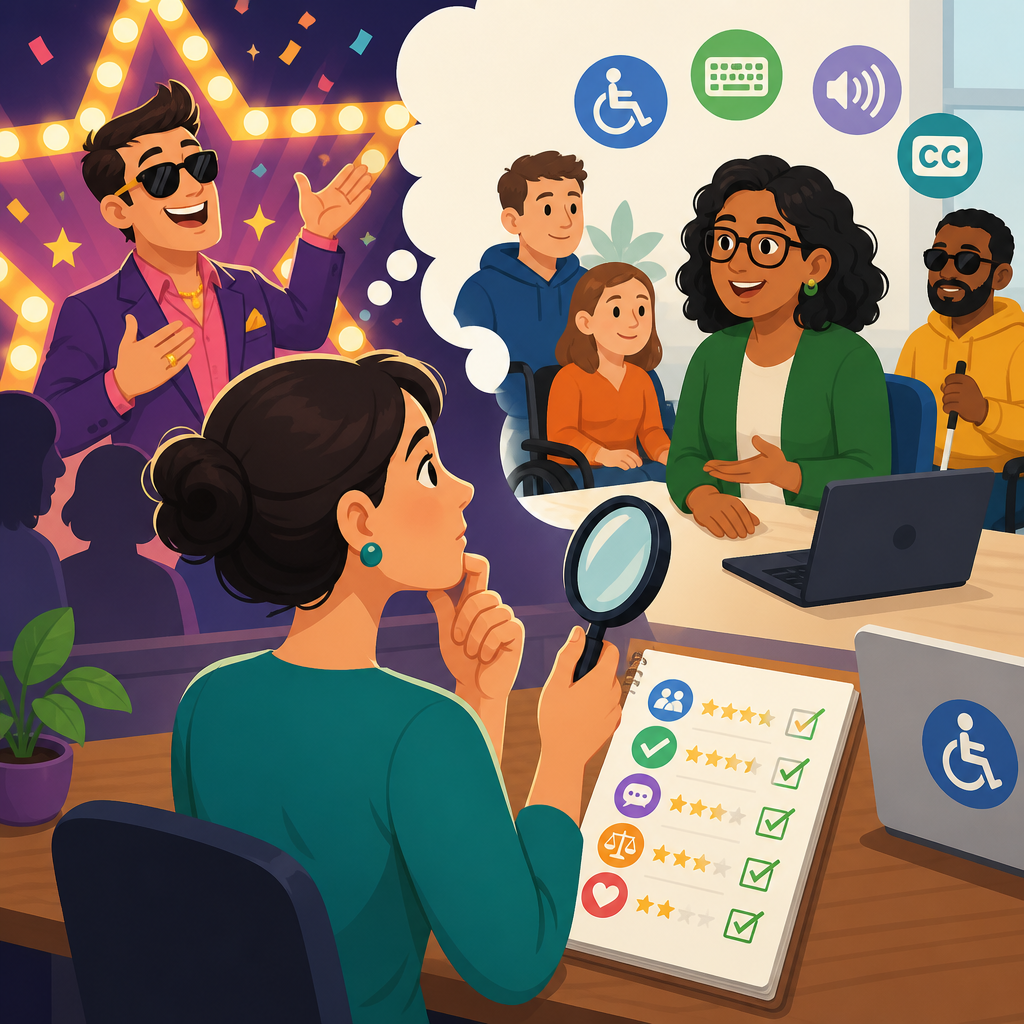
Choosing an accessibility consultant without buying hype starts with understanding what you are actually hiring for: risk reduction, better user experience, and sustainable digital accessibility operations. In the context of advanced ADA support and networking, an accessibility consultant is not simply a tester who runs an automated scan, nor a salesperson promising instant compliance. A strong consultant helps an organization interpret legal obligations, apply technical standards such as WCAG 2.1 or 2.2, coordinate remediation across design, development, procurement, and content teams, and build a durable support network that survives beyond a single audit. I have worked with consultants who transformed accessibility programs by teaching teams how to prevent defects upstream, and I have also seen expensive engagements deliver little more than color-contrast screenshots and a vague badge. The difference is rarely branding. It is method, evidence, and accountability.
This matters because organizations usually hire consultants under pressure. A demand letter arrives. A government contract requires conformance. A university has complaints from students using assistive technology. A healthcare system needs patient portals to work with screen readers. In each case, the buyer is vulnerable to hype because accessibility has legal, technical, and operational dimensions. The Americans with Disabilities Act affects public accommodations and employment, Section 504 and Section 508 shape many public-sector and federally funded environments, and court expectations often point organizations toward recognized technical standards. Meanwhile, accessibility work intersects with design systems, QA pipelines, procurement policies, PDF remediation, captioning, and user research. The consultant you choose must navigate all of that in plain language, with verifiable depth. This hub explains how to evaluate advanced ADA support, what networking resources actually help, and how to tell the difference between credible expertise and polished noise.
What advanced ADA support and networking really includes
Advanced ADA support goes beyond a one-time website scan. It includes governance, policy, training, user testing, remediation guidance, vendor review, and issue prioritization tied to business risk. Networking adds the human infrastructure: relationships with disability advocates, assistive technology users, legal counsel, specialized developers, document remediation teams, and captioning or transcription providers. When these pieces work together, an organization can respond quickly to new products, audits, complaints, mergers, procurement reviews, and content changes without starting from zero each time.
A credible consultant will define scope across channels. That often means websites, mobile apps, software platforms, PDFs, kiosks, email templates, video libraries, and third-party integrations. They should explain which standards apply to each asset and where practical constraints exist. For example, I often ask whether a consultant has handled native iOS VoiceOver testing, Android TalkBack testing, keyboard-only workflows in complex web applications, and form validation patterns under WCAG success criteria. If they only discuss homepage overlays or broad “ADA compliance” packages, they are not offering advanced support. They are offering a shallow product dressed up as strategy.
Networking also matters because no consultant can do everything alone. The best ones know when to bring in a specialist. If a university needs STEM content accessibility, math notation and screen reader behavior may require a niche expert. If a hospital has inaccessible PDFs generated from legacy systems, document remediation may need a dedicated partner. If procurement is the bottleneck, the organization may need help drafting accessibility language into RFPs and VPAT review procedures. A useful hub page for resources and support should help readers see accessibility as an ecosystem, not a transaction.
How to judge real expertise instead of marketing claims
The fastest way to cut through hype is to ask for evidence of process. Real consultants can explain how they test, document, prioritize, and verify fixes. They can name tools like Axe, WAVE, ARC Toolkit, Accessibility Insights, JAWS, NVDA, VoiceOver, TalkBack, Dragon, and browser developer tools, while making clear that tools alone do not prove accessibility. They can discuss semantic HTML, accessible name computation, focus management, ARIA authoring practices, caption quality, reading order in PDFs, and color contrast ratios without turning every answer into jargon. Most importantly, they can show sample deliverables with issue severity, impacted users, reproduction steps, code references, and recommended remediation.
Ask what percentage of their audit findings come from manual testing versus automated detection. Automated tools typically catch only a fraction of barriers, often around 25 to 35 percent depending on the product. If a consultant implies a scanner can certify a site, that is a red flag. Ask whether they test with assistive technologies and whether disabled users participate in research. Ask how they interpret conformance when designs rely on custom components, asynchronous updates, modals, carousels, or single-page application frameworks. Experienced consultants answer these questions directly because they have navigated them many times.
Another signal is how they talk about limitations. Trustworthy experts do not promise immunity from lawsuits or claim any site can be made fully compliant overnight. They explain that conformance is point-in-time, that content changes create new risk, and that third-party systems may require contract pressure or replacement plans. They distinguish legal advice from technical advice. They know the difference between remediation support and certification theater. That candor is not weakness. It is the strongest marker of competence.
Questions to ask before signing a contract
Before selecting an accessibility consultant, ask structured questions that reveal delivery maturity, not just sales polish. You want to know how they scope work, who performs testing, what artifacts you receive, how they support implementation, and how success will be measured. In my experience, buyers get better outcomes when they insist on seeing methodology before pricing discussions become the focus.
| Question | What a strong answer includes | Warning sign |
|---|---|---|
| Which standards do you audit against? | Specific reference to WCAG level, platform guidance, and legal context | Only says “ADA compliant” with no technical standard |
| How do you test? | Manual review, keyboard testing, screen reader testing, automated checks, code inspection | Relies mainly on a scan or overlay tool |
| Who does the work? | Named auditors, relevant certifications, and senior review | Outsourced anonymously or no clarity on qualifications |
| What deliverables do we get? | Issue logs, prioritized roadmap, executive summary, retest results, training materials | Only a score, badge, or generic report |
| Do you support remediation? | Developer-ready guidance, office hours, design reviews, retesting | Hands off after report delivery |
| How do you involve disabled users? | Usability sessions or direct input where appropriate | No user perspective beyond assumptions |
Also ask about governance. Can the consultant help create accessibility statements, issue intake workflows, exception processes, and content publishing checklists? Can they train designers on component patterns, engineers on ARIA pitfalls, and procurement teams on VPAT review? Advanced ADA support should leave your organization stronger after the contract ends. If the engagement only identifies defects but does not improve internal capacity, expect recurring costs and recurring mistakes.
Red flags: overlays, vanity metrics, and compliance theater
Some of the loudest marketing in accessibility comes from products or consultants selling simplicity where none exists. The classic example is the overlay promise: install a script, add a toolbar, and become compliant. Regulators, disability advocates, and many experienced practitioners have repeatedly challenged that claim because overlays do not fix underlying code, document structure, media alternatives, keyboard traps, or mislabeled forms. In many cases they add friction for screen reader users or conflict with browser and operating system accessibility settings. If a consultant centers an overlay as the main solution, treat that as disqualifying.
Vanity metrics are another red flag. Percent-compliant scores, instant badges, or dashboards with hundreds of “passed checks” can look impressive while hiding severe barriers in checkout, login, navigation, and document workflows. A site can score well in an automated dashboard and still be unusable with a keyboard. I have seen organizations celebrate improved scan results while blind users remained unable to complete enrollment or payment. Good consultants tie findings to critical user journeys, not cosmetic counts.
Compliance theater also shows up in generic statements like “we meet all current laws,” “we guarantee protection,” or “our AI fixes everything.” Accessibility is continuous operational work. Anyone selling certainty without context is selling image management. A credible partner will discuss backlog triage, release testing, content ownership, and realistic timelines. They know that a ten-page marketing site and a legacy enterprise portal require different remediation models. They price and plan accordingly.
Building a support network that outlasts the consultant
The best accessibility engagements create a network, not dependence. That network usually includes an internal executive sponsor, a program owner, design and engineering leads, QA, procurement, legal, content editors, customer support, and at least one mechanism for feedback from disabled users. Externally, it may include assistive technology testers, disability community organizations, captioning vendors, document remediation specialists, and platform-specific experts. This is where advanced ADA support becomes practical rather than abstract.
For example, a large employer may need workplace accommodation knowledge that intersects with digital product access. An ecommerce company may need marketplace vendor controls and accessible returns flows. A public library may need event accessibility coordination, accessible PDFs, and volunteer training. Different sectors need different networks, but every organization benefits from defined escalation paths and trusted specialists. Your consultant should be able to map these relationships and explain when to use each one.
Look for consultants who encourage internal ownership. They should recommend accessibility champions, design system rules, QA acceptance criteria, and release gates. They should help establish recurring review cycles and issue taxonomies so teams can learn from patterns. The practical goal is simple: fewer defects introduced, faster fixes when issues appear, and better communication with users who report barriers. That is what lasting support looks like.
Choosing for long-term value, not a one-time audit
When comparing consultants, the cheapest audit is rarely the least expensive path. A thin report can trigger months of confusion, developer rework, and repeat testing. A stronger engagement may cost more upfront but save substantial time by prioritizing critical flows, aligning teams around standards, and preventing recurring mistakes. Value comes from precision. Did the consultant identify the barriers that affect real users most? Did they translate findings into tickets your teams can actually fix? Did they help leadership understand budget, sequencing, and accountability?
For a sub-pillar hub under resources and support, the central lesson is this: choose an accessibility consultant the way you would choose any high-stakes specialist. Verify method, ask for evidence, check references, and insist on practical support that extends beyond a report. Advanced ADA support and networking are not about buying a label. They are about building capability, reducing risk, and making your digital services work for more people. Start by documenting your channels, standards, and pain points. Then interview consultants with disciplined questions, compare deliverables rather than slogans, and invest in partners who can teach as well as assess. If you do that, you will avoid hype and build an accessibility program that holds up under real use.
Frequently Asked Questions
What should an organization actually expect from an accessibility consultant?
An accessibility consultant should bring far more value than a quick audit or a list of technical errors. At a practical level, you are hiring for risk reduction, stronger user experience, and a sustainable accessibility program that can continue after the consultant’s engagement ends. A credible consultant helps your organization understand where accessibility problems create legal, operational, and reputational exposure, then translates that into a realistic plan for improvement. That means evaluating websites, apps, documents, workflows, procurement practices, and internal responsibilities—not just running automated tools and exporting a report.
A strong consultant also helps interpret how accessibility standards apply to your specific digital environment. That usually includes technical guidance around WCAG 2 requirements, but it should also include business context: which issues are most critical, which systems create the highest user impact, and what remediation sequence makes sense for your team. In more advanced ADA support and networking contexts, the consultant should be able to connect legal awareness, technical accessibility, product decision-making, and long-term governance. In other words, they should help your organization become more capable, not more dependent.
You should also expect evidence-based recommendations. Good consultants test with multiple methods, explain findings clearly, and identify what can and cannot be determined from a limited review. They communicate with developers, designers, content teams, and leadership in language each group can use. If a consultant cannot explain how accessibility relates to user journeys, engineering workflows, procurement decisions, and policy development, they may be selling hype rather than delivering meaningful expertise.
How can you tell whether a consultant offers real accessibility expertise or just marketing language?
The clearest difference is in how they describe their process. Consultants with real expertise are usually specific. They can explain how they assess conformance, what automated tools can and cannot detect, when manual testing is required, how keyboard and screen reader testing fit into the review, and why disability user impact matters beyond checklist compliance. They do not rely on vague promises like “full compliance in days” or “one-click ADA protection,” because experienced professionals know accessibility is an ongoing operational discipline, not a switch you flip.
Ask direct questions about methodology. What standards do they use? How do they prioritize issues? Do they test templates, user flows, and interactive components? Do they review mobile and document accessibility if those are part of your ecosystem? Can they distinguish between a technical defect, a design problem, and a governance problem? Serious consultants are comfortable answering these questions in detail and will usually acknowledge nuance, limitations, and dependencies. Overconfident, purely sales-driven answers are often a warning sign.
You should also look for proof that they can operate beyond the audit itself. Can they support remediation planning, training, design reviews, content guidance, procurement support, and internal policy development? Do they understand how legal risk intersects with technical implementation? Can they work with executive stakeholders and engineering teams alike? Real expertise tends to show up in the ability to connect standards, systems, and organizational behavior. Hype tends to show up in shortcuts, absolutes, and guarantees that sound reassuring but do not hold up under scrutiny.
Why isn’t an automated scan enough when choosing accessibility support?
Automated scanning has value, but it is only one part of accessibility evaluation. Automated tools are useful for identifying certain detectable issues at scale, such as some missing alternative text, color contrast failures in specific conditions, or form labeling errors. However, they cannot reliably determine whether content is understandable, whether interactive components behave properly for keyboard users, whether focus order makes sense, whether error messaging is usable, or whether a screen reader user can complete an important task successfully. Those are exactly the kinds of issues that often create significant user barriers and real business risk.
That is why a consultant who leads with “we scanned your site” is not offering a complete accessibility service. Accessibility requires human judgment. Manual review is needed to assess structure, semantics, interaction patterns, multimedia alternatives, dynamic content behavior, and consistency across user journeys. A mature consultant combines automated testing with expert manual testing and, where appropriate, assistive technology testing. They understand that conformance is not only about finding isolated failures, but about determining whether people with disabilities can effectively use the product.
When evaluating a consultant, pay attention to whether they explain the limits of automation. That is usually a positive sign. Professionals who understand accessibility deeply are careful not to overstate what tools can do. They position automation as a support mechanism within a larger strategy that includes expert analysis, prioritization, remediation guidance, and operational improvements. If a provider markets scanning as a complete compliance solution, that should raise serious concerns about the depth of their practice.
What questions should you ask before hiring an accessibility consultant?
Start with questions that reveal how the consultant thinks, not just what they sell. Ask what accessibility standards and legal frameworks they typically work with, including WCAG 2 and ADA-related considerations relevant to digital experiences. Ask how they tailor recommendations to an organization’s size, technical stack, and risk profile. Ask whether they provide both strategic and technical support, and whether they can help with governance, procurement, training, and remediation planning in addition to testing. The goal is to understand whether they can support the full accessibility lifecycle.
You should also ask about testing depth and reporting quality. How much of their work is automated versus manual? Which assistive technologies do they use? Do they test critical user flows such as navigation, account creation, checkout, forms, media, and authenticated experiences? What does their final report include: raw defects, business priorities, code-level recommendations, screenshots, severity ratings, and executive summaries? A high-quality consultant should be able to describe a reporting process that is actionable for both technical teams and leadership stakeholders.
Finally, ask how they define success. If the answer is limited to delivering an audit report, that may not be enough. Better answers include measurable remediation progress, internal capability building, reduced recurrence of issues, clearer ownership, and stronger integration of accessibility into design and development processes. It is also wise to ask what they will need from your team to be effective. Experienced consultants know accessibility work succeeds when there is shared responsibility, access to the right stakeholders, and a commitment to follow-through—not just a purchase order and a deadline.
What does a sustainable accessibility consulting engagement look like over time?
A sustainable engagement does not end with a one-time assessment. It usually begins with discovery: understanding your digital properties, organizational structure, current accessibility maturity, and the most important user journeys. From there, a consultant should help establish priorities based on user impact, legal exposure, and implementation feasibility. Early work may include audits, design and code reviews, document assessments, training, and roadmap development. But the larger objective should be to move accessibility into everyday operations so that problems are prevented earlier and fixed more efficiently.
Over time, the consultant should help your organization create repeatable systems. That may include accessibility requirements in design patterns, content publishing guidance, quality assurance checkpoints, procurement language, issue tracking workflows, and internal roles for decision-making and accountability. In organizations seeking advanced ADA support and stronger cross-functional networking, the consultant may also facilitate collaboration between legal, compliance, UX, engineering, content, and leadership teams. That coordination is often what separates a reactive accessibility effort from a durable one.
The best long-term outcome is not dependence on outside experts for every decision. It is a healthier internal accessibility practice with expert support available when needed. A strong consultant leaves your organization more informed, more capable, and better prepared to maintain accessibility as products evolve. If the engagement is structured around secrecy, proprietary mystery, or indefinite reliance without knowledge transfer, that is usually not a sign of maturity. Sustainable accessibility consulting should build confidence, competence, and continuous improvement.


