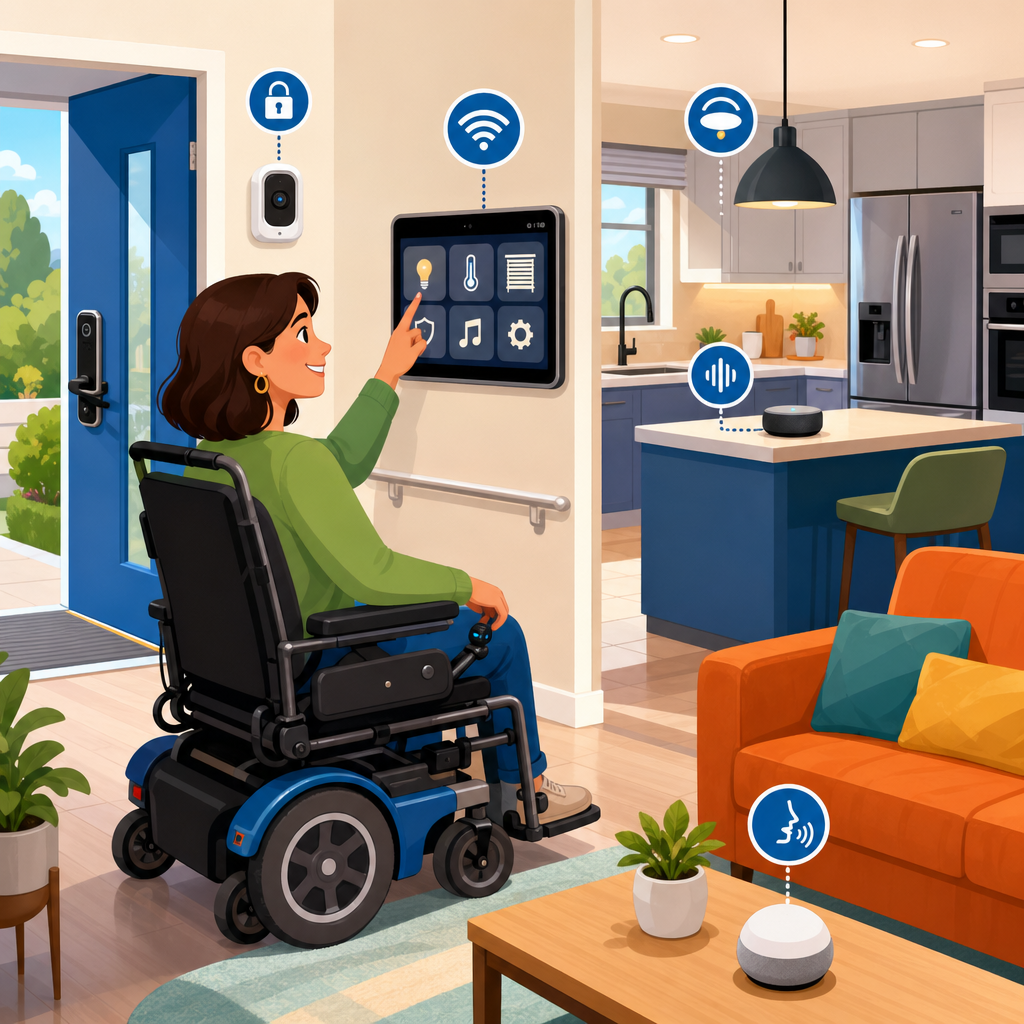
ADA compliant smart home technologies are transforming accessibility from a set of isolated accommodations into a connected living environment that supports independence, safety, and dignity. In practice, this means devices, controls, and automated systems are selected and configured to align with accessibility expectations under the Americans with Disabilities Act, along with related standards such as the Fair Housing Act, Section 508 for digital interfaces, and guidance from the Web Content Accessibility Guidelines when apps are part of the experience. Although the ADA does not certify consumer gadgets one by one, the phrase ADA compliant smart home technologies is widely used to describe systems that help residents with mobility, vision, hearing, speech, or cognitive disabilities operate a home more easily.
I have worked on accessibility-focused technology rollouts in homes, clinics, and multifamily residences, and the biggest change over the last few years is not one breakthrough device. It is interoperability. Voice assistants now connect to lighting, thermostats, doors, cameras, entertainment, medication reminders, and emergency alerts through platforms such as Apple Home, Google Home, Amazon Alexa, Matter, Zigbee, Z-Wave, and Bluetooth Low Energy. When those products are chosen carefully, they reduce common barriers such as hard-to-reach controls, small touch targets, confusing interfaces, and alarms that only use one sensory channel.
This matters because accessible technology is no longer a niche upgrade. The Centers for Disease Control and Prevention estimates that one in four U.S. adults lives with a disability, and the demand for aging in place continues to rise. Families also need solutions that adapt over time. A resident may begin with smart lighting and later add automated door operators, fall detection, visual notification systems, or environmental controls that can be used by switch access, eye gaze, or voice. As a hub for advanced technology for accessibility, this article explains the latest innovations, where they work best, and what to evaluate before investing.
What Makes a Smart Home Accessibility Ready
An accessibility-ready smart home is built around multiple methods of control, reliable feedback, and low physical effort. At minimum, critical functions such as entry, lighting, climate, communication, and emergency response should be operable without tight grasping, pinching, twisting, or complex navigation. Good systems provide redundancy. A door lock might be controlled by a large wall button, a voice command, an accessible mobile app, an automaton based on geofencing, and a support person with temporary remote access. If one method fails, another remains available.
Accessibility also depends on feedback design. A thermostat that changes color may help one user but exclude another. Better products combine tactile, audible, and visual cues. Smart displays should support screen readers, captioning, scalable text, and high contrast. Mobile apps should work with VoiceOver and TalkBack, preserve logical focus order, and avoid unlabeled icons. In my experience, many installation problems come from excellent hardware paired with inaccessible software. A power door operator loses value if setup requires a tiny unlabeled app control that a blind user cannot find.
Network resilience is another core requirement. Wi-Fi dead zones, overloaded routers, and battery neglect create failure points that are more than inconvenient when accessibility depends on automation. For that reason, professional installations often use mesh Wi-Fi, local control where possible, battery health monitoring, and clearly documented backup procedures. Residents should know how to unlock doors, trigger lights, contact caregivers, and silence alarms during an outage. Accessible technology works best when it is boringly dependable.
Latest Innovations in Voice, Environmental, and Hands-Free Control
Voice control remains the most visible category in advanced technology for accessibility, but the innovation is now in accuracy, context, and orchestration. Current voice ecosystems can trigger routines that manage several devices with one phrase. “Good night” can lock doors, dim lights to preset levels, lower shades, adjust the thermostat, enable bedside motion lighting, and arm selected sensors. For users with limited dexterity, fatigue, or chronic pain, that single-command approach removes dozens of physical actions per day.
Recent improvements in far-field microphones and natural language processing have also made voice interfaces more practical for residents who speak softly, have inconsistent phrasing, or need commands in plain language. Some systems support personalized speech recognition or custom routines that map a preferred phrase to a complex action. In real homes, this matters more than flashy demos. A resident with arthritis may remember “movie time” more easily than a sequence of steps across three apps.
Environmental controls are expanding beyond lights and thermostats. Motorized shades, adjustable beds, ceiling fans, faucets, appliance switches, and even window openers can now be integrated into one accessible dashboard. Matter is especially important because it reduces vendor lock-in and allows more cross-platform device pairing. While not every device class is equally mature, the direction is clear: residents can control more of the built environment from accessible interfaces rather than from scattered proprietary remotes.
| Technology | Accessibility Benefit | Best Use Case |
|---|---|---|
| Voice assistants | Hands-free control of multiple devices | Limited dexterity, fatigue, low vision |
| Smart lighting with motion scenes | Reduces need to reach switches | Wheelchair users, fall prevention at night |
| Video doorbells with captions | Visual and remote visitor awareness | Deaf or hard-of-hearing residents |
| Smart locks with remote credentials | Easier entry and caregiver access | Mobility impairments, temporary support visits |
| Automated shades and climate control | Lower physical effort and better comfort management | Chronic pain, spinal cord injury, energy regulation |
Hands-free control is also moving into gesture, switch, and proximity-based interactions. For people whose speech is unreliable or private spaces make voice undesirable, alternative triggers are essential. I have seen residents succeed with bedside wireless switches, wheelchair-mounted buttons, occupancy-based automations, and wearable triggers that unlock a door as the user approaches. The best installations combine these methods rather than assuming any single interface works for everyone.
Smart Safety, Security, and Health Monitoring
Safety technology has advanced from simple alarms to layered monitoring that can notify residents, caregivers, and emergency contacts in different ways. Smart smoke and carbon monoxide detectors can send app alerts, trigger flashing lights, announce room-specific danger by voice, and unlock pathways with lighting scenes. For deaf residents, visual notification devices and bed shakers connected through accessible hubs can provide a much faster and more reliable warning than a standard audible alarm alone.
Video doorbells and smart cameras have become more useful when paired with captioning, two-way text or voice options, package detection, and accessible notifications. A resident with limited mobility can verify a visitor without racing to the door. Someone with hearing loss can review captioned events. Privacy remains a legitimate concern, so placement, retention settings, and consent should be discussed carefully. Security should not come at the cost of excessive surveillance inside private living areas.
Falls remain one of the biggest risks in home accessibility. Newer systems use radar sensing, computer vision with privacy masking, floor vibration analysis, and wearable integration to detect unusual inactivity or abrupt movement patterns. Radar-based solutions are notable because they can work without requiring a camera in bedrooms or bathrooms. They are not perfect, and false positives still occur, but they can shorten response time dramatically when a resident cannot reach a phone.
Health-related smart home tools are also becoming more practical. Medication dispensers can issue timed prompts with audible, visual, and caregiver notifications. Connected blood pressure cuffs, pulse oximeters, and glucose monitors can feed data into patient portals, reducing manual tracking. Refrigerators and cooking devices with alerts can support people with memory impairments. The key is to use health automation as assistance, not as a replacement for clinical judgment. Any device used for medical monitoring should be checked for FDA status, interoperability, and data privacy terms.
Accessible Interfaces for Vision, Hearing, Mobility, and Cognitive Needs
No single interface meets every accessibility need, which is why the newest smart home designs emphasize multimodal interaction. For blind or low-vision users, strong options include voice control, screen reader compatible apps, tactile smart buttons, object labeling with NFC or QR systems, and audio prompts for device status. Some smart ovens and washers now offer spoken cycle updates through companion apps. In a kitchen retrofit I supported, replacing glossy touch controls with app-based voice feedback and tagged physical buttons made meal prep significantly safer.
For deaf and hard-of-hearing residents, the innovation is synchronized visual communication. Doorbells, alarms, baby monitors, and appliance timers can all trigger flashing lights, smartwatch haptics, phone banners, and on-screen notifications. Live transcription on smart displays and mobile devices is improving fast enough to support everyday communication at the door or during service visits. Caption quality varies, but it is now good enough in many settings to reduce friction substantially.
Mobility accessibility often depends on reach ranges, mounting height, transfer space, and force requirements as much as software. Smart plugs, robotic vacuum systems, automatic blinds, and powered door hardware all reduce repeated strain. Adjustable countertops and cabinet lifts remain expensive, yet prices are slowly improving as more manufacturers enter the market. A common mistake is placing a beautiful touch panel too high or too far from a wheelchair turning radius. Physical installation details still decide whether the technology is actually accessible.
Cognitive accessibility deserves equal attention. Residents with memory, attention, or executive functioning challenges benefit from simplified routines, consistent naming, clear icons, and predictable automation. “Morning,” “Away,” and “Emergency” scenes work better than abstract labels. Devices should avoid unnecessary notifications and support step-by-step prompts. In practice, simpler systems outperform feature-heavy systems. If a resident or family cannot understand why a light changed or a lock engaged, trust collapses quickly.
Implementation, Standards, and Choosing the Right System
Choosing ADA compliant smart home technologies starts with a task-based assessment, not a shopping list. Identify the resident’s daily friction points first: entering the home, reaching switches, hearing alerts, managing temperature, answering visitors, remembering medications, or responding to emergencies. Then match technology to those tasks. This approach prevents overspending on gadgets that do not remove meaningful barriers. Occupational therapists, certified aging-in-place specialists, accessibility consultants, and experienced integrators can all contribute valuable input.
Standards and procurement criteria matter. Look for products that support accessible mobile operating system features, publish compatibility with assistive technologies, and provide local control or fail-safe behavior where safety is involved. For digital interfaces, WCAG-aligned practices are a useful benchmark even when the product is not formally evaluated that way. For hardware, compare actuation force, mounting options, battery replacement access, and whether manual overrides are usable by the intended resident. A smart lock that defaults to a tiny mechanical key in an emergency is not well designed for accessibility.
Cost varies widely. A basic setup with smart speakers, bulbs, plugs, a video doorbell, and a lock can be assembled for a few hundred dollars. A robust accessibility retrofit with automatic operators, environmental controls, monitored sensors, backup power, and professional programming can run into the thousands or tens of thousands. The return, however, is often measured in reduced caregiver burden, delayed institutional care, fewer preventable accidents, and greater autonomy. Those outcomes are significant both financially and personally.
The best next step is to treat this page as your hub for advanced technology for accessibility, then build outward by priority. Start with one high-impact area such as entry or lighting, confirm that the interface is truly accessible, and expand from there. Smart home accessibility works when it is personalized, standards-aware, and dependable under real conditions. Audit your current barriers, test devices with the actual user, and invest in systems that make everyday life simpler, safer, and more independent.
Frequently Asked Questions
What does “ADA compliant” mean when it comes to smart home technologies?
When people refer to ADA compliant smart home technologies, they are usually talking about devices and systems that support accessibility in ways consistent with the principles of the Americans with Disabilities Act. In a residential setting, that often extends beyond the ADA itself and includes related standards and best practices such as the Fair Housing Act, Section 508 for digital interfaces, and Web Content Accessibility Guidelines for apps, dashboards, and voice-enabled controls. The goal is not simply to add one or two assistive devices, but to create a coordinated environment where lighting, climate, security, communication, and daily-use controls can be accessed by people with a wide range of mobility, sensory, cognitive, and speech-related needs.
In practical terms, this means smart home products should be usable through more than one method. A door lock, for example, should not rely only on a small touchscreen if the same function can also be reached through voice command, a large-button wall control, a mobile app with screen-reader compatibility, or automation routines. ADA-aligned design also considers reach ranges, mounting heights, visibility, auditory and visual alerts, tactile feedback, plain-language interfaces, and the ability to operate systems with limited dexterity or strength. True accessibility is achieved when the technology is dependable, easy to learn, and integrated into daily life without forcing the user to adapt to the system.
What are the latest innovations in ADA compliant smart home technology?
The newest innovations are centered on connected ecosystems rather than isolated accessibility features. One of the biggest advances is the rise of multi-modal control, where the same smart home function can be managed by voice, touch, switch control, gesture, automation, or mobile app. This is especially important for ADA-focused design because it gives users options based on their individual abilities and preferences. Someone with limited hand mobility may rely on voice routines, while a Deaf or hard-of-hearing user may prefer strong visual notifications and text-based controls. Modern platforms are increasingly built to support both.
Another major development is AI-assisted automation. Smart homes can now learn daily routines and reduce the need for manual interaction. Lighting can adjust automatically based on time of day, occupancy, or ambient brightness. Thermostats can respond to comfort patterns. Doors, blinds, and appliances can be programmed to operate on schedules or triggered by sensors. For users with mobility limitations, fatigue, chronic pain, or neurocognitive conditions, this type of automation can dramatically reduce physical and mental effort. Safety has also improved through innovations such as fall-detection systems, video doorbells with two-way communication, smart stoves with automatic shutoff, leak sensors, medication reminders, and emergency alert integrations.
Digital accessibility has improved as well. The latest smart home apps increasingly offer better screen-reader support, clearer navigation, captioned video feeds, color contrast improvements, and customizable alerts. There are also advances in accessible security and entry systems, including smart locks that work with voice assistants, remote caregivers, and geofencing. In bathrooms and kitchens, newer products include app-connected faucets, height-adjustable counters, smart mirrors, and appliance controls designed to be easier to see and operate. The most important innovation is not any single device, but the move toward interoperability, where accessibility features work together across platforms to support independence, safety, and dignity throughout the home.
Which smart home features are most important for accessibility and independent living?
The most valuable features are the ones that remove common barriers in everyday routines. Smart lighting is often one of the top priorities because it improves both safety and convenience. Voice-controlled or motion-activated lighting can help users avoid navigating dark spaces, reaching difficult switches, or managing fine motor tasks. Smart thermostats are similarly important because they make temperature adjustments easier without requiring a person to physically access a wall unit. Automated door locks, video doorbells, and smart garage controls can provide safer and more manageable entry, especially for wheelchair users, people with limited mobility, or anyone who may have difficulty responding quickly to visitors.
Environmental controls are another essential category. Automated blinds, fans, outlets, and appliance controls can reduce the number of physical tasks required throughout the day. In the kitchen, smart ovens with remote monitoring, induction cooktops with safety shutoff, and voice-assisted timers can support more independent meal preparation. In bathrooms, water-temperature controls, occupancy lighting, and leak detection add both convenience and protection. Notification systems also matter greatly. Accessible homes should provide alerts in multiple formats, including sound, light, vibration, and mobile notifications, so that users with different sensory needs are equally informed about smoke alarms, door activity, appliance status, and security events.
For many households, the most transformative feature is routine-based automation. Instead of controlling every device one at a time, users can trigger scenes such as “Good Morning,” “Leaving Home,” or “Bedtime.” A single command can turn on lights, adjust the thermostat, unlock a door, lower blinds, and send a status update to a caregiver if needed. This type of system supports independent living because it reduces complexity while increasing consistency. The best smart home setup is not the one with the most devices; it is the one that makes daily life more manageable, safer, and easier to control.
How can homeowners and property managers choose smart home products that truly support ADA accessibility?
The best approach is to evaluate smart home products through the lens of real-world usability, not marketing claims. A device may be labeled “smart” or even “accessible,” but that does not automatically mean it will work well for the intended user. Start by identifying the specific accessibility goals involved. Is the priority easier entry, better communication, lower physical effort, improved safety, or support for sensory access? Once those needs are clear, look for products that offer multiple control methods, simple setup, reliable operation, and compatibility with widely used platforms. Accessibility should never depend on a single mode of interaction.
It is also important to examine the digital interface. If a smart home device is managed through an app, that app should be usable with screen readers, keyboard navigation, clear labeling, sufficient contrast, scalable text, and understandable alerts. Voice assistant compatibility can be helpful, but voice alone is not enough. Good accessibility means there are alternative ways to control the same function if speech recognition is inconsistent or unsuitable. Physical installation matters too. Controls should be mounted within accessible reach ranges, and devices should not require excessive force, twisting, or precision to operate. If visual indicators are used, they should be easy to distinguish. If audible alerts are used, visual or haptic alternatives should be available.
Homeowners and property managers should also think long term. Choose systems that can expand as needs change, integrate with assistive technologies, and allow for custom automation. In multifamily or managed housing settings, it is wise to consider obligations under the Fair Housing Act and how smart technology can support reasonable accommodations. Working with accessibility consultants, occupational therapists, integrators, or universal design specialists can help ensure the technology is not only compliant in theory but effective in everyday use. The strongest solutions come from matching the technology to the person, the space, and the routine.
Can ADA compliant smart home technologies increase safety, privacy, and quality of life without feeling intrusive?
Yes, and that balance is one of the most important goals of modern accessible design. The best smart home systems enhance safety and independence without making the user feel monitored, overwhelmed, or controlled by technology. For example, occupancy sensors can turn lights on automatically to reduce fall risk, while smart locks and video doorbells can help residents manage visitors without rushing to the door. Leak detectors, stove shutoff systems, smoke alerts, and medication reminders can quietly provide backup protection in areas where a missed step could have serious consequences. These tools support confidence because they reduce risk while allowing the individual to remain in charge of their daily routines.
Privacy is equally important. Accessible technology should give users clear choices about what data is collected, who can access it, and when alerts are shared with family members, caregivers, or property staff. Features such as role-based permissions, encrypted connections, local device control, and customizable notification settings help ensure that support does not become surveillance. For some users, remote access for a trusted caregiver may be essential. For others, the priority may be a fully private system with only emergency escalation. Well-designed smart home technology respects both needs and allows that level of personalization.
Quality of life often improves because accessible smart homes reduce friction in ordinary tasks. People can answer the door more easily, adjust their environment without strain, maintain routines with less effort, and feel safer living alone or with limited assistance. That can lead to greater independence, less caregiver burden, and a stronger sense of dignity. When designed thoughtfully, ADA compliant smart home technologies do not make a home feel more clinical. They make it feel more responsive, more empowering, and better suited to the person living in it.


