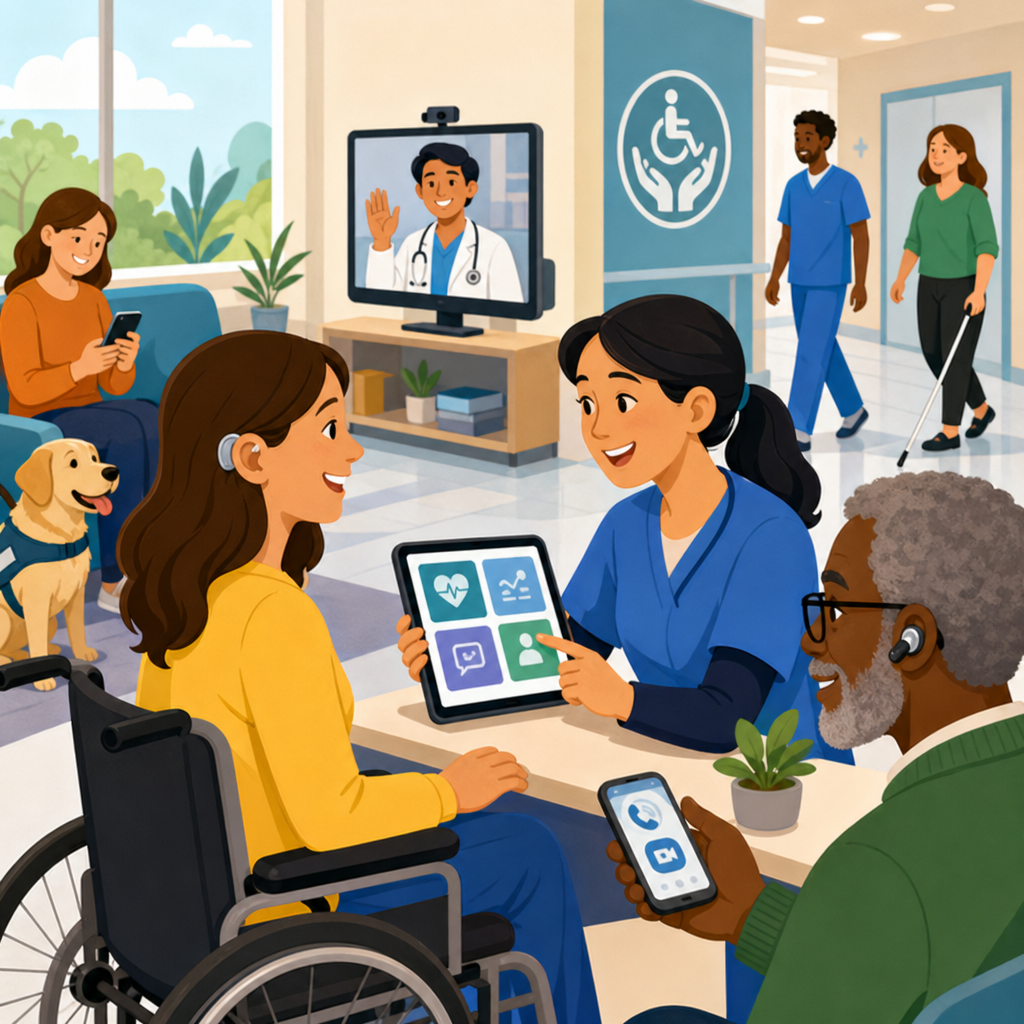
Accessible technology in healthcare improves patient experiences by removing barriers that prevent people from receiving, understanding, and acting on care. In practical terms, it means digital and physical tools designed so people with disabilities, age-related limitations, language differences, low digital confidence, or temporary impairments can use them safely and independently. In hospitals, clinics, pharmacies, telehealth platforms, and patient portals, accessibility affects whether someone can book an appointment, read test results, complete consent forms, navigate a building, communicate with clinicians, and follow treatment instructions. I have worked with healthcare websites, intake systems, and patient communication workflows, and the pattern is consistent: when accessibility is built in from the start, satisfaction rises, staff spend less time troubleshooting, and care delays decrease.
The concept spans more than disability compliance. It includes screen reader support for blind patients, captions for deaf or hard-of-hearing users, keyboard navigation for people who cannot use a mouse, plain-language content for people with cognitive disabilities, multilingual interfaces for diverse populations, high-contrast displays for low vision, voice interaction for limited dexterity, and compatible hardware such as adjustable kiosks and hearing loop systems. It also includes back-end choices, such as interoperable data standards and authentication methods that do not lock out users who cannot manage complex logins or one-time code flows. Accessibility is therefore both a patient experience issue and a care quality issue.
This matters because healthcare is information heavy and time sensitive. A missed portal message can delay a medication refill. An inaccessible scheduling form can push a specialist visit back by weeks. A telehealth platform without captions or interpreter support can compromise informed consent. Regulators increasingly expect healthcare organizations to provide equitable digital access, and patients increasingly judge providers on convenience and clarity. For organizations building a stronger technology and accessibility strategy, healthcare offers a clear starting point: identify barriers across the patient journey, fix the highest-friction moments first, and treat accessibility as a core service standard rather than a side project.
What accessible technology means in healthcare settings
Accessible technology in healthcare refers to products, content, and environments that can be used by the widest possible range of patients without special adaptation. In operational terms, that covers patient portals, electronic health record interfaces shown during visits, self-check-in kiosks, hospital wayfinding tools, remote patient monitoring apps, pharmacy systems, digital forms, educational materials, and telehealth platforms. The most useful baseline for digital experiences is the Web Content Accessibility Guidelines, commonly called WCAG, which define requirements such as text alternatives, adaptable layouts, sufficient color contrast, keyboard operability, understandable content, and compatibility with assistive technologies.
In healthcare, those principles must extend beyond websites. A portal may technically meet design requirements yet still fail if lab results are posted as unlabeled images, if PDFs are not tagged, or if symptom questionnaires time out too quickly for patients with motor impairments. Physical technology matters as well. Check-in kiosks should have reachable controls, tactile cues, audio output, and privacy screens. Exam-room devices should support different body sizes and mobility needs. In my experience, the organizations that perform best map accessibility to each real patient task rather than treating it as a checklist item handled only by web teams.
Accessible design also improves usability for everyone. Captions help patients in noisy waiting rooms. Plain-language discharge instructions help people under stress. Larger click targets reduce errors on mobile phones. Authentication options that include passkeys or biometric login can reduce lockouts for older adults while also strengthening security. When healthcare leaders ask whether accessibility is a niche concern, the direct answer is no. It is a reliability practice that reduces friction across the full population.
Core technologies that shape the patient experience
Several technologies now define how patients interact with care, and each one needs accessibility built in. Patient portals are the most visible. They handle appointment booking, test results, bill pay, secure messaging, medication requests, and care plans. If a portal lacks semantic headings, form labels, logical tab order, or readable alerts, patients using screen readers or keyboard-only navigation can fail at basic tasks. Telehealth platforms are equally important. They must support live captions, screen reader-friendly controls, resizable text, interpreter workflows, and stable mobile performance. If a patient cannot mute, unmute, or join a waiting room independently, the visit begins with frustration and lost time.
Remote patient monitoring has expanded rapidly for conditions such as hypertension, heart failure, diabetes, and post-surgical recovery. Accessible monitoring depends on simple device setup, readable displays, haptic or audio feedback, multilingual instructions, and clear escalation pathways when readings are abnormal. Wearables and home devices should not assume perfect vision, hearing, dexterity, or broadband access. Hospitals also rely on self-service tools for intake and navigation. Digital wayfinding apps need text alternatives and route options that account for elevators, ramps, and accessible restrooms. Kiosks should offer audio guidance and support for assistive listening devices.
Another often-overlooked area is clinical content delivery. After-visit summaries, medication instructions, imaging prep sheets, and consent materials must be accessible in format and language. That means structured headings, plain wording, translated versions, and compatibility with screen readers and text-to-speech tools. It also means giving patients options: digital, print, large print, braille on request, and interpreter-supported explanation when needed.
| Technology | Common barrier | Accessible improvement | Patient benefit |
|---|---|---|---|
| Patient portal | Unlabeled forms and poor keyboard navigation | Semantic labels, visible focus states, logical tab order | Independent scheduling and messaging |
| Telehealth platform | No captions or interpreter workflow | Live captions, pinned interpreter view, screen reader support | Clearer communication and safer consent |
| Check-in kiosk | Touch-only interface mounted too high | Adjustable height, audio prompts, tactile controls | Faster check-in with more privacy |
| Remote monitoring device | Small display and complex setup | Large text, voice prompts, simplified pairing | Better adherence and fewer support calls |
Who benefits and which barriers matter most
Accessible healthcare technology benefits blind and low-vision patients, deaf and hard-of-hearing patients, people with mobility limitations, neurodivergent users, patients with speech differences, and individuals with cognitive disabilities. It also benefits older adults, people with limited English proficiency, rural users with weak internet connections, and anyone dealing with stress, pain, fatigue, or medication side effects. In healthcare, many access needs are situational. A patient recovering from eye surgery may need larger text temporarily. Someone using one hand after an injury may depend on voice input. A parent holding an infant may need a portal that works well on a phone with one-thumb navigation.
The most common barriers are predictable. Complex language is a major one. Many discharge documents are written at a reading level far above what patients can use easily during a stressful moment. Authentication can be another serious obstacle when systems require multiple codes, strict password rules, and short timeouts. Multimedia often fails because videos lack captions or transcripts. PDFs are routinely posted as image scans with no text layer, making them unreadable to screen readers. Color alone is still used to indicate urgency or status, which excludes users with color-vision differences and creates confusion for everyone.
Healthcare organizations should prioritize barriers by risk and frequency. Anything that blocks access to appointments, medications, test results, bills, or urgent instructions should be fixed first. In audits I have run, the highest return usually comes from remediating forms, improving login recovery, adding captions, rewriting key instructions in plain language, and correcting inaccessible PDFs that patients receive repeatedly. These changes are not cosmetic. They directly influence whether patients complete care tasks on time.
Standards, regulations, and implementation practices
Healthcare accessibility sits at the intersection of design standards, civil rights obligations, privacy rules, and operational quality. For digital products, WCAG 2.1 Level AA remains the most widely used benchmark, and many organizations are moving toward WCAG 2.2 to address newer interaction patterns. In the United States, healthcare providers and insurers must also consider the Americans with Disabilities Act, Section 504 of the Rehabilitation Act, and Section 1557 of the Affordable Care Act, which collectively shape expectations for equal access and nondiscrimination. Privacy and security requirements under HIPAA must be met in ways that do not create avoidable barriers.
Implementation works best when accessibility is assigned across the full delivery chain. Procurement should require vendors to provide a current Voluntary Product Accessibility Template, usually called a VPAT, but organizations should never rely on that document alone. Real testing is essential. Designers should use accessible components and content patterns from the start. Developers should code semantic structure, test focus order, support zoom up to at least 200 percent, and verify screen reader behavior with tools such as NVDA, JAWS, and VoiceOver. Content teams should write at an appropriate reading level and avoid unexplained medical jargon. Quality assurance should include keyboard-only testing, automated scanning with tools like axe or WAVE, and user testing with people who have disabilities.
Governance matters just as much as testing. Effective teams maintain an accessibility policy, named owners, training for staff, issue tracking, and release gates for critical defects. They also provide easy reporting channels so patients can flag problems and receive timely help. The goal is not one-time compliance. The goal is a repeatable system that keeps patient-facing technology usable as platforms evolve.
How accessible technology improves outcomes, trust, and efficiency
The biggest benefit of accessible healthcare technology is that it reduces preventable friction in moments that matter. When patients can schedule online without assistance, call volumes fall and access improves. When instructions are readable and available in multiple formats, adherence improves. When telehealth is accessible, no-show rates can decline for patients who face transportation barriers, though success still depends on device access and digital confidence. In remote monitoring programs, accessible setup and alerts can improve sustained participation, which gives clinicians better longitudinal data and supports earlier intervention.
There is also a trust effect. Patients notice when systems respect their needs. A deaf patient who joins a video visit with dependable captions and an interpreter option experiences the organization as prepared rather than reactive. A blind patient who can review results independently in a portal does not need to disclose more than necessary or wait for a family member to help. That independence has value beyond convenience; it supports privacy, dignity, and informed decision-making. Healthcare leaders sometimes frame accessibility as cost, but the operating reality is broader. Poor accessibility generates hidden expense through abandoned forms, repeat calls, missed visits, longer check-in times, staff workarounds, and increased complaint handling.
Accessible design also strengthens resilience during disruption. During public health emergencies, organizations rely heavily on digital channels for triage, scheduling, education, and follow-up. If those channels fail accessible use, the patients with the greatest barriers are often excluded first. Building inclusive systems in normal times makes emergency communication more dependable when stakes rise.
Building a practical hub strategy for technology and accessibility
As a hub topic under technology and accessibility, healthcare should connect core concepts to deeper articles on digital accessibility, assistive technology, inclusive design, accessible telehealth, patient portal usability, compliant procurement, and plain-language health communication. The hub page should answer the broad questions first: what accessible technology is, who it helps, which tools matter most, what standards apply, and how organizations begin. From there, each supporting page can go deeper into a single area, such as accessible forms, captioning workflows, kiosk design, or testing methods for clinical systems.
A practical roadmap starts with a journey map covering search, scheduling, registration, arrival, visit, follow-up, billing, and ongoing monitoring. Score each step by patient impact and failure rate. Then fix the tasks that are both common and high risk. In many systems, that means portal login, appointment booking, digital intake, telehealth join flow, lab-result presentation, and discharge content. Pair quick wins with longer-term platform changes. Rewrite top instructions in plain language while engineering teams remediate component libraries. Add captioning and interpreter workflows while procurement updates vendor requirements. Measure progress using completion rates, accessibility defect trends, call-center reasons, and patient satisfaction feedback segmented by access need where appropriate and lawful.
Accessible technology in healthcare is not a niche feature set. It is the foundation for equitable, efficient, and trustworthy care delivery. When organizations design portals, telehealth, kiosks, monitoring tools, and patient content for real human variation, they remove obstacles that otherwise delay treatment and weaken understanding. The essentials are clear: use recognized accessibility standards, test with assistive technologies and real users, simplify language, offer multiple formats, and govern accessibility as an ongoing operational discipline. The reward is better patient experiences, smoother workflows, and stronger confidence in digital care.
If this page is your starting point for technology and accessibility, use it as a hub and move next into the supporting topics that matter most for your environment: accessible websites, telehealth workflows, patient portal design, procurement controls, and content standards. Then audit one patient journey and fix the highest-friction barrier first. That single step usually reveals how quickly accessible technology can improve care.
Frequently Asked Questions
What does accessible technology in healthcare actually mean?
Accessible technology in healthcare refers to digital and physical tools that are designed so as many people as possible can use them safely, independently, and with confidence. That includes patients with disabilities, older adults, people with limited English proficiency, individuals with low digital literacy, and even those dealing with temporary challenges such as an injury, illness, or high stress during a medical event. In practical settings, accessible technology can include screen reader-compatible patient portals, telehealth platforms with live captions, kiosks with voice guidance, websites with readable text and clear navigation, digital forms that work with assistive devices, and medication instructions available in multiple formats.
The goal is not simply to comply with a checklist. It is to remove barriers that can prevent patients from receiving care, understanding health information, booking appointments, filling prescriptions, or following treatment plans. If a patient cannot read a portal message, hear a telehealth provider, navigate a touchscreen check-in station, or understand discharge instructions, the technology is creating a health barrier rather than solving one. Accessible healthcare technology helps ensure that communication, consent, scheduling, education, and follow-up are available to everyone in a usable way.
This matters across the entire patient journey. Accessibility affects the first online search for a provider, the intake process, appointment reminders, virtual visits, test results, billing, and ongoing care management. When healthcare organizations build accessibility into these systems from the start, patients are more likely to engage with their care, ask informed questions, and complete important next steps. In that sense, accessible technology is both a patient experience issue and a quality-of-care issue.
How does accessible technology improve the patient experience?
Accessible technology improves the patient experience by reducing frustration, confusion, delay, and dependence on others. Many patients already face stress when seeking medical care. When technology is difficult to use, that stress increases. An accessible experience makes it easier for patients to book appointments, complete forms, communicate with providers, review instructions, and participate in decisions about their health. That creates a stronger sense of dignity, trust, and control.
For example, a patient with low vision may need a portal that supports screen magnification and high contrast. A Deaf or hard-of-hearing patient may need accurate captions during a telehealth appointment. Someone with limited hand mobility may need voice input or keyboard navigation instead of a touchscreen. A patient who speaks a different language may benefit from multilingual instructions and plain-language content. An older adult who is not comfortable with digital systems may need a simpler layout, clearer prompts, and easier access to human support. In each case, accessibility removes a barrier that might otherwise interfere with care.
The impact can be significant. Patients are more likely to understand treatment instructions when information is presented clearly and in multiple formats. They are more likely to attend appointments when scheduling systems and reminders are easy to use. They are more likely to stay engaged in long-term care when digital tools do not feel overwhelming or exclusionary. Better usability can also reduce errors, missed follow-ups, and miscommunication. In short, accessible technology helps patients feel seen, supported, and capable at every stage of care.
Who benefits from accessible healthcare technology?
Accessible healthcare technology benefits far more people than many organizations initially realize. It certainly supports people with permanent disabilities, including individuals who are blind, have low vision, are Deaf or hard of hearing, have mobility limitations, cognitive differences, speech disabilities, or neurological conditions. But the benefits extend well beyond those groups. Older adults experiencing age-related changes in vision, hearing, dexterity, memory, or processing speed also gain from accessible design. So do patients recovering from surgery, managing pain, dealing with fatigue, or navigating a temporary impairment such as a broken arm.
Accessibility also helps people facing communication or technology barriers that are not always labeled as disabilities. Patients with limited English proficiency need health information in understandable language and, often, in multiple languages. People with low health literacy benefit from plain-language instructions, intuitive navigation, and clear visual cues. Patients with limited digital confidence need systems that are easy to learn and forgiving of mistakes. Even someone using a smartphone in a noisy waiting room, a caregiver helping a family member, or a patient accessing records under stress can benefit from captions, larger text, simpler forms, and more flexible options.
This broad usefulness is one reason accessibility is such an important part of patient-centered care. When technology is designed to work for a wider range of users, the overall experience improves for everyone. Features such as clear labels, easy navigation, readable fonts, voice support, and multiple communication channels are not niche enhancements. They are practical improvements that make healthcare more usable, inclusive, and resilient in real-world conditions.
What are some examples of accessible technology in hospitals, clinics, and telehealth?
Accessible technology appears in many forms across healthcare settings. In hospitals and clinics, it may include self-check-in kiosks with tactile controls, adjustable height, audio prompts, multiple language options, and screens that are readable in different lighting conditions. Digital registration forms can be made compatible with screen readers and keyboard-only navigation. Wayfinding systems can include visual, audio, and plain-language guidance. Exam-room devices and patient education tools can offer information in large print, braille, audio, or simplified language formats.
In telehealth, accessibility is especially important because the entire care interaction depends on technology. Good examples include platforms that support live captioning, sign language interpreter integration, screen reader compatibility, easy camera and microphone controls, and clear on-screen instructions. Providers may also offer alternative ways to connect, such as phone-based appointments when video is not practical. Patient portals can support adjustable text size, strong color contrast, accessible lab result displays, secure messaging that works with assistive technology, and appointment scheduling flows that are easy to understand and complete.
Pharmacies and post-visit care systems can also play a major role. Accessible medication labeling, refill systems with voice prompts, reminder apps with visual and audio alerts, and discharge instructions available in multiple languages and formats all help patients act on care plans more reliably. Even seemingly small details matter, such as error messages that clearly explain what to do next, buttons that are easy to tap, or forms that save progress automatically. These features can determine whether a patient completes an important health task or gives up midway through the process.
Why is accessibility in healthcare technology important for outcomes, equity, and compliance?
Accessibility is important because it directly influences whether patients can obtain, understand, and follow care. If someone cannot use a portal to confirm an appointment, access test results, request a prescription refill, or read post-visit instructions, there is a real risk of delayed treatment, missed information, and poorer health outcomes. Accessible technology helps reduce those risks by making key interactions more dependable and more understandable. It supports better communication between patients and providers, which is essential for safety, adherence, and continuity of care.
It is also a health equity issue. Barriers in healthcare technology do not affect all patients equally. People who already face structural disadvantages, disability-related challenges, language differences, or low digital confidence are more likely to be excluded when systems are not designed inclusively. Accessible technology helps narrow those gaps by making services available to a broader range of patients without requiring workarounds or outside assistance. This promotes more equal participation in care and can improve trust in healthcare organizations over time.
From an operational and legal perspective, accessibility supports compliance with established standards and regulations while also improving service quality. Healthcare organizations are increasingly expected to provide digital experiences that are usable by people with disabilities and inclusive of diverse patient needs. But beyond compliance, there is a strategic advantage. Accessible systems tend to be more usable, more efficient, and less prone to costly errors or support burdens. When healthcare providers invest in accessibility, they are not only meeting obligations. They are strengthening patient experience, improving care delivery, and building systems that serve real people more effectively.


