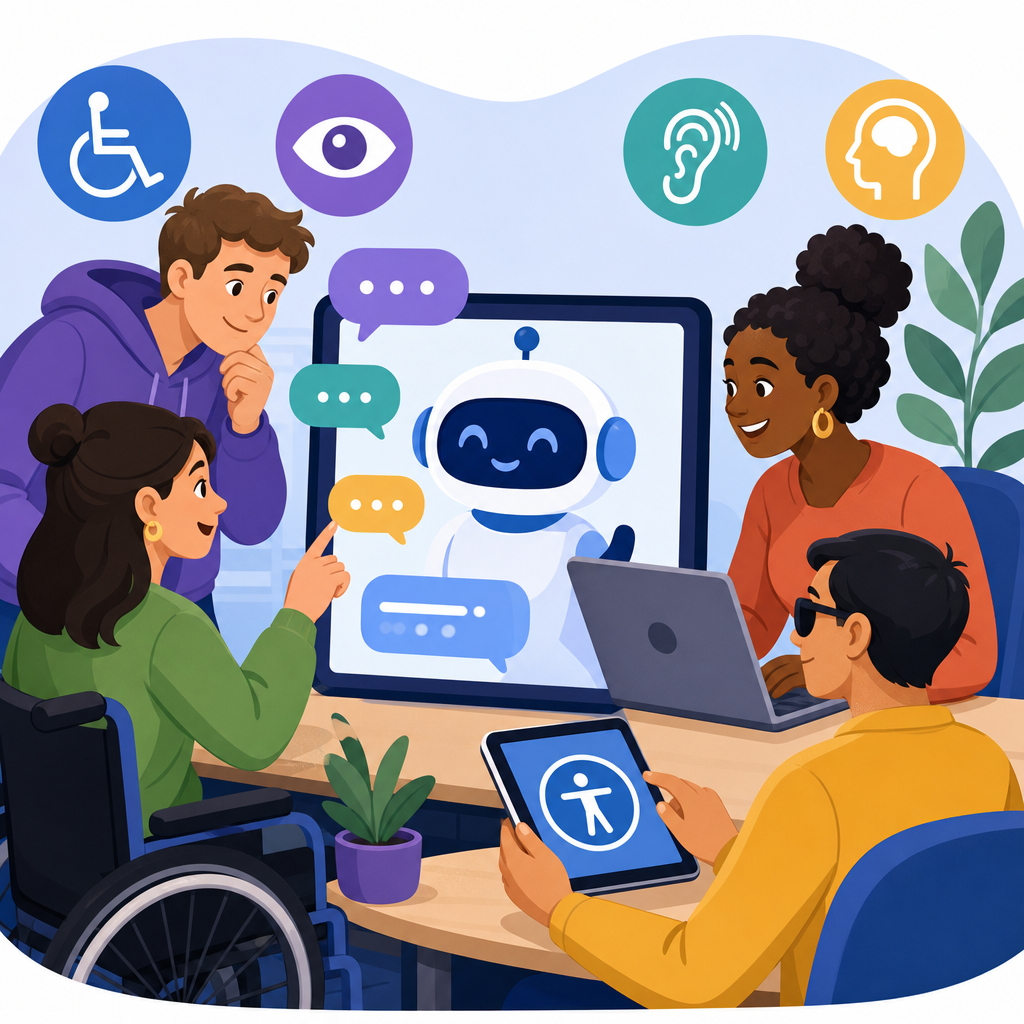
AI chatbots can expand access for disabled users, but they can also create new barriers when teams launch them without testing against accessibility, disability law, and basic usability standards. In practice, “AI and ADA” usually refers to how artificial intelligence systems, including website chatbots, virtual assistants, customer service agents, and internal help tools, interact with duties under the Americans with Disabilities Act and related accessibility rules. For product teams, legal teams, procurement leaders, and public sector vendors, this matters because a chatbot is not just a feature; it is often a front door to services, support, account management, healthcare information, education resources, and employment workflows.
I have worked on chatbot rollouts where the model performed well in demos yet failed real users because the launcher could not be reached by keyboard, live regions were silent to screen readers, or the bot answered accommodation requests with fabricated policies. Those failures are avoidable. The ADA does not prescribe one coding pattern for AI systems, but it does require equal access in covered contexts, and enforcement agencies increasingly expect digital experiences to work for people with vision, hearing, mobility, speech, cognitive, and neurodivergent disabilities. Courts, settlements, and procurement standards also point teams toward recognized technical benchmarks, especially WCAG 2.1 and 2.2, ARIA authoring practices, captioning requirements, plain-language content, and human support paths.
This hub article explains what teams need to check before deploying an AI chatbot and after launch. It covers legal exposure, design requirements, model behavior, vendor contracts, testing methods, documentation, and governance. It also answers the practical questions executives ask: when does a chatbot create ADA risk, what should accessibility acceptance criteria include, and how do you prove you acted reasonably? The short answer is simple: treat the chatbot as part of your service delivery, test the full journey with assistive technology, constrain the model where errors can harm users, and maintain a staffed fallback when automation fails.
What “AI and ADA” Means for Chatbot Teams
The ADA is a civil rights law aimed at preventing discrimination on the basis of disability. For chatbot teams, the operational issue is whether the bot becomes a barrier to goods, services, programs, benefits, or employment. Title II applies to state and local government services, and Title III generally applies to public accommodations and many consumer-facing businesses. Title I affects employers using AI in recruiting, onboarding, scheduling, leave, and workplace support. Even when an organization is not litigating a website accessibility case, a chatbot can still create risk if it blocks a disabled person from completing a task that nondisabled users can complete easily.
A common misconception is that accessibility is satisfied if the website itself is compliant while the chatbot remains flawed. That is not how users experience the product. If the bot is the primary route for customer support, appointment booking, benefits navigation, or identity verification, then the accessibility of that route matters. Teams should map where the chatbot appears: homepage, checkout, patient portal, student portal, HR intranet, mobile app, smart kiosk, or messaging channel. Every placement changes the legal and practical analysis because the consequences of failure differ. A retail sizing question is not the same as a benefits denial explanation or a medication refill request.
Another misconception is that accessibility only concerns the interface. In reality, AI and ADA issues arise at three layers: interface accessibility, conversation accessibility, and decision accessibility. Interface accessibility covers keyboard navigation, focus order, labels, contrast, announcements, timeout warnings, and compatibility with screen readers and voice input. Conversation accessibility covers readability, predictable prompts, control over pace, support for plain language, and tolerance for spelling, grammar, or speech variations. Decision accessibility covers whether the model gives discriminatory, misleading, or impossible answers about accommodations, eligibility, or disability-related requests.
Core Accessibility Checks Before Launch
Start with the launcher. It must be keyboard reachable, clearly labeled, visible at 200 percent zoom, and not obscured by cookie banners or sticky elements. If the chatbot opens a modal, focus should move into it, remain trapped until closed, and return to the trigger afterward. Screen readers need a clear name for buttons such as “Open support chat” and “Send message.” Status updates, including “agent joined,” “message sent,” or “three new responses,” should use appropriate live regions without causing repetitive announcements. If users can upload files, attach screenshots, or complete forms inside chat, every control must expose an accessible name, instructions, and errors programmatically.
Teams also need to check timing and motion. Many chat widgets auto-open, animate, or interrupt users after a delay. That can disorient people with vestibular disorders, cognitive disabilities, and screen reader users who are navigating elsewhere on the page. Auto-advancing carousels inside a bot are rarely worth the risk. Session timeouts are another failure point. If the bot handles claims, benefits, or account tasks, warn users before expiration and preserve typed content where possible. WCAG 2.2 added sharper expectations around focus appearance, target size, and accessible authentication, all relevant when a chatbot asks people to sign in or verify identity.
Plain language is not optional for a good chatbot. Many disabled users, including people with cognitive disabilities, brain injuries, dyslexia, or limited English proficiency, struggle when the bot uses legal jargon or compressed prompts. In projects I have reviewed, a measurable improvement came from shortening prompts, using one action per message, and adding examples. “Tell me what you need” performed worse than “I can help with billing, appointments, or account access. Type one of those or describe your issue in your own words.” Good accessibility often looks like better conversation design, not just better code.
| Checkpoint | What to verify | Why it matters |
|---|---|---|
| Keyboard access | Open, navigate, send, close, upload, and complete forms without a mouse | Essential for users with mobility disabilities and many screen reader users |
| Screen reader support | Controls have names, status changes are announced, reading order is logical | Prevents silent failures and disorientation |
| Visual accessibility | Contrast, zoom, reflow, visible focus, target size, no hidden content | Supports low-vision users and users on mobile devices |
| Language clarity | Plain wording, short prompts, examples, consistent options | Reduces cognitive load and misunderstanding |
| Fallback path | Easy route to human help by phone, email, relay-friendly contact, or form | Critical when the bot cannot resolve an access need |
Model Behavior, Bias, and Accommodation Requests
A technically accessible interface can still produce inaccessible outcomes if the model mishandles disability-related questions. This is where teams must move beyond front-end testing and evaluate conversational behavior. Ask the bot direct questions about accommodations, service animals, interpreters, alternative formats, leave, job applications, captions, wheelchair access, and complaint procedures. Then test edge cases: misspellings, partial information, speech-to-text errors, and emotional wording from frustrated users. The goal is to see whether the model remains accurate, respectful, and policy-aligned under realistic conditions.
Hallucinations are especially dangerous in disability contexts. If a chatbot invents documentation requirements for an accommodation, misstates a deadline to appeal a benefits decision, or tells a deaf customer that captions are unavailable when they are required, the organization may create both legal and reputational harm. Constrain high-risk answers through retrieval from approved policy sources, fixed response templates, or intent-based routing to human staff. In my experience, the safest pattern is to let the model classify the issue, summarize the request, and present verified options, rather than allowing open-ended legal or policy improvisation.
Bias testing should include how the model responds to disability disclosure. Users may say, “I am blind,” “I use a wheelchair,” “I have PTSD,” or “I need extra time because of dyslexia.” The chatbot should not become patronizing, dismissive, or suspicious. It should ask only necessary follow-up questions, explain next steps, and avoid collecting medical details unless clearly required and appropriately protected. For employment chatbots, disability-related screening questions can trigger separate compliance concerns under federal and state law. Teams should therefore define approved intents, blocked intents, escalation rules, and logging limits before launch, not after a complaint.
Vendor Due Diligence, Procurement, and Documentation
Most organizations do not build the entire chatbot stack themselves. They license a widget, use a foundation model API, integrate a knowledge base, and connect analytics, CRM, and identity systems. That means accessibility and disability compliance must be addressed in procurement. Ask vendors for a current accessibility conformance report using the VPAT format, details about WCAG testing scope, assistive technologies used in validation, known exceptions, and remediation timelines. A vague statement that the product “supports accessibility” is not enough. You need evidence tied to the exact version and features you are buying.
Contracts should require notice before major interface changes, a process for reporting accessibility defects, service-level commitments for fixing critical barriers, and cooperation in audits or investigations. If the vendor uses generative AI, ask how responses are grounded, what safety filters exist, whether customer data is used for training, and how logs can be searched for disability-related failures. Documentation matters because regulators and plaintiffs often ask what the organization knew, when it knew it, and what actions followed. A dated testing record, prioritized defect list, and remediation plan are far more persuasive than an unsupported claim that accessibility was considered.
Internal documentation should include a chatbot accessibility standard, acceptance criteria for release, and ownership across product, engineering, legal, support, and content teams. I recommend a risk register that lists high-impact use cases, legal triggers, fallback channels, and unresolved limitations. For example, if speech input inside the mobile chat experience performs poorly for users with stutters or atypical speech patterns, that should be logged with a workaround and target fix date. Transparency does not increase liability by itself; unmanaged defects do. Teams gain credibility when they can show disciplined governance and continuous improvement.
Testing With Disabled Users and Maintaining Human Fallbacks
Automated scanners catch only part of the problem. They can find missing labels, color contrast issues, and some structural errors, but they will not tell you whether a blind user can understand a live chat transcript, whether voice control can activate the send button, or whether a user with cognitive fatigue can finish a benefits task before timeout. Real testing should include keyboard-only checks, screen readers such as JAWS, NVDA, and VoiceOver, screen magnification, speech input, mobile accessibility settings, and users with varied disabilities performing realistic journeys from start to finish.
Moderated usability sessions are especially valuable for chatbot accessibility because they reveal friction in turn-taking, wording, and escalation. I have seen users abandon a bot not because it was broken, but because it kept asking broad follow-up questions instead of offering concrete options. That is an accessibility issue when cognitive load becomes the barrier. Include tasks such as requesting an accommodation, updating contact information, disputing a bill, and finding accessible event details. Measure completion rate, time on task, error recovery, and whether users know how to reach a person when the bot fails.
Human fallback is a core control, not a courtesy. If the chatbot cannot complete a request accessibly, users need an alternative that is easy to find, staffed, and equivalent in outcome. That may mean a phone line that accepts relay calls, an email address monitored within stated hours, a web form that works with assistive technology, or a direct transfer to an agent. Do not hide the fallback behind repeated bot loops or require users to say magic phrases like “representative” six times. A clear option such as “Need help another way? Call, email, or request an agent” prevents minor defects from becoming exclusion.
Governance After Launch and Common Failure Patterns
Launching an accessible chatbot is not the finish line. Models change, policies change, and content drifts. Teams need post-launch monitoring that samples transcripts for accuracy, reviews complaints, and retests after every meaningful update to the widget, authentication flow, or knowledge base. Establish severity levels for accessibility defects, with rapid escalation when a barrier affects account access, healthcare, education, employment, or legal rights. Analytics should track not only deflection and containment, but also abandonment after error messages, repeated prompts, failed uploads, and transfers triggered by disability-related intents.
Common failure patterns repeat across industries. One is replacing visible contact information with a chatbot that lacks an accessible fallback. Another is training the bot on policy documents full of exceptions, then letting it paraphrase them inaccurately. A third is assuming a vendor’s baseline accessibility covers custom implementations, when the organization has added inaccessible forms, CAPTCHA, or document viewers inside the chat flow. Teams also overlook transcript accessibility, forgetting that users may need to review, download, print, or email a conversation in an accessible format. These are solvable issues when ownership is clear and testing is continuous.
AI chatbots and disability access should be treated as a service design discipline, not a last-minute legal checklist. The essential checks are straightforward: make the interface operable with assistive technology, keep the language clear, constrain high-risk answers, provide a real human fallback, document vendor obligations, and test with disabled users doing real tasks. Organizations that follow those steps reduce ADA risk and, more important, create support channels people can actually use. As you build your AI and ADA program, audit every chatbot touchpoint, close the highest-impact gaps first, and make accessibility a release requirement rather than a remediation project.
Frequently Asked Questions
1. What does “AI and ADA” actually mean for teams that launch chatbots?
For most product, legal, and support teams, “AI and ADA” is not just a broad debate about artificial intelligence. It is a practical question about whether a chatbot, virtual assistant, customer service agent, or internal help tool can be used by people with disabilities on equal terms. Under the Americans with Disabilities Act, organizations generally need to make sure their digital services do not block access to information, transactions, support, or employment-related functions. If a chatbot sits in front of key website content, customer support, appointment scheduling, account access, or workplace systems, then its accessibility is no longer optional. It becomes part of the user journey that disabled people must be able to navigate.
In real-world terms, teams should treat the chatbot as a user interface, not just an AI feature. That means checking whether people who use screen readers, keyboard navigation, voice input, captions, magnification, reduced motion settings, or other assistive technologies can discover the chatbot, open it, interact with it, understand its responses, and complete tasks without unnecessary friction. It also means looking at whether the chatbot creates unequal outcomes, such as giving incomplete answers to users who phrase questions differently because of speech disabilities, cognitive disabilities, or limited dexterity.
From a compliance perspective, the ADA is often discussed alongside web accessibility expectations such as WCAG standards, state disability laws, Section 504 or Section 508 in certain contexts, and sector-specific rules. The key takeaway is simple: if a chatbot is part of how people access services, information, or employment tools, teams should evaluate it for accessibility, usability, and fairness before and after launch. The legal question and the product question are closely connected.
2. What accessibility issues do AI chatbots most commonly introduce?
AI chatbots often create problems in places teams do not initially expect. One common issue is keyboard accessibility. A chatbot may look polished visually but trap keyboard users in the widget, fail to expose buttons in a logical tab order, or make it difficult to close, minimize, or reopen the interface. Another frequent problem is poor screen reader support, where the chat launcher has no clear accessible name, new messages are not announced properly, suggested prompts are confusing, or the conversation structure is not communicated clearly through headings, labels, and live regions.
Teams also regularly miss timing and motion issues. Some chatbots open automatically, steal focus, interrupt reading, or animate aggressively in ways that distract users with cognitive disabilities, vestibular disorders, or attention-related disabilities. If the bot times out too quickly, auto-clears the conversation, or forces users to respond within a narrow window, people with motor, cognitive, or communication disabilities may not be able to keep up. Color contrast, text resizing, zoom behavior, and mobile responsiveness are also frequent weak points, especially when the chatbot is provided by a third-party vendor and styled outside the main design system.
There are also content and interaction barriers. AI-generated replies may be overly long, vague, or difficult to parse. The chatbot may rely on jargon, fail to offer plain-language alternatives, or misunderstand nonstandard phrasing from users with speech or cognitive disabilities. In some systems, the chatbot is the only visible route to support, which becomes a serious barrier if the tool fails. That is why accessible escalation paths matter. Users should be able to reach a human, use another contact method, or bypass the chatbot when needed. Accessibility problems in chatbots are rarely limited to code alone; they often come from workflow design, content strategy, fallback planning, and vendor assumptions.
3. How should teams test a chatbot for disability access before launch?
Teams should approach chatbot testing as a combination of technical accessibility review, task-based usability testing, and legal risk evaluation. A basic automated scan is not enough. Start by mapping what the chatbot actually does: answer FAQs, guide purchases, help with forms, route support tickets, authenticate users, or provide employee assistance. Then test those tasks end to end. If a disabled user cannot complete the core purpose of the chatbot independently, that is the issue that matters most.
At a minimum, test keyboard-only use, screen reader compatibility, zoom and reflow behavior, color contrast, focus visibility, mobile access, and compatibility with common assistive technologies. Check whether the launcher is identifiable, whether focus moves predictably when the widget opens, whether incoming bot messages are announced without becoming disruptive, and whether users can review message history without losing context. Validate labels, instructions, error states, and the ability to pause, close, or restart the interaction. If the chatbot uses carousels, suggested chips, forms, file uploads, or voice features, those components need separate review.
Just as important, involve disabled users in realistic testing. Internal teams often miss barriers that become obvious in lived experience. For example, a workflow may technically pass code-level checks while still being exhausting, confusing, or impossible to use in practice. Include users with different disability profiles and ask them to complete representative tasks such as finding account help, requesting an accommodation, understanding a policy, or escalating to human support. Document issues by severity, assign owners, and retest after fixes. Accessibility should also be part of procurement and vendor management. If the chatbot platform comes from a third party, require accessibility documentation, ask specific questions about conformance and assistive technology support, and verify claims through your own testing instead of relying on marketing language alone.
4. Can a chatbot create legal risk even if the rest of the website is accessible?
Yes. A chatbot can create legal exposure on its own if it blocks or degrades access to important services, information, or transactions. Even when the broader website is well designed, a single inaccessible widget can become the practical gatekeeper. If users must go through the chatbot to get support, request a refund, book an appointment, report a problem, access benefits information, or ask for an accommodation, then barriers inside that tool can have real ADA implications. Courts and regulators tend to focus on the user’s actual ability to access the service, not on whether most of the surrounding page works well.
Risk also rises when the chatbot handles disability-related topics badly. If an AI assistant gives inaccurate information about accommodations, fails to route accessibility complaints, or responds inconsistently to people who identify disability-related needs, that can create compliance and customer trust problems at the same time. In employment settings, internal chatbots used for HR, IT support, benefits, or leave questions can trigger additional concerns because inaccessible tools may interfere with employees’ ability to seek assistance or perform essential administrative tasks.
Another source of risk is overreliance on vendor assurances. Many teams assume the provider owns the accessibility issue, but the organization deploying the chatbot is still responsible for how it works in its environment. Custom styling, integrations, authentication flows, knowledge base content, and escalation rules can all introduce barriers that were not present in the vendor demo. The safest approach is to treat the chatbot as part of your own digital accessibility program: assess it before launch, monitor it over time, preserve alternative access channels, and respond quickly when users report problems.
5. What should teams put on their chatbot accessibility checklist?
A strong checklist should cover discoverability, operation, comprehension, task completion, and fallback support. Start with entry and navigation. Can users find the chatbot easily? Does the launcher have a clear accessible name? Is it reachable by keyboard and screen reader? When the chat opens, does focus move appropriately without disorienting the user? Can the user close, minimize, and reopen it without getting trapped? These basics matter because many accessibility failures happen before the conversation even starts.
Next, review interaction quality. Make sure message updates are announced properly, but not so aggressively that assistive technology becomes unusable. Confirm that buttons, suggested prompts, links, and forms are labeled clearly. Check contrast, text spacing, zoom, responsive behavior, and error handling. Verify that users can copy information, revisit earlier messages, and understand who they are talking to, especially if the bot switches between automated and human assistance. If the chatbot supports voice, attachments, or authentication, evaluate each feature independently for accessibility and privacy concerns.
Finally, include content and governance checks. Are responses written in plain language? Does the bot avoid forcing users into a narrow phrasing style? Is there an obvious path to human support? Can users report accessibility problems directly? Does the organization review transcripts or outcomes for patterns showing that disabled users are getting stuck, misunderstood, or dropped from the workflow? A useful checklist is not just a technical pass-fail document. It should connect accessibility to user outcomes, compliance obligations, vendor accountability, and continuous improvement. That is what helps teams move from “we installed a chatbot” to “we launched a support tool people can actually use.”


