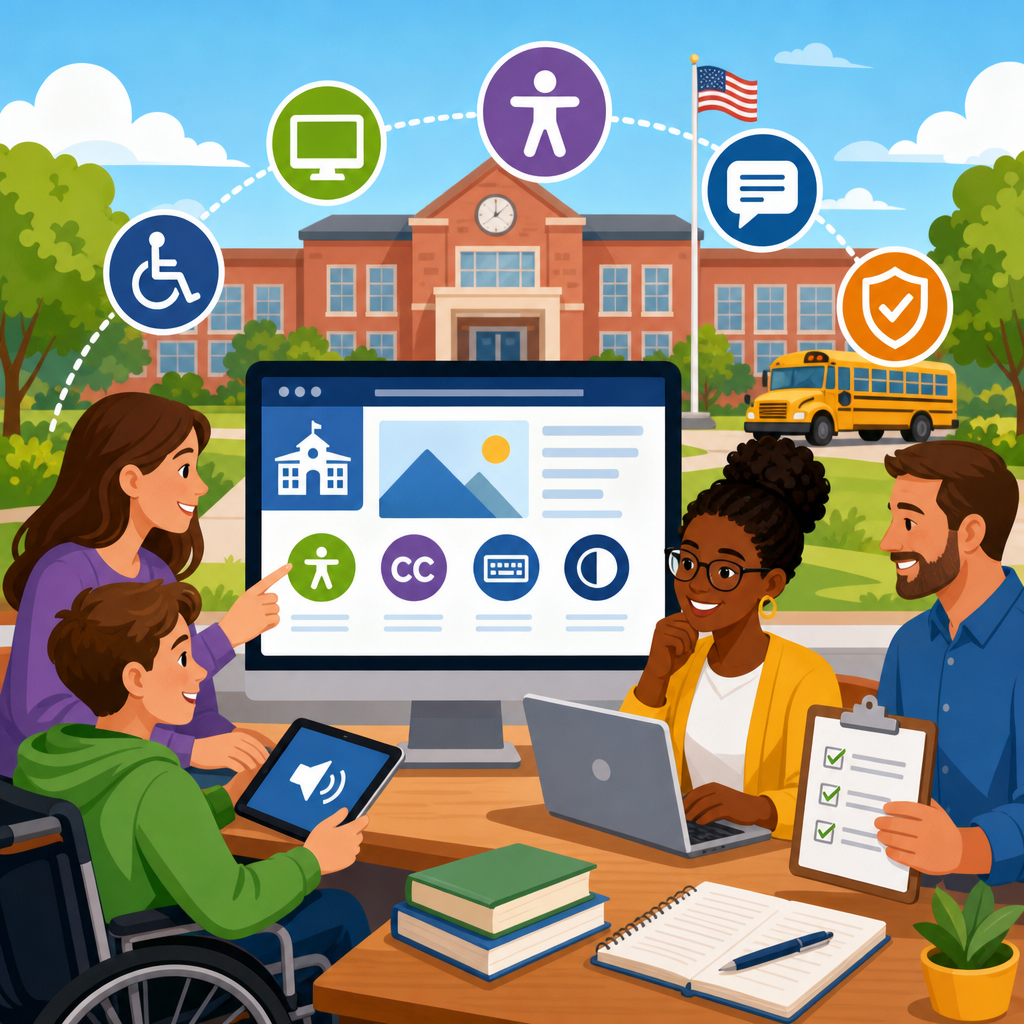
School districts should prepare for Title II web accessibility by treating digital access as a core civil rights obligation, not a side project for the technology department. In practice, that means making websites, student portals, online forms, classroom resources, board materials, and mobile apps usable for people with disabilities, then building governance that keeps them accessible over time. For public schools, the issue matters because families depend on digital information to enroll students, review assignments, request services, pay fees, attend meetings, and communicate with staff. When those pathways are inaccessible, districts create legal risk, operational friction, and avoidable barriers for students, parents, employees, and community members.
Title II applies to state and local government entities, including public school districts, charter schools operated as public entities, and many related educational programs. Recent federal rulemaking has sharpened expectations around digital accessibility by pointing districts toward technical standards that can be tested and maintained consistently. In most district planning conversations I have led, the biggest misunderstanding is assuming this requirement only affects the public homepage. It does not. Accessibility touches special education notices, cafeteria menus, athletic schedules, transportation updates, PDFs, learning management systems, livestreams, procurement decisions, and emergency alerts. If a parent cannot complete a registration form with a screen reader or a student cannot access homework videos without captions, the district has an access problem.
Web accessibility means digital content is perceivable, operable, understandable, and robust for users with different disabilities and assistive technologies. That includes blind users relying on screen readers, people with low vision who need strong color contrast and scalable text, deaf or hard of hearing users who need captions or transcripts, users with motor disabilities who navigate by keyboard or switch device, and people with cognitive disabilities who benefit from clear structure and predictable interactions. For school districts, preparing well requires more than fixing a few pages before a deadline. It requires inventorying content, setting standards, assigning ownership, training staff, remediating high-risk assets, and baking accessibility into every publishing workflow.
Understand what Title II means for K-12 districts
For school districts, Title II web accessibility is fundamentally about equal access to programs, services, and activities delivered through digital channels. The most practical interpretation is simple: if the district offers information or action online, people with disabilities must be able to use it in an equivalent way. Districts should align their websites, web applications, and digital documents with WCAG 2.1 Level AA, the standard referenced across public-sector accessibility work because it provides testable success criteria. That standard covers issues such as alternative text for images, keyboard access, visible focus indicators, meaningful link text, proper heading structure, form labels, contrast ratios, reflow on mobile devices, and captions for prerecorded video.
In education, the legal and operational scope is broad. District websites often include board agendas, employment applications, transportation tools, school calendars, handbooks, lunch account systems, parent portals, special education forms, and emergency communications. Many districts also publish thousands of PDFs created over years by different schools and departments. I have seen districts discover that their most visited files were inaccessible lunch menus, bus route notices, and athletic physical forms. Those are not edge cases. They are core service documents that families use every week. Preparation starts by recognizing that accessibility is not a compliance page; it is a districtwide service delivery requirement.
Build a districtwide inventory before you fix anything
The first move should be a full inventory of digital assets. Without that baseline, districts waste time debating isolated defects while larger risks remain untouched. A useful inventory covers the main district site, school sites, staff subpages, parent portals, mobile apps, online forms, PDF and Office documents, board management platforms, video libraries, and third-party tools embedded on district pages. Include every department: curriculum, special education, athletics, transportation, nutrition, human resources, communications, and procurement. The goal is to know what exists, who owns it, how often it is used, and whether the district can control or remediate it.
In practice, districts should combine automated scanning with manual review. Tools such as WAVE, axe DevTools, Siteimprove, Monsido, and Pope Tech can quickly surface recurring errors like missing alternative text, low contrast, empty links, and skipped headings. However, automated tools catch only part of the problem. They will not reliably tell you whether alt text is meaningful, whether instructions are understandable, whether a document reading order makes sense, or whether a keyboard user can complete a workflow. I typically advise districts to map assets into tiers by business importance and public impact, then manually test the highest-risk items first: enrollment, employment, payments, special education, transportation, and emergency communications.
| Priority tier | Typical district content | Why it comes first | Common fixes |
|---|---|---|---|
| Tier 1 | Enrollment forms, parent portal access, emergency alerts, special education notices | Direct access to essential services and legal rights | Keyboard fixes, form labels, accessible PDFs, captioning, error messaging |
| Tier 2 | Calendars, transportation pages, lunch menus, employment applications, board materials | High traffic and frequent community use | Heading structure, link text, document remediation, contrast, table headers |
| Tier 3 | Archived newsletters, older department pages, historical documents | Lower immediate risk but still part of long-term compliance | Remediation on request, archival strategy, content pruning |
Create governance, policy, and ownership across departments
School districts struggle when accessibility is assigned to one webmaster without authority over content creators, vendors, or school-level editors. Strong preparation requires formal governance. At minimum, districts need an accessibility policy, a designated coordinator, defined responsibilities for departments, an issue intake process, and a documented remediation plan. Communications may own web publishing standards, technology may manage platform configurations and testing tools, special education may advise on accommodation workflows, procurement may enforce vendor requirements, and cabinet leadership must set expectations that every school follows the same rules.
An effective policy should define the technical standard, identify covered content, explain exceptions narrowly, set timelines for remediation, and require accessibility in new purchases and renewals. It should also establish how users can report barriers and how the district will respond. I have found that districts improve quickly once responsibilities are attached to job functions instead of general aspirations. For example, school secretaries who post PDFs need a document checklist, not a memo saying accessibility matters. Board services staff need a workflow for remediating agendas before publication. Human resources needs accessible templates for job postings and application instructions. Governance works when each content owner knows what good looks like and what to do next.
Prioritize the highest-risk content and common failure points
Not every issue carries the same impact, so districts should sequence work by user harm and service importance. The most urgent problems are those that block access to a transaction or critical information. Start with online forms, authentication flows, payment systems, registration pathways, and any document tied to legal rights or deadlines. In K-12 environments, that often includes individualized education program notices, Section 504 materials, enrollment packets, transportation requests, meal benefit forms, discipline procedures, grievance policies, and board meeting access information. If a family cannot complete or understand these materials, the district is failing at basic service delivery.
Common failure points repeat across districts. PDFs are a major one, especially scans posted as images without selectable text or tags. Another is poor heading structure on pages built by many editors over time. Video without captions remains widespread, including superintendent messages and recorded board meetings. So do unlabeled form fields, unclear error messages, click-here links, inaccessible calendars, and image-based flyers uploaded instead of actual web content. I have also seen schools embed third-party tools that trap keyboard focus or present unreadable color contrast. These are fixable problems, but only when districts stop treating them as isolated defects and start seeing them as patterns that require templates, training, and publishing controls.
Train staff and standardize accessible publishing
Training is where Title II web accessibility efforts either become sustainable or collapse back into recurring rework. Districts publish content through many hands: communications staff, principals, secretaries, teachers, board clerks, HR teams, and sometimes student groups. If each person posts content differently, inaccessible material will reappear faster than central staff can remediate it. The practical solution is role-based training supported by templates and checklists. Web editors need to understand headings, lists, links, alt text, tables, and color contrast. Document creators need to learn accessible Word, PowerPoint, and PDF practices. Video publishers need captioning workflows. Procurement and curriculum teams need to evaluate vendor accessibility before adoption.
Standardization reduces both risk and effort. Use approved page templates with correct heading hierarchy, accessible navigation, and built-in contrast. Replace image-based flyers with web pages whenever possible. Create districtwide document templates for notices, forms, and agendas that include proper styles, table structures, and language settings. Require captions for all prerecorded video and establish a process for live captioning when needed for events or meetings. Many districts also benefit from a simple rule: if information is important enough to post as a PDF, it is important enough to publish as HTML too. That one change improves mobile usability, translation, search visibility, and accessibility at the same time.
Address third-party vendors, learning tools, and procurement
Many of the hardest accessibility failures in education come from systems the district did not build. Student information systems, payment platforms, digital curriculum, library tools, mass notification systems, and board management products often sit outside direct district control, yet families experience them as district services. Preparation for Title II therefore has to include procurement discipline. Districts should require accessibility conformance documentation such as a current VPAT based on the relevant ACR format, then validate vendor claims with testing. A VPAT is not proof that a product is accessible. It is a vendor statement that must be reviewed critically, especially where responses are vague or marked as supports with exceptions.
Contract language matters. Districts should include accessibility requirements, remediation obligations, timelines, and escalation rights in new agreements and renewals. Ask whether the vendor tests with keyboard-only navigation, screen readers such as JAWS, NVDA, or VoiceOver, and magnification or mobile reflow scenarios. Ask how quickly defects are fixed and whether accessibility roadmaps are public. In my experience, districts gain leverage when they document the exact user task that fails, such as creating a lunch account or completing annual student registration, instead of reporting general noncompliance. Specific defects tied to student or parent workflows move faster through vendor queues and help legal, procurement, and technology teams stay aligned.
Test with real users, monitor progress, and plan for continuous compliance
Accessibility is not a one-time remediation sprint. District websites change constantly, school calendars update daily, and new documents appear every week. Long-term preparation requires a monitoring program that combines automated scans, manual audits, and user feedback. Districts should establish baseline metrics, then track open issues by severity, asset type, owner, and due date. Monthly scans are common, but high-change sections may need more frequent review. Manual testing should include keyboard-only navigation, zoom to 200 percent, screen reader checks on key workflows, and mobile testing in both portrait and landscape layouts. The objective is not perfection before publication; it is disciplined detection and fast correction.
Real-user validation is especially valuable in education because district assumptions often differ from family experience. A page may pass an automated scan and still confuse a parent using a screen reader if headings are vague or instructions rely on visual placement. When possible, include disabled users in usability testing for enrollment, communication, and academic access workflows. Keep records of findings, fixes, and exceptions so the district can demonstrate a good-faith program grounded in measurable action. The strongest districts I have worked with treat accessibility the way they treat cybersecurity or student safety: as an ongoing operational responsibility with executive oversight, clear procedures, and regular review. Start now by inventorying your digital assets, assigning owners, and fixing the services families need most.
Frequently Asked Questions
What does Title II web accessibility mean for school districts in practical terms?
In practical terms, Title II web accessibility means a school district must ensure that the digital services it offers to the public are usable by people with disabilities. This goes far beyond the district’s main website. It includes enrollment pages, calendars, student and parent portals, lunch menus, transportation updates, classroom materials, athletics information, special education resources, board agendas and minutes, PDFs, online forms, emergency notifications, and mobile apps. If a family, student, employee, or community member needs that digital information to participate in school life, it should be accessible.
For district leaders, the key mindset shift is to treat accessibility as a civil rights and equal access obligation rather than a technical clean-up project. A district may have strong in-person services, but if a parent cannot complete an online registration form with a screen reader, or a student cannot access posted assignments because videos lack captions or documents are unreadable, the district has created a barrier. Accessibility is about making sure digital services work for people who are blind or have low vision, are deaf or hard of hearing, have mobility disabilities, cognitive disabilities, or use assistive technologies such as screen readers, voice input, keyboard navigation, or captioning tools.
Practically, districts should think in terms of both remediation and prevention. Remediation means identifying existing barriers in websites, apps, documents, and media, then fixing them in a prioritized way. Prevention means changing how content is created, purchased, reviewed, and published so inaccessible materials do not keep reappearing. That is why successful compliance efforts usually involve communications teams, special education staff, curriculum leaders, procurement, legal counsel, human resources, and school administrators, not just IT. Accessibility becomes sustainable when it is built into everyday operations.
What digital content and systems should school districts review first?
Districts should start with the digital services that are most critical for public participation, student access, and time-sensitive communication. A smart first phase often includes the district homepage, school websites, enrollment and registration systems, parent and student portals, transportation information, school calendars, staff directories, meal program information, emergency alerts, special education and student services pages, online forms, and board of education materials. These are the places where inaccessible content can immediately block families from receiving services or participating in district processes.
Next, districts should examine instructional and school-level content that students and families rely on every day. That includes learning management systems, classroom pages, posted assignments, video recordings, digital worksheets, reading materials, third-party education tools, and mobile applications. Accessibility issues in classroom resources can directly affect students’ ability to learn, participate, and complete coursework, so they should not be treated as separate from the district’s broader compliance responsibilities. If teachers regularly upload scanned PDFs, image-based handouts, or uncaptioned videos, those materials deserve early attention.
It is also important to review high-risk content formats. PDFs are a common problem area, especially when they are scanned images with no readable text structure. Online forms often create barriers if they are not keyboard accessible, properly labeled, or compatible with screen readers. Videos require captions, and in some cases transcripts or audio description may also be appropriate. Embedded third-party widgets, payment platforms, event calendars, and vendor-hosted portals can be major sources of accessibility problems as well. Districts should inventory these tools and determine whether they meet accessibility expectations before assuming the vendor has handled everything.
Prioritization should be based on impact, not just convenience. If a resource is used by many people, contains essential public information, affects student services, or supports legal and administrative processes, it belongs near the top of the list. Districts do not need to fix everything at once, but they do need a defensible plan that addresses the most important barriers first and then expands into less frequently used content over time.
How should a school district build an accessibility plan instead of relying on one-time fixes?
An effective accessibility plan starts with governance. The district should designate clear ownership for accessibility at the leadership level and define responsibilities across departments. Someone needs authority to coordinate the work, track progress, and enforce standards, but accessibility should not sit with a single person alone. Website managers, curriculum teams, communications staff, procurement officers, school administrators, and content authors all play a role. Without a governance structure, districts often fix a few obvious issues and then quickly fall back into old publishing habits.
The plan should begin with an inventory and assessment of digital assets. That means identifying websites, subsites, portals, documents, video libraries, instructional platforms, mobile apps, and third-party tools. From there, the district can evaluate where the biggest barriers exist and establish a remediation roadmap. A strong roadmap includes deadlines, responsible teams, prioritization criteria, and standards for acceptable fixes. It should also distinguish between legacy content that needs phased remediation and newly published content that must meet accessibility requirements immediately.
Training is another essential component. District employees often create inaccessible content simply because they were never shown how to make a document readable, add alt text, structure headings properly, caption media, or check keyboard usability. Districts should provide role-based training so that people learn the accessibility practices most relevant to their work. For example, board staff may need help with accessible agendas and minutes, teachers may need support for classroom documents and videos, and communications teams may need guidance on website publishing and social media accessibility.
The plan should also include procurement controls. Many school districts rely heavily on outside software and platforms, and accessibility problems often enter the environment through vendor products. Contracts, RFPs, and renewal processes should require accessibility documentation, testing, and remediation commitments. Finally, the district should create a process for public feedback and accommodation requests so users can report barriers and receive timely assistance. A sustainable plan combines policy, training, auditing, procurement, and response procedures so accessibility becomes part of standard district operations rather than a periodic scramble.
What role do documents, PDFs, videos, and classroom materials play in Title II accessibility compliance?
They play a central role. Many school districts focus first on website templates and navigation, but a large share of real-world barriers are found inside the content itself. A website can look modern and still be inaccessible if it is filled with scanned PDFs, unlabeled forms, image-based flyers, or videos without captions. For families and students, these materials often contain the exact information they need most, such as enrollment instructions, disciplinary policies, IEP-related resources, health forms, board packets, assignment directions, and event announcements.
Accessible documents should be properly structured so assistive technologies can interpret them. That means using real headings instead of bold text to create sections, adding descriptive link text, ensuring sufficient color contrast, providing meaningful alternative text for images, identifying table headers correctly, and exporting files in ways that preserve reading order and tagging. Scanned documents are especially problematic when they are simply pictures of text. Unless they are processed and tagged correctly, screen reader users may get little or no usable information from them.
Videos and multimedia require the same level of attention. Captions are critical for people who are deaf or hard of hearing, but they also help many other users, including families watching in noisy environments or people processing information better with both text and audio. Depending on the content, transcripts may also be useful, and visually important information may need to be conveyed in audio-friendly ways. If a teacher posts a lesson video, if the superintendent publishes a community update, or if the district streams board meetings, accessibility should be part of that workflow from the beginning.
Classroom materials matter because digital accessibility is not limited to public-facing communications. Students engage with assignments, readings, assessments, and instructional tools every day, and inaccessible materials can directly affect educational opportunity. Districts should support teachers with practical tools, templates, checklists, and training so accessible content creation becomes manageable. The goal is not perfection on day one; it is establishing consistent, district-wide practices that reduce barriers and improve access across teaching, administration, and community communication.
How can school districts maintain accessibility over time and show they are taking compliance seriously?
Long-term success depends on turning accessibility into an ongoing operational discipline. Districts should adopt written policies and standards that define what accessibility means in their environment, what content must comply, who is responsible, and how issues are escalated. Those policies should be backed by repeatable processes for content review, document creation, vendor approval, multimedia publishing, and user support. When expectations are documented and embedded into workflows, accessibility becomes much easier to sustain.
Regular auditing is also important. Districts should use a mix of automated testing, manual review, and real-world usability checks to monitor websites, documents, and platforms. Automated tools can help identify common issues such as missing alt text, poor color contrast, or form labeling problems, but they do not catch everything. Manual testing is necessary to assess keyboard navigation, screen reader usability, heading structure, link clarity, and the overall user experience. Districts should track findings, assign remediation tasks, and keep records of improvements over time.
Another sign of serious commitment is having a clear and responsive feedback mechanism. Users should be able to report accessibility barriers easily, and the district should have a documented process for responding, providing alternate access when needed, and correcting the root problem. A public accessibility statement can help by explaining the district’s commitment, outlining how users can request assistance


