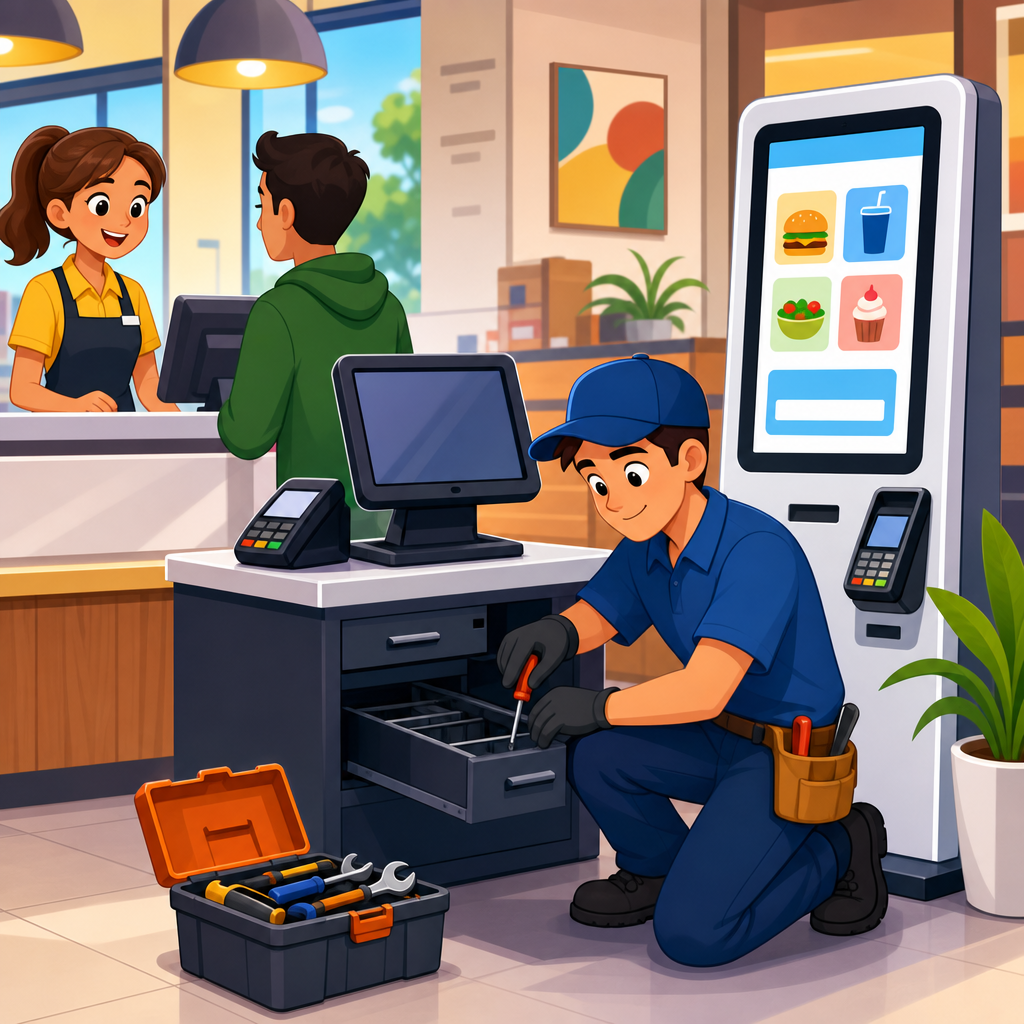
Case Study: Fixing Service Counters, POS, and Self-Service Machines sits at the center of compliance and implementation because these touchpoints decide whether customers can independently buy, verify, sign, and receive service. In practice, “service counters” include staffed reception desks, ticket windows, pharmacy counters, hotel check-in stations, and help desks. “POS” means point-of-sale systems: card readers, pin pads, checkout screens, cash drawers, signature devices, and the software flow that completes payment. “Self-service machines” covers kiosks, vending interfaces, self-checkout, ticketing machines, parcel lockers, and wayfinding terminals. Across retail, healthcare, hospitality, transportation, and government, these systems create the most visible accessibility failures and the fastest compliance risks.
I have worked on remediation programs where a beautiful website passed audit while the customer still could not check in, enter a PIN, hear prompts, reach a scanner, or understand a timed kiosk workflow. That gap is why advanced compliance strategies matter. Accessibility at physical-digital service points is not just a construction issue, a software issue, or a training issue. It is an operational system that must align built environment dimensions, hardware placement, interface behavior, assistive technology compatibility, procurement specifications, maintenance routines, and staff fallback procedures. If one component fails, the whole transaction can fail.
For organizations building a compliance and implementation roadmap, this hub article explains how to approach advanced compliance strategies and case studies with enough precision to guide remediation, budgeting, vendor management, and internal linking to deeper topic pages. The core standards usually involve the ADA, the 2010 ADA Standards for Accessible Design for built elements, Section 508 in many public-sector contexts, and WCAG for software interfaces. Depending on sector and geography, EN 301 549, state accessibility rules, payment card security obligations, and consumer protection requirements may also shape implementation.
The reason this topic deserves a hub page is simple: most failures happen at the seams. A counter can meet height rules but block forward approach because of decorative panels. A POS screen can display readable text but trap focus for screen-reader users. A self-checkout can include speech output but route headphone jacks where wheelchair users cannot reach them. A staff member can be trained to help, yet policy may still force a private PIN disclosure, which is not an equal experience. Effective compliance requires coordinated design and verified operation, not assumptions.
What advanced compliance looks like in real environments
Advanced compliance strategies and case studies begin with a shift from checkbox auditing to task completion testing. The basic question is not “Is the kiosk installed?” but “Can a customer independently complete the same transaction with substantially equivalent privacy, speed, and dignity?” In field projects, I map the full service journey: arrival, queueing, reach, reading, hearing, data entry, payment, error recovery, receipt capture, and post-transaction support. That journey-based method reveals issues that isolated audits miss, especially where physical ergonomics and interface logic interact.
Consider a hospital check-in area. The service counter may include one lowered section, yet the signature pad is mounted on a fixed swivel stand too far back for a seated user. The patient portal software on the intake tablet may also time out after thirty seconds, resetting insurance entry. Separately, the speaker prompts may be too quiet in a noisy lobby. None of those defects alone tells the whole story. Together, they create unequal access, delayed registration, and increased staff intervention. The remediation plan must therefore address hardware reach ranges, software timeout settings, audio output, and alternative workflows as a package.
In transit, I often see ticket vending machines that technically offer audio guidance but require visual confirmation during card insertion or route selection. That breaks independence for blind travelers. In grocery, self-checkout stations commonly fail because bagging area scales trigger repeated alerts that cannot be cleared by the customer using speech mode. In hospitality, reception desks often place payment terminals on high counters with glare from overhead lighting, making low-vision use harder even when text size is acceptable. These are not edge cases; they are recurring implementation patterns across portfolios.
The practical lesson is that advanced compliance means treating counters, POS, and self-service machines as mission-critical customer systems. They need design standards, commissioning tests, documented exceptions, and ownership after go-live. When organizations do this well, complaint volume drops, transaction abandonment decreases, and staff are freed from improvised assistance that slows lines and creates inconsistency.
Common failure patterns in service counters, POS, and kiosks
Most remediation programs uncover the same categories of defects. Physical barriers include excessive counter height, insufficient knee and toe clearance, obstructed forward approach, poor lighting, reflective screens, and cable placement that interferes with mobility devices. Interface barriers include small touch targets, low contrast, missing focus indicators, unlabeled form fields, inaccessible CAPTCHA, inconsistent screen reader announcements, and motion or timeout behavior that cannot be adjusted. Operational barriers include staff moving accessible hardware out of reach, dead headphone jacks, muted audio, missing styluses, disabled accessibility modes, and no documented backup procedure when technology fails.
Payment flows deserve special attention because they combine security, speed, and privacy. A pin pad can be technically reachable but still unusable if tactile keys lack proper differentiation, the screen reader mode is hidden, or the device auto-locks before the user completes entry. Signature capture is another frequent weak point. Many systems assume a visual, fine-motor action on a glossy pad even though a printed signature alternative or accessible confirmation path may be necessary. Receipt delivery is often ignored as well; if on-screen confirmation disappears before a customer can review it, the transaction remains inaccessible.
| System area | Typical failure | Operational impact | Effective fix |
|---|---|---|---|
| Service counter | Accessible section blocked by displays or printers | Customer cannot approach or sign independently | Protect clearance zone and relocate peripherals |
| POS terminal | Pin pad too high or fixed at poor angle | Payment requires staff handling or verbal PIN disclosure | Install adjustable mounting within reach ranges |
| Self-checkout | Speech mode incomplete during payment or bagging alerts | Transaction stalls and staff takeover becomes routine | Retest full workflow and correct state announcements |
| Ticket kiosk | Headphone jack nonfunctional or inaccessible | Blind users lose private audio guidance | Add maintenance checks and accessible placement specs |
| Software flow | Short timeout without extension option | Users restart tasks repeatedly | Provide adjustable timing and save progress |
These patterns matter because they help compliance teams prioritize. If a national chain has one hundred stores, it does not need one hundred unique theories. It needs a defect taxonomy, validated corrective actions, and a rollout sequence based on transaction criticality, complaint history, and retrofit feasibility. That is how advanced compliance strategies scale.
A case study method that produces defensible remediation
The strongest case studies do not begin with a vendor demo or a legal memo. They begin with evidence. My standard approach uses five layers: document review, field measurement, assisted and unassisted user testing, code or configuration inspection, and operational observation during peak hours. Document review captures floor plans, fixture schedules, kiosk specifications, payment terminal models, interface design patterns, and support policies. Field measurement verifies actual installed conditions because as-built reality often differs from drawings. User testing shows whether the intended accessible path works under time pressure and environmental noise.
Defensible remediation also requires naming ownership. Facilities may own the counter millwork, IT may own the software image, operations may own staff procedure, and a payment processor may control terminal firmware. If responsibilities are not assigned, issues bounce between teams for months. In one retail rollout, a reach-range problem remained unresolved because store design believed the card reader mount was vendor-supplied, while the vendor assumed local fixture installation. A one-page responsibility matrix solved more than the audit report did.
Another essential element is severity calibration. Not every issue has equal legal or operational weight. A missing visual focus indicator on a noncritical settings panel matters, but a payment flow that forces a customer to share a PIN is more urgent. I classify defects by transaction blocking risk, independence impact, privacy impact, and repeat frequency. That method helps leaders fund the right fixes first and explain decisions to counsel, procurement, and frontline managers.
Finally, credible case studies include verification after remediation. Teams should not close an issue when hardware ships or software is patched. They should close it after on-site retesting confirms that the repaired system supports real transactions with actual users and that store staff know how to maintain the accessible setup. That final step turns implementation into measurable compliance instead of a paper exercise.
Detailed case studies: retail, healthcare, transit, and hospitality
In a retail chain, the biggest issue was self-checkout independence. The machines had nominal speech output, but item scanning, loyalty enrollment, and card payment were not consistently announced. Customers using audio mode needed an associate for each exception, defeating the purpose of self-service. We documented all screen states, captured firmware versions, and identified a mismatch between kiosk software releases and terminal accessibility settings. The fix combined a software update, standardized device profiles, and a daily startup checklist verifying audio mode, volume, and headphone function. Abandoned transactions fell noticeably within weeks because staff interventions dropped.
A healthcare system faced problems at reception counters and payment stations. The lowered counters existed, yet intake tablets, barcode scanners, and signature pads were placed beyond comfortable reach. Some clinics also used glare-heavy protective covers that reduced readability. We reconfigured surface layouts, specified movable tablet stands, adjusted check-in timeout settings, and revised intake scripts so staff offered equivalent options without forcing assistance. The result was faster registration and fewer complaints from patients who previously had to hand over personal information verbally in busy lobbies.
In transit, ticket machines posed the hardest challenge because they operate in noisy, weather-exposed environments with heavy throughput. Several units met dimensional criteria, but tactile controls were worn, audio prompts were partially masked by ambient noise, and route selection required visual map interpretation at one step. The agency corrected control labeling, improved speech sequencing, added clearer destination search logic, and scheduled monthly accessibility maintenance checks alongside fare equipment servicing. That last move mattered because neglected accessible features fail quietly and stay broken unless someone owns them.
Hospitality produced a different pattern. Front desks often looked elegant but created barriers through height, under-counter obstructions, and detached payment terminals placed for staff convenience rather than guest use. In one hotel portfolio, remediation included retrofitting at least one compliant check-in position per lobby zone, using articulated payment mounts, reducing counter clutter, and training agents to maintain guest privacy during document review and payment. Because hotels handle fatigue, luggage, lighting shifts, and multilingual interactions, accessible service design improved usability for many guests, not only those with disabilities.
Governance, procurement, and ongoing implementation controls
Organizations that avoid repeat failures build compliance into governance and procurement. The purchasing team should not buy counters, pin pads, kiosks, or software without explicit accessibility requirements in RFPs, contracts, acceptance criteria, and service-level terms. Requirements should cover physical dimensions, tactile operability, speech output behavior, captioning or visual alternatives where applicable, keyboard navigation, color contrast, timeout controls, compatibility with assistive technology, and maintenance obligations. If those details are absent, remediation becomes an expensive retrofit instead of a planned deliverable.
Implementation controls should include prototype reviews, factory acceptance testing where possible, installation checklists, and post-installation commissioning. I also recommend a “golden configuration” for each device type: approved mount, cable routing, software version, accessibility settings, volume defaults, and cleaning instructions that do not damage tactile features. Store or site teams need simple visual guides because many accessibility failures occur after opening, when someone relocates a terminal, replaces a mount, or disables a mode to solve a short-term complaint.
Training has to be precise. “Be helpful” is not enough guidance for frontline staff. They need to know when to offer assistance, how to preserve privacy, how to start accessible modes, what backup transaction methods are approved, and how to escalate equipment failures immediately. Managers need dashboard metrics such as inaccessible terminal incidents, kiosk downtime, complaint categories, and remediation aging. With those controls, advanced compliance strategies and case studies become part of daily operations rather than a one-time project.
The main lesson from fixing service counters, POS, and self-service machines is that compliance succeeds when organizations design for completed transactions, not isolated components. A lowered counter, an updated kiosk, or an accessible pin pad does not solve the problem by itself. Equal access depends on the full chain: approach, reach, interface logic, privacy, timing, maintenance, and staff practice. When these elements are managed together, customers can act independently and organizations reduce legal exposure, service delays, and inconsistent workarounds.
As a hub within compliance and implementation, this topic should guide deeper work on audit methods, technical standards, procurement language, staff procedures, and sector-specific case studies. The most effective programs use evidence, assign ownership, prioritize by transaction impact, and verify repairs in the field. That approach is repeatable across retail, healthcare, transit, hospitality, and public services because the underlying pattern is the same: barriers appear where physical design and digital workflows meet.
If you are building an accessibility roadmap, start with the highest-risk customer touchpoints: staffed counters, payment devices, and self-service machines. Audit real tasks, document recurring defects, and create remediation standards that vendors and site teams must follow. Then retest with actual users. That is how advanced compliance strategies move from policy to dependable service.
Frequently Asked Questions
What does “fixing service counters, POS, and self-service machines” actually involve in a real accessibility case study?
In a real-world accessibility case study, fixing service counters, POS systems, and self-service machines means addressing every point where a customer must independently complete a task such as asking for help, making a purchase, confirming identity, entering payment details, signing, receiving a receipt, or collecting goods or services. This is not limited to a single device. It usually includes the physical counter height and reach range, the visibility and readability of on-screen content, the usability of card readers and pin pads, the accessibility of signature capture devices, the placement of printers and receipt trays, and the logic and timing of the software that guides the customer through each step.
For service counters, the work often starts with the physical setup. Teams assess whether a wheelchair user can approach the counter, whether there is enough knee and toe clearance, whether communication is possible for customers who are deaf or hard of hearing, and whether forms, payment devices, and service materials can be reached and used without assistance. For POS systems, the review expands to hardware and software. A compliant setup should allow customers to enter payment information privately, follow prompts clearly, correct mistakes, and complete the transaction without unnecessary barriers. For self-service machines such as kiosks, ticketing stations, check-in terminals, and payment machines, the scope becomes even broader because the machine must replicate the full transaction flow without relying on staff intervention.
A strong case study usually documents the full lifecycle: identifying barriers, prioritizing fixes, coordinating vendors, updating hardware or software, testing with realistic user scenarios, training staff, and measuring whether customers can complete tasks independently. In other words, “fixing” is not just a technical patch. It is a coordinated compliance and implementation effort focused on making critical customer touchpoints usable, accessible, and reliable in everyday operations.
Why are service counters, point-of-sale systems, and self-service machines considered such high-risk compliance touchpoints?
These touchpoints are high-risk because they directly control access to core services and transactions. If a customer cannot check in at a hotel desk, buy medication at a pharmacy counter, complete a card payment at checkout, retrieve a ticket from a kiosk, or verify and sign for a service, the barrier is immediate and highly visible. Unlike a minor usability issue on a back-office system, failures at these locations affect the customer in real time and can prevent the transaction from being completed at all.
They also combine multiple accessibility layers at once. There is the built environment element, such as counter height, reach distance, glare, lighting, and queue access. There is the hardware element, including card readers, keypads, touchscreens, receipt printers, and audio components. There is the software element, which includes screen flow, button labels, time limits, focus order, contrast, error handling, and instructions. Finally, there is the operational element: whether staff know when to assist, how to offer alternatives without reducing customer independence, and how to handle exceptions consistently. Because these systems sit at the intersection of physical access, digital access, and service delivery, a single gap can create legal, reputational, and customer-experience problems.
Another reason they are high risk is that they are often deployed at scale. One inaccessible kiosk design, one poorly mounted pin pad, or one inaccessible POS workflow can affect hundreds or thousands of customer interactions across multiple sites. That scale magnifies the business impact. A case study in this area is valuable because it shows how organizations move from isolated complaints or audit findings to a structured remediation strategy that reduces risk and improves service across all locations.
What are the most common accessibility problems found at service counters, POS setups, and self-service machines?
The most common problems usually fall into a few predictable categories. At service counters, frequent issues include counters that are too high, insufficient clear floor space for wheelchair approach, payment devices placed out of reach, poor lighting, difficulty hearing staff through glass or partition barriers, and forms or documents that are not available in accessible formats. Even when the staff member is helpful, the setup itself may force the customer to rely on assistance for tasks that should be independently manageable.
At POS stations, common barriers include pin pads mounted at awkward angles, card readers with small or low-contrast displays, touchscreen checkout flows that are difficult to understand, signature devices that lack tactile cues, prompts that disappear too quickly, and inaccessible error messages. It is also common to see software that assumes all users can visually track prompts on one screen while entering information on another device. This split attention model can be especially difficult for customers with low vision, cognitive disabilities, or limited dexterity.
For self-service machines, the list grows longer. Kiosks often have screens mounted too high, touch targets that are too small, poor contrast, audio jacks that are missing or nonfunctional, no tactile keypad for private input, inaccessible document scanners, confusing navigation, or instructions that rely only on color or visual icons. Time-out settings are another major problem. If a machine resets too quickly, customers may lose progress before they can complete the process. Receipt retrieval, ticket collection, and product dispensing are also frequently overlooked. A system may have an accessible screen flow but still fail if the printed output is delivered to a location the customer cannot reach.
A detailed case study typically shows that the most serious problems are rarely isolated. They tend to appear in combinations, with physical design, hardware procurement, software design, and staff procedures all contributing to the customer’s experience. That is why successful remediation depends on looking at the full transaction journey rather than evaluating each component in isolation.
How do organizations prioritize and implement fixes without disrupting day-to-day operations?
The most effective organizations treat remediation as a phased implementation program rather than a one-time repair project. They begin by identifying the tasks that matter most to customers and the barriers that most directly block independent use. That usually means prioritizing checkout, check-in, identity verification, payment entry, signature capture, and receipt retrieval before lower-impact enhancements. In practice, teams often classify issues into categories such as immediate safety or access barriers, critical transaction blockers, compliance gaps, usability improvements, and longer-term redesign items.
From there, implementation is often split into quick wins and structural fixes. Quick wins might include repositioning a pin pad, adjusting software time-outs, improving screen text and contrast, adding clearer prompts, making staff procedures more consistent, or providing accessible communication methods at service counters. Structural fixes may require replacing kiosk enclosures, changing counter designs, integrating accessible hardware, updating vendor contracts, or redesigning transaction flows in the POS software. A strong case study will show how these two tracks work together so that customers see meaningful improvements early while more complex changes are planned properly.
Operational continuity is also critical. Businesses cannot usually shut down counters, checkouts, or self-service stations for extended periods. That means remediation must be scheduled around peak hours, pilot-tested in selected locations, and supported by temporary service alternatives where needed. Staff training is a major part of this process. Even the best hardware and software updates can fail if employees do not know how to activate accessibility features, troubleshoot common issues, or assist in a way that preserves customer privacy and independence. The best implementations include testing in real conditions, feedback loops from frontline teams, and post-deployment verification to confirm that the fix works in everyday use, not just in a lab or audit setting.
What should a strong case study demonstrate to prove that the fixes were successful and sustainable?
A strong case study should show more than a list of changes. It should demonstrate that customers can now complete essential tasks independently, reliably, and with dignity across the relevant service environments. That means documenting the original barriers, explaining why they mattered, outlining the remediation strategy, and showing the measurable outcomes. Examples of useful evidence include successful completion of payment and check-in tasks, improved reach and approach at service counters, better transaction completion rates at kiosks, fewer staff-assisted interventions, reduced complaints, and positive feedback from accessibility testing or user validation.
It should also make clear that success was achieved through a repeatable process, not a one-off exception. Readers should be able to see how the organization assessed current conditions, selected standards or requirements, coordinated with hardware and software vendors, made design decisions, tested changes, and embedded accessibility into ongoing operations. This is especially important for POS systems and self-service machines because they often receive software updates, firmware changes, replacement parts, and layout modifications over time. A fix is only sustainable if future changes are governed by the same accessibility expectations.
Finally, the best case studies show governance and accountability. They explain who owned the remediation effort, how decisions were approved, what testing criteria were used, and how staff were trained to maintain the improvements. They may also describe procurement changes, maintenance procedures, escalation paths, and periodic review processes. That level of detail matters because service counters, POS systems, and self-service machines are not static assets. They are living service touchpoints. A successful case study proves that accessibility was not just repaired once, but built into the organization’s ongoing compliance and implementation strategy.





