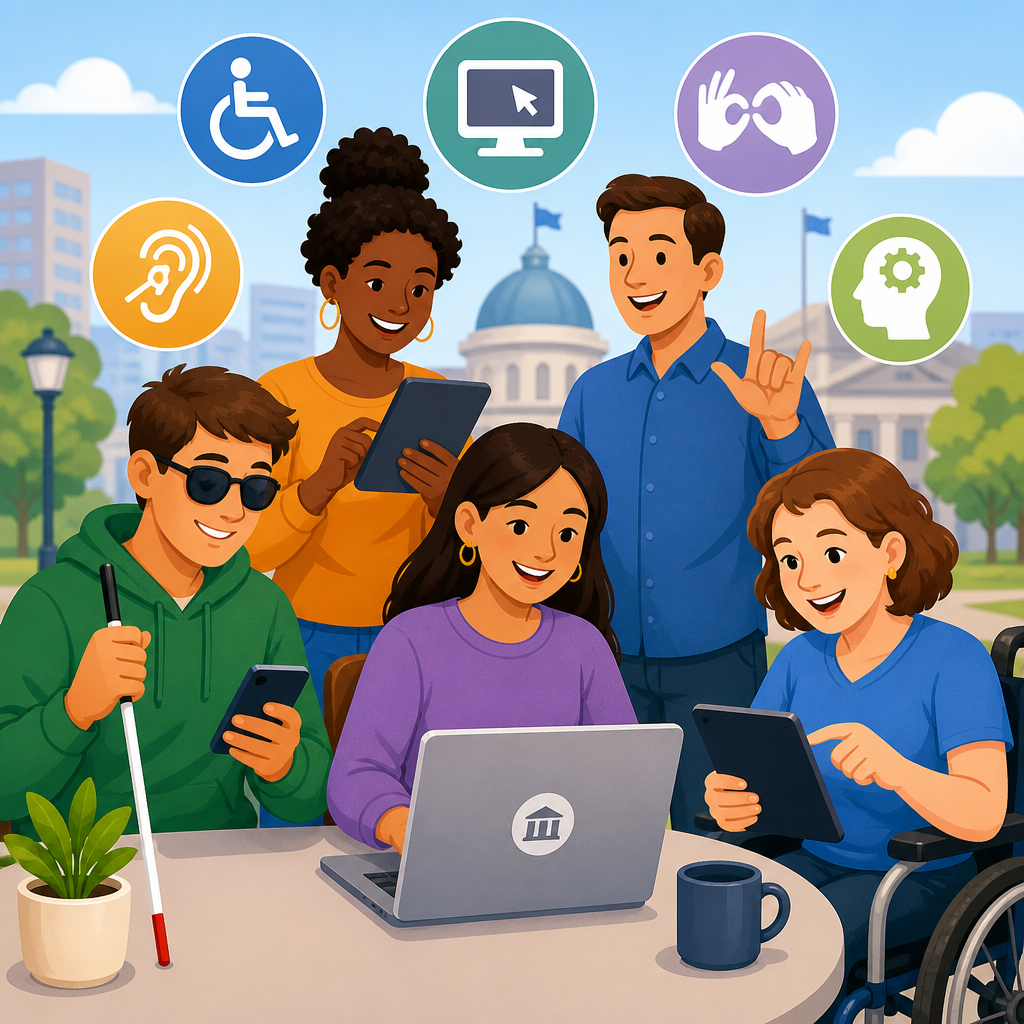
Using a government website, a public university portal, or an online transit app should not force a person with a disability to fight through barriers before getting basic services. Your ADA rights when using public services online start with a simple principle: if a public entity offers programs, services, or activities through the web, those digital services must be accessible in a way that gives people with disabilities an equal opportunity to participate. That principle comes from the Americans with Disabilities Act, usually called the ADA, a federal civil rights law enacted in 1990 and applied today to websites, mobile apps, digital forms, online payment systems, virtual appointments, and other technology used by state and local governments.
In practice, online accessibility means more than adding a text size button or a phone number in the footer. It means a blind user can complete a benefits application with a screen reader, a deaf user can understand a public health video through captions, a person with limited manual dexterity can navigate by keyboard without timing out, and a person with cognitive disabilities can follow instructions that are clear, consistent, and error tolerant. When those basics fail, the result is not just inconvenience. It can block access to housing assistance, court information, tax filing, voter registration, school enrollment, transit schedules, emergency notices, and healthcare portals.
I have worked through accessibility audits and remediation plans for public-facing digital services, and the pattern is consistent: agencies often focus on launch dates and procurement checklists, then discover too late that inaccessible forms, unlabeled buttons, PDF barriers, and third-party booking tools exclude real people from essential services. That is why understanding basic rights under the ADA matters. It helps individuals recognize when a barrier is unlawful, and it helps public entities understand what equal access requires before complaints, investigations, or litigation force expensive fixes.
This hub article explains the legal foundation, what public services online are covered, what equal access looks like, how accessibility standards are used, what accommodations may be required, and what to do if a website or app blocks access. If you want the short answer, it is this: public entities cannot move services online and leave disabled users behind.
What the ADA Covers in Public Services Online
The key ADA provision for public services is Title II. Title II applies to state and local governments and to their departments, agencies, and instrumentalities. If a city, county, public school district, state university, court system, transit authority, police department, public hospital, or benefits office provides information or services online, those digital offerings fall within the same nondiscrimination duty that applies to physical offices and in-person programs. The legal focus is not whether the internet is a place in the traditional sense. The focus is whether the public entity is offering a program, service, or activity.
That scope is broad. It includes websites, mobile applications, online forms, PDF notices, payment portals, appointment systems, livestreams, self-service kiosks tied to online accounts, and documents posted for the public. It also includes content created by contractors when the contractor is acting on behalf of the public entity. In my audits, agencies often miss this point and assume the accessibility burden belongs only to the software vendor. It does not. A public entity cannot outsource legal responsibility by buying an inaccessible platform.
There is also overlap with Section 504 of the Rehabilitation Act for entities receiving federal financial assistance, and with Section 508 standards for certain federal technology procurement and development. While these laws are not identical, they reinforce a common rule: digital access is part of equal access. Courts and regulators have steadily treated inaccessible online services as a civil rights problem, especially when the digital system is the main path to the service itself.
What Equal Access Means for Real Users
Equal access does not require identical experiences in every detail, but it does require effective access. A public service online must be usable by people with a range of disabilities, including blindness, low vision, deafness, hard of hearing, mobility impairments, speech disabilities, cognitive disabilities, learning disabilities, and seizure disorders. The measure is practical. Can the person obtain the information, complete the task, communicate with the agency, and receive the benefit in a way that is timely, accurate, and substantially equivalent?
For example, if a county posts a property tax appeal form as a scanned image PDF with no text layer, a screen reader user may be unable to read or complete it. If a transit app relies only on color to show delays, a rider with color vision deficiency may miss critical updates. If a benefits portal times out after two minutes without warning or extension, users with mobility or cognitive impairments may lose their work repeatedly. If emergency briefings stream without captions, deaf residents may miss evacuation instructions. Each of these is a different technical issue, but the legal problem is the same: the service is not equally accessible.
A common misconception is that offering a phone number automatically solves the issue. Usually it does not. A staffed line may have limited hours, long wait times, language barriers, or no ability to provide the same function, such as uploading documents at midnight before a deadline. Equal opportunity generally means the alternative must provide comparable access in terms of privacy, independence, timeliness, and range of functions. A fallback method may help in the short term, but it rarely excuses a persistently inaccessible primary platform.
Standards Public Entities Commonly Use to Measure Accessibility
The ADA itself does not list every coding requirement for a website, but public entities and courts need a practical benchmark. The most widely used technical standard is the Web Content Accessibility Guidelines, known as WCAG, developed by the World Wide Web Consortium. WCAG organizes accessibility around four core principles: content should be perceivable, operable, understandable, and robust. In daily work, that means text alternatives for images, keyboard access, sufficient color contrast, logical headings, clear error messages, compatible code, captions, transcripts, and predictable navigation.
Recent federal rulemaking for state and local government digital services has reinforced WCAG 2.1 Level AA as the operative benchmark for most web and mobile content. That matters because it replaces vague promises with measurable expectations. During remediations, I use automated testing tools such as axe, WAVE, and Lighthouse to catch obvious issues, but those tools never finish the job. Manual keyboard testing, screen reader testing with JAWS, NVDA, or VoiceOver, zoom and reflow checks, caption review, and user testing with disabled participants are essential because automation cannot reliably judge meaning, focus order, or form usability.
| Barrier | How It Affects Users | Typical Fix |
|---|---|---|
| Image-only PDF forms | Screen readers cannot read fields or instructions | Create tagged PDFs or accessible web forms |
| Videos without captions | Deaf and hard of hearing users miss content | Add accurate synchronized captions and transcripts |
| Mouse-only menus | Keyboard users cannot navigate or submit tasks | Enable full keyboard operation and visible focus states |
| Low color contrast | Text becomes unreadable for low-vision users | Meet WCAG contrast ratios and avoid color-only cues |
| Unlabeled form fields | Assistive technology cannot identify what to enter | Use proper labels, instructions, and error identification |
Accessibility standards are not just for developers. Procurement teams should require conformance language in contracts, product managers should include accessibility acceptance criteria before launch, and content staff should be trained to post accessible documents and media. The right standard only works if the organization builds it into everyday operations.
Common Rights You Have When a Public Website or App Is Inaccessible
As a user, your basic rights under the ADA are concrete. You have the right not to be excluded from a public program because a website or app is unusable with assistive technology. You have the right to effective communication, which means information must be provided in ways that work for your disability. You have the right to reasonable modifications in policies, practices, or procedures when necessary to avoid discrimination, unless the modification would fundamentally alter the service. You also have the right to an accessible method of filing complaints and requesting help.
These rights appear in ordinary situations every day. A public college cannot require all course registration changes to be completed through an inaccessible portal and then tell blind students to ask friends for help. A county health department cannot post vaccine clinic registration only through a form that traps keyboard users. A city cannot require utility customers to verify identity through an inaccessible CAPTCHA with no accessible alternative. A court system cannot make online case information available in a format unreadable to screen reader users while charging fees for paper access.
Just as important, public entities must avoid eligibility criteria or administrative methods that screen out people with disabilities. For digital services, that can happen when an agency selects software that depends on drag-and-drop gestures, imposes rigid document upload rules incompatible with assistive tools, or uses identity verification systems that fail for users with speech or visual disabilities. The ADA does not demand perfection, but it does require public entities to make informed choices, test for accessibility, and remove barriers when they know or should know those barriers exist.
Reasonable Modifications, Auxiliary Aids, and Effective Communication
Three ADA concepts often decide what access should look like online. First, reasonable modifications may include extending session timeouts, allowing alternate identity verification methods, accepting submissions by accessible email or web form, or changing a policy that requires in-person signatures when a secure digital alternative exists. Second, auxiliary aids and services may include captions, transcripts, sign language interpreters for virtual meetings, screen-reader-compatible documents, plain-language instructions, and accessible chat or relay options. Third, effective communication requires the chosen aid or format to work in context.
Consider a public housing authority conducting mandatory tenant briefings by video. Posting slides afterward is not enough for a deaf participant if the meeting itself contains spoken instructions and deadlines. Live captions, an interpreter when appropriate, and accessible follow-up materials may all be necessary. Likewise, emailing a scanned letter to a blind applicant is not effective communication if the text cannot be read by assistive technology. Agencies need to ask what the person needs, assess the communication task, and provide an aid that actually delivers the information.
There are limits. A public entity does not have to provide a modification that would fundamentally alter the nature of the program or impose an undue financial and administrative burden. But those defenses are narrower than many agencies assume, especially for core digital fixes that are now standard practice. Adding labels to forms, correcting heading structure, captioning public videos, or enabling keyboard access are routine accessibility measures, not extraordinary accommodations.
What to Do If You Hit a Digital Barrier
If a public service website or app blocks access, document the problem clearly. Save screenshots, error messages, page URLs, dates, times, device and browser information, and the assistive technology you used. Write down the exact task you could not complete, such as submitting an application, reading a notice, paying a bill, or joining a meeting. If a deadline is involved, note it immediately. Good documentation turns a vague complaint into a specific access problem the agency can verify and fix.
Next, notify the public entity and ask for both immediate access and permanent remediation. Many agencies have an ADA coordinator, disability services office, civil rights unit, or web accessibility contact. Be direct: explain the barrier, the service you need, and the accommodation or alternate method that would provide timely access. If the issue affects a government deadline, ask for an extension and confirmation in writing. In my experience, agencies respond faster when the request ties the technical defect to a real service outcome, such as missing a permit deadline or losing access to benefits.
If the response is inadequate, you may file an internal grievance, a complaint with the U.S. Department of Justice, or other relevant oversight bodies depending on the program. Some situations also support private legal action. The best results often come from combining urgency with specificity: identify the barrier, cite the service denied, request a practical fix, and keep records of every contact. Accessibility problems are easier to dismiss when they are described as annoyance. They are harder to ignore when documented as exclusion from a public program.
Why This Hub Matters and What Public Entities Should Do Next
Basic rights under the ADA are not abstract digital ideals. They protect a person’s ability to use public services independently, privately, and on time. When websites, apps, forms, videos, and portals are accessible, people can register for school, pay taxes, renew licenses, follow emergency alerts, apply for benefits, and participate in civic life without extra hurdles. When those systems are inaccessible, the harm lands on the people who can least afford delay: residents seeking housing, patients managing care, students meeting deadlines, and workers relying on transit or licensing systems.
For readers using this page as a hub under Rights and Protections, the central takeaway is straightforward. Public entities that offer services online must provide equal access, effective communication, and reasonable modifications where needed. Accessibility should be built through WCAG-based design, procurement rules, testing, staff training, and responsive complaint handling. Individuals should know they can ask for accessible formats, alternate methods that are genuinely equivalent, deadline adjustments when barriers interfere, and prompt correction of preventable digital obstacles.
If you manage a public-facing service, audit your highest-impact tasks first: applications, payments, appointments, notices, and videos. If you are a user facing barriers, document the problem and request an accessible solution immediately. Knowing your ADA rights when using public services online is the first step toward making digital government work for everyone.
Frequently Asked Questions
1. Do ADA protections apply when I use a government website, public university portal, or public transit app?
Yes. When a state or local government, public university, transit authority, or other public entity provides programs, services, or activities online, the Americans with Disabilities Act generally requires those digital services to be accessible to people with disabilities. The core legal principle is equal opportunity. If the public can pay bills, apply for benefits, register for classes, review public records, request permits, use transit tools, or complete other essential tasks online, people with disabilities must be able to do those things in a meaningful and usable way as well.
In practical terms, this means accessibility is not limited to physical buildings, service counters, or printed materials. Public services increasingly operate through websites, portals, mobile apps, online forms, and digital documents, and ADA obligations extend to those tools. A public entity cannot avoid its responsibilities simply because the service is delivered through a screen rather than in person. If the online platform is the way the public is expected to access the service, the platform must be designed and maintained so people with disabilities can use it effectively.
This includes individuals who use screen readers, refreshable Braille displays, keyboard-only navigation, voice control software, captions, transcripts, screen magnification, color contrast adjustments, and other assistive technologies. It also includes people with mobility, visual, hearing, cognitive, speech, and other disabilities. The ADA’s focus is not on technical labels alone, but on whether the person with a disability has a genuine, equal chance to participate in the service being offered.
2. What does “accessible” mean for public services online under the ADA?
Accessible means more than simply being able to open a webpage. Under the ADA, accessibility in online public services generally means that a person with a disability can locate, understand, navigate, and complete the same basic tasks that other users can complete, without unnecessary barriers. The experience does not have to be identical in every respect, but it must provide an equal opportunity to obtain the same information, use the same service, and achieve the same result in a timely and effective manner.
For example, an accessible government website should allow a blind user to navigate menus, read content, fill out forms, and submit applications using a screen reader. An accessible public university portal should let a student using only a keyboard register for classes, view financial aid information, and download course materials. An accessible transit app should make schedules, route planning, alerts, and ticketing features usable for people with visual, hearing, dexterity, or cognitive disabilities.
Common accessibility features include meaningful alternative text for images, proper heading structure, keyboard operability, captions for video, transcripts for audio, readable color contrast, clearly labeled form fields, error messages that can be understood by assistive technology, and documents that are accessible rather than scanned as unreadable image files. Accessibility also includes consistency and usability. A service is not truly accessible if a person can technically reach the page but cannot understand the instructions, recover from errors, or complete the transaction independently.
Many organizations use recognized technical standards such as the Web Content Accessibility Guidelines, or WCAG, as a framework for meeting accessibility obligations. While legal obligations come from the ADA and related disability rights laws, WCAG is often used as a practical benchmark for how to make websites, apps, and digital documents more usable for people with disabilities.
3. If an online public service is hard or impossible for me to use, does that violate my rights?
It may. A digital barrier can violate your rights when it prevents you from accessing a public program, service, or activity on equal terms. The key question is whether the barrier meaningfully interferes with your ability to use the service. If you cannot submit an application because form fields are not labeled for screen readers, cannot watch a required public meeting video because there are no captions, cannot access class materials because the university portal is incompatible with keyboard navigation, or cannot use an online transit tool because essential buttons are not readable by assistive technology, those problems may amount to unlawful discrimination.
The issue is not only whether access is theoretically available somewhere else. Public entities sometimes argue that a phone number, in-person office, or alternate process solves the problem. In some situations, an alternative method may help, but it does not automatically excuse an inaccessible primary platform, especially if the alternative is slower, less private, less effective, available only during limited hours, or places extra burdens on the person with a disability. Equal access generally means a person with a disability should not have to work harder, wait longer, or reveal more private information simply to obtain the same public service others can access online.
Barriers can be obvious or subtle. Some examples include online forms that time out too quickly, PDF notices that cannot be read by assistive technology, poor color contrast that makes text unreadable, drag-and-drop tools that cannot be used without a mouse, authentication systems that block disabled users, and video content without captions or audio description where needed. If the design choices of the digital service stop you from participating in a meaningful way, that is a serious accessibility concern and may support an ADA complaint or legal claim depending on the facts.
4. What should I do if a public entity’s website, portal, or app is not accessible to me?
Start by documenting the problem as clearly as you can. Save screenshots, record the date and time, note the webpage or feature involved, and describe exactly what happened when you tried to use it. If you use assistive technology, note what technology you were using and how the barrier affected you. For example, you might explain that a benefits application form could not be submitted because the “continue” button was not keyboard accessible, or that a university document was posted only as a scanned PDF that your screen reader could not read.
Next, notify the public entity if possible. Many agencies, universities, and transit systems have accessibility contacts, ADA coordinators, disability services offices, or web support departments. A written notice can be especially helpful because it creates a record. Be specific about the service you were trying to access, why the barrier prevented equal use, and what you need in order to access the service. If the issue is urgent, such as a filing deadline, class registration window, or time-sensitive benefit application, say that plainly and ask for prompt action.
You can also ask for a reasonable modification, auxiliary aid, accessible format, or another effective way to access the service while the barrier is being fixed. Depending on the situation, that could include an accessible digital document, a captioned version of a video, human assistance that provides equal and timely access, or an extension of a deadline caused by the accessibility barrier. Public entities should respond in a way that is effective, not merely symbolic.
If the issue is not resolved, you may have options such as filing an internal grievance, submitting an administrative complaint, or speaking with an attorney experienced in disability rights. The strongest claims often involve clear documentation showing that the online barrier blocked access to a government program, university service, or public transit function. Taking action not only helps protect your own rights, but can also push the public entity to remove barriers for others who may be facing the same problem.
5. Are public entities required to fix online accessibility problems even if they say it is difficult or expensive?
In many cases, yes. Public entities generally cannot ignore digital accessibility simply because fixing problems requires time, planning, or resources. The ADA expects covered entities to provide equal access and to make reasonable efforts to avoid excluding people with disabilities from public programs and services. While the law does recognize that there can be limits in certain situations, those limits are not a free pass to leave major online barriers in place indefinitely.
A public entity may raise defenses based on concepts such as undue financial or administrative burden or a fundamental alteration of the service, but those are specific legal standards, not casual excuses. The entity typically must do more than say accessibility is inconvenient or costly. It should be able to justify its position and, even then, it may still have to provide another effective way for people with disabilities to access the service. In other words, the obligation to provide access does not disappear just because the preferred fix is challenging.
It is also important to remember that many accessibility improvements are not extreme or exotic. Proper coding of forms, captions for videos, accessible PDFs, keyboard navigation, text alternatives, and color contrast corrections are standard parts of accessible digital design. Public entities that rely heavily on the web to deliver services should be building accessibility into procurement, development, updates, and maintenance from the start rather than treating it as an afterthought.
From a rights perspective, the most important point is this: if a public service has moved online, people with disabilities are entitled to a fair chance to use it. A government agency, public college, or transit authority cannot lawfully structure digital access in a way that leaves disabled users behind and then dismiss the problem as too hard to solve. The ADA is meant to ensure meaningful participation, and that principle applies in the digital world just as much as it does in the physical one.