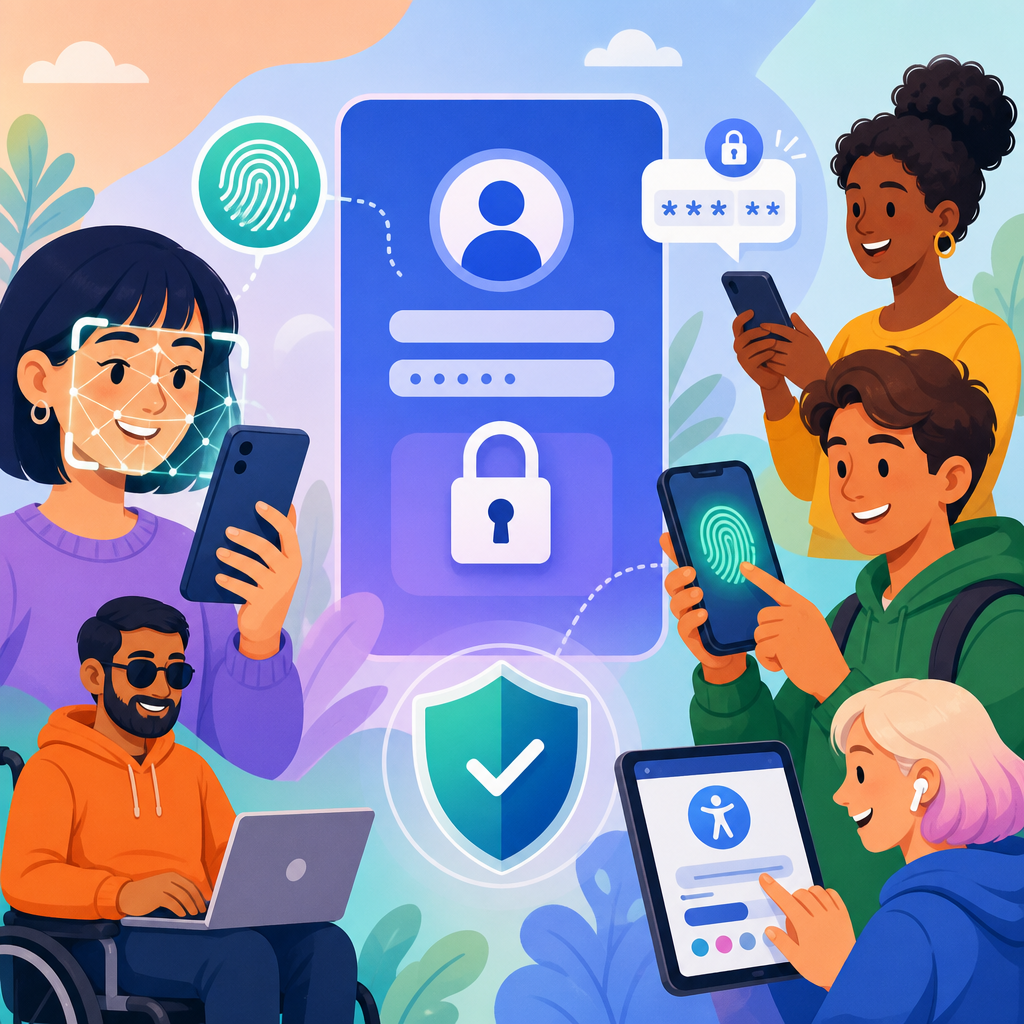
Biometric access, multi-factor authentication, and inclusive login design are changing quickly as organizations modernize security and respond to accessibility expectations shaped by the Americans with Disabilities Act, Section 508, the Web Content Accessibility Guidelines, and a growing body of case law and settlement activity. In practice, this means login flows can no longer be treated as a narrow security control. They are now a core accessibility surface, because a person’s first interaction with a product often begins with account creation, sign-in, identity verification, or account recovery.
ADA developments in technology and accessibility matter here because inaccessible authentication can block users from healthcare portals, banking tools, workplace systems, education platforms, government services, and consumer apps. I have seen teams spend months refining passwords, passkeys, and fraud controls, only to discover that their one-time code fields failed with screen readers, their timeout rules locked out users with mobility impairments, or their face verification flow excluded people with low vision and certain disabilities. When authentication breaks, the service is effectively unavailable, regardless of how polished the rest of the interface may be.
Three terms define this landscape. Biometric access refers to identity checks based on physical or behavioral traits, such as fingerprint unlock, face recognition, voice verification, or device-bound passkeys that may be unlocked with biometrics. Multi-factor authentication, or MFA, requires two or more factors from separate categories: something you know, something you have, and something you are. Inclusive login design means creating sign-in and recovery experiences that remain usable across disabilities, assistive technologies, devices, languages, and temporary impairments while preserving security.
This hub article explains the latest updates in biometric access, MFA, and inclusive login design through the lens of ADA developments in technology and accessibility. It covers current standards, common barriers, implementation choices, risk tradeoffs, and practical design patterns. It also serves as the central overview for related articles on accessible forms, mobile accessibility, identity proofing, passwordless authentication, and account recovery, giving teams a structured starting point for improving both compliance posture and user success.
Why authentication is central to ADA developments in technology and accessibility
Authentication has become a focal point because regulators and plaintiffs increasingly examine whether digital services are equally usable at the point of access, not only after login. WCAG 2.2 sharpened expectations around focus appearance, dragging alternatives, target size, consistent help, and accessible authentication. The authentication guidance is especially important because it addresses cognitive function tests. In plain terms, users should not be required to solve memory-heavy, transcription-heavy, or perception-heavy challenges unless an alternative path is provided.
That principle directly affects CAPTCHA design, one-time passcode entry, puzzle verification, and recovery questions. For example, asking a user to remember a precisely formatted password, transcribe six rotating digits from another device, and solve a visual challenge within thirty seconds creates stacked barriers. In accessibility audits I have run, this stacking effect is usually more damaging than any single issue. A user with dyslexia, tremor, low vision, or attention-related disabilities may be able to complete one demanding step, but not four in a row under time pressure.
Organizations also face real litigation and procurement risk. Public entities and federal contractors often align requirements with Section 508. Private businesses increasingly map to WCAG 2.1 AA or WCAG 2.2 AA in settlement agreements, vendor reviews, and internal standards. Authentication is frequently cited because it is measurable: labels, error messaging, timeout behavior, keyboard support, programmatic names, and alternate verification methods can all be tested. If your login fails, your accessibility statement has little practical value.
Biometric access: gains, limits, and implementation details
Biometric access can improve both security and usability when deployed correctly. Device biometrics such as Apple Face ID, Touch ID, Windows Hello, and Android Biometrics reduce password reuse and lower friction, especially when used to unlock cryptographic credentials stored on the device. In passwordless systems based on FIDO2 and WebAuthn, the biometric check usually stays local to the device. The service receives proof that the device verified the user, not the user’s raw fingerprint or face image. That architecture is materially better for privacy and reduces breach exposure.
However, biometrics are not universally accessible. Some users cannot present a stable face image because of camera placement, lighting sensitivity, or facial difference. Some cannot use fingerprint sensors due to limb difference, skin conditions, gloves, or worn fingerprints. Voice verification can be unreliable for users with speech disabilities, background noise, or illness. For that reason, biometrics should be offered as an option, not as the only route. A secure fallback is mandatory.
Implementation details matter. Face matching prompts must have clear instructions, strong contrast, and screen-reader announcements. Error states should explain what happened and what the user can do next, such as try another method, reposition the device, or choose a passkey or security key. If liveness checks require head movement, blinking, or smile detection, teams should confirm that an equivalent non-biometric method is available without penalty. I have seen vendors advertise accessibility while still requiring gestures many users cannot perform.
Privacy and data governance are equally important. The Illinois Biometric Information Privacy Act, Texas Capture or Use of Biometric Identifier Act, and Washington’s biometric law have raised awareness of consent, retention, and disclosure practices. Even when a company relies on device biometrics and never stores templates centrally, notices must still be clear about what is collected, where processing occurs, and how alternatives work. Trust is part of access.
MFA updates: stronger security without avoidable barriers
MFA remains one of the most effective defenses against account takeover, but some common factors are weak or exclusionary. SMS codes are familiar yet vulnerable to SIM swapping, interception, and delivery failures. Authenticator apps are stronger, but setup can be confusing if QR codes are unlabeled, backup codes are inaccessible, or time-based tokens expire before a user can switch screens. Push notifications reduce transcription burden, but they can create approval fatigue and may be difficult for users managing multiple devices or assistive tools.
The strongest broadly deployable options today are phishing-resistant methods such as FIDO security keys and passkeys. They bind authentication to the legitimate domain and reduce the chance that users will enter secrets into spoofed sites. From an accessibility perspective, passkeys can be excellent because they eliminate memorized passwords and code entry. Yet they still need careful design. Users must understand whether the passkey lives on the current device, a password manager, or another synced ecosystem. They also need a recovery path if a device is lost or replaced.
NIST SP 800-63B provides a practical benchmark. It discourages knowledge-based questions, limits arbitrary composition rules, supports password managers, and pushes implementers toward phishing-resistant authentication where possible. I recommend using NIST language when aligning design, engineering, and compliance teams because it frames security and usability as compatible, not competing, objectives.
| Authentication method | Security profile | Accessibility strengths | Accessibility risks |
|---|---|---|---|
| SMS OTP | Moderate to weak against targeted attacks | Familiar, no new app required | Delivery delays, code transcription, phone dependence |
| Authenticator app | Stronger than SMS | Works offline after setup | QR setup barriers, time pressure, small token displays |
| Push approval | Strong if well designed | Low typing burden | Notification confusion, approval fatigue |
| Security key | Phishing resistant | Simple tap interaction | Physical possession, connector compatibility |
| Passkey | Phishing resistant | Fast, passwordless, often biometric assisted | Recovery complexity, ecosystem understanding |
The best MFA strategy is not one universal method. It is a layered policy with accessible defaults, meaningful choice, and recovery options that do not silently downgrade users into insecure experiences. For most services, that means supporting passkeys or security keys, keeping authenticator apps as a secondary option, minimizing SMS to fallback use, and making backup codes downloadable, printable, and screen-reader friendly.
Inclusive login design patterns that hold up in audits
Inclusive login design starts with basic interaction quality. Every field needs a persistent visible label, not a placeholder-only label. Password reveal controls need an accessible name that updates correctly. Error messages should be specific, announced to assistive technology, and linked to the relevant field. Focus order must match the visual sequence. Keyboard users should be able to complete login, MFA enrollment, and recovery without traps or hidden controls.
Timeouts are another common failure point. Security teams often set aggressive session expiration during sign-in or identity proofing, but users with screen readers, switch devices, magnification, or cognitive disabilities may need more time. The practical fix is simple: warn before timeout, allow extension, preserve entered data when safe, and avoid expiring a code while the user is still actively interacting. These changes improve completion rates for everyone, not only disabled users.
Accessible authentication also means reducing cognitive load. Let password managers paste credentials. Permit copy and paste in one-time code fields. Support automatic code fill where operating systems provide it. Avoid splitting verification codes into multiple boxes unless the pattern is coded as one logical input with proper announcements. In testing, segmented fields often confuse dictation software and create extra tab stops for keyboard users.
Recovery deserves equal attention. If a user loses a phone, cannot use a camera, or fails biometric verification, the fallback must be easy to find and equally supported. Good patterns include email magic links with clear expiry messaging, previously registered security keys, recovery codes, trusted-device reauthentication, and staffed support channels with documented accommodations. Poor patterns include hidden “try another way” links, inaccessible chat widgets, and knowledge-based questions about past addresses or relatives.
Real-world examples and operational lessons
Healthcare portals illustrate the stakes. A patient trying to access lab results may be required to receive an SMS code, enter it into six separate fields, and complete a face scan for identity proofing. If the code expires while the patient switches between devices or if the face scan offers no audio guidance, access fails at a medically important moment. The better implementation is a choice-based flow: passkey on the phone, authenticator app, security key, or a staffed recovery option for users who cannot complete biometric steps.
Banking apps show another pattern. Many institutions introduced push-based approvals to reduce fraud, but some approvals appeared only as silent notifications with vague text like “Approve sign-in?” That wording is risky for everyone and especially hard for users with cognitive disabilities. Effective banks now display location, device type, time, and a short fraud warning, then provide an accessible deny path. Clear context improves both security and comprehension.
Employment and education systems often overlook shared-device realities. A student or employee may rely on a library computer, kiosk, or assistive technology lab machine. If enrollment assumes personal smartphone ownership or blocks external security keys, the policy excludes legitimate users. I advise clients to map at least three user conditions during design: personal mobile device available, only desktop available, and no reliable phone service. That exercise exposes brittle assumptions quickly.
Operationally, the most successful programs combine design review, code testing, legal review, and support training. Accessibility cannot be delegated entirely to an identity vendor. Procurement teams should ask vendors for WCAG conformance reports, keyboard testing evidence, screen-reader test results, and details on biometric alternatives. Support teams should know how to verify identity without forcing inaccessible steps. Engineering teams should instrument completion rates by method so they can see where users abandon the flow.
How this hub connects the broader accessibility roadmap
As a sub-pillar hub under Updates and Developments, this page frames the broader topic of ADA developments in technology and accessibility through authentication because it touches policy, design, engineering, procurement, privacy, and support. From here, related articles should go deeper into accessible form validation, passkey rollout strategy, mobile sign-in accessibility, biometric privacy compliance, account recovery design, accessible CAPTCHAs, and vendor evaluation for identity platforms. Those subjects are linked in practice even when organizations assign them to separate teams.
The core lesson is straightforward. Strong authentication and accessibility are not competing goals. Modern standards, especially WCAG 2.2 and NIST SP 800-63B, support designs that reduce phishing risk while lowering cognitive and physical burden. The most resilient systems offer phishing-resistant options, clear instructions, flexible recovery, and alternatives to any biometric or time-sensitive step. They are tested with screen readers, keyboards, magnification, voice input, and real users with disabilities before launch, not after complaints arrive.
If you manage digital products, start with your login and recovery journeys. Audit every step, remove unnecessary memory tests, add accessible MFA choices, and verify that biometric paths always include an equivalent fallback. Then use this hub to guide the next improvements across your accessibility program, because access begins at sign-in, and inclusive authentication protects both users and the business.
Frequently Asked Questions
1. Why are biometric access, multi-factor authentication, and inclusive login design now being discussed together?
They are increasingly connected because login is no longer viewed as a purely technical security checkpoint. It is also a major accessibility touchpoint and, in many cases, the first meaningful interaction a person has with a digital service. As organizations strengthen account protection with biometrics and MFA, they also have to make sure those same protections do not exclude people with disabilities or create unnecessary barriers for users with different physical, sensory, cognitive, or speech-related needs.
That shift is being influenced by a mix of legal, technical, and user-experience realities. Accessibility expectations shaped by the Americans with Disabilities Act, Section 508, and the Web Content Accessibility Guidelines have made it clear that authentication experiences should be usable by a wide range of people. In parallel, case law, demand letters, enforcement activity, and settlement trends have reinforced the idea that inaccessible login flows can create real compliance risk. If a person cannot sign in, enroll in MFA, recover an account, or complete a security step independently, then access to the service is effectively blocked.
Biometric access and MFA can still be very effective security tools, but they must be implemented with choice and flexibility. A fingerprint scan, facial recognition prompt, passkey flow, one-time code, or device-based approval may work well for one person and fail badly for another. Inclusive login design recognizes that strong security and accessibility are not competing goals. The most resilient systems usually offer multiple equivalent ways to authenticate, clear instructions, compatibility with assistive technology, and recovery options that do not force users into inaccessible or high-friction steps.
2. What are the biggest accessibility risks organizations should watch for in modern login and MFA flows?
The most common risks come from designing around a single assumed user path. A login experience may appear secure and streamlined in testing, yet still fail real users if it depends on visual cues, precise gestures, fast timing, inaccessible CAPTCHAs, unreadable error messages, or app-only verification steps. These issues often become more serious when layered across registration, sign-in, MFA enrollment, reauthentication, and account recovery rather than appearing in just one screen.
For biometric access, a major risk is requiring a particular method without offering an equivalent alternative. Not every user can reliably use fingerprint, facial, or voice-based authentication. Some may have mobility limitations, limb differences, low vision, blindness, speech disabilities, skin conditions, aging-related changes, or environmental constraints that affect biometric performance. Others may use shared devices, locked-down enterprise hardware, or assistive technology that changes how they interact with prompts and controls. If the system treats biometrics as mandatory rather than optional, it can quickly become exclusionary.
For MFA, frequent trouble areas include one-time passcode fields that are not labeled correctly, push approvals that time out too quickly, device-trust assumptions that exclude people who use screen readers or switch access, and account recovery processes that require inaccessible documents or unsupported communication channels. Another common problem is relying on SMS as the only fallback. While text messages may be familiar, they are not ideal for every user and can create usability, fraud, and reliability concerns. Inclusive design usually means providing more than one factor type, more than one recovery route, and enough time and guidance for users to complete the step without confusion.
Organizations should also pay close attention to content design. Vague instructions like “complete the challenge below” or “approve the request in your app” can be surprisingly difficult if the user does not know what the app looks like, where the request appears, or what happens next. Clear sequencing, plain-language guidance, accessible error handling, and consistent focus order matter just as much as the underlying security method.
3. How can organizations make biometric login more inclusive without weakening security?
The key is to treat biometrics as one strong option within a broader authentication strategy, not as the only acceptable path. Inclusive biometric design starts with user choice. If a device supports fingerprint, face, or other local biometric verification, that can be a convenient and secure way to unlock a credential, confirm presence, or authorize access. But there should also be an equivalent non-biometric path available, such as a passkey fallback, security key, authenticator app, device-bound credential, or another accessible factor that provides comparable assurance.
In practice, the most effective approach is often layered and device-aware. Many modern biometric experiences do not actually send raw biometric data to the service. Instead, the biometric gesture unlocks a locally protected credential on the user’s device. That model can support strong security while reducing privacy exposure and improving usability. Even so, the service still needs to account for people who cannot or do not want to use the biometric capability on that device. Designing with alternatives from the start is what keeps the experience inclusive.
Clear enrollment and fallback design are also essential. Users should understand what is being used, where the biometric is processed, how to switch methods, and what to do if recognition fails. Repeated failures should not trap someone in a loop or force them into a support process that is harder than the original login. Good systems allow users to move gracefully to another approved factor, and they communicate that option early rather than hiding it behind multiple failed attempts.
Security is not weakened by offering accessible alternatives when those alternatives are thoughtfully designed and risk-appropriate. In fact, resilience often improves. A system that supports several well-implemented methods is better prepared for device changes, false rejections, lost hardware, travel, connectivity issues, and disability-related access needs. The goal is not to lower assurance. It is to deliver comparable assurance across multiple usable paths so more people can authenticate securely and independently.
4. What role do ADA, Section 508, WCAG, and legal developments play in login design decisions?
They play a significant role because they shape how organizations think about equal access, procurement, risk management, and design accountability. The ADA has increasingly influenced expectations that digital services, including authentication experiences, should be usable by people with disabilities. Section 508 is especially important for federal agencies and organizations working within government procurement ecosystems, where accessibility obligations are more explicit. WCAG, while not a law by itself in many contexts, remains the primary technical benchmark used to evaluate whether digital interfaces are perceivable, operable, understandable, and robust.
Login design sits directly inside that framework because a barrier at sign-in can block access to everything behind it. If users cannot reach healthcare records, educational content, employment portals, banking functions, or government services due to inaccessible authentication, the impact is immediate and serious. That is why organizations are paying closer attention to issues like keyboard access, screen reader support, visible focus states, timing controls, accessible forms, error identification, and alternatives to sensory-dependent challenges.
Legal developments matter because they have helped move accessibility from a best-practice conversation into an operational priority. A growing body of complaints, settlements, and enforcement-related activity has shown that authentication is not exempt simply because it is security-related. Security is important, but it does not excuse preventable barriers when equivalent accessible methods could have been provided. That means product teams, security teams, compliance leaders, procurement groups, and legal stakeholders increasingly need to work together rather than treating login as the sole domain of identity engineers.
For most organizations, the practical takeaway is straightforward: build and test authentication with accessibility in mind from the beginning, document the rationale for design choices, verify conformance against recognized standards where appropriate, and avoid assuming that a technically sophisticated login flow is automatically an acceptable one. Strong governance around authentication now means considering both threat resistance and inclusive access.
5. What does a well-designed, inclusive, future-ready login experience actually look like?
A strong inclusive login experience feels secure, predictable, and flexible. It gives users more than one accessible way to authenticate, explains each step in plain language, works across devices and assistive technologies, and supports recovery without panic or dead ends. It does not force a person into one narrow path based on assumptions about vision, dexterity, hearing, speech, memory, device ownership, or technical confidence.
In a future-ready model, users might be offered a passkey, security key, authenticator app approval, local biometric unlock, or another approved factor based on context and risk. The interface clearly labels fields and buttons, announces status changes correctly to assistive technology, supports full keyboard navigation, preserves logical focus order, and allows enough time for completion. If a user cannot complete a biometric prompt or app-based challenge, the system presents an equivalent alternative without making them search for it or fail multiple times first.
Good inclusive design also extends beyond the initial sign-in. Enrollment, trusted-device setup, step-up authentication, timeout handling, suspicious activity checks, and account recovery should all be reviewed as part of one connected journey. Recovery is especially important. Many organizations spend time optimizing the primary login path but overlook what happens when a phone is lost, a device is replaced, a biometric stops working, or an MFA method becomes unavailable. A future-ready system plans for these situations and provides secure, understandable recovery routes that remain accessible under stress.
Finally, the best login experiences are maintained, not just launched. They are usability tested with people who use assistive technology, reviewed against evolving accessibility guidance, monitored for abandonment and failure patterns, and updated as authentication standards change. As biometric access and MFA continue


