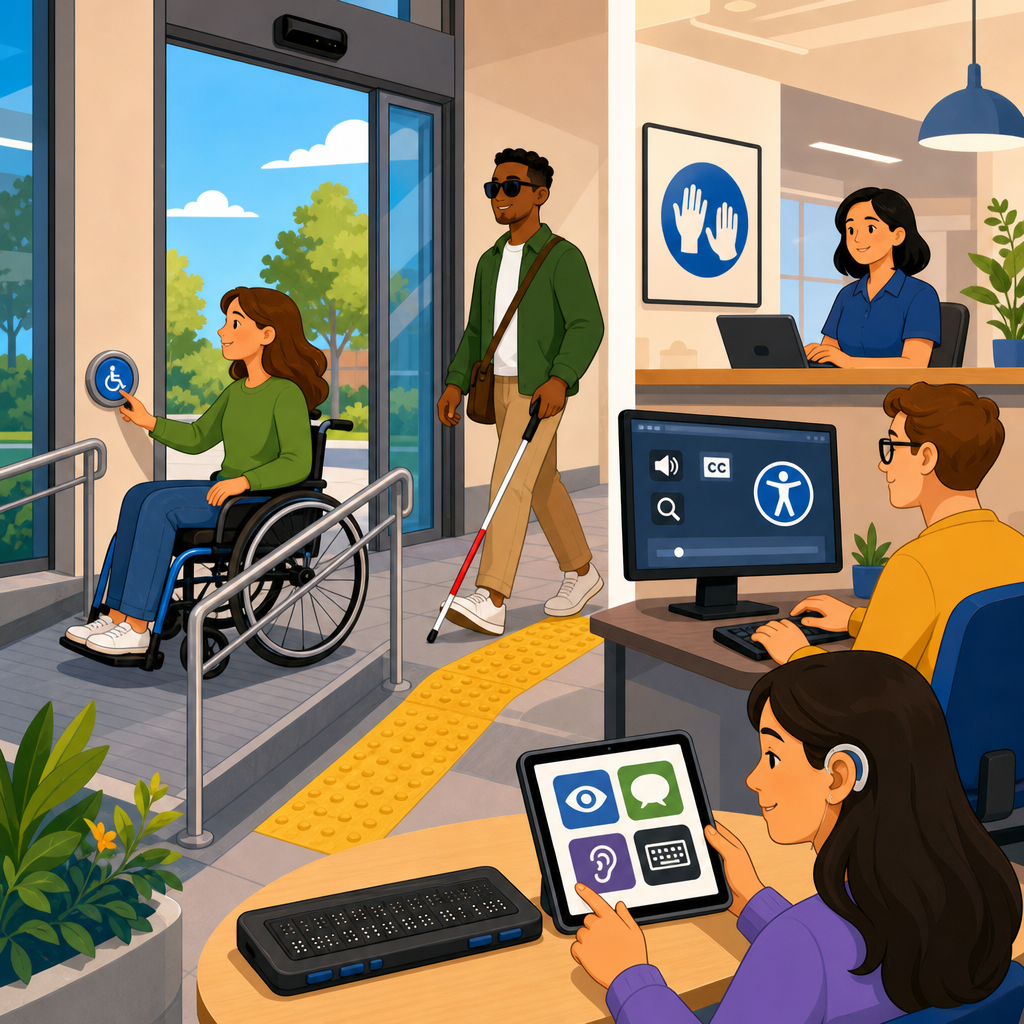
Assistive technology is no longer a niche procurement category; it is a core part of how organizations meet ADA compliance while building digital and physical environments that people with disabilities can actually use. In practical terms, assistive technology includes hardware, software, and adaptive features that help individuals perceive, navigate, communicate with, and control systems that would otherwise create barriers. Screen readers, refreshable Braille displays, speech recognition, hearing loop systems, switch controls, eye-tracking tools, captioning platforms, and accessible mobile interfaces all fall within this category. When businesses ask what role assistive technology plays in ADA compliance, the short answer is this: it bridges the gap between legal accessibility requirements and real human usability, but it cannot compensate for inaccessible design.
That distinction matters. Over the past several years, I have seen teams buy expensive tools and assume they were covered, only to learn that a screen reader cannot fix a poorly coded website, captions cannot redeem unintelligible audio, and an accessible kiosk mode means little if the payment terminal is mounted out of reach. ADA compliance refers to meeting obligations under the Americans with Disabilities Act, along with closely related standards and guidance such as the 2010 ADA Standards for Accessible Design, Section 508 in federal contexts, and the Web Content Accessibility Guidelines, commonly used as the benchmark for digital accessibility. Assistive technology interacts with all of them because these standards ultimately concern whether a person with a disability can access a service, complete a task, and receive equal treatment.
This article serves as a hub for the future of technology and accessibility by explaining how assistive technology supports compliance today, where it fails without accessible design, and which emerging tools will reshape expectations across websites, apps, workplaces, education, healthcare, transportation, and customer service. Organizations that understand this connection make better technology choices, reduce legal risk, and create systems that work for more people from the start.
How assistive technology supports ADA compliance in practice
Assistive technology supports ADA compliance by enabling people with disabilities to interact with information, devices, spaces, and services independently. For blind users, screen readers such as JAWS, NVDA, and VoiceOver convert on-screen text, labels, headings, and button names into speech or Braille output. For people with low vision, screen magnifiers, high-contrast settings, and browser zoom features make content legible. For deaf and hard-of-hearing users, captioning, transcripts, visual alerts, and hearing assistance systems provide equivalent access to spoken content. For people with mobility disabilities, keyboard navigation, alternative input devices, switch access, and speech control can replace a mouse or touchscreen gestures. For individuals with cognitive disabilities, text-to-speech, simplified interfaces, consistent navigation, and task supports reduce friction and confusion.
In compliance work, these technologies are not abstract. They are the real tools used in audits, usability tests, and accommodations. When I review a public-facing website, I test critical user flows with keyboard-only navigation, zoom at 200 percent, screen reader output, focus indicators, and form error handling because these are the conditions under which many users actually access the service. The ADA does not prescribe one exact product stack, but it does require effective communication, equal opportunity, and non-discrimination. Assistive technology is often the mechanism through which those obligations are realized. If a job application portal works only with a mouse, an applicant using Dragon NaturallySpeaking or switch access may be excluded. If a hospital portal labels form fields incorrectly, a patient using VoiceOver may miss medication instructions. Those are accessibility failures with legal consequences.
The most important principle is compatibility. Digital systems must be coded so assistive technologies can interpret them reliably. Semantic HTML, ARIA used correctly, keyboard operability, logical heading structures, descriptive links, proper form labels, and meaningful alt text are not optional technical niceties. They are what allow assistive technology to do its job.
Assistive technology is not a substitute for accessible design
One of the most expensive mistakes organizations make is treating assistive technology as a patch rather than designing access into the environment itself. A company might install a screen reader on a public kiosk, yet fail to provide tactile controls, headphone access, private audio output, sufficient time limits, or reachable hardware. A university may offer note-taking software while posting scanned PDFs that cannot be parsed by OCR or text-to-speech tools. A retailer may claim compliance because iPhones include accessibility features, even though its checkout app uses unlabeled icons and time-sensitive verification prompts. In each case, the technology exists, but the experience remains inaccessible.
Accessible design means building systems that align with recognized standards before accommodations are layered on. In digital environments, WCAG 2.1 and 2.2 provide measurable success criteria around perceivable, operable, understandable, and robust content. Robustness is especially relevant to assistive technology because it requires content to work with current and future user agents, including screen readers and other adaptive tools. In physical spaces, the ADA Standards address dimensions, reach ranges, signage, routes, and controls so that people can approach and use the built environment without special intervention. Assistive technology complements these requirements; it does not erase them.
The future of technology and accessibility depends on this design-first model. As interfaces become more multimodal, with voice, gesture, biometric authentication, and AI-driven automation, compatibility failures will multiply if accessibility is bolted on after launch. The organizations getting ahead of this are integrating accessibility requirements into procurement, design systems, quality assurance, and vendor contracts rather than trying to remediate after complaints arrive.
Key categories of assistive technology organizations must understand
For compliance planning, it helps to group assistive technology by functional purpose rather than by disability label alone. That approach leads to better coverage because many users rely on multiple tools and settings at once. The table below summarizes the categories I evaluate most often and the ADA-relevant implications attached to each.
| Category | Examples | Primary users | Compliance implication |
|---|---|---|---|
| Screen access | JAWS, NVDA, VoiceOver, TalkBack, refreshable Braille displays | Blind and low-vision users | Requires semantic structure, labels, alt text, focus order, and keyboard support |
| Vision enhancement | ZoomText, browser zoom, high contrast, color filters | Low-vision users | Requires scalable text, reflow, sufficient contrast, and readable layouts |
| Hearing access | Captions, CART, transcripts, hearing loops, visual alerts | Deaf and hard-of-hearing users | Requires equivalent communication for audio, video, and in-person events |
| Alternative input | Speech recognition, switch devices, eye tracking, alternative keyboards | Users with mobility disabilities | Requires full keyboard operability, large targets, and no drag-only interactions |
| Cognitive support | Text-to-speech, reading support tools, plain-language overlays, timers with controls | Users with cognitive and learning disabilities | Requires clear instructions, predictable flows, and manageable time limits |
These categories affect purchasing decisions across sectors. A city deploying self-service kiosks must consider screen access, alternative input, audio privacy, and physical reach. A bank launching a mobile app must validate compatibility with VoiceOver and TalkBack, ensure biometric login has accessible alternatives, and present fraud alerts in multiple formats. A school district buying classroom platforms must check captioning workflows, keyboard access, document tagging, and LMS compatibility with screen readers. Good compliance programs treat assistive technology support as a standard acceptance criterion, not a bonus feature.
Digital accessibility, procurement, and testing in the modern compliance workflow
The most reliable way to support assistive technology is to build accessibility into procurement and testing. Vendor promises are not enough. I have reviewed VPATs that looked reassuring on paper but collapsed under basic use with NVDA or keyboard-only navigation. Procurement teams should request current conformance documentation, ask which versions of WCAG are supported, and require demonstrations of key workflows using mainstream assistive technologies. If the product handles browsing but fails during login, payment, scheduling, or document download, it is not accessible where it matters most.
Testing should combine automated scanning with expert manual review and task-based usability testing. Automated tools such as axe, WAVE, and Lighthouse catch recurring issues like missing alt text, low contrast, and unlabeled form elements, but they cannot determine whether heading structures make sense, whether instructions are understandable, or whether a modal traps keyboard focus at the wrong moment. Screen reader testing remains essential because it reveals how content is announced, whether state changes are exposed, and whether controls are actually operable. Mobile testing is equally important. Many organizations validate desktop experiences and ignore the fact that a large share of users access services through iOS and Android accessibility features.
Documentation matters as much as testing. Accessibility statements, accommodation workflows, help-desk training, and maintenance procedures all support compliance because accessibility is not a one-time launch event. Content updates, CMS changes, new plugins, design refreshes, and third-party embeds can quietly break compatibility with assistive technology. The future of technology and accessibility will reward organizations that move from project-based remediation to continuous governance.
The future of technology and accessibility across sectors
Assistive technology is evolving quickly, and ADA compliance expectations are moving with it. In healthcare, patient portals, telehealth platforms, remote monitoring devices, and AI-powered intake tools must work with screen readers, captions, and alternative input methods because inaccessible digital care can become a denial of service. In education, lecture capture, accessible STEM content, and interoperable learning tools are becoming baseline requirements as schools adopt hybrid models. In employment, accessible collaboration platforms, captioned meetings, and flexible workstation technology directly affect hiring, retention, and performance. In retail and hospitality, self-checkout, digital menus, room controls, and wayfinding systems must support multiple sensory and motor access methods.
Artificial intelligence will expand both opportunity and risk. Real-time captioning, image description, voice interfaces, and predictive text can improve access dramatically when accuracy is high and controls are transparent. At the same time, AI systems can introduce bias, hallucinated descriptions, inaccessible CAPTCHA alternatives, or voice-only flows that exclude users with speech disabilities. The rule I apply is simple: emerging tools should increase independence without removing user choice. If an AI concierge becomes the only path to information, and it does not support captions, transcripts, keyboard control, or plain-language prompts, accessibility regresses rather than advances.
Organizations should also watch interoperability. The future will not be defined by one miracle device; it will be defined by ecosystems that work together. Accessible APIs, standardized document formats, interoperable caption files, and consistent design systems will matter more than marketing claims. The winners in technology and accessibility will be the teams that design for compatibility, test with real users, and treat assistive technology as evidence of actual access rather than a checkbox.
What leaders should do next to strengthen ADA compliance
The central lesson is clear: assistive technology plays a critical role in ADA compliance because it is how many people access digital services, workplaces, customer interactions, and public accommodations every day. But compliance is achieved only when systems are designed, coded, purchased, and maintained so those tools can function properly. Screen readers need semantic structure. Captions need accurate source content. Alternative input devices need full keyboard support. Hearing access needs equivalent communication channels. Accessible technology is therefore both a technical discipline and an operational commitment.
For leaders responsible for the future of technology and accessibility, the next steps are practical. Audit your highest-risk user journeys, not just your homepage. Build accessibility requirements into contracts, design standards, and QA checklists. Test with mainstream assistive technologies and, whenever possible, with people who use them daily. Train content teams, developers, procurement staff, and support personnel so accessibility survives beyond one project. Most importantly, view assistive technology as a signal of whether your service works in the real world. If you want stronger ADA compliance and better user outcomes, start by making compatibility with assistive technology a measurable requirement across every platform you own.
Frequently Asked Questions
What is assistive technology, and why is it so important for ADA compliance?
Assistive technology refers to the tools, devices, software, and built-in adaptive features that help people with disabilities access information, communicate, navigate environments, and interact with digital or physical systems more independently. In the context of ADA compliance, that can include screen readers, refreshable Braille displays, speech recognition software, screen magnifiers, closed captioning, hearing loop systems, alternative keyboards, switch devices, and many other solutions. These technologies matter because accessibility is not just about removing obvious architectural barriers; it is also about making sure people can actually use the services, content, spaces, and systems an organization provides.
The ADA is centered on equal access and effective communication. Assistive technology plays a direct role in both. For example, a website may look modern and polished, but if it cannot be interpreted by a screen reader, a blind user may be shut out entirely. A training video without captions may exclude employees or customers who are deaf or hard of hearing. A kiosk with a touch-only interface may be unusable for someone with limited dexterity unless it includes tactile controls, voice output, or compatible input options. In each of these cases, assistive technology is part of what makes access practical rather than theoretical.
Just as importantly, assistive technology should not be viewed as a last-minute accommodation or a specialty purchase for a small group of users. It is a core part of inclusive design and risk reduction. Organizations that understand how assistive technology works are better positioned to make informed purchasing decisions, build more usable digital experiences, support employees effectively, and demonstrate a good-faith commitment to accessibility. In other words, assistive technology is not separate from ADA compliance; it is one of the main ways compliance becomes real in everyday use.
Does providing assistive technology automatically make an organization ADA compliant?
No. Providing assistive technology can be an important part of accessibility, but it does not automatically make an organization ADA compliant. ADA compliance is broader than simply supplying tools or devices. It requires organizations to consider whether people with disabilities can access programs, services, employment opportunities, communication channels, and facilities on an equal basis. Assistive technology can support that goal, but it cannot compensate for inaccessible design, poorly configured systems, or policies that create barriers in the first place.
For example, an employer may provide screen reader software to an employee, but if the company’s internal software platform is not coded to work with keyboard navigation or accessible labels, the screen reader will not solve the problem. A business might install a hearing assistance system in a meeting room, but if staff do not know how to activate it or communicate its availability, access is still limited. Likewise, a public-facing website might claim accessibility because it offers a widget or overlay, yet still fail to support proper semantic structure, focus order, form labeling, and captioning. In these situations, assistive technology is present, but the underlying user experience remains inaccessible.
The stronger approach is to combine accessible design, accessible procurement, testing with real users and assistive technologies, and clear accommodation processes. Organizations should think in terms of compatibility, usability, and effective communication rather than check-the-box solutions. The ADA expects access that works in practice. That means assistive technology should be integrated into a larger accessibility strategy that includes standards-based development, staff training, remediation processes, and ongoing evaluation. When assistive technology is part of a comprehensive accessibility effort, it becomes highly effective; when it is treated as a substitute for accessibility, it often falls short.
Which types of assistive technology should organizations consider for digital and physical accessibility?
The right mix depends on the organization’s environment, audience, workforce, and service model, but several categories are especially relevant. For digital accessibility, organizations should understand how users rely on screen readers, screen magnification tools, browser zoom, voice control, on-screen keyboards, refreshable Braille displays, and captioning or transcript support for multimedia. These tools affect how websites, mobile apps, portals, PDFs, e-learning systems, and software interfaces must be designed. If a platform is not navigable by keyboard, does not expose meaningful labels to assistive software, or uses color as the only way to convey information, many users will encounter significant barriers.
For physical spaces, organizations may need to consider hearing loop systems, captioned telephones, assistive listening devices, tactile signage, accessible kiosks, adjustable workstations, alternate input devices, and communication supports for people with speech, hearing, vision, or mobility disabilities. In workplaces, this can also include ergonomic hardware, adapted mice and keyboards, speech-to-text tools, and environmental controls that support employees with limited dexterity or stamina. In customer-facing settings, it may involve wayfinding supports, audible and visual alerts, accessible point-of-sale systems, and communication methods that do not depend on a single sensory channel.
The key point is that organizations should not choose assistive technology based only on assumptions or trends. They should evaluate real use cases. How do customers complete forms? How do employees access internal systems? How do visitors receive instructions, alerts, and services? Accessibility planning is most effective when organizations map barriers to specific tasks and then identify both design changes and assistive technology compatibility needs. That is how they move from generic compliance language to practical access.
How can organizations make sure their websites, software, and devices work with assistive technology?
Compatibility starts with accessible design and development. Digital tools need proper semantic structure, meaningful headings, labeled form fields, keyboard operability, visible focus indicators, alternative text for important images, sufficient color contrast, and media alternatives such as captions and transcripts. Those foundational practices make it possible for assistive technologies to interpret and present content correctly. If a website or software product is built without those basics, users may encounter broken navigation, unlabeled controls, confusing content order, or functionality they cannot activate at all.
Testing is equally important. Organizations should not assume that a platform is accessible just because it meets a design brief or passes a limited automated scan. They should test with common assistive technologies such as screen readers, magnification tools, keyboard-only navigation, speech input tools, and captioning workflows where appropriate. Automated tools are useful for identifying certain technical issues, but they do not reveal the full user experience. Manual testing and, ideally, input from people with disabilities provide insight into whether a system actually works under real-world conditions.
Procurement also plays a major role. Organizations often introduce accessibility problems by buying third-party platforms, kiosks, software, or communication systems without evaluating assistive technology compatibility. Accessibility requirements should be built into vendor selection, contracts, demos, and acceptance testing. Teams should ask whether products support keyboard navigation, screen reader output, captioning, scalable text, tactile controls, and other relevant features. They should also document remediation expectations if accessibility defects are discovered. This matters because ADA risk often arises not from intent, but from preventable oversights in purchasing and implementation.
Finally, accessibility must be maintained over time. Updates, redesigns, new content, and device replacements can all introduce new barriers. Organizations need governance, training, and review processes that keep assistive technology compatibility in focus. ADA compliance is not a one-time technical event; it is an operational discipline that depends on continuous attention.
What are the business and legal benefits of treating assistive technology as part of a broader accessibility strategy?
From a legal perspective, integrating assistive technology into a broader accessibility strategy helps organizations better align with the ADA’s core principles of equal access, non-discrimination, and effective communication. It strengthens the organization’s ability to respond to accommodation needs, reduces the likelihood of avoidable barriers, and demonstrates a proactive rather than reactive approach. That matters if complaints arise, because organizations that can show thoughtful policies, accessibility-aware procurement, testing practices, and accommodation procedures are generally in a much stronger position than those relying on ad hoc fixes after problems surface.
From a business standpoint, the benefits are just as compelling. Accessible systems are typically easier for everyone to use, not only people with disabilities. Captions help in noisy environments, voice input can improve efficiency, keyboard navigation supports power users, and clearer interface structure benefits all users. Organizations that design with assistive technology compatibility in mind often create better usability, broader audience reach, stronger employee productivity, and improved customer satisfaction. They also reduce friction in hiring, onboarding, service delivery, and communication.
There is also a brand and trust dimension. People notice when an organization makes access practical instead of performative. When employees can do their jobs without unnecessary barriers and customers can complete tasks independently, the organization sends a clear message that inclusion is built into operations, not treated as an exception. That can improve retention, reputation, and long-term resilience.
In practical terms, the most successful organizations do not ask whether assistive technology is worth the investment. They ask how to incorporate it intelligently into design, procurement, facilities planning, IT governance, and customer experience. That shift in mindset is often what separates minimal compliance efforts from genuinely accessible environments that work in the real world.


