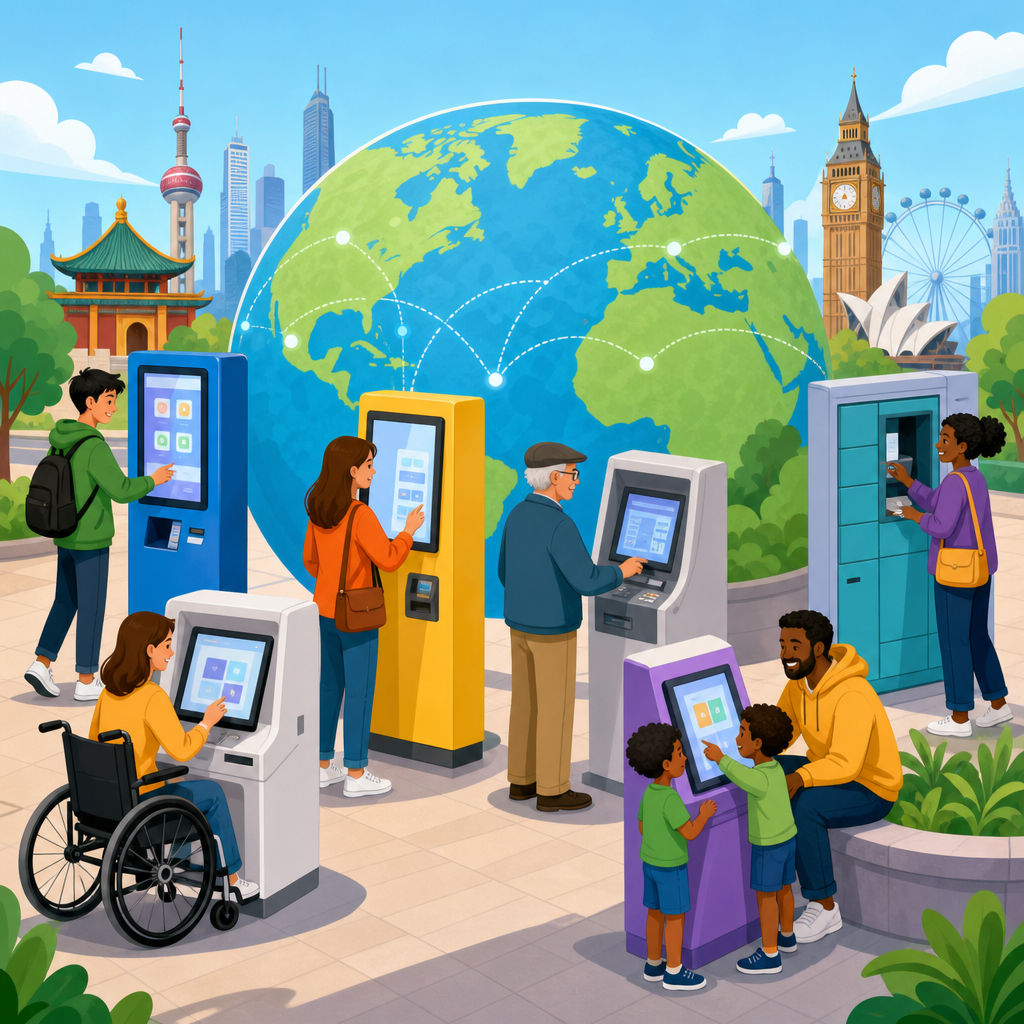
Accessible kiosks and public machines are moving from niche compliance projects to mainstream infrastructure, reshaping how governments, transit agencies, banks, hospitals, airports, retailers, and civic institutions serve the public. In this context, accessible means a person can independently perceive, understand, reach, and operate a self-service device regardless of disability, language, age, or temporary limitation. Kiosks include ticketing terminals, payment machines, check-in screens, parcel lockers, ATMs, wayfinding stations, voter information terminals, and self-order systems. Public machines are broader, covering parking meters, fare gates, passport control eGates, interactive museum displays, and municipal service terminals. Across regions, this shift is being driven by disability rights law, aging populations, digital-first service models, and a growing recognition that poorly designed automation creates exclusion at scale.
I have worked on digital accessibility programs where a single inaccessible touchscreen blocked thousands of transactions per day, and the lesson was always the same: physical deployment multiplies harm faster than a broken webpage. When a city replaces staffed counters with kiosks, access barriers become barriers to transportation, healthcare, food, banking, and civic participation. That is why global views on disability rights matter here. Different countries use different legal frameworks and technical standards, yet they increasingly converge on the same principle: equal access to public-facing technology is a civil right, not a premium feature. Understanding that convergence helps organizations design better systems, manage procurement risk, and build international programs that work across borders.
Why accessible kiosks have become a global disability rights issue
The accessibility debate around kiosks is really about who gets to participate in modern public life. Self-service systems promise efficiency, lower staffing costs, and twenty-four-hour availability, but they also transfer responsibility from staff to interface design. If the interface lacks speech output, tactile controls, captioning, screen-reader compatibility, height reach compliance, or enough time to complete tasks, disabled users can be excluded without any human fallback. Disability advocates have therefore pushed accessible public machines into the same conversation as curb cuts, elevators, and accessible websites: all are gateways to essential services.
The global dimension is important because self-service technology now travels through multinational supply chains. A payment kiosk manufacturer may build hardware in Taiwan, deploy software from a US vendor, install in the European Union, and maintain through a local reseller in the Gulf or Latin America. That means accessibility decisions made early in product design echo internationally. It also means disability rights progress in one jurisdiction influences specifications elsewhere. A transport operator in Singapore may reference European standards. A Canadian bank may align with American ATM guidance while meeting domestic human rights obligations. These cross-border patterns make accessible kiosks a practical entry point for understanding global disability rights in action.
How disability rights frameworks differ, and where they align
The strongest common foundation is the United Nations Convention on the Rights of Persons with Disabilities. The convention does not prescribe one kiosk checklist, but it establishes access, non-discrimination, independent living, mobility, and participation as rights. Many national laws and policies trace directly or indirectly to those commitments. In practice, this means countries increasingly expect public technology to be usable by disabled people without segregation or undue burden. The legal language varies, yet the policy direction is unmistakable.
In the United States, the Americans with Disabilities Act has shaped public accommodation expectations for decades, while Section 508 governs federal information and communication technology. In the European Union, the European Accessibility Act and related harmonized standards are pushing accessibility into products and services across member states. Canada has the Accessible Canada Act, complemented by provincial requirements such as the Accessibility for Ontarians with Disabilities Act. Australia uses the Disability Discrimination Act, supported by procurement and digital service guidance. Japan, South Korea, India, Brazil, and many other countries have strengthened disability and accessibility rules, although enforcement maturity differs. The alignment point is clear: organizations that deploy public machines are expected to design for inclusion from the outset, not retrofit only after complaints.
What makes a kiosk accessible in real-world use
An accessible kiosk is not simply a touchscreen lowered by a few centimeters. In field audits, the most successful machines combine hardware, software, content, and environmental design. Hardware factors include screen angle, anti-glare treatment, headphone jacks, tactile keypads, Braille or tactile labeling, clear card insertion guides, privacy shielding, and controls within reachable ranges for wheelchair users. Software factors include high contrast, scalable text, plain language instructions, consistent focus order, visible error recovery, support for assistive technology, and enough time for multi-step tasks. Audio guidance must be synchronized with visual steps, and not hidden behind obscure menus. Captions are necessary where instructional audio or video appears.
Context matters as much as interface. A well-designed machine can still fail if mounted in a narrow corridor, placed in noisy environments where speech output is useless, exposed to direct sunlight that washes out contrast, or installed on a raised platform reached only by stairs. I have seen airport kiosks technically pass software accessibility reviews and still be unusable because users could not maneuver mobility devices around stanchions. True accessibility therefore includes the machine’s surroundings, maintenance plan, and service model. If a headphone jack breaks and stays broken for months, compliance on paper does not equal access in practice.
Regional trends shaping accessible public machines
Although the destination is similar, regions are arriving there through different pressures. North America has seen a mix of litigation risk, corporate policy, and public sector requirements accelerate improvement, especially in banking, ticketing, and healthcare check-in. Europe has leaned heavily on harmonized standards and public procurement, which can influence entire supply chains because vendors must compete across multiple countries. In Asia-Pacific, rapid urbanization, smart city investment, and aging populations have made accessible transit and government kiosks more urgent. In Latin America, constitutional rights frameworks and city-level modernization programs are driving progress, though funding and enforcement can be uneven. In the Middle East, large airport, metro, and civic digitization projects are increasingly incorporating accessibility into flagship infrastructure.
| Region | Primary driver | Common machine types | Typical accessibility focus |
|---|---|---|---|
| North America | Litigation, regulation, brand risk | ATMs, retail self-checkout, hospital check-in | Speech output, reach ranges, keypad alternatives |
| Europe | Standards, procurement, cross-border harmonization | Transit ticketing, municipal service kiosks, airport systems | Consistent technical conformance and multilingual usability |
| Asia-Pacific | Smart city programs, aging demographics | Rail ticketing, government terminals, parcel lockers | Wayfinding clarity, simple workflows, physical ergonomics |
| Latin America | Rights-based modernization, urban service access | Transport payment, banking, public service terminals | Low-cost inclusive design and resilient maintenance |
| Middle East | Large infrastructure investment, tourism access | Airport kiosks, metro ticketing, civic information machines | Bilingual interaction, mobility access, premium public experience |
These patterns show why a global perspective matters. Disability rights are expressed through local law and culture, but accessible kiosk design principles transfer surprisingly well. Organizations that standardize inclusive hardware modules, multilingual accessible software patterns, and rigorous field testing usually adapt faster to new markets than those treating each country as a one-off compliance exercise.
Standards, testing, and procurement practices that actually work
The most reliable programs tie legal duties to technical standards and then verify them through testing with disabled users. For software, teams often map requirements to WCAG success criteria where applicable, while hardware and built-environment specifications draw from national accessibility codes, ATM guidance, and ergonomic reach standards. In Europe, EN 301 549 is especially influential for information and communication technology procurement. In the United States, revised Section 508 standards remain a practical reference point even outside federal projects. For physical deployment, organizations often combine accessibility codes with industrial design requirements and human factors testing.
Procurement is where many projects succeed or fail. A strong request for proposal asks vendors to provide an accessibility conformance report, identify known exceptions, describe assistive features in plain language, and commit to remediation timelines. It also requires on-site usability testing before full rollout. I advise clients to avoid vague clauses stating that a product should be “user friendly” or “ADA compliant.” Those phrases are not test plans. Better language specifies tactile input, private audio output, timeout controls, color contrast thresholds, error prevention, maintenance response times, and accessible help channels. When contracts include measurable acceptance criteria, accessibility becomes operational instead of aspirational.
The business and public-service case for inclusive self-service
Accessible kiosks are often discussed as compliance costs, but that framing misses their operational value. Inclusive design reduces abandonment, speeds transactions, lowers staff intervention, and broadens the customer base. It also improves usability for people without permanent disabilities: travelers carrying bags, older adults with low vision, people in bright sunlight, users with limited literacy, and anyone navigating a stressful task like paying a hospital bill. Features such as clearer instructions, larger touch targets, physical alternatives to touch, and better error recovery benefit nearly everyone.
There is also a resilience argument. Public systems that rely entirely on one interaction mode are fragile. During the pandemic, touchless workflows, QR alternatives, and remote assistance became more common, but not all of them were accessible. The lesson was not to eliminate touchscreens; it was to provide multiple equivalent paths. A bank kiosk with tactile controls and audio serves blind users, but it also remains usable when the screen is damaged. A transit machine with simple multilingual steps helps tourists and people with cognitive disabilities alike. Inclusion and robustness often point to the same design decision.
Common failures, emerging innovations, and what comes next
The most common failures are still basic: inaccessible on-screen keyboards, headphone jacks mounted too low to find, payment flows that trap keyboard users, unlabeled ports, poor captioning, and service counters removed without any assisted alternative. Another repeated problem is treating accessibility as a post-launch patch. By then, hardware molds are fixed, software architecture is brittle, and procurement budgets are exhausted. Retrofitting is possible, but it is slower and more expensive than designing correctly from the beginning.
Encouragingly, innovation is improving the baseline. Newer kiosks increasingly support remote video assistance, near-field communication for personal device handoff, multilingual text-to-speech, camera-based document guidance, and modular hardware that can be upgraded without replacing the full unit. Some transit agencies now test with blind riders, deaf passengers, wheelchair users, and neurodivergent participants before network-wide deployment. That approach produces better products because it reveals friction that specifications alone miss. Over time, the global shift toward accessible kiosks will likely mirror the evolution of web accessibility: first compliance, then standardization, then market expectation. Organizations that move early will not just reduce legal exposure. They will deliver public machines that more people can actually use.
Accessible kiosks and public machines now sit at the intersection of disability rights, service design, procurement, and digital transformation. Around the world, laws differ in structure, but the direction is consistent: if a machine mediates access to transportation, payments, healthcare, government services, retail, or information, it must be usable by disabled people in real conditions. That requires more than a checkbox review. It requires coordinated decisions about hardware, software, content, physical placement, maintenance, and customer support. The countries making the strongest progress are the ones treating accessibility as infrastructure, not decoration.
For anyone building an international perspective on disability rights, this topic is a practical hub because it connects legal principles to visible daily experiences. A treaty article about equal participation becomes concrete when a blind traveler can buy a rail ticket independently, when a wheelchair user can reach a payment terminal, or when a deaf patient can complete hospital check-in without confusion. Those are not minor conveniences. They are measurable expressions of dignity, autonomy, and equal citizenship. If your organization deploys self-service technology across markets, review your kiosk estate, align it to recognized standards, test with disabled users, and make accessibility a requirement in every future rollout.
Frequently Asked Questions
1. What does “accessible” really mean for kiosks and public machines?
In this context, accessibility goes far beyond simply making a screen larger or adding audio prompts. An accessible kiosk or public machine is designed so people can independently perceive, understand, reach, and operate it, even if they have a disability, limited English proficiency, age-related changes, or a temporary limitation such as an injury, carrying luggage, or holding a child. That means the full experience matters: physical placement, screen readability, navigation flow, input methods, privacy, instructions, timing, and error recovery all need to work for a wide range of users.
For example, a truly accessible machine may include a screen height and reach range that works for wheelchair users, tactile keypads or raised controls for people who are blind or have low vision, screen reader compatibility through an audio jack or wireless audio support, captions for multimedia, high-contrast visual design, plain-language instructions, multilingual interfaces, and enough time to complete tasks without pressure. It should also be usable by someone with limited dexterity, cognitive differences, hearing loss, or low digital confidence. Accessibility is not one single feature; it is the combination of design choices that allows people to complete a task with dignity and without needing staff assistance.
Just as importantly, accessibility is not only about permanent disabilities. Public machines are used in noisy transit hubs, bright airport terminals, crowded hospital lobbies, and stressful retail environments. A person may need accessible design because they cannot hear audio over background noise, cannot read glare-heavy screens in sunlight, or cannot use both hands while managing bags or mobility aids. That is why accessible design increasingly overlaps with better design overall: when kiosks are easier to see, hear, understand, and operate, they work better for everyone.
2. Why are accessible kiosks becoming mainstream infrastructure instead of niche compliance projects?
Accessible kiosks are moving into the mainstream because organizations now recognize that self-service technology is no longer optional or experimental. Kiosks and public machines have become a core part of how people buy tickets, check in for appointments, pay bills, print documents, access government services, order food, register arrivals, and navigate public spaces. When these machines are inaccessible, the barrier is not minor inconvenience; it can mean denial of service, reduced independence, longer wait times, and unequal access to essential activities. As a result, accessibility has shifted from a specialized afterthought to a foundational requirement for service delivery.
Regulatory pressure is one major driver, but it is not the only one. Governments, transit agencies, banks, healthcare providers, airports, retailers, and civic institutions are facing growing expectations around digital inclusion, equal access, and usable public technology. Legal frameworks, procurement rules, standards development, and public-sector modernization efforts are all pushing organizations to address accessibility earlier in planning and purchasing. At the same time, leaders are realizing that retrofitting inaccessible fleets is more expensive and disruptive than building accessibility into hardware, software, and workflows from the start.
There is also a strong operational and business case. Accessible kiosks reduce dependence on staff intervention, improve throughput, lower frustration, and broaden the number of people who can successfully use self-service channels. That matters in high-volume environments such as airports, hospitals, train stations, and large retail sites, where even small usability improvements can meaningfully affect queue times and customer satisfaction. In other words, the global shift is happening because accessibility now sits at the intersection of compliance, service equity, public trust, efficiency, and long-term infrastructure planning.
3. Which sectors are most affected by the shift toward accessible public machines?
The shift is especially visible in sectors where self-service technology plays a direct role in delivering essential or high-frequency public services. Transit agencies are a leading example, because ticket vending machines, fare reload devices, route information kiosks, and parking systems must serve highly diverse users in fast-moving environments. If these systems are not accessible, they can create immediate mobility barriers for passengers who rely on public transportation to get to work, school, healthcare, and community life.
Healthcare is another major sector. Hospitals and clinics increasingly use self-check-in stations, payment machines, wayfinding kiosks, and registration terminals. In these settings, accessibility is particularly important because users may be stressed, in pain, unfamiliar with the environment, or assisting someone else. Clear workflows, readable screens, language access, physical reach, and compatibility with assistive technologies are not convenience features in healthcare; they directly affect whether patients can access care efficiently and privately.
Banks, airports, retail chains, universities, government offices, and civic institutions are also deeply affected. ATMs, customer service kiosks, passport control terminals, municipal payment stations, voting-related interfaces, library self-checkout systems, and interactive information points all shape how people interact with public and semi-public services. As more organizations automate front-line interactions, the need for inclusive, independently usable interfaces becomes more urgent. The common pattern across sectors is simple: wherever self-service becomes part of the service model, accessibility becomes part of the infrastructure strategy.
4. What features and design choices typically make a kiosk or public machine accessible?
Accessible design usually combines physical, sensory, cognitive, and interface-level considerations. On the physical side, machine height, knee clearance, reach range, approach space, and button placement determine whether a person can comfortably and independently use the device. A kiosk may technically be functional, but if the card reader, receipt slot, or touchscreen is placed too high or too far back, it excludes users with mobility disabilities. Accessibility therefore starts with industrial design and installation, not just software.
On the interface side, accessible kiosks often include large, legible text; strong color contrast; intuitive navigation; consistent button placement; and clear error messaging. Many systems also provide alternative interaction modes, such as tactile keypads, physical buttons, audio guidance, headphone jacks, speech output, screen reader support, captions, and multilingual options. Some machines benefit from simplified workflows, reduced cognitive load, and the ability to review or correct entries before submission. Time limits should be adjustable or generous enough to avoid penalizing users who need more time to read, listen, or physically complete steps.
Equally important is the overall service journey. Accessibility can fail even when individual features exist if instructions are confusing, payment steps are inconsistent, alerts disappear too quickly, or assistance is required to unlock core functions. The best accessible kiosks are tested with real users across disability groups and real-world conditions, including noise, glare, crowding, and stress. In practice, successful accessibility is usually the result of universal design principles, standards-based engineering, thoughtful content design, and ongoing usability testing rather than a single technical add-on.
5. How should organizations plan, buy, and deploy accessible kiosks successfully?
The most successful organizations treat accessibility as a procurement and design requirement from day one rather than a post-launch fix. That starts with defining accessibility clearly in project goals, technical specifications, vendor requirements, and acceptance criteria. Instead of asking whether a kiosk is “ADA compliant” or “accessible” in general terms, buyers should request detailed evidence about physical dimensions, software behavior, assistive feature support, language options, audio delivery, input alternatives, privacy protections, and relevant standards conformance. Broad claims are not enough; accessibility should be measurable and testable.
Cross-functional planning is also critical. Accessibility cannot sit only with legal teams or compliance officers. IT, facilities, operations, procurement, customer experience teams, disability inclusion stakeholders, and frontline staff all play a role in choosing, installing, and maintaining usable systems. Location matters just as much as device design: a well-designed machine can still become inaccessible if it is placed in a cramped corner, under harsh glare, behind stanchions, or in a noisy area where audio guidance is ineffective. Deployment plans should account for environmental conditions, staff support protocols, maintenance cycles, and software updates so accessibility does not degrade over time.
Finally, organizations should involve people with disabilities and other diverse users throughout the process, from early concept review through pilot testing and rollout. Real-world user testing often reveals barriers that checklists alone miss, such as unclear prompts, confusing payment confirmation screens, or interaction steps that are technically available but practically difficult. Accessible kiosks succeed when they are treated as public-facing infrastructure that must work reliably for the full community. That mindset helps institutions move beyond minimum compliance and toward systems that are more resilient, inclusive, and trusted by the people they serve.