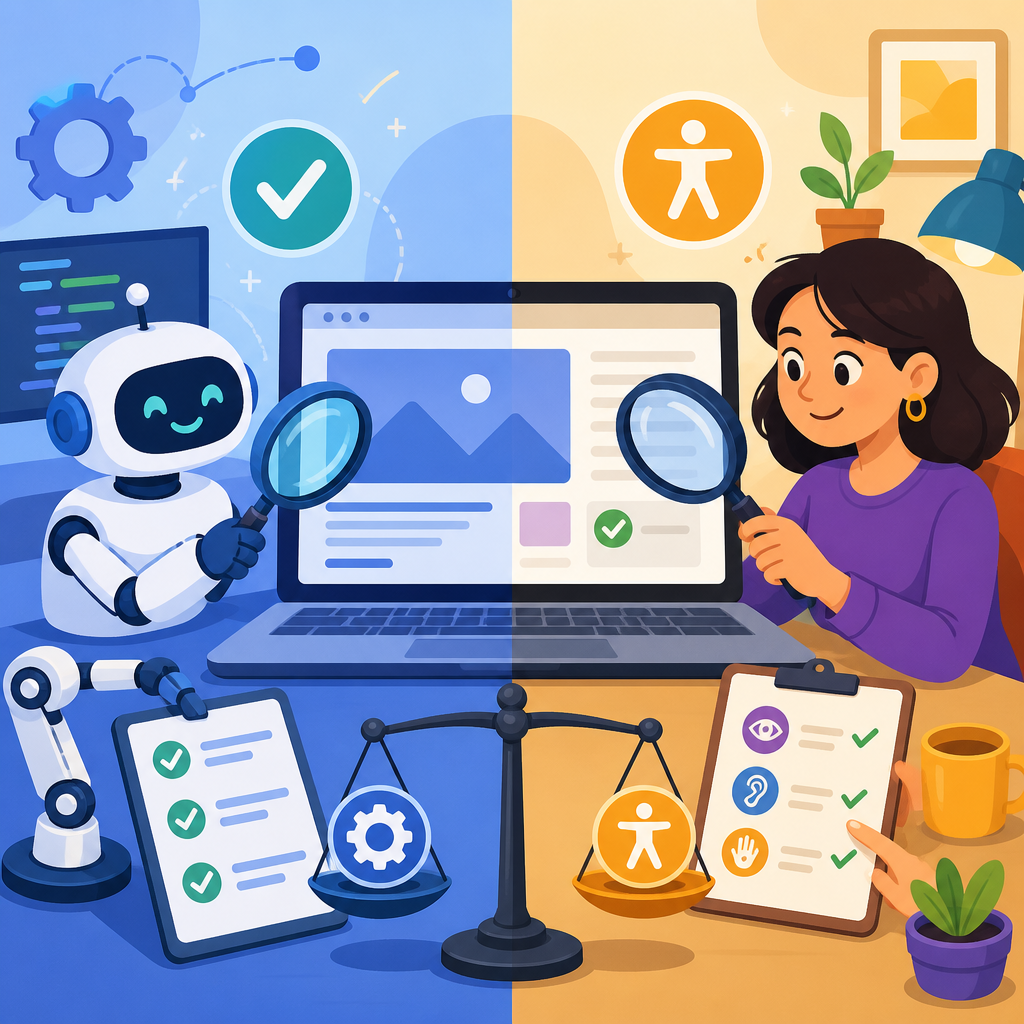
Technology accessibility testing determines whether websites, apps, documents, kiosks, and software can be used by people with disabilities. In practice, that means checking how a product works with screen readers, keyboard-only navigation, captions, voice input, zoom, color adjustments, and assistive technologies built into operating systems. When teams compare automated vs manual review, they are really deciding how to find barriers efficiently without missing the issues that affect real users. I have led both forms of testing on enterprise sites, design systems, and mobile releases, and the central lesson is consistent: automation is essential for scale, but manual review is essential for accuracy, context, and usable outcomes.
Accessibility matters because digital products are now basic infrastructure for work, education, healthcare, banking, and government services. The World Health Organization estimates that more than one billion people live with some form of disability, and many accessibility practices also improve usability for aging users, people with temporary injuries, and anyone in low-bandwidth or high-glare conditions. Legal pressure matters too. Standards such as the Web Content Accessibility Guidelines, known as WCAG, along with regulations tied to the Americans with Disabilities Act, Section 508, the European Accessibility Act, and EN 301 549 have made accessibility testing a core quality activity rather than an optional enhancement.
This hub article explains the basics of technology and accessibility through the lens of testing. It defines the difference between automated and manual review, shows where each approach succeeds or fails, and outlines a practical workflow teams can use across websites, web applications, native mobile apps, PDFs, and software interfaces. If you need a single starting point for technology accessibility testing, this guide covers the concepts, tools, standards, and decision points that connect the rest of the subtopic.
What technology accessibility testing includes
Technology accessibility testing is broader than checking a homepage with a browser extension. A complete review looks at structure, interaction, content, media, and compatibility. On the web, that includes heading hierarchy, landmarks, form labels, link purpose, focus order, error handling, keyboard access, color contrast, responsive reflow, status messages, and semantic markup. In mobile apps, testing extends to screen reader labels, control traits, touch target size, orientation support, dynamic type, and gesture alternatives. In documents, reviewers assess tag structure, reading order, alt text, table headers, and bookmark navigation.
Good testing also distinguishes conformance from usability. A component can pass a rule while still creating friction. For example, an icon button may technically have an accessible name, yet if every button in a toolbar is announced as “button” without context, a screen reader user still has to guess. Similarly, a modal dialog might trap focus correctly but fail to explain why an action is blocked. Accessibility testing therefore combines standards-based inspection with task-based evaluation: can a person actually complete key journeys such as logging in, searching, checking out, uploading a file, or paying a bill?
The most reliable scope starts with representative user flows rather than isolated pages. On a large product, I usually map flows like account creation, form submission, data filtering, media playback, and purchase completion. That exposes recurring patterns in components and content. If the date picker fails keyboard interaction in one place, the same issue often appears across dozens of screens. Testing patterns and flows gives teams a faster path to fixing root causes.
What automated accessibility testing does well
Automated accessibility testing uses software to scan code, rendered pages, or app interfaces for detectable violations. Popular web tools include axe DevTools, WAVE, Lighthouse, Accessibility Insights, Pa11y, and Siteimprove. In mobile development, teams often use Accessibility Scanner on Android, Xcode Accessibility Inspector on iOS, and platform-specific linters within CI pipelines. These tools are valuable because they catch high-volume defects quickly and consistently. Missing form labels, empty buttons, duplicate IDs, insufficient ARIA references, and some color contrast failures are exactly the kind of issues automation should find early.
Automation is especially strong during development. When a design system button loses its accessible name because of a refactor, a unit or integration test can flag the regression before release. CI checks help prevent repeated mistakes across templates and components. At enterprise scale, a crawler can scan thousands of URLs and identify patterns such as missing alt attributes, skipped heading levels, or unlabeled inputs. That visibility supports prioritization, reporting, and governance in a way manual review alone cannot match.
Another advantage is objectivity. Automated rules are deterministic: if an input has no programmatic label, the tool reports it every time. This makes automation useful for baselining and trend tracking. Teams can measure violation counts over sprints, compare templates, and confirm whether remediation work reduced defects. Used well, these metrics support engineering planning and procurement decisions, especially when vendors claim accessibility support without evidence.
Still, automated coverage is limited. Most experienced accessibility specialists estimate that automated tools detect only a portion of real issues, often around 30 percent to 40 percent on typical web interfaces, depending on product complexity. The exact number varies, but the principle does not: any claim that an automated scan proves accessibility is wrong. Tools can inspect code patterns; they cannot fully judge meaning, workflow clarity, or assistive technology behavior during complex interaction.
Where manual accessibility review is indispensable
Manual accessibility review means a trained evaluator inspects the experience directly, often using assistive technologies and structured test cases. This is where critical barriers emerge. A tester can determine whether a heading structure communicates page purpose, whether a form error is understandable, whether focus moves somewhere sensible after an action, or whether a screen reader announces dynamic updates at the right moment. These are not edge cases. They are the practical details that decide whether software is usable.
Keyboard testing is one of the fastest examples. An automated scan may report no major issues, yet a manual reviewer can find that a menu opens on hover only, a modal lacks a visible focus indicator, or a drag-and-drop uploader has no keyboard alternative. Screen reader testing reveals even more. With NVDA on Windows, VoiceOver on macOS and iOS, TalkBack on Android, or JAWS in regulated environments, testers can evaluate reading order, announcements, rotor navigation, table comprehension, and the way custom components expose roles, states, and properties.
Manual review also captures cognitive accessibility concerns that tools miss. Dense instructions, inconsistent terminology, unclear error messages, disappearing alerts, and time limits can block users with attention, memory, or language-processing differences. Captions may exist but fail because they omit speaker identification or meaningful sound cues. Alternative text may be present but useless, like “image123.” These problems require human judgment grounded in context and task intent.
When teams ask me whether manual testing is worth the time, I point to release risk. The accessibility defects most likely to trigger user complaints, legal escalation, or abandonment are usually interaction and workflow failures, not just missing attributes. Manual review finds those issues before customers do.
Automated vs manual review: strengths, limits, and best use cases
The most productive way to compare automated vs manual review is not as a competition but as a coverage model. Automation is fast, repeatable, and scalable. Manual review is interpretive, scenario-based, and closer to lived user experience. They answer different questions. Automation asks, “Can a rule-detectable defect be found across many screens?” Manual review asks, “Can a person complete this task with their technology and preferences?” Accessibility programs need both questions answered.
| Approach | Best for | Common examples | Main limitation |
|---|---|---|---|
| Automated testing | High-volume detection, regression prevention, CI checks | Missing labels, contrast failures, duplicate IDs, invalid ARIA references | Cannot judge task usability, meaning, or many dynamic behaviors |
| Manual expert review | Keyboard flows, screen reader behavior, form completion, error recovery | Focus order, announcements, dialog behavior, link clarity, reading order | Takes more time and depends on evaluator skill and scope |
| Assistive technology testing | Real interaction with screen readers, zoom, voice control, switch access | NVDA, JAWS, VoiceOver, TalkBack, Dragon, browser zoom at 200% | Cannot cover every combination of device, browser, and user preference |
| User testing with disabled participants | Validation of real-world usability and priority issues | Checkout, onboarding, document submission, account management | Requires planning, recruiting, and careful interpretation |
For small teams, the right starting mix is usually automated scanning on every build plus manual review of critical journeys before release. For large organizations, a mature program layers template scans, component tests, design reviews, document checks, and periodic audits with assistive technologies. In both cases, the practical rule is simple: use automation to catch what machines can see, and use manual testing to judge what humans actually experience.
Standards, success criteria, and the role of assistive technology
Most accessibility testing work is anchored to WCAG 2.1 or WCAG 2.2, usually at Level AA. These guidelines organize requirements under four principles: perceivable, operable, understandable, and robust. For testers, that framework matters because it prevents narrow thinking. If a page has text alternatives and good contrast but cannot be used from a keyboard, it fails operability. If controls are reachable but instructions are confusing, it fails understandability. Strong testing maps findings to specific success criteria so teams know what standard is affected and how severe the user impact may be.
Assistive technology is the reality check. Standards describe outcomes, but products are used through combinations of browsers, operating systems, and tools. A custom combobox might appear compliant in code inspection yet announce poorly in one browser and work smoothly in another. That is why experienced testers validate important components in realistic environments. On the web, common baselines include Chrome with NVDA, Edge with JAWS, Safari with VoiceOver, and mobile combinations such as iPhone with VoiceOver or Android with TalkBack. The exact matrix depends on audience and risk.
Testing should also include settings many users rely on without identifying as disabled: browser zoom at 200 percent, text spacing changes, reduced motion preferences, high contrast modes, and small viewport sizes. Problems found here often reveal structural weaknesses. A fixed-height card that truncates text at 200 percent zoom is not merely a visual defect; it can hide essential information from users with low vision.
How to build an effective accessibility testing workflow
An effective workflow begins before QA. In discovery and design, teams should review requirements against accessibility standards, content needs, and interaction patterns. Designers can verify color contrast, focus states, target size, and error prevention before handoff. Developers can use semantic elements first, reserving ARIA for cases where native markup cannot express the interaction. Content teams should write meaningful headings, labels, link text, and alt text. Early decisions reduce downstream defects dramatically.
During implementation, automated checks belong in local development and continuous integration. Browser extensions help catch obvious issues while coding, but CI enforcement is what prevents backsliding. I recommend pairing scans with component-level tests for reusable elements such as buttons, dialogs, menus, tabs, accordions, and form fields. Once a component is accessible, product teams inherit a better baseline every time they reuse it.
Before release, manual expert review should cover the highest-value journeys and the components most likely to fail. Findings need severity ratings, reproduction steps, affected standards, screenshots or recordings where relevant, and plain-language remediation guidance. After fixes, retesting confirms closure. Mature teams add periodic audits, training, and user research with disabled participants to validate that conformance work translates into better outcomes.
One operational point matters more than teams expect: issue management. Accessibility findings should sit in the same backlog as other quality defects, with owners, deadlines, and release criteria. When accessibility stays outside normal engineering workflows, known barriers linger for months. When it is treated like security or performance, quality improves steadily.
Common mistakes and how to avoid them
The biggest mistake is treating accessibility as a one-time audit. Digital products change constantly, so testing must be continuous. Another common error is relying on overlays or widgets instead of fixing code and content. These tools rarely solve structural issues such as missing semantics, broken focus management, or inaccessible custom controls. I have seen organizations install an overlay and still fail basic keyboard testing the same day.
Teams also underestimate PDFs, videos, and third-party tools. A website may be polished while downloadable forms are untagged, webinar recordings lack captions, or embedded chat software traps focus. Procurement and content governance are therefore part of accessibility testing, not separate concerns. Vendor claims should be verified through VPAT documentation, demos, and hands-on evaluation.
Finally, avoid chasing scores instead of outcomes. A Lighthouse number can be useful, but users do not experience a score. They experience whether they can read, navigate, understand, and complete tasks independently.
Technology accessibility testing works best when automated and manual review are combined in a deliberate system. Automation provides speed, consistency, and scalable detection across codebases and release cycles. Manual review provides context, task realism, and the human judgment needed to evaluate interaction quality, clarity, and assistive technology support. Neither replaces the other. Together, they create coverage that is both efficient and credible.
For teams exploring the basics of technology and accessibility, this is the essential foundation. Start with standards-based requirements, build accessible components, run automated checks early, and manually test the journeys that matter most. Validate with assistive technologies and, when possible, with disabled users themselves. That approach reduces legal risk, improves usability, and creates products more people can actually use.
If this article is your hub for the technology and accessibility topic, use it as a roadmap: define scope, choose tools, establish workflow, and make accessibility part of everyday delivery. The fastest next step is simple—pick one critical user flow, test it with automation and manual review this week, and fix what you find.
Frequently Asked Questions
What is the difference between automated accessibility testing and manual accessibility review?
Automated accessibility testing uses software tools to scan websites, apps, documents, or software interfaces for detectable accessibility issues. These tools are excellent at finding certain types of problems quickly, such as missing alternative text, form fields without labels, low color contrast, improper heading structure, empty links, and some code-level errors that violate accessibility standards. Because automated tools can review large volumes of content in a short amount of time, they are often used early and often during development to catch repeatable issues efficiently.
Manual accessibility review, by contrast, involves human testing to evaluate how a product actually works for people with disabilities. A manual reviewer checks whether a page can be used with only a keyboard, whether a screen reader announces content in a logical and understandable way, whether captions are accurate, whether interactive controls make sense in context, and whether the overall experience is usable rather than merely technically compliant. Manual review also helps identify barriers involving timing, focus order, error handling, instructions, motion, zoom behavior, and confusing interface patterns that automated tools usually cannot judge well.
In practical terms, automated testing answers, “What can we detect quickly at scale?” while manual review answers, “Can a real person actually use this successfully?” The strongest accessibility programs use both. Automation improves efficiency and consistency, while manual review brings the judgment, context, and real-world validation needed to uncover barriers that affect actual users.
Can automated accessibility tools catch all accessibility issues on their own?
No. Automated tools are valuable, but they cannot catch all accessibility issues on their own. Most organizations that work seriously in accessibility treat automation as one part of a broader testing strategy rather than a complete solution. Automated tools can reliably identify certain machine-detectable errors, but they cannot fully understand meaning, purpose, usability, or user experience.
For example, a tool may detect that an image has alternative text, but it cannot always determine whether that text is useful, accurate, or meaningful. It may confirm that a button has a label, but not whether the label is clear to someone using a screen reader. It may verify that headings exist, but not whether the content hierarchy makes sense. It can identify some color contrast failures, but it may not understand whether instructions rely only on color, whether focus movement is confusing, or whether error messages are announced properly and help users recover.
Automated tools also struggle with dynamic interfaces, custom components, modal dialogs, drag-and-drop patterns, complex data visualizations, multimedia quality, and the practical usability of workflows such as checkout, account registration, appointment scheduling, or document completion. Accessibility is not only about code validity; it is also about whether people with different disabilities can complete tasks efficiently and independently.
That is why relying only on automation creates risk. A product can pass an automated scan and still present major barriers to keyboard users, screen reader users, people with low vision, people with cognitive disabilities, or users who depend on voice input. Automation is extremely useful, but it is not a substitute for human review.
Why is manual accessibility testing still necessary if automated scanning is faster?
Manual accessibility testing is still necessary because speed does not equal completeness. Automated scanning is fast because it looks for patterns that software can detect consistently, but accessibility problems often depend on context, interaction, and human understanding. A product can appear technically sound in a scan while still being difficult or impossible for someone with a disability to use in practice.
Manual testing helps uncover issues that only become visible during actual interaction. A reviewer can tab through a page and determine whether keyboard focus is visible, logical, and never trapped. They can listen to a screen reader announce menus, buttons, alerts, tables, and form instructions to confirm that the experience is coherent. They can zoom the interface, increase text size, apply operating system color adjustments, or test voice input to see whether the layout and controls remain usable. They can also assess whether captions are accurate, whether transcripts are complete, whether instructions are understandable, and whether users receive clear feedback when something goes wrong.
Just as important, manual review reflects the fact that accessibility is a usability issue, not just a compliance checklist. A technically labeled control is not truly accessible if its purpose is vague. A form is not accessible if error messages exist but are hard to find, confusing to interpret, or impossible to fix without a mouse. A navigation menu is not accessible if keyboard users can enter it but cannot predict where focus will move next. These are the kinds of issues that human evaluators are uniquely equipped to identify.
For teams deciding between automated vs manual review, the answer is usually not one or the other. Automated testing saves time and helps prevent recurring defects. Manual testing provides the depth and real-world perspective needed to validate true accessibility. Together, they create a far more reliable testing process than either approach alone.
What types of accessibility problems are most likely to be found during manual review?
Manual review is especially effective at finding problems related to real interaction, task completion, and the quality of the user experience. Keyboard navigation issues are a major example. A human tester can determine whether all interactive elements are reachable, whether focus indicators are visible, whether tab order follows a logical sequence, and whether pop-ups, menus, sliders, or dialogs behave properly without a mouse.
Screen reader usability is another area where manual review is essential. Reviewers can assess whether page titles are meaningful, headings create a useful outline, links make sense out of context, form fields are announced clearly, status messages are spoken at the right time, and hidden or duplicated content creates confusion. They can also test whether custom widgets expose the right name, role, and state information to assistive technologies.
Manual review is also critical for evaluating content clarity and accessible communication. That includes checking whether alternative text accurately conveys the purpose of an image, whether captions match spoken dialogue and important sounds, whether transcripts include relevant visual context, whether instructions depend on sensory cues like “click the green button,” and whether error messages explain how to correct a problem. Issues affecting people with low vision, cognitive disabilities, or speech disabilities may also emerge during manual review, especially when testers examine zoom behavior, reflow, motion, timing, readability, and voice control support.
In short, manual review is where teams find the barriers that matter most to actual users: confusion, friction, dead ends, misleading labels, inaccessible workflows, and interactions that technically exist but do not work well in practice. These issues often have the greatest impact on independence and task success, which is why manual testing remains indispensable.
What is the best approach for teams that want accurate and efficient accessibility testing?
The best approach is a combined strategy that uses automated testing for speed and coverage, and manual review for depth, accuracy, and user-centered validation. Teams get the strongest results when they build accessibility checks into the product lifecycle instead of waiting until the end. Automated scans can run during design handoff, development, quality assurance, and content publishing to catch common issues early, when fixes are faster and less expensive. This is particularly effective for recurring code problems that can spread across templates, components, or entire platforms.
Manual review should then be used to evaluate critical user journeys, complex interactions, assistive technology compatibility, and areas where usability matters as much as technical compliance. That includes screen reader testing, keyboard-only navigation, zoom and reflow checks, caption review, form completion, error recovery, and testing of custom interface elements. For organizations with mature accessibility practices, this often includes testing with people who have disabilities, since direct user feedback reveals barriers that even experienced auditors may not fully anticipate.
It is also wise to prioritize testing based on risk and impact. Start with high-traffic pages, essential transactions, customer support paths, authenticated experiences, and any content required for employment, education, healthcare, government services, or financial access. Accessibility issues in these areas tend to have the most serious consequences for users and the highest legal and operational risk for organizations.
Ultimately, the goal is not to choose between automated and manual review as if one replaces the other. The goal is to create an accessibility testing process that is efficient enough to keep pace with development and thorough enough to catch the barriers that affect real people. When teams combine both methods thoughtfully, they improve compliance, usability, and overall product quality at the same time.


