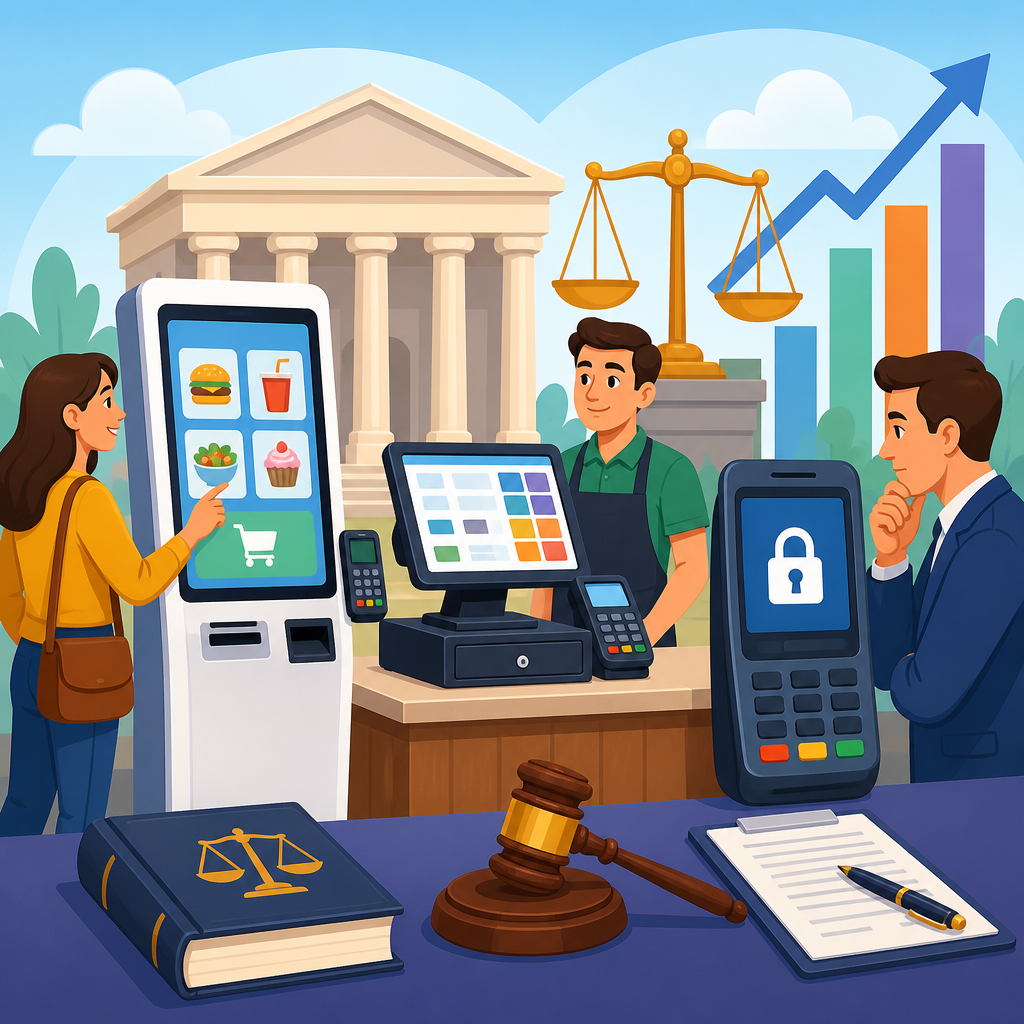
Litigation involving kiosks, point-of-sale devices, and other closed functionality systems has moved from a niche accessibility issue to a central compliance risk for retailers, restaurants, healthcare providers, transportation operators, and financial institutions. In this context, closed functionality means a device designed so users cannot attach or run their own assistive technology, including many self-checkout kiosks, ticketing machines, check-in terminals, payment pads, and information displays. Because the user must rely on the built-in interface, accessibility obligations become more exacting, and courts increasingly examine whether blind users, deaf users, people with low vision, and people with limited dexterity can complete core transactions independently. I have worked on audits and remediation planning for these systems, and the pattern is clear: organizations often focus on web accessibility while overlooking hardware interfaces sitting in stores and lobbies, even though those devices now mediate essential services. That gap matters because recent ADA litigation no longer treats kiosks and POS devices as peripheral conveniences. Plaintiffs argue, with growing success, that inaccessible closed functionality can deny equal access to goods, services, and privileges of a place of public accommodation. The legal exposure extends beyond damages and fees. Companies face emergency remediation costs, replacement cycles, negative press, and difficult vendor disputes over who owns the defect. This hub explains the most important litigation trends around kiosks, POS devices, and closed functionality, the standards courts and experts look to, the fact patterns driving claims, and the practical lessons organizations should apply now.
Why Closed Functionality Has Become a Litigation Flashpoint
The increase in cases follows a simple market shift: businesses have transferred tasks once handled by staff to customer-operated machines. Ordering food, checking in for appointments, buying tickets, paying bills, confirming age-restricted purchases, and signing receipts now frequently happen through touchscreens or integrated payment terminals. When those systems lack tactile controls, speech output, private audio, screen-reader style navigation, discernible focus, adequate contrast, or enough response time, a disabled customer may be unable to complete the transaction at all. Courts are therefore asked whether the device is merely one channel among many or whether it has become the service itself.
In practice, plaintiffs commonly allege violations under Title III of the ADA, parallel state statutes such as California’s Unruh Civil Rights Act, and in some cases Section 504 or other disability laws when public funding is involved. The strongest claims usually arise where a kiosk is mandatory or functionally mandatory. A retailer may say a staffed lane exists, yet if self-checkout dominates the floor and staff assistance is inconsistent, the plaintiff can argue that independence, privacy, and timely service are denied. Similar arguments appear in hospital check-in, where personal health information may have to be spoken aloud to an employee because the kiosk lacks accessible input and output.
Closed functionality is a technical term with legal significance because accessibility cannot depend on users installing their own software. Federal accessibility standards have long recognized this problem. The 2010 ADA Standards include requirements for ATMs and fare machines, while the 2017 revision to Section 508 incorporated explicit closed functionality provisions in Chapter 4 and functional performance criteria in Chapter 3. Although Section 508 directly governs federal procurement rather than most private businesses, experts, settlement negotiators, and judges often treat it as persuasive authority when evaluating modern devices. The result is a more mature litigation environment: claims are no longer limited to obvious absence of Braille labels, but extend to full transaction workflows and interoperability assumptions.
What Plaintiffs Are Alleging in Recent ADA Kiosk Cases
Recent ADA litigations and emerging trends show a shift from general inaccessibility allegations to highly specific assertions tied to user tasks. Plaintiffs now describe the exact point of failure: a card reader that times out before a blind user can navigate audio prompts, a touchscreen-only tip screen with no tactile alternative, a signature capture pad with no nonvisual mode, or a check-in kiosk that requires scanning an insurance card without guidance. This specificity matters because it makes the injury concrete and helps courts evaluate standing, deterrence, and the likelihood of future harm.
Another trend is the framing of inaccessible hardware as a systemic policy failure rather than a one-off technical glitch. Complaints often allege that the defendant selected, deployed, and maintained inaccessible devices across multiple locations, failed to adopt procurement standards, and did not train staff to provide equivalent facilitation. That pleading strategy broadens the case from a local equipment problem to an enterprise-wide compliance issue. For national chains, that raises the stakes because plaintiffs can seek injunctive relief requiring audits, policy changes, testing, employee training, and ongoing monitoring.
Plaintiffs also increasingly emphasize independence and privacy, not just eventual access. A common defense is that staff can help. Courts and disability advocates respond that compelled assistance may not provide equal access where the task involves confidential information, financial transactions, or dignitary interests. Entering a PIN, reviewing a prescription pickup, disclosing a disability status, or selecting a gratuity are ordinary tasks that many users reasonably expect to perform without announcing details to an employee. That reasoning has strengthened claims involving POS devices and payment pads, especially where a device handles the final step required to complete a purchase.
Standards, Guidance, and Technical Benchmarks Courts Consider
There is still no single universal rule that resolves every kiosk case, but litigation analysis repeatedly draws from recognizable technical sources. The ADA’s general nondiscrimination mandate sets the legal foundation. For device-specific benchmarks, practitioners often look to the 2010 ADA Standards where applicable, the Access Board’s guidance, Section 508’s closed functionality requirements, EN 301 549 in some multinational procurement contexts, and selected WCAG principles when a kiosk runs web-based content. The critical point is that a touchscreen in a cabinet is not judged only as software and not only as furniture. It is evaluated as an integrated user interface with hardware, audio, timing, reach range, operability, and transaction design all interacting.
From a remediation perspective, several requirements appear again and again in expert reports. Users need a mode that does not require vision, a way to connect private listening devices or use an accessible handset, controls that can be located and operated tactually, instructions delivered in plain language, and enough time to complete steps without losing progress. Low-vision users need scalable text, sufficient contrast, and glare-conscious screen placement. Deaf and hard-of-hearing users may need visual equivalents for audio cues. Users with limited manual dexterity need controls that avoid complex gestures or force-dependent inputs. Accessibility fails when any one of these missing elements blocks the transaction.
| Device type | Common allegation | Typical benchmark used by experts | Business risk |
|---|---|---|---|
| Self-checkout kiosk | Touchscreen-only workflow with no speech output or tactile navigation | Closed functionality criteria, functional performance, operable parts guidance | Chain-wide injunctions and replacement costs |
| POS payment terminal | Inaccessible PIN entry, tip selection, or receipt confirmation | Nonvisual operation, privacy, timing, tactile controls | Daily transaction barriers and high complaint volume |
| Healthcare check-in terminal | Unable to verify identity, insurance, or consent independently | Equivalent facilitation, privacy, audio output, clear prompts | High sensitivity because medical access is involved |
| Ticketing or transit machine | Screen content unavailable nonvisually or controls out of reach | ADA machine standards, speech output, reach range | Public enforcement and recurring class claims |
Emerging Litigation Patterns Across Industries
Retail remains the most active sector because self-service technology has expanded rapidly and because barriers are easy to reproduce across hundreds of stores. Self-checkout deployments are a recurring target. In several disputes, blind plaintiffs allege that machines advertised as accessible still break down in practice because headphone jacks do not trigger audio mode, software updates disable prompts, or attendants are not trained to initialize accessible checkout. Restaurants present a similar pattern with self-ordering kiosks, particularly in quick-service environments where cashiers have been reduced and mobile ordering is not a meaningful substitute for walk-in patrons.
Healthcare is seeing sharper scrutiny because inaccessible kiosks can affect registration, payment, and access to care. A missed check-in or inability to confirm demographic information is not a minor inconvenience when appointments are time-sensitive. I have seen organizations assume that because a receptionist remains on site, the kiosk creates no legal problem. That assumption is weak. If the kiosk is the normal path for most patients and disabled users are diverted to a slower, more intrusive process, plaintiffs can argue unequal treatment in both process and outcome.
Transportation, hospitality, and financial services are also active. Ticketing machines, hotel check-in systems, and branch service terminals often combine wayfinding, identity verification, and payment in one interface. As these workflows become more complex, accessibility failures multiply. A machine may technically read text aloud yet still be unusable because it does not identify the physical location of the card slot, cash acceptor, receipt tray, or document scanner. Courts are increasingly receptive to this real-world argument: a transaction is not accessible unless the entire journey, not merely the on-screen text, can be completed independently.
Defenses, Weak Points, and Where Businesses Commonly Lose
Businesses usually raise some combination of standing challenges, mootness, alternative access, undue burden, or lack of control over third-party vendor technology. These defenses can succeed in narrow situations, but they often fail when the plaintiff documents a planned return visit, a repeatable barrier, or a policy-level omission. Mootness is especially difficult where remediation is incomplete or unverified. Replacing a few devices, issuing a memo, or promising future software updates rarely ends the dispute if the organization cannot show durable compliance measures.
The alternative access defense is also weaker than many teams expect. If the only fallback is asking staff for help, the company must show that assistance is truly effective, prompt, and equivalent. In the field, that is hard to prove. Staffing levels fluctuate, employees may not know accessible mode activation steps, and assistance may compromise privacy. Courts also distinguish between occasional accommodation and structural equality. A company cannot design a self-service ecosystem for nondisabled users and then assume ad hoc human intervention cures every barrier.
Vendor blame is another recurring weak point. Procurement contracts often lack meaningful accessibility warranties, test protocols, indemnity language, update obligations, and defect cure timelines. When litigation arrives, the business discovers that it owns the customer relationship and therefore the legal exposure, even if the manufacturer wrote the software. Courts generally care that the public accommodation offered the inaccessible service. That is why mature compliance programs treat accessibility as a procurement gate, not a post-deployment troubleshooting exercise.
How Settlements and Remediation Programs Are Evolving
Modern settlements involving kiosks and POS devices are becoming more operationally detailed. Earlier agreements sometimes focused on general commitments to improve accessibility. Newer resolutions more often require enterprise audits, location inventories, technical testing with disabled users, written accessibility policies, vendor management reforms, employee training, executive oversight, and deadlines tied to phased replacement schedules. This matters because the remedy is no longer just “fix the machine.” It is “build a governance system that prevents the same barrier from reappearing.”
Testing methodology has become a major point of negotiation. Plaintiffs want validation that reflects actual use, not only checklist review. Effective programs therefore combine standards-based inspection with task-based usability testing. For example, a payment terminal should be tested not merely for headphone jack presence but for the full sequence of plugging in headphones, activating speech, selecting debit or credit, entering a PIN privately, reviewing amounts, choosing a tip, and receiving confirmation. If any step fails, the transaction is not accessible. Organizations that adopt this more realistic test model before litigation are in a far stronger position.
Another trend is integration between digital and physical accessibility teams. Many kiosks run browser-based interfaces, connect to loyalty systems, print QR codes, or hand off to mobile devices. A defect can therefore originate in web content, native app logic, peripheral hardware, or store operations. The companies making progress are the ones unifying legal, procurement, IT, UX, facilities, and operations under one accessibility governance process. That cross-functional approach reduces the common problem of each team assuming another team owns the risk.
Practical Lessons for Compliance, Risk Management, and Future Cases
The most important lesson from recent ADA litigations and emerging trends is that kiosk accessibility cannot be handled reactively. Organizations should inventory every customer-facing device, classify which ones are closed functionality, map the critical user tasks, and test those tasks with recognized benchmarks and disabled participants. They should then align procurement documents, product roadmaps, maintenance procedures, and staff training to the findings. Accessibility acceptance criteria need to be written into RFPs, statements of work, and update approvals. If a vendor cannot explain how a blind customer completes a payment privately or how a low-vision user enlarges text, that product is not ready for deployment.
Documentation is equally important. In litigation, companies that can show audits, defect logs, remediation tickets, training records, and retest results have more credibility and more settlement leverage. The goal is not perfect paperwork for its own sake. The goal is evidence that accessibility was treated as a managed operational requirement. That evidence can shape negotiations on scope, timing, and attorney fee exposure. It also helps internal teams prioritize capital spending, because not every device can be replaced at once, but every barrier can be triaged and scheduled.
This hub should guide how you read the rest of the legal cases and precedents coverage in this subtopic. The core pattern is consistent across industries: when a kiosk, POS device, or other closed functionality system becomes a gatekeeper to service, courts expect accessibility to be built into the device and the surrounding process. Businesses that wait for a demand letter will pay more and move slower. Review your device inventory, test real transactions, tighten vendor contracts, and make closed functionality accessibility a standing compliance priority now.
Frequently Asked Questions
1. What does “closed functionality” mean in the context of kiosks, POS devices, and other self-service systems?
Closed functionality refers to a device or system that does not allow users to install, connect, or run their own assistive technology. In practical terms, that includes many self-checkout kiosks, ticketing machines, check-in terminals, payment pads, ATMs, information displays, and similar devices that operate as sealed systems. Unlike a personal computer or smartphone, these products typically do not let a user plug in screen-reading software, adjust the interface with specialized accessibility tools, or otherwise customize the experience through third-party assistive technology.
This distinction matters because when a device is closed, accessibility has to be built directly into the product itself. If a blind user cannot attach a screen reader, then the kiosk must provide its own speech output. If a person cannot rely on a personal keyboard, then the input method, tactile controls, reach ranges, and navigation structure have to be usable as delivered. That is why litigation in this area often focuses not just on whether a business offers a self-service device, but on whether the device independently supports people with disabilities in a meaningful, equivalent way.
From a legal and compliance perspective, closed functionality has become a focal point because organizations increasingly rely on self-service technology for essential transactions. When ordering food, checking in for a medical appointment, buying a train ticket, or completing a card payment is routed through a kiosk or POS device, accessibility is no longer a secondary design feature. It becomes part of the customer’s ability to access the core service. Courts, regulators, and plaintiffs are paying closer attention to whether these systems can be used privately, efficiently, and independently by people with vision, hearing, mobility, and cognitive disabilities.
2. Why are kiosks and POS devices becoming a major target in accessibility litigation?
Kiosks and POS devices are attracting more lawsuits because they sit at the intersection of several growing risk factors: widespread deployment, heavy customer dependence, and historically inconsistent accessibility design. Businesses across retail, hospitality, healthcare, transportation, and financial services have embraced self-service systems to reduce staffing pressure, speed transactions, and standardize operations. But as these devices take over functions that used to be handled by employees, any accessibility barriers become more consequential. If a kiosk is inaccessible, a customer may be unable to order, pay, check in, or obtain information without delay or assistance.
Another reason litigation is increasing is that accessibility expectations have matured. What was once treated as a technical issue is now viewed as a civil rights and customer access issue. Plaintiffs are challenging whether businesses are providing equal access under disability laws when customers with disabilities must rely on staff intervention, disclose private information out loud, wait longer than others, or abandon a transaction entirely. In other words, the legal question is often not simply whether a service is available in theory, but whether it is available in a comparable manner.
There is also a practical enforcement dynamic at work. Physical kiosks and payment devices are easy to identify, easy to test, and often deployed across hundreds or thousands of locations using the same hardware and software configuration. That makes them attractive from a plaintiff’s perspective because a single accessibility issue may affect a large portion of an organization’s footprint. As a result, claims can quickly expand beyond one store or one clinic into enterprise-wide allegations involving procurement practices, design standards, maintenance procedures, and accessibility governance.
Finally, many organizations mistakenly assume that if staff can help a customer complete a transaction, the legal risk is low. That assumption is increasingly being challenged. Businesses are learning that substitute assistance does not always cure an inaccessible device, especially where privacy, independence, speed, and dignity are compromised. That shift in how accessibility is analyzed is a major reason closed-function devices have moved from a niche concern to a mainstream litigation issue.
3. What kinds of accessibility barriers in closed-function devices most often lead to lawsuits or demand letters?
The most common barriers involve a failure to provide accessible output, accessible input, or an accessible transaction flow. For blind or low-vision users, frequent problems include the absence of speech output, lack of a headphone jack or other private audio access, poor screen contrast, small text, touchscreen-only navigation, and interfaces that time out before a user can complete a task. If a device presents key information visually without an equivalent nonvisual alternative, it can prevent customers from independently reading menus, reviewing charges, confirming selections, or understanding instructions.
For users with mobility disabilities, lawsuits often point to hardware placement and operability issues. A payment terminal may be mounted too high, a kiosk may lack clear floor space, controls may require pinching or precise touch gestures, or card insertion may be difficult from a seated position. If the system requires fast, repeated, or highly precise input, it may also create barriers for users with limited dexterity. These issues are particularly significant because a customer may be able to physically reach the location but still be blocked from actually completing the transaction.
Hearing-related barriers can also matter, especially when a device relies on audio prompts without synchronized visual instructions or when support features are poorly designed. Cognitive accessibility concerns may arise when interfaces are cluttered, inconsistent, use confusing language, or present complex multi-step processes without clear guidance. In healthcare and transportation settings, these design issues can have especially serious consequences because the customer may need to enter sensitive information, acknowledge consent forms, or receive time-critical instructions.
Another recurring source of claims is the lack of privacy and independence. A device may technically be usable only if an employee reads the screen aloud, enters information on the customer’s behalf, or guides the customer through each step. That arrangement can expose financial details, personal data, or medical information, and it undermines equal access even where the transaction eventually gets completed. Plaintiffs frequently focus on that point because accessibility law is not only about eventual service delivery, but also about whether disabled users can participate with substantially the same autonomy and dignity as everyone else.
4. How should businesses reduce litigation risk when deploying or managing kiosks, payment terminals, and similar devices?
The most effective strategy is to address accessibility early and systematically rather than waiting for a complaint. That starts with procurement. Businesses should require accessibility commitments from manufacturers, software vendors, integrators, and payment technology providers before devices are purchased or rolled out. Contracts should address applicable accessibility standards, testing responsibilities, remediation obligations, update support, and documentation. If accessibility is treated as an optional add-on instead of a baseline requirement, organizations often discover too late that they have little leverage once the technology is already deployed at scale.
Testing is equally important. Businesses should not rely solely on vendor assurances or generic conformance statements. Real-world evaluation should include both technical review and user-centered testing that reflects how the device is actually used in stores, clinics, stations, or branch locations. That means evaluating speech output, tactile controls, card entry, timeout behavior, screen readability, physical reach, and end-to-end task completion. It also means checking whether accessibility features remain functional after software updates, device swaps, or changes in payment workflows.
Operational controls matter as much as design. Even a well-designed accessible kiosk can become unusable if headphones are not available where required, volume settings are disabled, staff are not trained, accessible routes are blocked, or maintenance teams replace equipment with nonconforming units. Businesses should create clear policies for installation, inspection, support, incident reporting, and remediation. Front-line employees should know how accessibility features work, when alternative service methods are appropriate, and how to assist without compromising privacy or making inaccurate statements about the device’s capabilities.
Organizations should also build accessibility into governance and legal risk management. That includes maintaining an inventory of closed-function devices, documenting where they are deployed, tracking known issues, and setting priorities based on customer impact. Legal, compliance, IT, operations, procurement, and customer experience teams should coordinate rather than treating the issue as belonging to one department. If a demand letter or lawsuit arises, businesses that can show thoughtful planning, documented testing, active remediation, and executive oversight are generally in a stronger position than those reacting for the first time after a complaint.
5. Are employee assistance or alternative service options enough to satisfy accessibility obligations for closed-function devices?
Usually not by themselves. While employee assistance and alternative methods can be important parts of an accessibility program, they do not automatically cure an inaccessible kiosk or POS device. The central issue is whether customers with disabilities can access the service in a way that is meaningfully equivalent to the experience provided to others. If a non-disabled customer can independently browse, select, review, pay, and confirm a transaction on a device, but a disabled customer must wait for staff assistance or disclose private information aloud, the experience may still be unequal even though some service is technically available.
Privacy and independence are especially important in this analysis. In retail and restaurant settings, a customer may not want an employee to announce prices, read menu items, or enter payment information on the customer’s behalf. In healthcare, the stakes are even higher because check-in systems may involve sensitive personal and medical information. In financial or transportation contexts, users may need to verify account details, itineraries, or identification information without assistance. Courts and enforcement agencies increasingly recognize that requiring staff intervention can impose burdens that other customers do not face.
That said, alternative service options still matter. They can reduce harm, support customers while remediation is underway


