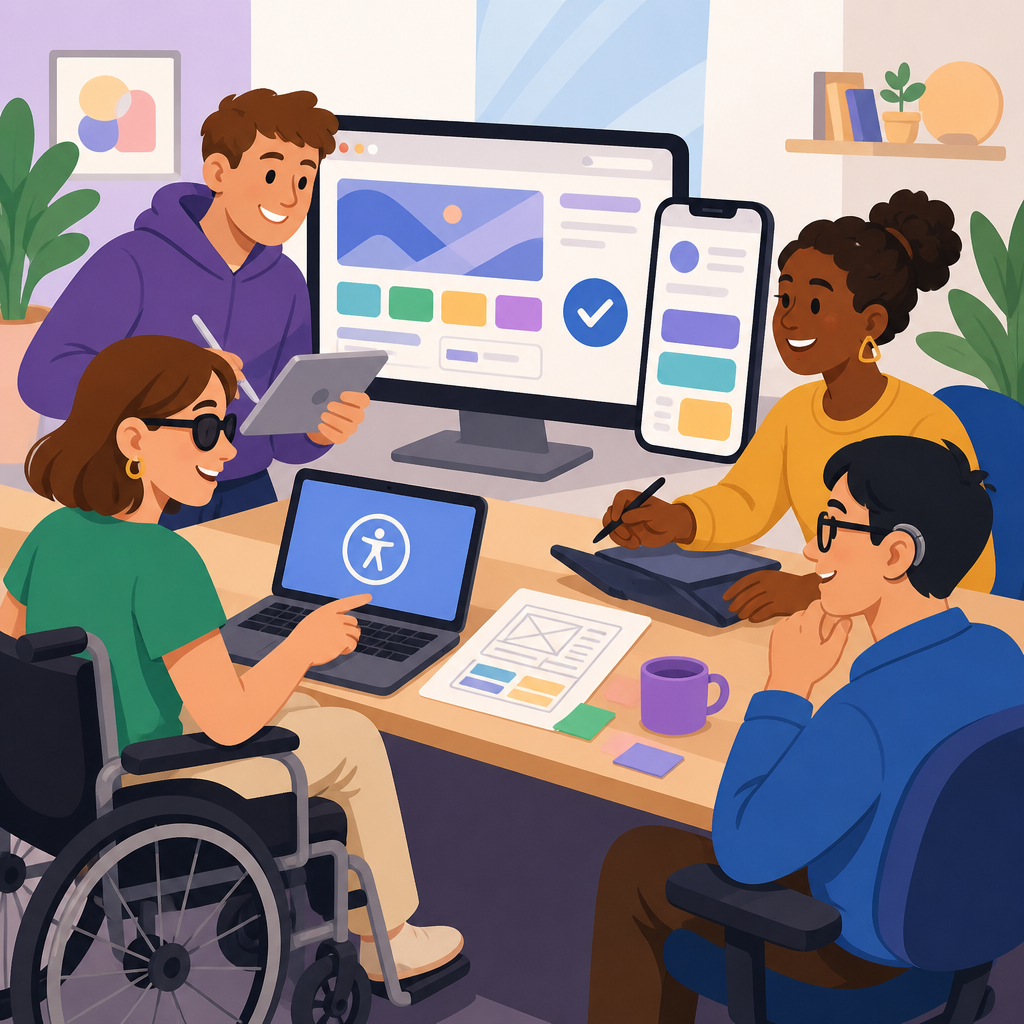
Involving disabled users in website and app testing is one of the most practical ways to improve accessibility, usability, and legal resilience at the same time. In digital product work, disabled users include people with visual, hearing, motor, cognitive, speech, neurological, and multiple disabilities whose lived experience shapes how they navigate interfaces, interpret content, and complete tasks. Testing means more than running an automated scan or checking color contrast; it means observing real people using assistive technology, alternative input methods, captions, transcripts, zoom, personalization tools, and plain-language workflows in realistic conditions. This matters because accessibility failures rarely appear as isolated defects. They break account creation, checkout, booking, telehealth, learning, banking, and support journeys, often for the users who most need reliable access. I have seen teams pass internal audits, then watch a screen reader user get trapped in a modal, a keyboard-only user lose focus in a mega menu, or a dyslexic user abandon a form because the instructions were dense and error recovery was vague. Involving disabled users early and repeatedly changes that outcome. It turns accessibility from a compliance checkbox into a product quality discipline rooted in community engagement and advanced ADA support. As a hub topic, this subject connects policy, recruitment, ethics, research operations, design systems, assistive technology compatibility, remediation priorities, and long-term governance.
Why disabled user testing belongs at the center of accessibility work
Disabled user testing belongs at the center because conformance alone does not guarantee successful use. The Web Content Accessibility Guidelines, especially WCAG 2.2, define testable success criteria that are essential, but they do not capture every friction point in a complex product. A page can technically meet criteria and still be confusing, exhausting, or impossible to complete with a specific screen reader and browser combination. For example, a travel site may label form fields correctly yet force a date picker interaction that works poorly with VoiceOver on iPhone. A banking app may expose buttons to TalkBack but fail to explain a one-time passcode timeout clearly enough for users with cognitive disabilities. Real-user testing reveals these gaps fast.
It also improves prioritization. When product owners hear that a missing accessible name affects a high-traffic payment flow used with JAWS and Chrome, they understand urgency better than when they read a generic defect ticket. In practice, disabled user evidence helps teams decide what to fix first, what to redesign, and what to monitor over time. It also broadens the scope of support. Advanced ADA support is not limited to code remediation; it includes accessible help channels, accommodation workflows, communication preferences, and escalation paths when barriers persist. That is why this hub topic naturally links community outreach, usability research, legal risk reduction, and service design.
Who to involve and how to recruit representative participants
The strongest programs recruit participants across disability types, technology preferences, and experience levels. A balanced panel might include blind users who rely on screen readers, low-vision users who zoom to 200 percent or more, Deaf or hard-of-hearing users who evaluate captions and transcripts, people with limited dexterity who use switch devices or voice input, and users with cognitive disabilities who can assess clarity, consistency, and error tolerance. Representation should also include people using different operating systems, browsers, and assistive technology stacks, because compatibility varies widely. NVDA with Firefox may behave differently from JAWS with Chrome, while VoiceOver on macOS differs from VoiceOver on iOS.
Recruitment works best through trusted disability organizations, community groups, independent research panels, vocational networks, university resource centers, and existing customer communities. Pay participants fairly at market research rates, not token amounts. Provide materials in accessible formats before sessions, including consent forms, task descriptions, and logistics. Offer multiple communication options such as email, phone, text relay, or video with captions. In my experience, the quality of findings improves when participants know the team values their time and expertise. Avoid treating them as validators for predetermined decisions. They are experts in their own workflows, and the session should make room for open commentary beyond scripted tasks.
How to run inclusive testing sessions that produce reliable findings
Inclusive testing sessions start with accessible planning. Choose a platform that supports keyboard navigation, screen reader compatibility, captioning, and stable audio. If remote sessions are used, test the conferencing tool itself with assistive technology before inviting participants. Send clear instructions about what will happen, how long it will take, whether software installation is required, and who will attend. Keep observer groups small or use silent viewing rooms to reduce pressure. For in-person sessions, verify physical accessibility, transit details, quiet spaces, lighting, and restroom access.
Task design should reflect real goals, not abstract exercises. Ask users to refill a prescription, update a password, submit a benefits application, find warranty information, or contact support after a failed payment. These scenario-based tasks expose barriers in context. Moderators should avoid leading participants or taking control too quickly when they encounter friction. Give people time to use their own strategies, shortcuts, and assistive tools. That behavior is the evidence. Capture not only success or failure, but also time on task, confidence, error recovery, mental effort, and the need for workarounds. When a participant says, “I can do it, but I would never choose to,” that is a serious usability finding even if the task eventually succeeds.
Testing should combine moderated research with complementary methods. Automated tools such as axe DevTools, WAVE, Lighthouse, and Accessibility Insights identify many code-level issues efficiently. Manual expert reviews check semantics, focus order, name-role-value exposure, heading structure, and dynamic content announcements. Disabled user sessions add the lived reality that neither method can fully replicate. Used together, these approaches create a dependable accessibility testing strategy.
What to test across websites, apps, and support ecosystems
Teams often focus narrowly on pages, but the full experience includes documents, emails, authentication flows, chat, customer support, and third-party integrations. Start with critical user journeys: sign-up, sign-in, search, navigation, forms, transactions, account management, media consumption, and help requests. Then test the edges where accessibility frequently breaks: CAPTCHA alternatives, error handling, session timeouts, identity verification, carousels, custom components, overlays, maps, PDFs, and embedded payment widgets. In mobile apps, include orientation changes, dynamic type, screen reader rotor behavior, focus after screen transitions, gesture alternatives, and compatibility with platform accessibility settings.
Support channels deserve special attention. If the website is accessible but the phone tree is confusing, the live chat widget traps keyboard users, or support agents cannot log accommodations consistently, the organization still creates barriers. Advanced ADA support means making sure requests for assistance can be made independently, understood correctly, and resolved promptly. That includes confirming caption quality in webinars, providing transcripts for tutorials, making knowledge base articles readable, and ensuring downloadable documents are tagged properly. Accessibility is a service ecosystem, not just a front-end feature.
| Testing area | What disabled users often reveal | Why it matters |
|---|---|---|
| Navigation and menus | Focus loss, vague link text, inconsistent landmarks | Users cannot orient quickly or move efficiently |
| Forms and transactions | Unclear labels, poor error recovery, inaccessible date pickers | Core business tasks fail, causing abandonment |
| Media and documents | Weak captions, missing transcripts, untagged PDFs | Information access becomes unequal or impossible |
| Mobile interactions | Gesture-only controls, small targets, screen reader confusion | App tasks become difficult on touch devices |
| Support and escalation | Chat traps, inaccessible help flows, poor accommodation handling | Users cannot resolve barriers when they occur |
Turning findings into fixes, standards, and long-term governance
The value of disabled user testing is realized only when findings are translated into action. Write issues in plain language with replication steps, affected user groups, environment details, severity, and business impact. Include the browser, operating system, and assistive technology used, because reproducibility depends on context. A useful ticket says, for example, that on Windows 11 with NVDA 2024.1 and Firefox, the checkout modal opens without moving focus to its heading, leaving the user behind the overlay and unable to complete payment. That level of specificity accelerates remediation.
Patterns matter as much as single defects. If multiple participants struggle with error messages, the underlying issue may be a design system problem rather than a page-level bug. Feed recurring findings into component libraries, content standards, quality assurance checklists, and procurement requirements for third-party tools. Product teams should maintain an accessibility backlog, set service-level expectations for critical issues, and retest after fixes. Governance works when it is integrated into delivery: accessibility acceptance criteria in user stories, design reviews before development, CI checks where appropriate, and scheduled manual and user testing for major releases.
There are tradeoffs to acknowledge. User testing does not replace standards-based auditing, and a small participant sample cannot represent every disability experience. Assistive technology changes frequently, so compatibility must be monitored over time. Still, regular involvement of disabled users consistently produces better products than expert-only approaches. It grounds decisions in reality, strengthens community trust, and supports a mature accessibility program. If you manage resources and support content, make this hub the starting point for recruitment practices, research methods, remediation workflows, and accommodation planning. Build a repeatable process, listen carefully, and bring disabled users into testing as partners from the beginning.
Involving disabled users in website and app testing delivers a clear benefit: it shows whether people can actually use your digital services, not just whether your team believes they should be able to. That distinction is where accessibility programs either mature or stall. Across this hub topic, the core lesson is consistent. Community engagement improves research quality, advanced ADA support strengthens the full service experience, and repeated testing turns isolated fixes into durable operational practice. When disabled participants evaluate navigation, forms, media, mobile interactions, and support channels, they expose barriers that automated scans and internal reviews routinely miss. They also highlight what works well, which helps teams preserve effective patterns in design systems and product standards.
The strongest organizations treat this work as ongoing governance rather than a one-time project. They recruit diverse participants, compensate them fairly, document environment details, prioritize high-impact journeys, and connect findings to engineering, content, procurement, and customer support. They recognize that accessibility includes help content, communication options, accommodation handling, and third-party tools. They also understand the limits of any single method and combine real-user sessions with WCAG-based audits, manual expert review, and regression testing. That balanced approach produces reliable evidence and better decisions.
If this page is your starting point for Resources and Support, use it to shape the rest of your program. Audit your current testing process, identify which disability perspectives are missing, and create a repeatable plan for involving disabled users in every major release. Then extend that plan into support operations, documentation, and vendor oversight. The result is not only a more accessible website or app, but a stronger, more trustworthy service for everyone. Start with one critical journey, recruit the right participants, and test it with care this month.
Frequently Asked Questions
Why is it important to involve disabled users in website and app testing instead of relying only on automated accessibility tools?
Automated accessibility tools are useful, but they only catch part of the picture. They can flag certain technical issues such as missing alternative text, low color contrast, empty form labels, or structural markup problems. What they cannot do well is reveal how a real person with a disability actually experiences your product while trying to complete meaningful tasks. A page may technically pass an automated scan and still be confusing, frustrating, slow, or unusable in practice.
Involving disabled users in testing brings lived experience into the product process. People who use screen readers, screen magnifiers, voice control, switch devices, captions, transcripts, keyboard navigation, or simplified workflows often interact with interfaces in ways design and development teams do not anticipate. Their feedback can uncover barriers such as unclear focus order, ambiguous link text, confusing error messages, inaccessible custom components, time limits that are too restrictive, or interaction patterns that demand more precision, memory, or stamina than many users can comfortably provide.
This kind of testing also improves overall usability, not just accessibility compliance. When disabled users point out where content is hard to understand, controls are difficult to operate, or navigation is inconsistent, those insights often benefit everyone. In addition, involving disabled users can strengthen legal resilience because it shows a serious effort to identify and address real-world access barriers rather than treating accessibility as a box-checking exercise. In short, automated tools help you find code-level issues, but disabled user testing helps you understand whether the product actually works for the people it is supposed to serve.
Which disabled users should be included in testing, and how do you choose the right mix of participants?
The right participant mix depends on what your website or app does, which tasks matter most, and where accessibility risks are likely to appear. In general, a strong testing approach includes participants with a range of disabilities, including visual, hearing, motor, cognitive, neurological, speech, and multiple disabilities. The goal is not to treat disability as one single category, but to recognize that different users encounter different barriers and use different tools, strategies, and preferences.
For example, if your product relies heavily on forms, account setup, and complex navigation, you may want to include blind screen reader users, low-vision users who zoom or use screen magnification, keyboard-only users, and users with motor disabilities who rely on voice input or alternative input devices. If your product contains video, webinars, customer support calls, or audio instructions, participants who are deaf or hard of hearing are essential. If the product involves long reading tasks, dense workflows, or decision-heavy interfaces, users with cognitive or learning disabilities can provide critical insight into comprehension, structure, clarity, and mental load. People with neurological conditions may also identify barriers related to motion, flashing, timing, fatigue, or sensory overload.
It is also important to match participants to realistic tasks. A person who uses a screen reader every day for online shopping, banking, or scheduling can show you how your flows hold up under real conditions. Diversity in assistive technology matters too, because not all users rely on the same combination of browsers, devices, and tools. The strongest programs avoid token participation and instead recruit enough people to reveal patterns. You do not need to include every disability type in every round, but you should build an ongoing practice that rotates perspectives and aligns participant selection with the most important user journeys in the product.
What does an effective disabled user testing process actually look like from planning to follow-up?
An effective process starts with clear goals. Before testing begins, the team should identify the tasks users need to complete, such as creating an account, searching for information, making a purchase, submitting a claim, booking an appointment, or contacting support. Those tasks should reflect real user priorities rather than artificial accessibility demos. The team should also define what it wants to learn, such as whether navigation is understandable, whether forms can be completed independently, whether media is accessible, or whether error recovery is manageable.
Next comes accessible test design. Recruitment materials, consent forms, scheduling, and session instructions should all be accessible themselves. Participants should be able to use their own assistive technology and preferred setup whenever possible, because that produces more realistic results. Moderators need to know how to run sessions respectfully, avoid making assumptions, and focus on the interface rather than treating the participant as the problem. It is helpful to observe not only where users fail, but where they hesitate, backtrack, become fatigued, or need extra interpretation to continue.
During the session, teams should watch how participants move through tasks, what workarounds they use, and which parts of the interface create friction. Testing should capture both functional barriers and usability barriers. A feature may technically work with a screen reader, for instance, but still be inefficient because the information architecture is repetitive or the labels are vague. Similarly, a form may be keyboard accessible but exhausting because focus order is inconsistent and validation messages appear too late.
After testing, findings should be organized by severity, frequency, and business impact. Teams should document the issue, describe who is affected, explain the task blocked or degraded, and recommend a fix. The best follow-up includes collaboration across design, content, engineering, quality assurance, and legal or compliance stakeholders where relevant. Finally, test again after fixes are made. Accessibility improves most when disabled user involvement is part of an ongoing product cycle rather than a one-time review at the end of development.
How can organizations work with disabled testers respectfully, ethically, and effectively?
Respectful engagement starts with recognizing disabled testers as skilled participants whose time and expertise have value. They should be compensated fairly, given clear expectations, and provided with accessible communication at every step. That includes accessible outreach, flexible scheduling, plain-language instructions, and support for accommodations such as captioning, sign language interpretation, extended session timing, rest breaks, or alternative response formats. If the testing process itself creates access barriers, the organization is undermining the purpose of the work.
It is also important to avoid tokenism. Inviting one disabled participant late in the process and expecting them to represent all disabilities is not meaningful inclusion. Organizations should build relationships with disability communities, specialist recruiters, and accessibility professionals so recruitment is thoughtful and sustained. Moderators and observers should be trained to ask open, non-leading questions, to avoid framing assistive technology use as unusual, and to focus on how the product can improve rather than placing blame on the user.
Privacy and dignity matter as well. Some participants may be comfortable sharing details about their disability and technology setup, while others may prefer to discuss only what is relevant to the task. Teams should collect only necessary information and handle it responsibly. It is also best practice to close the loop by telling participants how their feedback influenced changes. That helps build trust and demonstrates that their involvement was not symbolic. When organizations approach disabled user testing with professionalism, humility, and follow-through, they gain better data, stronger products, and more credible accessibility outcomes.
How often should disabled users be involved in testing, and at what stages of product development does their feedback matter most?
Disabled users should be involved throughout the product lifecycle, not only at launch or after complaints arise. Their feedback is valuable during early concept work, design validation, prototype reviews, pre-release testing, and post-launch iteration. The earlier accessibility issues are identified, the easier and less expensive they are to fix. Waiting until development is complete often means teams are forced to patch around deeper design problems that could have been prevented much sooner.
At the discovery and design stage, disabled users can help shape requirements, task flows, navigation models, content patterns, and interaction choices before those decisions become expensive to change. During prototyping, they can identify confusing layouts, unclear labeling, inaccessible gestures, poor error handling, or cognitive overload. In development, they can reveal implementation gaps that may not be visible in design files, especially in custom components, dynamic updates, modal dialogs, menus, and mobile interactions. Before release, they can validate whether critical journeys are actually usable in realistic conditions.
Post-launch testing is equally important because products evolve. New features, third-party integrations, personalization layers, marketing widgets, and content updates can all introduce fresh barriers. A mature accessibility program treats disabled user testing as a recurring practice tied to major releases, high-risk workflows, and strategic improvements. Many organizations combine continuous automated checks, expert accessibility audits, and recurring sessions with disabled users. That layered approach is the most reliable way to improve accessibility, protect user trust, and support ongoing legal and operational resilience over time.


