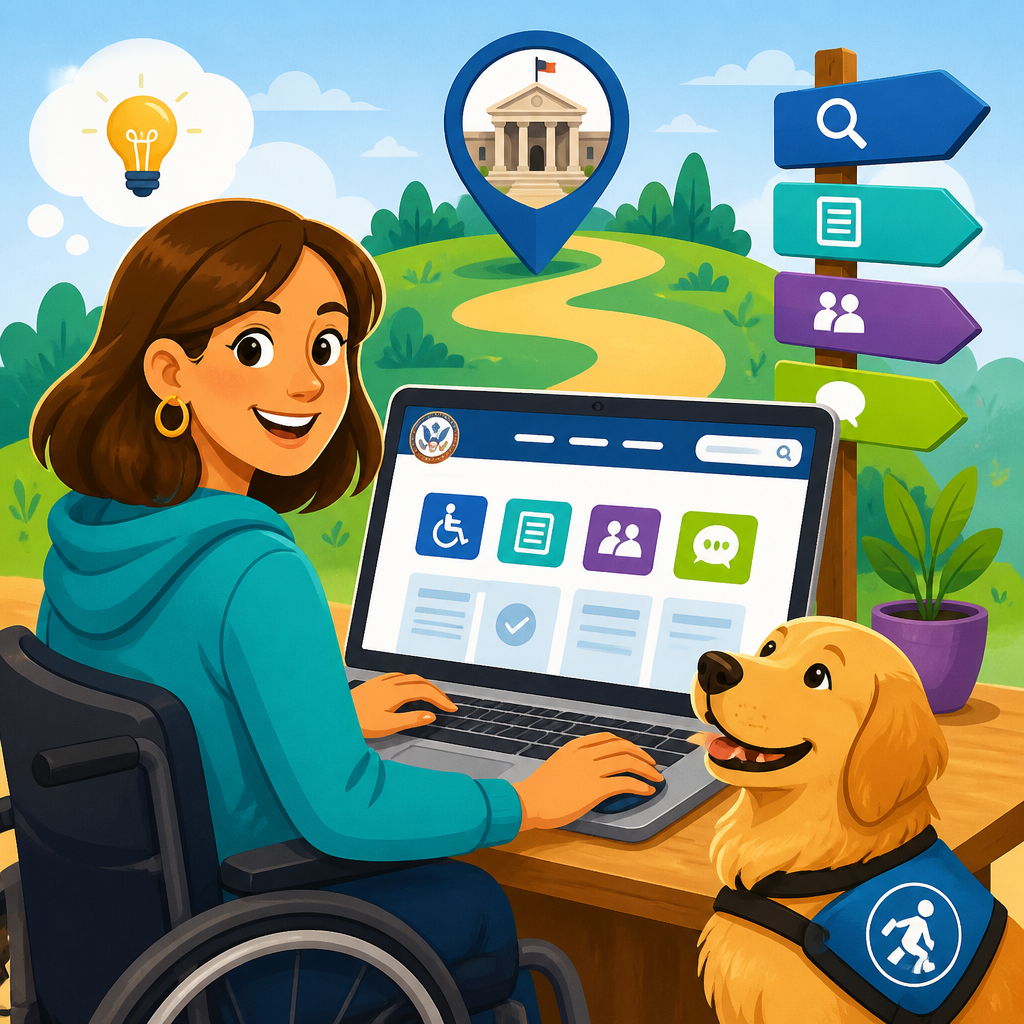
ADA.gov is the federal government’s central portal for understanding the Americans with Disabilities Act, yet many people arrive there with an urgent question and quickly feel overwhelmed by legal language, multiple agencies, and dozens of guidance pages. This hub explains how to use ADA.gov without getting lost by showing where the site fits, what the main sections do, and how to reach the right resource fast. In plain terms, ADA.gov translates civil rights requirements into usable information for people with disabilities, employers, businesses, state and local governments, schools, transportation providers, and advocates. If you need official ADA resources, complaint information, design standards, technical assistance, or examples of enforcement, this is the place to start.
The key term to understand is scope. The ADA is a broad civil rights law organized into titles that cover employment, state and local government services, public accommodations, telecommunications, and several cross-cutting rules. ADA.gov does not replace every agency website involved in disability rights; instead, it acts as the primary federal doorway, especially for Department of Justice guidance and enforcement. In practice, that means some questions are answered directly on ADA.gov, while others point you to the Equal Employment Opportunity Commission, Department of Transportation, Federal Communications Commission, or Access Board. Knowing that structure matters because it prevents wasted time and helps you separate legal standards, design requirements, and filing procedures.
Why does this matter? Because ADA questions are usually time-sensitive and high stakes. A small business owner may need to understand service animal rules before opening. A city agency may need effective communication guidance before a public meeting. A disabled traveler may need to know whether an airport shuttle must accommodate a wheelchair. I have used ADA.gov to answer exactly these kinds of practical questions, and the biggest mistake people make is browsing aimlessly instead of starting with the category that matches their role and problem. The site becomes much easier once you treat it like a decision tree rather than a general search engine.
This article serves as a hub for essential ADA resources. It will walk through the site’s core sections, explain which pages solve which problems, highlight the most useful official tools, and show when you should leave ADA.gov for a partner agency. By the end, you should know how to find reliable answers quickly, which materials are authoritative, and how to use the site for research, compliance planning, and problem solving without getting buried in unnecessary pages.
Start With Your Role and the ADA Title That Applies
The fastest way to use ADA.gov effectively is to identify both your role and the ADA title involved before you click anything else. This immediately narrows the site. If you are an employee or job applicant dealing with hiring, accommodations, medical inquiries, or retaliation, your issue likely falls under Title I, where the Equal Employment Opportunity Commission is often the lead source. If you are dealing with city hall, public schools, police services, courts, voting, sidewalks, or public transit operated by a government entity, you are generally in Title II territory. If your question involves restaurants, hotels, stores, doctor’s offices, theaters, gyms, websites or apps offered by private businesses, or policies such as service animals and auxiliary aids, you are usually dealing with Title III.
This matters because ADA.gov organizes guidance by subject, but the legal answer depends on who must comply. For example, effective communication obligations apply to both government agencies and businesses, yet the implementation details can differ based on context. The same is true for mobility access, policy modifications, ticketing, and digital services. In my experience, users get lost when they search broad phrases like “ADA rules for access” instead of framing the issue as “Title II effective communication public meeting” or “Title III service animal restaurant.” That wording aligns with how federal guidance is published and makes search results dramatically better.
ADA.gov also reflects the ADA’s shared enforcement structure. The Department of Justice enforces major parts of Titles II and III, but employment questions often route elsewhere. Transportation may involve the Department of Transportation. Telecommunications can involve the Federal Communications Commission. Design requirements often rely on standards developed with the U.S. Access Board. Once you accept that the ADA is one law administered through multiple institutions, the site stops feeling fragmented and starts making sense as a map.
Use the Main Navigation as a Shortcut, Not a Reading List
Most visitors waste time by reading ADA.gov from the homepage outward. A better approach is to use the main navigation as a filter. The pages you will return to most often are the sections for guidance, regulations and standards, complaint filing, enforcement, and frequently asked questions. Guidance pages are practical and plain language. Regulations and standards pages are where you confirm the controlling legal text. Complaint pages explain how to report discrimination to the Department of Justice and what information to include. Enforcement pages show settlement agreements, consent decrees, and case examples that reveal how rules are applied in real situations.
If your goal is quick understanding, start with guidance or FAQs. If your goal is compliance validation, move next to regulations and standards. If your goal is documenting a barrier or rights violation, go to complaint instructions and then review enforcement examples to see how similar issues have been treated. This sequence mirrors how compliance professionals and advocates actually work: understand the rule, verify the source, then gather evidence or implement changes.
One practical habit helps enormously: open a small set of tabs instead of diving down one page at a time. I typically keep a guidance page, the relevant regulation or standard, and an enforcement example open together. That three-tab method prevents confusion because you can compare plain-language explanation, binding authority, and real-world application side by side. ADA.gov is much easier to navigate when you use it this way.
Know the Essential ADA Resources and What Each One Solves
The most important ADA resources on ADA.gov are not equal. Some are for orientation, some for legal certainty, and some for action. The table below shows the core resource types and the best use for each.
| Resource type | Best use | What to expect |
|---|---|---|
| Guidance pages | Understand requirements quickly | Plain-language explanations, examples, common scenarios |
| FAQs | Answer narrow questions fast | Short responses on recurring issues like service animals or web access |
| Regulations | Confirm legal obligations | Formal rule text, definitions, compliance framework |
| 2010 ADA Standards | Check built environment details | Technical scoping and specifications for accessible design |
| Enforcement actions | See how rules are applied | Settlements, consent decrees, statements of interest, case summaries |
| Complaint information | Report discrimination | Submission process, required facts, agency handling information |
| Mediation program materials | Explore informal resolution | Voluntary dispute resolution details and process explanations |
For many users, the 2010 ADA Standards for Accessible Design are the turning point between confusion and clarity. If your issue involves parking, entrances, counters, toilet rooms, signage, routes, assembly seating, lodging features, or recreation areas, general guidance is not enough. You need the standards. They provide measurements, scoping rules, and technical specifications. For example, if a hotel wants to know whether a front desk section must be accessible, or a retailer needs to assess an entrance route, the standards are where those details live. They are technical, but they are the authoritative baseline.
Enforcement materials are another underused resource. A settlement agreement can reveal how the Department of Justice expects a rule to function in practice, including timelines, training requirements, policy changes, website updates, or physical alterations. When I need to explain to a client why a policy change is necessary, an enforcement example often lands better than abstract legal text because it shows consequences and implementation steps in concrete terms.
Find Answers by Topic: Service Animals, Effective Communication, Web Access, and More
Several ADA topics generate most site traffic, and knowing them can save you time. Service animals is one of the biggest. ADA.gov explains that a service animal under the ADA is generally a dog individually trained to do work or perform tasks for a person with a disability, with limited provisions for miniature horses. That definition resolves many disputes immediately. Businesses often ask what they can ask. The answer is narrow: whether the dog is required because of a disability and what work or task it has been trained to perform. They cannot demand documentation, require the dog to demonstrate its task, or ask about the person’s disability.
Effective communication is another core topic. This covers sign language interpreters, captioning, Braille, large print, accessible electronic documents, assistive listening systems, and other auxiliary aids and services. ADA.gov guidance emphasizes that the right aid depends on context and that the goal is communication that is as effective as communication with others. A city council meeting, a hospital consultation, and a quick retail transaction may require different solutions. The site’s explanations are especially useful because they tie legal obligations to real scenarios.
Web accessibility has become a major reason people visit ADA.gov. While the site does not reduce digital compliance to one simple checklist, it makes several key points clear: inaccessible websites and apps can block equal access, businesses and public entities have obligations under the ADA, and recognized technical standards matter. In practice, organizations often use the Web Content Accessibility Guidelines, especially WCAG 2.1 AA, as the operational benchmark. ADA.gov guidance helps leaders understand that accessibility is not just about code; it includes procurement, document formats, third-party platforms, testing, and maintenance.
Other recurring topics include mobility devices, ticket sales, testing accommodations, hotel reservations, accessible parking, and opioid use disorder discrimination. When you land on a topic page, look for examples and cross-links. Those links often lead to the more precise page you actually need.
Use Standards, Guidance, and Enforcement Together for Reliable Decisions
If you need an answer you can trust, do not rely on a single page in isolation. The strongest method is to combine three layers of information. First, read the guidance page to understand the rule in plain English. Second, review the relevant regulation or design standard to confirm exact obligations. Third, check enforcement materials for examples of how the rule has been interpreted in practice. This is the same layered approach I use when reviewing facilities, drafting accessibility recommendations, or preparing internal training.
Consider an example: a restaurant wants to know whether it must allow a patron’s service dog into the dining area. The guidance page answers quickly: yes, unless the animal is out of control or not housebroken, or its presence would fundamentally alter the nature of the service. The regulation confirms the framework and definitions. Enforcement examples show how exclusion policies and staff training failures can create liability. Together, those sources provide a complete answer that is practical, legally grounded, and operationally useful.
The same layered method works for physical access questions. Suppose a town is renovating a public building entrance. A general page on accessible routes explains the concept, but the 2010 standards provide the dimensions, slopes, and technical criteria, while enforcement materials may show how transition plans or program access obligations are handled. Using all three sources reduces errors and helps you explain decisions to contractors, executives, or complainants with confidence.
Know When to Leave ADA.gov for a Partner Agency or Deeper Resource
One of the smartest ways to use ADA.gov is knowing when it is no longer the final destination. Employment discrimination questions often need EEOC guidance, charge filing information, or accommodation analysis under Title I. Transit questions may require Department of Transportation regulations on paratransit, rail, or air travel obligations, while air travel itself is largely governed by the Air Carrier Access Act rather than the ADA. Telecommunications relay issues may point toward the Federal Communications Commission. Design and built environment questions frequently benefit from U.S. Access Board materials, especially for explanatory guidance on accessibility standards.
This is not a weakness of ADA.gov; it is how federal disability law is structured. The site works best as a hub. If you are researching school obligations, for example, ADA.gov may be only one part of the picture because Section 504 of the Rehabilitation Act and the Individuals with Disabilities Education Act can also matter. If you are assessing digital accessibility in higher education or healthcare, you may also need agency-specific rulemaking, procurement standards, or civil rights guidance beyond the ADA portal.
A useful rule is simple: use ADA.gov to identify the governing framework, then follow official links to the agency with primary responsibility for your exact issue. That keeps your research accurate and prevents the common mistake of applying the right principle from the wrong legal source.
Build a Simple Workflow So You Can Return Fast
The best way to avoid getting lost on ADA.gov is to build a repeatable workflow. Start by writing your question in one sentence with the role, setting, and barrier included. Then identify the likely title, open a guidance page, confirm with the regulation or standard, and save the most relevant pages in a bookmarks folder by topic. For organizations, create an internal reference sheet with links for common issues such as service animals, effective communication, web accessibility, accessible parking, and complaint procedures. After doing this on several projects, I found that response time drops sharply because staff stop reinventing the search each time a question comes up.
It also helps to document the publication date on any page you rely on and to note whether the source is guidance, regulation, or enforcement. That distinction matters when policies are being drafted or when a lawyer, contractor, or agency official asks how you reached a conclusion. Reliable ADA research is not just finding a page; it is preserving the trail of authority behind the answer.
ADA.gov becomes manageable once you approach it with a purpose. Start with your role, match it to the right ADA title, use guidance for orientation, standards and regulations for precision, and enforcement actions for practical context. Remember that the site is a hub, not an island, so follow official links when employment, transportation, telecommunications, education, or agency-specific rules are involved. The main benefit is speed with accuracy: you can find credible answers without wandering through irrelevant material or relying on unofficial summaries.
For anyone building an essential ADA resources library, this page should be the anchor. Keep your most-used ADA.gov links organized, return to the standards when physical access details matter, and use enforcement examples to understand how rules work in real life. If you have not done it yet, create a simple ADA research folder today and save the pages you are most likely to need next.
Frequently Asked Questions
What is ADA.gov, and what should I use it for first?
ADA.gov is the federal government’s main public information portal for the Americans with Disabilities Act. In practical terms, it is the place to start when you need reliable, official guidance about disability rights and accessibility responsibilities. People often land on the site because they need a quick answer about accessible parking, service animals, website accessibility, workplace issues, effective communication, or how the ADA applies to a business, school, state agency, or local government. The challenge is that ADA.gov covers many topics at once, so it can feel broad and technical at first glance.
The easiest way to use it is to begin with your exact question, not with the full law. Instead of trying to read statutes or regulations from the beginning, look for the section that matches your situation. Ask yourself whether your question is about a public place like a restaurant or hotel, a state or local government service, employment, transportation, or a general rights issue. Once you identify the setting, ADA.gov becomes much easier to navigate because the site is organized around real-world categories and practical guidance. For most users, the best first step is to find a topic page, fact sheet, or FAQ rather than jumping immediately into enforcement documents or legal text.
How is ADA.gov organized, and which sections matter most when I need an answer quickly?
ADA.gov is designed as a hub, which means it brings together several kinds of information in one place: legal overviews, practical guidance, standards, complaint information, and updates from the Department of Justice. If you need a fast answer, the most useful sections are usually the topic-based guidance pages, the ADA information resources, and the complaint or contact pages. These sections are generally written to help the public, businesses, and government entities understand what the ADA requires in everyday situations.
A helpful way to think about the site is in layers. The first layer is broad explanation: what the ADA is, who it protects, and what kinds of entities must comply. The second layer is issue-specific guidance, such as service animals, effective communication, accessible medical care, web accessibility, or program access for government services. The third layer is more technical material, including regulations, design standards, settlement agreements, and enforcement actions. If you are feeling lost, stay in the first and second layers until you know exactly what applies to you.
For example, if you are a business owner trying to understand your obligations, a plain-language guidance page will usually be more useful than a legal settlement. If you are an individual trying to understand your rights, FAQs and topic pages are often the best entry point. If you are a designer, architect, or facilities manager, you may eventually need accessibility standards and technical requirements, but even then it still helps to start with an overview page so you understand the context before getting into measurements and specifications.
What is the fastest way to find the right ADA.gov resource for my situation?
The fastest approach is to narrow your question into three parts: who is involved, what type of place or service is involved, and what barrier or issue you are dealing with. For example, ask: Is this about a private business, a public school, a city program, an employer, or a transportation provider? Then identify the issue: physical access, communication access, policy changes, service animals, digital accessibility, discrimination, or filing a complaint. This simple breakdown helps you avoid wandering through pages that are accurate but not relevant to your situation.
Once you do that, use the site’s main navigation or search tool with plain, specific terms. Search phrases such as “service animals ADA,” “effective communication hospital ADA,” “website accessibility ADA,” or “local government program access ADA” usually work better than broad phrases like “ADA help.” You are more likely to land on a focused guidance page that directly answers your question. If you find yourself reading a page full of legal citations before you even know whether the topic applies to you, back up and look for a summary page or FAQ on the same issue.
It also helps to recognize that ADA.gov often points users to related federal resources when another agency shares responsibility. That is normal and not a sign you are in the wrong place. ADA.gov serves as a trusted starting point, but depending on the issue, you may be directed to agency-specific information. The key is to use ADA.gov to identify the right category and then follow the most relevant official guidance rather than trying to absorb the entire site at once.
Why does ADA.gov sometimes feel complicated, and how can I avoid getting overwhelmed by legal language?
ADA.gov can feel complicated because the ADA itself covers many different contexts, and different titles of the law apply to different entities and activities. A state government, a local government, a private business open to the public, and an employer may all have different obligations under the ADA, even when the issue sounds similar on the surface. On top of that, the site includes plain-language guidance alongside regulations, technical standards, settlement agreements, and legal updates. For a first-time visitor, that mix can make it hard to tell what is basic guidance and what is advanced reference material.
The best way to avoid overload is to treat ADA.gov like a map, not a book you need to read from beginning to end. Start with a practical question and look for pages labeled as guidance, fact sheets, or FAQs. Those resources are usually the clearest place to begin because they translate civil rights requirements into usable information. Save the regulations and design standards for later, when you already know the topic applies to your situation and you need more detail.
Another useful habit is to focus on the real-world terms you already understand. If your issue is about captioning, an interpreter, wheelchair access, a hotel reservation, or a service animal, begin there. You do not need to know every ADA title or legal definition before you can find reliable help. In many cases, the plain-language pages will explain the legal framework as you go. That makes the site much more manageable and helps you move from confusion to a clear next step.
Can ADA.gov help me if I need to file a complaint or take action, not just read information?
Yes. ADA.gov is not only an educational site; it also helps users understand what to do when they believe the ADA has been violated or when they need official direction on compliance. Depending on the situation, the site can point you to complaint filing information, enforcement resources, contact options, and guidance on what details to gather before taking the next step. This is especially helpful if your issue involves discrimination by a public entity, a business open to the public, or another covered organization.
That said, ADA.gov is most useful when you use it to clarify your issue before filing anything. Read the guidance that matches your situation so you can better understand what the ADA does and does not require. This can help you describe the problem clearly, identify the right agency or process, and avoid delays caused by filing in the wrong place or without enough information. For example, details about the location, the type of barrier, dates, communications, and any steps already taken can all matter when you move from research to action.
If you are on a deadline or facing an urgent accessibility problem, ADA.gov can still help you get oriented quickly. Use it to confirm the topic area, review the plain-language guidance, and then move to the complaint or contact resources connected to that issue. In that sense, the site works best as both a learning tool and a navigation tool: it explains your rights and responsibilities while also helping you find the proper channel for the next step.


