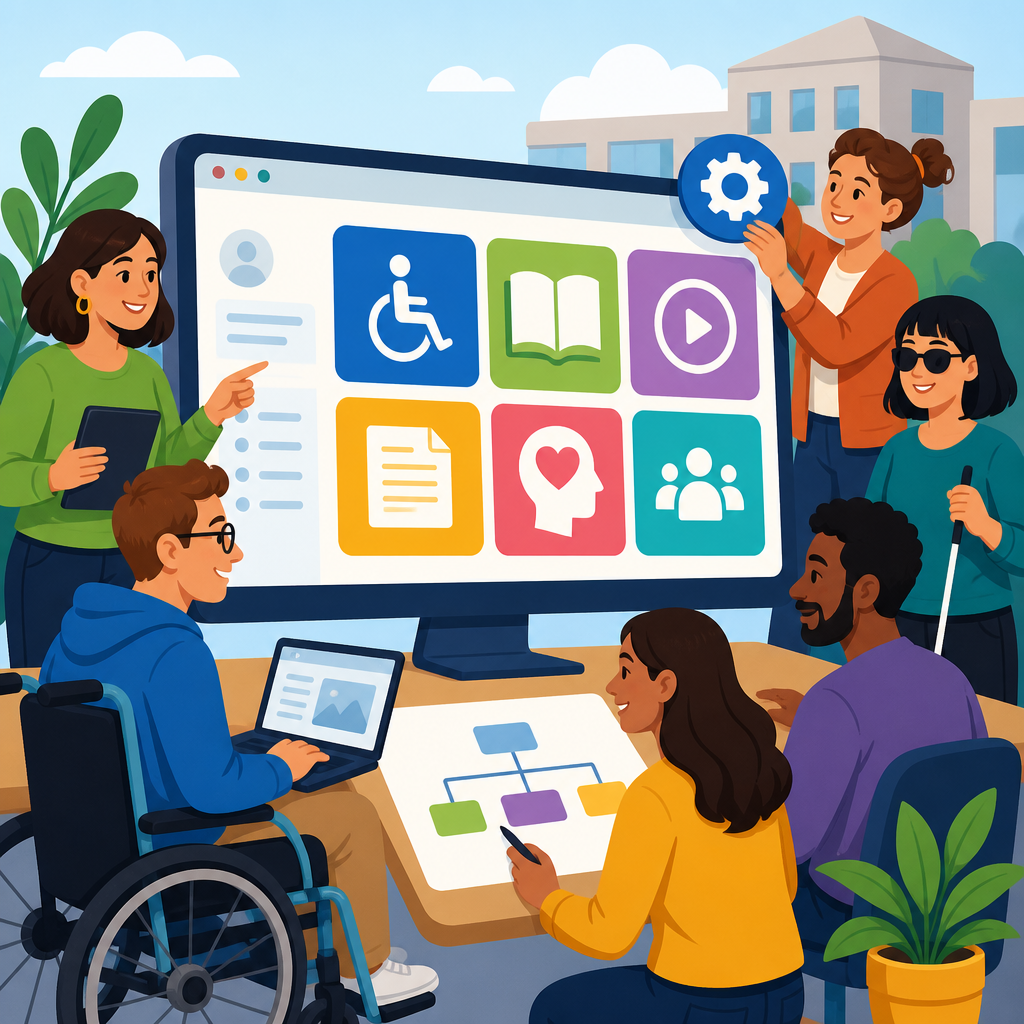
An ADA resource hub is a centralized, maintained collection of policies, contacts, training materials, forms, and practical guidance that helps employees, managers, students, customers, and service teams understand accessibility obligations and get help quickly. For any organization subject to the Americans with Disabilities Act, building this hub is not a branding exercise; it is an operational control that reduces confusion, speeds accommodations, improves digital and physical access, and lowers legal risk. I have helped teams assemble these hubs during website remediation projects, accommodation process redesigns, and policy audits, and the same pattern appears every time: when information is scattered across HR folders, facilities manuals, vendor portals, and old PDFs, people miss deadlines, rely on informal workarounds, and lose trust in the process.
The term ADA covers several related responsibilities. Title I governs employment and reasonable accommodation. Title II applies to state and local government services. Title III addresses public accommodations and commercial facilities. Depending on your organization, your hub may also intersect with Section 504 of the Rehabilitation Act, Section 508 procurement and technology standards, the Web Content Accessibility Guidelines, Fair Housing rules, and state disability laws. A useful hub explains these connections in plain language. It does not try to turn every employee into a lawyer. Instead, it answers immediate questions: Who handles accommodation requests? How do I report a website barrier? Which captioning vendor is approved? What standards apply to a new PDF, event, kiosk, or building renovation?
This matters because accessibility work fails most often at the handoff points. An employee tells a supervisor about a need, but the supervisor does not know the intake process. A content editor uploads a scanned PDF that a screen reader cannot parse. A front desk worker wants to help a visitor with a service animal but has never seen the policy. A procurement manager signs a software contract without testing keyboard access or requesting a VPAT. In each case, the organization may already have the right policy somewhere. The problem is discoverability, ownership, and usability. A strong ADA resource hub closes that gap by making essential ADA resources easy to find, current, and actionable for different audiences.
The best hubs share four traits. First, they are audience-based, with separate paths for employees, managers, disabled users, vendors, students, residents, or customers. Second, they combine legal requirements with operational tools such as request forms, response timelines, escalation contacts, checklists, and training. Third, they are accessible by design, including semantic headings, keyboard support, meaningful link text, color contrast, captions, alt text, and documents that are not locked into inaccessible image-only formats. Fourth, they have governance. Someone owns updates, review dates, broken-link checks, and cross-functional coordination. Without that structure, even a polished portal becomes stale. Building the hub correctly from the start creates a dependable source of truth that supports compliance and day-to-day service quality.
Define the hub’s purpose, audiences, and scope
Start by deciding what the ADA resource hub must do for your organization. In practice, the most effective purpose statement is simple: provide one trusted place to learn requirements, request support, and find approved accessibility resources. That purpose prevents the hub from turning into a document dump. Next, map your audiences. In an employer setting, the core groups usually include employees seeking accommodations, managers responding to requests, HR and leave teams, recruiters, IT support, facilities, procurement, event planners, communications staff, and executive sponsors. In a university, add students, faculty, disability services, housing, and public event staff. In a healthcare system, include patients, clinicians, registration teams, interpreters, and patient experience leaders.
Scope should be broad enough to solve real problems but narrow enough to maintain. I usually recommend six categories for a first release: policy and legal overview, accommodation processes, digital accessibility, physical and program access, communication access, and reporting or escalation. If your organization already has mature content, add procurement standards, training, and frequently asked questions. Define what belongs elsewhere. For example, long legal analyses may stay in counsel’s knowledge base, while the hub links to approved summaries. The same applies to technical remediation tickets in Jira or ServiceNow. The hub should point people to systems of record without duplicating every workflow detail.
A good scope document also names success measures. Useful metrics include page visits by audience path, completed accommodation requests, reduction in misrouted requests, training completion, average time to find a contact, remediation submissions, and user satisfaction from disabled employees or customers. These metrics matter because they shift accessibility from abstract compliance to measurable service delivery. If a manager can find the accommodation process in two clicks instead of emailing five people, the hub is doing its job.
Gather the essential ADA resources before you design
Most organizations already own 60 to 80 percent of the content needed for an ADA resource hub; it is just spread across departments. Before selecting templates or navigation labels, inventory what exists. Pull accommodation policies, employee handbook language, website accessibility statements, captioning procedures, emergency evacuation plans, facilities standards, event accessibility checklists, interpreter request forms, service animal guidance, procurement requirements, complaint procedures, and any digital accessibility standard your team follows. Include external references from the ADA National Network, the U.S. Department of Justice, the Equal Employment Opportunity Commission, the U.S. Access Board, and W3C guidance for WCAG. These sources anchor your content in recognized standards.
During this inventory, note format, owner, review date, and audience fit. In one audit I ran, a client had three different accommodation request forms, two contradictory service animal pages, and a PDF policy that still referenced an office closed years earlier. This is common. Consolidation is part of accessibility work because inconsistent instructions create barriers. If a disabled employee receives different answers from HR and Facilities, process friction becomes a practical denial of access. Your inventory should therefore identify duplicates, outdated references, inaccessible files, and missing steps. Missing content often includes examples of reasonable accommodations, guidance for managers on the interactive process, and instructions for reporting inaccessible digital content.
| Resource Area | What the Hub Should Include | Primary Owner | Common Gap |
|---|---|---|---|
| Employment accommodations | Policy, request form, timeline, manager guide, appeal path | HR or employee relations | No clear intake channel |
| Digital accessibility | Standards, testing process, issue reporting, content author checklist | IT and web team | Inaccessible PDFs and forms |
| Communication access | Interpreter, CART, captions, auxiliary aids request procedures | Operations or ADA coordinator | Unclear lead times |
| Physical access | Parking, entrances, routes, restrooms, emergency planning contacts | Facilities | No published barrier reporting path |
| Procurement | VPAT requirements, contract language, testing expectations | Procurement and legal | Accessibility reviewed too late |
Once the inventory is complete, decide which assets need rewriting rather than reposting. Dense policy PDFs rarely perform well as hub content. Convert them into concise web pages with plain-language summaries, then link to official documents. This approach improves readability and helps users on mobile devices, screen readers, and translation tools.
Build the right information architecture and navigation
An ADA resource hub succeeds when users can predict where information lives. The safest structure is task-based navigation supported by audience shortcuts. For example, top-level sections might include Request an Accommodation, Report an Accessibility Barrier, Make Digital Content Accessible, Plan an Accessible Event, Understand Policies, and Contact the ADA Team. Audience shortcuts can route managers to response guidance, content editors to document remediation tips, and visitors to access services. This reduces the cognitive load created by legal categories that mean little to a first-time user.
Every page should answer one main question immediately. A page about reasonable accommodation should define the term, explain who can request it, describe the interactive process, list examples, and state expected timelines. A page on digital accessibility should name the technical standard your organization follows, such as WCAG 2.1 AA or WCAG 2.2 AA, explain who must meet it, and provide testing and remediation steps. A complaint page should state exactly how to report barriers, what information to include, and when the user should expect acknowledgment. Clear answer-first writing increases completion rates because people do not need to interpret legal language before taking action.
Navigation labels matter. Use direct verbs and familiar nouns instead of internal jargon. “Request accommodations” works better than “Disability support intake.” “Website accessibility help” works better than “Enterprise conformance services.” Also include robust internal linking signals between related pages. A manager guide should link to accommodation timelines, confidentiality rules, return-to-work processes, and sample conversation prompts. An event accessibility page should link to captioning, ASL interpretation, dietary access, and accessible venue selection. These links help both users and search systems understand the hub’s topical depth.
Create content that answers real accessibility questions
The strongest hub pages are written from recurring cases, not assumptions. Review help desk tickets, HR questions, legal complaints, usability findings, and training feedback. Those sources reveal what people actually need to know. Typical high-value questions include: What is a reasonable accommodation? Do I need medical documentation? Can a job applicant request an alternative interview format? How do I make a PDF accessible? What should I do if a video has no captions? Are service animals allowed in all public areas? Who pays for interpreters at an event? Your pages should answer these questions directly, then expand with examples and process detail.
Examples make guidance usable. Instead of saying “provide accessible documents,” explain that an accessible PDF has tagged headings, reading order, alt text for meaningful images, descriptive link text, selectable text rather than scanned images, sufficient color contrast, and properly associated table headers. Instead of saying “engage in the interactive process,” explain that a manager should acknowledge the request promptly, involve HR or the ADA coordinator, focus on limitations and essential job functions, evaluate options, document decisions, and avoid demanding unnecessary medical detail. Practical language prevents well-meaning staff from improvising.
Include limitations and tradeoffs. Not every request will be granted exactly as asked, and not every legacy system can be fixed overnight. Your hub should explain that organizations must provide effective accommodations and accessible services unless doing so would create undue hardship, fundamentally alter the program, or fall outside legal requirements, subject to proper review. Balanced wording builds trust. It shows that the organization takes accessibility seriously without promising impossible timelines or outcomes.
Make the hub itself accessible and operationally reliable
An ADA resource hub that is difficult to use undermines its own purpose. Build pages with semantic heading hierarchy, visible focus indicators, keyboard operability, skip links, descriptive page titles, and consistent navigation. Videos need captions, and audio-only media need transcripts. Forms should have programmatically associated labels, clear error messages, and accessible validation. If you publish documents, ensure they are tagged correctly and test them with assistive technology; Acrobat Accessibility Checker, PAC, axe DevTools, WAVE, and screen readers such as NVDA or JAWS can catch different issues. For web content, combine automated scans with manual testing because automation alone does not evaluate context, focus order, or meaningful alternative text.
Reliability also depends on process. Assign named owners for each content area, publish review dates, and set a quarterly governance cadence. Broken links, staff changes, and policy revisions happen constantly. If your captioning vendor changes or the accommodation inbox is retired, stale information becomes a service failure. I recommend a lightweight editorial workflow: business owner review, accessibility review, legal review where needed, and final publication through one content manager. Add analytics and a simple feedback option so users can report missing information or barriers directly from the hub. Treat that feedback as an input to continuous improvement, not a complaint to be buried.
Finally, train the people who will rely on the hub. A resource center works best when onboarding, manager training, content publishing standards, and procurement checklists all point back to it. That reinforcement turns the hub into daily infrastructure rather than a page people visit only during a crisis.
Launch, measure, and expand the hub over time
Do not wait for perfection before launch. Start with the highest-risk, highest-demand resources: accommodation procedures, digital accessibility standards, event access guidance, reporting channels, and core contacts. Then expand based on user data. After launch, review search terms, page exits, failed site searches, form abandonment, and frequent support requests. If users repeatedly search “ASL interpreter request” or “accessible interview,” those topics deserve stronger placement or dedicated pages. If staff download a checklist but still open support tickets, the checklist may be unclear or too technical.
Expansion should follow a roadmap. Common next additions include vendor accessibility requirements, accessible social media guidance, captioning turnaround options, accessible meeting practices, emergency communication procedures, and archived webinar training. Over time, the hub becomes the parent page for deeper articles on each subject, which is exactly what a sub-pillar resource should do. The benefit is cumulative: each new page strengthens discoverability, improves consistency, and reduces the burden on frontline staff to answer the same questions repeatedly.
An effective ADA resource hub gives your organization one clear, accessible source of truth for policies, processes, and practical help. It works because it is organized around real tasks, grounded in recognized standards, tested for usability, and maintained through governance rather than good intentions. If you build the foundation first inventory, scope, navigation, content, accessibility, and ownership the hub will support compliance while making life easier for the people who need answers now. Start by auditing your existing resources, publish the highest-value pages, and improve the hub with every question your users ask.
Frequently Asked Questions
What should an ADA resource hub include to be genuinely useful across an organization?
An effective ADA resource hub should function as a single, dependable source of truth for accessibility and accommodation information. At a minimum, it should include your organization’s ADA and accessibility policies, internal procedures for requesting accommodations, escalation paths, contact information for responsible departments, and plain-language guidance for employees, managers, students, customers, and service teams. It should also provide practical tools such as request forms, interactive process documentation, timelines, checklists, training materials, FAQs, and examples of common scenarios. If your organization operates both physical and digital environments, the hub should address both, including guidance on facilities access, events, communications, websites, software, procurement, and customer interactions.
To make the hub truly operational, not just informational, it should clarify who does what and when. For example, it should identify who handles employee accommodations, who addresses student accessibility services, who manages customer-facing accessibility issues, and who oversees digital accessibility compliance. It should also explain how to report barriers, what information is needed to start a request, what users can expect after submission, and how confidentiality is handled. The most effective hubs reduce ambiguity by turning policy into action steps. If a manager needs to respond to an accommodation request, or a staff member needs an accessible document, the hub should make the next step obvious within seconds.
It is also important to include maintained resources rather than static statements. That means version-controlled forms, current contact lists, training modules, captioning and document accessibility guidance, emergency planning information, and links to relevant laws or internal standards. Searchability matters as much as content. Users should be able to find answers by role, topic, or situation. In practice, the strongest ADA resource hubs combine legal alignment, operational clarity, and user-centered design so people can quickly get help, understand expectations, and act with confidence.
Why is building an ADA resource hub considered an operational control rather than just a compliance or branding project?
An ADA resource hub is an operational control because it directly influences how consistently and efficiently an organization responds to accessibility obligations in day-to-day work. Without a centralized hub, policies often live in one system, forms in another, training somewhere else, and key contacts only in institutional memory. That fragmentation creates delays, inconsistent decisions, duplicated effort, and preventable mistakes. A well-built hub reduces those failures by standardizing information, defining workflows, and giving people a reliable path to follow when accessibility questions or accommodation needs arise.
From an operational perspective, the hub improves response times and lowers confusion. Employees know where to go for accommodation procedures. Managers can access practical guidance before making decisions that affect compliance and inclusion. Service teams can quickly resolve customer accessibility concerns. IT and content teams can find digital accessibility standards and remediation processes. Facilities teams can reference physical access procedures. In each of these cases, the hub acts as infrastructure that supports repeatable, accountable action. That is what makes it a control, not just a communications asset.
It also supports risk reduction in a very concrete way. Centralized guidance helps prevent informal, inconsistent handling of disability-related requests, which is where many organizations create avoidable exposure. When the hub documents approved procedures, responsible owners, and current resources, it becomes easier to train staff, monitor whether processes are being followed, and update the organization when laws, technologies, or internal policies change. In other words, a strong ADA resource hub does more than demonstrate commitment. It improves execution, strengthens governance, and helps the organization provide faster, more consistent access across teams and touchpoints.
How do you structure an ADA resource hub so different audiences can find what they need quickly?
The best way to structure an ADA resource hub is to organize it around user needs rather than internal departmental boundaries alone. Most organizations serve multiple audiences, such as employees, managers, HR teams, students, faculty, customers, patient-facing staff, service representatives, event planners, facilities personnel, and digital content owners. Instead of forcing every user to interpret legal or administrative language, the hub should offer clear pathways such as “I need an accommodation,” “I’m a manager responding to a request,” “I need to report an accessibility barrier,” or “I need guidance on accessible documents, meetings, or events.” This task-based structure helps people get to the right answer faster.
Layering is equally important. Start with concise entry points and then offer deeper guidance for users who need detail. For example, a manager page might begin with a short summary of responsibilities, then link to step-by-step instructions, legal considerations, timelines, sample communications, and referral contacts. An employee or student page might explain how to request support, what documentation may be needed, what the interactive process looks like, and what to do if circumstances change. This approach serves both first-time users and experienced staff without overwhelming either group.
Navigation, search, and accessibility should all be treated as core design decisions. Use plain language labels, strong headings, predictable menus, and internal links between related topics. Include a visible search function and role-based navigation so users can browse by audience, issue type, or service area. Because this is an ADA resource hub, the hub itself should model accessibility best practices, including keyboard usability, proper heading structure, descriptive link text, readable layouts, color contrast, alt text, accessible documents, and mobile-friendly design. A well-structured hub does not just store information. It removes friction so people can take the right action quickly, regardless of their role or access needs.
Who should own and maintain an ADA resource hub, and how often should it be updated?
An ADA resource hub should have clear ownership, but not isolated ownership. In most organizations, one primary office should be accountable for governance, accuracy, and update cycles, such as HR, compliance, accessibility services, legal, civil rights, or a dedicated accessibility office. However, because ADA-related responsibilities usually span multiple functions, the hub should be maintained through a cross-functional governance model. That often includes representatives from HR, legal, IT, digital experience, facilities, student services, customer service, procurement, communications, and training. This structure helps ensure that the hub reflects how accessibility actually works across the organization rather than presenting a narrow or incomplete view.
Ownership should be formalized with specific responsibilities. Someone should be accountable for reviewing policy language, confirming contact information, replacing outdated forms, checking broken links, validating training materials, and coordinating updates when internal procedures or external requirements change. It is also wise to assign content owners at the page or section level. For example, facilities may own physical access guidance, while IT may own digital accessibility standards and HR may own employee accommodation procedures. Central governance then ensures consistency in voice, design, and publication standards.
As for timing, the hub should be reviewed on a regular cadence and updated whenever a material change occurs. A quarterly review is a practical baseline for many organizations, with immediate updates for changes to contacts, forms, processes, legal interpretations, platforms, or service providers. Annual audits are also valuable for evaluating the hub more strategically, including content gaps, analytics, user feedback, and alignment with current organizational practices. The key point is that an ADA resource hub cannot be treated as a set-it-and-forget-it page. Its value depends on trust, and trust depends on currency, accuracy, and visible stewardship.
How can an organization measure whether its ADA resource hub is actually improving accessibility and accommodations?
To measure the effectiveness of an ADA resource hub, organizations should look beyond page views and evaluate whether the hub is improving outcomes. Useful indicators include reduced time to locate the right contact or form, faster accommodation intake and response workflows, fewer misrouted requests, fewer repeat questions on basic procedures, and more consistent handling across departments. If users can self-serve routine information and staff are following clearer workflows, the organization should begin to see measurable reductions in confusion and delays. In that sense, the hub’s success is reflected in operational performance as much as in web analytics.
Feedback data is especially important. Organizations should gather input from the people who actually use the hub, including employees, managers, students, customers, and frontline service teams. Short surveys, feedback forms, usability testing, and case reviews can reveal whether users understood the content, found what they needed, and knew what to do next. Accessibility testing should also be ongoing. A hub about accessibility that is difficult to navigate, incompatible with assistive technology, or dependent on inaccessible documents undermines its own purpose. Regular testing with both automated tools and human review helps ensure the resource remains usable in practice.
It is also smart to connect the hub to broader accessibility and accommodation metrics. Depending on the organization, that may include trends in accommodation request volume, resolution timelines, training completion, digital remediation requests, reported barriers, event accessibility preparedness, or complaint patterns. The goal is not simply to prove that people visited the hub. The goal is to determine whether the hub helped people get answers faster, complete tasks correctly, and access support with less friction. When it is working well, an ADA resource hub creates consistency, improves response quality, and makes accessibility easier to operationalize across the organization.


