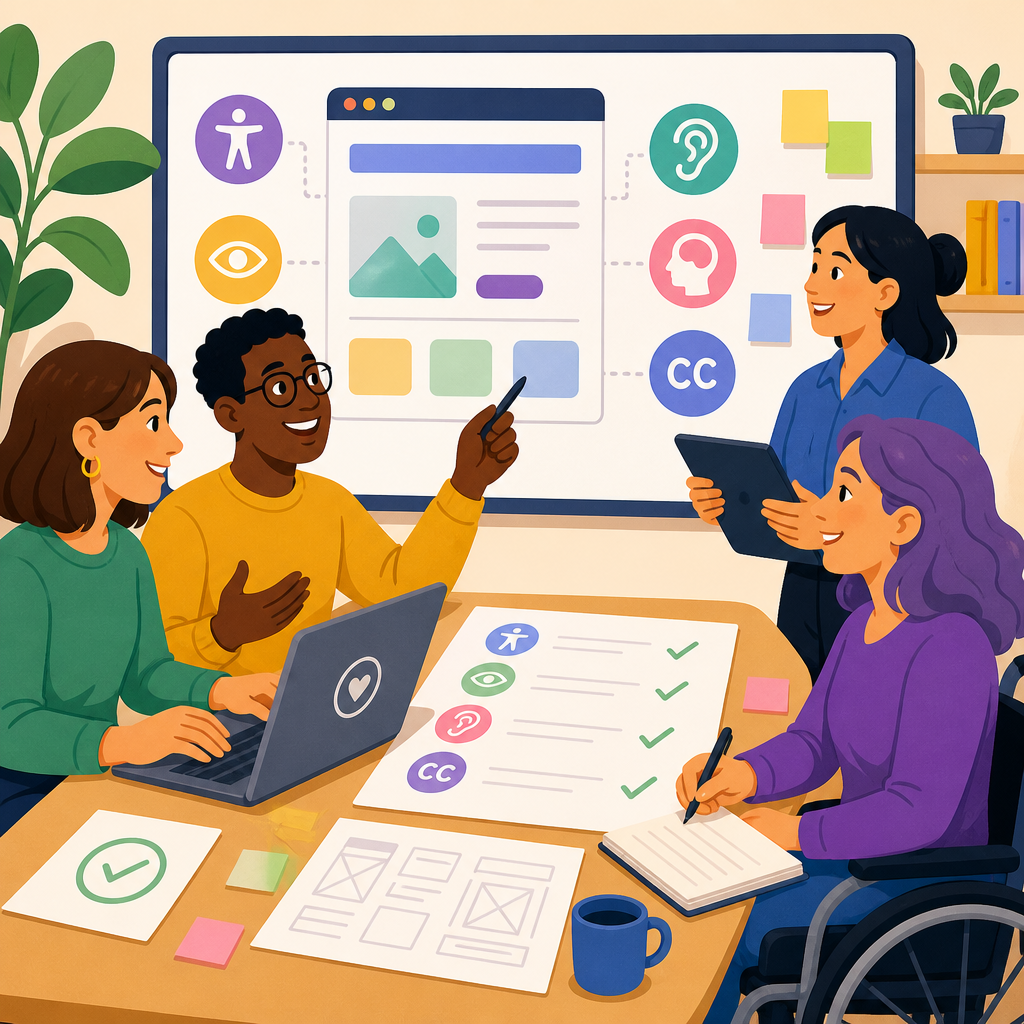
Accessibility belongs in product requirements from the first draft, not as a compliance check near launch. In product teams, requirements define what gets designed, built, tested, funded, and measured, so they are the strongest leverage point for creating accessible technology. If accessibility is absent there, it becomes a series of expensive exceptions. If it is explicit there, it becomes part of normal delivery.
In practice, building accessibility into product requirements means translating user needs, technical standards, and business constraints into statements a team can implement and verify. That includes functional requirements, nonfunctional requirements, acceptance criteria, content rules, design tokens, testing methods, and ownership. I have worked on releases where a single missing requirement around keyboard focus delayed launch by weeks, while projects with clear accessibility criteria moved smoothly because designers, engineers, QA, and legal teams all had the same target.
This matters because accessible technology improves reach, usability, and resilience. More than one billion people worldwide live with some form of disability, according to the World Health Organization, and many more experience temporary or situational limitations such as a broken arm, bright sunlight, or noisy environments. Accessibility also aligns with legal obligations in many markets, including the Americans with Disabilities Act, Section 508, the European Accessibility Act, and procurement rules that increasingly require conformance evidence. Beyond law, accessibility reduces support costs, strengthens search and content structure, and improves product quality for everyone.
Key terms help anchor the work. Accessibility means people with disabilities can perceive, understand, navigate, and operate a product. Assistive technology includes screen readers such as NVDA, JAWS, and VoiceOver; screen magnifiers; switch devices; speech input; and captions. Product requirements are the documented conditions a solution must satisfy. Conformance usually refers to meeting the Web Content Accessibility Guidelines, currently WCAG 2.2, at a defined level, most often AA. For software teams, the real goal is not box-ticking. It is ensuring essential tasks can be completed independently and reliably by people using different senses, input methods, and cognitive strategies.
Start with outcomes, users, and standards
The strongest accessibility requirements begin with user outcomes. Instead of writing vague statements such as “the app should be accessible,” define who needs to do what, under which conditions, and what success looks like. For example: “A screen reader user can compare plan options, select a plan, and complete checkout on mobile and desktop without loss of information or keyboard traps.” This format keeps the requirement tied to a real journey rather than a detached rule.
User research should include people with permanent, temporary, and situational disabilities. In my own discovery work, moderated sessions with blind users exposed issues no automated scanner surfaced, including unlabeled custom controls and confusing reading order in a pricing configurator. Research should cover blindness and low vision, deafness and hard of hearing, motor limitations, speech differences, neurodivergence, cognitive load, vestibular sensitivity, and color perception. When direct recruiting is not possible, use established personas cautiously and validate assumptions as soon as possible.
Standards give requirements precision. WCAG 2.2 AA remains the most recognized benchmark for web and many software interfaces, while EN 301 549 is influential in European procurement and references WCAG for digital products. For native mobile, platform guidance from Apple and Google matters alongside WCAG principles. Requirements should map product features to relevant criteria: text alternatives for non-text content, minimum color contrast, visible focus indicators, keyboard operability, semantic structure, error identification, target size, and consistent help. Teams that name standards directly avoid endless debates about what “good enough” means.
At the hub level, this subtopic includes several connected practices: accessible user research, inclusive design systems, content design, semantic frontend engineering, mobile accessibility, document accessibility, multimedia accessibility, procurement, assistive technology testing, and governance. A requirements process should signal internal links to each practice through references in epics, templates, and definitions of done. That structure helps organizations scale instead of relying on one specialist to catch everything manually.
Write accessibility requirements that teams can implement
Good requirements are specific, testable, and assigned. They appear at multiple levels: product principles, epic requirements, story acceptance criteria, component specifications, and release gates. A product-level requirement might state that all core user journeys must conform to WCAG 2.2 AA on supported platforms. A story-level criterion might say that the date picker is fully operable with keyboard only, announces month and selected date through programmatic labels, and does not trap focus in the dialog.
Functional requirements should cover critical interactions. If a user must upload a file, set a filter, approve a payment, or recover a password, requirements must define accessible paths for each task. Include sensory alternatives: captions for prerecorded video, transcripts for audio, descriptive labels for icons, and instructions that do not rely only on color or position. For forms, specify persistent labels, programmatic association, inline error identification, suggestions for correction, and announcement of validation messages to assistive technology.
Nonfunctional requirements are equally important because many accessibility failures emerge from architecture decisions. State support for zoom up to 400 percent without loss of content or functionality, reflow at narrow widths, reduced motion preferences, robust semantic markup, compatibility with screen readers, and performance budgets that do not break assistive technology behavior. If the product uses a design system, require approved accessible components by default and document exceptions. If teams can invent custom widgets without review, defects multiply quickly.
The table below shows how weak requirements become implementable requirements.
| Weak requirement | Stronger requirement | Why it works |
|---|---|---|
| The dashboard should be accessible. | All dashboard controls are operable by keyboard alone, follow visible focus order, expose accessible names, and announce state changes to NVDA, JAWS, VoiceOver, and TalkBack. | Names supported assistive technologies and observable behaviors. |
| Use enough contrast. | Text and images of text meet WCAG 2.2 AA contrast ratios, with design tokens locked to approved values and automated checks in CI. | Connects standard, implementation method, and enforcement. |
| Videos need captions. | Prerecorded video published in help flows includes synchronized captions, speaker identification when needed, and transcripts available on the same page. | Defines scope and content requirements. |
| Forms must be easy to use. | Each form field has a persistent label, instructions before input, programmatic error association, and error summaries that receive focus after failed submission. | Describes exact interaction expectations. |
Acceptance criteria should be plain enough for engineers and QA to use without interpretation. Replace “screen reader friendly” with explicit checks: heading hierarchy is sequential, landmark regions exist, modal dialogs move focus on open and return it on close, drag-and-drop has an equivalent non-pointer interaction, and status messages use live regions only when necessary. Every criterion should answer a simple question: how would we verify this in a sprint review or test run?
Embed accessibility across design, engineering, and content
Requirements fail when they sit in a document disconnected from daily work. The practical solution is to distribute accessibility expectations into the artifacts each discipline already uses. Design files should specify reading order, component states, contrast-compliant tokens, spacing that supports zoom, error behaviors, and motion guidance. I have seen teams eliminate recurring defects simply by adding annotation patterns in Figma for focus order, accessible names, and helper text instead of leaving those decisions to developers under deadline pressure.
Engineering requirements should define semantic implementation before custom interaction. Native controls remain the safest starting point because browsers and operating systems provide built-in keyboard behavior, focus management, and accessibility APIs. When custom components are necessary, require conformance to ARIA Authoring Practices patterns where applicable, but do not treat ARIA as a substitute for semantic HTML. “No ARIA is better than bad ARIA” is still sound guidance. Teams should also document supported browsers, screen readers, and mobile assistive technologies so testing reflects real usage.
Content requirements deserve equal weight. Accessible technology depends on meaningful labels, concise instructions, plain language, descriptive link text, heading structure, and predictable terminology. If a button says “Continue” on one screen and “Next step” on another for the same action, cognitive load rises. If error messages say “invalid input” without explaining what to fix, users stall. Product requirements should therefore include content standards, glossary rules, readability targets when appropriate, and workflows for captioning, alt text, and transcript creation.
Accessible technology also extends beyond websites. Native apps need support for Dynamic Type, screen orientation changes where appropriate, VoiceOver and TalkBack labels, touch target sizes, and reduced motion settings. PDFs and office documents need tagged structure, document titles, language metadata, alt text, and reading order. Customer support flows need accessible authentication, chat controls, and escalation paths. A true hub article must make that scope clear: implementing and advancing accessible technology means requirements must follow the user across channels, formats, and devices.
Test early, govern consistently, and improve over time
Testing should be specified in the requirements process, not added informally near release. Automated tools such as axe, Accessibility Insights, Lighthouse, and pa11y are useful for detecting issues like missing labels, low contrast in some contexts, and structural problems, but they typically catch only a portion of accessibility barriers. Manual testing is mandatory for keyboard flow, screen reader announcements, focus visibility, reading order, cognitive clarity, and error recovery. Mature teams define a minimum test matrix for every release.
A practical matrix includes browser and assistive technology combinations tied to audience data. For example, an enterprise web app may test Chrome with JAWS, Firefox with NVDA, Safari with VoiceOver, iOS with VoiceOver, and Android with TalkBack. Add zoom and reflow checks, high contrast or forced colors where relevant, reduced motion preference, and speech input for critical forms if the audience warrants it. Requirements should say who performs each test, what evidence is stored, and what severity threshold blocks release.
Governance turns isolated wins into repeatable practice. Effective organizations use accessibility requirement templates, component libraries with documented behavior, procurement language for vendors, training for product managers and designers, and an escalation model for defects. I recommend defining accessibility owners in each function rather than centralizing every decision with one specialist. Product managers own requirement quality, designers own annotated patterns, engineers own semantic implementation, QA owns verification, and leadership owns resourcing and policy.
Metrics should measure outcomes, not only issue counts. Useful indicators include percentage of core journeys with validated conformance, number of accessible components adopted from the design system, time to remediate critical defects, caption coverage for published media, and task completion rates for users with disabilities in research sessions. Pair lagging indicators with leading ones. A rise in stories carrying explicit accessibility acceptance criteria is a better sign of maturity than a temporary drop in bug reports.
There are tradeoffs, and requirements should acknowledge them. Legacy platforms may not support every desired pattern immediately. Third-party widgets can introduce inaccessible code outside direct team control. Global products face localization impacts on reading level, text expansion, and caption workflows. These constraints do not justify omission. They require documented exceptions, mitigation plans, vendor pressure, and sequenced remediation. The most credible accessibility programs are transparent about gaps and disciplined about closing them.
Building accessibility into product requirements is the most reliable way to implement and advance accessible technology at scale. It shifts accessibility from reactive defect fixing to planned delivery, where user needs, standards, content, design, engineering, and testing all align. The core method is straightforward: define real user outcomes, map them to recognized standards, write testable requirements and acceptance criteria, embed them in discipline-specific artifacts, and govern them with evidence and ownership.
For teams operating this sub-pillar hub, the wider lesson is that accessibility is not one practice but a connected system. Accessible research informs requirements. Design systems reduce repeated errors. Semantic code and content design make experiences understandable. Mobile, documents, media, procurement, and support channels must all be included. Testing and governance keep quality from drifting over time. When these areas connect through requirements, organizations stop treating accessibility as specialist cleanup and start treating it as product quality.
The main benefit is durable delivery. Products become easier to use, more legally defensible, and more resilient across devices, environments, and user abilities. Start with your next epic or product requirement document: add explicit accessibility outcomes, name the standards, define acceptance criteria, and assign owners. Then expand that pattern across your roadmap, design system, and release process.
Frequently Asked Questions
Why should accessibility be included in product requirements instead of being handled during QA or just before launch?
Accessibility needs to start in the requirements phase because requirements determine what the team designs, builds, prioritizes, funds, tests, and ultimately ships. If accessibility is missing at that stage, it usually becomes an after-the-fact repair effort. That creates predictable problems: design choices may already be locked in, engineering estimates may not account for accessible interactions, QA may only discover issues when timelines are tight, and teams may treat fixes as optional scope rather than core product work. By contrast, when accessibility is explicitly written into product requirements from the first draft, it becomes part of normal delivery. Designers can plan for keyboard support, focus states, color contrast, error messaging, and screen reader behavior up front. Engineers can choose components and patterns that support semantic structure and assistive technology compatibility. Testers can build accessibility acceptance criteria into their validation process instead of opening last-minute defects that are expensive to resolve. Most importantly, putting accessibility in requirements reframes it from a compliance checkpoint into a product quality standard. That shift leads to better usability, lower rework costs, and a more reliable experience for a wider range of users.
What should accessible product requirements actually include?
Strong accessibility requirements should translate broad intentions into specific, testable expectations. It is not enough to say “the product should be accessible” or “follow WCAG” without explaining what that means in the context of a feature. Effective requirements describe how users with different needs will complete key tasks and what the product must do to support them. For example, requirements should address keyboard operability for all interactive elements, visible focus indicators, semantic headings and labels, sufficient color contrast, accessible form instructions and error handling, meaningful link and button text, compatibility with screen readers, support for zoom and reflow, and alternatives for audio or visual-only information. They should also define expected behavior for dynamic content, modals, notifications, and status messages, since these are common sources of accessibility failures. A useful approach is to write accessibility acceptance criteria alongside functional criteria. If a requirement says a user can submit a form, the accessibility criteria should clarify that every field has a programmatically associated label, validation errors are announced clearly, the form can be completed using only a keyboard, and instructions do not rely solely on color. This level of detail gives product managers, designers, developers, and QA teams a shared understanding of what “done” means.
How can product managers write accessibility requirements that are practical and usable for cross-functional teams?
The most practical accessibility requirements are written in plain language, tied to user outcomes, and connected to the feature being defined. Product managers do not need to become accessibility specialists in order to write better requirements, but they do need to move beyond vague statements. A helpful method is to start with the core user journey and ask how that journey works for people using keyboards, screen readers, magnification, captions, voice input, or other assistive technologies. Then turn those answers into concrete requirements and acceptance criteria. For example, instead of writing “users can filter results,” write that users can apply, remove, and review filters using keyboard navigation, that filter controls expose accessible names, and that changes in results are communicated clearly to assistive technologies. It also helps to define nonfunctional requirements for the product or platform as a whole, such as minimum color contrast, focus visibility standards, heading structure expectations, and support for resizing text up to a specified level without loss of content or functionality. Collaboration is essential. Product managers should align with design, engineering, QA, and accessibility specialists early so the requirements reflect real implementation considerations. Referencing established standards like WCAG can be valuable, but the requirement should still explain the practical expected behavior. Teams execute better when requirements describe what users need to experience, not just which guideline number applies.
How do accessibility requirements help reduce project risk, rework, and cost?
Accessibility requirements reduce risk because they make expectations visible before teams commit to design and development choices. When accessibility is left implicit, issues often surface after substantial work has already been completed. At that point, teams may need to redesign interfaces, rebuild components, rewrite interaction logic, retest flows, and renegotiate release scope. Those late changes are more expensive not only in engineering time, but also in project disruption. They can delay launches, create friction between teams, and force organizations into a reactive posture around legal exposure or customer complaints. Writing accessibility into requirements helps prevent that cycle. It ensures that effort is estimated correctly, dependencies are identified early, design systems can be leveraged appropriately, and testing plans include accessibility from the start. It also improves procurement and planning decisions by making sure vendors, third-party tools, and shared components are evaluated for accessibility before they become embedded in the product. From a business perspective, this is a more efficient and scalable model. Accessibility stops being handled as a stream of exceptions and starts functioning as a standard operating expectation. That lowers remediation costs, improves consistency across features, and leads to more predictable delivery. It also strengthens product quality overall, because the same discipline that supports accessibility often results in clearer navigation, better content structure, stronger error handling, and more resilient interfaces for all users.
How can teams measure whether accessibility has really been built into product requirements and delivery?
Teams can measure this by looking for evidence of accessibility throughout the product lifecycle, not just in final testing. At the requirements level, there should be explicit accessibility criteria attached to features, user stories, or epics rather than a generic statement copied into a template. During design, teams should be able to point to decisions about focus order, contrast, labels, responsive behavior, error states, and assistive technology support. During development, accessible components, semantic markup, and interaction patterns should be part of implementation standards. In QA, test cases should include keyboard testing, screen reader checks, zoom and reflow validation, and verification that status changes and errors are communicated appropriately. Teams can also track operational metrics such as the number of accessibility defects found late in the cycle, the percentage of stories with accessibility acceptance criteria, defect recurrence in shared components, and the amount of remediation work needed after release. Another strong indicator is whether accessibility is influencing prioritization and funding decisions instead of being deferred when schedules tighten. The most mature teams combine process measures with user-centered feedback by including people with disabilities in research, usability testing, and validation. That approach confirms whether requirements are producing accessible experiences in practice, not just on paper. If accessibility is consistently visible in planning, implementation, testing, and measurement, then it has likely been built into the product requirements in a meaningful way.


