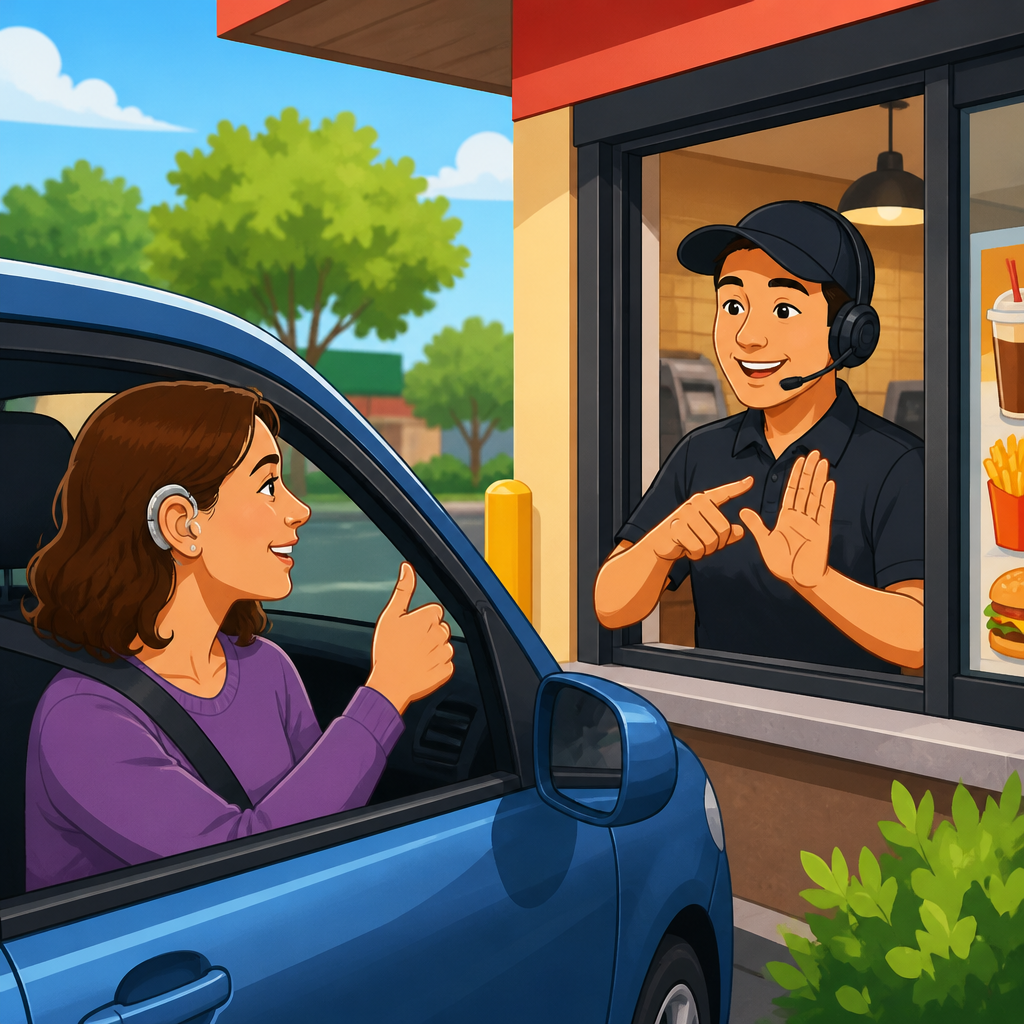
Drive-thru accessibility for deaf and hard-of-hearing customers is a restaurant operations issue, a civil rights issue, and a revenue opportunity that too many food service brands still treat as an afterthought. In practical terms, drive-thru accessibility means designing ordering, payment, pickup, and problem-resolution steps so customers who are deaf, late-deafened, hard of hearing, or deafblind can complete a transaction independently, accurately, and with dignity. In restaurants, that usually centers on the communication gap created by speaker posts, headsets, engine noise, weather, and rushed service patterns. I have audited drive-thru lanes for regional chains and independent operators, and the same pattern appears repeatedly: teams invest heavily in menu boards, throughput, and upselling scripts, yet fail to offer a reliable visual or text-based ordering path. That failure matters because drive-thrus now represent a major share of quick-service revenue, and excluding customers at the lane excludes them from the most convenient service channel. It also increases remakes, refunds, complaints, and staff stress. For operators building an industry-specific accessibility program, restaurants and food service require a hub approach because the solutions touch site design, ordering technology, employee training, policy, vendor selection, and compliance. This guide explains the core barriers, the legal and operational standards that apply, and the practical improvements that make drive-thrus work better for deaf and hard-of-hearing customers.
Why drive-thrus create unique barriers in restaurants and food service
Drive-thrus are built around fast audio exchange. A customer pulls to a menu board, hears a greeting through a speaker, responds verbally, confirms modifiers, then advances quickly to payment and pickup. For deaf and hard-of-hearing customers, each of those steps can break down. Speaker quality is often poor, microphones distort consonants, and background noise from idling trucks, rain, kitchen exhaust, and adjacent traffic reduces intelligibility even for hearing customers. For people who rely on lip reading, the first interaction happens before any face is visible. For people who use hearing aids or cochlear implants, compressed headset audio can be especially difficult to understand. For customers with auditory processing challenges, speed pressure makes a manageable interaction become an inaccessible one.
Restaurants feel these barriers differently than other retail settings because order accuracy is tightly tied to customizations. A single burger order may include protein choice, doneness, bun substitutions, allergen precautions, combo selections, beverage size, ice preference, condiments, and promotional offers. If a customer cannot confirm the exact order visually before paying, errors become more likely. In dine-in service, a customer can point to a menu, use a phone note, or interact face to face. At the drive-thru speaker, those fallback methods are often unavailable unless the restaurant has intentionally created them. Accessibility therefore is not a courtesy add-on. It is part of transaction design in a channel where small communication failures immediately affect service quality, food waste, and brand trust.
Legal expectations and compliance in the drive-thru environment
In the United States, restaurants that serve the public are generally covered by the Americans with Disabilities Act. The ADA does not prescribe one universal drive-thru technology, but it does require effective communication and equal access to goods and services. That principle matters. Operators sometimes assume that because customers can walk inside, the drive-thru does not need accommodation. That is an unsafe interpretation operationally and legally. If a restaurant heavily markets the drive-thru as its primary or preferred channel, but communication barriers make that channel unusable for deaf and hard-of-hearing customers, the business creates avoidable risk. State laws, local human rights ordinances, and settlement agreements can raise expectations further, especially where digital ordering and kiosk systems are already standard.
Effective communication depends on context, and restaurants should evaluate it exactly that way. A coffee chain with short, repetitive orders may solve many issues through clear digital order confirmation and trained staff. A made-to-order concept with frequent modifiers may need a more robust visual ordering interface. The Department of Justice has long emphasized flexibility paired with actual effectiveness, not symbolic measures. Passing a handwritten note through a window after a failed speaker interaction is better than doing nothing, but it is not a complete accessibility strategy. Reliable accommodation should be consistent across shifts, not dependent on one particularly patient employee. The practical standard is straightforward: can a deaf or hard-of-hearing customer place, verify, pay for, and receive the right order through the drive-thru with substantially equivalent convenience and independence?
Designing an accessible drive-thru ordering journey
The most effective drive-thru accessibility programs map the entire customer journey, not only the speaker box. Start with approach signage. If a restaurant offers a text-to-order lane, order confirmation screen, app-based lane check-in, or “pull forward for visual assistance” option, that information should appear before the customer reaches the speaker. At the menu board, large high-contrast type, uncluttered layouts, and clear item grouping reduce cognitive load for everyone. The key accessibility upgrade is a visual confirmation mechanism that displays the order as it is built. This can be integrated into the digital menu board or shown on a dedicated confirmation screen. Customers must be able to review items, quantities, modifiers, and total before advancing.
Next, create a non-audio communication path that works during busy periods. The strongest options are app-based ordering with lane pickup, touch-enabled ordering screens protected for outdoor use, or two-way text/chat interfaces routed to the point-of-sale. Some restaurant groups also use QR codes at the board that open an order form linked to the live store menu. This approach can work, but only if mobile service is reliable, the page loads quickly, and the ordering interface is simple enough to use one-handed from a vehicle. The payment and pickup windows also need planning. Staff should face the customer, keep their mouth visible when possible, avoid speaking while turned away, and use the order display or printed receipt to confirm changes. If an item is unavailable, the replacement process should be shown visually, not shouted through glass.
Technology options that improve communication and accuracy
Restaurants do not need speculative technology to solve most drive-thru communication problems. The market already offers several workable tools, each with strengths and tradeoffs. Digital menu boards from vendors such as Samsung, LG, and STRATACACHE can support integrated confirmation displays. Point-of-sale ecosystems from providers like NCR, Oracle MICROS, Toast, and PAR often connect to kitchen display systems and customer-facing screens, allowing visual verification. Mobile ordering platforms can reduce lane communication entirely when customers submit orders before arrival. Some brands also pilot AI voice systems, but operators should be cautious: voice automation can speed service for many guests while performing poorly for speech differences, accents, and noisy environments. If used, it must always offer a fast visual or human-assisted alternative.
| Option | Best use | Main benefit | Key limitation |
|---|---|---|---|
| Order confirmation screen | Standard drive-thru lanes | Lets customers verify items and modifiers visually | Does not replace the need for a non-audio ordering path |
| Mobile app preorder with lane pickup | Chains with mature app adoption | Removes most real-time communication barriers | Excludes guests without the app or smartphone comfort |
| QR code web ordering at the board | Independent and mid-market operators | Lower deployment cost than a full hardware retrofit | Depends on connectivity, usability, and phone positioning |
| Two-way text/chat to store POS team | High-customization menus | Handles substitutions and clarification cleanly | Requires staffing discipline and secure workflow design |
My recommendation is to prioritize technologies that reduce ambiguity rather than simply amplify sound. Better speakers and headsets help, but they do not solve the core issue for customers who cannot rely on audio. Visual confirmation is the baseline. A true alternative communication method is the differentiator. Operators should also test systems in real conditions: sunlight glare, rain, winter gloves, cracked screens, weak LTE, and lunchtime queue pressure. Accessibility technology fails most often not in demos, but at the exact moment a customer needs a quick, predictable interaction.
Staff training and service standards that actually work
No technology rollout succeeds without training. In restaurants, drive-thru interactions are measured in seconds, so staff need simple behaviors they can repeat under pressure. Training should start with awareness: deaf and hard-of-hearing customers are not a monolithic group, and communication preferences vary. Some use spoken language, some sign, some lip read, and many rely on written text. Teams should never assume a person can hear “a little” well enough to catch a rapid order recap. The correct move is to identify and switch to the most effective available method quickly. That means using the confirmation screen, presenting a tablet or erasable order board if needed, and keeping facial visibility clear at the payment and pickup windows.
Service standards should be scripted at the policy level. For example: if a customer signals they cannot hear at the speaker, staff move immediately to the store’s visual ordering protocol; if an item changes after payment, the employee shows the updated receipt; if clarification is needed, staff use short written phrases and point to options rather than repeating louder. Managers should audit compliance the same way they audit food safety checklists. Include mystery-shopper tests, review remake rates connected to drive-thru miscommunication, and capture customer feedback by channel. Training must also cover patience and tone. A customer who asks for written confirmation is not “holding up the line”; the restaurant’s system is revealing where it was poorly designed. Framing accessibility as operational excellence helps teams adopt it without defensiveness.
Operational metrics, cost considerations, and rollout strategy
Restaurant leaders often ask what drive-thru accessibility will cost and whether it slows service. In my experience, the better question is which changes reduce friction fastest. Start with low-cost, high-impact fixes: review signage, enable clearer visual order confirmation, standardize written backup tools, and train staff. These measures often cut remakes and complaints immediately. Mid-level investments include improved digital boards, customer-facing screens integrated with the POS, and mobile-order lane workflows. Larger capital projects may involve lane redesign, outdoor interactive hardware, and deeper systems integration. Costs vary by footprint and vendor stack, but the business case should include labor savings from fewer corrections, lower food waste, improved guest retention, and reduced legal exposure.
Track results with concrete metrics. Measure order accuracy rates before and after implementation. Separate drive-thru complaints related to communication from general service complaints. Review average service time, but do not use it in isolation; a five-second gain is not a win if refunds rise. Look at app adoption among guests using accessibility features, completion rates for QR-based ordering, and intervention frequency when staff must leave the headset flow. Pilot changes in a few stores with different traffic patterns, then refine. Urban sites, suburban dual-lane units, and highway locations will perform differently. The best rollout plans also involve deaf and hard-of-hearing testers from the beginning. Usability findings from actual customers are far more valuable than assumptions made in conference rooms.
Building the restaurant and food service accessibility hub from here
As the hub page for restaurants and food service, drive-thru accessibility should connect to a broader operating model rather than stand alone. The same communication principles apply to front counter ordering, self-service kiosks, mobile apps, curbside pickup, delivery issue resolution, digital receipts, menu PDFs, and loyalty programs. A restaurant group that fixes only the speaker post will still frustrate customers if its app lacks clear modifier controls or its kiosks time out before messages can be typed. For that reason, operators should organize this subtopic into linked guides: accessible menu design, kiosk usability, captioned training content, delivery and curbside communication, hiring deaf employees in food service, and procurement standards for restaurant technology vendors. Together, those guides create consistency across channels.
The central lesson is simple. Drive-thru accessibility for deaf and hard-of-hearing customers is not achieved by a single device, sign, or accommodation script. It comes from designing restaurants and food service systems around multiple communication paths, visible confirmation, trained staff behavior, and measurable accountability. When brands do that work well, they reduce errors, improve speed where it counts, and serve more customers with less friction. If you manage restaurants, start by auditing one lane this month from approach to pickup, document every point where audio is required, and fix the first three barriers you find. That is how an accessibility hub becomes an operating advantage.
Frequently Asked Questions
What does drive-thru accessibility for deaf and hard-of-hearing customers actually involve?
Drive-thru accessibility goes far beyond simply speaking louder into a menu board speaker. It means designing the full customer journey so a person who is deaf, late-deafened, hard of hearing, or deafblind can place an order, confirm accuracy, pay, and receive food without confusion, delay, or humiliation. In practice, that often includes visual ordering interfaces, clear digital menu displays, real-time text-based communication options, readable confirmation screens, staff procedures for nonverbal communication, and pickup workflows that do not depend entirely on hearing a name or number called out.
Effective accessibility also requires consistency. A restaurant may believe it is accessible because an employee occasionally uses gestures or holds up a receipt, but that is not the same as a reliable system. Customers need a predictable process that works during busy hours, at night, and with new staff members on shift. Accessibility should be built into ordering, payment, problem resolution, and customer service recovery, not improvised only when a breakdown occurs.
Just as important, drive-thru accessibility is both an operational and civil rights matter. It affects whether customers can independently use a core restaurant service. When brands treat accessibility as part of standard service design rather than an exception, they reduce errors, improve speed, strengthen customer trust, and create a better experience for everyone using the lane.
Why is drive-thru accessibility considered a civil rights issue, not just a customer service upgrade?
It is a civil rights issue because equal access to goods and services is a basic expectation under disability rights laws and broader principles of nondiscrimination. If a restaurant offers a drive-thru as a primary or preferred service channel, but deaf and hard-of-hearing customers cannot use it independently because communication depends entirely on audio, the business may be creating a barrier to access. That barrier is not merely inconvenient; it can exclude people from participating in an everyday commercial activity on equal terms.
For many customers, inaccessible drive-thrus create repeated burdens that hearing customers do not face. They may need to park and enter the building, rely on a companion to interpret, accept frequent order mistakes, or abandon the purchase entirely. In locations where lobby access is limited, closed, unsafe, or less practical than the drive-thru, the access problem becomes even more serious. Equal service is not achieved when a customer is forced into a different, less convenient, or less dignified process simply because the standard channel was not designed inclusively.
Framing the issue only as “good customer service” can unintentionally minimize the stakes. Customer service is important, but accessibility is about removing barriers, supporting independence, and recognizing that disabled customers are entitled to usable systems. Restaurants that understand this distinction are more likely to invest in structural improvements instead of relying on courtesy alone.
What are the most common barriers deaf and hard-of-hearing customers face in a drive-thru?
The most common barrier is an audio-only ordering system. Traditional drive-thrus depend on spoken interaction through a speaker that may already be distorted by weather, traffic noise, poor equipment quality, accents, fast speech, or background kitchen sounds. For deaf and hard-of-hearing customers, this can make ordering difficult or impossible. Even customers who use hearing aids or cochlear implants may struggle because assistive hearing devices do not eliminate environmental interference or guarantee clear speech through low-quality intercom systems.
Another major barrier is the lack of visual confirmation. If customers cannot clearly see what was entered into the point-of-sale system, they have no reliable way to verify sizes, modifications, combo selections, allergen-related requests, or substitutions. Misunderstandings often carry through to payment and pickup, where communication may remain rushed and audio-dependent. A customer may not realize the order is wrong until after leaving, which creates frustration, waste, and avoidable remakes.
There are also barriers at the payment and pickup windows. Employees may continue speaking through closed glass, point vaguely, or call out information that is not visible. Problem resolution is especially difficult when there is no easy way to communicate a missing item or correction request. For deafblind customers, poor lighting, small text, fast gestures, and inaccessible visual formats can create additional obstacles. Together, these barriers show that accessibility problems are usually systemic, not isolated to one part of the transaction.
What are the best solutions restaurants can implement to make drive-thrus more accessible?
The most effective solutions combine technology, workflow design, and staff training. A strong starting point is a visual ordering and confirmation system that displays menu items, customizations, totals, and order status in readable text. This can take the form of digital ordering screens, text-based communication tools, or integrated interfaces that let customers select and confirm their order without depending entirely on spoken exchange. Clear visual confirmation is one of the highest-impact improvements because it reduces errors for both customers and employees.
Restaurants should also review payment and pickup procedures. Card readers, receipts, and pickup information should be easy to read and positioned in ways that support quick visual communication. Staff should be trained to use simple, respectful strategies such as facing the customer, pointing clearly to screens or receipts, using short written messages when needed, and confirming corrections visually. If an issue arises, there should be a defined method to resolve it without forcing the customer into a spoken conversation they cannot access.
Beyond equipment, policy matters. Brands should create standard operating procedures for accessible service, test them in real locations, and gather feedback from deaf and hard-of-hearing customers. Accessibility should be included in drive-thru design standards, remodel plans, technology procurement, and employee onboarding. The best solutions are not one-off accommodations; they are repeatable systems that work at scale, during peak periods, and across multiple shifts and store formats.
How does improving drive-thru accessibility benefit restaurant brands financially and operationally?
Improving accessibility is not only the right thing to do; it also produces measurable business value. When deaf and hard-of-hearing customers can order accurately and independently, restaurants reduce abandoned orders, remake costs, refunds, and time-consuming service recoveries. Clearer communication at the menu board and window also helps staff move transactions along more efficiently, especially during busy periods when any confusion can affect lane speed and customer satisfaction.
Accessibility improvements often create broader operational gains because many inclusive features help all customers, not just those with hearing disabilities. Visual confirmation screens reduce mistakes for anyone dealing with engine noise, crying children, weather, unclear audio, or language barriers. Better staff training improves confidence and consistency. More reliable workflows lead to stronger order accuracy, smoother handoffs, and better customer reviews. In that sense, accessibility is closely aligned with core restaurant metrics such as throughput, check completion, and brand loyalty.
There is also a meaningful revenue and reputation opportunity. Deaf and hard-of-hearing customers, their families, friends, and communities notice which brands make access easy and which ones do not. Restaurants that invest in inclusive drive-thru systems can earn trust, repeat business, and positive word-of-mouth while reducing legal and reputational risk. For brands operating in competitive markets, accessibility is not a niche concern. It is a practical way to serve more customers well, protect the business, and modernize an important sales channel.


