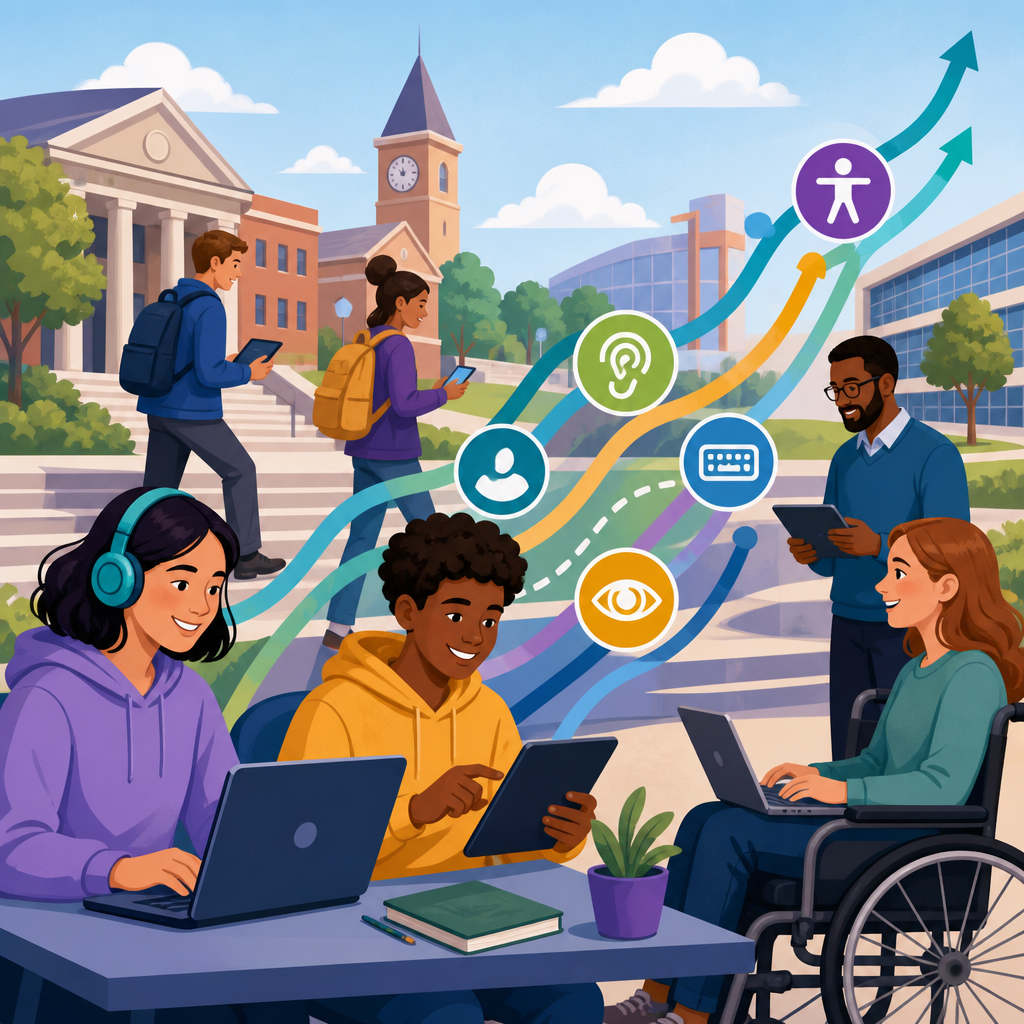
Digital accessibility trendlines for universities and school systems now shape procurement, instruction, risk management, and student success in ways that were easy to underestimate even five years ago. In education, digital accessibility means websites, learning platforms, documents, media, classroom tools, and administrative systems can be used by people with disabilities, including students, faculty, staff, parents, alumni, and community members. ADA developments in technology and accessibility matter because institutions no longer serve learners only in physical spaces; they teach, advise, assess, recruit, and support through digital channels that must work across screen readers, keyboard navigation, captions, magnification, voice input, and mobile devices. I have seen accessibility move from a reactive accommodation issue handled after complaints to an operational expectation that affects every content owner and vendor decision. That shift is being driven by legal pressure, updated technical standards, rising public awareness, and the practical reality that inaccessible digital systems block enrollment tasks, coursework, and employment functions. For universities and school systems, this topic is a hub issue because it connects policy, procurement, web governance, instructional design, and civil rights compliance. Leaders who understand the trendlines can prioritize fixes, budget intelligently, and build systems that reduce barriers before students encounter them.
Why digital accessibility is now a governance issue
Digital accessibility has become a governance issue because educational institutions operate complex digital estates rather than single websites. A typical university may manage a main site, admissions microsites, course catalogs, learning management systems, lecture capture tools, library databases, event platforms, HR systems, and donor portals. A school district may rely on parent communication apps, special education portals, transportation tools, digital textbooks, Chromebook workflows, cafeteria payment systems, and board meeting livestreams. If even one critical pathway is inaccessible, the institution can deny equal access to a required program or service.
The most important development is that accessibility is increasingly treated as an enterprise control, similar to cybersecurity or privacy. Centralized policies, designated owners, issue escalation paths, testing schedules, and procurement standards are replacing ad hoc remediation. This matters because many of the highest-risk failures are systemic: a template with missing form labels, a video workflow without captioning, a procurement process that never requests a conformance report, or a content governance model that lets inaccessible PDFs accumulate for years. Institutions that embed accessibility into governance reduce both legal exposure and operational friction.
Another major trend is convergence between disability law and digital service delivery. When registration, financial aid, orientation, telehealth, and coursework move online, accessibility becomes inseparable from mission delivery. In practice, that means presidents, superintendents, general counsel, chief information officers, and communications leaders all need a shared view of standards, accountability, and remediation timelines.
Key legal and standards developments institutions should track
For education leaders, the legal landscape is anchored by the Americans with Disabilities Act, Section 504 of the Rehabilitation Act, and in many cases Section 508 expectations when federal funding or procurement frameworks influence operations. The practical standard most institutions use for digital content remains the Web Content Accessibility Guidelines, especially WCAG 2.1 Level AA, with growing attention to WCAG 2.2. These guidelines cover perceivable, operable, understandable, and robust content, including text alternatives, keyboard access, color contrast, headings, focus order, form instructions, captions, and error identification.
The trendline is clear: enforcement agencies and plaintiffs increasingly focus on whether institutions can show a repeatable accessibility program, not just isolated fixes after complaints. Courts and regulators usually do not reward a statement of commitment that lacks testing records, vendor controls, training, and documented remediation. I have repeatedly found that institutions in the strongest position maintain accessibility policies, publish feedback channels, log issues, assign owners, and keep evidence of audits and corrective actions.
Another important development is the maturation of technical documentation. Vendors are more often asked for VPATs based on the Accessibility Conformance Reporting format. A VPAT is not proof of accessibility, but it is now a standard starting point in procurement review. Institutions should read these reports critically, verify claims with testing, and prioritize barriers in core user journeys such as application submission, assignment completion, and payment processing.
Technology trendlines changing risk and opportunity
Several technology trends are reshaping accessibility work in higher education and K-12. First, the rapid expansion of software-as-a-service has moved many accessibility risks outside internal development teams and into vendor ecosystems. Learning apps, proctoring services, chatbot layers, and analytics dashboards are often adopted quickly by departments without enterprise review. That decentralization creates hidden risk because inaccessible third-party tools still affect the institution’s obligations to users.
Second, hybrid learning has normalized multimedia at scale. Recorded lectures, livestreamed classes, virtual events, and social video all require reliable captioning and transcript workflows. Auto-captioning has improved, but it still misses discipline-specific vocabulary, speaker changes, and punctuation. Institutions that treat automated captions as final often create comprehension issues for deaf and hard-of-hearing users and searchability issues for everyone else.
Third, mobile usage continues to increase, especially for school families and commuter students. Accessibility problems on mobile frequently differ from desktop issues: touch target size, screen orientation restrictions, dynamic content announcements, and gesture dependence. A page that technically passes a desktop spot check may still be difficult to use on a phone with VoiceOver or TalkBack.
Fourth, AI-assisted tools are changing both remediation and risk. They can speed alt text drafting, transcript generation, and issue detection, but they also introduce errors, fabricated descriptions, and inaccessible interfaces. Institutions should treat AI as an assistant within a governed workflow, not as an accessibility guarantee.
Common barriers across university and school system environments
The most persistent barriers are familiar, but their impact grows when content volume is high. PDFs remain a major problem. Unstructured scans, missing reading order, unlabeled tables, and absent headings can make class handouts, board packets, policy manuals, and financial aid forms unusable with assistive technology. In my audits, documents often represent the largest accessibility backlog because they are produced by many offices with inconsistent templates and little quality control.
Forms are another high-risk area. Admissions, enrollment, accommodation requests, employment applications, and payment workflows often fail because labels are missing, errors are not announced clearly, or timed sessions expire without warnings. For a student trying to submit required documentation before a deadline, these are not minor defects; they are barriers to participation.
Video and audio accessibility also remains uneven. Captions may be absent, transcripts omitted, or players inaccessible by keyboard. In instructional settings, inaccessible STEM content creates additional complexity. Equations, graphs, chemical notation, and interactive simulations require specialized approaches such as MathML, structured descriptions, tactile alternatives in some contexts, and careful platform selection.
| Environment | Frequent Barrier | Why It Matters | Practical Response |
|---|---|---|---|
| Main website | Poor heading structure and low contrast | Blocks navigation and readability | Fix templates and enforce design tokens |
| LMS courses | Uncaptioned video and inaccessible documents | Impairs coursework access | Faculty training plus media workflow standards |
| Admissions | Broken form labels and error handling | Interrupts application completion | Test critical journeys with keyboard and screen readers |
| K-12 parent tools | Mobile navigation and language switching issues | Limits family engagement | Audit app and responsive views regularly |
| Procured software | Weak vendor accessibility support | Creates recurring institutional risk | Require VPAT review and contract language |
Procurement, vendor management, and platform accountability
Procurement is one of the strongest levers available to education leaders. If accessibility review happens before contract signature, institutions can avoid years of remediation expense and accommodation workarounds. Effective procurement asks vendors for current VPATs, known issues, roadmap commitments, sample test credentials, and contact information for accessibility staff. Stronger institutions go further by adding contract clauses covering remediation timelines, support obligations, and consequences if accessibility representations prove inaccurate.
Vendor management must continue after purchase. Software updates can improve or degrade accessibility overnight. I have seen products that tested reasonably well during selection become problematic after interface redesigns. That is why ongoing checkpoints matter, especially for high-impact systems such as LMS platforms, SIS portals, digital library services, and assessment tools. Institutions should identify business-critical applications, classify them by user impact, and establish reevaluation cycles.
Platform accountability also means refusing the myth that accessibility is solely the vendor’s job. Configuration choices made internally can introduce barriers even on accessible products. Examples include inaccessible color choices in course shells, unlabeled custom forms built in CMS modules, or faculty uploads that bypass built-in accessibility checkers. Ownership has to be shared across IT, procurement, communications, instructional design, disability services, and department-level content teams.
Operational strategies that consistently improve accessibility
The institutions making measurable progress usually follow the same operational pattern. They inventory digital assets, rank systems by user impact, set standards, and focus first on high-traffic, high-consequence journeys. For a university, that often means admissions, enrollment, financial aid, core course delivery, HR, and public safety information. For a school system, it often means district homepages, calendars, parent communications, transportation information, individualized education process materials, and emergency notices.
Training is another durable trendline. Generic awareness sessions are not enough. Web authors need heading, link, table, and image guidance inside the CMS they actually use. Faculty need practical methods for accessible syllabi, slides, discussion prompts, and assessments. Procurement teams need a repeatable vendor review checklist. Developers need testing routines that combine automated scanning with keyboard checks and screen reader validation.
Measurement also matters. Mature programs define metrics such as percentage of top pages passing manual review, number of remediated PDFs, caption turnaround time, critical issue age, and accessibility language coverage in contracts. These metrics help leaders allocate resources and show progress beyond anecdotes. The goal is not perfection on every asset at once; it is a defensible, prioritized improvement program tied to real user needs and institutional risk.
What this hub topic means for future planning
As a hub for ADA developments in technology and accessibility, this topic should guide how education organizations plan future content, budgets, and governance. The next wave of work will center on accessible AI adoption, accessible procurement at scale, document modernization, better multimedia operations, and stronger monitoring of decentralized content creation. Institutions should expect accessibility expectations to extend across marketing, academics, student services, and community engagement rather than stay confined to disability offices.
Future-ready planning starts with acknowledging that accessibility is both a civil rights obligation and a service quality standard. When digital systems are accessible, everyone benefits: captions help multilingual viewers and students in noisy environments, proper headings improve navigation for all users, and cleaner forms reduce abandonment rates. Accessibility also supports retention by lowering friction in everyday tasks that shape whether students feel they can succeed.
The core takeaway is straightforward. Universities and school systems need a sustained accessibility program, not isolated fixes. Build governance, set technical standards, review vendors carefully, train content owners, and prioritize the journeys that matter most. If your institution has not recently audited its web, learning, document, and software ecosystem, start now with the highest-impact services and create a remediation roadmap that leadership can fund and measure.
Frequently Asked Questions
Why is digital accessibility becoming such a major priority for universities and school systems?
Digital accessibility has moved from being treated as a narrow compliance issue to becoming a core institutional priority because nearly every part of education now depends on technology. University and K-12 communities rely on websites, learning management systems, registration portals, digital textbooks, classroom software, video content, online assessments, HR systems, and mobile applications every day. If any of those tools are inaccessible, students, faculty, staff, parents, and community members can be excluded from essential experiences and services. That makes accessibility not only a disability rights issue, but also an academic quality, equity, and operational continuity issue.
Another reason accessibility is rising in importance is that legal and regulatory expectations have become harder to ignore. Institutions are paying closer attention to ADA-related developments, Section 504 and Section 508 obligations, OCR enforcement patterns, and public expectations around inclusive design. School systems and higher education institutions increasingly recognize that reactive accommodations alone are not enough when inaccessible digital systems create barriers at scale. The trendline is clear: organizations are expected to build accessibility into procurement, design, publishing, and instructional workflows from the beginning rather than trying to retrofit everything after complaints are filed.
There is also a practical dimension. Accessible digital environments tend to be easier for everyone to use. Captions help multilingual learners and people in noisy environments. Clear heading structures improve navigation. Keyboard accessibility supports power users as well as people with mobility impairments. Well-structured documents work better on mobile devices and with assistive technologies. In that sense, accessibility aligns with broader institutional goals around student success, usability, retention, and service quality. For universities and school systems, the shift is no longer whether accessibility matters, but how quickly they can operationalize it across the digital ecosystem.
What digital accessibility trends are most important for education leaders to watch right now?
Several trendlines are shaping how education leaders approach accessibility. One of the biggest is the move away from one-time remediation projects toward long-term governance. Institutions are creating accessibility policies, cross-functional steering committees, content standards, procurement checkpoints, training programs, and audit cycles because they understand that accessibility is an ongoing program, not a one-off fix. This trend matters because education environments are constantly changing as new content is published, software is adopted, and instructional practices evolve.
Another major trend is stronger scrutiny of third-party technology. Colleges, universities, and school districts use a wide range of external vendors for student information systems, classroom tools, communication platforms, digital curriculum, library resources, and assessment products. Leaders are increasingly asking for VPATs, accessibility roadmaps, testing evidence, and contractual commitments from vendors before purchase or renewal. Procurement teams are becoming key players in accessibility strategy because inaccessible third-party tools can create widespread barriers and legal exposure across the institution.
There is also growing emphasis on accessibility in teaching and content creation, not just on public websites. Faculty-created PDFs, slide decks, recorded lectures, discussion boards, scanned readings, forms, and course modules all affect the learner experience. As a result, institutions are investing more in training for instructors, instructional designers, communications staff, and document authors. Automated scanning tools are useful, but leaders are also recognizing the limits of automation and the need for human review, especially for instructional materials and complex user journeys.
Finally, accessibility is increasingly being connected to broader institutional priorities such as DEI, student belonging, digital transformation, and enterprise risk management. That shift is significant because it places accessibility in strategic planning conversations rather than isolating it within disability services or IT support. The institutions making the most progress are the ones treating accessibility as shared infrastructure for inclusion and success.
How does digital accessibility affect procurement decisions for schools, colleges, and universities?
Procurement is one of the most important leverage points in digital accessibility because institutions can prevent many barriers before they ever reach students or staff. When a school district or university acquires a new platform, app, or software service, it is effectively choosing whether accessibility will be built into that experience or become a future remediation burden. If procurement teams do not ask accessibility questions early, institutions often end up purchasing products that are difficult or expensive to fix later, and in some cases impossible to fully remediate without replacing the system.
That is why accessibility-focused procurement practices are becoming standard. Institutions are asking vendors to provide accessibility documentation such as VPATs, explain how their products align with recognized standards like WCAG, describe known issues, outline remediation timelines, and demonstrate how accessibility is incorporated into product development. More mature procurement processes also include hands-on testing by internal teams or outside specialists rather than relying only on vendor claims. This is especially important because documentation may be outdated, overly general, or incomplete when compared with real user experiences.
Contract language is another critical trend. Universities and school systems increasingly include accessibility representations, remediation obligations, indemnification terms, and service-level expectations in their agreements. This helps clarify responsibilities if barriers are discovered after implementation. Procurement leaders are also paying more attention to renewals and expansions, not just initial purchases, because a product that was tolerated in the past may no longer meet institutional expectations or legal risk thresholds.
In practice, better procurement improves more than compliance. It reduces disruption for students and employees, lowers long-term remediation costs, supports smoother implementation, and helps institutions build a more consistent digital environment. For education leaders, accessibility-aware procurement is one of the most efficient ways to move from reactive problem-solving to preventive risk management.
What are the biggest digital accessibility risks if a university or school system falls behind?
The most immediate risk is that people with disabilities encounter barriers to participation in core academic and administrative activities. A student may be unable to complete coursework because a learning platform does not work with screen readers. A parent may not be able to access enrollment information on a district website. An employee may struggle to complete benefits tasks because forms are not keyboard accessible. When these barriers affect essential services, institutions can undermine equal access in ways that directly affect learning, employment, communication, and public trust.
There are also significant legal and reputational risks. Accessibility complaints, OCR investigations, demand letters, settlement agreements, and lawsuits can consume time, money, and leadership attention. Even when an institution wants to do the right thing, the absence of consistent accessibility practices can make it difficult to demonstrate that it has exercised due diligence. Public institutions and private institutions alike are facing increased expectations to show that digital access is embedded in decision-making, not treated as an afterthought after barriers are reported.
Operational risk is another major concern. When accessibility is ignored, institutions often end up in constant remediation mode. Staff scramble to create alternate formats, retrofit course materials, replace inaccessible documents, and support workarounds for systems that should have been accessible from the start. This reactive pattern is costly, inefficient, and hard to scale. It can also place disability services offices in an unfair position by expecting them to compensate for systemic digital barriers that originate elsewhere.
Perhaps most importantly, falling behind on accessibility can harm student success and institutional credibility. Learners who repeatedly encounter barriers may disengage, miss deadlines, avoid programs, or feel that they do not fully belong. Faculty and staff can become frustrated when systems are difficult to use or when they are asked to correct inaccessible content without adequate support. Over time, accessibility gaps can signal that inclusion is more aspirational than operational. That is why the strongest institutions view accessibility not only as risk reduction, but as a measurable component of educational quality.
What should universities and school systems do first if they want to improve digital accessibility in a sustainable way?
The best starting point is to establish a clear institutional baseline. That usually means identifying which digital properties, platforms, and content types are most critical, who owns them, what standards the institution is using, and where the most serious barriers exist today. A practical accessibility assessment often includes public websites, student-facing systems, learning platforms, common document types, multimedia, and high-impact administrative workflows. Without that baseline, organizations tend to guess at priorities or focus only on the most visible issues while deeper systemic problems remain unresolved.
Next, institutions should define governance and accountability. Sustainable accessibility improvement requires named responsibility across leadership, IT, procurement, communications, instructional design, disability services, HR, and academic units. Someone needs authority to set standards, monitor progress, and coordinate action. Policies and procedures should explain expectations for web content, digital documents, course materials, software acquisition, video captioning, and issue reporting. When responsibilities are vague, accessibility work becomes fragmented and progress slows.
Training is another essential early step. Many accessibility barriers are introduced by well-intentioned employees who have never been taught how to create accessible content or evaluate digital tools. Faculty may not know how to structure headings in course documents. Staff may upload scanned PDFs that are unreadable by assistive technology. Communications teams may publish media without captions or transcripts. Targeted training helps institutions prevent recurring problems and builds confidence among the people creating and managing digital experiences every day.
Finally, schools and universities should prioritize high-impact improvements while committing to continuous progress. That means fixing the most important user journeys first, addressing urgent barriers, integrating accessibility into procurement and publishing workflows, and establishing regular review cycles. Institutions do not need to solve everything overnight, but they do need a credible roadmap, visible leadership support, and a shift from reactive accommodation to proactive accessibility by design. That is the foundation for long-term progress that supports compliance


