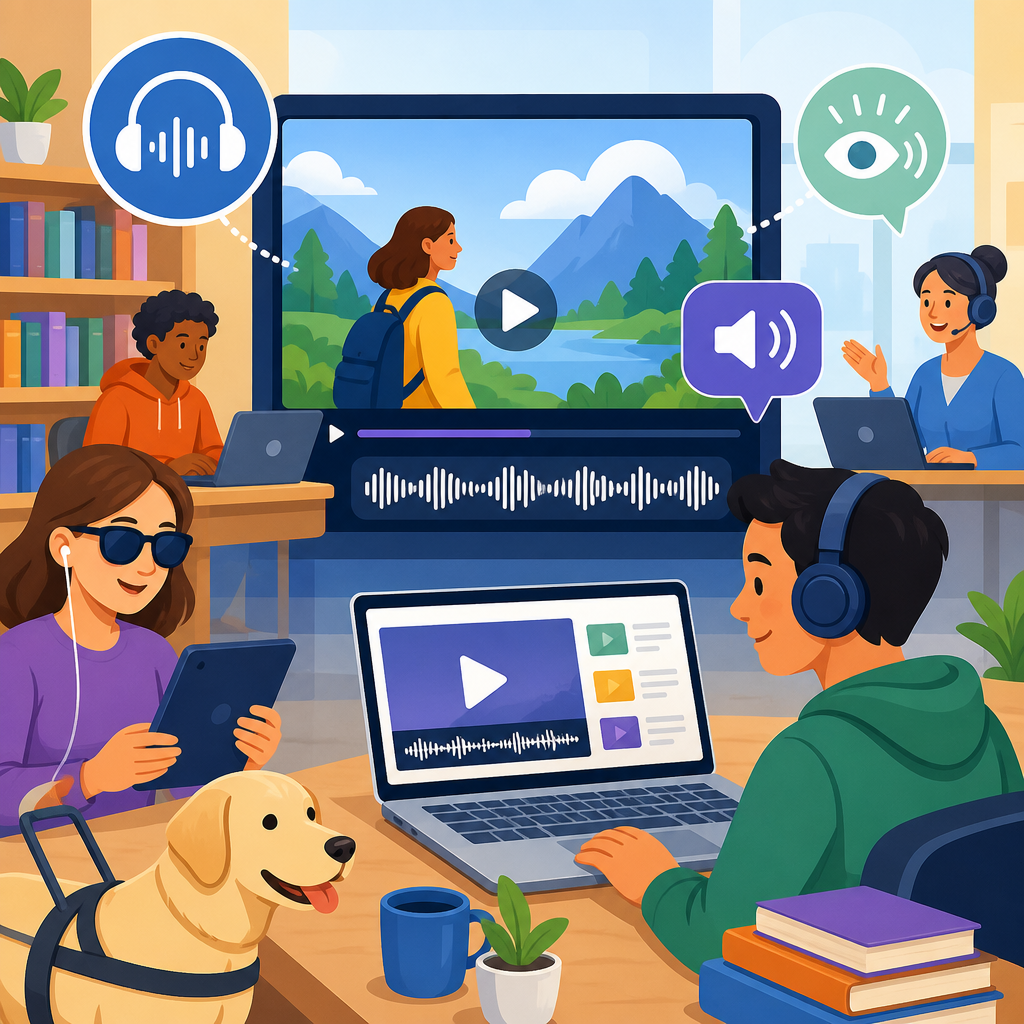
Audio description for public video libraries and training portals is no longer a niche accessibility feature; it is a core requirement for any organization that publishes visual content at scale. Audio description, often shortened to AD, is the added narration that explains meaningful visual information during natural pauses in dialogue, while public video libraries are searchable collections of on-demand media and training portals are structured platforms used for employee learning, customer education, compliance instruction, and academic coursework. When these systems omit description, blind and low-vision users miss charts, gestures, on-screen instructions, scene changes, software demonstrations, and other details that carry essential meaning. I have worked on media accessibility programs where a single unlabeled product demo blocked completion of an onboarding course, and the fix was not cosmetic; it restored access to the lesson itself.
This matters because video now sits at the center of modern communication. Government agencies publish recorded meetings, museums host digital collections, universities distribute lecture captures, and employers rely on learning management systems for annual compliance training. In each setting, users need equivalent access to visual information, not just captions for speech. Legal and technical expectations support that standard. The Web Content Accessibility Guidelines, especially Success Criterion 1.2.5 for prerecorded media and 1.2.7 for extended audio description where needed, establish the baseline many organizations follow. In the United States, Title II updates under the Americans with Disabilities Act, Section 508 obligations for federal content, and procurement standards tied to EN 301 549 in Europe all push institutions toward consistent, documented accessibility practice. Audio description is part of that practice, especially where videos teach, instruct, persuade, or provide public service information.
As a hub topic within advanced technology for accessibility, audio description connects policy, media production, search architecture, player design, metadata, and quality assurance. Teams often assume the work begins and ends with a narrated script, but the effective implementation of audio description for public video libraries and training portals depends on content audits, prioritization rules, support for multiple audio tracks, discoverable labels, analytics, and sustainable vendor or in-house workflows. It also intersects with adjacent technologies such as speech synthesis, automatic scene analysis, accessible media players, learning management system integrations, and search filters that let users find described content quickly. Organizations that treat AD as infrastructure rather than an afterthought build video ecosystems that are more usable, more compliant, and more durable over time.
The practical question is not whether audio description belongs in a public video library or training portal. The practical question is how to deploy it across thousands of videos without breaking timelines, budgets, or user experience. The answer starts with understanding what description must cover, which platforms can deliver it, and where advanced accessibility technology can reduce friction while preserving quality.
What audio description includes and when it is required
Audio description communicates visual information that is necessary to understand content. In training media, that usually includes interface changes during software demos, text that appears only on screen, body language that changes meaning, safety actions, diagrams, maps, and step-by-step physical tasks. In public video libraries, it can include speaker identification, scene context, archival footage details, protest signs, costumes, sports action, or visual jokes that would otherwise be lost. A useful rule I apply with production teams is simple: if a sighted viewer would miss meaning without seeing it, the blind or low-vision viewer needs that information conveyed through description or another equivalent method.
Not every video needs the same treatment. A talking-head lecture with all key points spoken aloud may need little or no additional narration, while a chemistry lab demonstration or cybersecurity dashboard walkthrough may require dense, tightly written cues. Training portals especially need this judgment because they contain varied formats: webinars, explainer animations, compliance modules, simulation recordings, and short just-in-time microlearning clips. The requirement is functional equivalence, not a uniform script length. Where important visuals fit into existing pauses, standard audio description works. Where visuals move too quickly, extended audio description, alternate versions, or integrated description may be necessary.
Organizations should also distinguish between public-facing discoverability and course-completion risk. In a public library, undescribed videos reduce access and trust. In a training portal, they can directly block a learner from passing a mandatory course or performing a job task safely. That is why high-risk categories deserve immediate attention: health and safety instruction, software onboarding, regulated compliance training, emergency procedures, product assembly guides, and civic information videos. If an employee cannot access a fire evacuation animation or a citizen cannot follow an online benefits tutorial because the key steps are only shown visually, the accessibility gap becomes operational, not merely reputational.
Technology foundations for scalable delivery
Delivering audio description across large collections depends on platform capabilities, not just media files. At minimum, the video player should support alternate audio tracks, keyboard access, screen reader labeling, visible controls, and persistent user choice where possible. Players such as Able Player, Video.js with accessibility-focused configuration, and enterprise platforms that expose multiple audio renditions are commonly used because they can surface a clearly named description track without forcing users into a separate hidden workflow. In learning systems, that track must survive the path from authoring tool to LMS to browser to mobile app. I have seen carefully produced AD disappear because SCORM packaging, transcoding, or a restrictive player stripped alternate audio during publishing.
Metadata is equally important. A video library needs fields that identify whether a title has audio description, whether it is open description or a selectable track, which language tracks exist, and whether a transcript or chapter list is available. Without that metadata, users cannot filter search results effectively and administrators cannot report coverage. Public institutions should expose this information both in interface labels and in structured catalog data. For training portals, the same metadata allows learning teams to prioritize remediation by course owner, risk level, completion volume, and renewal cycle.
Advanced accessibility technology increasingly assists with production but does not remove editorial responsibility. Automatic speech recognition already accelerates captioning and transcript alignment. Computer vision can flag scene changes, extract on-screen text, and identify moments where no speech is present, which helps writers place narration faster. Text-to-speech can generate draft description tracks for internal review or low-risk content, especially in time-sensitive updates. Yet these tools still struggle with judgment: deciding what is essential, preserving tone, and avoiding cognitive overload. For public service and instructional media, human review remains nonnegotiable because description errors can mislead users just as seriously as factual mistakes in the original video.
| Component | Why it matters | Common failure point | Practical fix |
|---|---|---|---|
| Accessible player | Lets users select and control description independently | Alternate track not exposed to keyboard or screen reader users | Test player controls with NVDA, JAWS, VoiceOver, and keyboard only |
| Metadata | Makes described videos searchable and reportable | Library shows no filter for description availability | Add indexed fields and front-end filters for AD status |
| Authoring workflow | Preserves tracks from editing to publishing | Transcoding strips secondary audio | Validate outputs in staging before release |
| Quality review | Confirms accuracy and usability | Script reads visual trivia instead of essential meaning | Use review criteria tied to task completion and comprehension |
Workflow design for public video libraries and training portals
The most successful programs separate intake, triage, production, and verification. Intake begins with a catalog audit. Teams identify video type, audience, publication status, legal exposure, and instructional value. Triage then groups assets into immediate remediation, scheduled remediation, describe-on-request, and archive-only categories. In public video libraries, immediate remediation usually covers high-traffic videos, legal notices, essential services information, and featured collections. In training portals, it includes mandatory courses, product training tied to performance, and modules required for certification. This structured approach prevents the common mistake of starting with random assets simply because they are easy to fix.
Production should be standardized. Writers need a style guide covering tense, objectivity, speaker naming, handling of on-screen text, chart description, and treatment of branded visuals. Editors need timing rules so narration fits natural pauses and does not mask essential dialogue. Engineers need delivery specifications: file naming, bitrate, language codes, player settings, and fallback behavior when alternate tracks are unsupported. For some organizations, the best model is integrated description during original script development. That works especially well for training videos because presenters can read aloud what they demonstrate, reducing or eliminating separate AD later. For legacy libraries, post-production description is more realistic, but it should still follow the same editorial standards.
Verification must include disabled-user testing, not just technical checks. A course may pass a player accessibility checklist yet still fail in practice if the description omits which button was selected in a software demo or describes a graph too vaguely to support the quiz that follows. I recommend pairing formal conformance review with task-based testing: can a learner complete the module, answer assessment questions, and navigate any branching scenarios using the described version? For public collections, test whether users can discover described titles through site search, category filters, and mobile browsing. Accessibility lives or dies in these operational details.
Quality standards, compliance, and measurement
Good audio description is concise, objective, synchronized, and relevant. It states what matters for comprehension, not every visible detail. In a workplace safety video, “A supervisor locks the electrical panel and tags it out” is useful because it conveys a required step. “He wears a blue shirt and looks left” is usually noise unless color coding or gaze direction affects the instruction. This distinction is why trained describers outperform purely automated systems on complex content. They write to the user’s task. In training portals, that task may be to pass an assessment, operate software, or follow a process accurately. In public video libraries, it may be to understand events, art, civic announcements, or historical footage with the same context available to sighted viewers.
Compliance should be documented as a living program, not a one-time media cleanup. Policies need scope, exceptions, service levels, procurement requirements, and ownership. Vendor contracts should specify whether description is included, what review rounds are expected, how source files are handled, and which standards apply. Internal dashboards should report percentage of described titles, percentage of mandatory training covered, average turnaround time, playback success by device, and user support tickets related to media accessibility. These metrics matter because they turn accessibility from aspiration into governance.
Measurement should also include outcomes. If described training reduces help-desk escalations, improves course completion, or shortens accommodation turnaround, that is evidence of operational value. If described public videos receive longer watch times or broader community use, that supports budget decisions. The main benefit is not simply risk reduction. It is reliable access to knowledge. For organizations building an advanced accessibility program, audio description should sit alongside captions, transcripts, accessible documents, semantic interfaces, and inclusive design review as a permanent capability.
To strengthen your technology and accessibility strategy, start with a video inventory, rank content by user impact and risk, and require description-ready workflows for all new media. Then upgrade the player, metadata, and QA process so audio description becomes searchable, usable, and routine. Public video libraries and training portals work best when every viewer can understand what the screen is showing. Build that standard now, and future content becomes easier to publish, easier to govern, and far more equitable for the people who rely on it every day.
Frequently Asked Questions
What is audio description, and why does it matter for public video libraries and training portals?
Audio description is an additional narration track that explains important visual details a viewer might otherwise miss, such as on-screen actions, text, charts, facial expressions, setting changes, gestures, or demonstrations. It is typically inserted during natural pauses in dialogue so it complements the original audio rather than interrupting it. In public video libraries and training portals, audio description matters because these platforms often contain large volumes of educational, instructional, promotional, and compliance-related content that users need to understand fully in order to learn, make decisions, or complete required training.
For organizations that publish video at scale, audio description is not just a helpful enhancement. It is a practical accessibility requirement that supports blind and low-vision users by giving them equal access to the same information available to sighted viewers. In training environments, that can directly affect comprehension, course completion, job readiness, safety awareness, and regulatory understanding. In public-facing libraries, it improves usability, broadens audience reach, and demonstrates a meaningful commitment to inclusion.
Audio description also improves content quality from an operational perspective. When visual information is clearly communicated, organizations reduce confusion, support better learning outcomes, and create more consistent experiences across audiences. As video becomes a primary format for onboarding, product education, public information, and internal communications, adding audio description helps ensure that critical content is understandable to everyone, not just those who can fully perceive the visuals.
Which types of videos in a public video library or training portal should have audio description?
Any video that conveys important meaning through visuals should be evaluated for audio description. In practice, that includes a wide range of content commonly found in public media libraries and training portals: onboarding videos, compliance training, software tutorials, product demos, webinars, recorded presentations, process walkthroughs, safety instruction, e-learning modules, customer education videos, and marketing or brand storytelling content. If a viewer needs to see something in order to fully understand the message, that visual information should be described in some way.
Priority should be given to videos where visual details directly affect understanding or task completion. For example, a software training video may show menu selections, cursor movements, or workflow changes that are essential to following the lesson. A safety video may demonstrate equipment handling, warning indicators, or emergency procedures that cannot be inferred from dialogue alone. A webinar may display charts, slides, or on-screen text with information that is not read aloud. In all of these cases, audio description helps close a significant information gap.
Organizations with large libraries often benefit from a prioritization strategy. Start with high-traffic videos, legally sensitive content, mandatory learning materials, customer-facing education assets, and any media required for employment, certification, or compliance. Then expand to archived and lower-traffic content over time. A structured review process can help teams determine whether a video needs standard audio description, integrated description within the original script, or remediation through updated narration. The goal is to create a repeatable accessibility workflow rather than treating each title as an isolated exception.
How is audio description different from captions or transcripts?
Audio description, captions, and transcripts each serve different accessibility functions, and they are not interchangeable. Captions represent spoken dialogue and relevant audio cues, such as music changes or sound effects, primarily for people who are deaf or hard of hearing. Transcripts provide a text version of spoken content and sometimes include speaker identification and key audio events. Audio description, by contrast, is specifically designed to communicate essential visual information for people who are blind or have low vision.
This distinction is important because a video can be fully captioned and still remain inaccessible if critical information appears only on screen. For example, captions can show what the narrator says, but they do not automatically explain a graph rising sharply, a presenter pointing to a specific button, a change in facial expression that signals concern, or a text overlay that appears without being spoken aloud. A transcript may help with review or reference, but unless it includes meaningful visual context, it will not provide the same functional access as audio description.
In many cases, the most accessible approach is to provide all three: captions, transcripts, and audio description. Together, they create a more complete user experience across a wide range of access needs and viewing situations. For organizations managing video libraries and training portals, this layered approach is especially valuable because it supports employees, customers, students, and public users with different preferences, devices, environments, and disabilities.
What are the best practices for adding audio description at scale across a large video library?
Scaling audio description successfully starts with process design, not just one-off remediation. Organizations should build accessibility into the content lifecycle from planning through publishing. That means identifying which teams own video creation, deciding when accessibility review happens, defining description standards, and selecting a delivery method that works across the library or learning platform. When audio description is treated as part of normal production rather than an afterthought, turnaround is faster, quality is more consistent, and costs are easier to manage.
A strong workflow usually includes content triage, script review, description writing, quality assurance, and platform testing. During triage, teams determine whether a video contains meaningful visual information and assign a priority level. During script review, they look for opportunities to use integrated description, where the original narration naturally includes visual context, reducing the need for separate AD later. For videos that require a dedicated description track, writers should create concise, objective descriptions that focus on what is necessary for understanding. Reviewers should then check timing, clarity, pronunciation, and alignment with the visuals.
Platform compatibility is another major best practice. A training portal or public media library should support accessible playback controls, reliable selection of alternate audio tracks when available, and clear labeling so users can identify described content. Metadata also matters. Teams should tag videos accurately, note whether audio description is available, and make that information searchable. For large archives, many organizations phase the work: they address required and high-value assets first, standardize new production workflows second, and remediate legacy content on a rolling basis. This phased model is often the most realistic path to broad, sustainable accessibility coverage.
How does audio description support compliance, user experience, and overall business goals?
Audio description supports compliance by helping organizations meet accessibility expectations under laws, regulations, and procurement standards that apply to digital content. Exact requirements vary by sector and jurisdiction, but the broader direction is clear: if video is used to communicate essential information, users with disabilities should be able to access that information in an equivalent way. For public institutions, educational providers, employers, and businesses serving broad audiences, inaccessible video can create legal exposure, audit findings, complaints, or barriers to participation.
Beyond compliance, audio description improves the user experience in very practical ways. It helps learners follow visual demonstrations, understand scene changes, absorb on-screen text, and keep up with complex content without guesswork. That leads to stronger comprehension, better retention, fewer support requests, and more equitable outcomes across audiences. In employee training, that can improve onboarding, policy understanding, and task readiness. In customer education or public media libraries, it can increase engagement, trust, and satisfaction by making content easier to use and more welcoming to diverse viewers.
From a business standpoint, audio description is part of a smarter content strategy. It strengthens inclusion, supports brand credibility, and makes large video ecosystems more resilient as accessibility expectations continue to rise. Organizations that plan for audio description early are better positioned to scale video publishing responsibly, serve wider audiences, and avoid expensive retroactive fixes. In short, audio description is not only about meeting a standard. It is about making video content more effective, more usable, and more valuable to everyone it is meant to reach.


