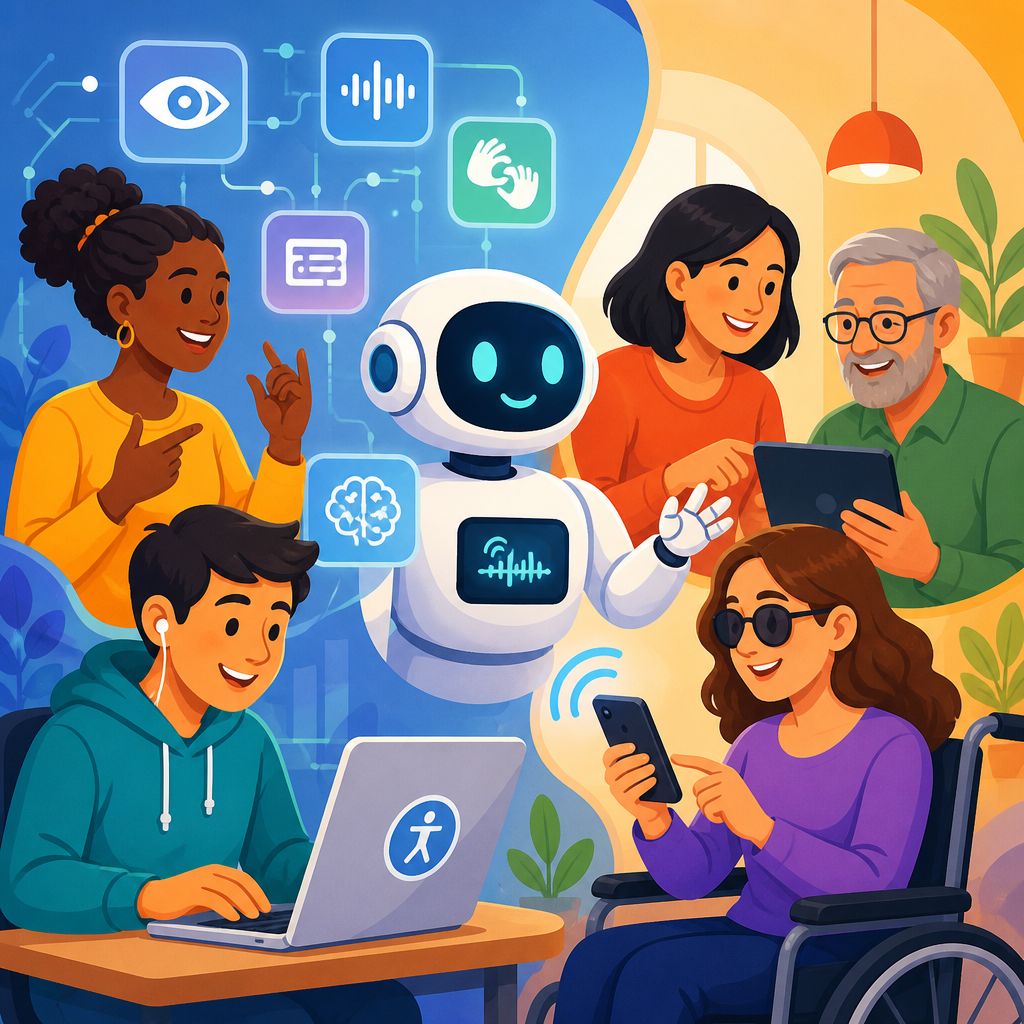
AI-powered accessibility tools are changing how people perceive, navigate, read, write, speak, and interact with digital and physical environments, but the most effective accessibility work still depends on informed human judgment. In practice, “accessibility tools” refers to software or hardware that reduces barriers for people with disabilities, while “AI-powered” means those tools use machine learning, natural language processing, computer vision, or speech models to automate or personalize tasks that once required manual effort. This matters because accessibility is no longer a narrow compliance task handled at the end of a project. It now shapes product design, customer experience, education, employment, healthcare, media, and public services.
I have worked with automated captioning systems, screen reader testing workflows, OCR remediation projects, and accessibility monitoring platforms, and the same lesson appears every time: AI can dramatically increase speed and coverage, but it cannot reliably infer intent, context, or lived experience on its own. A transcript can be technically accurate yet useless if speaker changes are missing. Alt text can describe objects in an image while ignoring why the image matters. An accessibility scanner can flag empty buttons, but it cannot tell whether a task flow is understandable for a keyboard-only user with cognitive fatigue.
For organizations building an accessibility strategy, the current wave of advanced technology offers real benefits. AI can generate image descriptions, live captions, plain-language summaries, voice interfaces, sign language experiments, personalized reading support, anomaly detection in design systems, and large-scale audits across thousands of pages. It can also help teams prioritize fixes by clustering recurring issues and identifying patterns across templates. Yet legal, ethical, and technical standards still require human review. The Web Content Accessibility Guidelines, Accessible Rich Internet Applications specifications, plain language principles, and disability-centered research methods remain essential because accessibility is about usable outcomes, not just automated outputs.
This hub article explains what AI-powered accessibility tools do well, where they fail, and how to use them responsibly across digital products, documents, media, and support channels. It also frames the broader landscape of advanced technology for accessibility, so teams can decide where automation creates meaningful value and where direct involvement from disabled users, accessibility specialists, content designers, and QA testers is nonnegotiable.
Where AI-Powered Accessibility Tools Deliver Real Value
The strongest use case for AI in accessibility is scaling repetitive assistance. Automatic speech recognition has made live captions and meeting transcripts far more available in Zoom, Microsoft Teams, Google Meet, YouTube, and mobile operating systems. Computer vision now supports image recognition in products such as Seeing AI, Be My Eyes integrations, and platform-level photo description features. OCR engines from Adobe, ABBYY, Google, and Microsoft can convert scanned documents into searchable text, creating a starting point for accessible PDFs and EPUB files. Grammar and language models can simplify text, suggest headings, and identify jargon-heavy passages that may block comprehension.
These tools work best when the task has a clear pattern and a large training base. Speech-to-text performs well in standard business conversations with good microphones and predictable vocabulary. OCR works well on high-contrast, cleanly scanned pages. Computer vision can accurately identify common objects, read signs, detect currency, or extract text from photographs. Automated accessibility testing tools such as axe, WAVE, Lighthouse, and Accessibility Insights can catch detectable failures like missing form labels, poor heading structure, duplicate IDs, low color contrast in many cases, and ARIA misuse. Used early in development, these tools reduce obvious defects before manual testing begins.
There is also a productivity advantage that is hard to ignore. A content team managing ten thousand images cannot manually draft every first-pass description at the same speed as a model that creates candidates in seconds. A university processing years of archived scans can use OCR and layout detection to turn inaccessible image-only files into editable text, then focus human effort on remediation of high-value materials. In customer support, AI voice and chat systems can help route requests to the right channel, detect when a user may need alternative formats, and offer multilingual support around the clock.
Another area where AI helps is personalization. Some users benefit from text simplification, reading pace control, voice synthesis, predictive typing, dyslexia-friendly presentation, or conversational interfaces instead of dense navigation structures. Adaptive systems can learn preferences and reduce interaction cost over time. For people with motor impairments, eye tracking, switch access prediction, and smarter speech commands can make devices easier to control. For neurodivergent users, summarization and task chunking can reduce cognitive overload when implemented carefully. The value here is practical: less friction, faster comprehension, and more independent access.
What Still Requires Human Expertise and Lived Experience
AI struggles most with meaning, purpose, and situational context. Accessibility decisions often depend on why something exists, not only what it contains. Consider alt text. A model may produce “A woman standing beside a whiteboard in an office,” which is acceptable as object recognition. But if the image supports a case study about wheelchair-accessible workplace design, the meaningful description may need to mention the lowered desk height, clear turning radius, or adaptive equipment visible in the scene. Human authors understand communicative intent; models usually infer patterns from pixels.
The same gap appears in captions. Automatic captions have improved substantially, but they still miss domain-specific terms, accents, overlapping speakers, and nonverbal audio cues such as laughter, applause, alarms, or sarcasm conveyed through tone. In training videos, a missed medication name or safety instruction is not a minor defect. It is a usability and risk issue. Human caption editors know when to preserve emphasis, when to identify the speaker, and when environmental sound is necessary for comprehension.
Complex interfaces are even harder to automate. Accessibility is not only whether each element has a label. It is whether a complete task can be understood and completed with keyboard navigation, screen readers, zoom, reduced motion, voice control, and varied cognitive load. I have seen automated scans report relatively healthy scores on products that were still frustrating because modal dialogs trapped focus inconsistently, error messages appeared too late, or custom controls announced themselves in confusing ways. Those are interaction design failures that require exploratory testing and feedback from disabled users.
Human expertise is also essential for legal and ethical decisions. Standards such as WCAG define success criteria, but conformance alone does not guarantee usability. Organizations still need policy decisions about procurement, document workflows, accommodations, moderation, bias checks, and escalation when AI outputs are wrong. If a vision model gives unsafe navigation guidance, if a chatbot fails to understand a deaf user requesting relay support, or if an automated reading simplifier removes medical nuance, someone must own quality control. Accessibility cannot be delegated to a model without accountability.
How Advanced Technology Supports Different Accessibility Needs
Advanced technology for accessibility spans several domains, and each has different maturity levels. For visual accessibility, screen readers such as JAWS, NVDA, and VoiceOver remain foundational, while AI adds image description, scene interpretation, object detection, and document structure recovery. For hearing accessibility, live captioning, transcript generation, speaker diarization, and speech enhancement are the main AI contributions. For mobility accessibility, predictive text, voice control, adaptive input, gaze estimation, and environment-aware device control are growing quickly. For cognitive and learning accessibility, summarization, reading support, personalization, routine prompting, and interface simplification are the most common applications.
The maturity gap matters. Screen reader support is established and standards-driven; experimental sign language avatars are not equivalent to qualified human interpreters. AI-generated easy-read summaries can support comprehension, but they do not replace content strategy grounded in plain language from the start. Smart home controls can increase independence for some users with limited mobility, yet setup complexity can exclude users who are not technically confident. In education, AI note-taking and transcription can help students follow lectures, but inaccessible math notation, diagrams, and lab demonstrations still require specialist intervention.
Organizations should map tools to needs rather than buying broad platforms and hoping they solve everything. The most successful programs I have seen pair mature assistive technology with selective AI enhancements. A publishing team combines semantic authoring, human alt text review, and OCR cleanup for backlist titles. A university disability office pairs lecture captioning with manual correction for high-stakes content. A city government uses automated scanning on every release, then follows with keyboard, screen reader, and zoom testing on public service workflows such as tax payments and permit applications.
| Use case | What AI does well | Where humans remain essential |
|---|---|---|
| Image descriptions | Identifies common objects, text, and scenes quickly at scale | Explains relevance, intent, tone, and context for the user |
| Captions and transcripts | Generates fast first drafts for meetings and media | Corrects terminology, speakers, timing, and meaningful sounds |
| Document remediation | Performs OCR and detects headings, tables, and reading order candidates | Fixes structure, verifies accuracy, and ensures logical navigation |
| Accessibility testing | Finds detectable code issues across large sites | Evaluates task success, usability, and assistive technology behavior |
| Plain-language support | Suggests simplifications and summaries | Preserves nuance, legal meaning, and audience needs |
This blended model reflects reality. Advanced technology expands reach and speed, but accessibility quality still comes from informed review, iterative testing, and direct participation by people with disabilities. The practical question is not whether to use AI. It is where automation helps without undermining trust or excluding users.
How to Evaluate AI Accessibility Tools Before You Deploy Them
Start with the problem, not the product demo. Ask which barrier you are trying to reduce, who experiences it, how often it occurs, and what a successful outcome looks like. If a tool promises automated alt text, define whether you need compliance support, e-commerce conversion, educational description quality, or social media publishing speed. If a platform promises sitewide monitoring, decide whether it integrates with your design system, CI pipeline, issue tracker, and manual QA process. Accessibility tools create value only when they fit an operational workflow.
Next, test with representative content and tasks. Vendor benchmarks often rely on ideal samples. Your environment may include noisy webinars, dense legal PDFs, multilingual support articles, low-quality scans, scientific diagrams, or custom components built years ago. Run pilots on messy real materials. Measure precision, recall, correction time, false confidence, and user outcomes. In one remediation project, OCR accuracy looked excellent on body text but failed on footnotes, tables, and marginal notes, which mattered because researchers depended on those details. Aggregate scores hid the actual barrier.
Include disabled users and accessibility specialists in procurement. Product teams often assess features, while users reveal whether those features actually reduce friction. A screen reader user can quickly detect if an AI summarization overlay interrupts navigation. A deaf reviewer can tell you whether generated captions preserve technical accuracy. A user with cognitive disabilities can identify when simplification removes needed structure or creates ambiguity. This feedback is not optional polish. It determines whether the tool works in context.
Finally, examine privacy, security, and governance. Many accessibility workflows involve sensitive audio, educational records, patient communications, employee meetings, or personal images. Know where data goes, how long it is retained, whether models are trained on it, and what fallback process exists when the service fails. Require confidence thresholds, human review rules, and escalation paths. AI accessibility tools should strengthen inclusion without creating new risk. The best deployments are transparent, measured, and accountable from the beginning.
Building a Human-in-the-Loop Accessibility Program
The most reliable model is human in the loop from design through maintenance. Start by embedding accessible patterns in design systems: semantic components, tested color tokens, focus styles, motion controls, form guidance, and content templates. Then add automation where it removes repetitive work. Use code scanning in pull requests, transcript generation as a draft step, OCR for intake, and image-description suggestions for editorial review. This structure keeps AI in a supporting role instead of letting it define accessibility quality.
Training matters as much as tooling. Designers need to understand keyboard flows and cognitive load. Developers need ARIA discipline and native HTML preferences. Content teams need plain language and alt text judgment. Support teams need accommodation pathways when automation fails. In mature programs, AI output is treated like junior draft work: useful, fast, and never final without review when stakes are high. That mindset prevents false confidence, which is one of the biggest causes of accessibility debt.
Governance should include audits, issue severity rules, procurement standards, and release gates for critical journeys. Track both defect counts and user-centered metrics such as task completion, correction time, caption accuracy for key terminology, and document remediation throughput. Review incidents where AI created confusion or harm, then adjust prompts, thresholds, training data, or escalation policies. Accessibility is continuous operational work, not a one-time scan.
The larger opportunity is substantial. When advanced technology is paired with standards, research, and human review, organizations can publish more accessible content faster, support users in more contexts, and detect barriers earlier. Use AI where it genuinely improves coverage and efficiency. Keep humans where meaning, safety, trust, and lived experience determine whether access is real. If you are building your technology and accessibility strategy, audit your current barriers, test tools on real tasks, and create a review process that puts disabled users at the center.
Frequently Asked Questions
1. What are AI-powered accessibility tools, and how are they different from traditional accessibility features?
AI-powered accessibility tools are technologies that help reduce barriers for people with disabilities by using systems such as machine learning, natural language processing, computer vision, and speech recognition. In practical terms, that can include automatic image descriptions, live captions, speech-to-text dictation, voice control, predictive text, reading assistants, object recognition, navigation support, and interfaces that adapt to a user’s needs over time. Traditional accessibility features, by contrast, are often rule-based or manually configured. Examples include keyboard navigation, screen reader compatibility, alt text written by a human, color contrast settings, captions prepared by an editor, and structured headings coded correctly into a webpage.
The key difference is that AI attempts to automate, personalize, or scale accessibility support. For example, instead of requiring every image description to be written manually, an AI system may generate a draft description instantly. Instead of waiting for a human transcriber, a speech model may create real-time captions during a meeting. Instead of relying on a fixed interface, an AI-driven tool may learn that a user prefers simplified text, larger targets, or spoken prompts and adjust the experience accordingly.
That said, AI does not replace the foundations of accessibility. It works best when layered on top of accessible design, not used as a substitute for it. A website still needs semantic HTML, keyboard operability, readable content, clear focus states, and predictable navigation. AI can improve efficiency and add useful assistance, but if the underlying experience is poorly designed, the tool can only compensate so much. That is why the most effective approach combines strong accessibility standards with AI features that enhance usability where automation genuinely helps.
2. Which AI accessibility tools work well today in real-world use?
Several categories of AI-powered accessibility tools are already proving useful in everyday settings. Automatic captioning and transcription are among the strongest examples. While accuracy still varies by audio quality, accents, speaker overlap, and technical vocabulary, these tools have become good enough to support meetings, classrooms, webinars, and video content at scale. They are especially valuable when they are treated as a first draft that can be reviewed or corrected for important content.
Screen recognition and image description tools have also become meaningfully helpful, particularly for blind and low-vision users. Computer vision systems can identify common objects, read visible text, describe basic scenes, and support independent exploration of digital and physical environments. On mobile devices, features that detect doors, people, products, currency, or text in real time can make everyday tasks easier and faster. These tools are often most effective when they support human decision-making rather than try to replace it completely.
Speech-based tools are another area where AI performs well. Voice dictation, voice commands, text-to-speech improvements, and conversational assistants can help users with mobility, dexterity, learning, vision, or communication-related needs. Predictive writing and grammar support can also assist users with dyslexia, cognitive disabilities, brain injury, or language processing challenges by reducing effort and helping organize thoughts more efficiently.
Translation, summarization, reading simplification, and personalized support are also becoming more practical, especially in education and workplace environments. AI can help rephrase dense text, surface action items, summarize long passages, or offer alternative ways to consume information. The important qualifier is that “works well” does not mean “works perfectly.” These tools are strongest when used in low-risk contexts, reviewed when accuracy matters, and deployed with a clear understanding of their limitations. When implemented carefully, they can substantially improve speed, convenience, and independence for many users.
3. Where do AI accessibility tools still fall short, and why is human judgment still necessary?
AI accessibility tools still struggle with context, nuance, accuracy, and accountability. A captioning system may mishear a speaker’s words, especially if the audio is noisy or the speaker uses specialized terms, multiple languages, or a nonstandard accent. An image description tool may identify objects in a photo but miss the meaning, emotion, purpose, or critical details that a human would recognize immediately. A text simplification system may shorten content but accidentally remove nuance, legal precision, medical caution, or culturally important language. In all of these cases, the output may look usable at first glance while still failing the person who depends on it.
Human judgment remains necessary because accessibility is not just a technical pattern-matching problem. It involves intent, clarity, risk, empathy, and knowledge of user needs. For example, writing high-quality alt text requires deciding what matters most in a specific context. A product image, a chart, a meme, and a historical photograph all need different kinds of descriptions. AI can generate a draft, but a human often needs to verify whether the description is accurate, relevant, and useful. The same is true for captions, transcripts, reading support, interface adaptations, and assistive prompts.
Humans are also essential for testing with real users, making tradeoffs, and recognizing edge cases. Accessibility problems often emerge from design decisions, workflow assumptions, or organizational habits that AI alone cannot fix. If a checkout flow is confusing, if a PDF is structurally inaccessible, if a chatbot traps users in a dead end, or if a voice interface assumes everyone can speak clearly, the issue is not just missing automation. It is a design problem that requires inclusive thinking. AI can support that work, but people still have to define quality, review outputs, listen to disabled users, and decide what “accessible” really means in a given situation.
4. Can AI make a website, app, or product fully accessible on its own?
No. AI can improve accessibility, but it cannot make a digital product fully accessible on its own. True accessibility depends on design, code, content structure, interaction patterns, testing, and ongoing maintenance. Automated tools can catch some issues and generate helpful enhancements, but they cannot reliably determine whether a user experience is actually understandable, operable, and equitable for different people with different disabilities.
For example, AI may be able to detect missing alt text and propose a description, but it cannot consistently judge whether that description is the right one for the page’s purpose. It may identify low contrast in some cases, but it cannot always understand whether a component’s state changes are clear to assistive technology users. It may create captions, but it cannot guarantee that speaker labels, tone, important sounds, or terminology are correct. It may provide an overlay or remediation layer, but if the site’s keyboard behavior, heading structure, forms, focus order, error messaging, or ARIA implementation are broken, users will still encounter barriers.
This is why accessibility experts often emphasize that AI is a support tool, not a substitute for accessible development practices. Teams still need semantic markup, proper labels, logical navigation, responsive layouts, readable language, sufficient contrast, compatible components, and usability testing with disabled participants. AI can speed up audits, suggest fixes, personalize interfaces, and help fill some content gaps, but relying on it as a complete solution usually creates false confidence. The better mindset is to use AI to strengthen an accessibility program that is already rooted in standards, human review, and continuous improvement.
5. What is the best way for organizations to use AI-powered accessibility tools responsibly?
The best approach is to treat AI as an amplifier of accessibility work, not as a replacement for accessibility strategy. Organizations should start by building strong foundations: adopt accessibility standards, assign ownership, train teams, include disabled users in research and testing, and design with accessibility in mind from the beginning. Once that foundation is in place, AI can be introduced where it offers clear value, such as drafting alt text, generating caption first passes, powering voice interactions, summarizing complex content, or assisting users with personalized reading and navigation support.
Responsible use also means evaluating tools carefully before adopting them. Teams should ask practical questions: What disabilities is this tool intended to support? How accurate is it across different accents, languages, lighting conditions, content types, and devices? Can users correct or override the output? Does it protect privacy? Does it introduce bias? Does it work with screen readers, keyboards, switch devices, magnification, and other assistive technologies? And perhaps most importantly, does it solve a real user problem or just create the appearance of accessibility?
Organizations should also keep humans in the loop where the stakes are high. Legal, medical, educational, financial, safety-related, and public-facing content often needs review before AI-generated accessibility output can be trusted. Continuous monitoring matters too, because models, interfaces, and user needs change over time. The most successful teams build feedback channels, measure outcomes, and revise their implementation based on real-world use. In other words, responsible adoption is not about adding AI everywhere. It is about knowing where automation genuinely helps, where human expertise must lead, and how to combine both in a way that delivers more accurate, inclusive, and dependable experiences.


