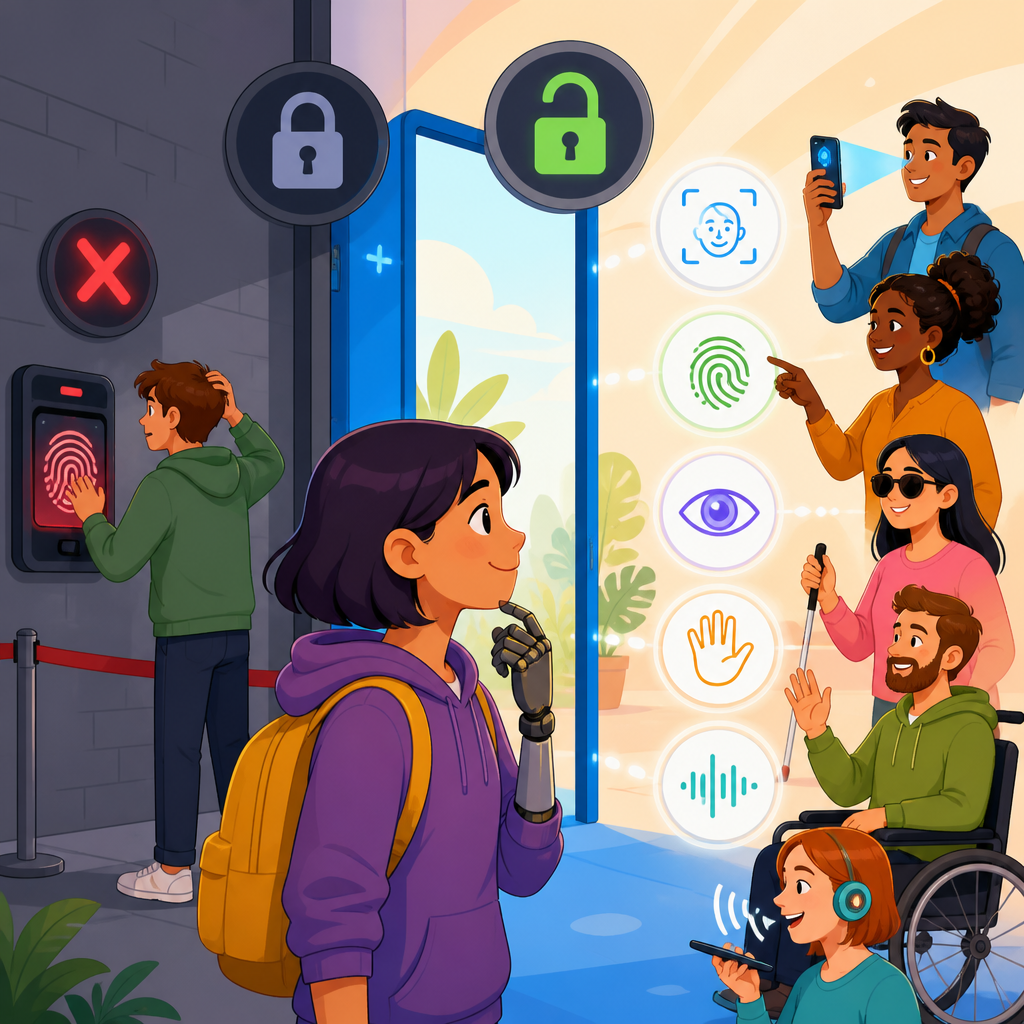
Accessible biometrics promise easier, safer sign-in, but single-mode login can exclude the very people accessibility technology is meant to support. Biometrics are identity checks based on human traits such as fingerprints, facial geometry, iris patterns, voice characteristics, or behavioral signals like typing rhythm. Single-mode login means an account depends on one biometric method alone, with no practical alternative. In accessibility work, that design choice is risky. It can lock out users with limb differences, blind or low-vision users facing poor camera guidance, Deaf users pushed toward voice systems, people with speech disabilities, and anyone whose medical condition, injury, environment, or device quality interferes with capture.
I have seen this problem repeatedly in product reviews and rollout audits. Teams adopt Face ID, fingerprint unlock, or voice verification because completion rates look strong in controlled testing, then support tickets rise when the product reaches a wider population. A warehouse employee with worn fingerprints fails enrollment. A wheelchair user cannot comfortably position a phone for face capture at the required angle. A customer with Parkinsonian tremor struggles with liveness prompts. These are not edge cases. They are predictable outcomes when identity design assumes one body, one sensor, one context, and one path through authentication.
This matters because login is a gateway function. If sign-in fails, every downstream accessibility feature becomes irrelevant. Accessible biometrics therefore sit at the center of advanced technology for accessibility, not at the margins. They affect banking, telehealth, education portals, workplace systems, government benefits, and consumer devices. They also intersect with privacy, anti-spoofing controls, fraud prevention, and legal compliance. Standards such as WCAG, NIST Digital Identity Guidelines, FIDO authentication models, platform passkeys, and inclusive design practices all point toward the same conclusion: secure authentication must offer equivalent access, resilient fallback, and informed consent.
What accessible biometrics actually requires
Accessible biometrics is not simply adding a fingerprint scanner or enabling face unlock. It means designing identity verification so people with different sensory, motor, cognitive, and speech profiles can authenticate reliably, privately, and independently. In practice, that requires multimodal options, flexible user flows, compatibility with assistive technology, and recovery methods that do not collapse under real-world conditions. A strong system also distinguishes between enrollment, repeat login, step-up authentication, and account recovery, because each stage creates different barriers and different attack surfaces.
Enrollment is where many failures begin. A system may capture an initial biometric template under perfect lighting, stable posture, and staff assistance, then expect the same user to reproduce that performance alone on an older device. That assumption breaks quickly. Good design allows multiple samples, clear feedback, interruption handling, and plain-language explanations of what data is stored and how it is protected. It also lets users choose another modality without penalty. If a biometric works for convenience but not consistency, it cannot be the only door.
The technology stack matters as well. On-device matching, as used by major mobile platforms, often improves privacy because biometric templates stay in a secure enclave rather than moving to a central server. FIDO2 passkeys tied to device biometrics can reduce phishing risk dramatically. Yet accessibility still depends on whether the platform offers fallback methods, whether prompts are screen-reader compatible, and whether motion, timing, and framing requirements are tolerable. Secure architecture does not automatically create equitable access.
Why single-mode login fails in the real world
Single-mode biometric login fails because bodies change, environments vary, and sensors are imperfect. Fingerprint systems often struggle with dry skin, moisture, calluses, scars, eczema, burns, and age-related skin changes. Facial recognition accuracy can drop with glare, low light, camera placement, masks, swelling, facial paralysis, or differences introduced by surgery or medical treatment. Voice systems can fail because of background noise, colds, ventilators, accents, dysarthria, or temporary vocal strain. Behavioral biometrics can misread tremor, fatigue, medication effects, or adaptive input devices as suspicious anomalies.
Bias and performance variation remain important concerns. Independent testing has shown that some face analysis systems perform unevenly across skin tones, ages, and genders, especially outside constrained conditions. That does not mean facial authentication is unusable; it means deployers must verify current model performance on representative populations and devices, not rely on vendor averages. The same principle applies to speech recognition and liveness detection. Anti-spoofing controls that ask users to blink, turn, smile, or read a phrase can accidentally create higher barriers for disabled people than the underlying biometric check itself.
Support operations reveal another weakness. When one mode is mandatory, help desks become de facto accessibility workarounds. I have watched teams spend months hardening a face login while agents quietly bypass it for locked-out users through manual identity proofing. That patchwork creates inconsistent security, long call times, and customer frustration. A better approach is explicit from the start: provide at least one equally usable non-biometric path, one alternative biometric when practical, and a documented recovery process that does not shame or burden disabled users.
Common biometric modes, benefits, and accessibility risks
Each biometric modality has legitimate strengths. Fingerprint authentication is fast, familiar, and widely available on phones and laptops. Facial recognition can be hands-free and useful for users who cannot easily manipulate small sensors. Iris recognition can be highly accurate in controlled environments. Voice verification works over phones without a camera. Behavioral biometrics can add passive risk scoring without asking the user to do anything extra. The problem is not the existence of these tools; it is treating any one of them as universally usable.
| Biometric mode | Main advantage | Accessibility risk | Recommended fallback |
|---|---|---|---|
| Fingerprint | Quick, low friction, common hardware | Fails with worn prints, limb differences, skin conditions, gloves | Device PIN, passkey, security key |
| Face | Hands-free, convenient on mobile | Camera framing, low vision guidance, masks, facial differences, lighting | Passkey, PIN, accessible recovery code |
| Iris | High accuracy in controlled capture | Precise positioning, glasses glare, specialized hardware | Security key, supervised alternative verification |
| Voice | Works by phone, no camera needed | Speech disabilities, noise, illness, accent variation | PIN, app-based approval, human-assisted route |
| Behavioral | Passive additional signal | Can misread tremor, adaptive devices, fatigue | Never sole factor; use only as supplemental risk signal |
That comparison leads to a practical rule. Use biometrics as an option or a factor, not as the only route to account access. In high-risk settings, combine accessible possession factors such as passkeys or hardware security keys with user-selected methods. In lower-risk settings, let users choose the fastest path for their circumstances on that day. Flexibility improves inclusion and often improves security because people are less likely to share credentials, write down secrets, or flood support lines when a preferred method fails.
Design principles for inclusive authentication
The most effective inclusive authentication programs follow several design principles. First, provide modality choice at enrollment and at login. Users should not have to disclose a disability to receive an alternative. Second, separate convenience from necessity. A fingerprint or face scan may speed access, but the account must remain reachable through another secure method. Third, make fallback visible and dignified. Hidden links labeled “try another way” often appear only after repeated failure; instead, present alternatives clearly before lockout escalates.
Fourth, ensure compatibility with assistive technology. Screen readers need properly labeled fields, status messages, and error handling. Switch control, voice control, screen magnification, captions, and reduced-motion settings must not break the authentication flow. Fifth, tune timeouts and liveness challenges conservatively. Many users need extra time to align a camera, locate a sensor, or process instructions. Sixth, avoid knowledge-based authentication as the primary fallback. Security questions about schools, streets, or relatives are both weak and exclusionary, especially for people with cognitive disabilities, trauma histories, or unstable housing records.
Seventh, plan recovery before launch. Recovery is where accessible systems prove their maturity. Good recovery offers multiple channels, such as a passkey on another device, backup codes stored offline, an accessible contact center process, or in-person verification where appropriate. Finally, log accessibility failures as a first-class metric. If the team only measures fraud rates and average login time, it will miss the people who never get in. Track abandonment by method, assistive technology issues, fallback usage, and support escalations attributable to authentication design.
Implementation standards, testing, and governance
Teams building advanced technology for accessibility need governance, not just good intentions. Start with threat modeling and accessibility reviews together. Security architects should define assurance levels, attack scenarios, and recovery controls while accessibility specialists examine motor, sensory, cognitive, and speech barriers across devices and contexts. Align the result with recognized guidance: WCAG for perceivable and operable interfaces, NIST SP 800-63 for digital identity practices, and FIDO-based authentication for phishing-resistant sign-in. These frameworks do not solve every usability issue, but they establish a disciplined baseline.
Testing must include disabled users early and continuously. Lab tests with ideal hardware are insufficient. Run studies with screen readers such as VoiceOver, TalkBack, JAWS, and NVDA; with switch devices and alternative keyboards; with varied lighting, background noise, and connectivity; and with people who have tremor, limb differences, speech disabilities, low vision, and cognitive fatigue. Measure first-time enrollment success, repeat login success, error comprehension, recovery completion, and false reject rates by modality. Accessibility bugs in authentication are severe because they block all service access.
Data governance matters too. Biometric data is sensitive personal data in many jurisdictions, and trust collapses when collection is opaque. Minimize retention, prefer local matching where possible, document vendor roles, and explain consent in plain language. Users should know whether a template stays on device, whether liveness images are stored, and what happens if they decline biometric enrollment. Procurement is part of governance: require vendors to disclose false acceptance and false rejection performance, spoof testing methods, accessibility support, and independent audit results before deployment.
Where this hub connects across accessibility technology
As a hub for advanced technology for accessibility, accessible biometrics connects to several adjacent topics. It links to mobile accessibility because phone sensors, secure enclaves, and passkeys increasingly define login experiences. It links to assistive technology because screen readers, braille displays, switch access, eye tracking, and speech input must all coexist with authentication prompts. It links to AI accessibility because computer vision, speech models, and risk engines can improve guidance and fraud detection, yet also introduce bias and unexplained denials. It links to privacy engineering because identity systems collect intimate signals that demand careful minimization.
The strategic lesson is straightforward. Authentication should adapt to people, not force people to adapt to a single sensor. Organizations that treat accessible biometrics as a systems problem build better products: they reduce lockouts, lower support costs, improve security resilience, and widen access to essential services. Review your current login journey, identify every point where one biometric method can become the only door, and replace that brittle pattern with choice, clear fallback, and tested recovery. That is how advanced technology for accessibility delivers on its promise.
Frequently Asked Questions
What does “single-mode login” mean in biometric authentication, and why is it such a problem for accessibility?
Single-mode login means a person can access an account only through one biometric method, such as a fingerprint scan, face scan, voice match, or iris check, without a realistic backup option. On paper, that may sound streamlined. In practice, it creates a fragile access system because human bodies, environments, and devices are not perfectly predictable. A login flow that assumes one biometric will work for everyone, every time, ignores the realities of disability, injury, illness, aging, assistive technology use, and changing conditions.
From an accessibility perspective, the biggest issue is exclusion. A fingerprint reader may not work well for someone with limb differences, reduced dexterity, scar tissue, worn fingerprints, or tremors. Facial recognition can fail for users whose facial presentation changes due to medical devices, paralysis, fatigue, or lighting constraints. Voice authentication may be unusable for people with speech disabilities, temporary laryngitis, neurodegenerative conditions, or simply a noisy environment. Even behavioral biometrics like typing rhythm can become unreliable if a person uses switch devices, speech input, eye tracking, one-handed typing, or other assistive tools that vary their interaction patterns.
Accessibility is not just about making the preferred method easier to use. It is also about ensuring people can complete a critical task when the preferred method is unavailable or inaccurate. Sign-in is a gateway task. If a user cannot pass it, nothing else in the product matters. That is why single-mode biometric login is especially risky: it turns a convenience feature into a hard dependency. In secure systems, resilience matters as much as innovation. The more inclusive approach is to offer equivalent alternatives so users can authenticate in a way that matches their abilities and circumstances.
Can biometrics still be accessible, or are they inherently exclusionary?
Biometrics are not inherently inaccessible. In many situations, they can reduce friction and improve usability, especially for people who struggle with memorizing passwords, typing long credentials, or managing physical tokens. For some users, unlocking a device with a face scan or fingerprint can be faster, less cognitively demanding, and more secure than traditional sign-in methods. The problem is not biometrics themselves. The problem is treating any single biometric as universally reliable and universally suitable.
Accessible biometrics work best when they are part of a flexible authentication strategy rather than the only path forward. Good design recognizes that one person may prefer a fingerprint reader, another may need a device PIN, another may rely on a passkey synced across devices, and another may need a human-assisted recovery option. Accessibility improves when users are allowed to choose, switch methods, and recover access without excessive burden. The goal is not to eliminate biometric sign-in, but to make it optional, interoperable, and supported by alternatives of comparable dignity and security.
It is also important to separate convenience from coercion. A biometric can be offered as a quick option while still preserving non-biometric methods. That gives users agency. It also protects them from temporary disruptions, such as a broken sensor, an injury, poor connectivity, device replacement, or an accessibility need that changes over time. In other words, biometrics can absolutely support inclusive design, but only when they are implemented as one usable route among several, not as a mandatory gate with no escape hatch.
Which users are most likely to be locked out by a biometric-only login system?
A biometric-only system can affect a much wider group of people than many teams expect. Users with visible disabilities are part of the picture, but they are far from the whole picture. People with motor disabilities may have trouble positioning a hand, face, or eye consistently for a scan. Blind or low-vision users may struggle with camera framing prompts that are poorly announced by screen readers. Deaf or hard-of-hearing users may be affected if recovery steps rely heavily on spoken interaction with support channels. People with speech disabilities can be excluded by voice-based authentication. Users with cognitive disabilities may face problems if the fallback process is hidden, confusing, or time-limited.
Temporary and situational limitations matter too. Someone with a cut finger, a broken arm, migraine sensitivity to bright light, post-surgery swelling, or a respiratory illness may suddenly be unable to use the biometric enrolled on their account. Environmental conditions also create barriers. Low light, glare, background noise, gloves, masks, unstable seating, and low-quality device sensors can all undermine biometric performance. Older adults may encounter reduced recognition consistency due to changes in skin, voice, movement, or interaction patterns. People using shared devices, public terminals, or older hardware may not have access to the required sensor at all.
There are also equity concerns. Systems trained or tuned unevenly can perform differently across skin tones, accents, age groups, or disability-related presentation differences. Even when vendors claim high accuracy, averages can hide who experiences the failures. That is why accessibility and fairness reviews must look beyond the “typical user.” Any authentication design that assumes a stable body, stable environment, stable device, and stable interaction method is likely to fail real users in real life. The safest assumption is that everyone may need a fallback at some point.
What should organizations provide instead of a biometric-only login?
Organizations should offer layered, equivalent authentication choices. That usually means allowing biometrics as one option, while also supporting strong alternatives such as passwords paired with multifactor authentication, device PINs, passkeys, authenticator apps, hardware security keys, magic links, or other recovery-approved methods. The exact mix depends on the risk level of the service, but the core principle stays the same: no single mode should be the sole gatekeeper to account access.
A strong accessible design includes both primary and backup paths. The primary path should let users choose the method that works best for them. The backup path should be easy to discover, understandable, and available before a lockout becomes a crisis. For example, if facial recognition fails, the interface should clearly offer another route rather than trapping the user in repeated scan attempts. Recovery procedures should not require the same inaccessible action that already failed. If voice authentication is unavailable to a user, support should not insist on voice verification to restore access.
Organizations should also think carefully about setup, maintenance, and recovery. Users may need to enroll multiple methods, update them over time, and remove methods tied to old devices. Clear instructions, accessible labels, keyboard support, screen reader compatibility, captioned guidance, and plain-language explanations all improve outcomes. Support teams should be trained to handle accessibility-related authentication issues without forcing users through humiliating or impossible proof steps. The best systems are not just secure when everything goes right. They remain usable, respectful, and recoverable when something goes wrong.
How can teams evaluate whether their biometric login experience is actually accessible?
Teams need to test accessibility in realistic, high-stakes scenarios rather than relying on vendor claims or surface-level compliance checks. Authentication should be treated as a mission-critical user journey. That means evaluating account creation, biometric enrollment, routine sign-in, failed sign-in, device change, backup method selection, and account recovery. A system is not truly accessible if the happy path works but the fallback path is confusing, hidden, or inaccessible with assistive technology.
Practical evaluation starts with inclusive user research and usability testing. Teams should include participants with a wide range of disabilities, assistive technology setups, and real-world contexts. Testing should cover screen readers, magnification, voice control, switch access, keyboard-only navigation, alternative input devices, and low-bandwidth or low-light conditions where relevant. It should also examine temporary impairments and environmental stressors, because accessible design is not only about permanent disability. Measuring success means looking at completion rates, time to recover from failure, error frequency, abandonment, and support burden, not just first-try recognition rates.
Policy and governance matter as much as interface design. Teams should ask whether users can opt out of biometrics, whether alternatives offer comparable security and convenience, whether lockouts can be resolved without discrimination, and whether the system creates disparate impacts across user groups. They should review privacy implications, data retention rules, consent flows, and transparency around how biometric data is used. Most importantly, they should define accessibility success as continued access, not just technical recognition accuracy. If a legitimate user cannot reliably sign in or recover access on equal terms, the system is not accessible, no matter how advanced the biometric technology may be.


