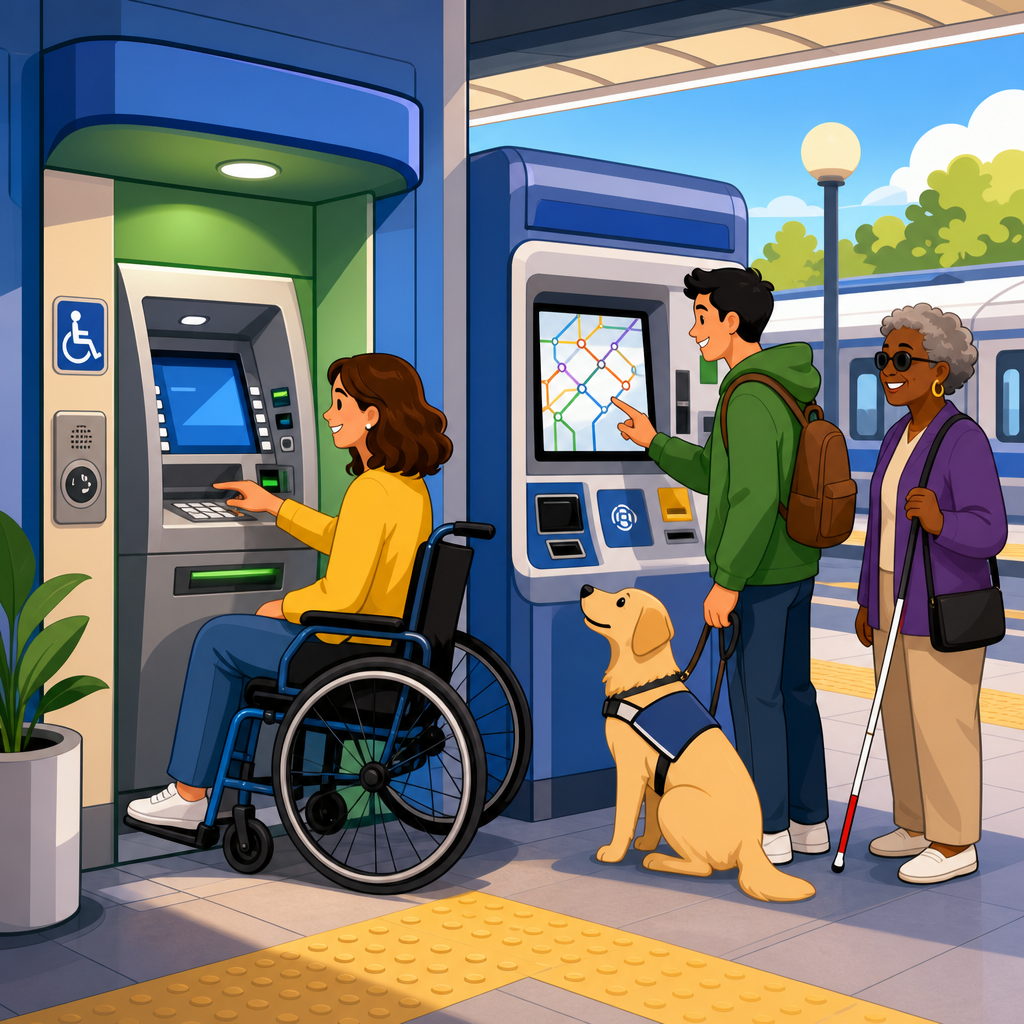
Accessible ATM and fare machine requirements in plain English start with one core idea: if a machine lets the public withdraw cash, buy transit value, check balances, or complete another self-service task, people with disabilities must be able to approach it, understand it, and use it with comparable independence. In the ADA Accessibility Standards, these rules sit within Chapter 7, Communication Elements and Features, and they matter because banking and transit are essential services, not optional conveniences. In practice, I have seen expensive machine deployments fail basic usability because teams focused on hardware features while overlooking reach ranges, speech privacy, tactile controls, or screen timing. That mistake creates legal exposure and, more importantly, excludes real users. A plain-English reading helps owners, architects, transit agencies, compliance managers, and product teams make better decisions before procurement, installation, and inspection.
Chapter 7 covers several communication-focused elements, but this hub centers on two of the most common and highest-risk examples: automated teller machines and fare machines. Key terms matter. An ATM is a self-service banking machine used for transactions such as withdrawals or deposits. A fare machine is a self-service device used to buy tickets, add value, or manage transit credentials. “Accessible” does not mean one oversized button or a headphone jack alone. It means the machine must meet scoping requirements for where accessible units are required and technical requirements for operable parts, speech output, tactile input, display visibility, privacy, and physical clearances. If you are responsible for ADA Accessibility Standards compliance, this article gives the plain-English framework you need before diving into detailed subpages on clear floor space, reach ranges, speech output, tactile keypads, and installation tolerances.
What Chapter 7 requires for ATMs and fare machines
Chapter 7 addresses communication features that let users receive information and operate interfaces without relying on sight, hearing, or fine motor precision alone. For ATMs and fare machines, the practical requirement is straightforward: the machine’s interface must communicate information in more than one way, and the controls must be operable by people with a wide range of abilities. The 2010 ADA Standards include specific provisions for speech output, privacy, input controls, display screens, and Braille instructions. These requirements work together with related provisions elsewhere in the standards, including wheelchair clearances and reach ranges, because a machine is not accessible if a customer cannot physically get close enough to use the accessible controls.
In the field, the most common misconception is that only one feature matters. A team may install an audio jack and assume the job is finished. It is not. A compliant machine typically needs tactilely discernible input controls, speech output for transaction steps, a standard connector for private listening, instructions on how to start the accessible mode, and controls located within accessible reach. For fare machines, the machine also needs to support the specific transaction paths riders actually use, such as buying a single ride, loading stored value, or checking balance, not just a limited subset hidden behind an inaccessible visual menu. Chapter 7 is about functional access across the full user journey.
Which machines must be accessible and how many are required
The first question most owners ask is simple: do all machines need to be accessible? The answer depends on the type of machine and the installation count. In general, where ATMs are provided, a required number must comply. Similar scoping applies to fare machines. In many projects, especially smaller sites with one or two units, that effectively means every machine the public uses must be accessible because there is no practical alternative. At larger banks or major stations, the standards may allow compliance through a required proportion, but relying on minimum counts can create operational problems if the accessible unit is out of service, blocked, or placed in a less convenient location.
From experience, the safest compliance strategy is to treat accessibility as the default specification for all new public-facing machines. Procurement teams save time when they standardize one accessible model instead of mixing accessible and non-accessible units. Transit agencies benefit because riders do not need to search a station for the one compliant machine. Banks benefit because maintenance staff can replace failed units without rethinking accessible distribution. This is also where internal wayfinding matters. If the accessible ATM or fare machine is technically present but hidden behind stanchions, retail displays, or confusing circulation paths, the customer experience fails even before operation begins.
| Requirement area | What it means in plain English | Common failure | Better practice |
|---|---|---|---|
| Accessible route | A user can reach the machine without stairs or barriers | Machine placed on a raised platform | Install on an accessible path used by all customers |
| Clear floor space | Enough room for a wheelchair user to approach and operate | Trash can or bollard blocks approach area | Keep required space permanently clear |
| Reach ranges | Buttons, slots, and jacks are within reachable height | Card slot mounted too high | Coordinate hardware heights during design review |
| Speech output | On-screen information is available through audio | Audio reads only the welcome screen | Provide spoken guidance through the transaction flow |
| Tactile controls | Keys can be found and used by touch | Flat touch panel with no tactile keypad | Use discernible controls with familiar layouts |
| Privacy | Audio can be heard privately, not broadcast publicly | External speaker announces account data | Use a standard headphone jack and private output |
Speech output, privacy, and tactile input controls
For many blind or low-vision users, speech output is the feature that determines whether a machine is independently usable. The machine must provide audible information for transaction steps, user prompts, and responses that otherwise appear on the screen. This is not limited to reading a disclaimer. It includes enough spoken content to complete the task. A rider buying transit value should be able to navigate ticket types, hear prices, confirm selections, and complete payment. A bank customer should be able to identify transaction choices, amounts, confirmations, and error states. If the machine gives only partial audio, the customer still depends on visual assistance, which defeats the purpose.
Privacy is equally important. Audio cannot expose personal information to everyone nearby. The accepted solution is a standard audio jack that activates private speech output when a headset is connected. Instructions for initiating that mode must be available to nonvisual users, typically through tactile signage and Braille located at the machine. Tactilely discernible input controls are also essential because speech output is useless if the customer cannot reliably make selections. This is why many compliant ATMs include a numeric keypad with a raised nib on the five key, function keys with distinct shapes, and tactilely identifiable controls for navigation. Touchscreens can be part of an accessible machine, but they cannot be the only input method unless the system provides an equivalent nonvisual, operable interface.
Display screens, time limits, and transaction usability
Accessible machine design is not only about blindness or wheelchair access. Display screens must be visible to users with reduced acuity and different viewing angles. Glare, poor contrast, tiny type, and low brightness routinely undermine usability outdoors and in stations with mixed lighting. The standards address screen visibility, but teams should also follow recognized digital accessibility practices from sources such as WCAG when designing software layers, because a technically compliant display can still be frustrating if text is inconsistent, cluttered, or dependent on color alone. In retrofit projects, I often recommend field testing at the actual installation site during bright daylight and evening conditions rather than relying on showroom assumptions.
Time limits deserve special attention. Banking and fare transactions frequently expire after short periods for security or system performance reasons. Accessibility requires users to have adequate time and, where time limits exist, to be alerted and allowed more time unless doing so would fundamentally alter the process. In plain terms, a customer using audio prompts, limited dexterity, or cognitive supports should not lose a transaction because the interface advances too quickly. Good machine software warns users clearly, allows extensions, and restates the current step after inactivity. The best systems also use plain language, predictable menu order, and confirmation screens that reduce costly mistakes such as loading value onto the wrong card or selecting the wrong withdrawal amount.
Physical installation: approach, reach, and surrounding conditions
Even the most accessible interface fails if the machine is installed badly. Chapter 7 requirements operate alongside physical provisions in the ADA Standards, including accessible routes, maneuvering space, and reach ranges. In plain English, users need room to approach the machine, position a wheelchair or mobility device, and reach every necessary control without dangerous stretching. That includes card readers, cash dispensers, receipt slots, headphone jacks, help buttons, and touch or tactile controls. Installers often verify the centerline height of one feature but miss another. I have seen compliant keypads paired with receipt slots mounted too high, making the overall transaction difficult or impossible.
Surrounding conditions also matter. Exterior ATMs and transit ticket machines face weather, noise, and security constraints. A sloped sidewalk can interfere with wheelchair positioning. Direct sun can wash out the display. Heavy street noise can make spoken prompts hard to hear even through headphones if volume control is weak. Bollards may protect equipment but block knee clearance or side approach. In stations, queuing rails, trash bins, and advertising frames often creep into the clear floor space after opening day. That is why compliance should be checked as an operational condition, not merely as a drawing review. Facilities teams need maintenance standards that keep accessible approach areas unobstructed over time.
Common compliance mistakes and how to avoid them
The most frequent mistake is treating accessible ATM and fare machine requirements as a late-stage inspection issue instead of a procurement and design requirement. Once a machine model is selected, cabinet dimensions, control locations, software architecture, and vendor options may already be fixed. Another common problem is assuming a manufacturer’s marketing sheet proves compliance. It does not. Owners should request detailed conformance information, installation criteria, and test results for speech output, tactile controls, and reach dimensions. They should also verify whether every transaction path is covered, including maintenance messages, card errors, and alternate payment steps. A machine that works accessibly only in its ideal mode is not enough.
Another repeated failure is ignoring interoperability and real use conditions. For example, some fare machines support audio only for ticket purchase but not for account management, or they fail when the headphone jack is damaged, leaving no backup process nearby. Some ATM deployments place the only accessible unit in a vestibule that is locked during certain hours while standard units remain available outside. Avoid these gaps by mapping tasks, not features. List every common customer goal, then confirm that each goal can be completed accessibly from start to finish. Include field testing with blind users, wheelchair users, and people with limited dexterity. That kind of testing consistently finds issues that dimensional checklists miss.
How this hub fits the broader ADA Accessibility Standards
This hub article is the starting point for the Chapter 7 machine-related topics that support stronger compliance across the ADA Accessibility Standards. From here, the next useful deep dives are clear floor space and wheelchair approach, operable parts and reach ranges, tactile characters and Braille instructions, speech output details, display screen visibility, and transaction timing. Those topics intersect constantly. A headphone jack within reach but outside the clear floor space still creates a barrier. A readable screen without private audio still excludes many users. The standards work as a system, and project teams get better outcomes when they review them as a connected set instead of isolated checkboxes.
The main benefit of understanding accessible ATM and fare machine requirements in plain English is better decision-making before mistakes become expensive. When owners specify accessibility early, coordinate installation carefully, and test actual user tasks, they reduce legal risk and deliver essential services more fairly. That is good compliance and good operations. Use this page as your subtopic hub, then move through the related articles in your standards library to review dimensions, controls, audio features, and signage in detail. If you are planning a purchase, renovation, or site audit, build your checklist now and verify every machine against both interface and installation requirements before it goes live.
Frequently Asked Questions
What types of machines must meet accessible ATM and fare machine requirements?
In plain English, these rules apply to self-service machines that members of the public use to complete essential tasks without staff assistance. That includes ATMs, fare vending machines, transit pass reload machines, and similar equipment used to withdraw cash, check balances, transfer funds, buy tickets, add value to a transit card, or complete another public-facing transaction. If the machine is part of the customer experience and is intended for independent use, accessibility requirements are generally part of the picture.
The reason this matters is simple: banking and public transportation are core services. A machine is not truly available to the public if a person who is blind, has low vision, uses a wheelchair, has limited reach, is deaf or hard of hearing, or has limited manual dexterity cannot use it in a meaningful way. The ADA Accessibility Standards address these issues in Chapter 7, which covers communication elements and features, but the practical goal is broader than code compliance alone. The goal is comparable access and independence.
That means accessibility is not limited to one feature, such as adding a headphone jack or placing braille on a keypad. It also includes the location of the machine, the clear floor space around it, the height and reach range of controls, the operability of input devices, and the ability to receive information in more than one format. A machine may technically function, but if a customer cannot approach it, understand its instructions, or complete a transaction privately and independently, it is likely falling short of what accessibility is meant to achieve.
What makes an ATM or fare machine accessible to someone who is blind or has low vision?
For users who are blind or have low vision, accessibility usually depends on a combination of tactile, audible, and visible features working together. One of the best-known requirements is speech output. A person should be able to plug in headphones and receive spoken instructions and transaction information through a private audio interface. This allows the user to navigate menus, enter information, and complete tasks without relying on visual prompts alone.
Tactilely discernible input controls are also important. Keypads and buttons should be identifiable by touch so that users can locate numbers, function keys, and essential controls without guessing. This is why many accessible machines include a raised mark on the number 5 key and distinct tactile features on important buttons such as enter, cancel, or clear. If a screen-based interface is used, the design still needs to support nonvisual operation through an accessible method of interaction.
For people with low vision, the visible interface matters too. Text on the screen should be readable, with sufficient contrast and a presentation that does not force users to strain or guess. Instructions should be clear, consistent, and not dependent on color alone. In practical terms, if a machine displays options only in small, low-contrast text, or relies on visual cues with no audio equivalent, it creates barriers even if some accessibility features are present. True accessibility means that customers who are blind or have low vision can receive information, make choices, correct mistakes, and complete a transaction with privacy and confidence.
How do physical access rules affect where ATMs and fare machines are installed?
Physical access is just as important as the technology built into the machine. An ATM or fare machine can include speech output and tactile controls, but it still will not be accessible if a wheelchair user cannot reach it or safely position themselves in front of it. That is why accessible design starts with the approach to the machine, the clear floor space at the machine, and the placement of operable parts within allowed reach ranges.
In real-world terms, users need a stable, unobstructed area where they can pull up to the machine and use it without navigating around bollards, trash cans, display racks, sharp turns, or steep slopes. Controls such as keypads, card readers, cash slots, ticket dispensers, and receipt openings must be located where people with different heights and mobility limitations can reach them. If a machine is mounted too high, recessed too deeply, or blocked by surrounding construction, it may be unusable even if the software is accessible.
Installation decisions matter a great deal. A compliant machine placed on a raised curb without an accessible route, or inside a cramped alcove that prevents forward or side approach, creates the same practical problem as a machine with no accessibility features at all. For banks, transit agencies, property owners, and contractors, this means accessibility should be considered early, not treated as an afterthought. The surrounding space, the path to the machine, and the user’s ability to approach and operate the equipment independently are fundamental parts of the requirement.
Are audio instructions and braille labels enough to satisfy ADA requirements?
No. Audio instructions and braille labels are important, but they are only part of the accessibility picture. A common misunderstanding is that if a machine has a headphone jack and some braille, it must be compliant. In reality, ADA accessibility for ATMs and fare machines involves a full set of communication and usability features, along with physical access requirements. The machine must support independent use by people with a range of disabilities, not just address one type of barrier.
For example, a machine may offer speech output but still fail accessibility expectations if its controls are too high, its input methods require fine motor precision, its on-screen prompts are confusing, or its ticket slot is out of reach. Likewise, braille labels alone do not help a user complete a complex transaction if the menu structure is inaccessible or the audio guidance is incomplete. Accessibility also includes how users confirm selections, review information, cancel actions, and recover from mistakes during the process.
The broader standard is usability with comparable independence. A customer should be able to approach the machine, identify and operate the controls, understand prompts, complete the transaction, and receive outputs such as cash, receipts, or tickets. If any of those steps break down for a person with a disability, the experience may not provide equal access. So while audio and braille are essential components for many machines, they are not a complete checklist by themselves.
Why is it important to explain accessible ATM and fare machine rules in plain English?
It matters because the legal standards are technical, but the day-to-day decisions about buying, installing, maintaining, and operating these machines are often made by people who are not accessibility specialists. Bank managers, transit administrators, facility owners, project managers, procurement teams, and maintenance staff need to understand not just what the rules say, but what they mean in practice. Plain English helps turn code provisions into clear operational expectations.
When accessibility is explained clearly, organizations are more likely to catch problems before they become complaints, service failures, or legal exposure. Instead of treating the ADA as a vague set of obligations, teams can focus on practical questions: Can a wheelchair user reach every needed part? Can a blind customer complete the transaction privately through audio? Are instructions understandable to people with different sensory and physical abilities? Is the machine located where people can actually get to it? Those are the questions that drive better outcomes.
Plain-language guidance also reinforces the real purpose behind the rules. Accessible ATMs and fare machines are not just a compliance exercise. They are part of making essential public services available to everyone with dignity and independence. When organizations understand that core idea, they are more likely to design, select, and maintain equipment that works for real users in real settings. That is ultimately what the ADA standards are trying to accomplish.