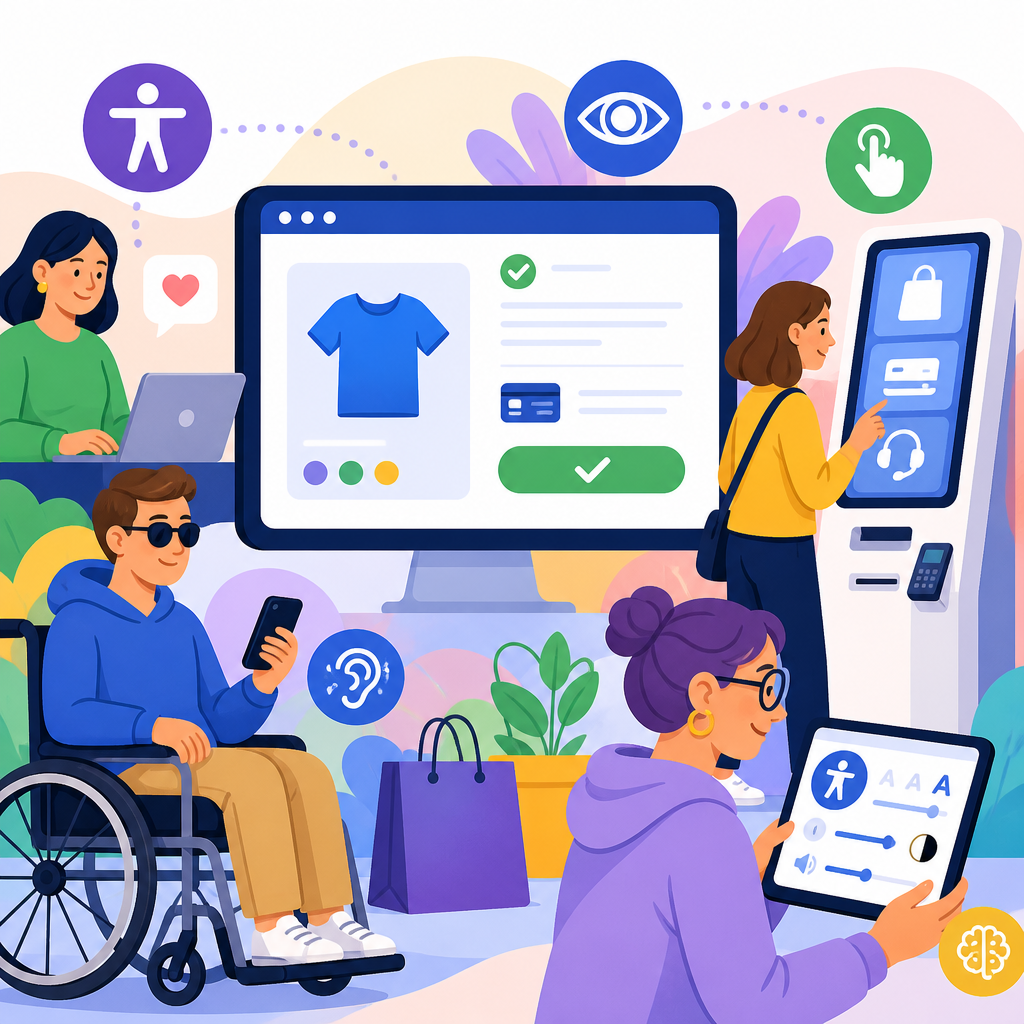
Accessibility trends in e-commerce checkout and self-service are reshaping how retailers design digital experiences, deploy kiosks, and manage compliance risk under evolving ADA expectations. In this context, accessibility means people with disabilities can perceive, understand, navigate, and complete key tasks such as browsing products, entering payment details, verifying identity, or using a self-service pickup station without unnecessary barriers. E-commerce checkout includes every step from cart review to order confirmation across web and mobile interfaces. Self-service covers customer-operated technologies such as kiosks, lockers, return portals, in-store tablets, and automated support tools. I have worked with checkout teams, QA analysts, and digital compliance counsel on remediation programs, and one lesson is consistent: the checkout path is where accessibility failures become business losses fastest. If a customer cannot tab to a coupon field, hear error messages through a screen reader, or complete identity verification at a kiosk, the transaction often ends there. This hub article explains the major developments in technology and accessibility affecting modern checkout and self-service, why ADA-related requirements now reach beyond static websites, and which implementation patterns are proving effective for retailers that want measurable improvement.
The topic matters because checkout is the highest-intent moment in digital commerce, and self-service is now a routine part of omnichannel retail. Accessibility defects in these areas create immediate exclusion, abandoned carts, customer service costs, and legal exposure. Courts and settlement agreements continue to treat inaccessible digital experiences as serious barriers to equal access, while industry teams increasingly rely on standards such as WCAG 2.1 and 2.2, ARIA authoring practices, native mobile accessibility APIs, and structured usability testing with disabled participants. At the same time, technology changes are accelerating. More retailers use one-page checkout, express wallets, biometric login, address auto-complete, AI chat support, dynamic fraud controls, and unattended pickup systems. Each innovation can improve convenience, but each can also introduce new failure points. As the hub for ADA developments in technology and accessibility, this article maps the current landscape: legal and standards movement, checkout design trends, self-service hardware and software requirements, testing methods, vendor management, and practical priorities for teams building future-ready commerce experiences.
ADA and accessibility standards are converging around practical digital requirements
Retailers often ask a simple question: what standard should we actually build to? In practice, the safest operational answer is to align digital checkout and self-service experiences with WCAG 2.1 AA at minimum and incorporate relevant WCAG 2.2 success criteria as products evolve. The ADA itself does not read like a technical specification for a checkout flow, but enforcement trends, settlement patterns, and procurement requirements have pushed teams toward recognized accessibility standards. That matters because checkout defects are rarely abstract. They appear as unlabeled form inputs, focus traps in modal dialogs, inaccessible CAPTCHAs, insufficient color contrast on error states, and timeout warnings that cannot be extended by keyboard-only users. In kiosks and other self-service settings, barriers often involve reach range, speech output, tactile controls, headphone jacks, private entry for PINs, and software that does not expose control names or instructions consistently.
One important development is that accessibility conversations have moved upstream. Instead of treating remediation as a legal clean-up after launch, mature commerce teams include accessibility acceptance criteria in product requirements, design systems, and vendor contracts. They map user journeys by task completion, not just page templates. For example, a team may measure whether a screen reader user can apply a promo code, edit shipping speed, review taxes, choose Buy Online Pickup In Store, and complete payment using a third-party wallet without losing context. This task-based approach reflects how disabled customers actually use checkout. It also aligns with how complaints arise: not because a single icon lacked alt text, but because the overall transaction could not be completed independently.
Checkout accessibility trends that are changing design and development priorities
The strongest trend in e-commerce checkout accessibility is a shift from page compliance to interaction reliability. Modern checkouts are highly dynamic. Sections expand and collapse, shipping methods refresh totals instantly, payment fields are embedded from external providers, and fraud tools trigger step-up verification. These patterns can support accessibility if implemented carefully, but they often fail when teams rely on custom JavaScript without respecting semantic structure and focus management. I regularly see avoidable issues caused by replacing native form controls with stylized div elements, injecting validation messages without programmatic association, or auto-advancing users through payment steps before assistive technology announces the change.
Another major trend is the return to simpler form architecture. Retailers that once favored visually compressed, highly scripted one-page checkout are rediscovering the accessibility and conversion benefits of clear sequencing, visible labels, grouped fields, and predictable controls. Address lookup can be helpful, but it must not block manual entry. Error prevention should happen before submission where possible, with plain-language guidance such as “Card number must contain 16 digits” rather than generic “invalid input” messages. Passwordless login and passkeys can reduce friction, yet backup methods remain necessary for users who cannot complete biometric or device-bound flows. Express payment buttons like Apple Pay, Google Pay, PayPal, and Shop Pay may improve speed, but they must appear in a keyboard-accessible order and preserve a fully usable standard checkout path.
| Checkout element | Common accessibility risk | Preferred implementation | Why it matters |
|---|---|---|---|
| Promo code field | Hidden behind unlabeled icon or collapsed panel | Visible label, keyboard operable toggle, announced state change | Prevents missed discounts and confusion during review |
| Address autocomplete | Suggestions not announced or impossible to select by keyboard | ARIA combobox pattern with manual entry fallback | Supports independent completion for screen reader users |
| Payment iframe | Missing titles, focus loss, inconsistent error handling | Named frames, clear tab order, programmatic field errors | Protects the most sensitive and failure-prone step |
| Session timeout | Silent expiration during entry or review | Advance warning, extend option, preserved data when possible | Helps users with cognitive, mobility, or dexterity limitations |
Mobile accessibility is especially important because a large share of retail checkout now occurs on phones. On native apps, teams need correct control labeling through iOS and Android accessibility APIs, support for dynamic text scaling, strong visible focus indicators for external keyboards, and consistent gesture alternatives. On responsive web checkout, zoom up to 200 percent and reflow without horizontal scrolling are still practical benchmarks. Retailers that test only with desktop screen readers miss common mobile issues, including floating banners covering submit buttons, custom numeric keyboards that confuse assistive technology, and biometric prompts that trap users in loops when fallback authentication is hidden.
Self-service technology is expanding, and accessibility must cover hardware, software, and physical context
Self-service in retail no longer means only a payment kiosk. It now includes self-checkout lanes, ticketing and returns stations, pickup lockers, pharmacy collection points, digital fitting-room screens, and in-store endless-aisle tablets. The accessibility trend here is toward integrated service environments rather than isolated devices. A pickup locker may require a mobile notification, a QR code, a touchscreen selection, and a final compartment retrieval step. If any link in that chain is inaccessible, the service is not truly accessible. Retailers therefore need to evaluate cross-channel interactions, not just the screen on the machine.
Physical design still matters. Reach range, screen angle, glare, tactile discoverability, clear floor space, and privacy are recurring operational issues. Audio output with a standard headphone jack remains a practical feature because it lets blind users interact independently in noisy spaces. Tactile keypads or tactually identifiable controls are important when touchscreens lack reliable nonvisual access. Time limits on self-service terminals should be adjustable or extendable. If identity verification is required, alternative methods must be available when a user cannot align with a camera, read a visual code, or provide a signature on a difficult surface. In my experience, many kiosk projects fail not on core software but on environmental assumptions, such as placing a bright screen opposite sunlight or mounting a scanner at a height that excludes wheelchair users.
Retailers should also plan for assisted service without forcing dependence. Accessible self-service means independent use where feasible, with trained staff ready to support equivalent completion when a tool is down or a task falls outside the customer’s access needs. That support should be procedural, not improvised. For instance, if a return kiosk cannot process a package because voice output is unavailable, staff need a documented alternative that does not send the customer to the back of a long standard service line. Equal access depends as much on service design as interface design.
Testing, procurement, and governance are becoming the deciding factors
Technology teams often know the obvious fixes, but sustained progress comes from governance. The strongest trend I see is a move from ad hoc audits to lifecycle accessibility management. Automated scanners such as axe, WAVE, and Lighthouse can catch missing labels, contrast issues, and some structural errors, but they do not tell you whether a customer can successfully buy a product using NVDA, JAWS, VoiceOver, TalkBack, switch control, or keyboard-only navigation. Manual testing remains essential, especially for dynamic checkout states, third-party payment components, and kiosks. Better programs define severity by transaction impact. A broken heading hierarchy on a content page matters; an inaccessible payment authorization modal is critical because revenue stops there.
Procurement has become equally important. Many accessibility failures originate in vendor software: payment SDKs, tax tools, fraud widgets, chatbot overlays, store-locator plugins, and kiosk operating platforms. Contracts should require documented conformance, remediation timelines, cooperation during testing, and notice before interface changes. Teams should request current VPATs, but they should not treat them as proof of usability. A VPAT is only a starting artifact. Real validation comes from hands-on testing against the actual implementation in the retailer’s environment.
Governance also means assigning ownership. Product managers should own accessibility acceptance criteria, designers should own semantic patterns and contrast choices, engineers should own implementation quality, QA should own assistive technology test coverage, and legal or compliance leaders should track regulatory developments without becoming the sole gatekeepers. The best retailers create a design system with accessible checkout components, then enforce reuse. That reduces regressions dramatically because teams stop rebuilding form fields, dialogs, error summaries, and accordions from scratch each sprint.
What retailers should prioritize next in ADA developments in technology and accessibility
The next wave of accessibility work in commerce centers on resilience. Retailers should first identify their highest-value tasks: account sign-in, add to cart, promo application, shipping selection, payment, order tracking, pickup, and returns. Then they should test those journeys with disabled users across web, app, and self-service endpoints. Prioritize defects that block completion, compromise privacy, or force staff intervention. After that, embed accessibility into release management so new features cannot ship without passing defined checks.
Three practical priorities stand out. First, simplify checkout interactions. Native controls, visible labels, clear instructions, and forgiving validation outperform clever interfaces. Second, unify digital and physical service design. A mobile order, locker pickup, and support escalation should work as one accessible system. Third, strengthen vendor oversight. If a payment field, chatbot, or kiosk platform is inaccessible, your customer still experiences your brand as inaccessible. Accountability cannot be outsourced.
Accessibility trends in e-commerce checkout and self-service point toward a durable conclusion: equal access is becoming a core quality requirement for retail technology, not a side project. The organizations making real progress are not chasing superficial fixes. They are redesigning checkout around task success, evaluating self-service in real environments, and building governance that survives product changes. That approach reduces abandonment, improves customer trust, and lowers the likelihood of disruptive complaints or remediation scrambles.
As the hub for ADA developments in technology and accessibility, this topic should guide every related initiative under updates and developments, from mobile app releases to kiosk deployments and AI-assisted support. Start with the transactions that matter most, test them with the tools and users that reveal real barriers, and convert findings into repeatable standards your teams can follow. Retail accessibility improves fastest when leaders treat it as both a civil rights obligation and an operational discipline. Review your checkout and self-service journeys now, close the barriers that prevent independent completion, and use this hub as the foundation for deeper work across the rest of your accessibility program.
Frequently Asked Questions
1. What do accessibility trends in e-commerce checkout and self-service actually involve?
Accessibility trends in e-commerce checkout and self-service center on removing friction from the most important customer tasks, especially the steps that directly affect conversion, fulfillment, and customer independence. In practice, that means retailers are paying closer attention to whether shoppers can browse products, review carts, enter shipping information, complete payment, verify identity, choose delivery or pickup options, and receive confirmations using a wide range of assistive technologies and input methods. It also means extending accessibility beyond websites to mobile apps, account portals, in-store kiosks, self-checkout stations, digital pickup lockers, and customer service workflows that support those tools.
A major trend is the shift from treating accessibility as a cosmetic website issue to treating it as a functional requirement across the entire transaction journey. Retailers increasingly understand that a checkout flow is not truly accessible if the product page works well but the payment form fails with a screen reader, if a CAPTCHA cannot be completed without vision, or if a pickup kiosk relies only on small touch targets and audio-free visual prompts. Another important trend is the move toward inclusive design patterns that help everyone, not just users with disabilities. Examples include clear error messages, stronger focus indicators, logical heading structures, properly labeled form fields, support for keyboard-only navigation, readable contrast, flexible time limits, and consistent interaction models across devices.
There is also growing emphasis on operational accessibility. That includes procurement standards for third-party payment tools, identity verification vendors, kiosk software, and order management systems. Retailers are recognizing that compliance risk often enters through embedded components they do not fully control. As a result, accessibility reviews increasingly include vendor contracts, design systems, QA processes, and remediation plans. In short, current trends reflect a broader and more mature view: accessibility is becoming a business-critical part of checkout and self-service design, customer experience strategy, and risk management.
2. Why is checkout accessibility receiving so much attention from retailers right now?
Checkout accessibility is getting heightened attention because it sits at the intersection of revenue, legal exposure, and customer trust. The checkout process is where browsing turns into a completed sale, so even minor barriers can have an outsized effect on abandonment rates. If a customer cannot tab through payment fields in the correct order, cannot understand an unlabeled error message, or gets locked out by a verification step that depends on inaccessible visual content, the sale may be lost immediately. For retailers, that makes accessibility in checkout more than a user experience improvement; it is a direct conversion issue.
At the same time, legal and regulatory expectations have become more difficult to ignore. Businesses face ongoing scrutiny under the ADA and related accessibility obligations, and checkout flows are especially vulnerable because they are core transactional functions. Retailers are increasingly aware that inaccessible purchasing paths can create stronger legal risk than less essential site features. This is especially true when barriers affect basic tasks such as entering addresses, selecting shipping methods, authorizing payment, or using self-service equipment to retrieve or pay for goods. Because checkout is a high-stakes, essential journey, it is often a focal point in both complaints and remediation efforts.
Another reason for the increased attention is the growth of omnichannel retail. Customers now expect to move seamlessly between online ordering, curbside pickup, locker pickup, in-store kiosks, and account-based self-service. If accessibility breaks at any handoff point, the brand experience suffers. Retailers have learned that accessible design reduces support costs, lowers error rates, and improves usability for a broad customer base, including older adults, people with temporary impairments, and customers using mobile devices in challenging environments. That combination of commercial value, customer expectation, and compliance pressure explains why checkout accessibility has become a strategic priority rather than a niche concern.
3. What are the most common accessibility barriers in e-commerce checkout and self-service systems?
Some of the most common barriers appear in forms, timing, authentication, and device interaction. In online checkout, retailers frequently struggle with missing or unclear labels on form fields, placeholder text used instead of persistent labels, poor keyboard navigation, modal dialogs that trap focus incorrectly, and error messages that are only shown visually or are not programmatically associated with the field that needs correction. Screen reader users may have trouble understanding what information is required, what errors occurred, or what step of the checkout process they are currently in. Customers with low vision may face poor color contrast, zoom limitations, or interfaces that break when text size is increased.
Payment and security features are another major source of barriers. Inaccessible CAPTCHA tools, timeout warnings that cannot be extended, one-time passcode workflows that are difficult to complete with assistive technology, and third-party payment widgets that do not support proper focus management are all common issues. Identity verification can also create obstacles when it depends on visual matching, image capture instructions, or motion gestures without accessible alternatives. These challenges become even more significant on mobile devices, where small touch targets, inconsistent layouts, and reliance on gestures can make completion harder for users with motor, visual, or cognitive disabilities.
In self-service environments, barriers often involve hardware as well as software. A kiosk or pickup station may be mounted too high, may lack tactile controls or headphone access, may provide instructions only on-screen, or may require fine motor precision that some users do not have. Audio output may be absent or difficult to initiate privately. On-screen workflows may move too quickly, use confusing language, or offer no easy way to go back and correct mistakes. A retailer may also overlook environmental issues such as glare, background noise, reach range, queue pressure, or the need for staff escalation when a customer cannot complete the process independently. The most persistent pattern is that barriers often arise not from one dramatic defect, but from small usability failures accumulating across the transaction journey.
4. How are retailers improving accessibility in online checkout, kiosks, and self-service pickup experiences?
Retailers are improving accessibility by building it earlier into design, development, procurement, and testing rather than treating it as a last-minute compliance checklist. In online checkout, that often begins with accessible design systems that standardize headings, buttons, inputs, error states, focus indicators, and form patterns. Teams are simplifying checkout steps, reducing unnecessary fields, using plain language, and making instructions visible and persistent. They are also improving compatibility with screen readers and keyboard-only navigation, ensuring that users can move through shipping, billing, payment, and confirmation steps in a predictable sequence without losing context.
On the technical side, stronger retailers are auditing both first-party and third-party components, especially payment gateways, financing widgets, address validation tools, login flows, and fraud-prevention features. They are pairing automated scanning with manual testing because many checkout failures only appear during real task completion. Accessibility testing increasingly includes people using assistive technologies such as screen readers, screen magnifiers, switch access, voice control, and alternative keyboards. Teams are also reviewing mobile app parity, since a feature that is accessible on desktop but broken in-app still creates a meaningful barrier for customers.
For kiosks and self-service pickup, improvements usually combine hardware and software changes. Examples include adjustable or compliant screen positioning, accessible reach ranges, tactile keypads or physical alternatives to touch-only interaction, audio guidance with private listening options, larger touch targets, high-contrast interfaces, and workflows that allow enough time to respond. Retailers are also adding clear escalation paths so a customer can request assistance without embarrassment or delay if a machine cannot be used independently. The most effective organizations support these improvements with governance: documented standards, staff training, release gates, vendor accountability, and remediation plans tied to business-critical journeys. That is how accessibility moves from isolated fixes to sustainable operational practice.
5. How can businesses reduce ADA-related compliance risk while improving accessibility in checkout and self-service?
Businesses reduce ADA-related compliance risk most effectively when they treat accessibility as an ongoing operational discipline instead of a one-time website project. The first step is to identify high-risk transaction points, especially revenue-generating and essential functions such as account login, cart review, coupon entry, shipping selection, payment submission, ID verification, order confirmation, and self-service pickup. These areas should be prioritized for detailed review because barriers there are more likely to affect equal access and trigger customer complaints. A risk-based approach helps teams focus resources where accessibility matters most for both users and the business.
Next, companies should establish clear standards and accountability. That includes aligning internal requirements with recognized accessibility benchmarks, incorporating accessibility into design and development workflows, and requiring third-party vendors to meet documented expectations. Contracts, procurement reviews, and acceptance testing are important because many checkout and self-service problems originate in outside tools, not just internal code. Businesses should also maintain evidence of their efforts, such as audit results, remediation roadmaps, testing records, training programs, and governance processes. While documentation alone does not solve barriers, it demonstrates that accessibility is being managed systematically rather than ignored.
Finally, reducing risk depends on continuous validation in real-world conditions. Automated tools are useful for finding certain defects, but they cannot confirm whether a blind customer can complete payment, whether a motor-impaired user can navigate a kiosk, or whether a cognitive accessibility issue makes a verification step unreasonably confusing. Manual audits, user testing, and post-launch monitoring are essential. So are internal escalation paths for reported issues and timely remediation when barriers are found. From a practical standpoint, the strongest legal and business position comes from pairing measurable accessibility improvements with a visible


