Noise, lighting, and sensory accommodations in the workplace sit at the center of employment accommodations and privacy because they affect concentration, safety, attendance, communication, and dignity every day. Sensory accommodations are changes to the work environment, equipment, schedule, or work practices that reduce barriers related to sound, light, touch, smell, or visual overload. In practice, that can mean quieter work areas, task lighting, screen filters, flexible scheduling, fragrance awareness, remote work, or clear rules about when medical information is collected and who can see it. I have helped employers document these adjustments and helped employees explain needs without disclosing more than necessary, and the same pattern appears across industries: small environmental changes often produce large gains in performance and retention.
This matters because sensory barriers are easy to underestimate and hard to describe. A workplace that seems ordinary to one employee can trigger headaches, panic, migraines, sensory overload, reduced processing speed, or exhaustion for another. People with autism, ADHD, PTSD, migraine disorders, traumatic brain injuries, anxiety disorders, hearing loss, low vision, and long COVID may all need some form of sensory accommodation, but the need is not limited to any single diagnosis. The legal and practical challenge is twofold. First, employers must assess accommodation requests fairly and individually. Second, both sides must protect privacy while sharing enough information to identify an effective solution. A strong approach treats sensory access as part of job design, not as a personal favor.
What sensory accommodations include and when they are appropriate
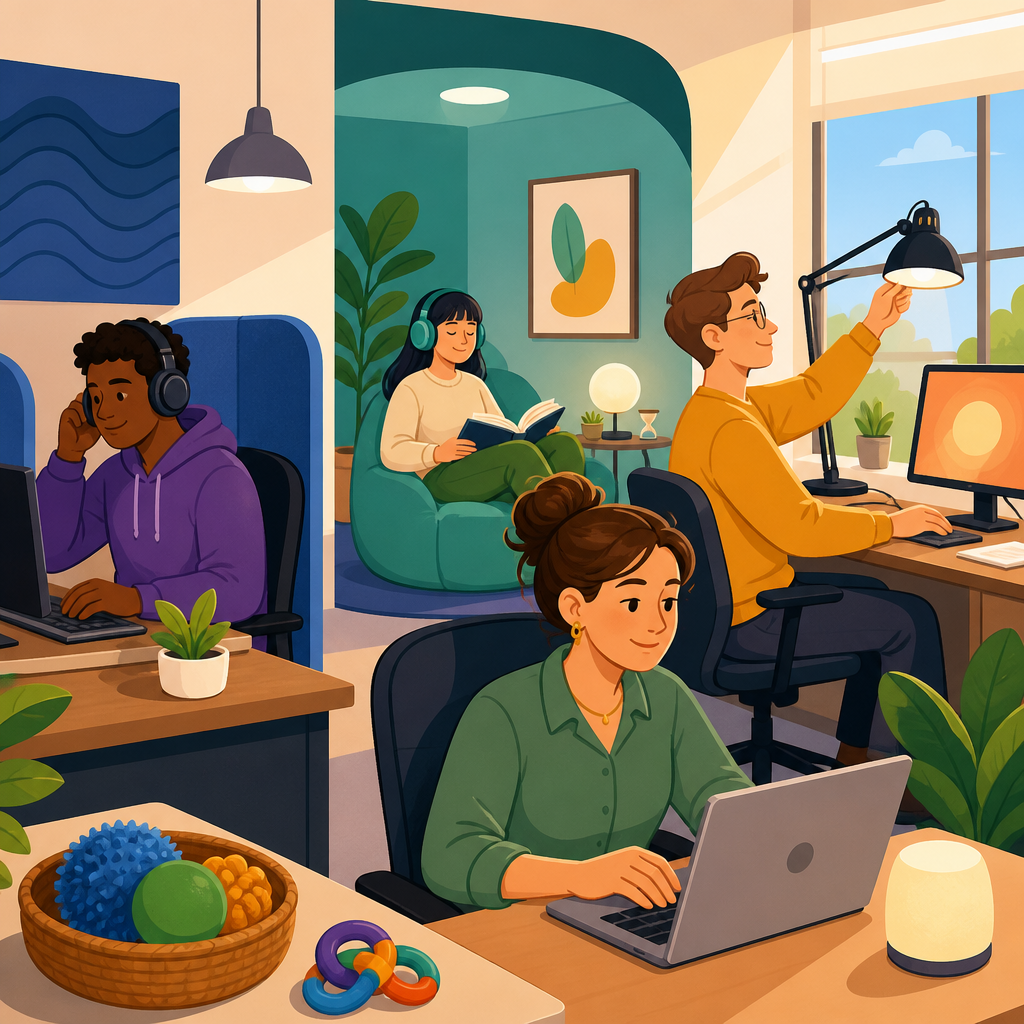
Sensory accommodations are appropriate when an environmental condition materially interferes with performing essential job functions or accessing workplace benefits on equal terms. Essential functions are the core duties of the job, not every habit attached to it. If an analyst can complete core reporting tasks in a quieter area, noise is not an incidental preference issue; it is a barrier that can be adjusted. Common examples include noise-canceling headphones where safety rules allow them, private offices or enclosed pods for focused work, white noise machines, staggered shifts to avoid peak activity, anti-glare monitor filters, indirect lighting, permission to wear hats or tinted lenses indoors when medically supported, and remote participation in meetings with captioning or written agendas.
Appropriateness depends on the job context. In a call center, a fully silent environment may be unrealistic, but acoustic panels, lower-volume alerts, and reserved quiet blocks may still be workable. In a warehouse, headphones may create a safety risk around forklifts, so visual signaling systems, quieter break locations, or reassignment of nonessential floor tasks may be better options. In healthcare, fragrance sensitivity requests can be difficult where disinfectants are required, but employers can still review product substitutions, ventilation, and scheduling. The point is not to promise every requested change. It is to identify an effective accommodation that lets the employee perform the role safely and productively.
Noise accommodations: reducing cognitive load without reducing accountability
Noise is one of the most common workplace triggers because it affects attention, speech processing, and stress levels simultaneously. Open offices, shared customer service floors, manufacturing alarms, breakroom traffic, and constant notifications create cumulative load rather than a single problem. For employees with auditory processing differences, ADHD, autism, migraines, or PTSD, intermittent noise can be worse than predictable steady sound because the brain must repeatedly reorient. I have seen performance issues labeled as timeliness or attitude disappear after simple changes such as moving a workstation away from a printer bank or replacing loud chat alerts with visual notifications.
Effective noise accommodations usually start with source control, then space, then personal equipment. Source control includes quieter keyboards, reduced speakerphone use, softer chair casters, maintenance for rattling HVAC units, and notification management. Space changes include seating away from hallways, reservable focus rooms, acoustic panels, carpet tiles, and designated no-interruption periods. Personal tools include noise-canceling headsets, single-ear options for roles requiring situational awareness, and communication protocols that shift routine questions to chat or email. Accountability still matters. Employers can set measurable expectations for response time, collaboration, and attendance while changing the sensory conditions under which work happens.
Lighting accommodations: glare, flicker, contrast, and fatigue
Lighting problems are rarely just about brightness. They often involve glare from polished surfaces, monitor contrast, flicker from aging fluorescent tubes or poorly configured LED drivers, and the mismatch between overhead lighting and screen-based tasks. Employees with migraines, post-concussion symptoms, low vision, epilepsy-related concerns, or sensory processing differences may experience eyestrain, nausea, headaches, or slowed reading speed under unsuitable lighting. In offices, I routinely find that a request framed as “turn the lights off” is really a request for targeted control: lower glare, more stable illumination, better task lighting, or different workstation placement near windows.
Practical lighting accommodations include swapping fluorescent fixtures for flicker-stable LEDs, using diffusers, adding task lamps with adjustable color temperature, repositioning desks perpendicular to windows, installing blinds, enabling dark mode where compatible with job software, and providing anti-glare screens. For low-vision employees, the correct solution may be brighter localized light and higher contrast rather than dimmer surroundings. Employers should assess whether emergency egress lighting, machine visibility, or clinical standards limit certain changes. A blanket rule rarely works. Good lighting plans match the task: proofreading requires different conditions than video editing, microscope work, patient intake, or warehouse scanning.
Privacy and medical documentation: sharing enough, not too much
Privacy is often the factor that determines whether accommodation processes feel safe. Employees generally do not need to disclose a full diagnosis to a supervisor to request a sensory accommodation. What an employer typically needs is confirmation that a medical condition or disability-related limitation exists and an explanation of the functional restriction connected to work. For example, documentation may state that the employee has a condition that substantially limits concentration in high-noise environments and would benefit from a quieter workspace, modified alert systems, and scheduled recovery breaks. It does not need to include unrelated treatment details or a complete medical history.
Medical information should be collected through the designated accommodation channel, stored separately from standard personnel files, and shared only with those who need the information to implement restrictions or ensure safety. Supervisors may need to know that an employee is approved for relocation, adjusted lighting, or modified schedules, but they usually do not need to know the diagnosis. Coworkers may notice changes and ask questions. Managers should answer without disclosing medical facts, using statements such as, “We make workplace adjustments when appropriate,” rather than explaining someone’s health condition. Strong privacy practice reduces retaliation risk and increases the likelihood that employees ask for help early, before performance declines.
How the accommodation process works in practice
The most effective accommodation process is interactive, documented, and fast enough to matter. The employee identifies a barrier, proposes a change if possible, and explains the work impact in concrete terms: missed deadlines during high-noise periods, migraines triggered by glare, or inability to join meetings in crowded spaces. The employer then evaluates essential functions, requests limited supporting documentation if needed, and explores alternatives. Trial accommodations are especially useful for sensory issues because small environmental changes can be tested quickly. A two-week seating change, a temporary lamp, or a quiet-hour policy may reveal whether the barrier has been correctly identified.
| Issue | Questions to ask | Common accommodations | Limits to review |
|---|---|---|---|
| Noise overload | Is the trigger intermittent or constant? Does speech processing or startle response matter? | Relocation, acoustic panels, headset, quiet hours, remote work | Safety rules, customer-facing needs, emergency awareness |
| Light sensitivity | Is the problem brightness, glare, flicker, or screen contrast? | Task lamp, filters, blinds, fixture changes, seating adjustment | Building controls, visibility standards, shared-space impact |
| Scent or sensory load | What triggers symptoms, and where do exposures occur? | Ventilation review, product substitution, alternate routes, schedule changes | Cleaning requirements, chemical safety, operational feasibility |
| Privacy concerns | Who needs information to implement the change? | Centralized HR process, limited disclosure, separate file storage | Emergency exceptions, legal recordkeeping duties |
Documentation should record the request date, the barrier described, the options discussed, trial periods, effectiveness, and any reasons for denial or modification. This matters if a dispute arises later over whether the employer engaged in good faith. It also improves consistency across teams. I recommend revisiting sensory accommodations after office moves, software changes, return-to-office policies, or equipment refresh cycles because conditions that were once manageable can become inaccessible again. An accommodation is not successful merely because it exists on paper; it is successful when it reliably reduces the barrier.
Remote work, hybrid work, and privacy at home
Remote and hybrid work changed the sensory accommodation landscape by giving employers more ways to reduce environmental barriers while raising new privacy questions. For some employees, working from home is the most effective noise and lighting accommodation because it allows control over sound, illumination, temperature, and breaks. For others, home environments are less predictable, and the better solution is a dedicated quiet room on-site. Remote work should therefore be evaluated as one option among many, tied to essential job duties rather than assumptions. If the job can be performed effectively from home and the office environment is the primary trigger, remote work may be a strong accommodation.
Privacy remains important in remote arrangements. Employers should be cautious about requiring video when audio or chat would serve the same purpose, especially if visual display increases sensory strain or reveals medical equipment, family circumstances, or the employee’s living space. Productivity monitoring tools can also create problems if they capture screenshots, webcam images, or detailed activity logs beyond what is necessary. A balanced policy defines outcomes, communication expectations, and security standards without turning accommodation into surveillance. When remote work is approved, employers should document any equipment provided, reimbursement rules, and how confidential medical information will remain separated from routine technology records.
Common mistakes employers and employees make
The most common employer mistake is treating sensory requests as personal preferences until performance drops. By then, trust is already damaged, and the employee may have used leave, made errors, or resigned. Another mistake is insisting on a perfect medical label before making any change. Many effective accommodations can be tested immediately while documentation is pending. Employers also go wrong when they rely on one-size-fits-all rules such as banning all headphones, fixing thermostat and lighting settings for everyone, or forcing all accommodation requests through a manager with no training in confidentiality. Poorly trained supervisors can unintentionally disclose medical information or frame the request as special treatment.
Employees also make avoidable mistakes. Some wait too long to connect symptoms to specific workplace triggers, making the request sound vague. Others overshare diagnoses when a focused description of functional limitations would be enough. The strongest requests explain the barrier, the task affected, and one or two practical adjustments. For example: “Overhead glare triggers migraines and slows data review; a monitor hood, seating change, and adjustable task light would likely resolve it.” Employees should keep copies of emails, forms, and medical notes, and follow up after trial periods with objective feedback. Clear records help everyone assess whether the accommodation is working.
Building a workplace that prevents sensory barriers
The best accommodation program does more than react to individual requests. It builds environments that are usable by more people from the start. That means including acoustic planning in office design, specifying flicker-stable lighting in facilities standards, offering captions by default in meetings, publishing quiet-space rules, and training managers on confidentiality and respectful communication. Procurement teams should evaluate headsets, monitors, software themes, and furniture not only for cost but for sensory impact. Facilities, HR, IT, and legal all play a role. When these functions work in isolation, employees get fragmented solutions. When they coordinate, access becomes routine rather than exceptional.
As the hub for employment accommodations and privacy, this topic connects to schedule flexibility, assistive technology, leave coordination, disclosure strategy, retaliation prevention, and recordkeeping. The central lesson is simple: sensory barriers are real workplace barriers, and they can often be reduced with precise, low-cost changes when employers listen carefully and protect privacy. Employees do not need to sacrifice dignity to get support, and employers do not need to choose between productivity and accommodation. Review your current process, identify where noise, lighting, and disclosure practices are creating friction, and update one policy or workspace this month to make access easier.
Frequently Asked Questions
What are sensory accommodations in the workplace, and why do they matter?
Sensory accommodations are practical adjustments that reduce barriers caused by sound, lighting, touch, smell, temperature, or visual overload in a work setting. They matter because many employees are expected to perform in environments that were not designed with sensory differences in mind. A workspace that is too loud, too bright, heavily scented, visually cluttered, or physically overstimulating can interfere with concentration, communication, stamina, and overall job performance. For some employees, these conditions create mild distraction. For others, they can cause headaches, fatigue, sensory overload, anxiety, reduced productivity, missed work, or difficulty participating in meetings and daily tasks.
In practice, sensory accommodations can include quieter work areas, noise-reducing headsets, task lighting, dimmable bulbs, screen filters, flexible scheduling, remote or hybrid work options, fragrance-sensitive practices, adjusted dress code expectations, or modified workspace layouts. The goal is not to provide a special privilege. It is to remove a workplace barrier so the employee can perform essential job duties effectively and safely. Because sensory conditions affect people throughout the workday, these accommodations often have a direct impact on attendance, accuracy, morale, retention, and dignity at work.
They also matter from a broader employment and compliance perspective. Employers are often required to consider reasonable accommodations when an employee’s medical condition, disability, or related limitation affects their ability to work in the existing environment. Even outside formal legal frameworks, employers that address sensory needs thoughtfully often see better engagement and fewer preventable conflicts. A well-managed sensory accommodation can improve productivity for the individual employee while creating a more inclusive and functional workplace for everyone.
What types of noise accommodations can help employees focus and work more comfortably?
Noise accommodations are among the most common and effective sensory adjustments because sound affects concentration, communication, stress levels, and fatigue. In many workplaces, background conversations, ringing phones, HVAC systems, equipment noise, alarms, music, and foot traffic create an ongoing layer of disruption. For employees with migraines, autism, ADHD, PTSD, hearing conditions, anxiety, traumatic brain injuries, or other sensory-related needs, that constant noise can become a major barrier to performing essential job functions.
Helpful noise accommodations vary depending on the job and the source of the disruption. Common options include moving the employee to a quieter workspace, providing a private office or enclosed area when available, installing sound-absorbing panels or partitions, allowing noise-canceling headphones when job duties permit, modifying where meetings take place, or changing work schedules so tasks that require intense concentration can be completed during quieter hours. Some employers also adjust team practices by reducing unnecessary speakerphone use, designating quiet zones, limiting overhead announcements, or creating predictable times for collaborative discussion versus heads-down work.
The best solution usually depends on the employee’s actual work tasks. For example, if the employee needs to hear customers or safety alerts, full noise cancellation may not be appropriate, but relocating the workstation or using selective sound reduction could help. If the employee’s work is highly analytical or writing-intensive, a flexible schedule or remote work arrangement may be more effective than equipment alone. What matters most is an individualized, practical assessment of what noise is interfering with work and which changes would reduce that barrier without creating undue hardship or safety issues. When handled well, noise accommodations can significantly improve accuracy, focus, and day-to-day comfort.
How can lighting be adjusted as a workplace accommodation without disrupting business operations?
Lighting accommodations can often be implemented with relatively simple changes, yet they can have a major effect on an employee’s ability to work comfortably and consistently. Bright fluorescent lights, glare from windows, screen reflections, flicker, and harsh overhead lighting can trigger migraines, eye strain, fatigue, dizziness, sensory overload, or difficulty concentrating. Employees with neurological conditions, visual impairments, post-concussion symptoms, autism, lupus, and other health conditions may be especially affected by lighting that others barely notice.
Common lighting accommodations include turning off or reducing overhead lights in a specific area, using lamps or task lighting instead of full-room lighting, installing dimmers where possible, repositioning a workstation away from direct glare, using anti-glare screen filters, closing blinds or adding window coverings, allowing tinted lenses when safe and appropriate, or permitting remote work when a controlled home environment is more manageable. Sometimes the most effective adjustment is not expensive at all. Simply moving a desk, changing bulb type, or designating a workspace with more natural or indirect light can make a meaningful difference.
Employers do not have to redesign an entire building to respond appropriately. The key is to identify the specific lighting issue and look for a targeted solution that supports the employee’s work while preserving operational needs. For instance, a customer-facing retail area may need to remain brightly lit for safety and business reasons, but the employee might still be accommodated through scheduling, use of a less visually intense back-office space for certain tasks, or modified break timing to reduce symptom escalation. Good lighting accommodations are usually collaborative, flexible, and practical. They focus on enabling performance rather than forcing the employee to endure an environment that unnecessarily worsens symptoms.
How should employers handle privacy when an employee requests noise, lighting, or other sensory accommodations?
Privacy is a central concern in any accommodation process, especially when the request relates to sensory issues that may stem from a medical condition, disability, or mental health need. Employers should focus on functional limitations and workplace solutions rather than demanding unnecessary personal details. In most cases, managers and human resources professionals only need enough information to understand that the employee has a legitimate work-related need and to evaluate effective accommodation options. They do not need broad access to the employee’s diagnosis, full medical history, or private personal circumstances unless that information is truly necessary for the accommodation review.
Information about an accommodation request should be shared only with those who need it to implement or assess the request. For example, a facilities team might need to know that a workstation should be relocated, but not why in medical terms. A supervisor may need to understand that the employee should not be assigned to a certain sensory-heavy area, but does not need confidential health details beyond what is necessary to manage the work. Employers should keep any medical documentation separate from regular personnel files and communicate with care when coworkers ask questions. A simple explanation such as “workspace assignments are based on business and employee needs” is usually more appropriate than revealing private information.
Respecting privacy also supports trust. Employees are more likely to ask for help early, before performance or attendance problems worsen, if they believe the process will be handled discreetly and professionally. At the same time, privacy should not become an excuse for inaction. Employers can protect confidentiality while still engaging in a timely, interactive process to identify practical accommodations. A thoughtful approach balances legal obligations, workplace functioning, and the employee’s right to dignity and control over sensitive personal information.
What should an employee or employer do if sensory accommodations are needed, but the right solution is not obvious at first?
When the right accommodation is not immediately clear, the best next step is a structured, good-faith interactive process. That means identifying the specific barrier, discussing when and where the problem occurs, and exploring options based on the employee’s actual job duties. Sensory issues are highly individual. One employee may need reduced overhead lighting, while another may function well with the same lighting but struggle with intermittent noise or strong fragrances. Because of that, effective accommodations are often developed through conversation, trial adjustments, and follow-up rather than one quick decision.
Employers should ask practical questions: What environmental factor is interfering with work? Which tasks are hardest to perform under current conditions? Are there times of day, locations, or equipment setups that make symptoms worse? What changes has the employee found helpful before? Temporary measures can be especially useful while a longer-term solution is evaluated. For example, an employer might allow a temporary move to a quieter desk, approve remote work on a short-term basis, provide a desk lamp, adjust break timing, or test a fragrance-reduction practice in a shared area. These interim steps can reduce harm while both sides assess what actually works.
Documentation and follow-up matter as well. Employers should keep track of the request, the options considered, any medical support provided where appropriate, and the reasons for approving or rejecting particular solutions. Employees should communicate honestly about whether a trial accommodation is effective or whether it only partially addresses the problem. The goal is not perfection on day one. It is a reasonable, workable adjustment that allows the employee to perform essential functions and participate fully in the workplace. In many cases, a solution emerges through careful observation and flexibility, especially when both sides stay focused on removing barriers rather than debating labels.