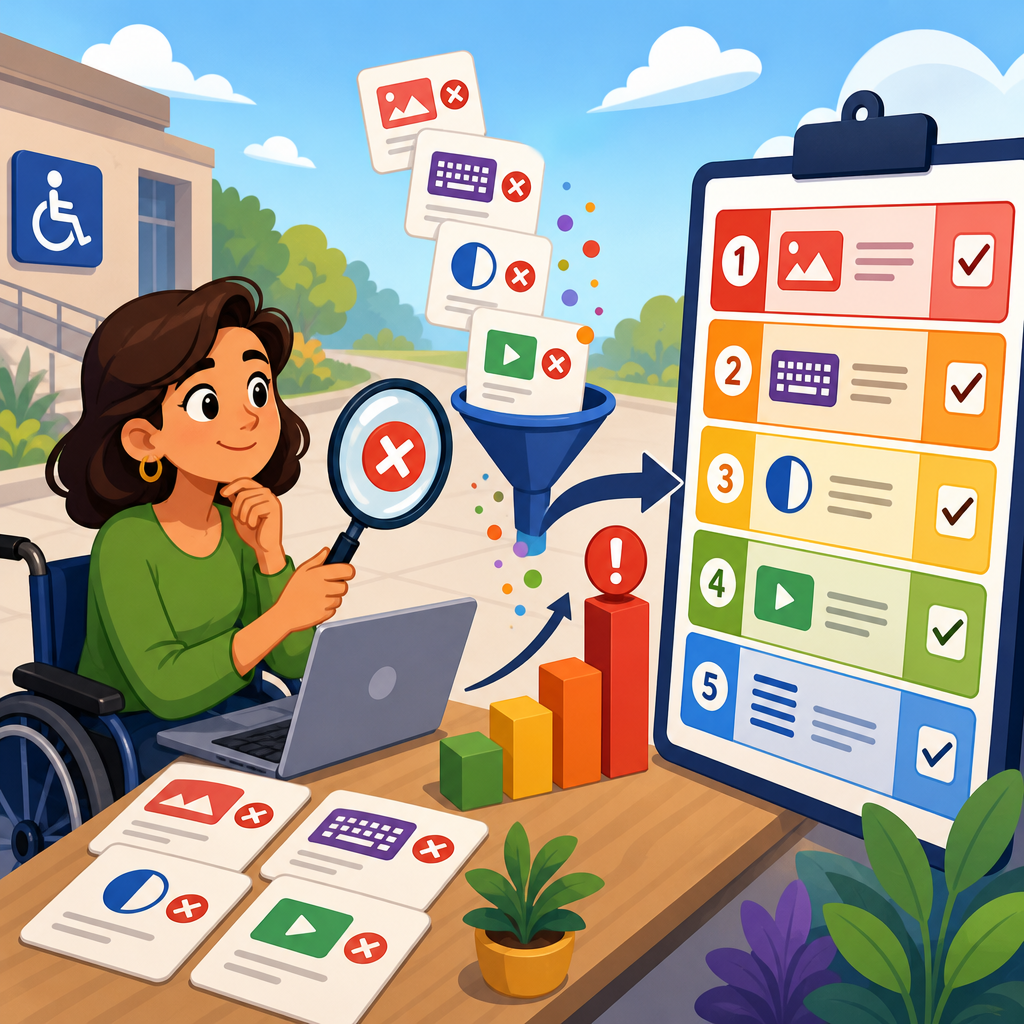
How to Turn ADA Audit Findings Into a Risk-Ranked Remediation Plan starts with a simple truth: an accessibility audit only creates value when its findings are translated into prioritized action. In ADA compliance work, teams often receive a long spreadsheet of issues, code references, screenshots, and severity labels, then stall because they do not know what to fix first, who should own each item, or how to justify budget. I have seen this pattern across ecommerce sites, universities, healthcare portals, and SaaS platforms. The audit is complete, but the remediation plan is missing.
An ADA audit, in practical digital terms, is a structured review of websites, apps, documents, and user flows against accessibility requirements and accepted technical standards. In the United States, the legal driver is the Americans with Disabilities Act, while the operational benchmark for most digital teams is WCAG 2.1 or 2.2 Level AA. Compliance tools such as axe DevTools, WAVE, ARC Toolkit, Siteimprove, Lighthouse, Adobe Acrobat Accessibility Checker, and screen readers like JAWS, NVDA, and VoiceOver help identify failures. Those findings can include missing form labels, keyboard traps, low color contrast, inaccessible PDFs, unlabeled buttons, poor focus order, and video content without captions.
Turning those findings into a risk-ranked remediation plan matters because not all defects carry the same legal, operational, or user impact. A missing alternative text field on a decorative image is not equivalent to a checkout button that cannot be activated by keyboard. A single inaccessible template can affect thousands of pages, while a one-off error may have limited exposure. Organizations that rank issues by risk make faster decisions, reduce legal exposure, protect revenue, and improve access for disabled users in the places that matter most. A good hub strategy for ADA audits and compliance tools also connects policy, testing, design systems, development workflows, vendor management, training, and ongoing monitoring. That is how audit findings become measurable progress instead of static documentation.
Start by normalizing audit findings into a usable inventory
The first step is to convert raw audit outputs into a single remediation inventory. Most audits produce findings from several sources: automated scans, manual keyboard testing, screen reader testing, PDF review, mobile testing, and user journey analysis. If those results live in separate reports, teams cannot compare issues consistently. I consolidate them into one backlog with standard fields: issue ID, affected asset, user journey, page template, component, WCAG success criterion, severity, user impact, legal exposure, effort estimate, owner, dependency, and status.
This normalization step sounds administrative, but it determines whether remediation can be governed. For example, if ten pages show the same unlabeled search button caused by one shared header component, that should be logged as one component-level defect with a known blast radius, not ten unrelated tickets. If a PDF issue appears in a benefits guide downloaded 50,000 times per year, the usage context belongs in the record. If a mobile app defect affects only Android and only a secondary feature, that limitation should be explicit. A clean inventory prevents duplicate work and makes risk scoring credible.
At this stage, distinguish between defects, observations, and enhancement opportunities. A defect is a documented failure against a standard or requirement. An observation is a usability concern that may not violate WCAG but still harms access, such as confusing link text. An enhancement is a forward-looking improvement, like adding live region messaging for smoother status updates. Mixing these categories inflates backlog size and confuses executives. The inventory should show what is legally required, what is strongly recommended, and what is strategic.
Define risk using impact, exposure, and effort together
Risk ranking works best when it is based on a repeatable model rather than instinct. In practice, I score findings across three dimensions: user impact, business exposure, and remediation effort. User impact measures how severely the issue blocks or degrades access for disabled users. Business exposure measures where the issue appears and what consequences follow, including legal risk, transaction loss, brand damage, or failure in a regulated environment. Effort measures the complexity, dependencies, and testing burden required to fix and verify the issue.
High user impact issues usually block core tasks: logging in, applying for a job, completing a purchase, paying a bill, booking an appointment, reading required disclosures, or submitting a form. High business exposure issues often appear on high-traffic pages, revenue paths, or public services. Effort must be included because a risk-ranked plan is not just a list of the worst problems; it is a sequence of actions that creates the greatest reduction in risk per sprint or release. Sometimes a medium-severity defect affecting a universal template should be fixed before a severe issue on one low-traffic page because the broader fix removes hundreds of failures at once.
| Criterion | Low | Medium | High |
|---|---|---|---|
| User impact | Minor inconvenience, workaround exists | Task degraded for some users | Task blocked or content unavailable |
| Business exposure | Low-traffic or internal asset | Important public content or common workflow | Revenue, enrollment, payment, or legal notice path |
| Remediation effort | Single-content or simple code fix | Shared component or moderate QA needs | Architecture, vendor, or design-system dependency |
This kind of matrix gives teams a consistent language. It also helps when legal, compliance, product, design, engineering, and procurement disagree on priorities. Risk is no longer abstract. It is documented, scored, and tied to business reality.
Prioritize by user journey, not only by page-level severity
One of the most common mistakes in ADA audits and compliance tools programs is prioritizing findings purely by severity labels generated by scanners or auditors. Severity matters, but user journey matters more. A broken skip link on a marketing page and an unlabeled field in checkout might both be marked serious, yet the checkout issue belongs first because it interrupts a revenue-critical journey and creates direct exclusion. Likewise, inaccessible authentication can block every downstream task, even if the number of defects on the login page is small.
Map each finding to a task-based journey such as discover, compare, register, transact, learn, or request support. Then ask direct questions. Can a keyboard-only user complete the task? Can a screen reader user identify form controls, errors, and confirmations? Can a low-vision user perceive focus, contrast, zoom behavior, and reflow? Can a deaf or hard-of-hearing user access required audio and video information? Can a user with cognitive disabilities understand instructions, error recovery, and time limits? The findings that break these journeys rise to the top because they represent actual service denial, not just technical nonconformance.
Real-world examples make this clear. On a university site, inaccessible program PDFs may be urgent if applicants rely on them for deadlines and requirements. On a hospital portal, unlabeled refill request controls can be more critical than contrast errors on a news page. On an online retailer, focus loss after adding items to cart can materially reduce conversions. Risk-ranked remediation should mirror how people use the product, not just how a report is sorted.
Group issues by template, component, and source system
Efficient remediation depends on finding the root source of each issue. I usually regroup audit findings three ways: by page template, by reusable component, and by source system. Template grouping surfaces defects repeated across article pages, product detail pages, search results, or account dashboards. Component grouping identifies issues in nav menus, carousels, modals, accordions, form fields, date pickers, and error summaries. Source-system grouping separates what is controlled in the CMS, design system, ecommerce platform, mobile codebase, marketing automation tool, or third-party widget.
This approach changes planning dramatically. If an accordion fails keyboard interaction on 180 pages because of one shared JavaScript pattern, one component ticket plus one regression plan may eliminate dozens of findings. If low contrast occurs because of a design token in the system library, the best fix is at the token level, followed by visual QA. If inaccessible PDFs originate from a content operations process, the remediation plan needs document templates, author training, and Acrobat remediation standards, not only engineering time.
Grouping also reveals ownership. Product engineering should own code defects in core applications. Brand or UX should own color and component specifications. Content teams should own headings, link purpose, alt text, and document publishing quality. Procurement or vendor management may need to engage a third-party provider when an embedded scheduler or payment form is inaccessible. Without this ownership map, high-risk findings linger because everyone assumes someone else will fix them.
Assign deadlines based on legal and operational urgency
Not every organization needs the same remediation timeline, but every plan needs explicit deadlines. I recommend three horizons. Immediate actions cover critical blockers in essential services and should move into the next patch or sprint. Near-term actions address high-risk template and component issues within a defined quarter. Longer-term actions cover structural platform changes, legacy archives, or vendor replacements that require budget cycles and governance approval.
Legal urgency should influence these deadlines. Public entities, educational institutions, healthcare organizations, financial services, and employers often face heightened scrutiny because inaccessible digital services can restrict access to essential rights or obligations. If there is an active complaint, demand letter, settlement requirement, or procurement certification deadline, remediation timing tightens. Operational urgency matters too. A broken onboarding flow before peak enrollment season is more urgent than the same issue in an off-cycle feature.
The plan should state due dates, responsible owners, dependencies, and acceptance criteria. “Fix contrast issues” is not actionable. “Update primary button token from 3.2:1 to at least 4.5:1 across authenticated web app, validate with axe and manual focus-state review, owner design systems team, target release 6.4” is actionable. Specificity prevents drift and supports executive oversight.
Use compliance tools for verification, not just discovery
ADA audits and compliance tools are often treated as front-end scanners, but the stronger use case is verification throughout remediation. Automated tools catch only part of the accessibility picture, yet they are excellent for confirming recurring rules at scale. After fixes are deployed, rerun axe DevTools or enterprise scanners against affected templates, compare issue counts, and document deltas. For PDFs, use Acrobat’s checker and manual tag review. For mobile, use platform inspectors plus VoiceOver and TalkBack validation. For interactive flows, manual testing remains mandatory.
I advise teams to pair each remediation ticket with a verification method before work starts. For example, a form-label defect may require automated scan clearance, keyboard test, screen reader test in NVDA with Firefox, and retest of error messaging. A modal dialog issue may require focus trap validation, accessible name checks, announcement behavior, and escape key confirmation. This predefinition reduces disputes at QA because everyone knows what “done” means.
Dashboards also matter. Siteimprove, Monsido, DubBot, Deque, and similar platforms can trend issue counts over time, but raw counts should never be the sole success measure. A plan is succeeding when critical journey blockers are removed, shared components are stabilized, and new defects are prevented from reentering production. Verification should prove reduced risk, not just reduced alerts.
Build governance that keeps the backlog from returning
A remediation plan fails if the same findings reappear next release. Sustainable ADA compliance requires governance embedded in design, development, content operations, and procurement. In practice, that means adding accessibility acceptance criteria to user stories, requiring design reviews for focus order and contrast, integrating automated tests into CI pipelines, training content authors on heading structure and link purpose, and reviewing vendor VPATs with skepticism rather than acceptance at face value.
Design systems are one of the highest-leverage controls. When buttons, dialogs, tabs, forms, and notification patterns are accessible by default, product teams stop recreating common defects. Engineering standards should reference semantic HTML, ARIA only when necessary, visible focus indicators, keyboard support, and error handling patterns aligned with WCAG. Content governance should define plain language, alt text decision rules, document accessibility workflows, and captioning requirements. Executive governance should require reporting on unresolved critical issues, aging backlog items, and exceptions accepted with rationale.
When organizations treat audit findings as isolated cleanup, costs stay high. When they convert findings into governed operating standards, each audit gets shorter, legal exposure drops, and implementation quality improves. That is the real benefit of a risk-ranked remediation plan. It gives teams a defensible way to act now, allocate resources intelligently, and build a more accessible digital estate over time.
The strongest ADA audits and compliance tools programs do not end with a report; they begin there. First, turn scattered findings into a normalized inventory with clear categories and ownership. Next, rank issues using a consistent model that weighs user impact, business exposure, and remediation effort. Then prioritize by real user journeys, group fixes at the template and component level, assign deadline tiers, and verify changes with both automated and manual testing. Finally, hardwire governance so the same defects do not keep returning.
This approach works because it balances legal reality with implementation reality. It recognizes that some issues block access immediately, some spread through shared systems, and some require longer structural change. It also acknowledges that compliance is not achieved by scanners alone. Durable progress comes from coordinated design, engineering, content, QA, procurement, and leadership decisions. A risk-ranked remediation plan makes those decisions visible, defensible, and measurable.
If you are building out a compliance and implementation program, use this page as the hub for your ADA audit process, tool selection, prioritization model, and remediation governance. Start with your highest-risk journeys, document ownership for every finding, and move the first critical fixes into the next release cycle. That is how accessibility work stops being a backlog and starts becoming operational progress.
Frequently Asked Questions
1. What does it mean to turn ADA audit findings into a risk-ranked remediation plan?
Turning ADA audit findings into a risk-ranked remediation plan means moving beyond a raw list of accessibility issues and converting that list into an ordered, defensible action strategy. An audit typically identifies barriers such as missing form labels, poor keyboard access, low color contrast, inaccessible PDFs, unlabeled buttons, or media without captions. On their own, those findings are useful, but they do not tell an organization what to fix first, which issues create the greatest legal exposure, or which teams need to be involved. A risk-ranked plan solves that problem by assigning priority based on real business impact rather than simply reacting to the longest or most technical spreadsheet.
In practice, risk-ranking combines several factors. The first is user impact: does the issue prevent someone from completing a critical task such as logging in, checking out, requesting care, applying for admission, or filling out a form? The second is scope: is the issue isolated to a single page, or does it affect an entire template, system, or user journey? The third is legal and compliance significance: does the issue relate to a core WCAG failure that commonly appears in complaints, demand letters, or litigation? The fourth is operational complexity: can it be fixed quickly in a shared component, or does it require deep redevelopment across multiple systems? When these factors are evaluated together, organizations can create a roadmap that addresses the highest-risk accessibility barriers first while also making efficient use of budget and internal resources.
A strong remediation plan also assigns ownership, deadlines, validation steps, and success criteria. That means each issue is not just marked “high” or “medium,” but tied to a responsible team such as design, engineering, content, procurement, or document services. It should also define how the fix will be tested and what evidence will show that the issue is resolved. This is what turns accessibility from a static audit report into an operational plan that leadership can approve, teams can execute, and auditors or legal stakeholders can understand.
2. How should teams decide what accessibility issues to fix first?
Teams should fix accessibility issues first based on a combination of user harm, business criticality, legal exposure, and remediation efficiency. One of the most common mistakes is relying only on the severity label from the audit report. Severity is important, but by itself it can be too narrow. For example, a moderate-severity issue on a checkout template used across thousands of product pages may create more actual risk than a severe issue on a low-traffic archived page. The better approach is to evaluate each finding in context.
Start by identifying the most important user journeys on the site or application. These usually include tasks such as account creation, search, navigation, product selection, checkout, appointment scheduling, financial transactions, application submission, and access to required information. Any issue that blocks or substantially impairs those journeys should move to the top of the list. Next, look at issue frequency and reuse. Accessibility defects in shared components such as headers, menus, modals, carousels, form frameworks, and design system elements often deserve early attention because a single fix can eliminate dozens or hundreds of repeated failures.
It is also important to consider audience and organizational risk. A healthcare provider, university, retailer, or public-facing service organization may have different high-priority areas based on how users interact with the site and what services are essential. For example, barriers affecting patient portals, admissions processes, payment systems, or course registration should usually be elevated because they affect access to essential services. Teams should also account for known complaint history, traffic volume, and whether the content or function is required by law, policy, or customer expectation.
Finally, balance urgency with practicality. Quick wins should not replace critical fixes, but they do have value. If a development team can resolve widespread alt text gaps, button name issues, or keyboard traps in a short time, those improvements can reduce risk quickly while larger structural work is planned. The most effective organizations create a scoring model that weights impact, scope, legal significance, and effort, then use that model consistently to justify prioritization decisions.
3. What factors should be included in a risk-ranking model for ADA remediation?
A useful risk-ranking model should include more than technical severity. At minimum, it should account for user impact, task criticality, issue prevalence, legal significance, and implementation effort. These categories help organizations sort findings in a way that reflects both compliance reality and operational constraints. Without a structured model, teams often default to subjective decision-making, which can delay progress and make budgeting harder to defend.
User impact measures how seriously the issue affects people with disabilities. Does it create inconvenience, or does it stop task completion altogether? For example, an unlabeled icon may cause confusion, while an inaccessible form field, broken keyboard flow, or missing error identification may prevent someone from completing a transaction. Task criticality looks at where the issue appears. Problems in login flows, payment paths, medical intake forms, application portals, and navigation systems usually carry more weight than issues on low-value informational pages.
Issue prevalence measures how broadly the barrier appears. A defect embedded in a reusable component or content template should generally rank higher than a one-off problem because the user impact multiplies across the site. Legal significance refers to whether the issue maps to well-established accessibility requirements and commonly cited WCAG failures. While all valid findings matter, some issues are more likely to draw scrutiny because they directly affect equal access to core services. Implementation effort should also be considered, not because difficult fixes should be avoided, but because planning needs to reflect available resources, dependencies, and sequencing. A hard but high-risk issue may need immediate executive visibility even if it takes longer to resolve.
Many organizations also add business metrics such as page traffic, conversion value, complaint history, support burden, and reputational sensitivity. The goal is not to create an overly complex formula, but to establish a repeatable system that helps stakeholders understand why one issue is ranked above another. When documented properly, a risk-ranking model improves communication among accessibility specialists, legal teams, product owners, and executives, and it creates a clear record of good-faith remediation planning.
4. Who should own ADA remediation work after an accessibility audit is complete?
ADA remediation should never sit with one person or one department alone. After an audit, ownership needs to be distributed across the teams that control design, code, content, documents, procurement, quality assurance, and governance. Accessibility issues show up in many forms, and they cannot be resolved efficiently if all responsibility is pushed onto a single compliance lead or developer. The most effective model is coordinated ownership: one central accessibility leader or working group manages prioritization and standards, while functional teams take responsibility for fixing the issues within their control.
Engineering typically owns code-level defects such as keyboard interaction failures, semantic markup problems, ARIA misuse, focus management issues, inaccessible components, and form behavior defects. Design teams should own problems related to color contrast, focus indicators, component behavior patterns, visual cues, and interaction models that create barriers before development even begins. Content teams often need to address heading structure, link purpose, alt text, table formatting, captions coordination, and plain-language clarity. If the organization publishes PDFs or other downloadable resources, document owners or communications teams should be responsible for document accessibility. Procurement or vendor management may also need to be involved when inaccessible third-party platforms, widgets, or software contribute to the findings.
Executive sponsorship is equally important. Many remediation plans stall not because teams disagree with the findings, but because no one has authority to allocate time, set deadlines, or resolve competing priorities. Senior leadership should help establish expectations, approve budget where needed, and require status reporting. Product managers or project managers can then translate the ranked findings into delivery schedules, sprint work, and release planning.
To avoid confusion, every issue in the remediation plan should have a named owner, target date, dependency notes, and validation path. If an item spans multiple teams, one person should still be accountable for coordination. Clear ownership turns an audit from an abstract compliance exercise into a manageable operational program with measurable progress.
5. How can organizations justify budget and timelines for accessibility remediation?
Organizations can justify budget and timelines for accessibility remediation by framing the work as risk reduction, service access improvement, and operational efficiency rather than as a purely technical cleanup project. Decision-makers are far more likely to fund remediation when they understand what is at stake. That includes potential legal exposure, customer or student frustration, lost conversions, increased support costs, reputational damage, and the exclusion of people trying to access essential services. A risk-ranked remediation plan provides the structure needed to make that case clearly.
Start by organizing findings into business-relevant categories. Show which issues affect critical user journeys, which defects are repeated across templates or systems, and which items require cross-functional investment. Then connect those findings to practical outcomes. For example, fixing shared navigation and form components may reduce barriers across dozens of pages at once. Repairing checkout, patient intake, registration, or application workflows may directly protect revenue or access to services. Improving accessibility in design systems can reduce future rework and prevent the same defects from being reintroduced.
Timelines should be realistic and phased. Not every issue can or should be fixed at once. A common and defensible approach is to break the work into immediate, near-term, and long-term





