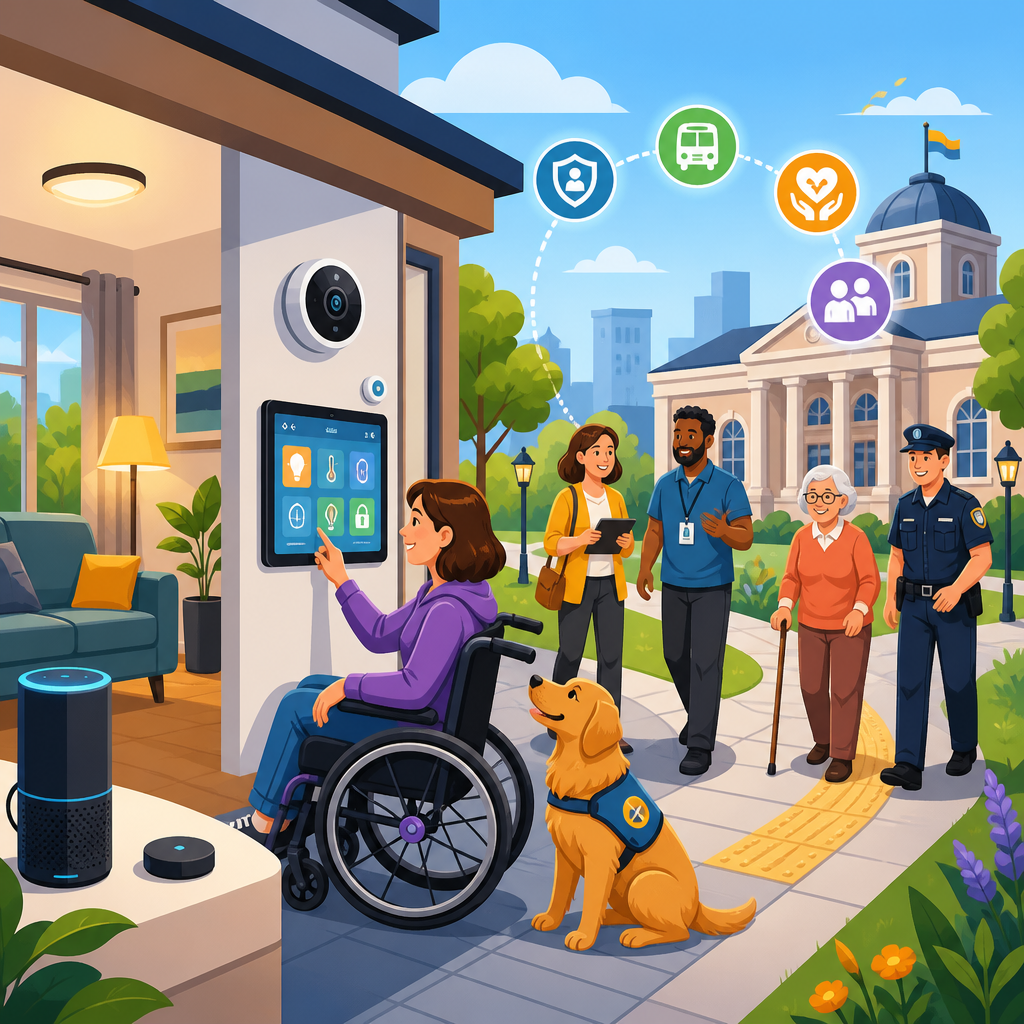
Smart home accessibility lessons that public services can borrow start with a simple truth: technology works best when it removes friction before a person has to ask for help. In homes, that principle has transformed daily life for older adults, disabled people, neurodivergent users, and anyone managing temporary injury or fatigue. Voice assistants turn lights on without reaching for a switch. Automated blinds reduce glare for people with migraines or low vision. Video doorbells add safety for deaf users who may miss a knock. These are not luxury features alone. They are practical accessibility tools, and public services can learn a great deal from how they are designed, deployed, and improved.
Accessibility in this context means designing environments, services, and interfaces so people with different physical, sensory, cognitive, and communication needs can use them independently and with dignity. A smart home is a living space enhanced by connected devices, sensors, automation routines, and digital controls. Public services include transport, libraries, clinics, schools, housing offices, benefits systems, emergency response, and municipal websites. The connection matters because both worlds serve people in real conditions, not idealized ones. I have seen this firsthand in digital service projects where a feature considered “nice to have” at first became essential once teams observed how real users navigated entrances, forms, queues, announcements, and support channels.
The lesson is not that city halls should copy consumer gadgets blindly. It is that smart home accessibility has forced designers to solve problems public institutions still treat as edge cases: inconsistent interfaces, lack of redundancy, inaccessible alerts, setup complexity, and poor personalization. When a resident cannot use a heating app, the result is discomfort. When a patient cannot use a clinic kiosk or a citizen cannot understand a benefits portal, the result can be missed care, lost income, or exclusion from civic life. This hub article maps the most important ideas within innovative solutions in technology and accessibility, showing which smart home patterns transfer well to public services, where the risks sit, and how organizations can implement them responsibly.
Several core terms shape this discussion. Universal design means creating systems usable by the widest possible range of people without special adaptation. Assistive technology refers to tools such as screen readers, hearing aids, switch devices, eye tracking, and augmentative communication systems. Interoperability means devices and platforms work together through shared standards. Inclusive design emphasizes involving people with diverse needs throughout research, testing, and iteration. These concepts are already visible in leading smart home ecosystems from Apple Home, Google Home, Amazon Alexa, Samsung SmartThings, and open platforms such as Home Assistant. Public service leaders do not need to replicate those brands. They do need to understand the design logic behind them.
What smart homes teach about accessibility by default
The strongest lesson from smart homes is that accessibility improves outcomes when it is built into the default experience rather than hidden in a specialist menu. In many homes, the same feature supports multiple groups at once. Voice control helps a wheelchair user who cannot reach a thermostat, a parent holding a child, and an older adult with arthritis. Motion-triggered lighting supports someone with low vision, someone using crutches, and anyone carrying bags. That is universal design in practice: one flexible solution, many beneficiaries.
Public services often separate “standard” and “accessible” pathways. A building may have a grand front staircase and a side entrance ramp. A website may offer a sleek app and a clumsy text-only alternative. Smart home products increasingly avoid that split by making core controls multimodal. A lamp can be controlled by touch, app, voice, schedule, or sensor. Public services should do the same. Ticket machines, check-in systems, and information points should offer equivalent input methods from the start: tactile controls, screen reader compatibility, plain language prompts, speech output, and high-contrast displays. Equality is not an add-on lane. It is parity in the main lane.
Another important principle is graceful failure. In well-designed homes, automation does not strand the user when Wi-Fi drops. There is usually a manual switch, physical override, battery backup, or local routine. Public services need similar resilience. A digital identity platform should still allow in-person verification. A bus stop display should be paired with audio announcements and SMS options. A hospital self-service kiosk should always have immediate staff fallback. Accessibility is not merely successful use under ideal conditions; it is safe, understandable use when networks fail, stress rises, or the user is unfamiliar with the system.
Multimodal interfaces improve independence
Smart home accessibility has advanced because manufacturers learned that no single interface works for everyone. Touchscreens can frustrate users with tremor. Voice systems fail in noisy rooms or for people with speech differences. Mobile apps are inaccessible when text is too small or workflows depend on hidden gestures. The best systems layer options. A user might unlock a door with a code, phone, key fob, fingerprint, or remote approval. That redundancy is not waste. It is accessibility architecture.
Public services can borrow this model directly. Consider a local government service center. Appointment check-in should be possible through a staffed desk, accessible kiosk, QR code, SMS reply, or pre-arrival phone confirmation. Consider transport. Route information should appear visually, be announced audibly, and remain available in a lightweight mobile format that works with screen readers and low bandwidth. Consider emergency communications. Alerts should use push notifications, text messages, voice calls, captioned video, and plain-language web updates. During severe weather or evacuation, one channel will inevitably fail for some users.
In practice, multimodal design also reduces stigma. When everyone can choose among several methods, disabled people are not singled out for “special handling.” I have watched usability sessions where participants relaxed noticeably once they realized they could switch from touch input to speech or from dense text to guided prompts. Public services that offer this flexibility signal competence and respect. They also reduce staff burden because fewer users get stuck at the first interaction point.
Automation, personalization, and context awareness
Smart homes are valuable not only because users can control devices, but because devices can respond to context. Presence sensors can trigger hallway lights at night. Smart speakers can announce medication reminders. Thermostats can adapt to occupancy patterns. For accessibility, context awareness matters because many barriers are situational. A person may need larger text only in bright sunlight, silence only during sensory overload, or extra time only when fatigued. Public services rarely adapt that well.
Borrowing this lesson does not require intrusive surveillance. It means designing systems that remember preferences and respond to environmental signals with consent. A library self-service terminal could store a user’s chosen contrast level, language, reading speed, and output mode. A hospital portal could keep captioning on by default for a patient who previously enabled it. A transport app could prioritize step-free routes automatically. A municipal building could use occupancy data to reduce queue congestion and trigger staff support when wait times exceed agreed thresholds.
Personalization must remain transparent and reversible. Smart home systems frustrate users when hidden automations fire unexpectedly. The same risk applies in public settings. If a kiosk suddenly changes layout based on guessed user behavior, trust collapses. Good design makes rules visible: “You selected audio guidance last time. Use again?” It also provides immediate override. Context awareness should support autonomy, not replace it.
| Smart home pattern | Public service application | Accessibility benefit |
|---|---|---|
| Voice plus app plus manual control | Service booking by phone, web, kiosk, or in person | Equivalent access across physical, sensory, and cognitive needs |
| Automated reminders | Medication, appointment, and benefits renewal alerts | Reduces missed deadlines and supports memory differences |
| Scene presets | Saved accessibility preferences on public terminals | Faster setup and more independent use |
| Sensor-triggered actions | Automatic doors, queue assistance, occupancy management | Less physical effort and safer navigation |
| Physical override | Staffed alternatives when digital systems fail | Resilience during outages or user difficulty |
Interoperability and standards prevent exclusion
Anyone who has managed a smart home knows the pain of fragmented ecosystems. One device supports Matter, Thread, Zigbee, Z-Wave, Bluetooth, or Wi-Fi; another works only inside a proprietary app. Accessibility suffers when products do not connect cleanly with screen readers, hearing devices, switches, or automation hubs. Public services face a larger version of the same problem. Citizens move between agencies, contractors, buildings, websites, and case-management systems that often do not share data, terminology, or access preferences.
Borrowing from smart homes means treating interoperability as an accessibility requirement, not a technical afterthought. If a resident sets communication preferences in a housing portal, those preferences should travel to benefits, social care, and appointment systems where legally appropriate. If a video consultation platform offers captions, transcripts, keyboard navigation, and compatibility with JAWS, NVDA, VoiceOver, and Dragon NaturallySpeaking, those capabilities should remain consistent across departments. Standards such as WCAG for web content, EN 301 549 for ICT procurement in Europe, and the ADA or Equality Act obligations in relevant jurisdictions provide a baseline. They are minimums, not finish lines.
Procurement is where many accessibility gains are won or lost. Consumer smart home buyers increasingly look for devices that work across ecosystems. Public agencies should be at least as demanding. Contracts should specify accessible authentication, API availability, caption quality, support for assistive technology, and documented testing with disabled users. A shiny front-end interface means little if the back-end workflow breaks when a caseworker sends a PDF image that a screen reader cannot interpret.
Trust, privacy, and safeguarding in connected services
Smart homes have taught a harder lesson too: convenience can create new risks. Always-on microphones, indoor cameras, geolocation, and behavior tracking can expose intimate data. For disabled users, these tradeoffs can be especially sharp. A fall-detection sensor or remote monitoring system may enhance safety, but it can also reduce privacy or increase dependence on vendors and carers. Public services must handle these tensions more carefully than consumer platforms because the power imbalance is greater and participation is often unavoidable.
The transferable lesson is straightforward. Accessibility technology should collect the minimum data necessary, explain clearly what is captured, and offer meaningful consent choices wherever possible. Public agencies should complete data protection impact assessments, define retention limits, and provide non-digital alternatives for users who decline monitoring. Safeguarding must be built into the design. For example, a domestic abuse survivor may need service notifications that do not reveal location or appointment type on a shared device. A disabled tenant may need remote support tools that cannot be activated without notice.
Trust also depends on reliability and support. In home technology, users quickly abandon systems that mishear commands, trigger false alarms, or become impossible to update. Public services should assume the same threshold. If an accessible feature exists but fails often, people stop relying on it. That is why monitoring, maintenance, and service-level agreements matter as much as launch-day compliance.
How public services can implement these lessons
Effective implementation begins with service mapping. Teams should identify every point where a resident receives information, makes a choice, proves identity, waits, travels, or asks for help. Then they should test each point with disabled users across sensory, mobility, cognitive, and communication profiles. In my experience, the biggest breakthroughs come from observing mundane moments: finding an entrance, hearing a name called, resuming a half-finished form, or understanding an error message. Those moments rarely appear in boardroom assumptions, but they determine whether access is real.
Next, agencies should prioritize high-frequency journeys such as appointment booking, transport updates, emergency alerts, and payment or benefits interactions. Build multimodal access first. Add preference memory second. Strengthen interoperability third. Train staff throughout. Technology cannot compensate for frontline teams who do not know how to enable captions, offer plain language, or recognize when a digital process is becoming a barrier. Accessibility maturity is operational, not just technical.
Public services should also create feedback loops. Smart home platforms improve through telemetry, bug reports, beta testing, and community forums. Agencies can borrow that discipline while respecting privacy. Measure task completion, abandonment, support requests, wait times, and complaint themes by channel. Publish improvement plans. Invite disabled residents into paid advisory panels. Accessibility becomes durable when it is governed like service quality, not treated as a one-time remediation exercise.
Finally, keep the goal clear. The best smart home accessibility solutions feel ordinary because they fit into life instead of forcing life to fit into them. Public services should aim for the same standard. Design for choice, resilience, clarity, and dignity. Use standards rigorously, insist on interoperability, and balance innovation with privacy and human support. If your organization works in technology and accessibility, use this hub as a starting point for deeper work on inclusive interfaces, assistive integration, accessible procurement, and connected service design. The opportunity is practical and immediate: borrow what works, test it with real people, and make access easier before anyone has to ask.
Frequently Asked Questions
What can public services learn from smart home accessibility design?
Public services can learn that the best accessibility features are the ones that reduce effort before a person encounters a barrier. Smart homes do this exceptionally well. Instead of waiting for someone to struggle with a light switch, thermostat, doorbell, or window blind, the system is designed to respond automatically or offer multiple easy ways to interact. That same principle applies to government offices, healthcare systems, transport providers, libraries, schools, and council services. If a resident has to search for the right form, repeat information several times, queue on the phone, travel in person for a simple update, or request a special adjustment that could have been built in from the start, the system is creating friction rather than removing it.
In practice, this means public services should move toward flexible, user-led design. Offer more than one way to complete a task, such as voice, text, online, in-person, and assisted channels. Make interfaces predictable, readable, and easy to navigate. Use reminders, automation, and personalization to help people complete tasks without stress. Build services that support people with low vision, hearing loss, mobility differences, cognitive fatigue, anxiety, sensory sensitivity, and temporary impairments just as naturally as smart homes support household routines. The larger lesson is that accessibility should not be treated as a specialist add-on. It should be a core operating principle that improves outcomes for everyone.
Why is reducing friction so important in accessible public service delivery?
Reducing friction matters because every extra step can become a barrier. A person may be able to use a service in theory, but if the path is too confusing, tiring, noisy, repetitive, or time-sensitive, access is still limited in reality. Smart home technology succeeds because it respects human energy and attention. It avoids unnecessary demands. For example, a voice assistant removes the need to stand up, reach, type, or remember a sequence of actions. Automated lighting and blinds anticipate a need and respond in ways that are calm and supportive. These small reductions in effort can make daily life significantly more manageable.
Public services often underestimate how much friction accumulates. Long forms, inaccessible websites, unclear signage, poor wayfinding, rigid appointment systems, and inconsistent communication all create decision fatigue and stress. For older adults, disabled people, neurodivergent users, and people under pressure from illness, poverty, caregiving, or language barriers, that friction can be enough to stop the task altogether. When services are simplified, the benefits extend far beyond compliance. People complete applications more accurately, miss fewer appointments, ask for less crisis support, and feel more confident using the system. Friction reduction is not just a usability improvement; it is a practical route to fairness, efficiency, and trust.
How can automation and personalization improve accessibility in public services?
Automation and personalization can make public services far more responsive, provided they are implemented ethically and with clear user control. In a smart home, automation might turn on hallway lights at dusk, adjust room temperature based on routine, or send a doorbell notification to a phone instead of relying on sound alone. These features work because they adapt to real-life needs rather than expecting the person to manually manage every step. Public services can apply the same model by using technology to reduce avoidable effort and tailor communication to the individual.
Examples include sending appointment reminders in a preferred format, saving accessibility preferences across departments, pre-filling forms with known information, offering easy status tracking, and presenting simpler interfaces for common tasks. Someone who prefers SMS should not have to repeatedly request text updates. Someone who needs large text, plain language, captioned video, or extra processing time should be able to set that preference once and have it respected consistently. Personalization can also support people who experience fluctuating conditions by allowing users to choose what works best on a given day. The key is to keep automation transparent, optional, and easy to override. Good accessibility does not remove human choice; it reduces repetitive burdens while keeping people in control.
What role do multimodal interfaces play in making services more inclusive?
Multimodal interfaces are central to inclusive design because no single method of interaction works for everyone all the time. Smart homes illustrate this clearly. A person might use voice commands when their hands are full, an app when they need visual confirmation, a physical switch when speech is inconvenient, or an automated routine when they want no interaction at all. This flexibility is not a luxury. It is what makes the system usable across different abilities, environments, and moments of need.
Public services should adopt the same mindset. Important tasks should not rely on one narrow access route, such as phone-only support, app-only verification, or paper-only documentation. Instead, services should provide multiple equivalent ways to complete key actions. That may include accessible websites, phone support with relay options, text messaging, email, live chat, in-person help, printed materials in alternative formats, and interfaces compatible with screen readers and assistive technology. Multimodal design also improves resilience. If one channel is difficult because of a hearing impairment, limited internet access, a stressful environment, or temporary injury, another remains available. Inclusive services recognize that accessibility is not just about compliance with standards. It is about offering practical, reliable pathways that match the diversity of real users.
How can public services adopt smart home accessibility ideas without excluding people who are less digitally confident?
That balance is essential. The lesson from smart homes is not that every problem should be solved with advanced technology. The real lesson is that systems should be responsive, low-friction, and easy to use. Public services should absolutely borrow ideas like automation, personalization, proactive communication, and flexible controls, but they must do so without making digital participation the only route. Accessibility fails when convenience for some becomes exclusion for others.
A strong approach is to design digitally inclusive services that always preserve meaningful alternatives. Keep face-to-face, telephone, and assisted support available for people who need them. Make online systems simple, readable, and compatible with assistive tools. Avoid forcing people through complex identity checks, unnecessary app downloads, or inaccessible portals. Test services with older adults, disabled users, neurodivergent people, and residents with low digital confidence from the beginning, not after launch. Staff training also matters. Even the best-designed system can fail if frontline workers do not understand accessibility needs or cannot respond flexibly. When public services combine smart automation with human support, they create something much stronger than a digital shortcut. They create systems that are easier, fairer, and more dignified for everyone to use.


