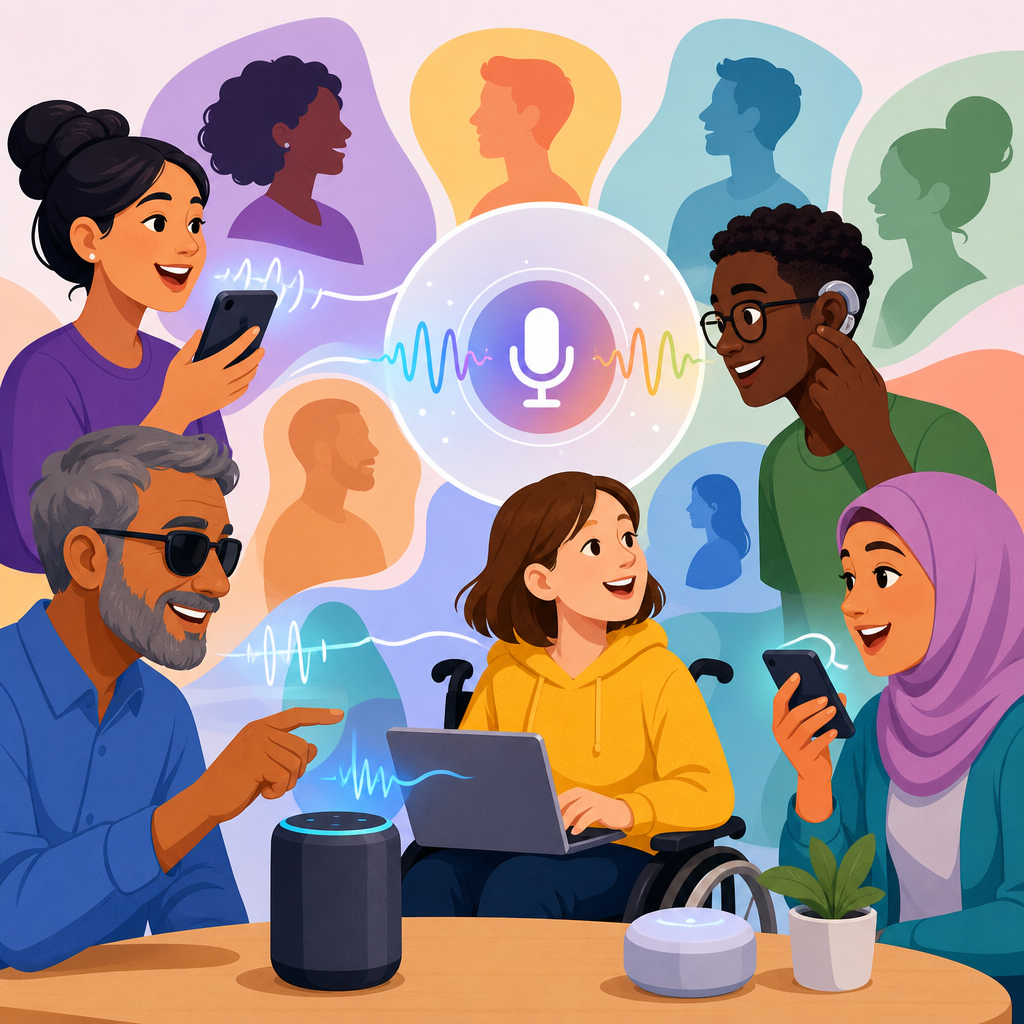
Voice interfaces and speech recognition bias now shape how millions of people access devices, services, and public information, making them a central issue in accessible design. In practical terms, a voice interface is any system that lets a person control software or hardware through spoken commands, while speech recognition is the computational process that converts audio into text or actionable intent. Bias appears when those systems work reliably for some speakers and fail for others because of accent, dialect, disability, age, gendered vocal traits, background noise, or training data gaps. I have seen this firsthand in accessibility reviews: the same assistant that performs well in a quiet lab for a standard U.S. English speaker can break down quickly for a person with dysarthria, a multilingual user who code-switches, or someone speaking through a ventilator. That mismatch matters because voice is increasingly positioned as an access method, not a convenience feature. When speech becomes a gateway to banking, healthcare, education, smart homes, transit, and emergency support, uneven recognition becomes an equity problem. This hub article explains where bias comes from, how it affects real users, what standards and evaluation methods matter, and how advanced technology for accessibility can be implemented without excluding the people it claims to help.
Accessible design requires more than adding a microphone icon or enabling dictation. It requires understanding that speech is variable, context dependent, and deeply tied to identity and disability. Designers often treat voice as hands-free input for mainstream users, yet many disabled users rely on it as a primary control channel because keyboards, touchscreens, or gesture systems are difficult or impossible to use. Others cannot use voice consistently and need multimodal alternatives. That is why the right goal is not “voice first” but “voice among resilient options.” In my work on accessibility audits, the most effective systems pair speech with captions, text input, switch access, confirmation prompts, and transparent error recovery. They also expose settings that let users slow prompts, train wake words, review transcripts, and choose privacy levels. This broader view connects voice interfaces to the full landscape of advanced technology for accessibility, including natural language processing, assistive AI, computer vision, hearing technologies, predictive text, environmental controls, and multimodal interaction. As the hub for this subtopic, this article maps the terrain and provides a practical framework for evaluating whether voice technology expands access or quietly narrows it.
Why voice accessibility succeeds or fails in the real world
Voice accessibility succeeds when speech systems recognize diverse users accurately enough to complete tasks with dignity, speed, and confidence. It fails when recognition errors pile up, when users must adapt their natural speech to machine expectations, or when a voice-only flow blocks progress entirely. The common causes are well known. Training data may overrepresent standard accents and underrepresent regional dialects, nonnative speakers, children, older adults, and people with speech impairments. Acoustic models may be fragile in noisy environments such as buses, hospitals, classrooms, or shared housing. Language models may “correct” unfamiliar names, disability terminology, or community-specific phrasing into something more common but wrong. Product teams may also optimize for average word error rate and miss the fact that a single mistaken dosage instruction, account number, or street address is more harmful than several harmless transcription mistakes in casual chat.
Real-world examples make the problem concrete. A smart speaker may reliably answer weather questions yet fail to recognize a user with cerebral palsy trying to control lights independently. A hospital patient using bedside voice controls may struggle because the system was tuned for healthy adult voices at close range, not weak or breathy speech produced from bed. In education, students with dyslexia may benefit from dictation, but only if punctuation commands, corrections, and domain vocabulary work consistently. In customer service, automated phone trees often reject names, addresses, or account identifiers from speakers with strong regional accents, increasing abandonment and forcing users into longer support queues. These are not edge cases. They reveal whether a product treats accessibility as performance under variation rather than compliance on paper.
Sources of speech recognition bias and how to detect them
Speech recognition bias comes from several layers of the stack, and teams need to test each one. Data bias starts with collection: if the corpus contains mostly clean studio audio from a narrow demographic, the model will underperform in ordinary life. Label bias appears when transcribers normalize dialect, erase disfluencies that carry meaning, or mishandle code-switching. Model bias emerges when optimization favors dominant speech patterns because they reduce aggregate error. Interface bias happens when prompts assume users can repeat, speak loudly, or hear feedback clearly. Policy bias enters when authentication, fraud rules, or timeout settings punish people who need more attempts. In audits, I separate these layers because a poor result may not be caused by the recognizer alone; the conversation design, hardware microphone array, or account verification policy may be the real barrier.
Detection requires more than one benchmark. Word error rate is useful, but task completion rate, time on task, repair rate, abandonment rate, and confidence threshold behavior often tell the more important story. Teams should test representative cohorts, including speakers with dysarthria, aphasia, stuttering, vocal fatigue, hearing loss, multilingual backgrounds, and varied accents. They should record environmental conditions, microphone distance, and whether prompts are read, spontaneous, or command based. Fairness analysis should compare not just overall averages but distribution tails, because accessibility failures often sit in the worst-performing groups. Standards and guidance from the W3C Web Content Accessibility Guidelines, inclusive research methods, and plain-language usability practice all help, but they must be applied to speech specifically rather than assumed to transfer automatically from visual interfaces.
Designing multimodal systems that reduce exclusion
The most reliable answer to speech bias is multimodal design. If a task matters, users need at least one nonvoice path and preferably synchronized paths that support seamless switching. A user should be able to start by voice, review by text, confirm with touch, and recover with human support. That pattern is especially important for advanced technology for accessibility because no single modality works for everyone all the time. Voice may be ideal for a blind user navigating a kitchen with messy hands, while text may be essential for someone with a temporary voice loss, low speech intelligibility, or privacy concerns in a shared room. In practice, strong multimodal design reduces both exclusion and cognitive load. Users stop worrying about whether the system will understand them because they know another route exists.
Good multimodal systems also make state visible. Show live transcripts, highlight recognized entities such as dates or medication names, and offer explicit confirmation for high-risk actions like unlocking doors or submitting payments. Support interruption, undo, and concise error explanations. Avoid trapping people in a looping reprompt such as “I didn’t get that” without examples or alternatives. For users with hearing loss, pair spoken output with captions and vibration cues. For users with speech disabilities, allow custom phrases, shorter command grammars, or partner-assisted setup. For multilingual households, make language switching obvious and persistent. These design choices are not extras. They are the difference between a novelty feature and an access method that can be trusted in daily life.
| Design area | High-risk failure | Accessible mitigation |
|---|---|---|
| Voice input | Accent or dysarthria causes repeated misrecognition | Add text, switch, and touch alternatives; allow custom commands |
| Spoken output | User cannot hear prompts in noise or due to hearing loss | Provide captions, transcript history, and haptic alerts |
| Authentication | Voice biometrics reject valid users with vocal variation | Offer backup PIN, passkeys, or human verification |
| Error recovery | Looping reprompts block task completion | Show examples, enable undo, and expose agent escalation |
| High-stakes actions | Incorrect dosage, payment, or address submission | Use explicit confirmation with visual review before execution |
Advanced technology for accessibility beyond basic voice commands
Voice interfaces sit inside a broader ecosystem of advanced technology for accessibility. Automatic captions and speech-to-text support deaf and hard-of-hearing users in meetings, classrooms, and media playback. Text-to-speech and screen readers convert written content into audio for blind users and many people with print disabilities. Natural language processing can simplify text, summarize dense documents, and help users draft messages. Computer vision can describe scenes, read signs, and detect objects, though its accuracy and privacy limits must be made clear. Eye tracking, switch scanning, brain-computer interface research, and adaptive input prediction expand control options for users with significant motor impairments. Smart home integration can increase independence by linking accessible input methods to lights, thermostats, locks, and appliances. The accessibility value comes not from any single tool, but from orchestration across tools with user choice preserved.
In deployment, the strongest products treat these technologies as interoperable layers. A user might issue a spoken request, see the transcript on screen, hear synthesized confirmation, and receive a visual summary generated from a document parser. Someone with low vision may combine magnification, voice search, and OCR. A nonspeaking user may rely on AAC software that sends synthesized speech into a voice-controlled environment, which means the environment must accept synthetic output as legitimate input or provide an alternate API. This is why hub planning matters. Teams building in the technology and accessibility space should connect voice design to captioning quality, accessible authentication, device compatibility, privacy controls, and disability-centered user research rather than treating each topic as a silo.
Privacy, safety, and governance in speech-enabled accessibility
Speech systems can expand access and simultaneously create new risks. Audio is intimate data. It can reveal health conditions, emotional state, household members, location cues, and protected characteristics. Accessibility users may be especially exposed because they often rely on persistent microphones, cloud processing, and shared caregivers. For that reason, privacy and safety are core accessibility requirements, not legal footnotes. Teams should minimize retention, document what is stored, separate improvement training from production logs where possible, and provide clear consent controls. On-device processing is often preferable for simple commands, while cloud models may be necessary for richer language understanding; the tradeoff should be explained plainly. Users need deletion controls, transcript review, and visible indicators when listening is active.
Safety also includes harmful automation. If a speech model routinely mishears medication names, addresses, or emergency intents, the product should narrow the command space, require confirmations, or hand off to a human. In regulated settings, governance should align with recognized security and privacy frameworks and undergo incident review. Bias monitoring cannot be a one-time launch task because model updates, new accents in the user base, and changing environments all affect performance. I recommend maintaining a standing accessibility regression suite with diverse speech samples, scenario testing, and user-reported failure tagging. That practice catches problems earlier than waiting for broad complaint patterns, which often undercount disabled users who have already abandoned the tool.
How teams can evaluate and improve voice interfaces responsibly
Responsible improvement starts with research recruitment. Include disabled participants from the beginning, pay them fairly, and test complete workflows rather than isolated commands. Define critical tasks such as login, help access, navigation, purchases, and emergency actions. Instrument the system to capture confidence scores, retries, manual corrections, and escalation points while protecting personal data. Review transcripts for patterns: Are names from certain communities misrecognized? Are users simplifying their language unnaturally? Do they abandon after a specific prompt? Then iterate at multiple levels. Update prompts, expand lexicons, retrain acoustic models where feasible, tune endpoint detection, and adjust confirmation thresholds for high-risk intents. Sometimes the best fix is architectural, such as moving from voice-only to multimodal task design.
Procurement matters too. When buying platforms from vendors, ask for subgroup performance evidence, supported languages, caption accuracy documentation, and compatibility with assistive technology. Require accessibility conformance reports, but do not stop there; validate claims with your own testing. Ask whether custom vocabulary, local processing, transcript export, and human override are available. For public-sector and enterprise deployments, contract language should cover accessibility defect remediation and change management after model updates. The organizations that do this well treat speech accessibility as an operational discipline. They know that fairness is measurable, usability is observable, and trust is earned through consistent performance across diverse users, not by promising that artificial intelligence will solve accessibility automatically.
Voice interfaces can be transformative when they are designed as inclusive, accountable systems rather than magical shortcuts. The essential lesson is simple: speech recognition bias is not a niche technical bug but a design, data, and governance issue that directly affects independence, privacy, and equal access. Advanced technology for accessibility works best when voice is combined with captions, text, touch, switch input, clear confirmations, and humane error recovery. Teams should evaluate performance across diverse speakers, focus on task completion in realistic settings, and build safeguards for high-stakes actions. They should also connect voice work to the larger accessibility stack, from assistive AI and OCR to authentication, smart environments, and device interoperability.
As the hub for advanced technology for accessibility, this article provides the foundation for deeper work on captioning, multimodal UX, assistive AI, accessible authentication, and inclusive research. If you are planning, auditing, or buying speech-enabled products, start by mapping critical tasks, testing with diverse disabled users, and requiring measurable evidence of accessibility performance. That process will reveal where voice truly helps, where alternatives are needed, and how to deliver technology that more people can use with confidence every day.
Frequently Asked Questions
What is speech recognition bias, and why does it matter in accessible design?
Speech recognition bias happens when a voice system consistently performs better for certain groups of people than for others. In practice, that can mean accurately understanding one person’s accent, pronunciation, pitch, cadence, or speech pattern while repeatedly mishearing another. The problem is especially serious in accessible design because voice interfaces are often positioned as tools that increase independence, reduce friction, and open access to digital services for people who may not be able to use keyboards, touchscreens, or other standard input methods.
When a speech system fails unevenly, the result is not just inconvenience. It can create a real access barrier. A person who relies on voice input because of mobility limitations, fatigue, chronic pain, low vision, or a temporary impairment may be locked out of basic tasks if the system does not recognize their speech reliably. The same is true for users with regional accents, multilingual backgrounds, age-related voice differences, stutters, dysarthria, or other speech characteristics that are underrepresented in training data. In those cases, biased recognition undermines the core goal of accessibility: making systems usable for the widest possible range of people.
It also matters because voice technology increasingly mediates access to healthcare portals, public services, smart home controls, customer support, banking tools, and workplace software. If those systems work well only for a narrow slice of users, they can reproduce existing social inequities at scale. Accessible design is not achieved simply by adding voice control. It requires making sure voice interaction performs equitably, provides fallback options, and does not force people to adapt themselves to a system that should have been designed to adapt to them.
Who is most affected by bias in voice interfaces and speech recognition systems?
Bias in voice interfaces can affect many different users, but the impact is often greatest for people whose speech differs from the patterns most common in the data used to build and test these systems. That includes speakers with regional and national accents, people who switch between languages or dialects, and users whose pronunciation reflects multilingual experience. It also commonly affects children, older adults, and people whose voices vary because of disability, illness, medication, stress, or fatigue.
Users with speech disabilities are particularly important to consider in accessible design. Someone with a stutter, apraxia, dysarthria, cerebral palsy, Parkinson’s disease, ALS, or another condition that influences speech production may encounter recognition systems that were never meaningfully trained on comparable speech samples. A tool marketed as hands-free or inclusive can become unusable if it expects narrow patterns of timing, volume, articulation, or sentence structure. That risk is heightened when voice is treated as a primary access method without equivalent alternatives.
Bias can also affect people in context-dependent ways. Background noise, low-quality microphones, shared living environments, emotional distress, and internet instability can all reduce recognition accuracy, and those conditions do not affect every user equally. For example, someone in a crowded household or public setting may not be able to repeat commands several times without privacy concerns or frustration. In accessible design, it is important to remember that exclusion is not limited to identity categories alone. It also emerges from real-world conditions, unequal testing practices, and design assumptions about how a “typical” user speaks.
What causes speech recognition systems to be biased or less accurate for some users?
There is rarely a single cause. Most speech recognition bias comes from a combination of data, modeling, testing, and product decisions. One of the biggest factors is training data. If a model is trained mostly on speech from speakers who share similar accents, ages, languages, vocal qualities, or speaking styles, it will usually learn those patterns better than others. Underrepresented voices then experience lower accuracy not because their speech is inherently difficult, but because the system has not been built with enough representative input.
Another major issue is evaluation bias. A system may appear highly accurate overall while still performing poorly for specific groups. This happens when companies report average performance across large datasets without breaking results down by accent, disability, age, dialect, gender expression, or environmental condition. Broad averages can hide serious disparities. In accessible design, subgroup testing is essential because a tool that works for most users but consistently fails for a smaller population is still inaccessible for that population.
Design choices also contribute. Some voice interfaces require rigid command phrases, offer weak error recovery, or assume users can easily repeat themselves. Others do not allow personalization, calibration, or alternative input methods. Microphone quality, background noise handling, language support, and wake-word detection can all introduce uneven performance. In addition, teams may overlook bias when accessibility is treated as a compliance checklist instead of a continuous design responsibility. Building equitable voice systems requires not just better models, but better research, broader testing, clearer accountability, and product decisions that recognize human speech as diverse rather than uniform.
How can designers and developers reduce bias in voice interfaces for more accessible experiences?
Reducing bias starts with treating accessibility and fairness as core product requirements rather than optional improvements. Teams should begin by collecting and curating more representative speech data, including a wide range of accents, dialects, ages, languages, speech disabilities, and vocal characteristics. Just as important, that data should be gathered ethically, with informed consent, privacy protections, and documentation about what populations are included and where gaps remain. A larger dataset alone is not enough if it still reflects the same narrow patterns.
Testing must also become more rigorous and more transparent. Designers and developers should evaluate performance across distinct user groups and realistic environments instead of relying only on aggregate accuracy numbers. That means examining how the system performs with assistive technology users, in noisy spaces, on lower-quality devices, and with varied speech patterns. User research should include people who are often excluded from default testing pools, especially disabled users who depend on voice interaction in daily life. Their feedback can reveal failures that lab metrics miss, such as cognitive load, emotional frustration, and repeated breakdowns in task completion.
From an interface perspective, inclusive design means providing flexibility. Good voice experiences support confirmations, retries, correction flows, slower pacing, customizable commands, and plain-language prompts. They also include non-voice alternatives such as keyboard entry, touch controls, captions, chat, switch access, or human support. No user should be forced into voice-only interaction, especially when recognition accuracy may vary. Finally, organizations should monitor performance after launch, publish meaningful accessibility commitments, and create processes for users to report failures. Bias reduction is not a one-time technical fix. It is an ongoing design, engineering, and governance practice.
What should users and organizations look for when evaluating whether a voice interface is truly accessible?
A truly accessible voice interface should do more than respond to spoken commands under ideal conditions. Users and organizations should look for evidence that the system works reliably across different kinds of speech and in real-world environments. That includes how well it handles accents, multilingual use, speech disabilities, age-related voice differences, and variable speaking pace or clarity. Accessibility also depends on how the system responds when it does not understand a command. Helpful error recovery, clear feedback, and easy correction options are often just as important as raw recognition accuracy.
It is also important to examine whether voice is one option among many or the only practical path through a task. Strong accessible design always includes alternative input and output methods. If a service claims to be inclusive but requires users to keep repeating themselves with no keyboard fallback, no human assistance, and no accessible manual controls, that is a warning sign. Organizations should ask vendors and internal teams for subgroup testing data, accessibility documentation, and information about how the product was evaluated with disabled users. Claims like “industry-leading accuracy” are not enough without context.
Finally, accessibility should be judged as an ongoing commitment rather than a one-time feature release. Voice systems change through updates, new models, and shifting data pipelines, so performance can improve or regress over time. Organizations should look for continuous monitoring, transparent issue reporting, and clear processes for responding to user complaints. For individual users, the most practical measure is whether the interface supports independence, dignity, and consistent task completion without forcing constant adaptation. If a voice tool saves time for some users but routinely excludes others, it is not yet delivering accessible design in the full sense of the term.


