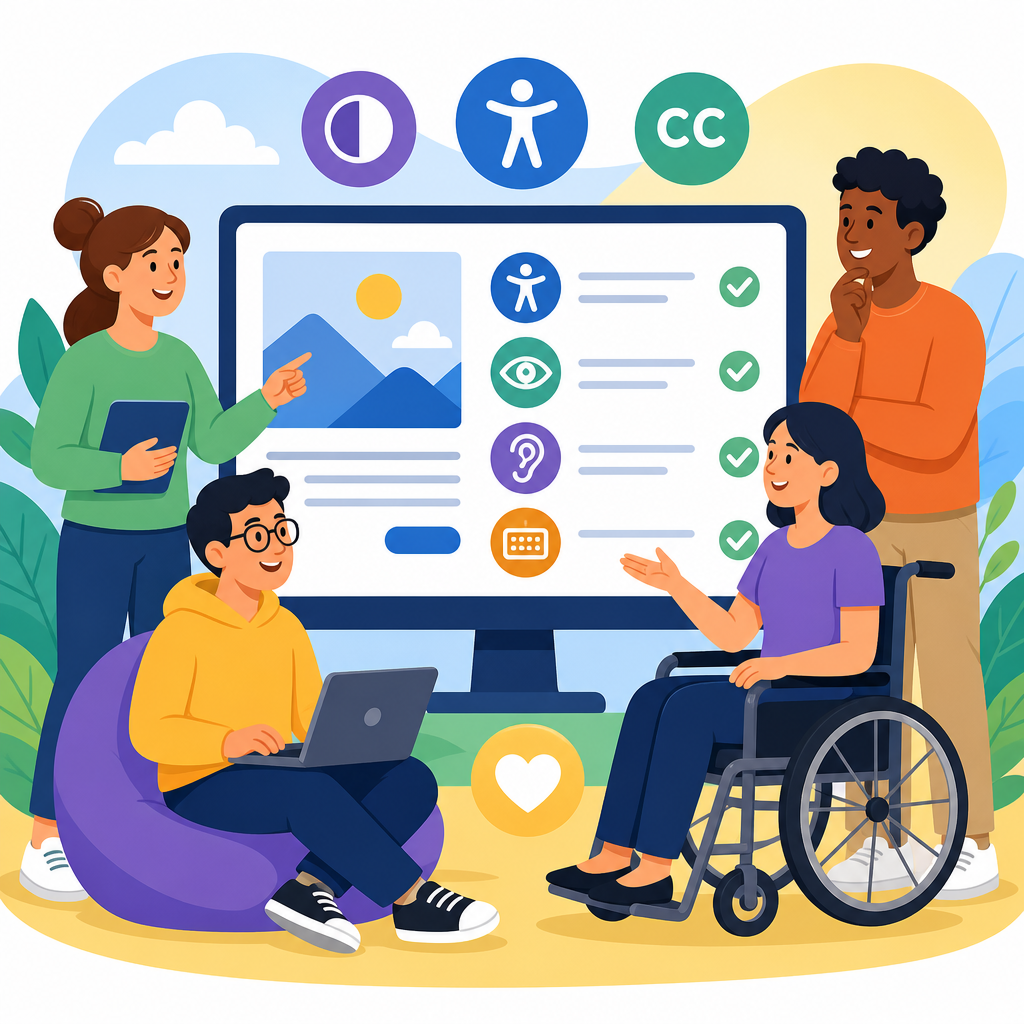
WCAG 2.2 basics for non-developers matter because accessibility is not just a coding task; it is a business, content, design, procurement, and customer-service responsibility. WCAG stands for Web Content Accessibility Guidelines, the internationally recognized standard published by the World Wide Web Consortium through the Web Accessibility Initiative. Version 2.2 adds new success criteria that strengthen support for people with cognitive disabilities, low vision, limited dexterity, and users on mobile devices. If you manage a website, approve content, review vendors, write product requirements, or publish documents, understanding WCAG 2.2 helps you make better decisions before expensive rework starts.
In practical terms, accessibility means people can perceive, operate, understand, and robustly use digital content with different abilities, devices, and assistive technologies. That includes screen readers such as JAWS, NVDA, and VoiceOver; screen magnifiers like ZoomText; speech input tools such as Dragon; keyboard-only navigation; captions; transcripts; and adaptable text spacing or contrast settings. I have seen teams assume accessibility begins when developers add code near launch, then discover that missing captions, unclear link text, inaccessible PDFs, and poor form design are the real blockers. WCAG 2.2 gives non-developers a shared language for preventing those problems early.
This hub article explains the basics of technology and accessibility in plain terms, with WCAG 2.2 as the foundation. It covers what the guidelines are, who they affect, what changed in 2.2, and what non-developers can control directly. It also works as a starting point for deeper articles on accessible content writing, design systems, procurement, testing, and document remediation. If you have ever asked, “What does accessibility actually require?” or “What should I check before publishing?” this guide gives direct answers you can use in planning meetings, content reviews, and vendor conversations.
What WCAG 2.2 is and why non-developers need it
WCAG 2.2 is a set of testable success criteria organized under four principles: content must be perceivable, operable, understandable, and robust. Perceivable means users can detect information, whether through text, audio, visual presentation, or assistive technology. Operable means users can navigate and interact, including by keyboard alone. Understandable means content and interfaces are clear and predictable. Robust means content works with current and future user agents and assistive technologies. These principles are often abbreviated, but the plain-language meaning is more useful for non-developers making everyday decisions.
Non-developers influence accessibility long before code is written. Content teams choose headings, link text, alt text, document formats, and video workflows. Designers define color palettes, focus states, spacing, icon usage, and error presentation. Product managers set acceptance criteria and release priorities. Procurement teams select platforms, templates, and vendors. Legal, compliance, and communications teams decide what standards contracts and policies reference. In every accessibility program I have worked on, the most effective improvements came when these groups understood their roles instead of treating accessibility as a final technical audit.
Why does this matter? Because inaccessible digital experiences exclude users and create measurable organizational risk. In the United States, web accessibility claims continue to target ecommerce, education, healthcare, banking, hospitality, and public-sector organizations. Beyond legal exposure, inaccessible content lowers conversion rates, increases support costs, and weakens search visibility by reducing semantic clarity. Accessible structure improves navigation for everyone, including mobile users, older adults, people in temporary situations like bright sunlight or a broken mouse, and users on slow connections who rely on clean, well-labeled content.
The four principles translated into everyday publishing decisions
Perceivable content starts with alternatives and clarity. Images that convey meaning need useful alt text. Charts require text summaries. Videos need synchronized captions, and audio-only content needs transcripts. Color cannot be the only way to communicate required fields, status, or trends. Sufficient contrast matters because low-contrast text becomes unreadable for users with low vision and for many people on mobile devices outdoors. If your team publishes white text on a pale brand color because it “looks clean,” accessibility problems begin before any developer touches the page.
Operable experiences require users to reach and use everything without fine motor precision. That means clear focus indicators, logical navigation, large enough touch targets, and forms that do not time out unexpectedly. A marketing team can break operability by approving a carousel that auto-advances too quickly or by embedding a third-party widget that traps keyboard focus. An events team can break it by publishing a registration form with tiny checkbox hit areas on mobile. WCAG 2.2 reinforces that interaction design choices are accessibility choices, not just aesthetic preferences.
Understandable content depends on language, consistency, and error prevention. Headings should reflect page structure, instructions should be specific, and error messages should tell users what went wrong and how to fix it. I often ask teams to review a form from the perspective of a first-time visitor using a screen reader: would “Invalid entry” help, or would “Enter a 10-digit phone number without spaces” be better? Predictable navigation, plain language, and clearly labeled actions reduce cognitive load for everyone, especially users with learning disabilities, attention limitations, or stress.
Robust content means information is structured so browsers, assistive technologies, and future tools can interpret it reliably. While developers implement semantic markup, non-developers affect robustness by using proper heading levels, meaningful document titles, native templates, and accessible authoring tools. Copying formatted text from a slide deck into a CMS often creates messy structures that assistive technology reads poorly. Choosing the built-in heading styles in Word or Google Docs is not cosmetic; it is part of creating machine-readable hierarchy that supports remediation, conversion, indexing, and user navigation later.
What changed in WCAG 2.2 and what to watch for
WCAG 2.2 builds on WCAG 2.1 rather than replacing it entirely. For most organizations, that means existing accessibility work still matters, but several newer requirements deserve attention. One major addition is Focus Appearance, which strengthens expectations for visible keyboard focus. Another is Dragging Movements, which requires alternatives when an action depends on dragging. Target Size Minimum addresses touch target dimensions for interactive controls. Consistent Help supports users who rely on predictable access to assistance. Accessible Authentication reduces barriers created by memory tests and cognitively demanding login flows.
These additions matter because they reflect common failures in modern interfaces. Consider a login that requires users to memorize a one-time code while solving a visual puzzle and timing out quickly. That can block people with cognitive disabilities, low vision, or certain neurological conditions. Or consider a mobile interface where tiny icons are packed so tightly that users with tremors repeatedly activate the wrong control. I have seen redesigns improve completion rates simply by enlarging tap targets, preserving visible focus styles, and letting password managers work instead of forcing manual memorization.
Some teams ask whether WCAG 2.2 means every old asset must be rebuilt immediately. Usually, no. The better approach is risk-based prioritization: start with high-traffic pages, critical user journeys, new releases, and legally sensitive services such as payments, healthcare access, employment applications, student resources, or government information. Include templates and reusable components because fixing one pattern can improve hundreds of pages. Then address legacy PDFs, archived videos, and niche tools according to usage and business impact. Accessibility is most sustainable when folded into normal publishing and governance, not treated as a one-time cleanup.
| Area | What non-developers should check | Common failure | Better practice |
|---|---|---|---|
| Images | Does every meaningful image have alt text? | Keyword stuffing or “image of” phrasing | Describe purpose in context |
| Links | Can link text stand alone? | Repeated “click here” links | Use destination-specific text |
| Video | Are captions accurate and complete? | Auto-captions left unedited | Review captions and add transcripts |
| Forms | Are instructions and errors explicit? | Placeholder-only labels | Persistent labels and clear recovery guidance |
| Mobile controls | Are tap targets large enough? | Tiny icons with no spacing | Larger targets and visible focus |
What non-developers can control right now
Content authors have immediate influence. Use one clear H1, logical heading levels, descriptive subheadings, and short paragraphs. Write links that describe destinations, such as “Download the annual accessibility report” rather than “Read more.” Add alt text only when an image adds information; decorative images should be treated as decorative in the CMS. Avoid embedding important text inside images, especially event details, pricing, or instructions. When publishing tables, keep them simple, identify column headers clearly, and do not use tables just to create visual layout.
Designers can prevent predictable failures by specifying contrast ratios that meet WCAG thresholds, defining visible focus styles in the design system, testing zoom up to 200 percent, and ensuring content reflows well on small screens. Error states should not rely on red color alone; pair color with text and icons. Components need accessible names, states, and instructions from the start. In design reviews, ask direct questions: Can this be used with a keyboard? What happens at 320 CSS pixels wide? Is the target size workable for thumb input? Those questions save remediation budget later.
Product managers and marketers should bake accessibility into requirements, timelines, and vendor management. Every brief for a microsite, campaign, or app should specify the target conformance level, testing responsibilities, captioning process, document standards, and defect severity rules. Ask vendors for an Accessibility Conformance Report based on the Voluntary Product Accessibility Template, then validate claims with your own review. I have seen teams accept a polished demo, only to discover inaccessible date pickers, unlabeled buttons, and unusable checkout flows after launch because accessibility was never written into acceptance criteria.
Document owners also need attention because PDFs, slide decks, spreadsheets, and downloadable forms are frequent barriers. A tagged PDF with correct reading order, headings, lists, table headers, link text, document language, and form labels is far more usable than an exported visual layout. Adobe Acrobat Pro, Microsoft Office accessibility checkers, and PAC can identify many issues, though manual review remains necessary. If a document changes often or contains transactional information, publishing an accessible web page may be the better choice. Web content is usually easier to maintain, search, translate, and adapt.
How to evaluate accessibility without becoming a technical tester
You do not need to memorize every success criterion to catch major issues. Start with practical checks that mirror real use. Navigate a page using only the keyboard and verify you can reach every control in a logical order. Zoom browser content to 200 percent and inspect whether text remains readable and functional. Turn on captions for videos and review accuracy, punctuation, and speaker identification when relevant. Read link text out of context. Open pages on a phone in portrait orientation. These quick tests reveal many high-impact failures.
Automated tools help, but they do not prove full accessibility. WAVE, axe DevTools, Accessibility Insights, Lighthouse, Siteimprove, and Monsido can flag missing alt text, color contrast problems, unlabeled form elements, and structural issues. They cannot reliably judge whether alt text is meaningful, instructions are understandable, captions are accurate, or workflow logic makes sense. Manual testing remains essential, especially with keyboards and screen readers. Even brief checks with NVDA on Windows or VoiceOver on Mac and iPhone can teach non-developers how headings, landmarks, labels, and announcements affect actual users.
For governance, create a lightweight review checklist tied to publishing workflows. Before release, ask: Are headings logical? Are links descriptive? Are images, charts, and media alternatives complete? Do forms have labels and error recovery text? Does the page work at mobile widths and high zoom? Are PDFs necessary, and if so, are they tagged and tested? Record issues by severity and ownership, then feed repeat problems back into templates, training, and component libraries. Accessibility matures fastest when recurring defects become system fixes rather than one-off editorial corrections.
Building an accessibility culture across technology and content
The strongest accessibility programs treat WCAG 2.2 as an operational standard, not a side project. That means training writers, designers, QA analysts, procurement staff, and leadership on the decisions they control. It means documenting patterns for accessible cards, buttons, forms, alerts, tables, and media. It also means measuring progress: percentage of captioned videos, number of critical issues on top templates, time to remediate blockers, and coverage of accessibility acceptance criteria in project briefs. Clear ownership turns accessibility from abstract policy into repeatable daily practice.
This hub article sits within the broader topic of technology and accessibility because digital inclusion is interconnected. Website accessibility overlaps with accessible documents, software procurement, assistive technology compatibility, mobile UX, customer support, and content governance. A helpful next step is to map your own ecosystem: public website, intranet, forms, ecommerce, learning platforms, social media, and video libraries. Then prioritize improvements where user impact is highest. Start small if needed, but start deliberately. Review one key journey this week, fix obvious barriers, and make WCAG 2.2 part of every future digital decision.
Frequently Asked Questions
What is WCAG 2.2, and why should non-developers care about it?
WCAG 2.2 stands for the Web Content Accessibility Guidelines version 2.2. It is the internationally recognized standard for making digital content more accessible to people with disabilities, published by the World Wide Web Consortium through the Web Accessibility Initiative. While developers often implement technical fixes, WCAG 2.2 is not just a coding checklist. It affects how organizations write content, design layouts, choose software vendors, structure online forms, create policies, and support customers.
For non-developers, this matters because many accessibility barriers are introduced long before code is written. A marketing team may publish unclear link text, a designer may rely on low-contrast color combinations, a procurement team may purchase a tool that cannot be used with a keyboard, or a customer-service team may send inaccessible PDFs. WCAG 2.2 helps every department understand what accessible experiences should look like so accessibility becomes part of daily decision-making, not a last-minute repair.
It also matters from a business perspective. Accessible websites and digital services can improve usability for everyone, including people using mobile devices, older adults, and users in temporary situations such as bright sunlight or one-handed navigation. Accessibility can reduce legal risk, strengthen brand trust, expand audience reach, and improve conversion rates by removing friction from key tasks. In short, non-developers should care because accessibility is a shared organizational responsibility, and WCAG 2.2 provides the common framework for doing it well.
What changed in WCAG 2.2 compared with earlier versions?
WCAG 2.2 builds on earlier versions rather than replacing them entirely. Organizations already familiar with WCAG 2.0 or 2.1 should think of version 2.2 as an expansion that adds more guidance, especially for users with cognitive disabilities, low vision, limited dexterity, and people accessing content on mobile or touch-based devices. The goal is to make digital experiences easier to perceive, understand, and operate in real-world conditions.
One important theme in WCAG 2.2 is reducing unnecessary effort and confusion during common tasks. New and updated success criteria address issues such as keyboard focus visibility, accessible authentication methods, target size for interactive elements, and minimizing repeated information entry. These changes reflect practical barriers that many users encounter, especially when interfaces are dense, time-sensitive, or hard to navigate without precise motor control.
For non-developers, the key takeaway is that the updates are not merely technical refinements. They influence content strategy, UX writing, form design, customer journeys, and product requirements. For example, if an organization requires users to solve memory-based login puzzles, repeatedly enter the same information, or click tiny buttons on mobile screens, it may create accessibility problems even if the code itself is relatively clean. WCAG 2.2 encourages teams to think more carefully about usability patterns that exclude people and to address those issues proactively.
Which parts of an organization influence WCAG 2.2 compliance besides the development team?
Nearly every digital-facing function in an organization can influence accessibility outcomes. Content teams affect accessibility through plain language, heading structure, descriptive link text, image alternative text, captions, transcripts, and document formatting. Design teams influence color contrast, focus states, spacing, error visibility, touch target size, and the overall clarity of navigation and page layout. Product managers shape priorities by deciding whether accessibility requirements are included from the start or deferred until problems become expensive to fix.
Procurement and vendor-management teams are also critical. If an organization licenses inaccessible platforms, widgets, or document tools, internal teams may inherit barriers they cannot easily correct. Procurement teams should ask vendors about conformance, testing practices, accessibility roadmaps, and documentation such as accessibility conformance reports. Legal and compliance teams may help connect accessibility standards to risk management, contracts, and policy requirements. Customer-service teams also play a major role by ensuring help content, chat tools, email communications, and support workflows are accessible to people using assistive technologies or alternative input methods.
Leadership matters as well. Executives and department heads determine whether accessibility is treated as a core quality standard or an optional enhancement. Sustainable WCAG 2.2 progress usually comes from cross-functional ownership, clear accountability, training, and measurable expectations. When non-developers understand their specific role, accessibility becomes embedded across the organization instead of being isolated within engineering.
What are some practical WCAG 2.2 habits non-developers can adopt right away?
Non-developers can make a meaningful difference by adopting a few practical habits immediately. Start with content clarity: use plain language, meaningful headings, descriptive buttons and links, and instructions that do not rely only on color, shape, or screen position. If you write “click the green button on the right,” some users may not perceive color or may be on a mobile layout where the button is elsewhere. A more accessible instruction would name the action directly, such as “Select Continue to submit your request.”
When working with images, provide alternative text that communicates purpose rather than simply describing appearance. For multimedia, make sure captions and transcripts are included. When creating documents or forms, use proper structure, logical reading order, clear labels, and error messages that explain how to fix the problem. In design reviews, check that text is readable, controls are easy to identify, and interactive elements are large enough and spaced well enough for touch and limited dexterity. In meetings with vendors or internal teams, ask whether a solution works with keyboards, screen readers, zoom, and mobile access.
Another strong habit is involving accessibility earlier. Add it to briefs, acceptance criteria, content workflows, and quality reviews. Test common tasks from a user perspective: Can someone log in without relying on memory tricks? Can they complete a form without timing out unexpectedly? Can they find important actions quickly? These habits do not require deep technical expertise, but they do require consistency. Over time, they help build accessible processes instead of relying on one-time remediation.
Does meeting WCAG 2.2 guarantee full accessibility?
Meeting WCAG 2.2 is an important and widely accepted benchmark, but it does not automatically guarantee that every user will have a perfect experience in every situation. WCAG is designed as a strong technical and functional standard, yet real accessibility also depends on context, content quality, user expectations, assistive technology compatibility, and the way complete journeys work across devices and channels. A site may technically satisfy many requirements and still confuse users with overly complex language, fragmented workflows, or inaccessible third-party content.
That is why organizations should treat WCAG 2.2 as a foundation, not a finish line. Conformance testing should be paired with broader usability thinking, including feedback from people with disabilities whenever possible. Manual testing, assistive technology testing, and journey-based reviews often reveal issues that checklists alone can miss. For example, a process may meet individual page-level requirements but still create unnecessary cognitive burden if users must repeat steps, recover from vague errors, or switch between inaccessible systems.
For non-developers, the practical message is to aim for both compliance and usability. WCAG 2.2 gives teams a common structure for identifying and reducing barriers, but truly accessible organizations also build inclusive habits into content, design, procurement, service delivery, and governance. The most effective approach is continuous improvement: set standards, train teams, test regularly, listen to users, and update processes as expectations and technologies evolve.


