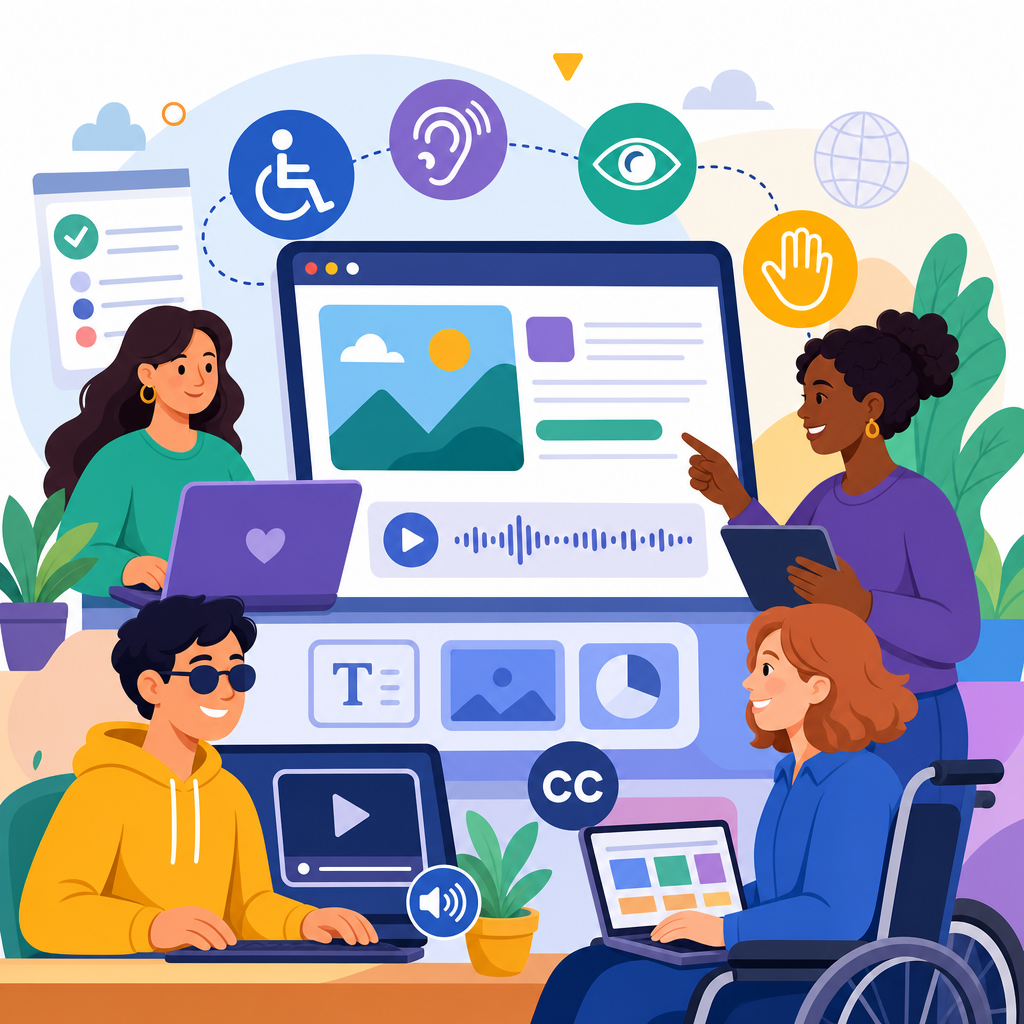
Emerging trends in ADA-compliant online content creation are reshaping how organizations design websites, publish media, and serve users who rely on accessible digital experiences. In practice, ADA-compliant online content creation means producing web pages, documents, video, audio, forms, and interactive tools that people with disabilities can perceive, understand, navigate, and use with assistive technology. Although the Americans with Disabilities Act was written before today’s internet economy took shape, courts, regulators, and industry standards have steadily pushed digital properties toward the same expectation applied to physical spaces: equal access. For publishers, marketers, universities, healthcare providers, retailers, and public agencies, this is no longer a niche compliance task. It is a core publishing discipline tied to legal exposure, audience reach, usability, and brand credibility.
I have worked with teams remediating content after audits, and the same pattern appears repeatedly: most accessibility failures are not caused by bad intent or exotic code. They come from ordinary publishing habits, such as uploading untagged PDFs, embedding videos without captions, relying on color alone to signal meaning, or introducing a new content management plugin that breaks keyboard navigation. The current wave of ADA developments in technology and accessibility matters because content creation workflows are changing fast. Artificial intelligence tools now draft alt text, design systems standardize accessible components, browser and operating system support for assistive features is improving, and legal expectations are becoming more explicit. A strong hub article needs to explain not just what accessibility is, but where the field is moving and how content teams should respond.
At the center of this topic is the relationship between the ADA and recognized technical standards, especially the Web Content Accessibility Guidelines, commonly called WCAG. WCAG is not the ADA itself, but it is the benchmark most organizations use to measure accessible web content. Recent developments have reinforced a practical truth: if your editorial process aligns with WCAG 2.1 or 2.2 Level AA, uses semantic structure, supports keyboard access, and is tested with real assistive technology, you are addressing the issues most often raised in audits and complaints. As the hub for ADA developments in technology and accessibility, this article maps the major trends influencing accessible content creation now and points toward the capabilities every modern publishing team needs.
Regulatory pressure is making digital accessibility a publishing priority
The biggest trend is that digital accessibility has moved from a specialist concern to an executive issue. Court decisions, settlement agreements, and Department of Justice guidance have all strengthened the expectation that websites and digital services should be accessible. Public entities have seen particularly notable changes with updated federal rules under Title II, while businesses covered by Title III continue to face litigation over inaccessible ecommerce flows, appointment systems, mobile apps, and media libraries. In real projects, legal risk usually becomes visible through common failures: missing form labels, inaccessible checkout pages, broken focus order in menus, or image-heavy content with no text alternative. These are content creation problems as much as development problems, because the publishing layer often introduces the barrier.
This pressure is changing how organizations budget and govern content. Instead of treating accessibility as a one-time site remediation, teams are building policies for content authors, procurement standards for third-party tools, and review checkpoints before publication. Universities now require captioning workflows for lecture recordings. Healthcare systems are reevaluating patient education PDFs and portal messages. Retail brands are replacing inaccessible overlays with code-level fixes in templates and product content modules. The key development is institutionalization: accessibility is being embedded into editorial governance, not left to a single annual audit. That shift is essential because most inaccessible content enters a site after launch, when new campaigns, blog posts, product pages, or downloadable resources are added without consistent review.
WCAG 2.2 and beyond are influencing how content is planned and reviewed
Another major trend is the growing operational impact of WCAG 2.2. While many content teams still speak broadly about “meeting WCAG,” the newer success criteria sharpen expectations around real user interaction. Requirements related to focus appearance, dragging movements, target size, and accessible authentication affect not only interface design but also the content patterns authors choose. For example, if a promotional landing page uses tiny linked cards or relies on drag-and-drop interactions to reveal information, it may create barriers for users with mobility impairments. If account access depends on solving memory-heavy puzzles, it can exclude users with cognitive disabilities. Accessibility is no longer only about text alternatives and heading order; it increasingly includes friction points in how content experiences are completed.
Content creators should understand this plainly: accessible content is content that works when users zoom in, tab through elements, use screen readers, dictate input by voice, or need extra time and clearer cues. That affects article layouts, embedded widgets, accordions, infographics, carousels, and gated resources. Teams that do this well use structured acceptance criteria. They ask whether headings form a logical outline, whether link text makes sense out of context, whether error messages identify the field and solution, whether transcripts match spoken content, and whether interactive learning modules can be completed without a mouse. In my experience, the best reviews combine automated scanning with manual checks using NVDA, JAWS, VoiceOver, keyboard-only navigation, and browser zoom at 200 percent.
AI-assisted accessibility is improving speed, but human review remains decisive
Artificial intelligence is changing accessible content creation faster than any other current development. Many platforms now generate draft alt text, live captions, transcripts, reading-order tags for documents, and accessibility suggestions inside content management systems. Microsoft, Adobe, Google, and major video platforms have all expanded automated support. These tools can dramatically reduce manual effort, especially for large media libraries and legacy files. For example, AI-generated captions can give a university or webinar publisher a usable starting point within minutes instead of days. Image recognition can help ecommerce teams populate first-pass alt text across thousands of product photos. Document tools can flag probable heading issues, contrast problems, and missing tags before a file is published.
However, automation still misses context, and context is what accessibility depends on. A product image may need alt text describing a distinguishing feature that matters for purchase decisions, not a generic machine label like “shoe on white background.” Automated captions often mishandle technical vocabulary, names, acronyms, and punctuation that affects meaning. AI can identify probable issues, but it cannot reliably judge whether link phrasing is ambiguous, whether a chart needs a textual summary, or whether a decorative image should be ignored by assistive technology. The emerging best practice is a human-in-the-loop model: use AI to accelerate first drafts and detection, then require editorial review by trained staff. Speed is useful, but accuracy and user understanding decide whether content is truly accessible.
Accessible design systems are replacing one-off fixes
One of the most important shifts in ADA developments in technology and accessibility is the rise of accessible design systems. Instead of fixing accessibility issue by issue on individual pages, organizations are standardizing components such as buttons, forms, tabs, modals, alerts, navigation menus, and card grids inside reusable systems. When those components are built with semantic markup, visible focus states, proper ARIA usage, keyboard support, and tested color contrast, content creators can publish faster with less risk. This approach is especially powerful for large sites where hundreds of authors create content through templates or blocks. If the blocks are accessible by default, compliance improves upstream.
I have seen this reduce recurring defects dramatically. A healthcare client that replaced custom campaign pages with a governed component library cut form-label errors and contrast failures across new content because authors no longer improvised layouts in a page builder. A university communications team improved heading hierarchy by locking approved heading styles into templates and forbidding visual-only “fake headings.” A retailer improved product discoverability for screen reader users by standardizing list structures and naming conventions in product cards. Accessible design systems do not eliminate the need for training, but they make the accessible choice the easy choice. That is a defining trend in modern online content creation.
| Trend | What is changing | Practical effect on content teams |
|---|---|---|
| Regulatory enforcement | Accessibility expectations are more explicit across public and commercial digital services | Teams need documented workflows, audits, and remediation plans |
| WCAG 2.2 adoption | Greater focus on interaction, focus visibility, target size, and cognitive accessibility | Authors must review layouts, forms, and embedded tools more carefully |
| AI-assisted remediation | Automation can draft captions, alt text, and issue detection at scale | Human review becomes a required quality control step |
| Design system governance | Reusable components replace ad hoc page building | Accessibility improves earlier in the publishing process |
| Multimedia expansion | More content is video, audio, animation, and interactive media | Captioning, transcripts, audio description, and motion controls become routine |
Multimedia accessibility is becoming a baseline expectation
Online content is no longer mostly text, and that changes the accessibility workload. Video, podcasts, webinars, short-form social clips, animated explainers, and interactive product demos are now standard publishing formats. As a result, captioning, transcripts, and audio considerations are moving from best practice to baseline expectation. Captions support deaf and hard-of-hearing users, but they also help users in quiet offices, noisy transit settings, and second-language contexts. Transcripts make audio searchable and easier to review. Audio description may be necessary when essential visual information is not conveyed in dialogue. Motion controls matter when autoplay, parallax effects, or looping animation create distraction or vestibular discomfort.
The trend here is operational maturity. Leading teams maintain caption style guides, vendor review checklists, and service-level expectations for turnaround time. They specify whether speaker identification is needed, how sound effects should be labeled, and when edited captions are required instead of machine captions. They also plan accessibility before recording. Presenters are instructed to verbalize slide content, avoid “as you can see here” without explanation, and describe visual changes that matter for comprehension. This proactive method is more efficient than retrofitting a finished video library. It also produces better content for everyone, because clarity, pacing, and structure improve when creators plan for multiple modes of access from the start.
Plain language and cognitive accessibility are gaining overdue attention
For years, many accessibility programs focused heavily on screen reader compatibility and color contrast, which are essential but incomplete. A significant emerging trend is broader recognition of cognitive accessibility. Users may struggle with memory, attention, processing speed, complex language, or inconsistent navigation. Content that is technically compliant can still be difficult to understand or complete. That is why plain language, predictable layouts, consistent labels, shorter paragraphs, meaningful headings, and clear instructions are becoming central to ADA-compliant online content creation. In regulated sectors such as healthcare, banking, insurance, and government services, this shift has direct consequences for forms, explanations of benefits, consent flows, and policy updates.
Good cognitive accessibility is concrete. Replace “commence identity verification” with “verify your identity.” Explain errors in plain terms and tell the user what to do next. Keep button labels consistent across steps. Break long procedures into numbered stages with progress indicators. Avoid unexplained acronyms. Give users enough time to complete tasks or allow time limits to be extended. These changes benefit users with cognitive disabilities, older adults, people under stress, and anyone using a phone in a distracting environment. In my work, simplifying language and task flow often resolves more user frustration than any single technical fix. Accessibility is not only about whether content can be accessed; it is also about whether it can be understood and successfully used.
Document accessibility and third-party content remain common weak points
Many organizations improve website templates yet continue publishing inaccessible PDFs, slide decks, spreadsheets, and third-party embeds. This is one of the most persistent gaps in ADA developments in technology and accessibility. Tagged PDFs, logical reading order, document titles, table headers, alt text, sufficient contrast, and accessible form fields are still frequently overlooked. The same is true for embedded maps, scheduling widgets, payment processors, chat tools, and learning platforms. From a user’s perspective, it does not matter that a barrier came from a vendor. If a required task becomes inaccessible, the organization that published it still owns the experience.
The most effective response is governance backed by procurement. Content teams should maintain document standards, require source-file accessibility in Word, PowerPoint, or InDesign before export, and limit PDF use when standard web pages would serve users better. Procurement teams should ask vendors for VPATs based on the Accessibility Conformance Report format, but they should not stop there. A VPAT is a starting point, not proof. Critical user journeys should be tested directly. If a registration tool cannot be completed with a keyboard or a screen reader, the risk is immediate. Hub coverage of this topic should therefore connect content strategy with platform selection, contract language, and remediation ownership across departments.
These trends point to one conclusion: ADA-compliant online content creation is becoming more systematic, more measurable, and more integrated with mainstream digital operations. Regulatory scrutiny is increasing, WCAG 2.2 is sharpening review standards, AI is accelerating first-pass remediation, and accessible design systems are reducing repeated errors at scale. At the same time, the scope of accessibility is broadening beyond classic checklist items to include multimedia workflows, cognitive accessibility, document remediation, and third-party tools. The organizations making real progress are not waiting for complaints. They are building accessibility into planning, authoring, testing, procurement, and governance.
For teams managing updates and developments, the main benefit of treating this page as a hub is clarity. It helps readers understand how legal expectations, technology changes, publishing practices, and user needs connect. If you create online content, start with the basics that prevent most failures: semantic headings, descriptive links, alt text with context, captions, keyboard-friendly interactions, accessible documents, and manual testing with assistive technology. Then expand into governance, design systems, and vendor accountability. Accessibility improves reach, usability, and trust when it is practiced continuously. Use this hub as your foundation, audit your current content inventory, and make accessibility part of every release cycle from now on.
Frequently Asked Questions
1. What does ADA-compliant online content creation mean today, and why is it evolving so quickly?
ADA-compliant online content creation refers to the process of designing and publishing digital materials so people with disabilities can access and use them effectively. That includes websites, landing pages, blog posts, PDFs, forms, videos, audio files, images, e-commerce experiences, and interactive tools. In practical terms, accessible content should work for people who use screen readers, keyboard-only navigation, captions, voice input, screen magnifiers, refreshable braille displays, and other assistive technologies. It also needs to be understandable and usable for people with cognitive, auditory, visual, speech, and motor disabilities.
The reason this area is evolving so quickly is that digital experiences are becoming more complex. Organizations are no longer publishing only simple text pages. They are using dynamic menus, embedded media, AI-generated content, mobile-first interfaces, personalized user journeys, and interactive applications. As digital content expands, accessibility expectations also increase. Users expect equal access across devices and formats, and regulators, courts, and advocacy groups increasingly expect organizations to remove digital barriers rather than treat accessibility as an afterthought.
Another major factor is the widespread adoption of standards-based accessibility practices, especially those aligned with the Web Content Accessibility Guidelines, or WCAG. While the ADA itself predates the modern web, businesses, schools, healthcare organizations, nonprofits, and public-facing brands are increasingly treating WCAG-based accessibility as the operational benchmark for digital inclusion. As a result, emerging trends focus less on one-time remediation and more on integrating accessibility into content strategy, design systems, editorial workflows, media production, and long-term governance.
2. What are the most important emerging trends in ADA-compliant online content creation?
One of the most important trends is the shift from reactive accessibility fixes to proactive accessible-by-design workflows. Instead of waiting for audits, complaints, or legal pressure, organizations are building accessibility into planning, writing, design, development, and publishing from the start. That means creating accessible templates, using heading structures correctly, writing meaningful link text, ensuring strong color contrast, and testing keyboard usability before content goes live.
Another major trend is the growing emphasis on multimedia accessibility. As video, webinars, podcasts, tutorials, and short-form social content become central to digital communication, organizations are paying closer attention to captions, transcripts, audio descriptions, speaker identification, and accessible media players. This is especially important because video accessibility is no longer viewed as optional support content. It is part of the core user experience and often essential for education, customer service, and brand communication.
There is also increasing adoption of accessibility-conscious content operations. Content teams are using checklists, training programs, editorial standards, and platform settings to reduce publishing errors that create barriers. For example, more organizations now require alternative text for images, plain language for complex topics, accessible document formatting, and form labels that work properly with assistive technology. Design systems and content management systems are also being configured to promote accessibility by default rather than relying entirely on individual creators to remember every requirement manually.
A fourth trend is the use of automation and AI as support tools, not complete solutions. Automated scanners can identify some issues quickly, such as missing alt text, contrast problems, empty buttons, or heading hierarchy errors. AI tools can also help draft image descriptions or flag unclear language. However, emerging best practice recognizes that automation cannot replace human review. Real accessibility depends on context, usability, and testing with actual assistive technology and, ideally, real users with disabilities. The strongest programs combine automation, human expertise, and continuous improvement.
3. How are AI and automation affecting accessible content creation?
AI and automation are changing accessible content creation by making some parts of the process faster and more scalable. Automated tools can scan websites for common issues, generate reports, and help teams prioritize remediation. AI-assisted systems may suggest alternative text, identify low-contrast elements, transcribe audio, create captions, or detect structural problems in documents and web pages. For organizations managing large volumes of content, these tools can significantly reduce repetitive manual work and make accessibility monitoring more practical.
At the same time, AI has clear limitations. Accessibility is not just a technical checklist. It is also about meaning, usability, and user experience. For example, an AI tool might generate alt text that describes an image literally but misses its purpose in context. It might caption spoken words adequately but fail to identify multiple speakers, relevant sound effects, or confusing background audio. It may also overlook whether form instructions are understandable, whether navigation order makes sense, or whether interactive content is usable without a mouse. Those are issues that often require editorial judgment, accessibility expertise, and user-centered testing.
The emerging trend is to treat AI as an accessibility assistant rather than an accessibility authority. Strong teams use automation for early detection, workflow support, and baseline quality control, but they still rely on trained humans to review content before publication. This balanced approach helps organizations scale accessibility efforts without creating a false sense of compliance. In other words, AI can improve efficiency, but it cannot replace accountable processes, inclusive design thinking, and informed decision-making about what users actually need.
4. What types of online content create the biggest ADA compliance challenges for organizations?
Interactive and media-rich content often creates the greatest accessibility challenges. Forms are a common example because they require clear labels, instructions, error messaging, focus indicators, logical keyboard navigation, and compatibility with screen readers. If even one element is confusing or inaccessible, users may be unable to submit applications, make purchases, request services, or complete important tasks. Similarly, navigation menus, pop-ups, sliders, chat tools, calendars, and custom widgets can create major barriers when they are not designed with keyboard and assistive technology access in mind.
Documents such as PDFs, downloadable guides, reports, and application packets are another frequent problem area. Many organizations focus on website pages but overlook the accessibility of attached files. A PDF that looks polished visually may still be unusable if it lacks proper tags, heading structure, reading order, alt text, table markup, or searchable text. The same issue applies to slide decks, spreadsheets, and Word documents that are shared publicly but not prepared for accessible use.
Video and audio content also present ongoing challenges, especially as content production speeds increase. Captions, transcripts, and audio descriptions require time, budget, and quality control. Organizations that publish webinars, product demos, interviews, training content, or social media clips at scale often struggle to keep accessibility aligned with publishing schedules. The emerging solution is to build accessibility into the production process itself rather than trying to add it later. When accessibility is planned from the beginning, content teams are better positioned to produce digital experiences that are both engaging and inclusive.
5. What practical steps should organizations take to keep up with emerging ADA-compliant content trends?
Organizations should start by treating accessibility as an ongoing operational priority, not a one-time legal project. That means establishing clear standards for digital content, assigning responsibility across teams, and integrating accessibility checks into everyday workflows. Writers, designers, developers, video editors, marketers, and platform administrators all influence accessibility, so training should extend beyond technical specialists. When everyone understands the basics of accessible headings, link text, color contrast, captions, alt text, document structure, and keyboard usability, accessibility becomes much more sustainable.
It is also important to standardize tools and templates. Accessible design systems, content blocks, document templates, and media workflows can reduce errors before they happen. For example, a content management system can require alt text fields, encourage semantic headings, and limit inaccessible formatting choices. Video workflows can include captioning and transcript requirements by default. Forms can be built from tested accessible components instead of recreated from scratch each time. These operational safeguards are one of the clearest emerging trends because they make compliance more consistent across large organizations.
Finally, organizations should combine audits, monitoring, and user feedback to maintain progress over time. Automated scans can help identify recurring issues, but manual testing remains essential. Regular review with screen readers, keyboard navigation, zoom settings, and mobile devices can reveal problems that tools miss. Listening to users with disabilities is equally important because real-world feedback often highlights barriers that are invisible in internal reviews. The organizations that adapt best to emerging ADA-compliant content trends are the ones that build accessibility into strategy, technology, publishing culture, and continuous improvement efforts from the ground up.


