In today’s fast-paced and inclusive work environments, the importance of accessible design cannot be overstated. Designing accessible work surfaces and benches ensures that individuals of all abilities can perform tasks effectively and comfortably. Accessibility in design refers to creating environments that can be used by as many people as possible, including those with disabilities. This not only includes ramps and elevators but extends to the creation of workbenches and surfaces that accommodate various physical and cognitive needs. By championing accessible design in our workspaces, we are advocating for inclusivity and equal opportunity. It allows all employees to participate fully and makes businesses more adaptable to diverse staffing needs. This article delves into the components of designing accessible work surfaces and benches, providing guidance and practical examples to illustrate each aspect.
Adjustable Heights: The Key to Customized Workspaces
One of the most critical aspects of designing accessible work surfaces is height adjustability. By allowing flexibility in height, individuals in wheelchairs, those who are shorter, or those who prefer to stand have equal opportunities and comfort while working. Adjustable workbenches often incorporate hydraulic, electric, or manual mechanisms to modify the workstation’s height.
Consider a company that implemented height-adjustable workbenches in their assembly line. Employees praised the new benches, noting they could now work more comfortably and avoid the strain associated with static benches. This resulted in increased productivity and reduced complaints regarding discomfort, boosting workplace morale considerably.
Ensuring Adequate Knee and Toe Clearance
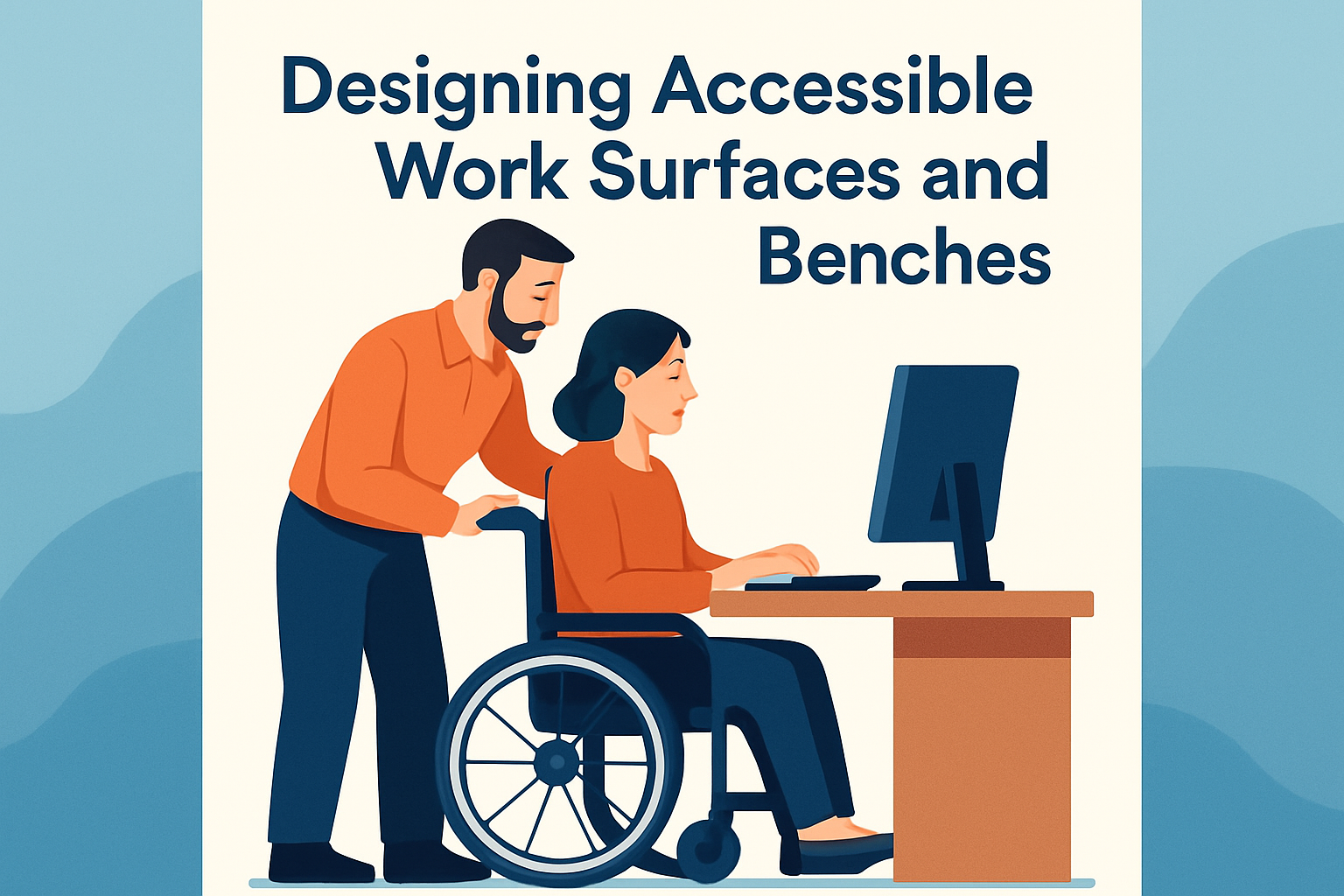
When designing work surfaces for accessibility, it’s essential to provide adequate knee and toe clearance. This consideration ensures that those using wheelchairs or other mobility aids can easily approach and maneuver around the workspace. It typically involves ensuring a specific amount of space under the surface to avoid restrictions or obstacles.
For example, a library incorporated desks with additional knee space to accommodate wheelchair users, enhancing their ability to access computers and study materials comfortably. Feedback indicated a noticeable improvement in the users’ library experience, demonstrating the significance of well-planned accessibility features.
Material and Edge Considerations for Safety and Comfort
The choice of materials and the design of edges can significantly influence the safety and usability of work surfaces. Non-slip surfaces, rounded edges, and non-reflective materials contribute to a safer workspace environment. Moreover, selecting materials that cushion impact reduces injury risk and ensures a tactile-friendly workspace for individuals with sensory sensitivities.
For instance, a local craftsmanship workshop revamped its benches with rubber edging and non-slip surfaces. Artisans reported feeling safer and more at ease, resulting in a more efficient workflow and less time lost to accidents or minor injuries.
Spatial Layouts: Encouraging Movement and Accessibility
The layout surrounding workbenches and surfaces is as crucial as the design of the surfaces themselves. Ample space should be provided for wheelchairs, crutches, and other mobility aids, ensuring easy access to and from work areas. Clearance around the workspace, alongside pathways that connect various parts of a facility, should be wide and obstruction-free.
In a forward-thinking manufacturing plant, extensive consultation with accessibility experts led to creating generous walkways and strategically placed benches. Employees now benefit from fluid movement throughout the workspace, significantly enhancing collaboration and task efficiency.
Incorporating Technological Enhancements
The integration of technology into workspaces elevates accessibility by allowing for personalized settings based on individual needs. This can include electric height adjustability, voice-activated settings, and digital displays for task management, all of which cater to diverse user requirements.
A tech company set a precedent by introducing smart desks that adjust height based on user preferences stored in their profiles. Employees, regardless of their physical abilities, could quickly customize their workstations, paving the way for future-forward, accessible offices worldwide.
Practical Implementation of Accessible Designs
Successfully implementing accessible work surfaces and benches requires a comprehensive approach encompassing training, feedback, and regular evaluations. It involves educating staff about using accessible features, gathering input from individuals with disabilities, and updating designs as technology and needs evolve.
One nonprofit organization radically improved workspace accessibility by conducting workshops and routinely soliciting feedback. Their responsiveness to suggestions cultivated a more inclusive atmosphere, reinforcing their commitment to accessibility and equality.
Illustrative Table: Assessing Key Features
| Feature | Purpose | Example |
|---|---|---|
| Adjustable Height | Facilitates comfort for various body sizes and abilities | Electric height-adjustable desks |
| Knee/Toe Clearance | Provides space for mobility aids | Library computer stations with wheelchair access |
| Material Choice | Reduces injury risk and enhances tactile comfort | Benches with rubber edging |
| Spatial Layout | Ensures smooth, obstacle-free movement | Wide pathways in manufacturing plants |
| Technological Features | Customizes user experience and facilitates ease of use | Smart desks with user profiles |
Conclusion: Designing the Future of Workplaces
In summary, the journey to designing accessible work surfaces and benches involves various considerations from height adjustability and material selection to technological integration and spatial planning. The impact of accessible design is substantial, as it not only enhances individual productivity but also fosters a culture of inclusivity and equality in the workspace. By focusing on accessibility, businesses can create environments that are welcoming to all employees, thereby attracting a diverse workforce and reducing discrimination.
The key takeaway for businesses and facility managers is to prioritize accessibility in workplace design to not only comply with legal mandates but also to promote equality, improve employee satisfaction, and drive operational efficiency. Businesses stand to earn reputational benefits and witness productivity gains by making thoughtful adjustments and investments in accessible design features.
We encourage readers to assess their current work environment and identify opportunities for improvement in accessibility. Whether it is adjusting current workbenches, altering spatial arrangements, or incorporating technology, each change contributes significantly to creating a working environment that is accessible to all. Let’s take action today to empower every individual in the workforce, ensuring a future that is inclusive, productive, and dynamic.
For those interested in implementing these changes, consider consulting with accessibility experts or conducting workshops to prioritize inclusivity in design and function. Embrace the change, and take the first step in creating an accessible work environment for all.
Frequently Asked Questions
1. What are the key elements to consider when designing accessible work surfaces and benches?
When designing accessible work surfaces and benches, it’s essential to consider the height, depth, and width of the surfaces to ensure they accommodate a range of users, including those who use wheelchairs or have limited mobility. The height should be adjustable or a standard minimum of 28-34 inches from the floor, allowing for legroom underneath and easy reach of the surface. It’s also important to think about the materials used, ensuring they are non-slip, durable, and easy to clean. Incorporating rounded edges can prevent injuries. Furthermore, clear floor space in front of the workbench should be at least 30×48 inches, providing ample room for maneuverability. Controls for any integrated equipment should be easy to reach, requiring minimal force to operate.
2. Why is it necessary to incorporate accessible design in work surfaces and benches?
Incorporating accessible design in work surfaces and benches is crucial for promoting inclusivity and ensuring that all individuals, regardless of ability, can perform tasks efficiently and comfortably. Accessible designs contribute to a more equitable workplace by removing physical barriers and enhancing independence for those with disabilities. This not only benefits individuals but also organizations, as it can lead to improved productivity, employee satisfaction, and compliance with legal standards like the Americans with Disabilities Act (ADA). Moreover, accessible designs reflect a commitment to diversity and can improve a company’s public image, showing that it values all employees and clients.
3. How can adjustable work surfaces be implemented in an accessible design?
Adjustable work surfaces can be incorporated through a variety of mechanisms, such as manual crank systems, electric lift systems, or gas hydraulic lifts that allow users to raise or lower the surface to their preferred height. These adjustments should be simple, requiring little effort or strength, to ensure users with different physical capabilities can operate them. Including memory presets for different heights can be a convenient feature for environments with multiple users. It’s also useful to design these surfaces to transition smoothly between different states to prevent disruptions to work or potential hazards. Ensuring power sources and adjustments are accessible and convenient is key to proper implementation.
4. Are there specific design standards or guidelines to follow for accessibility in workbenches?
Yes, there are several standards and guidelines that provide a framework for designing accessible workbenches. The Americans with Disabilities Act (ADA) offers guidelines regarding dimensions, clearances, and operational needs to accommodate individuals with disabilities. Similarly, the International Organization for Standardization (ISO) and other bodies provide ergonomic and accessibility standards. For instance, the ADA suggests work surfaces have a knee clearance of 27 inches high, 30 inches wide, and 19 inches deep for wheelchairs. Additionally, ensure all components such as shelving and fixtures adhere to these accessibility and ergonomic standards. While following these guidelines, it’s beneficial to involve end users in the design process to tailor solutions to specific needs.
5. How does technology play a role in accessible work surface design?
Technology plays a significant role in enhancing the accessibility and functionality of work surfaces. Innovations like IoT-enabled surfaces can provide users with customizable settings and feedback through connected apps, ensuring an optimal working environment tailored to individual needs. Other tech advancements include voice-activated controls, touch-sensitive interfaces, and automated lifting systems that remember user preferences. These features not only make work surfaces more accessible but also enhance efficiency and ease of use. Accessibility in technology also involves ensuring any digital interfaces associated with the work surface are usable by everyone, including those with visual, auditory, or cognitive disabilities, through features like screen readers or high-contrast displays.